





© ROOT-NATION.com - Use of content is permitted with a backlink.
Bigme is no longer simply another Chinese manufacturer of e-readers. The company has established a distinct position in the niche of color E Ink devices and has consistently sought to move beyond the traditional reader format. More recently, the HiBreak series has been increasingly mentioned as a practical alternative for users looking to reduce eye strain associated with conventional smartphones.
The device under review here is the flagship of this lineup, the Bigme HiBreak Pro Color For most mainstream users, it remains an unconventional product and, at first glance, one that challenges established expectations of what a smartphone should be.

And that’s accurate. A smartphone with a color E Ink display, 4G/5G connectivity, a full Android system, and all the essentials for basic communication, reading, and messaging is not a mainstream device. It is a truly niche product, designed for digital detox, extended reading without eye strain, or for users seeking an alternative to bright OLED screens. It does not attempt to replace an iPhone or Galaxy; instead, it offers a fundamentally different user experience. That is precisely why it merits a detailed and straightforward discussion. Shall we begin?
Read also:
TABLE OF CONTENTS:
Bigme HiBreak Pro Color Specifications
- Display – 6.13-inch colour E Ink Kaleido 3 display, 824×1648 pixels, 300 PPI in black and white mode and 412×824 pixels, 150 PPI in colour, backlight with adjustable cool and warm light
- Operating system – Android 14, MediaTek Dimensity 1080 processor, 6 nm, 2 Cortex-A78 cores up to 2.6 GHz and 6 Cortex-A55 cores up to 2.0 GHz, Mali-G68 MC4 graphics processor
- Memory – 8/256 GB (no microSD expansion)
- Connectivity – 2 nano-SIM slots with 5G support, support for 2G, 3G, 4G LTE networks, Wi-Fi 802.11ac, Bluetooth 5.2
- Main camera – 20 MP with autofocus and support for optical OCR document scanning, 5 MP front camera
- Battery – 4500 mAh, 18 W fast charging, USB Type-C
- Dimensions – 159.8×80.9×8.9, weight 193 g
- Other – NFC module with Google Wallet support, fingerprint scanner, GPS navigation, gyroscope, compass, accelerometer, IR remote control for appliances
- Additional features: 2 customisable physical quick access buttons, support for reading and working with documents in daylight and artificial light without screen backlighting, ghosting reduction technology and automatic residual image clearing.
Positioning and Price
The Bigme HiBreak Pro Color is positioned as a premium E Ink smartphone for users seeking to minimize eye strain and spend the majority of their time – around 80–90% – without exposure to bright OLED or AMOLED screens. It is particularly suited for reading books, PDFs, articles, or technical documents, offering a paper-like experience without flicker or blue light.
The device also serves well for “digital detox” purposes: it provides access to messaging apps, email, phone calls, Google Maps, and audiobooks, while reducing the temptation to scroll endlessly through TikTok, Reels, or Instagram. Many users adopt it as a secondary or tertiary device – for work, travel, or daily tasks – where long battery life (up to 10–14 days) and a compact, pocketable form factor are priorities, without unnecessary distractions.

As of early 2026, the Bigme HiBreak Pro Color is priced between approximately $399 and $469, depending on promotions and region. On Bigme’s official website, the device is available for $399 during promotional periods. On Amazon, prices range from $449 to $519, depending on the seller and configuration, while other platforms list it starting at around $399.
In Europe, the most reliable purchasing options are either directly through Bigme’s official website, with delivery times of 2–4 weeks, or via Amazon/AliExpress from verified sellers.
Packaging and Included Accessories
The Bigme HiBreak Pro Color comes in a premium white box with gold lettering and the company logo, giving an immediate impression of quality and attention to detail. Inside, the contents are neatly arranged in a sturdy cardboard tray.
The smartphone itself (black variant) is already fitted with a branded protective case. The case is soft to the touch, with a matte texture that provides a secure grip and prevents slipping. It is made of high-quality TPU rather than cheap silicone, featuring precise cutouts for buttons and ports, as well as protection for the SIM card tray. Many users are likely to keep this case as their primary daily protection.

In addition to the device and protective case, the box includes a high-quality USB Type-C cable (approximately 1 m long, sturdy and durable) for charging and data transfer, a SIM ejector tool, and a short Quick Guide – a multi-page illustrated manual. A charging adapter is not included; like many manufacturers, Bigme expects users to already have a compatible 18 W adapter. Overall, the package is minimalistic but well thought-out: nothing superfluous, yet it contains everything needed for a quick start and immediate protection of the device.
Read also: Bigme B7 Review: When an E-Reader Tries to Be a Tablet – and Actually Pulls It Off
Design and Ergonomics
This section is quite detailed because there is a lot to discuss – the device occupies a middle ground between a conventional smartphone and a specialized e-reader, and that balance is immediately noticeable in hand.
The Bigme HiBreak Pro Color has a classic rectangular form factor with no notches or camera cutouts on the screen – just a large 6.13‑inch E Ink display with relatively thin bezels. By modern smartphone standards the bezels are not exceptionally slim, but for an E Ink device, this is typical.
The dimensions are 159.8 × 80.9 × 8.9 mm, and it weighs 193 g. Thickness is moderate – neither record-breaking nor bulky. Compared with typical 6.1–6.3‑inch OLED smartphones, it appears slightly taller and wider due to the screen’s proportions (824 × 1,648 pixels in black and white), but it sits confidently and comfortably in the hand.

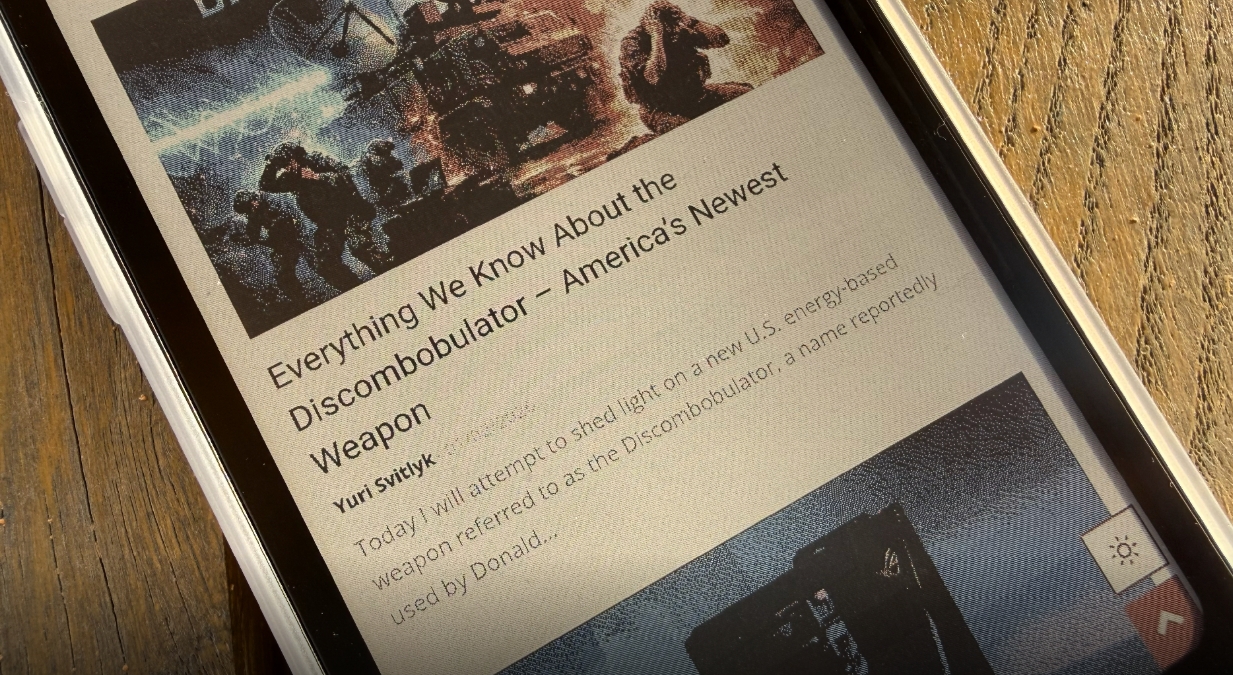
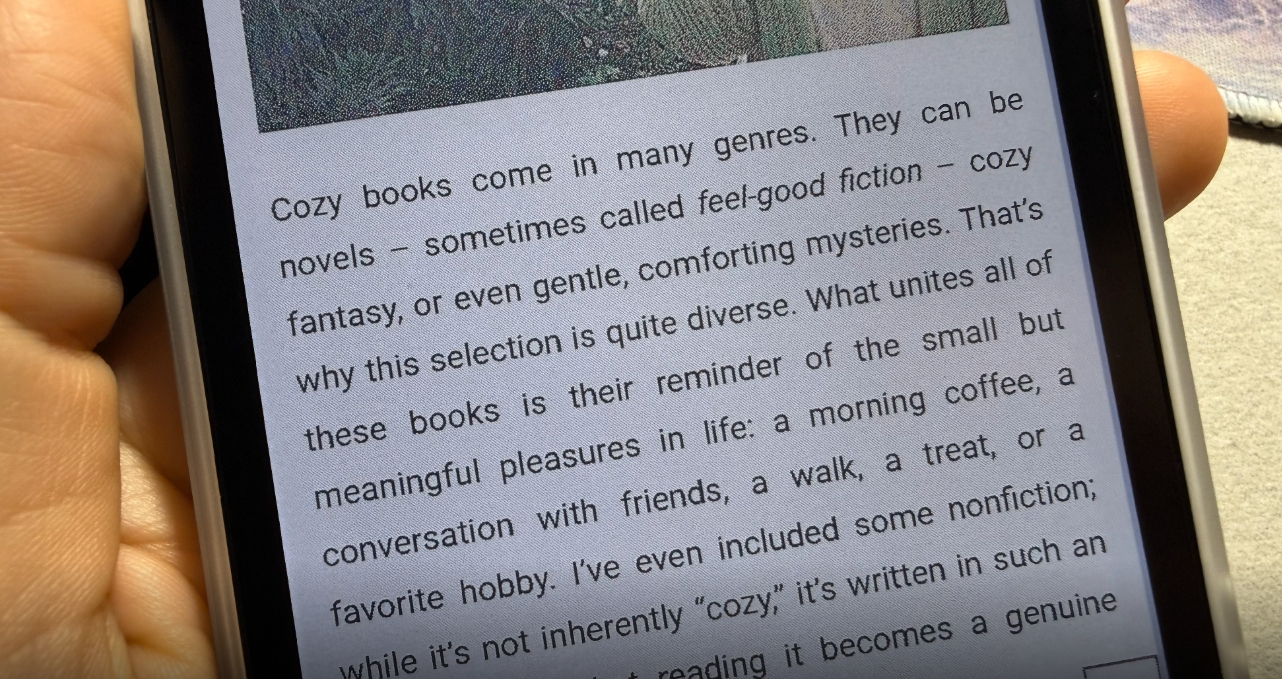
The Bigme HiBreak Pro Color is constructed entirely from plastic with a matte finish that feels pleasant to the touch, though it is quite prone to smudges. The back cover is completely smooth – unlike the Bigme HiBreak S Color – but the device does not feel slippery in hand.
As mentioned earlier, the included case is simple and semi-matte, in white (for some reason), but it provides a secure grip that helps prevent accidental drops. The edges of the phone are rounded, making it comfortable to hold and avoiding the sharp feel of some angular flagship smartphones. A small but noticeable design detail is the red power button/fingerprint scanner, which stands out against the black body and adds a touch of style. For reference, the phone is also available in a white variant with a black-and-white display; a separate review covers that version.


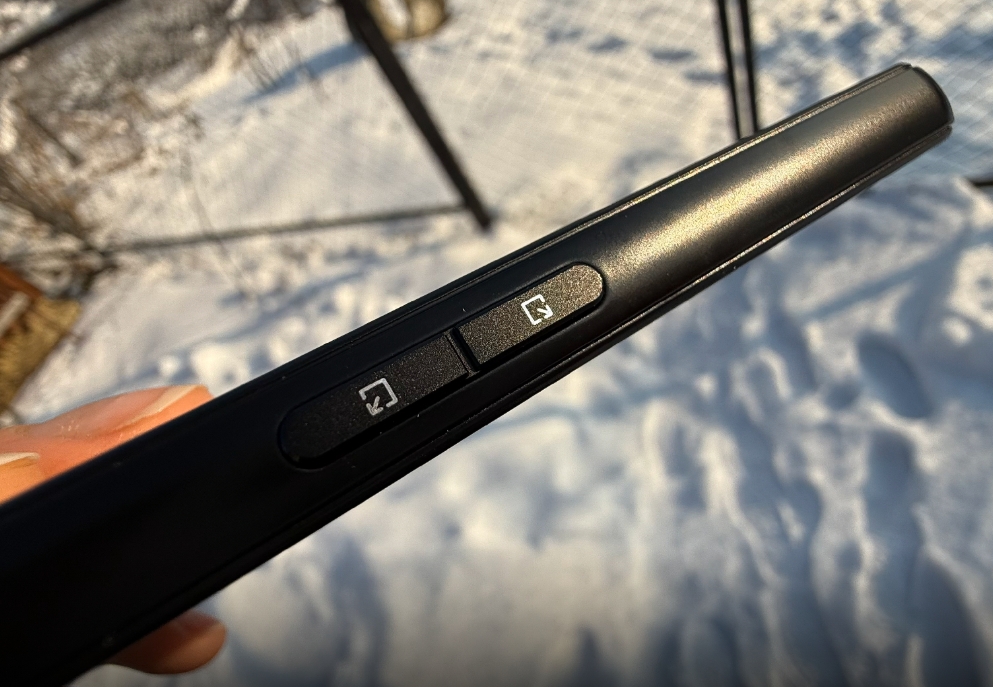
Button placement and feel are mixed but functional. The power and volume buttons are on the right, while two programmable buttons on the left provide quick access to screen refresh modes, the camera, or the flashlight. The fingerprint scanner integrated into the power button is fast, though not perfectly reliable – sometimes requiring 2–3 attempts. Buttons are made of plastic with slight play; they are not “premium,” but presses are precise and responsive. Additionally, the top edge includes an IR port for controlling other devices, which may be useful for some users.

Here is where some compromises become apparent. With a width of 80.9 mm, users with average or small hands may find it nearly impossible to reach the far edges of the screen – particularly the top-left corner – without repositioning the phone in their hand. A reachability gesture, like on iPhones, would be helpful here, but it is not available.
For reading text, scrolling through books, or responding to messages one-handed, the device is generally comfortable because content is usually centered. However, performing quick gestures – such as pulling down the notification shade, tapping an icon in the corner, or typing on the keyboard – while holding the phone with one hand is challenging. In practice, users often need to adjust their grip, reposition the device, or use the other hand for support.
This is not a critical drawback, as ultra-compact size was never promised – the 6.13‑inch E Ink display is naturally larger than typical 5.5–5.8‑inch e-readers. Many users actually appreciate this size: the screen allows comfortable reading of pages without frequent scrolling, and the 193 g weight does not cause fatigue even after an hour or two of holding. Compared with large flagship phones such as the Galaxy S25 Ultra, the HiBreak Pro Color can even feel more manageable in hand due to its lighter weight and balanced distribution.
In summary, the ergonomics are mixed but generally positive. The device is well designed for extended reading sessions and basic smartphone use: the plastic feels pleasant, weight is reasonable, the included case improves grip, and buttons are well positioned. However, users accustomed to compact phones and one-handed operation may need some adjustment or simply accept that the second hand will occasionally be necessary. Within its niche – E Ink combined with full Android functionality – it remains one of the most balanced options currently available.
Read also: Lenovo ThinkBook Plus Review: E Ink on the Lid – Good or Bad?
Bigme HiBreak Pro Color Display
At the heart of the HiBreak Pro Color is a 6.13‑inch E Ink Kaleido 3 display with a resolution of 824 × 1,648 pixels. In black-and-white mode, this yields the standard 300 PPI, producing exceptionally sharp text. Fonts appear almost as if printed on paper, with no visible pixelation even under close inspection.
The color mode operates at 150 PPI (equivalent to 412 × 824 pixels in the color layer) and supports up to 4,096 shades. Colors are soft and muted rather than vivid – this is not an attempt to compete with AMOLED screens but rather a functional enhancement for icons, book covers, simple charts, maps, or highlighting text.
An important point: the original HiBreak Pro was monochrome, displaying only shades of gray. The Pro Color model, however, uses the Kaleido 3 technology, which adds a color filter layer on top of the black-and-white E Ink panel.
Because of this filter, color images appear less sharp (150 PPI), and the overall screen is slightly darker compared with purely black-and-white E Ink displays. In exchange, we gain color exactly where it is useful – without compromising the clarity of the underlying monochrome layer.
In practical terms, this means that the main content – books, articles, messaging apps – remains crisp and easy to read, while the color interface makes navigation, icons, and visual cues more convenient and easier to interpret than on older monochrome models. However, it does not produce a “wow” effect like OLED or LCD displays; the color is functional rather than flashy.
The HiBreak Pro Color features a front-lit display with 36 brightness levels and separate controls for cool and warm light (dual color temperature). The ambient light sensor functions adequately, automatically adjusting brightness. In dark environments, reading remains comfortable, as the absence of blue light and screen flicker helps reduce eye strain.
In direct sunlight or bright daylight, the E Ink display has no real competitors: its reflective nature ensures excellent readability without glare and without the need for backlighting. In complete darkness, warm-toned illumination feels more comfortable and visually balanced than purely cool LED light, which can sometimes appear slightly dimmer and less uniform.

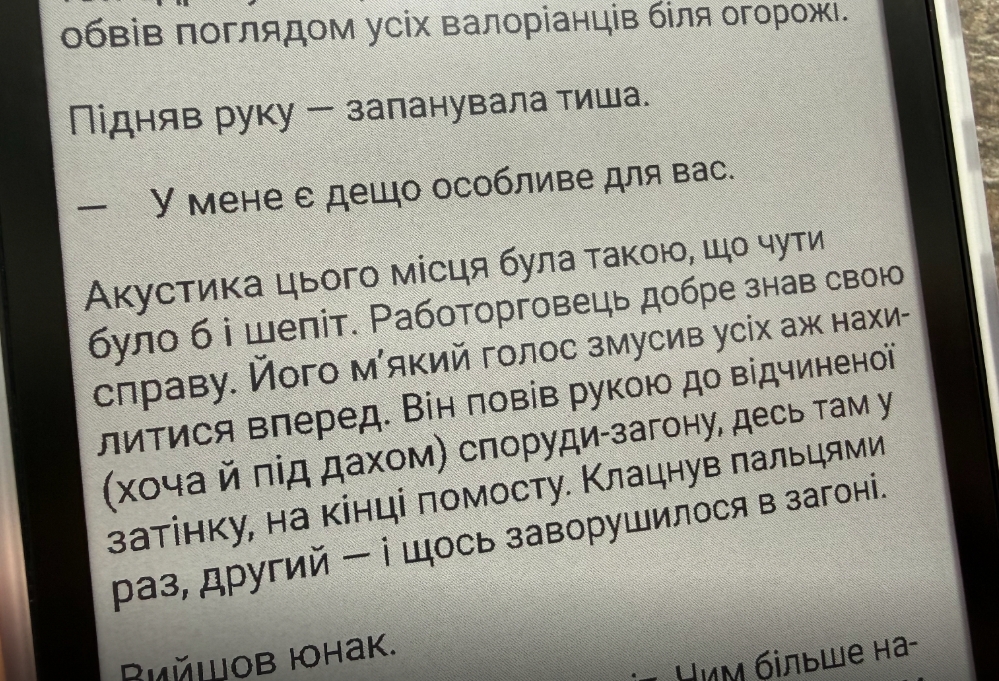
Bigme highlights its SSS (Smooth Super Speed) technology and dynamic ghosting reduction. Ghosting is indeed minimal when the appropriate refresh mode is selected – this is a clear improvement over earlier models like the Bigme B6 Color. Page turns, scrolling in browsers, or messaging apps feel noticeably smoother than on previous Kaleido generations, sometimes reaching up to 30 FPS in specialized modes.
That said, it remains an E Ink display: users should not expect the same fluidity as a conventional smartphone screen. During fast animations or quick swipes, minor delays or subtle flickering can still occur.
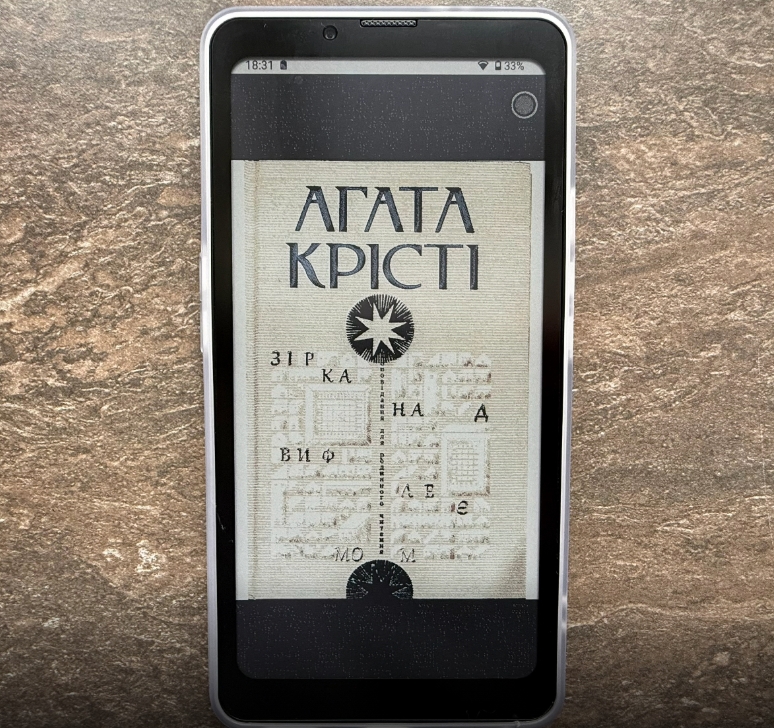

The display is the main reason users choose devices like this. Black-and-white text is rendered with excellent sharpness, colors serve as a functional enhancement rather than a highlight, and eye comfort is high in virtually any lighting condition. For those who read extensively or work with text, this makes the HiBreak Pro Color one of the best options currently available.
However, if vibrant colors, detailed photos, or video playback are priorities, the limitations of 150 PPI and the slightly darker screen caused by the color filter become immediately noticeable. This trade-off is important to consider honestly when evaluating the device.
Read also: Bigme B6 Color Review: When an E-Reader Tries to Be a Tablet – and Didn’t Quite Succeed
Software
The Bigme HiBreak Pro Color runs stock Android 14 with full access to the Google Play Store. This means you can install any apps just like on a regular smartphone – messaging apps, browsers, games, banking apps, or specialized e-readers. Google services come preinstalled, so apps like Google Books, Maps, Chrome, and YouTube work out of the box without additional setup.
During the review period, the device received two firmware updates, which is a notable plus, especially for a premium model from Bigme. This demonstrates active support and helps maintain system stability and security.

The home screen immediately feels “busy,” reflecting a common design approach for niche Chinese devices: numerous shortcuts, folders with extra apps, a bookshelf, file manager, music player, clock, settings, plus all standard Google apps. Many of these elements will likely be removed or hidden by the average user.
At the bottom of the screen, there is a panel with the camera and other quick shortcuts. While familiar, it can appear somewhat bulky on an E Ink display. The advantage is that, aside from Google services and a few Bigme-specific apps (like the e-reader or E Ink settings), any unnecessary items can be removed without issue, allowing a cleaner, more focused interface.
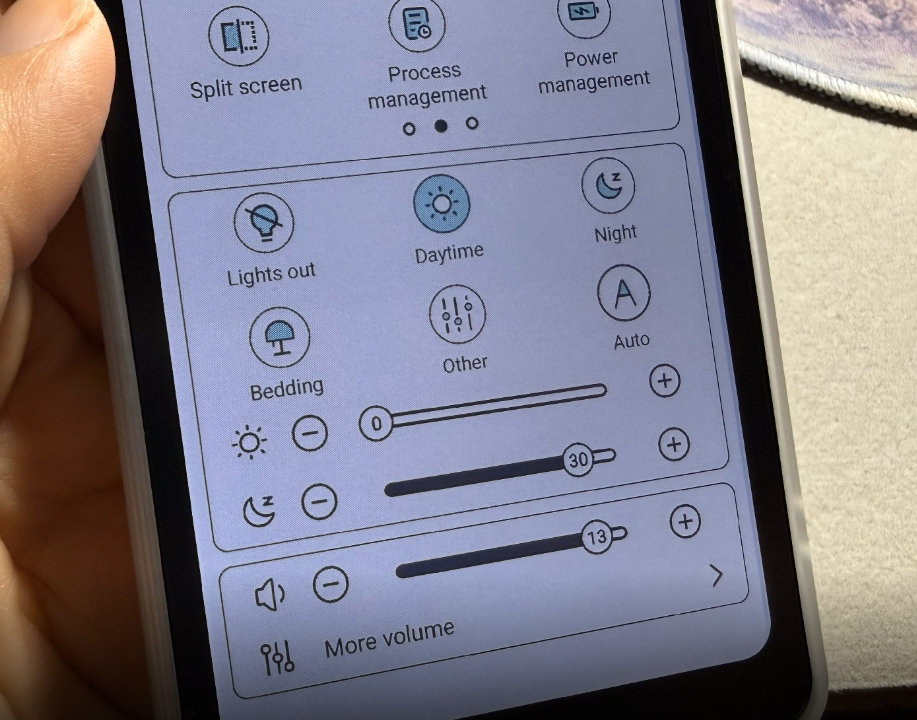
Swiping down opens the standard Android quick settings panel, with important additions specifically for the E Ink display. Here you’ll find sliders for front-light brightness and color temperature, volume, Wi-Fi, Bluetooth, mobile data, airplane mode, flashlight, and system-wide dark mode or color inversion.
Most importantly, this panel houses the E Ink Control Center, a central feature of the device. It allows users to quickly switch between screen refresh modes – optimized for books, magazines, comics, video, and more – enabling a tailored reading or viewing experience depending on the content.
The custom settings offer a range of fine-tuning options, including image stabilisation (anti-shake), automatic removal of residual artefacts, contrast, and refresh rate. The modes are standard for the Bigme/Boox ecosystem: HD 256 (256 grey levels instead of 16 for better detail), Regal (balance of quality and speed), Fast, Extreme, Quick. Fast modes (Quick/Extreme) sacrifice sharpness and contrast for smoothness – ideal for scrolling in a browser, browsing the Play Store, or even watching videos (although E Ink is still not for dynamic content). By default, a lower-quality mode is often selected, but switching to higher-quality modes such as HD or Regal makes the interface noticeably more comfortable and easier on the eyes.
Overall, the software feels like a typical Android smartphone: you can make calls, send messages, browse the web, and install apps – just like on a Pixel or Galaxy device. There are, however, some nuances: occasional minor translation errors, slight inconsistencies in the UI (Bigme OS 5 layered on top of Android), and a lack of excessive proprietary “enhancements” common on Samsung or Xiaomi devices. This simplicity is a plus for clarity but may feel limited to users accustomed to numerous extra features.
For a niche E Ink device, the software is well implemented. Everything revolves around comfortable reading and fast screen refresh, rather than the other way around. If you stick to the basic functions without diving into advanced settings, the experience is smooth, predictable, and free of unpleasant surprises.
Read also: Bigme B13 Portable E-Ink Monitor Review: Who Is It For and What Is It Good For?
Cameras
It goes without saying that the Bigme HiBreak Pro Color is primarily a reading-focused smartphone, not a device for producing Instagram-worthy shots. The cameras are included more for basic functionality than for performance.
The rear camera is a single 20 MP sensor with autofocus and flash, while the front-facing camera is 5 MP. There are no ultra-wide, macro, telephoto lenses, or AI-assisted night modes. This is not a device for spending time adjusting shots or waiting for perfect lighting.
The main purpose of the cameras is practical: scanning documents, photographing text for OCR, or taking quick reference photos. For these tasks, the cameras perform adequately – enough to get the job done without expecting high-end image quality.

In good daylight, photos are fairly decent. Colors appear muted – which is expected, as the E Ink screen cannot fully represent them – but detail and sharpness are adequate, and the white balance is generally accurate. Indoors or in low-light conditions, performance drops: noise increases, fine details are lost, and autofocus slows down. Still, for practical tasks – photographing a receipt, a book page, or a menu at a café – the camera performs reliably and gets the job done.
The system camera app includes built-in OCR (optical character recognition) support. You simply point the camera at text, take a photo, and the app extracts the text directly to the clipboard or notes. This feature is particularly convenient for students, office workers, or anyone who frequently scans documents, making quick text capture straightforward and efficient.









For those seeking better image quality or additional functionality, third-party apps can be used. Options include Open Camera, GCam (if a compatible version is available), or simple scanner apps like Adobe Scan. These apps allow manual control over exposure, focus, HDR, and other settings, helping you get the most out of the modest camera sensor.
Read also: Bigme HiBreak Pro Review: An Almost Ideal E-Ink Smartphone for Digital Detox
Battery Life
The Bigme HiBreak Pro Color is equipped with a 4,500 mAh battery – a substantial capacity for a compact E Ink smartphone. Charging is via USB-C at 18 W (supporting fast charging), with a full charge taking approximately 2–2.5 hours, depending on the adapter. Officially, Bigme promises “a full day of uninterrupted use,” but in practice, battery life depends heavily on usage patterns. This is where the E Ink display excels: it only consumes power when the screen is refreshed, allowing much longer endurance than conventional LCD or OLED smartphones under typical reading or text-based tasks.
Based on personal experience, the phone easily lasts 3–5 days on a single charge. If you minimize frequent screen refreshes – avoiding long social media sessions or video playback – you can realistically reach 4–7 days. In deep standby mode (screen off, data disabled), the device loses only 5–10% per day, meaning it could theoretically go a couple of weeks without charging. However, heavy usage – such as frequent 5G and Bluetooth use, rapid scrolling in high-refresh modes, or keeping the front light at maximum – significantly reduces battery life, sometimes down to 1–2 days.
Battery life is one of the device’s strongest points, especially compared with typical OLED smartphones. The combination of E Ink and Android works in its favor: background power consumption is minimal as long as the system isn’t forced to refresh the screen constantly. This makes the HiBreak Pro Color particularly well-suited for extended reading and light smartphone use without frequent charging.
Read also: Bigme B1051 Review: Tablet with Colour E ink Display, Stylus and Keyboard
User Experience
After one to two weeks of daily use, it becomes clear that the Bigme HiBreak Pro Color is more than just a “reader with calling capabilities.” It feels like an experimental smartphone that encourages you to rethink what you really need from a device.
The first few days bring a sense of calm: without constant flickering, push notifications every second, or bright flashes, the mind feels noticeably quieter. Reading books, browsing articles, or messaging via Telegram or Signal is genuinely comfortable. Even after 4–5 hours of continuous scrolling, the eyes remain strain-free, highlighting the real advantage of the E Ink display.
There is a trade-off: when speed and dynamic content are needed, the device can become frustrating. Apps like Instagram or TikTok are usable, but scrolling in Extreme mode feels like a slideshow with slight flicker. YouTube videos play, but only at low quality and with visual artifacts, as E Ink is not designed for motion.
Gaming is limited to simple puzzles or text-based adventures; anything fast-paced – even casual titles like Candy Crush – becomes awkward or uncomfortable. The Gboard keyboard works adequately, but long typing sessions can feel sluggish, with fingers occasionally “sliding” due to minor input lag, especially in slower refresh modes. One-handed use is challenging, as noted earlier.
One of the most interesting aspects is how usage behavior changes. You naturally spend less time idly scrolling. Notifications arrive – you see them, respond if needed, and then put the device aside. There’s no urge to scroll “just in case.” At the same time, calls and messaging work flawlessly: voice quality is clear, the microphone and speaker perform adequately, 4G/5G reception is solid, and Wi‑Fi remains stable. This reinforces the device’s role as a focused, distraction-minimizing smartphone.


The overall experience is mixed but very characteristic of this niche. If you are choosing the HiBreak Pro Color primarily for reading, note-taking, basic communication, and reducing eye strain, it is currently one of the best options on the market.
It won’t replace a flagship smartphone, but it can serve as an excellent secondary device or even a primary one for users who are tired of bright screens and constant “dopamine hits.” After using it, returning to a conventional phone can feel overly aggressive – a statement that, in itself, highlights the device’s unique appeal.
Read also: Bigme B751C review: Finally, Affordable E-Reader With Color E Ink And Android
Conclusions
The Bigme HiBreak Pro Color is not a revolution, but rather an evolutionary step in the E Ink smartphone niche, making color displays more accessible and practical. Externally, it closely resembles its monochrome predecessor: the same sturdy plastic body, noticeable bezels, and a recessed rear camera. The matte black (or white with red accents) finish looks more refined than previous glossy versions, while stereo speakers, the included protective case, and an improved fingerprint scanner add thoughtful touches.
Connectivity is solid: 5G, NFC, GPS, and Bluetooth are all present, making the device feel modern and fully capable as a smartphone. For anyone specifically seeking a color E Ink device running Android 14 with minimal eye strain, the HiBreak Pro Color is currently one of the strongest options available.
If we look more critically, the HiBreak Pro Color carries a few persistent “brand quirks” common to Bigme devices. The side buttons remain slightly loose, and the auto-brightness can feel a bit erratic – sometimes it’s easier to adjust manually. Other compromises include the lack of wireless charging and no microSD slot, which are still notable omissions in 2025–2026. The cameras are basic, the interface speed isn’t aimed at users who expect high responsiveness, and one-handed use requires some adjustment. These issues don’t undermine the device’s core strengths, but they are worth keeping in mind.
If your goal is eye-friendly reading, basic communication, messaging, note-taking, and digital detox without bright screens, the HiBreak Pro Color delivers effectively. It won’t revolutionize the smartphone market, but it can meaningfully change your evenings, reduce eye strain, and make you rethink how much screen time you really need.
Read also:
- Witches, Orcs, and Chinese Moms: A Selection of “Cozy” Books for Turbulent Times
- How to assemble a relatively low-cost eye-tracking setup for Truck Simulator and similar applications
- OSCAL PV800 Pro Review: Affordable Android TV Projector with Netflix Support and 4K Playback
Where to buy Bigme HiBreak Pro Colour



I wanted this phone to be great, but it has been a terrible failure made worse by the technical support team’s complete lack of help and ignoring of problems.
I have spent 2 months with the technical support saying they are helping me but not actually helping me, and once it became too late to return it, they refused to acknowledge the warranty, even though there is clearly a fault.
The audio cuts in and out especially whilst using any other apps. This makes driving whilst using any map app and playing music or a podcast impossible.
The software is slow to respond and often the in-app buttons on the touch screen do not respond.
It is nearly impossible to use apps or websites that require you to enter codes from email or text, as the browser (any of them) reloads the webpage when you leave or goes back to the opening page when you attempt to retrieve a code from email. All of the banking apps I set up I had to use my laptop at the same time to make work initially. If you open something from email it does not change to the browser app but loads the browser in the email app, locking you in and unable to access emails unless you lose the page.
The technical support team has told me to use functions that don’t exist in the software. When I have sent screenshots of the phone software to demonstrate the issues, they have simply ignored this problem and told me the same things over and over.
As I said, I wanted this phone to be great, but it has been the most disappointing device I have ever used, and I am seriously disappointed in the company for putting out a product that is dysfunctional and then been awful in their support.
“If you open something from email it does not change to the browser app but loads the browser in the email app, locking you in and unable to access emails unless you lose the page.” – This is a function of the Gmail app, you need to uncheck the box – “open webpages in the built-in browser”. The smartphone manufacturer has nothing to do with it at all. Much of what you described is incorrect system settings in Android.
I use outlook, but tbh this was the least of my issues with it, anyway was more an issue about the browser resetting when you leave it. The fact that you cannot use the map while playing a song should be a huge indicator that this product doesn’t work properly. BigMe has been the worst company I have ever dealt with – and I can see from digging deeper I am not the only person saying this now – they are complete Gaslighters. They strung me along for weeks saying that there were software fixes of everything but there wasn’t. There are literally settings they told me to use in the settings menu that don’t exist. They have removed my review from their website, and looking at other reviews across the web I can see similar issues other people had with the screen not responding well and the audio not working properly, but funnily enough these are not present on the BigMe website. It appears they remove all bad reviews. The product was dysfunctional from day 1 and they refused to let me return it. I feel that all of the online reviews I saying how great it is are either not even using the same phone or they are glossing over the serious flaws in the product. The product is clearly not fit for market and is completely dysfunctional. Their proprietary API is fundamentally not well compatible with android.
Outlook also has a built-in browser.
But this is all strange, because I know several people who use similar devices and they have no such complaints. We will check everything on a similar smartphone, which we currently have on the test, even weaker 6/64 GB.