





© ROOT-NATION.com - Use of content is permitted with a backlink.
Recently, I explored how the design of keyboards and mice can drive the industry forward. This potential is realized only when keyboards are high-quality, mechanical, wireless, and accessible. GamePro has contributed to this vision by releasing a line of premium models in collaboration with Keychron, including the GamePro Asgard Drakkar, GamePro Asgard Ragnar, and GamePro Asgard Yord.

TABLE OF CONTENTS:
GamePro Asgard Drakkar/Ragnar/Yord Video review
Positioning and price
These models have a lot in common. The cost is around $80.
Common Features
The included accessories are largely consistent across all models, featuring a Type-C cable, a 2.4 GHz adapter, and a keycap removal tool. The Ragnar and Yord models also include additional keycaps, while the Drakkar comes with a hex key and soft dampening pads instead.


All three keyboards feature what can be described as a “modern classic” design. The color schemes are restrained, and the overall aesthetic is understated. While not overtly gaming-focused, the keyboards still maintain a strong visual appeal, aligning with the current trend toward minimalist, refined designs.
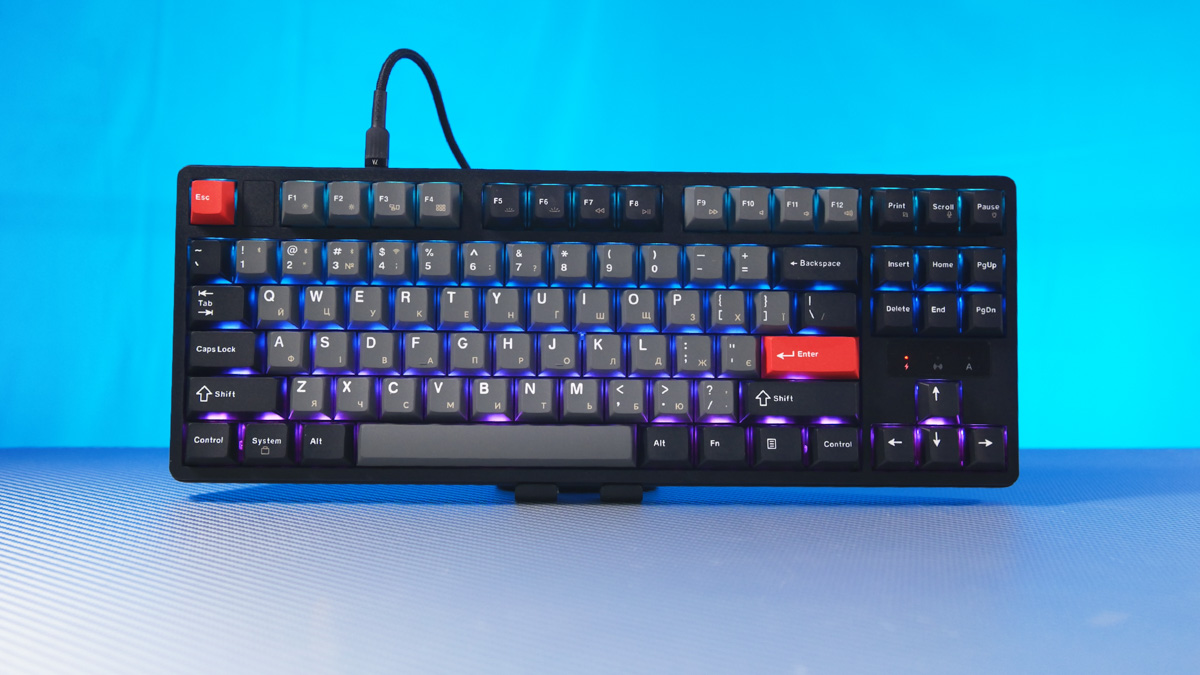
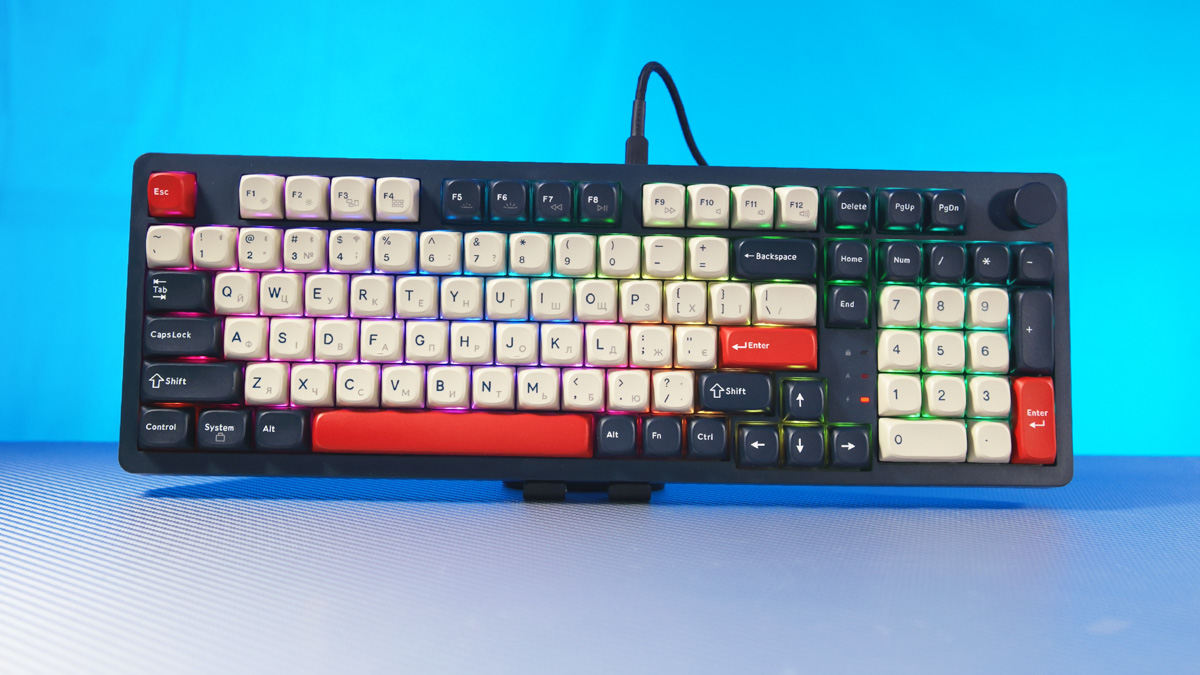
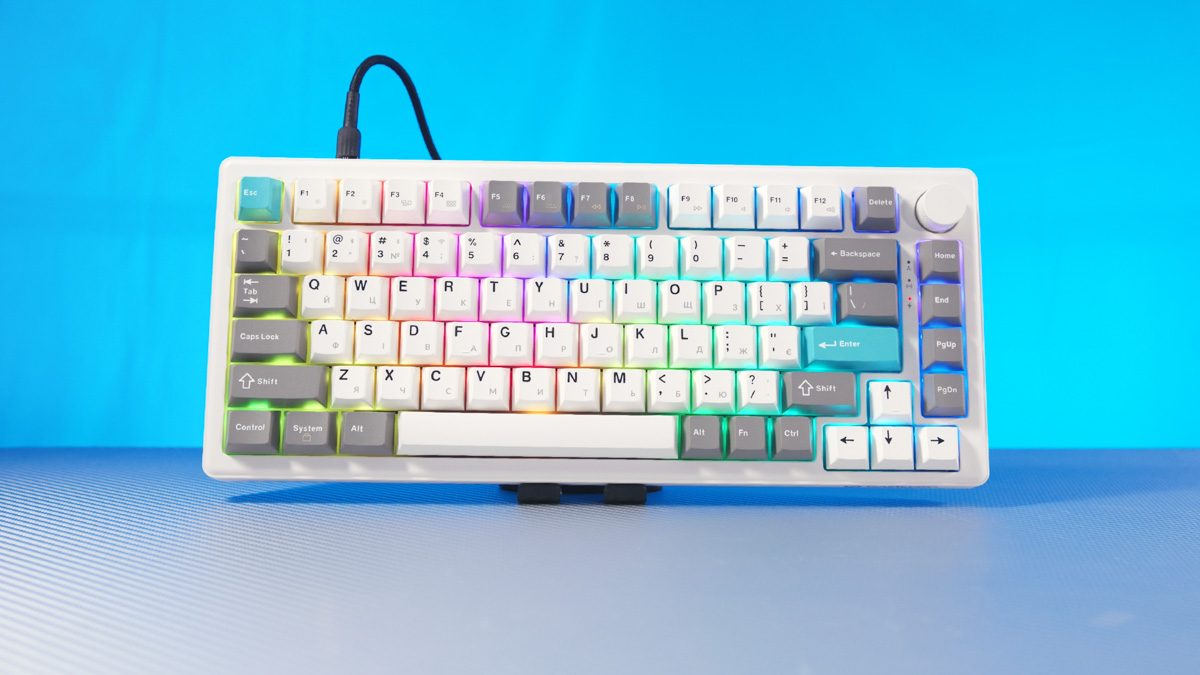
It’s worth noting that the Drakkar and Yord belong to the same sub-line, so to speak. Both keyboards share not only a similar color palette, case design, and keycaps, but also a metal, knurled volume control wheel. The Ragnar model, by contrast, does not include this feature.

Regarding the color options, these keyboards are available in multiple variants, but the BL (Blue) version stands out in particular. The colors are subtle: the blue plastic appears almost black, the white keycaps take on a near-cream tone, and the red accents evoke the vintage palette of IBM Model M-era PCs.
Technical Specifications
The Ragnar is an 87% layout, meaning it lacks a numeric keypad. The GamePro Asgard Yord is a compact 75% keyboard with offset arrow keys, while the Asgard Drakkar uses a 98% layout. All three models share largely similar specifications, including connectivity options: wired via Type-C, wireless via Bluetooth 5.2, and wireless via a 2.4 GHz receiver.

All models feature linear Keychron Super Switch Red switches with hot-swap support. The stabilizers come pre-lubed, and the keyboards include a gasket mount along with six layers of sound-dampening. Keycaps are made of PBT with a Cherry-profile base.
Sound and Testing
The key question is how they sound. Simply put – excellent. The GamePro Asgard Drakkar has become my primary keyboard, and it has been years since I’ve enjoyed typing this much – probably not since using the Mionix Wei about a decade ago. However, there is an important nuance to note.

If you’ve noticed, the top surface of the keycaps on the Ragnar and Yord is traditionally sharp, while the Drakkar features a softer, unconventional shape. Thanks to this design, even someone like me, who doesn’t touch-type, was able to type faster and more accurately on the Drakkar within five minutes than on a low-profile scissor-switch keyboard. Remarkably, the low-profile keyboard proved slower than a full-size mechanical model.

Yes, these keycaps are angled backward and non-standard, but their soft top surface helps fingers move more quickly between keys, avoiding the snagging that can occur on the Yord and Ragnar models.

However, there’s a funny nuance here. I wondered why the keycaps on the Yord and Ragnar weren’t as refined. When I checked the manufacturer’s website, I discovered – brace yourself – they actually vary depending on the keyboard’s color.
Colors and Keycaps
The Drakkar, Yord, and Ragnar each come in three color options: White, Black, and Blue. For all models, the White and Black variants have the traditional sharp keycaps. If you see the BL (Blue) prefix, that’s the version with the softer, more comfortable keycaps – definitely a standout choice. Personally, I was lucky to select the full-size keyboard in this color, and I plan to use it to practice touch typing.

Here’s a personal anecdote that fits perfectly. As a child, I spent a long time learning to play the piano but eventually stopped because, at music school, I was often assigned pianos with very stiff and heavy keys. Before that, I had practiced on pianos with light, pleasant keys. Whether those keys were simply well-maintained or the instruments were newer, I don’t know – and, frankly, it doesn’t matter.

And people would tell me, “If you learn to play on heavy keys, you’ll play even better and faster on lighter ones.” But I didn’t want to play better or faster – I wanted my practice to feel easier after school. I had no motivation to play on that old, cumbersome instrument because it didn’t give me any enjoyment. Without that sense of satisfaction, I simply stopped playing the piano.

Therefore, even before concluding, I can already recommend the GamePro Asgard series in the BL (Blue) variant for anyone looking to transition to touch typing.
Looking for Drawbacks
These are premium mechanical keyboards priced under $100, even for the near full-size models. They are mechanical, thoughtfully designed, reliable, offer excellent and smooth typing, and provide remarkable versatility.

Where’s the catch? In the software? Not really – it’s some of the most modern I’ve seen. It’s entirely browser-based, yet very versatile, even allowing testing without connecting to the keyboard. The only minor issues are occasional stability glitches and some inaccurate translations.


Regarding the cable, it’s very basic, without any braiding or extra reinforcement. The USB connector fits securely and doesn’t block other cables. In fact, I didn’t even unpack the one from the Drakkar – I simply used an old cable from an office A4Tech keyboard, and it worked perfectly.
The keyboards also feature RGB lighting, which is adjustable. However, because the keycaps are PBT, the light shines from underneath and between the keys rather than through them. While this isn’t ideal for touch typing in the dark, it’s not really a drawback – PBT keycaps are opaque on virtually all keyboards.

A few quirks stand out. The Ragnar lacks a compartment for the 2.4 GHz USB adapter, so it comes separately in the package. Both the Drakkar and Yord include this storage slot, which is surprising given that the Yord is the smaller keyboard. Additionally, side RGB lighting is present only on the Yord, while the others have lighting along the base only. The Ragnar also offers just a single tilt angle via its feet, whereas the other models provide two.
On the Drakkar, the only feature I find inconvenient is the placement of the F5 key, which is positioned further from F4. For gamers, F5 is often used for quick saves, and the distance from the WASD cluster makes it less accessible. A simple workaround is to remap F5 to F4, which positions the finger perfectly.

There are also some minor execution quirks, though these are likely due to GamePro’s first attempt at entering the market – not just for premium keyboards, but for what might be called professional-boutique models. For example, I noticed that the spacebar on the Drakkar can stick slightly if held down a bit longer.
It’s noticeable that the stabilizers are lubed, and most issues like this are easily adjustable manually. This is especially true for the Drakkar, which comes with a hex key for disassembling the case. That said, it’s somewhat amusing that the spacebar can be made to stick for nearly a second. Over time, this issue resolved itself, possibly as the lube settled.

What frustrates me most is the placement of the arrow keys on the Drakkar. This is a full-size keyboard – 96%, to be precise – and I don’t understand why the arrow keys were offset. They could have simply kept a standard layout, which would have taken minimal effort and barely affected material costs. Instead, the keys are shifted left and down, making them awkward and unintuitive to press.
Conclusion
Depending on the color variant, the GamePro Asgard Drakkar, Ragnar, and Yord can be either solid mechanical keyboards comparable to other premium brands or among the best keyboards you’ve ever used. Personally, I now type scripts on the Drakkar – it’s my first personal mechanical keyboard in many years. And in my experience, that speaks volumes as a recommendation.
Read also:
- Womier ERA75 Keyboard Review: Aluminum Body, Hot-Swap Functionality, and Impressive Battery Life
- HATOR Skyfall 80 Pro Wireless Review: Silent Switches, Hot-Swap Support, and a Mini Display
- Clevetura CLVX 1 Review – Keyboard and Touchpad in One Device


