




© ROOT-NATION.com - Use of content is permitted with a backlink.
The first thing I noticed when unboxing the Kingston Dual Portable SSD 1TB for testing caught me off guard. For the first time with an external SSD, the package didn’t include a single cable. My initial thought was, “Even here, cost-cutting has arrived.” The second thought was, “It’s not that simple.” The Kingston Dual Portable SSD 1TB isn’t a typical SSD.
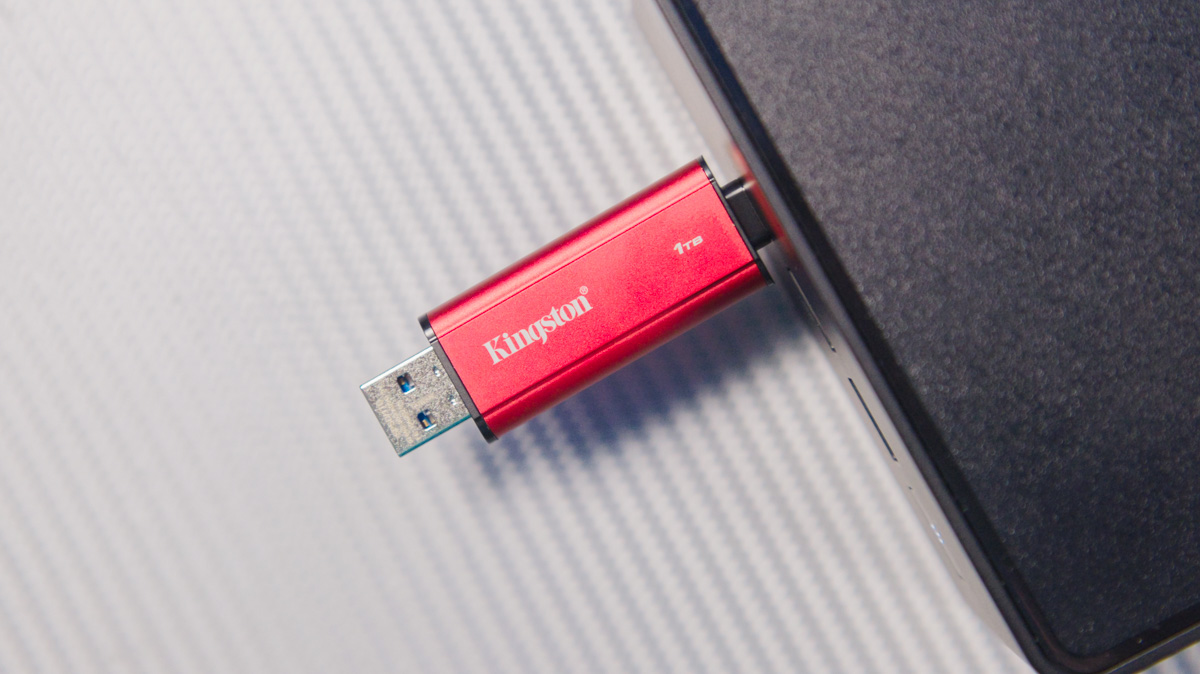
TABLE OF CONTENTS:
Kingston Dual Portable SSD 1TB Specifications
- Memory: 3D NAND
- USB version: USB 3.2 Gen 2, Type-A/Type-C
- Speed: up to 1050 MB/s
- Capacity: 512 GB, 1 TB, 2 TB
- Dimensions: 71.85×21.10×8.60 mm
- Weight: 13 g
- Material: plastic + metal
- Operating temperatures: 0°C ~ 60°C
- Warranty: limited, 5 years
Market position
The 1TB version is priced at around $125. If this seems surprising, it reflects the current market conditions, where storage devices – from graphics card VRAM to hard drives – are becoming more expensive due to shortages. The background of this trend is discussed in detail in this article.
There are also 2TB and 512GB versions of this drive, priced at $200 and $80, respectively.
Design and specifications
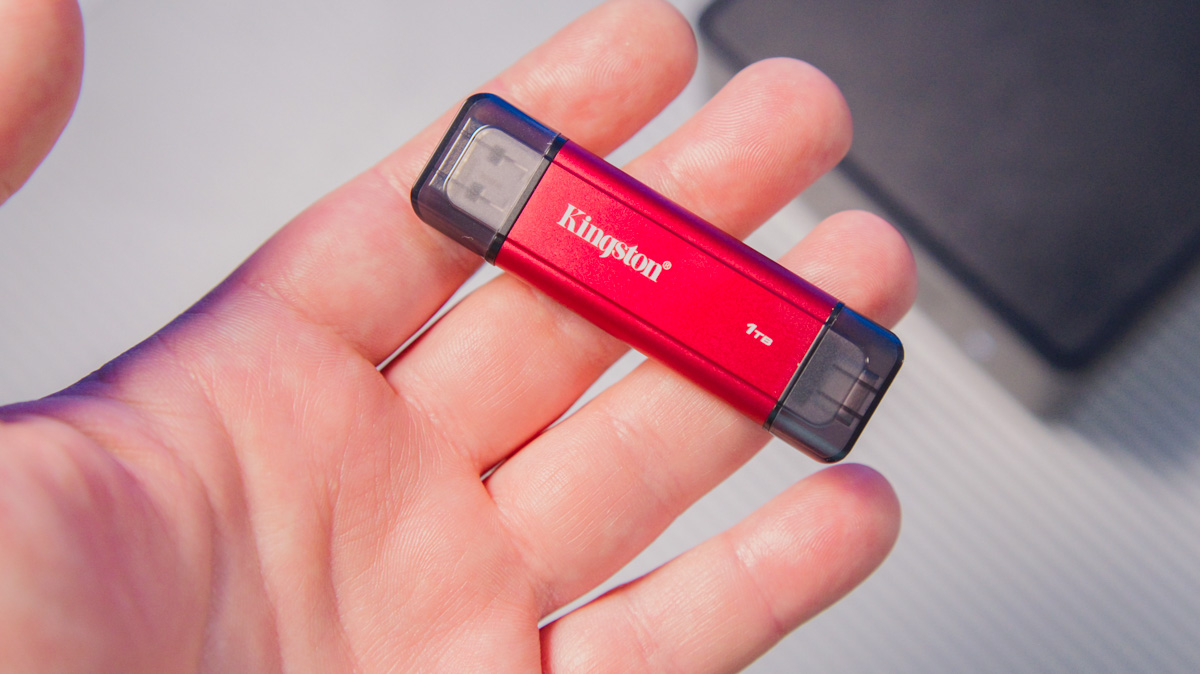
As you’ve probably already gathered, the package includes only the drive itself. The reason is that the Kingston Dual Portable SSD is essentially an advanced flash drive with two USB connectors. This design differs from previous Kingston models I’ve encountered, which all featured a single USB Type-C port on the casing.
The Kingston Dual Portable SSD features two connectors: a USB Type-A 3.2 Gen 2 (10 Gb/s) and a USB Type-C 3.2 Gen 2 (10 Gb/s). Both ports are covered with translucent plastic caps. The drive itself comes in a metal casing with a muted red finish.
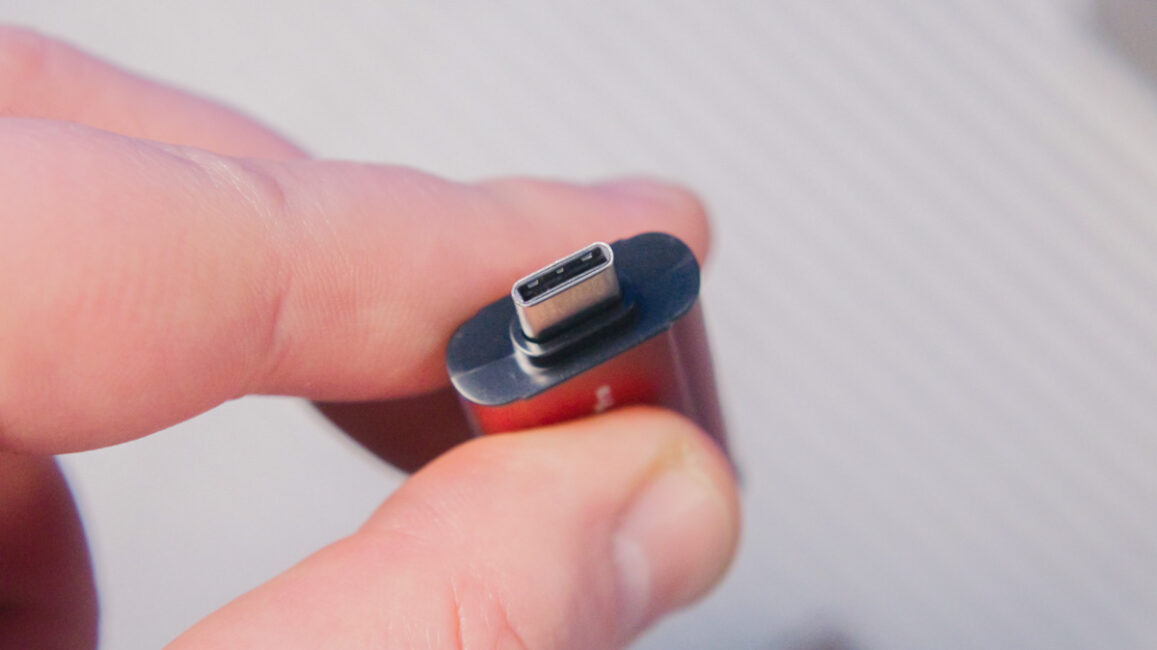
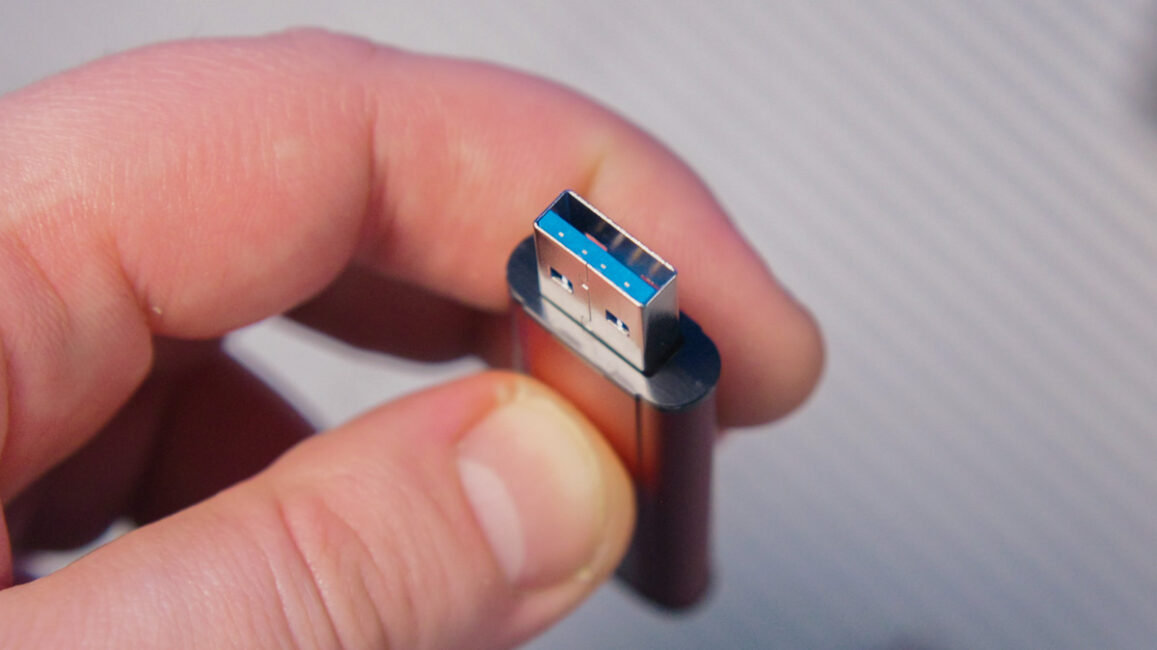
And that’s essentially it. Most of the typical specifications we expect from external SSDs aren’t provided by the manufacturer. The Kingston Dual Portable SSD is reported to use QLC NAND with an SLC cache (how the cache functions becomes apparent during testing).
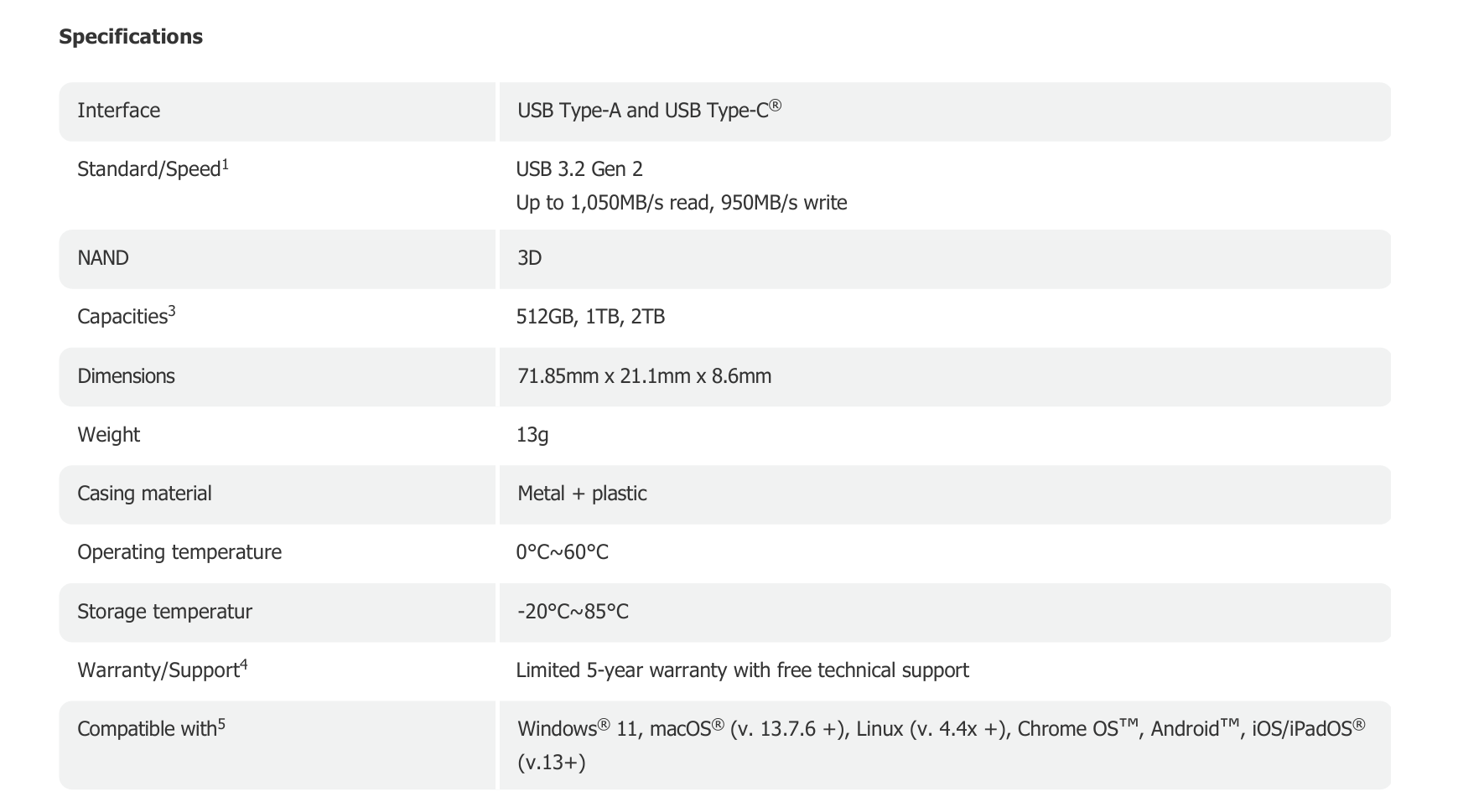
The drive weighs 13 grams and measures 71.85 × 21.10 × 8.60 mm. It does not include a lanyard hole, nor are there retention features for the caps. The manufacturer specifies maximum sequential speeds of 1050 MB/s for reading and 950 MB/s for writing.
Testing Kingston Dual Portable SSD 1TB
I’ll discuss the advantages and specifics of this format later; for now, here are the test results. The Kingston Dual Portable SSD 1TB was tested on an ASUS NUC 15 Pro, using the front USB-C 20 Gb/s port, so there were no bus-related bottlenecks. The drive came preformatted, showing an available capacity of 953 GB.
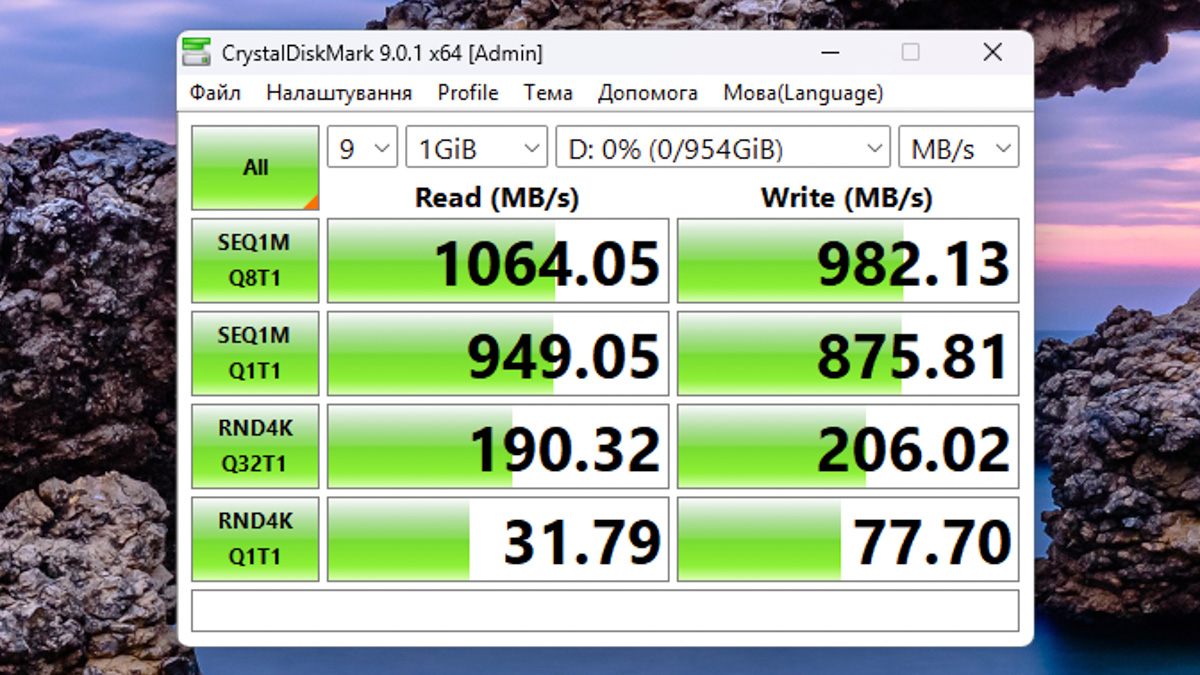
Tests in CrystalDiskMark 9 showed speeds slightly exceeding the advertised values, while stability tests in AIDA64 produced generally solid results. The exception was linear writing, where a noticeable cache of around 200 GB (likely SLC on top of QLC NAND) fills up, after which the write speed drops to approximately 67 MB/s.

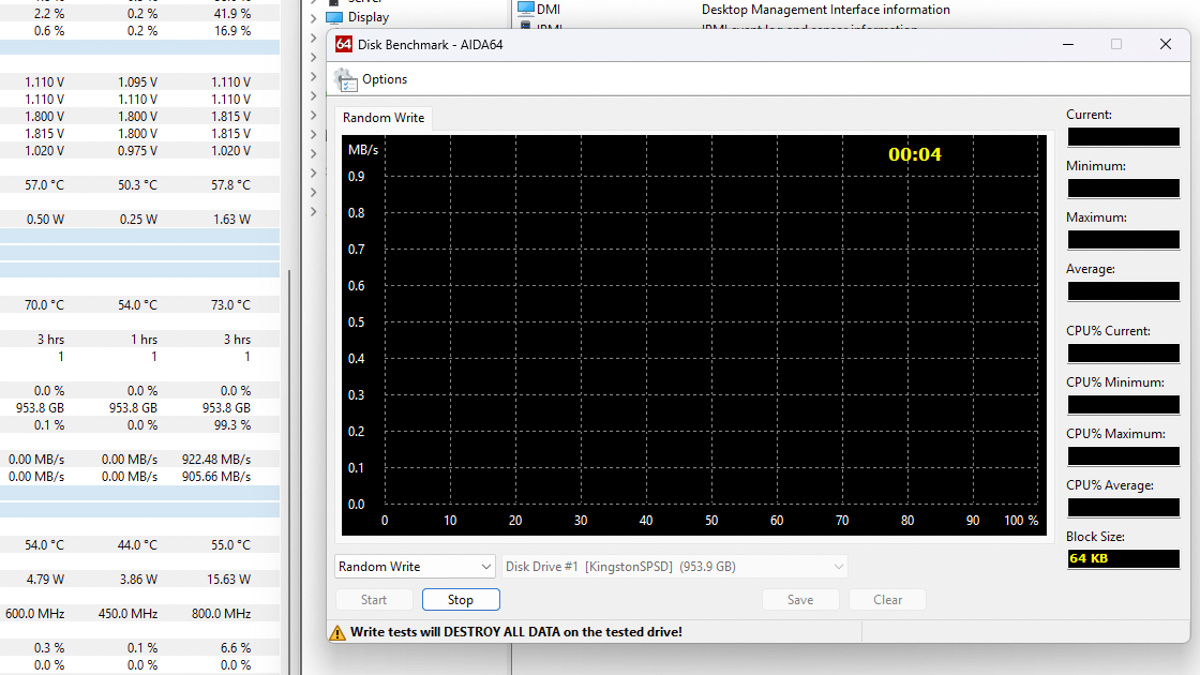
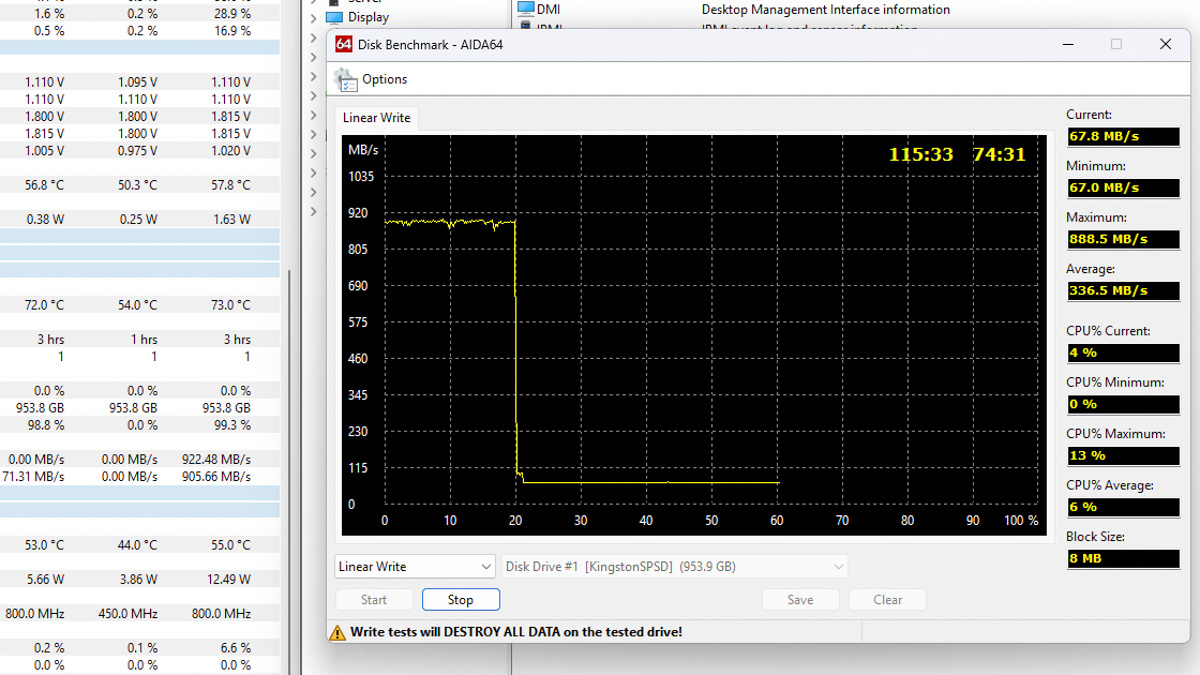
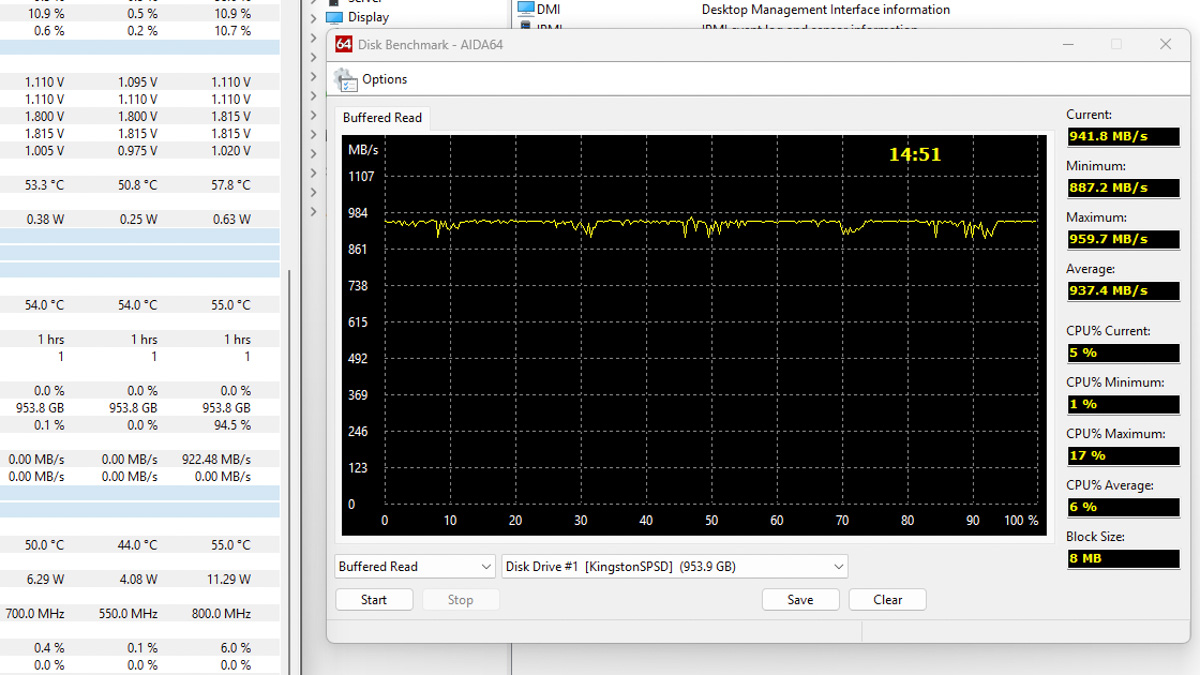
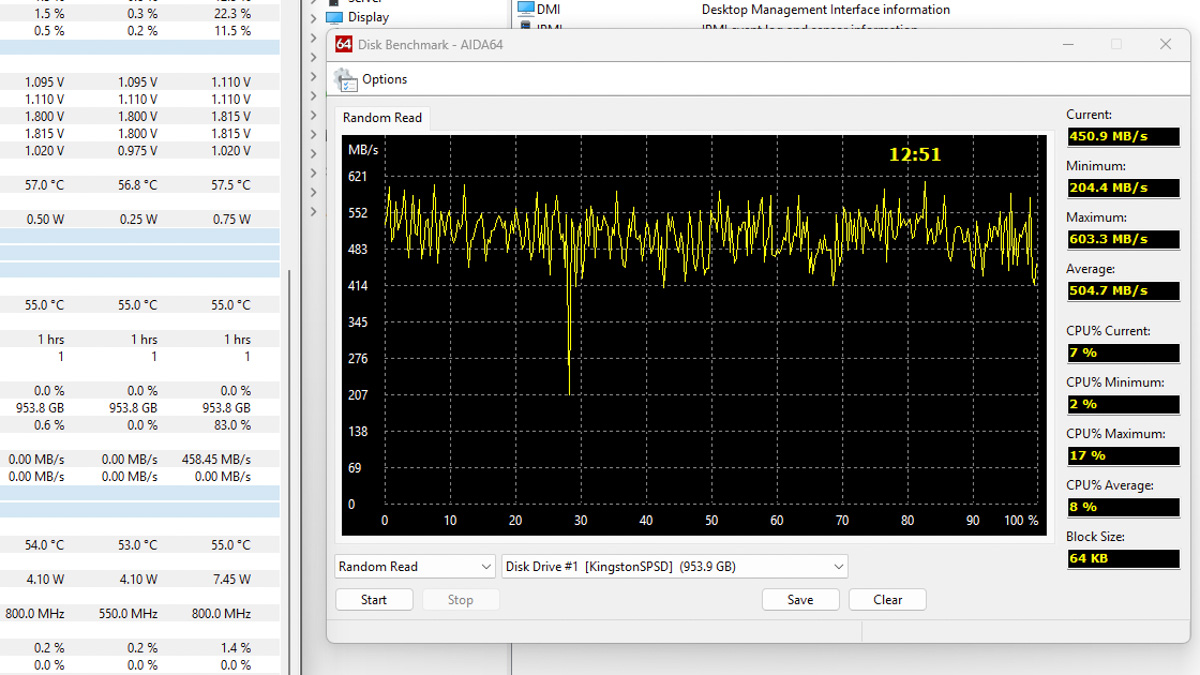
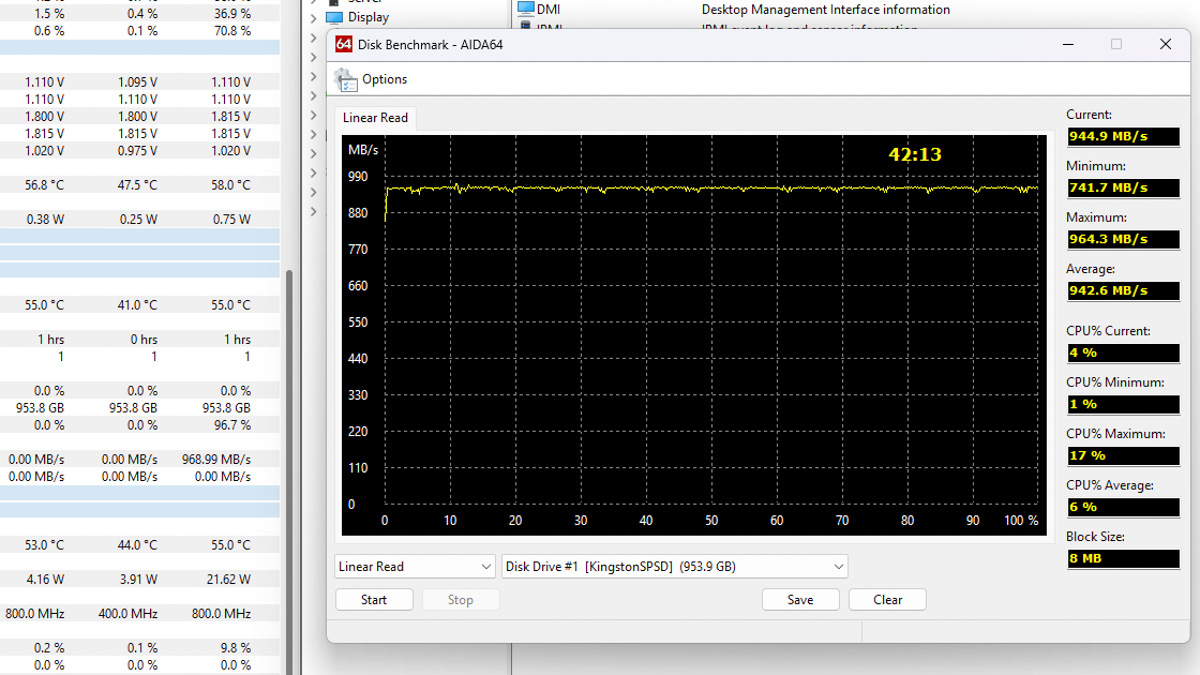
Would this be an issue? If you plan to transfer files larger than 200 GB at a time – for example, from a laptop to a smartphone or from a NAS to a computer – then this drive may not be suitable. In practice, however, such use cases are rare, and the 200 GB cache will suffice for the vast majority of users.
Regarding heat, in a full-volume AIDA64 stress test, the Kingston Dual Portable SSD 1TB reached 72 °C. This is a stress scenario; if you consistently load the drive to the point of exceeding 70 °C, you would likely need a different solution with better cooling.
Form factor – pros and cons
This brings us to the intended use case. Kingston markets the Dual Portable SSD as a versatile replacement for a traditional flash drive – primarily for transferring large files quickly. The drive is roughly five times faster than a standard USB flash drive and is not significantly more expensive; 1TB flash drives themselves can cost up to $120.
However, the flash-drive form factor comes with limitations. First, the width of the Kingston Dual Portable SSD can block adjacent ports on a device, whether USB or HDMI, and this applies to both the Type-C and Type-A connectors.
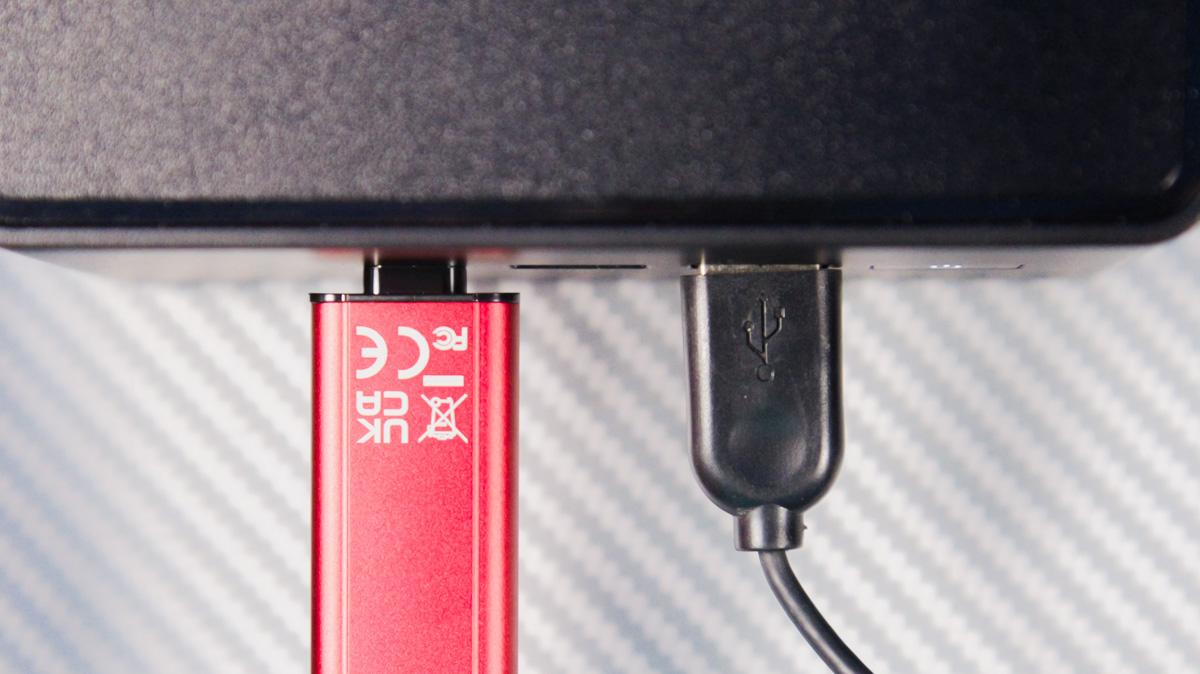
This issue is largely avoided with traditional external SSDs, which use a female USB port rather than a plug. Reliability is also a factor: a bent USB cable can be replaced in seconds, whereas a bent USB plug on the Kingston Dual Portable SSD 1TB would likely require soldering – if one is even willing to attempt it.
That said, the Dual Portable design has a notable advantage. You don’t need a cable, and the connectors are protected under caps. Carrying a conventional external SSD in your pocket leaves its port exposed, potentially allowing dust, sand, or other debris to enter. While plastic covers exist, they’re not commonly used in practice.
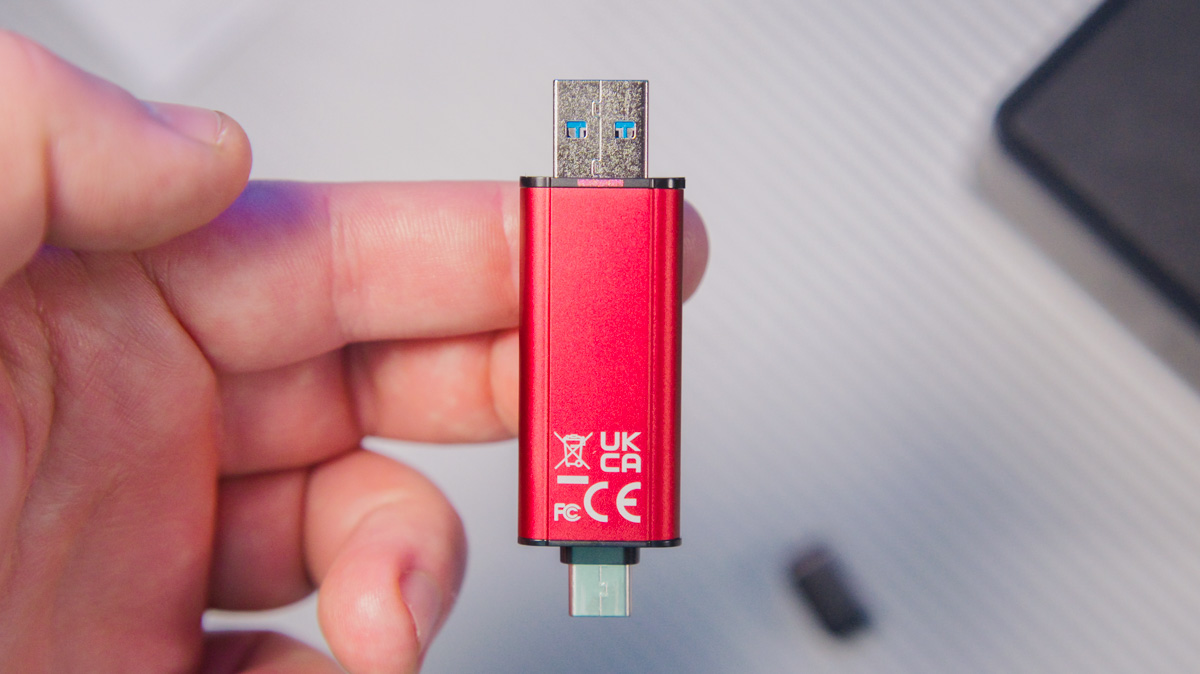
The Kingston Dual Portable SSD 1TB, by contrast, is always pocket-ready, with its connectors covered by caps, and it doesn’t depend on using the correct cable – avoiding situations where a USB 2.0 cable would limit speeds to around 30 MB/s.
Conclusions
The Kingston Dual Portable SSD 1TB adopts a unique and practical form factor. It offers high speed, reliability, and is well-suited as a high-performance alternative to a standard flash drive. While the format has size constraints and requires some attention to the connectors, in terms of raw capacity and transfer speed, standard flash drives are not competitive with this model.
Read also:
- IRDM Pro Slim 4TB Review: 4TB SSD Option
- Kingston Renegade G5 1TB SSD Review – Fast and Cool Performer
- Why Have DRAM/GDDR7/HBM Become So Expensive?
Where to buy Kingston Dual Portable SSD 1TB


