





© ROOT-NATION.com - Use of content is permitted with a backlink.
To put my perspective – and admittedly my envy of the Motorola Signature – into context, there’s an important detail to know. Over the course of my professional career, having produced a massive number of reviews and materials, I’ve memorized almost every detail of two smartphones – and the second of these was the Motorola Edge 50 Ultra. At the time, two years ago, it was the flagship of the Edge series.
Read also: Motorola smartphone reviews

And the Motorola Signature promises to improve in areas where the Edge 50 Ultra fell short.
That’s why I feel a bit of envy: the Signature offers Always-on Display functionality, a larger battery, a higher refresh rate (albeit limited to gaming), a flagship processor for the first time since 2022, and cutting-edge data transfer capabilities.
At the end of this review, I’ll answer the key question: if you own a Motorola Edge 50 Ultra, is it worth considering the Motorola Signature? Given that an Edge 60 Ultra doesn’t exist, the golden rule of upgrading at least once per generation already applies.
TABLE OF CONTENTS:
Motorola Signature video review
Specifications
- Dimensions: 162.10 × 76.40 × 6.99 mm
- Weight: 186 g
- Housing protection: IP68/IP69/MIL-STD-810H
- Screen size: 6.8”
- Screen resolution: Super HD, 2780×1264 pixels, 450 PPI
- Screen aspect ratio: 20:9
- Screen technology: Extreme AMOLED LTPO, with Always on Display support
- Maximum brightness: 6200 nits
- Захист дисплея: Gorilla Glass Victus 2
- Процесор: Snapdragon 8 Gen 5
- ОЗП: до 16 ГБ ОЗП LPDDR5X, 4 канали, 4800 МТС
- Постійний накопичувач: UFS 4.1, до 1 ТБ
- Динаміки: стерео, Sound by Bose
- Bluetooth: 6.0
- Wi-Fi: 7
- USB: 5 Гбіт з підтримкою DP 1.4
- Камери: 4×50 Мп, основна + перископ 3х + надширик + фронтальна, підтримка автофокусу
- Оболонка: Android 16 + HelloUI
- Ємність акумулятора: 5200 мАгод
- Швидкість зарядки: 90 Вт по дроту, до 50 Вт по бездроту
- Швидкість зворотної зарядки: 5 Вт по дроту, 10 Вт по бездроту
Price and Packaging
Starting with the price, the Motorola Signature costs around $1,100 or €1,000 for the 16/512 GB version. Other configurations available globally include 12/256 GB, 12/512 GB, and 16/1,024 GB. Color options are limited to two textured finishes: Pantone Carbon Gray and Pantone Martini Olive.

The smartphone’s box is somewhat underwhelming due to the absence of a charging brick. However, there are some notable positives. Alongside the cable, user manual, and SIM-eject tool, the package includes an energy efficiency and safety certificate, as well as a clear case – with a magnetic ring compatible with MagSafe – something I haven’t seen in a box before.

The case is made of soft plastic, which quickly collects fingerprints, but it serves its purpose. Essentially, this is the only case a Motorola owner would realistically need.
Design
The main design feature I noticed on the Signature is the flat edges where they are usually rounded. They are not sharp, but distinctly flat. The back panel, which is almost completely flat, meets the matte metal frame seamlessly. The control buttons on the right edge are flat, as is the assistant button on the left.

Motorola has also added an assistant button on the side opposite the power button. While it cannot be reassigned, it can be disabled.


The second notable feature of the Motorola Signature is its light and slim body. Weighing just 186 g, it is unusually light for a flagship, as most modern flagships weigh at least 200 g. Its dimensions are 162.10 × 76.40 × 6.99 mm.

Overall, wherever the Motorola Signature features flat metal surfaces, the material is matte and visually resembles aluminum. This style creates a strong contrast with the softer, more natural finishes elsewhere on the device.

The display feels less curved than on the Edge 50 Ultra. If a comparison helps, its curvature is closer to the Redmi Note 15 Pro+ 5G than to the Redmi Note 15 Pro 4G. For reference, a comparison of these smartphones can be found here.

In terms of materials, Motorola highlights that 63% of the body is made from recycled materials. Specifically, the internal aluminum is fully recycled. The device also carries an IP69 rating and meets the MIL-STD-810H standard. For details on the difference between these certifications, see here.
Motorola Signature Display
The smartphone features a 6.8-inch display with a refresh rate ranging from 60 to 165 Hz. The peak 165 Hz is available only in gaming, while in regular use the maximum is 120 Hz. The panel covers 100% of the DCI-P3 color gamut, has a 20:9 aspect ratio, and is 10-bit. It supports up to 360 Hz touch sampling, HDR10+, Dolby Vision, and is both Pantone Validated and Pantone SkinTone Validated.

Next comes something both interesting and a bit confusing. Let’s start with the display technology – LTPO, branded as Extreme AMOLED. Not just Super AMOLED, but Extreme!
If this sounds like marketing hype, as it did to me at first, it’s not entirely so. First, there’s Always-on Display, which can remain active continuously – a rare feature for Motorola flagships and one I sorely missed on the Edge 50 Ultra. Second, the peak brightness is impressive: up to 6,200 nits in HDR.

That’s an extremely high figure. Only the rare Huawei Mate 80 Pro Max exceeds it, with 8,000 nits, followed by the Realme GT Neo6 SE at 6,000 nits. All other smartphones fall well behind.
When I set the Motorola Signature to 100% brightness – even without HBM, since the phone doesn’t have a dedicated toggle – my eyes felt strained quickly. Switching to auto-brightness in a room with overhead lighting, the phone set the brightness to just 15%. In any case, the Signature clearly has one of the brightest smartphone displays in history. Reading in direct sunlight is effortless, and HDR content looks stunning.

Resolution is another oddly named spec – “Super HD.” It’s actually 1.5K, at 2780 × 1264 pixels, giving a PPI of 450. For comparison, smartphone Retina displays reach up to 460 PPI. There’s no exact information yet on PWM (flicker), not even from the manufacturer. However, looking at previous models like the Motorola ThinkPhone and Edge 50 Ultra, the Flickering Prevention option increases PWM to 720 Hz. This feature is also present on the Motorola Signature.
As for screen protection, it’s unambiguously flagship-level: Gorilla Glass Victus 2. Do I still want a screen protector out of habit? Yes. Does the curved display bother me? No – the Redmi I used was also curved, and I still used a protector without issues.
Performance
The system-on-chip in the Motorola Signature is a key reason why this smartphone qualifies as a super-flagship. It features a genuine Qualcomm Snapdragon 8 Gen 5. The CPU has eight cores, two running up to 3.8 GHz and the remaining six up to 3.32 GHz – approaching desktop-class performance. For reference, that’s in the ballpark of processors like the AMD FX-8320.

The GPU is an Adreno 829, running above 1 GHz, with hardware support for ray tracing and Qualcomm Snapdragon Game Super Resolution (SGSR) – essentially a DLSS equivalent. SGSR is supported in a limited number of games, but notable titles include Call of Duty: Warzone Mobile.
The SoC is manufactured on TSMC’s 3 nm process. RAM is LPDDR5X, four-channel at 4,800 MT/s. There is a dedicated modern NPU, and the modem is the Snapdragon X80 5G. Storage is UFS 4.1, with sequential speeds exceeding 4 GB/s – comparable to an NVMe PCIe 4.0 SSD. Random read/write speeds reach about 2 GB/s, roughly four times faster than typical NVMe drives.

So what do the benchmarks and real-world use show? In practice, the smartphone is incredibly fast and handles heavy traditional workloads with ease.
Looking at synthetic tests: in AnTuTu, it scores around 3 million points, with over 1 million points coming from the GPU alone. In GeekBench, the CPU scores 2,872 in single-core and 9,569 in multi-core tests. 3DMark Wild Life Extreme returns 5,175 points, and in PCMark Battery Test 3.0, it reaches 20,400 points.
As for temperatures, Motorola has included an ArcticMesh cooling system in the Signature, featuring a 6 mm² vapor chamber. According to the manufacturer, this design reduces temperatures by approximately 4.4 °C compared to previous layouts.

Did it help? Not as much as one might hope. Throttling is noticeable: in 3DMark stress tests like Steel Nomad, FPS dropped by 31%, and the phone’s surface temperature exceeded 45 °C.
Out of curiosity, I ran AnTuTu while periodically immersing the phone in icy Dnipro water – but it produced almost no change. This might seem surprising, but it highlights an obvious point: the Motorola Signature is not a gaming phone and does not have a chassis designed for extreme heat dissipation. The vapor chamber efficiently cools the processor, but beyond that, there’s very little path for heat to escape.
Data Transfer and Audio Quality
The smartphone supports not only Wi-Fi 7 and Bluetooth 6 – despite Xiaomi 17’s claims – but also Ultra Wideband (UWB), 5G, and eSIM. The advertised port speed is at least 5 Gbps, though the physical SIM slot is limited to just one card.

The Motorola Signature features three microphones for voice capture and stereo speakers with Dolby Atmos support, tuned by Bose. In terms of Bluetooth codecs, it supports AptX (all versions), LDAC, and AAC, essentially covering all major high-quality wireless options. Given the flagship chipset, this level of codec support is expected. The speaker quality is excellent, particularly in the bass range.
Motorola Signature Cameras
The Signature is equipped with four camera modules, three on the rear panel. All sensors are 50 MP, including the front-facing camera, and all support autofocus – even the ultrawide and selfie cameras.
The main camera is a Sony Lytia 828 with an f/1.6 aperture, 23 mm focal length, 1/1.28-inch sensor size, and 1.22 µm pixel size. It supports multi-directional PDAF and OIS for improved focus and stabilization.

The telephoto camera is 50 MP with a 3× optical periscope, 71 mm focal length, and a 33° field of view. It has an f/2.4 aperture, uses a Sony Lytia 600 sensor, includes optical stabilization, and supports Super Zoom up to 100×, which we’ll discuss later. The ultrawide module is also 50 MP, 12 mm focal length, f/2.0 aperture, and features autofocus as well as macro shooting capabilities.


The front-facing camera is 50 MP, with an f/2.0 aperture, 21 mm focal length, 0.6 µm pixel size, and dual PDAF. Video recording goes up to 8K at 30 fps, but only on the main camera. There’s no dedicated professional video mode, but there is a professional photo mode. I’ll skip the video discussion for now – let’s focus on photos.


At this point, I want to highlight something I rarely mention: the ISP, or image signal processor. This component handles reading data from the sensors, and saying it’s more powerful than the ISP in the Edge 50 Ultra would be an understatement – especially with AI enhancements. For the first time in my career, the AI processing genuinely surprised and impressed me, even in low-light/night photography.


For example, color and contrast recognition is incredible. On the Motorola Signature, I captured some of the best photos of my life – all during a single evening walk in the golden hour.



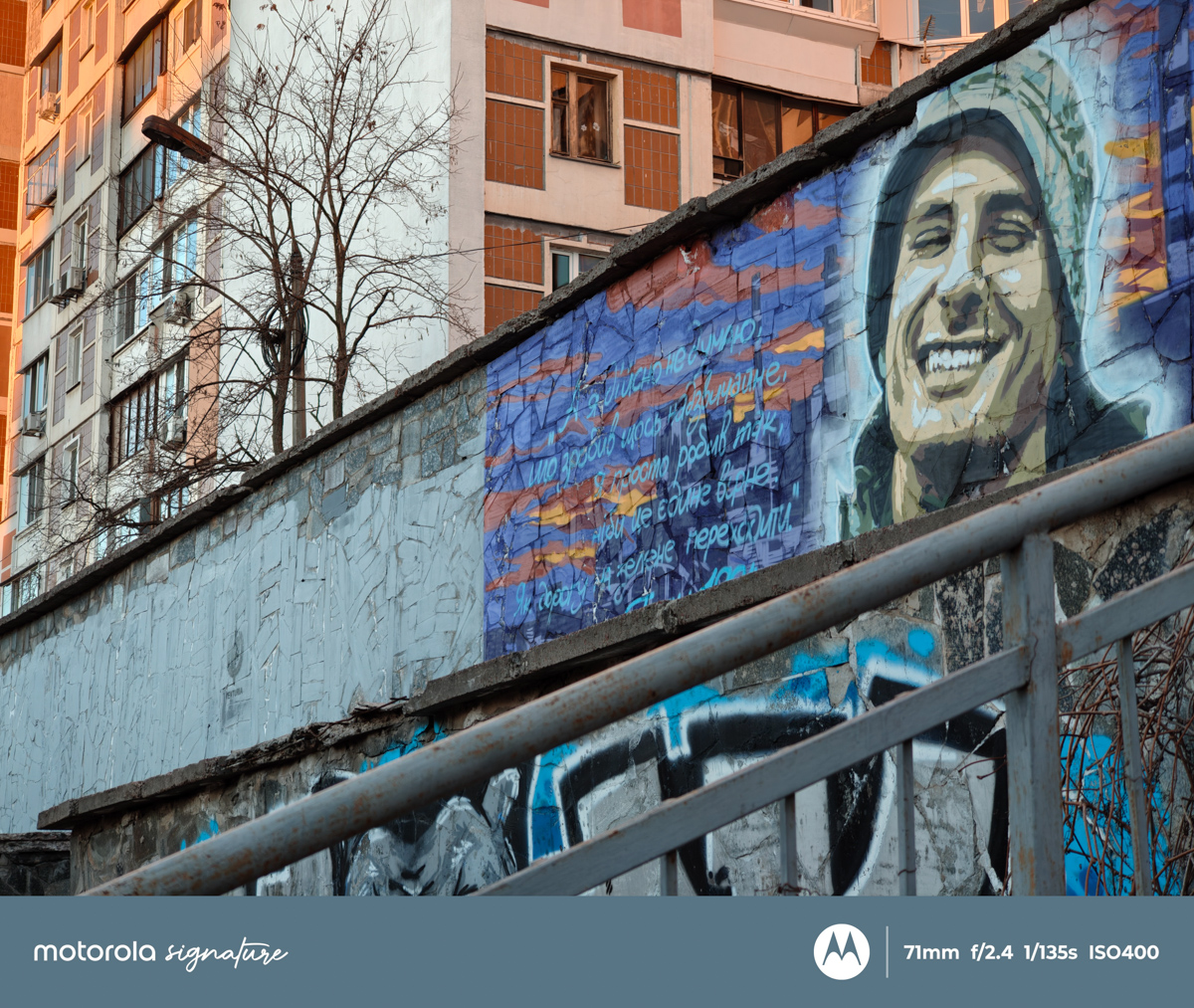

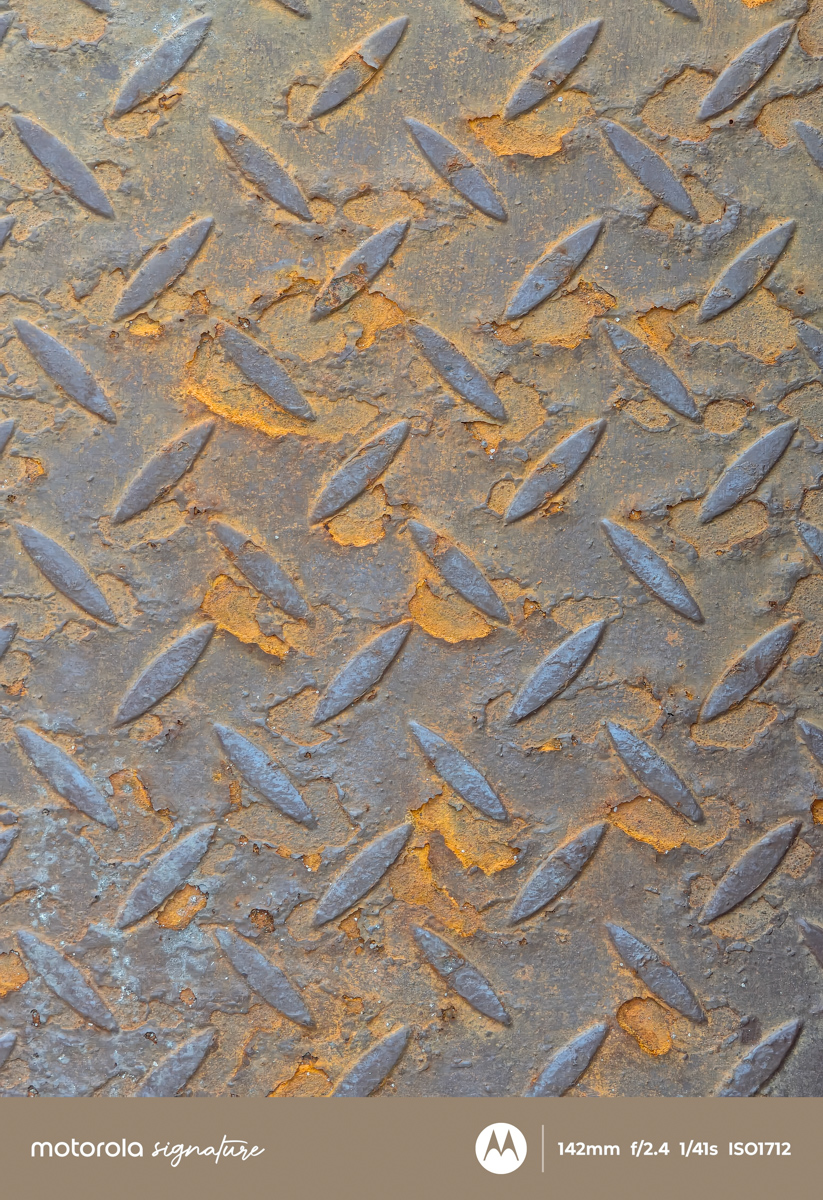
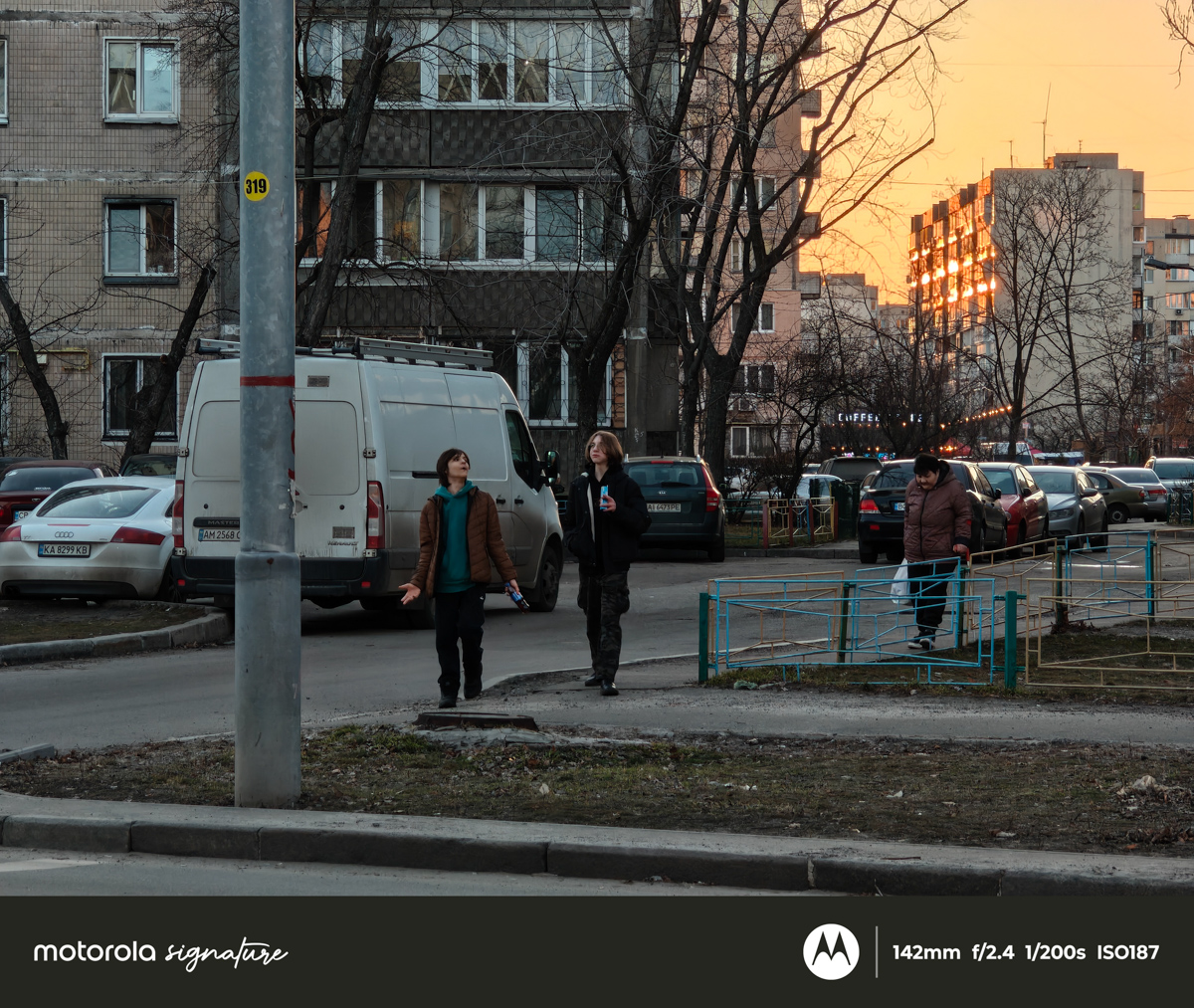


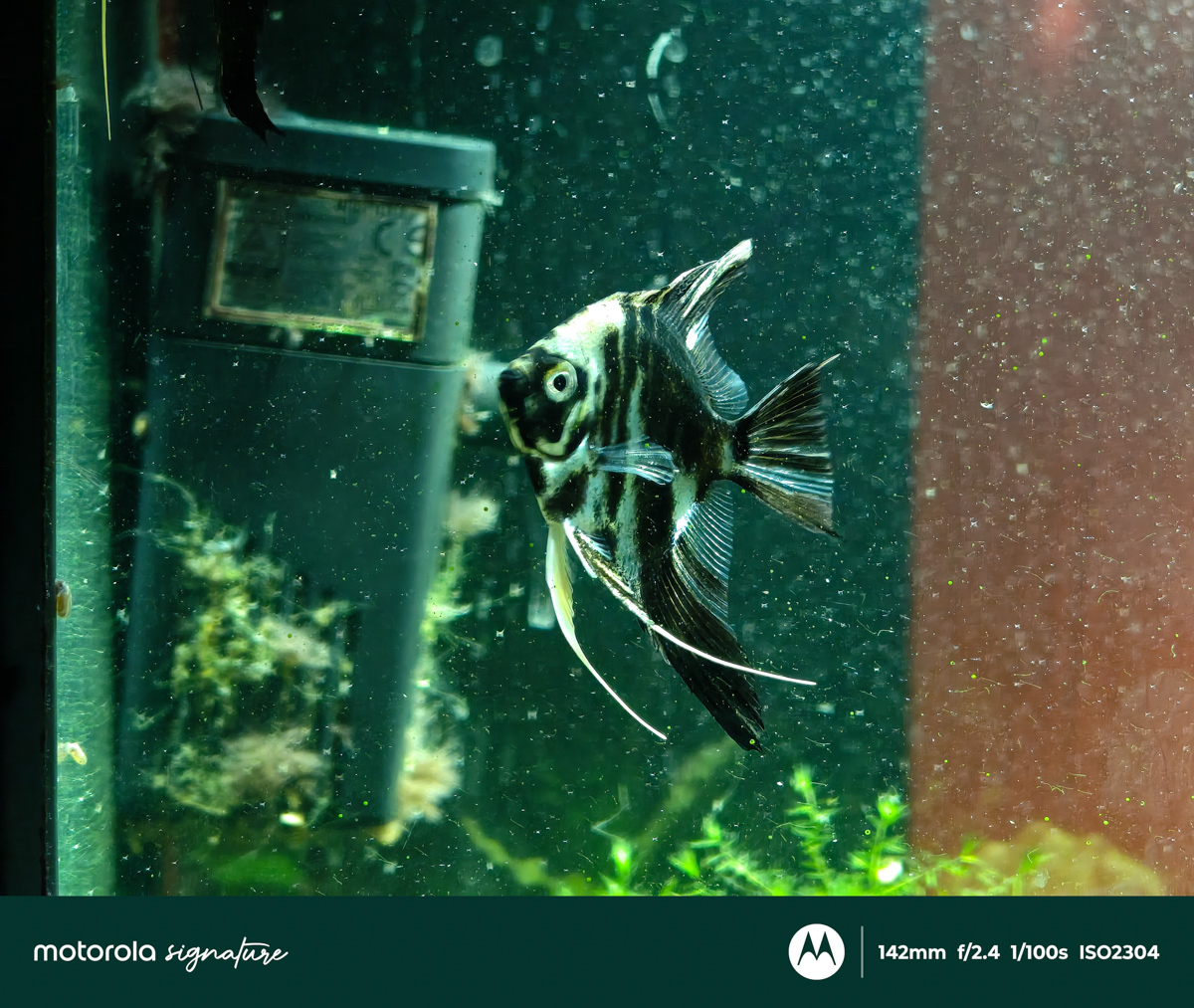
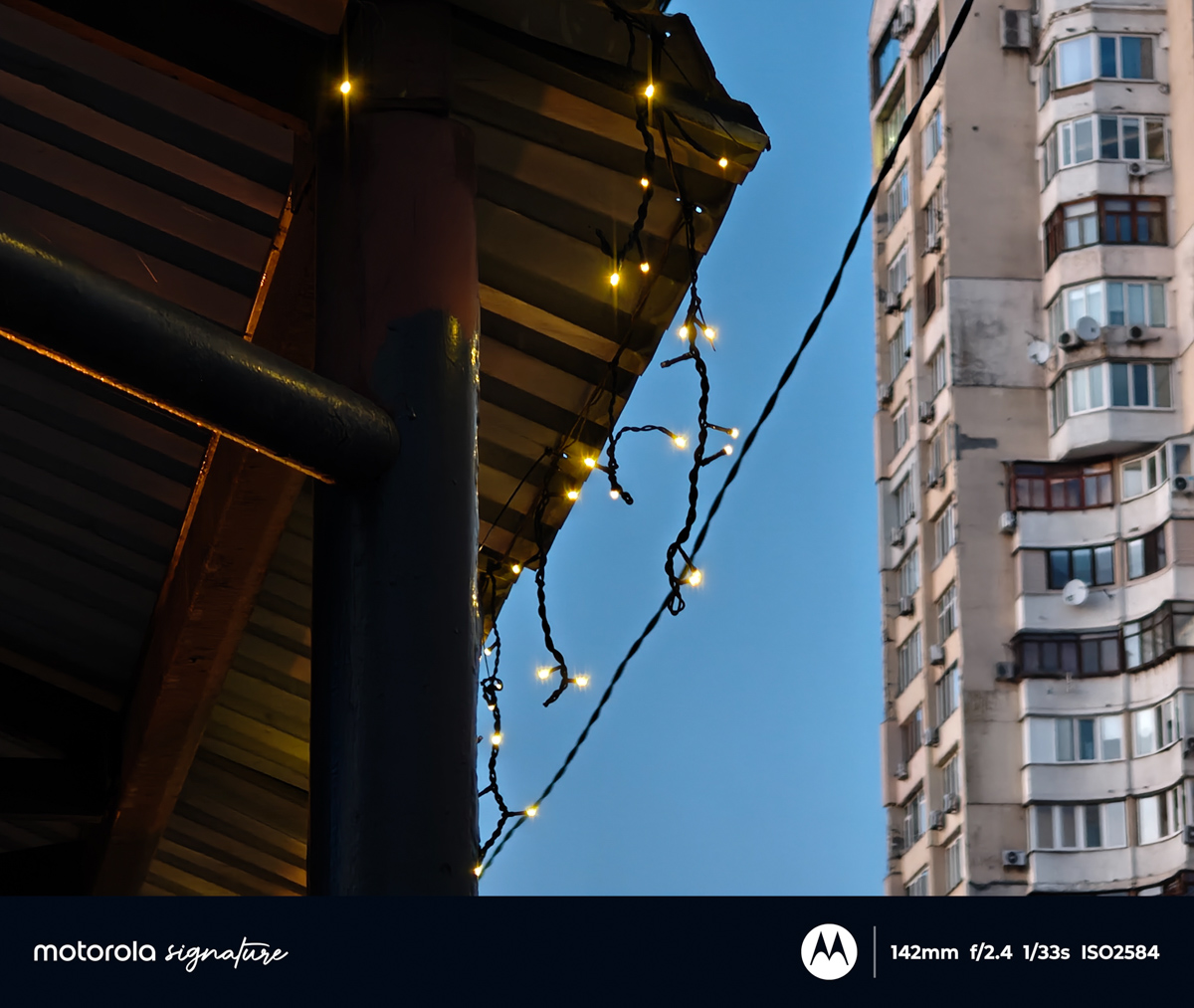

However, AI is also applied at 100× zoom. Details are essentially reconstructed right before your eyes. Naturally, a 50 MP sensor cannot physically achieve 100× zoom without AI, unlike the 200 MP main modules found in some other flagships. This isn’t really a problem – just a necessary compromise for extreme zoom.
The limitation is that AI cannot perfectly interpret everything. Some elements are reconstructed incorrectly – text on signs or any fine visual information often turns into a blur. However, architecture, textures, and distinct objects are enhanced very convincingly. The practical takeaway: avoid photographing signs or text at super zoom; the results will be messy.


Software
The Motorola Signature runs Hello UI based on Android 16. Since my previous review of Hello UI, there have been almost no major changes. One notable nuance is the dedicated Motorola AI button. Fortunately, it can be disabled, but it cannot be reassigned to other functions.

I was impressed by how much the AI capabilities have improved thanks to the Snapdragon 8 Gen 5. On my own Motorola Edge 50 Ultra, I’ve started using image search more often than before. If this sounds unclear, I’ve covered the AI hierarchy in a separate article. With Motorola AI, what used to feel like a “toy” is gradually becoming a practical tool.


Speaking about the UI overall, it is noticeably better than stock Android, which I tested not long ago. It’s on par with HyperOS in terms of polish and usability, although Motorola’s ecosystem is less developed.
Battery Life
In terms of battery endurance, the results are excellent. In the PCMark Battery Test 3.0, the phone lasted over 17 hours under load. For reference, the screen brightness could have been lowered to 33%, but the test ran at 50%. The test concluded not at 15% battery, but at 17%.

Theoretically, the phone could probably last up to 20 hours under continuous load. Motorola also claims up to 57 hours of music playback and 28 hours of video playback. Considering the 5,200 mAh battery, these figures are impressive. At the same time, I expected a larger capacity given the silicon-carbide construction. In practice, Motorola had two choices: either make the body thicker and increase battery capacity by 25–30 %, or – what they chose – keep the phone both light and long-lasting.

The battery is also designed to be durable, with a rated 1,200 charge cycles. The manufacturer doesn’t specify what happens after that, but based on information about silicon-carbide batteries, capacity loss should be around 10 %. In other words, the battery is expected to hold up very well even after 5–6 years – a strong longevity point.
Charging speeds are impressive: 90 W wired, 50 W wireless, with support for 10 W wireless and 5 W wired reverse charging. Yes, you read that correctly – wireless reverse charging is faster than wired.
The downside: no charger is included in the box. Using a Baseus charger with Power Delivery 100 W, the phone charged from 5 % to 99 % in one hour. Peak power reached 92 W, slightly above the rated 90 W, but quickly dropped to around 33 W, maintaining that rate almost until full charge.

Another limitation is the lack of Qi 2.0 or 2.2 support. For wireless charging, you’re limited to either 50 W via the proprietary charging pad – which is hard to source – or 7.5 W via standard Qi. Additionally, the phone itself has no magnets, so magnetic alignment is only provided through the included case.
In comparison with the Edge 50 Ultra
In comparison with the Edge 50 Ultra, the Motorola Signature surpasses its predecessor across nearly all categories. Design, cameras, display, performance, and connectivity all show noticeable improvements. For reference, I took a few shots with the Edge 50 Ultra and noted differences in contrast: while the images are still good, they don’t quite match the level of the Signature.

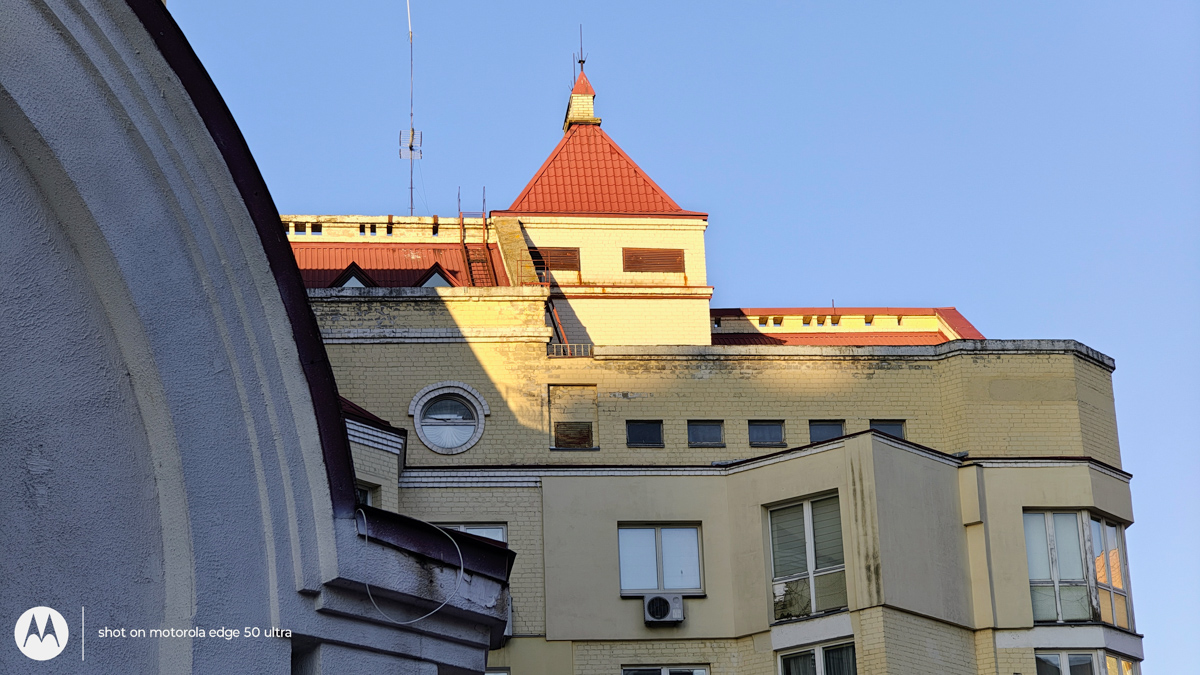



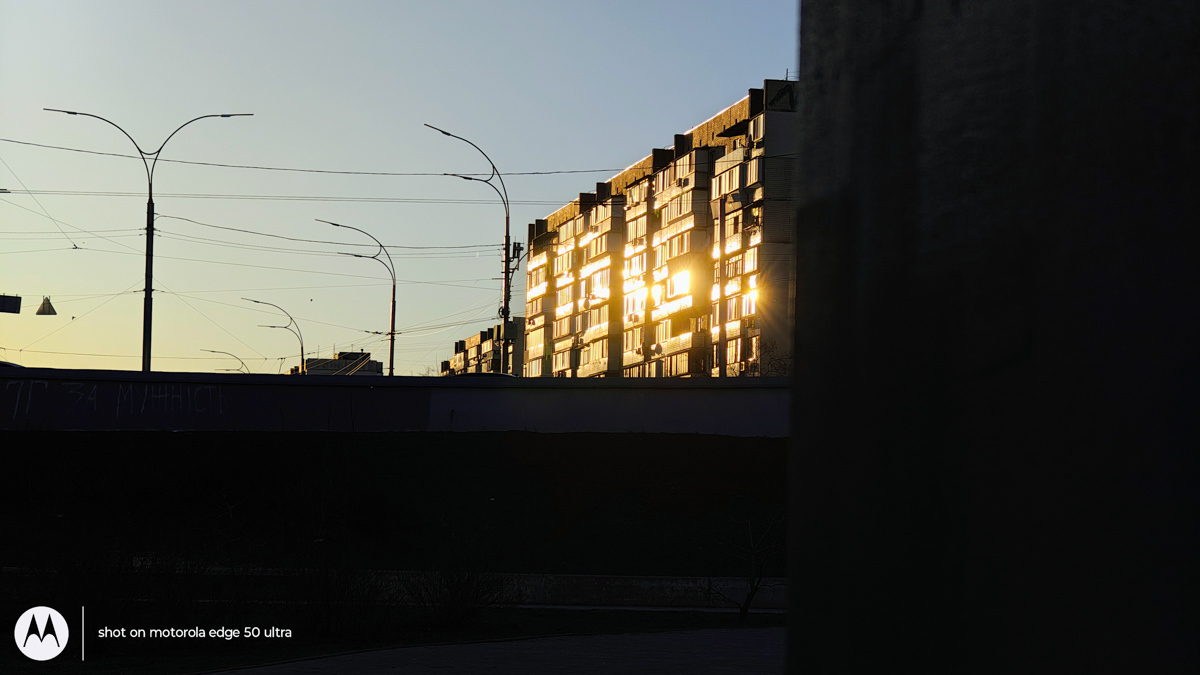
The only area where the Edge 50 Ultra still holds an advantage is charging. Its native charger and faster battery top-up made a difference in everyday use – one reason I once chose it over the IQOO 10. With the Signature, this remains a drawback: even using the official proprietary charger, charging is slower than expected, and power banks charge it more slowly as well, making this limitation difficult to fully compensate for.

So, is the Motorola Signature worth considering if you already own the Motorola Edge 50 Ultra? For fans of Motorola, this is the only high-end model currently relevant. Additionally, two years have passed since the release of the Edge 50 Ultra, making this an appropriate moment to evaluate an upgrade.
Conclusions
The device represents Motorola’s current flagship, clearly targeting its established user base. It features a high-quality display and offers a significant upgrade for owners of previous Edge models. Notably, it is among the first high-end smartphones to support Bluetooth 6 and includes a capable camera system.

It would be inaccurate to describe the Motorola Signature as flawless. It does not excel in every area, and it is not the best in all aspects. Overall, however, it performs well and can be recommended.


Great review – very helpful.