





© ROOT-NATION.com - Use of content is permitted with a backlink.
No other rugged smartphone, under any circumstances, has stayed with me as long as the Blackview XPLORE 1 Pro – and I expect it to remain part of my setup going forward. The reason is straightforward: I have fully integrated it into my workflow, and it has directly contributed to making the content on our website and channel more detailed. The reasons for that are likely already clear.
Read also: All Smartphone reviews

TABLE OF CONTENTS:
Technical specifications
- Weight: 640 g
- Dimensions: 184.0 × 83.0 × 29.5 mm
- Display: BOE I680EBQ-12Q01X, IPS, FHD+, 6.78″, 2460 × 1080
- Refresh rate: 120 Hz
- Protection: Corning Gorilla Glass 5
- Secondary display: 2.01″, 240×296, Panda Glass
- Wi-Fi: 6 (IEEE802.11a/b/g/n/ac/ax)
- Bluetooth: 5.2
- CPU: MediaTek Dimensity 7050
- GPU: ARM Mali-G68 MC4
- RAM: 12/16 GB LPDDR5
- Internal storage: 256/512 GB UFS 3.1
- TF card slot: yes
- Front camera: 50 MP, Samsung ISOCELL JN1, f/2.45
- Rear camera: 64 MP OV64B40-GA5A-002A, f/1.79
- Thermal camera: Lepton 3.5, 160×120, 57°
- OS: DokeOS 5.0 based on Android 15
- Battery capacity: 20,000 mAh
- Charging: up to 55 W
Blackview XPLORE 1 Pro video review
Positioning and pricing
But let’s start with the price, which is usually from $450, but thanks to the promo code SESW20, you can get a $20 discount on the manufacturer’s official page on AliExpress. That’s for the 12/256 GB version; there are also 16/512 GB options, which are only $25 more expensive, so that’s what I’d recommend. That said, I should also mention the variety within the range itself. The fact is, there are as many as four versions of the XPLORE 1.

Specifically, the XPLORE 1, which features a visual module instead of a thermal one. The XPLORE X1, a compact tank with a battery half the size. The XPLORE 1 Pro, equipped with a thermal imager. And the XPLORE 1 Walkie Talkie, featuring a walkie-talkie function.
Package contents
The Blackview XPLORE 1 Pro package includes the smartphone itself, a wrist strap, a SIM tray ejector tool, and a 55 W charger with a white cable. A protective film is pre-applied to the display from the factory.

Design
The external design of the XPLORE 1 Pro leaves a generally positive impression. The unit I tested features orange accents on the корпус. There is also a fully black version available, but it appears less practical in this context. Given that this device is positioned not only as a communication tool but also as a semi-professional instrument, higher visual contrast can be beneficial in real-world use.

Brighter color accents also improve visibility in practical use, making the device easier to locate among other items, especially those in darker tones. The orange elements serve this purpose effectively.
Other parts of the body are either finished in grey metal or high-quality plastic. The back panel is smooth, with a subtle holographic texture. The camera module protrudes but is reinforced with a metal frame, and its lower edge is slightly contoured to reduce the chance of catching on fabric, such as when placed in a pocket.

The set of контакти on the bottom may look unusual at first glance. Similar interfaces are more commonly seen on tablets designed for keyboards or docking stations. In this case, the Blackview XPLORE 1 Pro supports a proprietary 45 W docking station, which is a practical addition. However, it is sometimes inaccurately described as “wireless,” which is misleading – the smartphone does not support wireless charging in any form.
On the top edge, there is a dual flashlight rated at 170 lumens, along with an infrared port for controlling external devices. The latter proved to be one of the more versatile and convenient implementations I have encountered on smartphones.

On the left edge, there is a slot for SIM and microSD cards. The slots are physically separate, although the first one is hybrid. eSIM support is not available. The tray design itself is somewhat unusual: it is not fixed as a rigid, monolithic component but instead consists of a two-part cover connected by screws, allowing for a more flexible structure.

This design allows the slot to be opened even with a fingernail, which is uncommon for rugged smartphones. At the same time, the first interaction can feel slightly uncertain, as if the metal might bend under pressure. In practice, it is advisable to handle it with some care. Next to the SIM slot, there is a red programmable button with a distinct tactile response. It can be configured in the settings, with different actions assigned to single press, double press, or long press inputs.

On the right edge, there are the volume controls and the power button. The latter integrates a fingerprint scanner. In practice, its performance is inconsistent: it is neither particularly fast nor especially accurate, and it does not reliably handle variations in finger angle. Even registering multiple scans of the same finger does not significantly improve recognition. Face unlock is also available as an alternative biometric method.

At the top and bottom edges of the корпусу there are protruding elements designed to absorb impact in case of a fall. The Blackview XPLORE 1 Pro is rated IP68/IP69K for water and dust resistance and is also certified to the MIL-STD-810H standard. The differences between these standards are explained in a separate article on our website. In addition, the manufacturer claims enhanced water protection, an underwater camera mode, and a glove-friendly touch input mode for operation in cold or demanding conditions.
Ergonomics
In terms of usability, the Blackview XPLORE 1 Pro is essentially a “tank-class” smartphone, with a weight equivalent to roughly three standard smartphones and a thickness of a similar scale. Specifically, it weighs 640 g and measures 29.5 mm in thickness. The width and height are 83 mm and 184 mm respectively, which are closer to conventional smartphone dimensions.

Using the device with one hand is difficult, although not entirely impossible. For example, I found that the MessagEase keyboard, designed for one-handed text input, helped significantly in practice. It is also possible to add gesture-based shortcuts using applications such as Gesture Control. However, these solutions only partially improve one-handed usability.
For full and comfortable operation of the Blackview XPLORE 1 Pro, two-handed use is essentially required. This is also reflected in the structure of the interface, which suggests a design optimized for dual-hand interaction. Software aspects of this will be covered later.
Display
The XPLORE 1 Pro is equipped with a 6.78-inch 2.4K FHD+ IPS display, with a resolution of 2460×1080 pixels. It supports HDR10+, with a claimed peak brightness of 700 nits. In my own measurements, I recorded brightness levels ranging from approximately 1 to 315 nits in SDR mode. Visibility under direct sunlight is acceptable, but not ideal. The display is protected by Gorilla Glass 5, and a protective film is pre-applied from the factory.


The refresh rate ranges from 60 to 120 Hz, with 30 Hz increments, while the touch sampling rate of the panel is 240 Hz. I also noticed noticeable ghosting in the image, especially within system menus. However, it is less pronounced in individual applications.


The display also carries TÜV SÜD Blue Light certification, and PWM flickering is not a concern here, as this is typically an issue associated with AMOLED panels rather than IPS technology. However, IPS panels do not support Always-On Display functionality. This is partially compensated by the presence of a small secondary rear display on the back of the device.
Electric Boogaloo
I have always been impressed by this concept because it is extremely simple and has actually been around for quite some time. For reference, the first device of this type was released in 2021. At present, Blackview itself offers a wide range of similar models, both under the Xplore lineup and the Oscal brand.

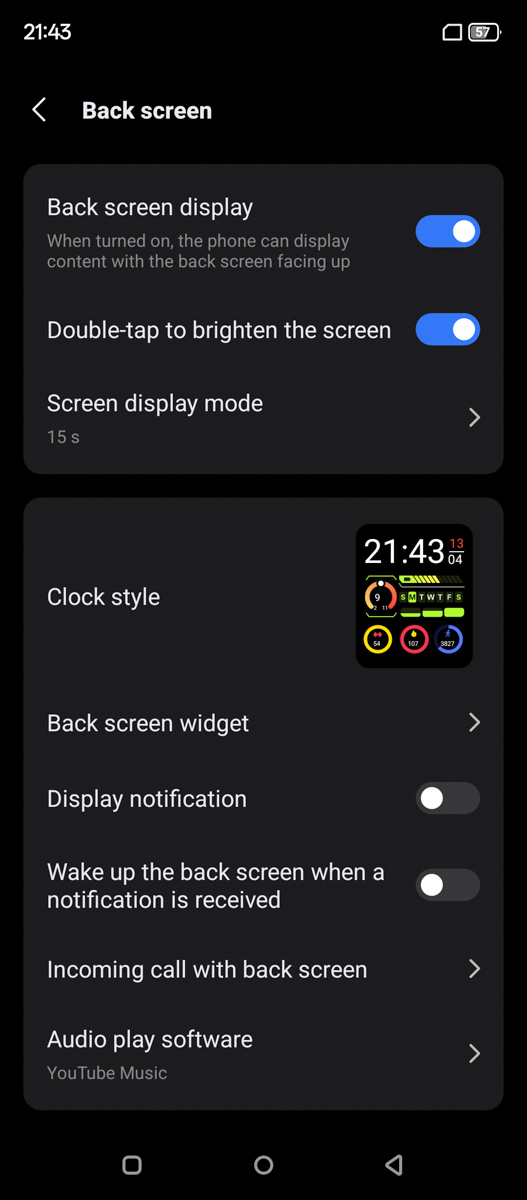
Specifically, the Blackview XPLORE 1 Pro is equipped with a 2.01-inch vertical display with a resolution of 296×240 pixels. I cannot provide a measured peak brightness value, as it is difficult to assess in practice. The panel does not function as a full secondary display and is limited to preconfigured widgets. In essence, it behaves more like a basic, budget fitness band display in terms of functionality.

At the same time, it can be used to check notifications, view weather information, monitor fitness metrics, activate the compass, or even control the camera. As with a fitness band, the interface can be customized to a certain extent, including a wide selection of wallpaper-style backgrounds. Individual widgets can also be disabled.
However, it does not allow adding custom widgets. For example, it is not possible to use the external display in conjunction with the main camera in a live preview mode. In addition, the on-screen shutter button is very small, which makes it less convenient to use. Fortunately, the volume buttons can still be used as a physical shutter control.

Overall, the external display met my expectations at around 4 out of 6. It handles basic and even some advanced functions well, is touch-enabled, and reduces the need for Always-On Display – for example, when checking the time in the dark, finding the device, or quickly viewing weather information. These are essentially the only three scenarios where I personally need access to a locked phone screen.
There are, however, some issues. The screen timeout behavior is inconsistent. I initially assumed it controlled the display’s automatic shutoff, as no alternative explanation was provided by the system. In practice, it sometimes turns off after about three minutes, which limits its usefulness as a replacement for AoD. At other times, it does not turn off at all.

This is one of the weakest aspects of the smartphone. Not only because the manufacturer did not provide a way to disable the timer, but also due to the inconsistent behaviour that effectively teases the possibility of having an AoD-like experience without actually using Always-On Display, avoiding the typical drawbacks of AMOLED while keeping the advantages of IPS. Hopefully, this issue will be addressed in a future firmware update.
Performance
The Blackview XPLORE 1 Pro is powered by the MediaTek Dimensity 7050 SoC. This is a mid-range platform introduced in 2023, which is no longer recent by current standards. Performance is provided by two Cortex-A78 cores clocked at 2.6 GHz and six Cortex-A55 cores running at 2.0 GHz. The GPU here is the Mali-G68 MC4. For reference, this graphics unit was also used in devices such as the Samsung Galaxy A34 5G, making it a well-known, but not flagship-level solution.

In AnTuTu, this configuration scores around 808,000 points, which is sufficient for a modern mid-range smartphone. Of this total, roughly 300,000 points come from the CPU performance, while around 80,000 points are attributed to the GPU.

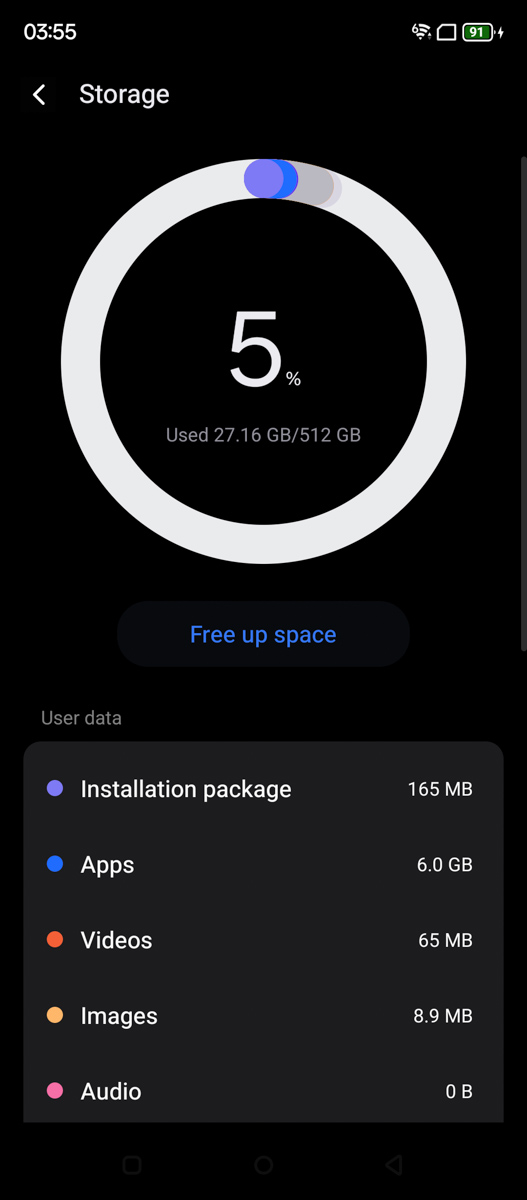
It is also worth noting the 16 GB of LPDDR5 RAM and 512 GB of UFS 3.1 storage, with sequential speeds of up to around 2 GB/s. In the 512 GB variant, the manufacturer additionally claims UFS 4.0 support, which would roughly double the throughput. A microSD card slot is also available for expandable storage.

Thermal performance is also not a concern. In the 3DMark Wild Life Stress Test, the device completed 20 loops while losing only 0.4% in stability and increasing in temperature by just 4°C. In this case, the result is likely influenced not only by the cooling system but also by the large physical dimensions of the корпусу, which help dissipate heat more effectively.
Data transfer and media capabilities
Here I would note the first objective hardware drawback of the smartphone. The MediaTek Dimensity 7050 natively supports Wi-Fi 6E, however the Blackview XPLORE 1 Pro is limited to Wi-Fi 6 only. This means there is no support for the 6 GHz band, and connectivity is restricted to the 5 GHz and 2.4 GHz ranges. Bluetooth implementation is also relatively modest, supporting only version 5.2.

On the other hand, it does feature NFC, an infrared port, 5G with Dual VoLTE, and satellite navigation via GPS/GLONASS/BeiDou/Galileo/QZSS on the L1 and L5 bands. And the USB port is only version 2.0.

The smartphone’s speaker is unusual. On the one hand, it is a single speaker – there is no stereo sound. The Blackview XPLORE 1 Pro is likely the most expensive smartphone I’ve reviewed in recent years that still lacks this feature. At the same time, the single speaker is loud and has noticeable bass, although the midrange is significantly muddy and lacks clarity.
Cameras
With your permission, I will separate the thermal camera from the other modules. I’ll start with the latter. The Blackview XPLORE 1 Pro is equipped with a 64-megapixel main camera, likely based on the OmniVision OV64B sensor, with an f/1.79 aperture and an approximate focal length of 24 mm.

The front-facing camera is 50 MP, based on the Samsung ISOCELL JN1 sensor, with an f/2.45 aperture and a similar focal length of approximately 24 mm. None of these sensors support 4K at 60 fps or optical image stabilization, and the front module also lacks autofocus.
Additionally, the manufacturer claims 8× optical zoom, which is not accurate. The system only provides digital zoom, with a maximum of 10×. However, at that level, image quality degrades to the point where the output is no longer practically usable.

On the other hand, I can confidently and fairly describe both cameras as utilitarian. They are not designed to impress and do not aim to meet even basic expectations of mobile photography enthusiasts. However, they are sufficient for straightforward tasks such as scanning documents, taking family photos, photographing utility meter readings, or capturing a selfie when needed for verification purposes.
There is no ultra-wide or telephoto lens for proper portraits or extended versatility. At the same time, the system avoids the inclusion of low-quality auxiliary sensors, such as 2 MP depth modules or 3–5 MP macro cameras, which are often of limited practical value.
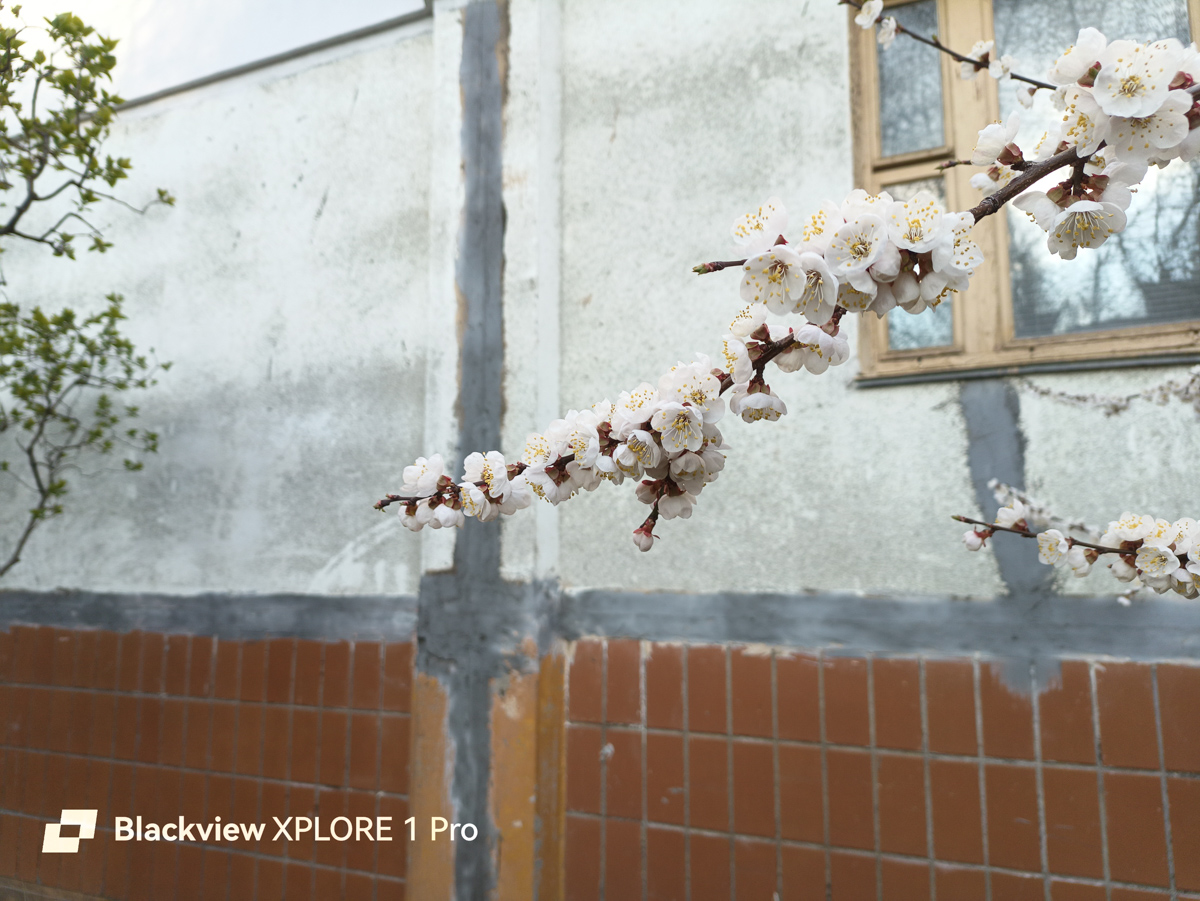
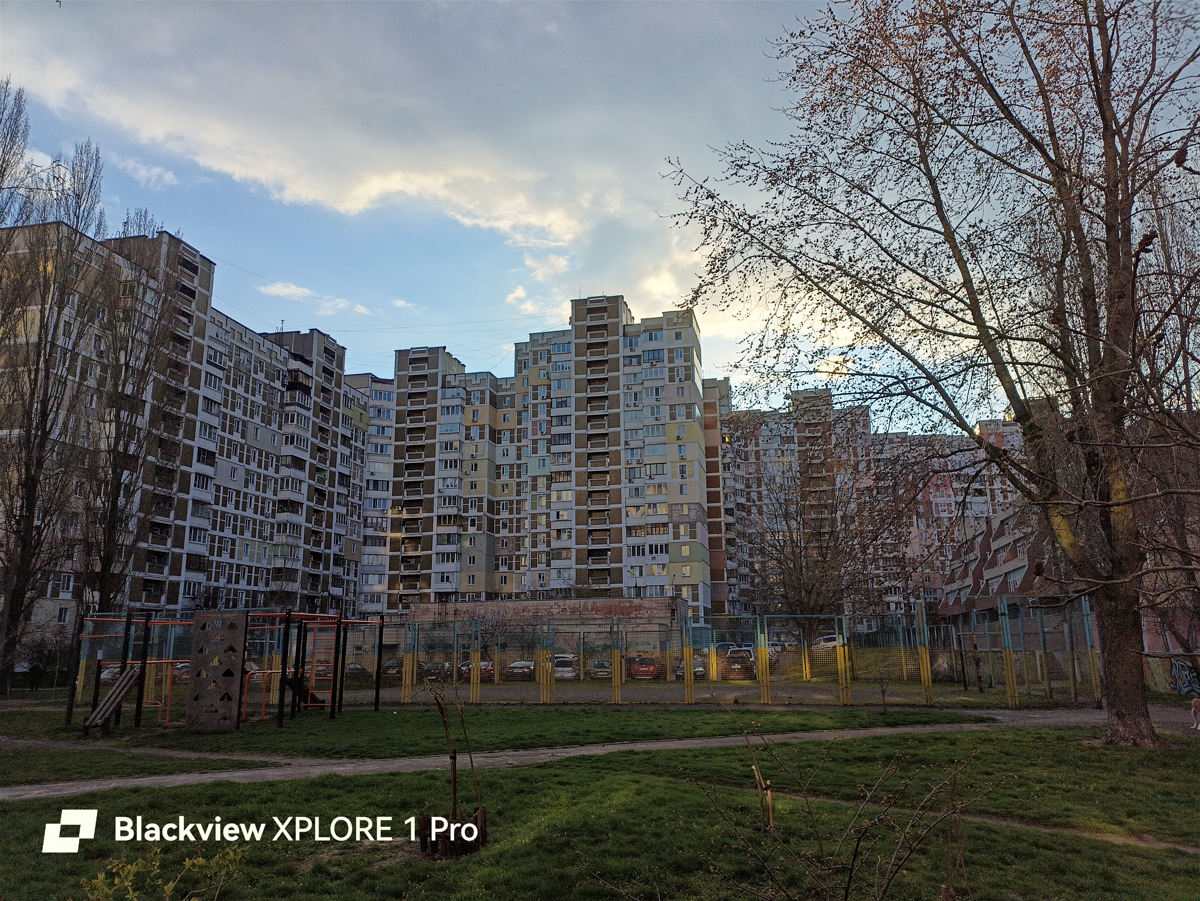
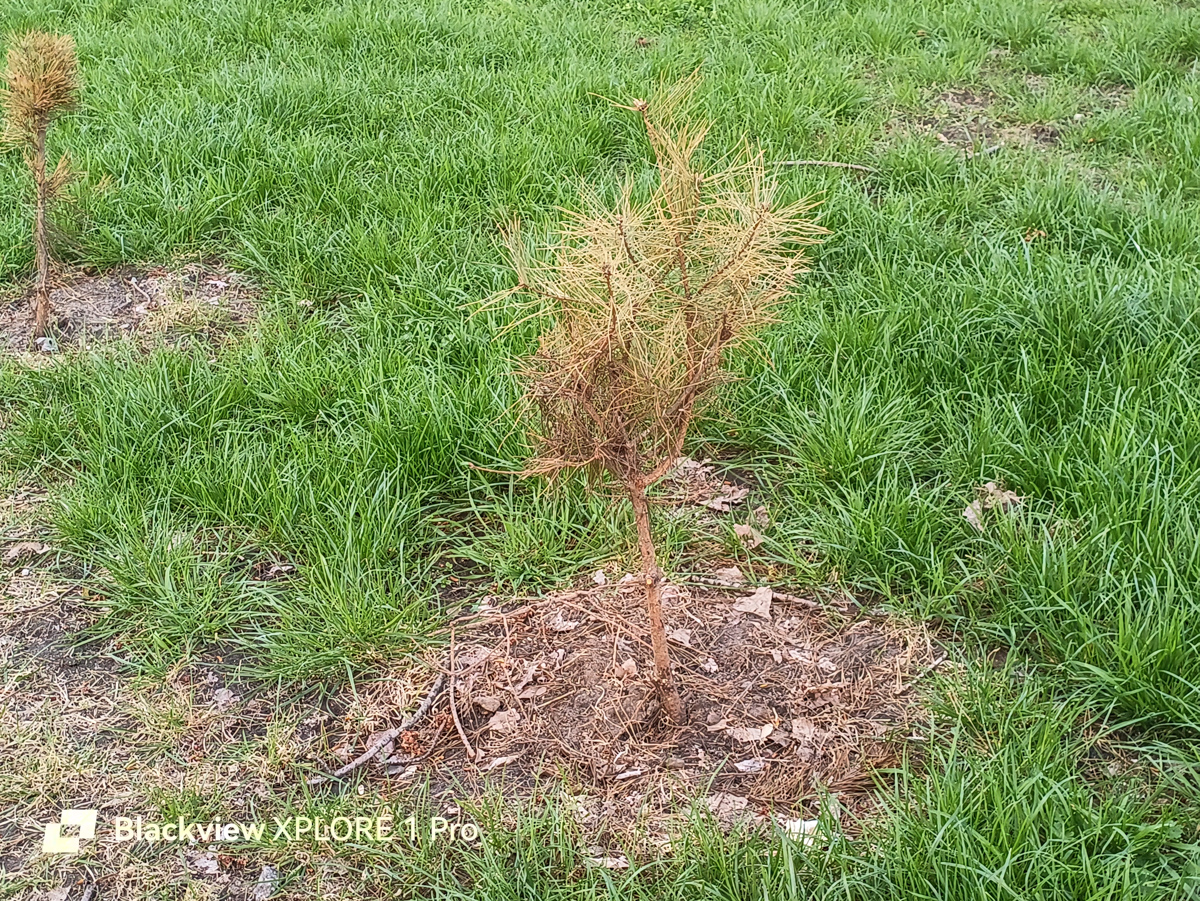
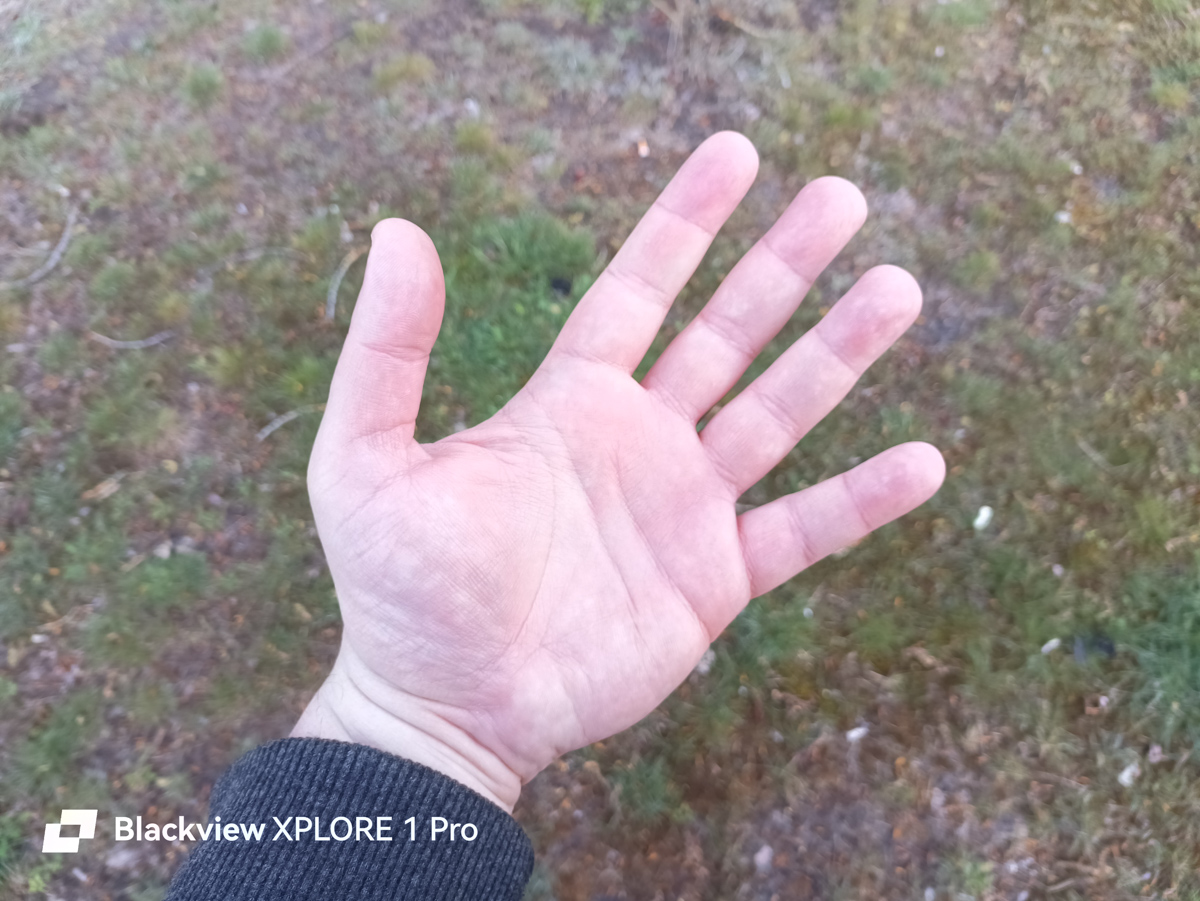
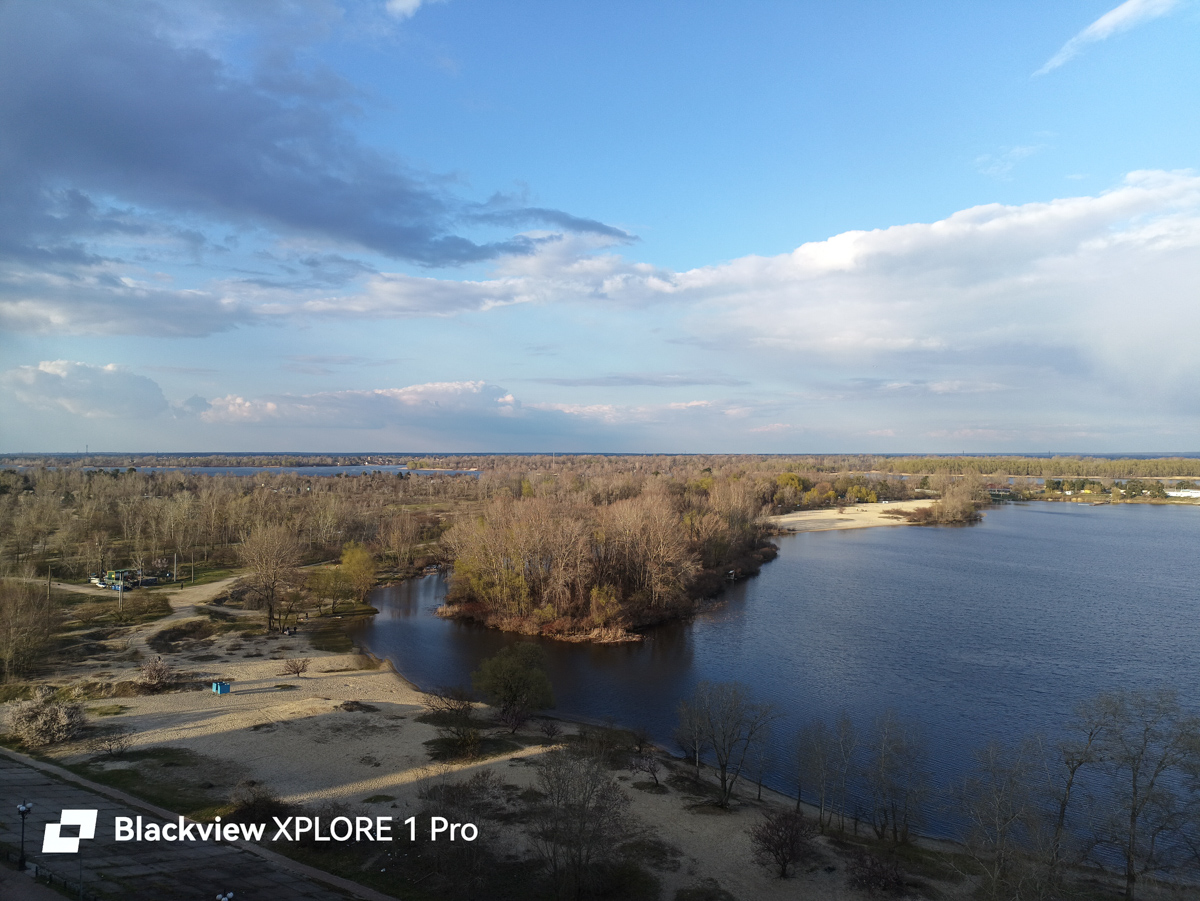

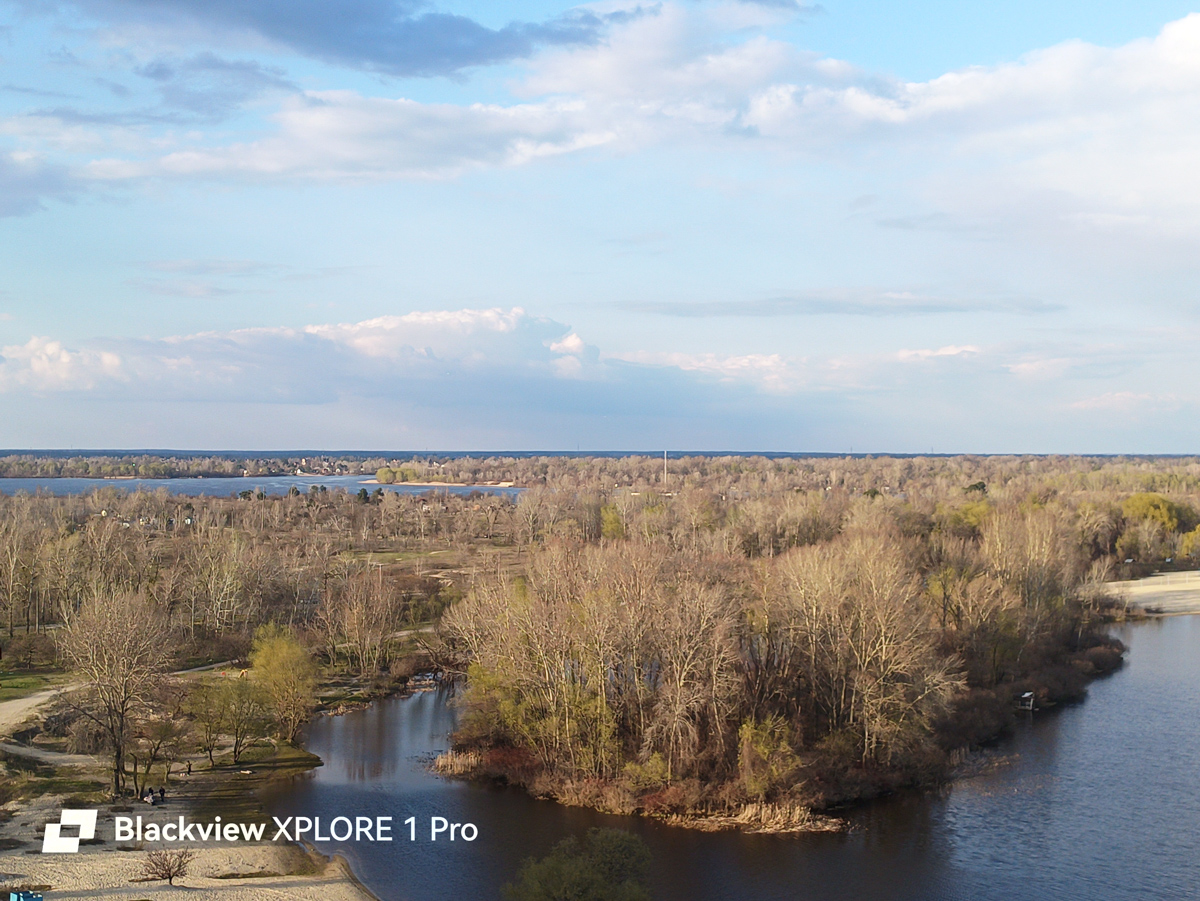
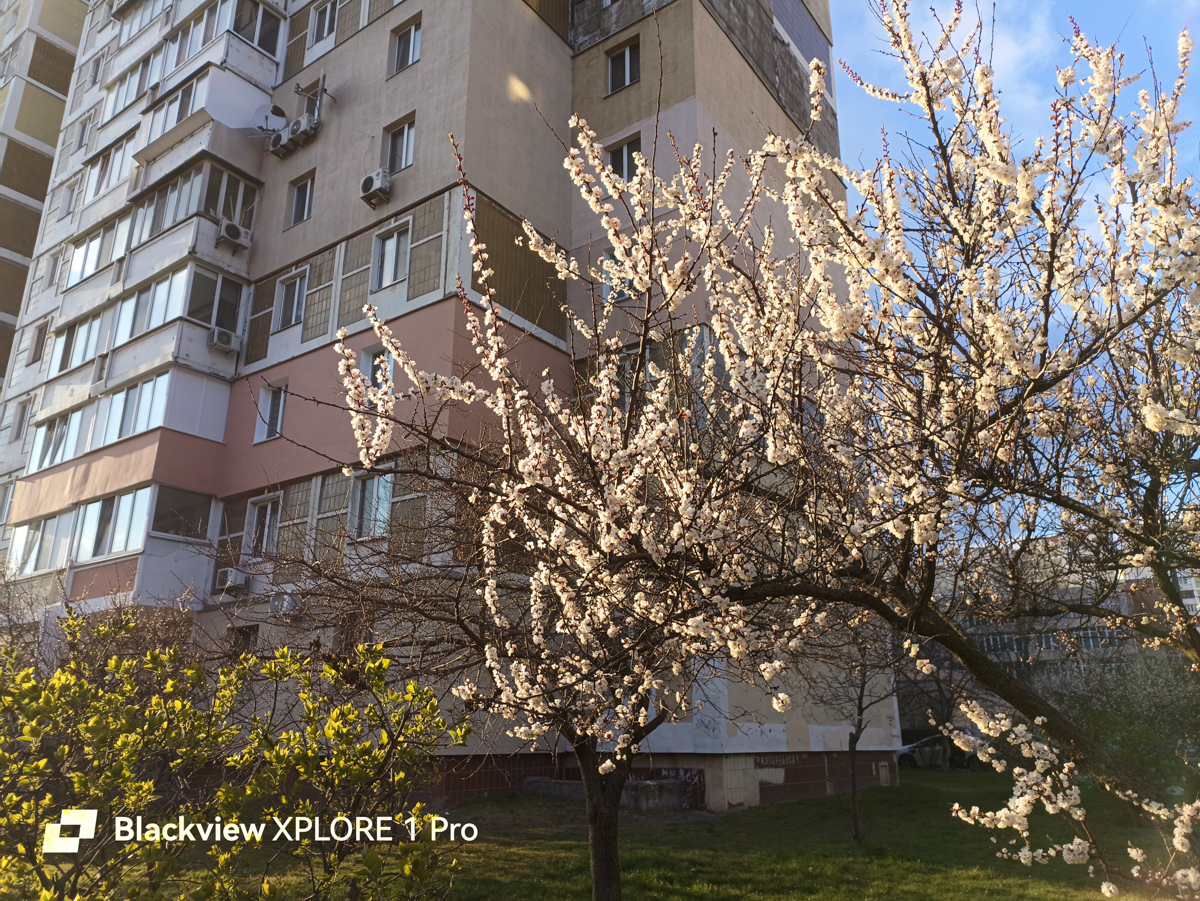
In other words, the camera system is not burdened with unnecessary features, which I find quite appropriate.
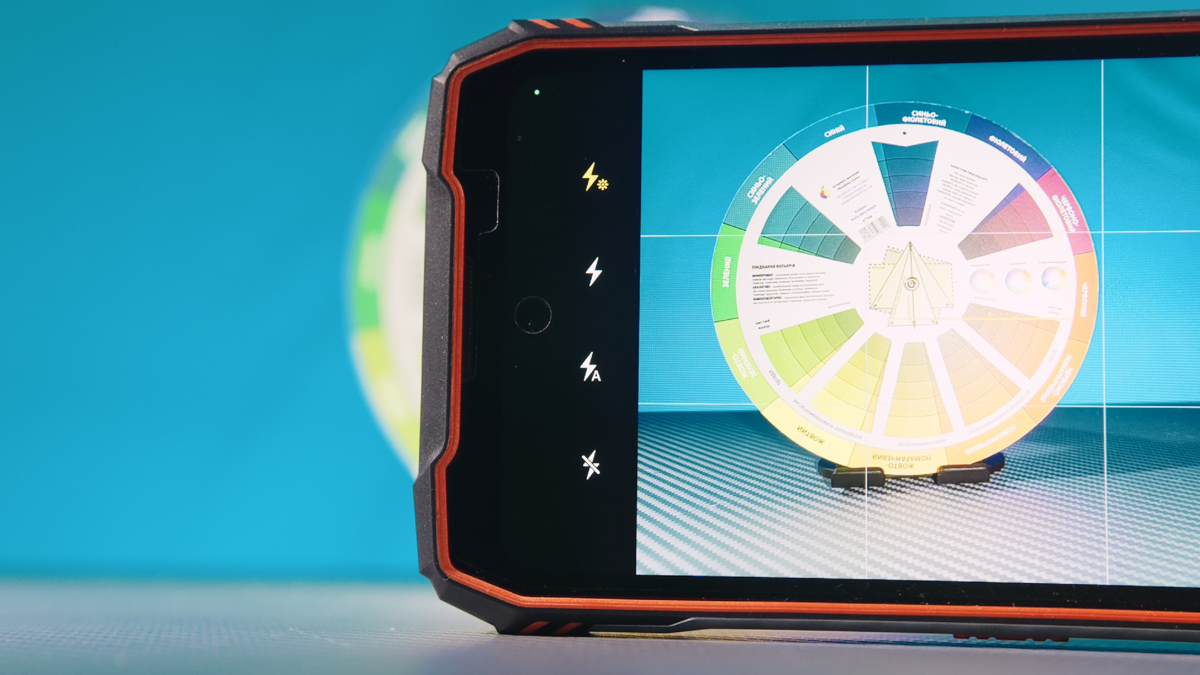
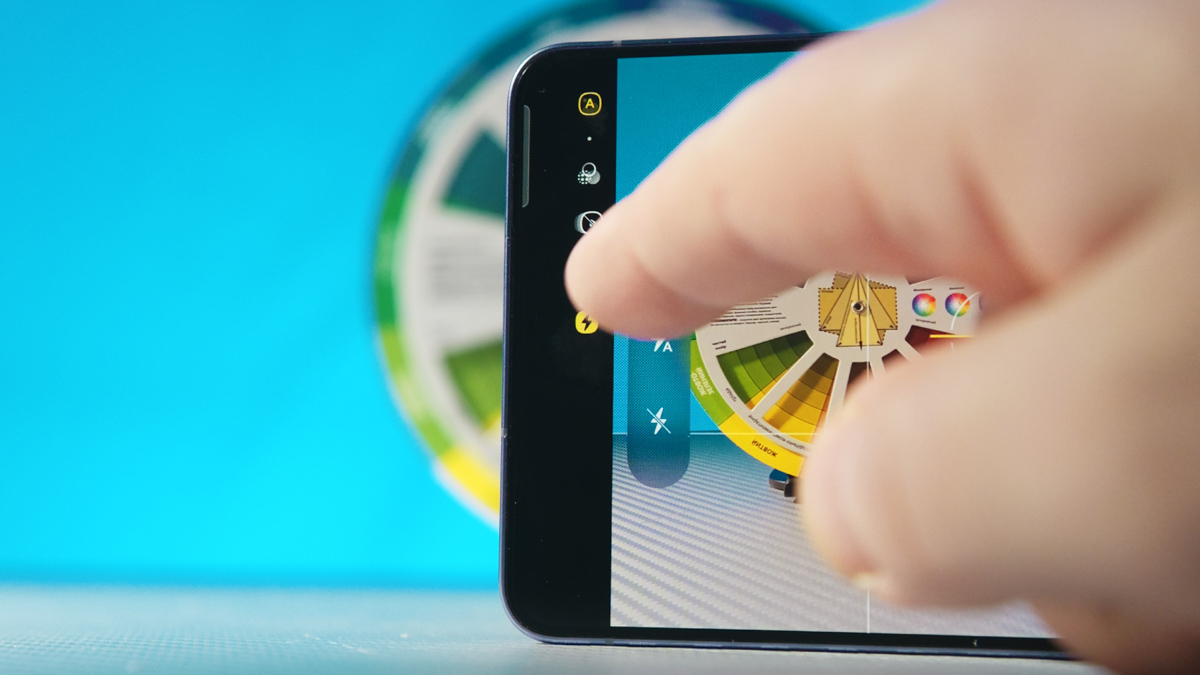
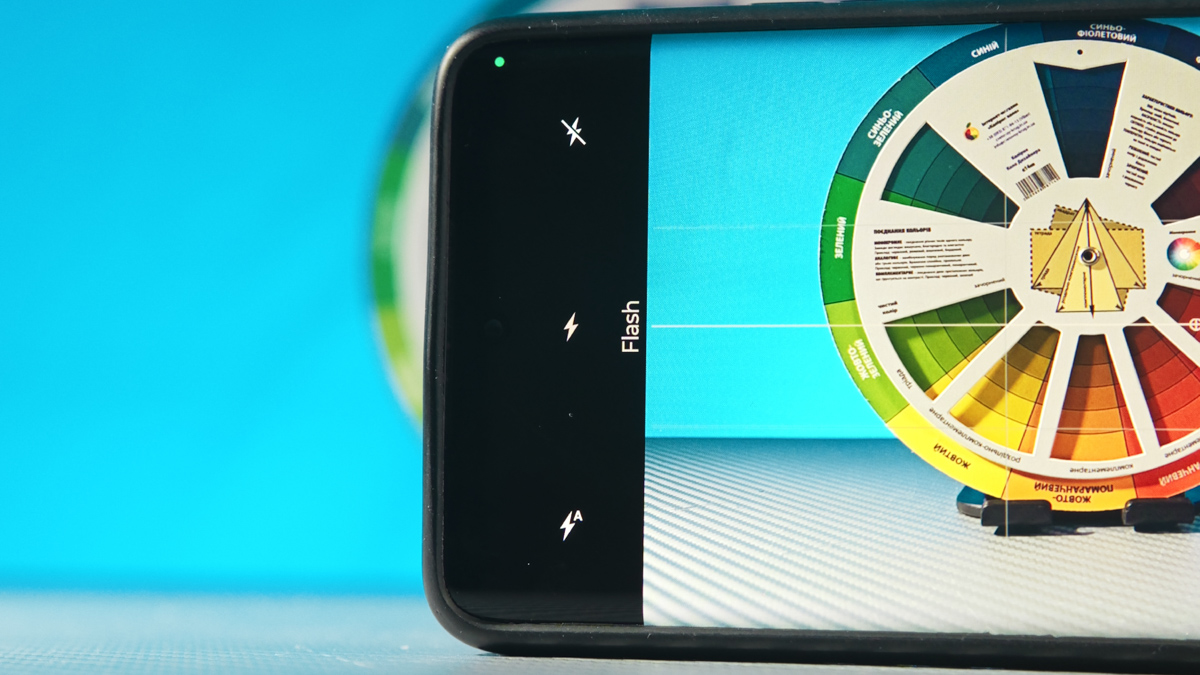
In addition, the camera application is not as limited as I initially expected. It includes a Pro photo mode, automatic HDR, and even a dedicated continuous flash mode. Some of these options are not always present in certain competing camera apps, such as those on the Motorola Edge 50 Ultra or Samsung Galaxy S26 Ultra, depending on configuration and software version. As a result, for basic everyday photography, the Blackview XPLORE 1 Pro can feel relatively straightforward and convenient to use, primarily due to its simpler and more focused feature set rather than a broad set of advanced tools.
EXAMPLES OF PHOTOS AND VIDEOS IN FULL RESOLUTION – HERE
Thermal camera
This is the highlight of the device and the main reason I am keeping this smartphone at all. The Blackview XPLORE 1 Pro is equipped with a FLIR Lepton 3.5 thermal module, featuring a 57-degree field of view, a temperature measurement range from -10°C to +400°C, thermal sensitivity below 50 mK, a resolution of 160×120 pixels, and a refresh rate of approximately 9 Hz, meaning video capture is effectively limited to a maximum of around 9 fps.

A separate MyFLIR application is provided for working with the thermal camera. It supports photo capture, video recording, and even time-lapse mode. For viewing captured photos and videos, there is a separate Gallery app. However, its functionality is limited to displaying a file list and previews; actual opening of images and videos is handled by other apps on the smartphone.

According to the manufacturer, the Blackview XPLORE 1 Pro is the first to implement a hybrid image overlay system, allowing thermal imagery to be combined with a visible-light image. In practice, this feature does not perform particularly well, as the thermal and optical image scales do not align accurately.
Similar implementations have been seen in devices from other manufacturers, where the results are generally more consistent, although typically at roughly twice the price, and with more recent hardware. The XPLORE 1 Pro itself is also an older release.
That said, the thermal output is detailed and usable enough for my purposes, including reviews. As noted earlier, I used this device to capture thermal maps of several smartphones, laptops, and even studio lighting equipment.

To address a few common questions that may arise regarding thermal cameras: no, the smartphone cannot be used as a thermal weapon sight. It is also significantly less effective in winter conditions for such purposes, since the minimum operating temperature is only -10°C.
At the same time, the thermal imaging performs reliably at short distances and can detect heat sources up to around 10 meters away with a temperature difference of approximately 5°C. For example, it can clearly reveal heated pipes inside a wall without difficulty. On photos and videos, various targeting overlays and temperature-marked regions are recorded. However, the temperature scale itself is not saved in the resulting media, which is a limitation.


At first glance, the thermal sensor manufacturer provides a full software suite, the FLIR Mobile SDK, intended for developing and using custom applications. There is also a separate list of compatible software. However, it is primarily designed for use with the FLIR One external USB-C camera, and none of these applications recognize the built-in thermal module.
Overall, despite marketing claims, the Blackview XPLORE 1 Pro remains one of the more affordable smartphones with an integrated thermal camera. Not the cheapest on the market, not even the cheapest from a branded manufacturer, and not the oldest either – but still positioned in the lower price segment. In practical terms, it should be considered a semi-professional device at best.

However, this is already sufficient for its footage to appear in various videos and even written reviews alongside other devices. In simple terms, it is not realistic to expect exceptional performance from this smartphone.
Software
I did not expect much from the DokeOS 5 interface either. Visually, it feels somewhat outdated, even though it is based on Android 15, and the latest security updates were delivered in August 2025. Overall, DokeOS 5 covers most basic and a number of advanced user requirements. However, it falls short in terms of interface usability and overall user experience.

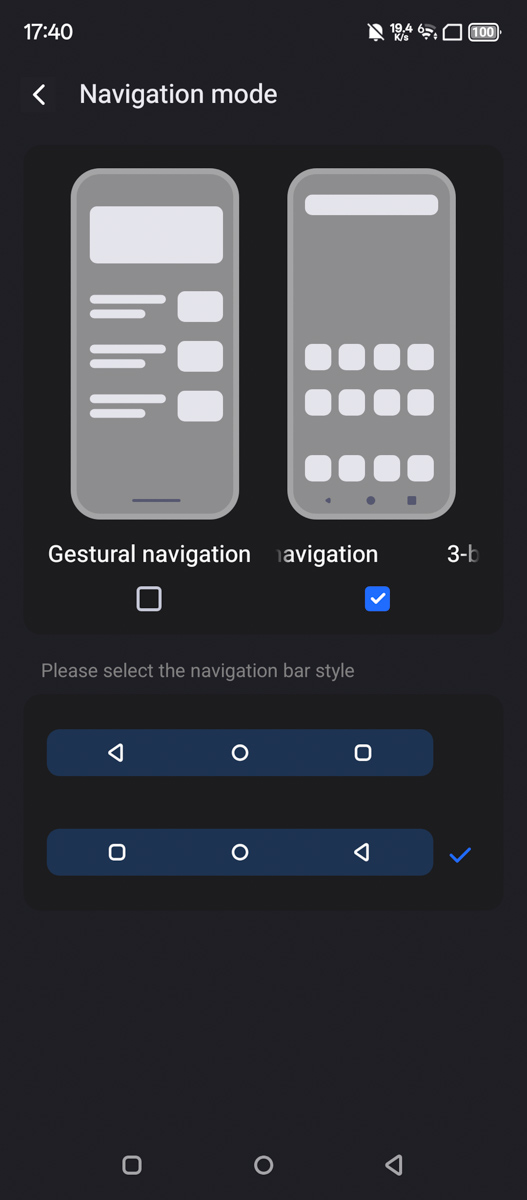
In other words, the system includes features such as memory expansion, password entry without confirmation, remote device tracking via the internet, and support for both navigation buttons and gesture controls, with configuration available for each option. Additionally, a downward swipe on the home screen can be assigned either to search or to the notification and quick settings panel, depending on user preference.
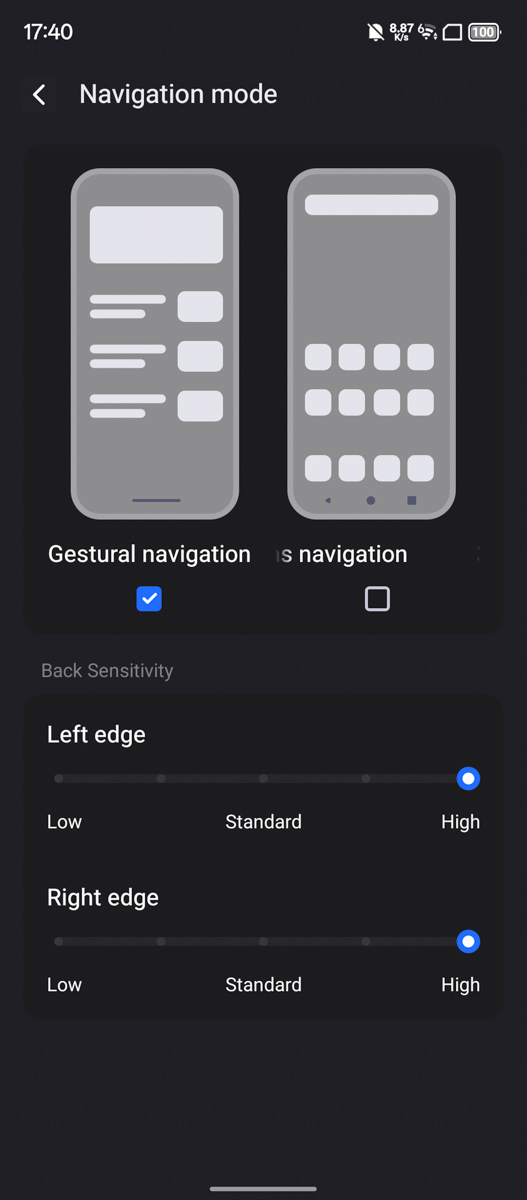
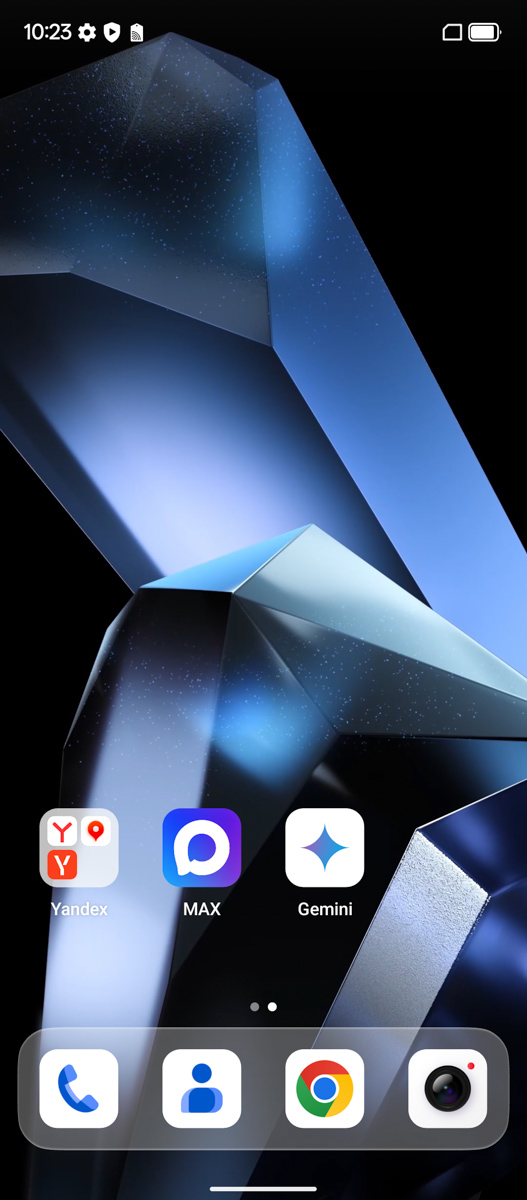
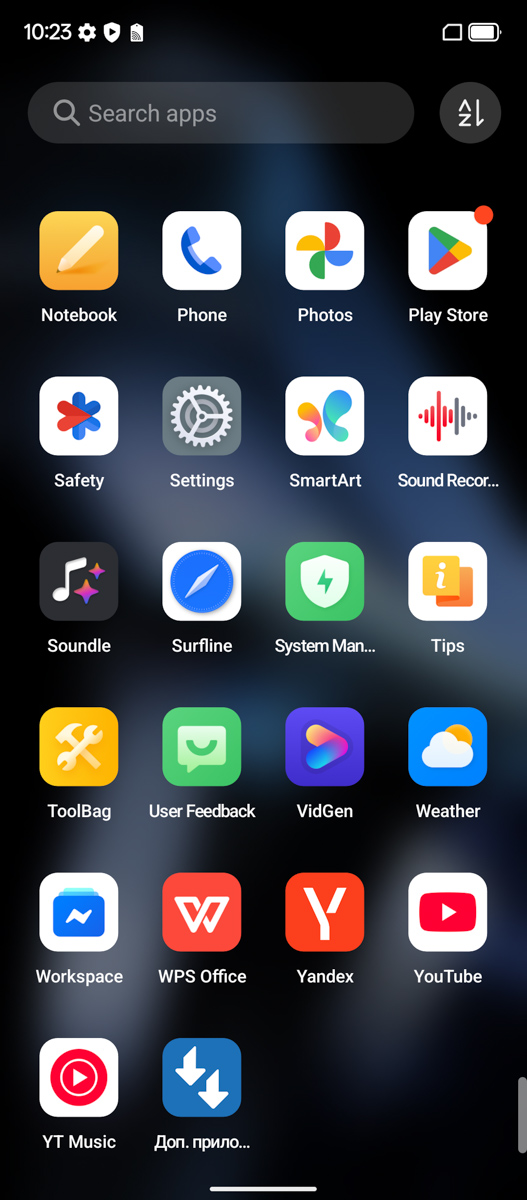
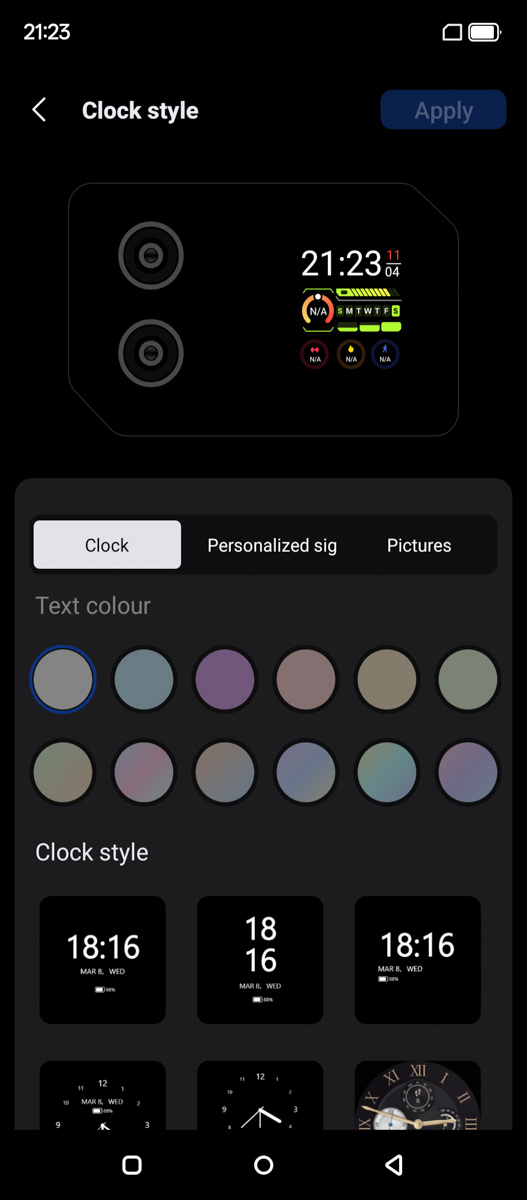
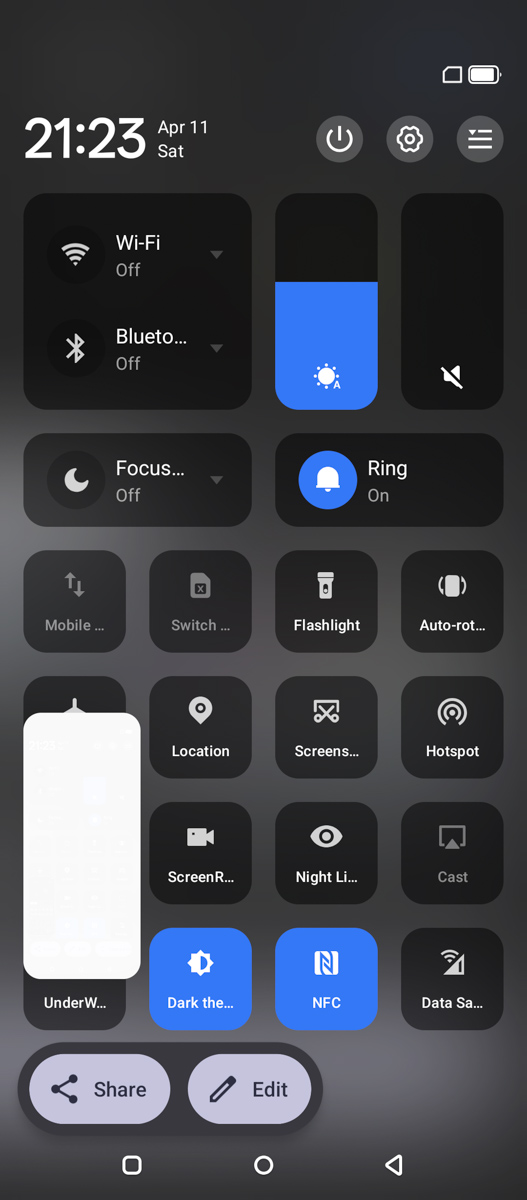
There is also a Focus mode, a Kids mode, and a Game mode. The system supports automatic detection and insertion of verification codes from SMS messages for quicker confirmation inputs. Additionally, there is a built-in option for automatic call recording using the native recorder. The interface also allows quick activation of “Do Not Disturb” mode, including the ability to set a timer. Volume can be controlled separately for different channels, and auto-brightness can be toggled directly from the quick settings panel by tapping the sun icon.
There is also a suite of AI-based applications included. Some of these functions operate on a subscription basis or are supported by advertising, although, as I understand it, the available free trials do not expire over time. The tools allow generation of images, video, and audio, and also include a proprietary AI chat feature. In addition, there is a ToolBag application that bundles various utilities such as a flashlight, sound level meter, level tool, compass, emergency light, and sound functions, among others.

Problems arise when you start expecting certain basic functions from the Blackview XPLORE 1 Pro, only to find them missing without a clear reason. For example, the custom button on the left can be assigned to launch almost any application, except the FLIR camera app. Interestingly, even the FLIR gallery can be assigned to this shortcut, but the camera application itself cannot.
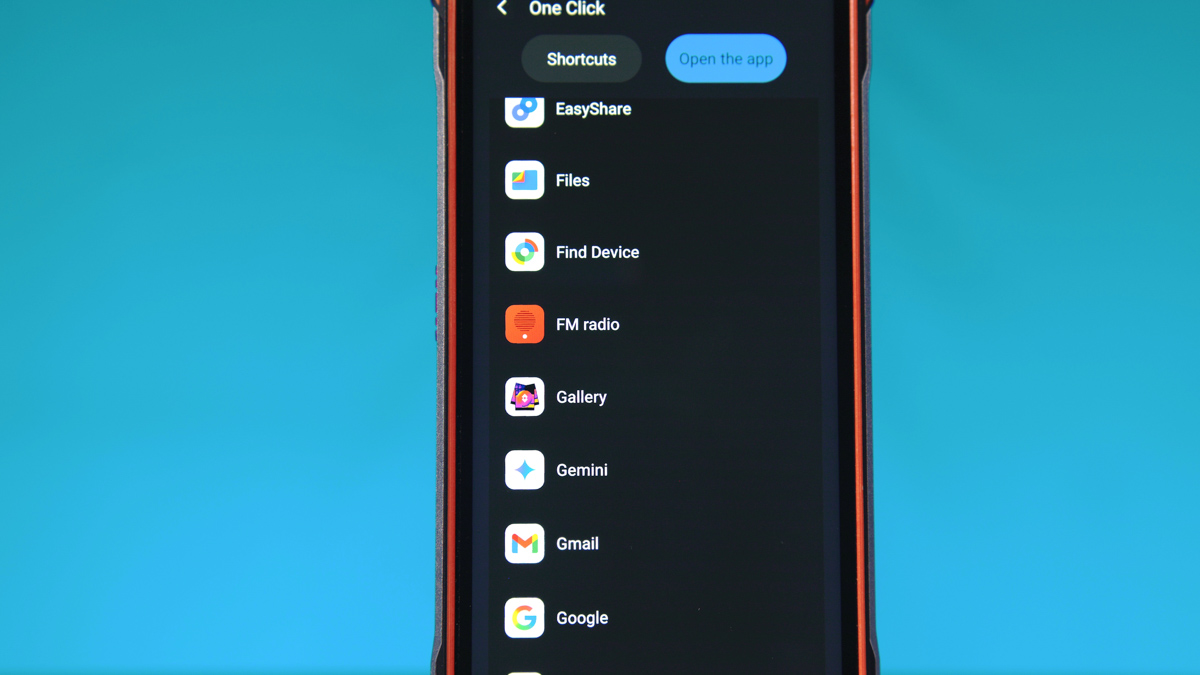
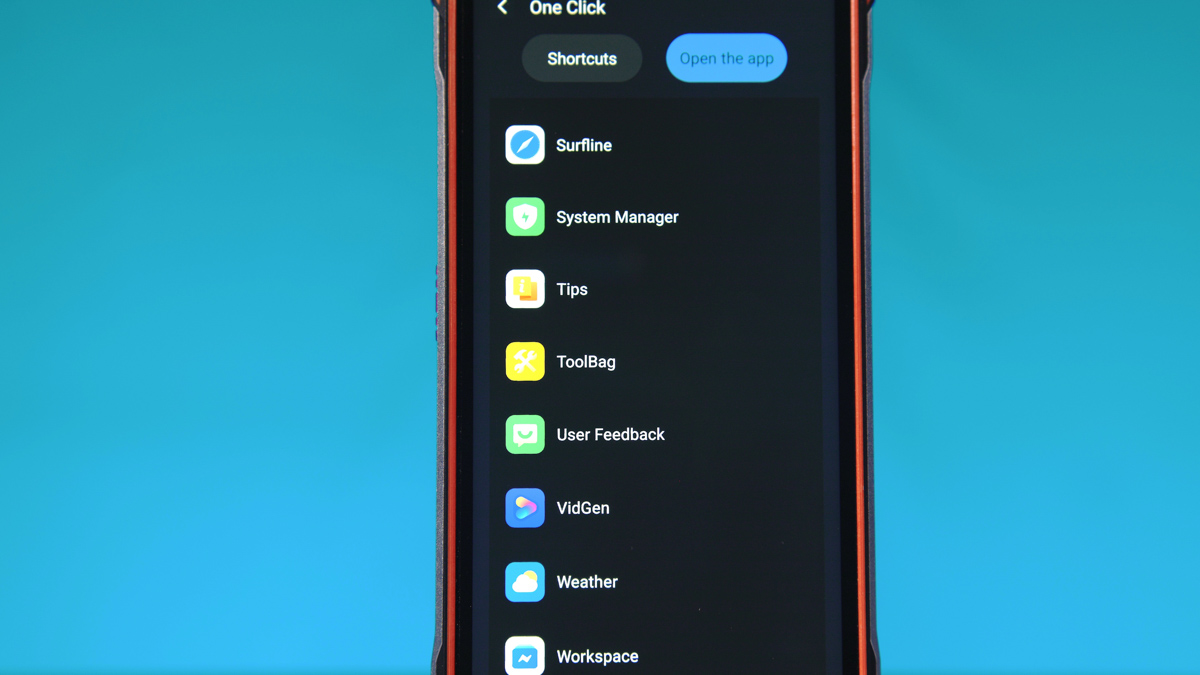
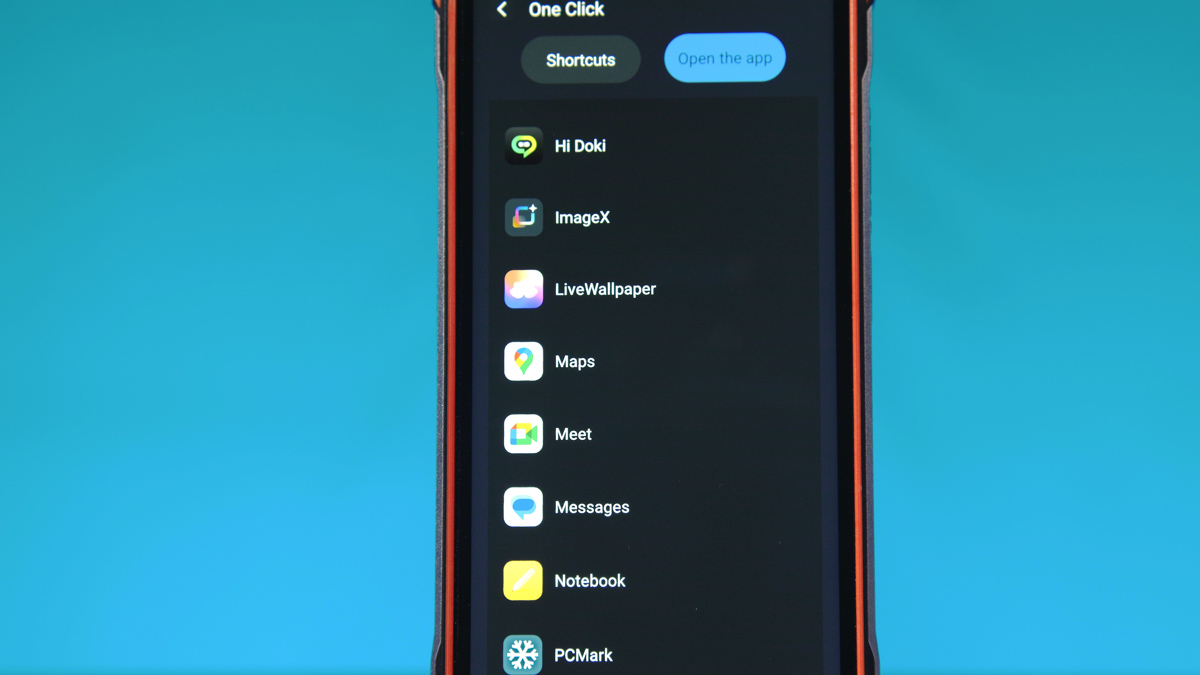
It is not possible to disable the automatic timeout of the rear display, even though the main screen can be set to remain on indefinitely. The placement of the power and settings controls – located at the top of the quick settings panel – is also somewhat unconventional.
On one hand, this may not be critical, since one-handed use of the device is already difficult in practice. On the other hand, similar design choices are likely present across other Blackview devices, not just this model. It is also worth noting that not all Blackview smartphones are rugged; some are simply standard devices with a focus on practicality and durability.
Battery life
In terms of endurance, I will put it this way. The XPLORE 1 Pro is one of the few smartphones I have reviewed where the battery capacity is so large that the PCMark Battery test literally freezes during execution. This was not a one-off issue – I repeated the test around five times, and each time it consistently failed at around 20–30% remaining battery, resulting only in a black screen instead of completing the run.

This is partly explained by the fact that we are dealing with a smartphone equipped with a 20,000 mAh battery. In other words, its capacity is higher than that of four Motorola Edge 50 Ultra units combined. As a result, the device can easily last for two days even under active use. It also supports reverse wired charging, although at a relatively modest 5 W output.

However, it is worth remembering that the device is based on a MediaTek system-on-chip. MediaTek platforms, especially older implementations, are often associated with inconsistent support for charging standards.
The advertised 55 W wired charging can be reliably achieved with the original power adapter. With third-party chargers, results are less predictable and depend on the specific power delivery implementation.
For example, the Baseus EnerGeek GR11 power bank, using its original cable, consistently delivered around 50 W to the smartphone, which is a strong result. This charging speed was maintained even at higher battery levels, likely helped by the battery design consisting of four separate 5,000 mAh cells, which reduces thermal load. A Canyon 120 W charger also provided close to 50 W output when charging the device.

At the same time, a different Canyon charging unit, even with a higher-quality cable, delivered no more than 10 W. The ZMI No.20 power bank, which costs roughly three times more than the Baseus model and supports up to 125 W on a single port, did not exceed 6 W output to the smartphone regardless of cable or output used. Overall, fast charging with this device is inconsistent and depends heavily on the specific charger and configuration. In practice, compatibility is unpredictable, making fast charging behavior closer to a 50/50 outcome than a guaranteed feature.
Conclusions
In conclusion, I would say the following. This smartphone reminds me of a joke about the DOOM Eternal soundtrack being the most cost-effective in the world, because it effectively comes bundled with an entire video game. Similarly, the Blackview XPLORE 1 Pro is essentially built around its thermal camera, which – on its own, in this resolution class – can cost roughly half the price of the entire smartphone.

At the same time, it comes with an entire smartphone package: a very large battery, decent performance, strong data connectivity in some scenarios, an IP69K-rated protective body, and a generous retail bundle. It even includes two displays. There are flaws, there are limitations, and some design choices are frustrating in practice. However, as a tool, the Blackview XPLORE 1 Pro is generally solid and functional.
Read also:
- Samsung Galaxy S26 Ultra Review: Reference Flagship Without Major Changes
- Motorola Signature: The Company’s First True Super-Flagship
- Review and Comparison of Redmi Note 15 Pro and Redmi Note 15 Pro 5G
Where to buy the Blackview XPLORE 1 Pro


