© ROOT-NATION.com - Use of content is permitted with a backlink.
Today I’m taking a look at the Bigme HiBreak Plus, an affordable device that combines a color E Ink display, stylus support (although the stylus is sold separately), and the functionality of a conventional smartphone. Despite my extensive experience testing gadgets, this is the first hybrid of its kind I’ve had the chance to use, so I was genuinely curious to see how it would perform. The experience, however, turned out to be a mixed one. I think the concept is excellent, but the execution leaves room for improvement. So, what does one of the most affordable smartphones with a “paper-like” display get right – and where does it fall short? Let’s find out.
Read also: All e-reader reviews
TABLE OF CONTENTS:
Bigme HiBreak Plus Specifications
- Display: E Ink Kaleido 3, 6.13″, 1648×824, touchscreen, colour, 36 brightness levels, 52 Hz refresh rate, 150 ppi in colour mode, 300 ppi in greyscale
- Processor: MediaTek P35 MT676, up to 2.3 GHz
- RAM: 4 GB
- Storage: 64 GB
- Memory card support: up to 2 TB
- Wireless technologies: Wi-Fi 5, Bluetooth 5.0, GPS
- Operating system: Android 14
- Main camera: 20 MP, flash
- Front camera: 5 MP
- Battery: 4500 mAh
- Slot: 2 nanoSIM, 4G
- Dimensions: 80.9×159.8×8.9 mm
- Weight: 193 g
- Additional features: fingerprint scanner in the power button, support for the Bigme Stylus and handwriting input, case included
Price and positioning
The Bigme HiBreak Plus is essentially a hybrid between a smartphone and an e-reader, combining a color E Ink display with the core functionality of a conventional phone, including access to apps, voice calls, and messaging. Devices in this category remain relatively uncommon, which makes the concept particularly intriguing. The real question is how well this hybrid handles everyday smartphone tasks while also delivering a comfortable reading experience.
Within Bigme’s lineup, the HiBreak Plus is positioned as an entry-level model. It is available through the official store for $250 (or €220). By comparison, the flagship HiBreak Pro Color costs nearly twice as much. As is often the case with budget-oriented devices, however, achieving a lower price point comes with certain compromises. So, where exactly does the HiBreak Plus make them?
What’s in the box?

The Bigme HiBreak Plus arrives in a minimalist white box, with metallic lettering serving as its only decorative element. The presentation is clean and understated. Inside, you’ll find everything needed to get started: the device itself, a silicone protective case, a SIM eject tool, a quick start guide, and a USB-A to USB-C charging cable. As has become common with modern smartphones, no wall charger is included in the box. The bundled case is a pleasant surprise. It’s a matte-finished silicone bumper that feels comfortable in the hand and is likely to resist yellowing better than the glossy transparent cases that often ship with smartphones.
Read also: Bigme B6 Color Review: When an E-Reader Tries to Be a Tablet – and Didn’t Quite Succeed

Alongside the HiBreak Plus, I also received the Bigme Stylus. It’s lightweight, well-built, comfortable to hold, and closely resembles a standard pen. The stylus features a charging port, while its nibs are replaceable – three are included in the package, along with a dedicated tool for quick and easy replacement. Pairing is refreshingly simple, as there’s no need to enable Bluetooth to use it. That said, this stylus is compatible only with the HiBreak Plus and HiBreak Pro Color. It can be used for general navigation throughout the interface, as well as for handwritten notes, annotations, or highlighting text in e-books.


Read also: Bigme HiBreak Pro Review: An Almost Ideal E-Ink Smartphone for Digital Detox
Design, Materials, and Layout
Although the Bigme HiBreak Plus is a hybrid between a smartphone and an e-reader, its design feels more reminiscent of smartphones from around 2018. It’s slightly wider than most modern devices, measuring 80.9 × 159.8 × 8.9 mm, and features a small, nearly flush rear camera module along with thick white bezels surrounding the display. Its weight, however, is fairly typical at just 193 g.
The entire chassis is made of plastic, with the finish providing most of the visual contrast. Both the rear panel and the front surface surrounding the display have a matte texture, while the rounded side frame features a glossy finish.

Aside from the compact rear camera and LED flash, the back panel features only the Bigme logo positioned near the bottom edge. Up front is a 6.13-inch E Ink display, surrounded by the fairly thick white bezels I mentioned earlier. Above the screen, you’ll find the earpiece grille, the front-facing camera, and the ambient light sensor.


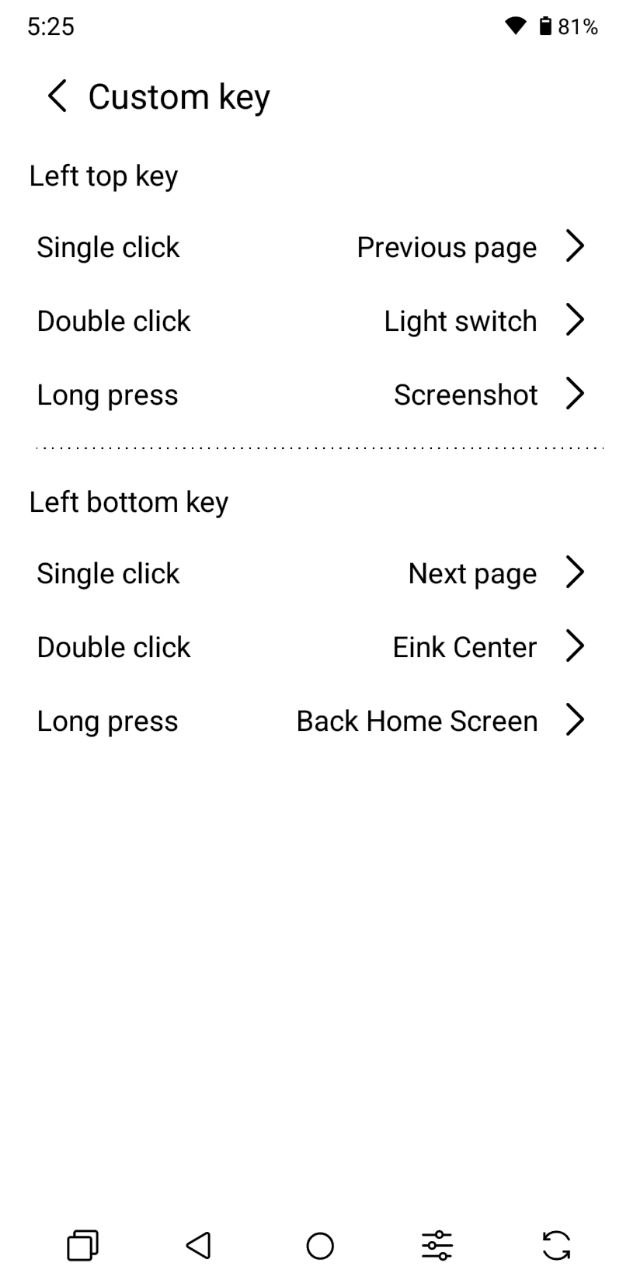
The side frame is where things start to get more interesting. On the right, you’ll find the familiar combination of the power and volume buttons, but their arrangement is somewhat unconventional. The power button, highlighted in red and integrated with the fingerprint scanner, is positioned above the volume rocker rather than below it. It’s an unusual design choice, and I’ll discuss its impact on usability in more detail later in the ergonomics section. The left side houses a pair of multifunction buttons that support single, double, and long presses, with each action being fully customizable. I particularly appreciated that the available shortcuts go beyond standard smartphone functions and include options tailored for reading, such as turning pages forward and backward or toggling the front light.


The top edge is a bit more puzzling. It features what appears to be an IR blaster window, yet according to the official specifications, the device doesn’t actually include an infrared transmitter. My guess is that Bigme simply reused the chassis from the HiBreak Pro Color. The bottom edge houses the USB Type-C charging port, the loudspeaker grille, the primary microphone, and the SIM card tray.


Overall, the device has a slightly retro aesthetic, but it’s neatly designed and visually appealing. That feels quite fitting, considering it isn’t a conventional smartphone any more than it is a traditional e-reader. Build quality is solid throughout. It may not stand out in terms of premium materials or cutting-edge design, but the overall construction feels well executed and reassuringly sturdy.
Read also: Bigme HiBreak Pro Color Review: Smartphone with E Ink Display
Ergonomics
In terms of size and weight, the Bigme HiBreak Plus feels much like a conventional smartphone, so its overall ergonomics are largely familiar. It sits comfortably in the hand, thanks to the slightly rounded edges, which prevent the frame from digging into your palm the way flat-sided designs sometimes do.
That said, the glossy side frame doesn’t provide the most secure grip on its own. The included silicone case makes a noticeable difference, adding enough texture to make the device feel much more confident in the hand. At 193 g, the HiBreak Plus is also light enough to remain comfortable during extended use, with a weight that’s well within the norm for modern smartphones.

As for one-handed use, there’s nothing particularly unusual here. With relatively small hands, I could comfortably reach only the lower third of the display. Typing out a message is perfectly manageable, but using the entire interface with one hand isn’t particularly practical.
The stylus support, however, adds a different dimension to the experience – and one that I genuinely enjoyed. There’s something almost meditative about using the HiBreak Plus this way. You lean back in a chair, casually browse the news, scroll through articles, or read at a more relaxed pace. It also feels natural for taking handwritten notes or highlighting passages in e-books.
It’s a very different experience from the way I normally use a smartphone. Instead of encouraging quick interactions, this form factor naturally slows you down and invites a more deliberate, focused way of using the device. I also grew to appreciate the additional buttons on the left side. I primarily used them for page turning and scrolling while reading, and they proved genuinely convenient. Beyond that, they can be assigned a wide range of functions through different press gestures, making them surprisingly versatile.


One aspect I wasn’t particularly fond of was the unconventional placement of the power and volume buttons. After years of using smartphones where the power button is positioned below the volume controls, adjusting to the reversed layout takes some time. More than once, I found myself instinctively trying to unlock the device by pressing the volume-down button instead.
The higher placement of the power button also has a practical downside. Reaching it with your thumb isn’t always easy, so unlocking the phone often requires shifting your grip before pressing the button.
Read also: Bigme B7 Pro Review: The Gold Standard for Color E Ink Readers
Display
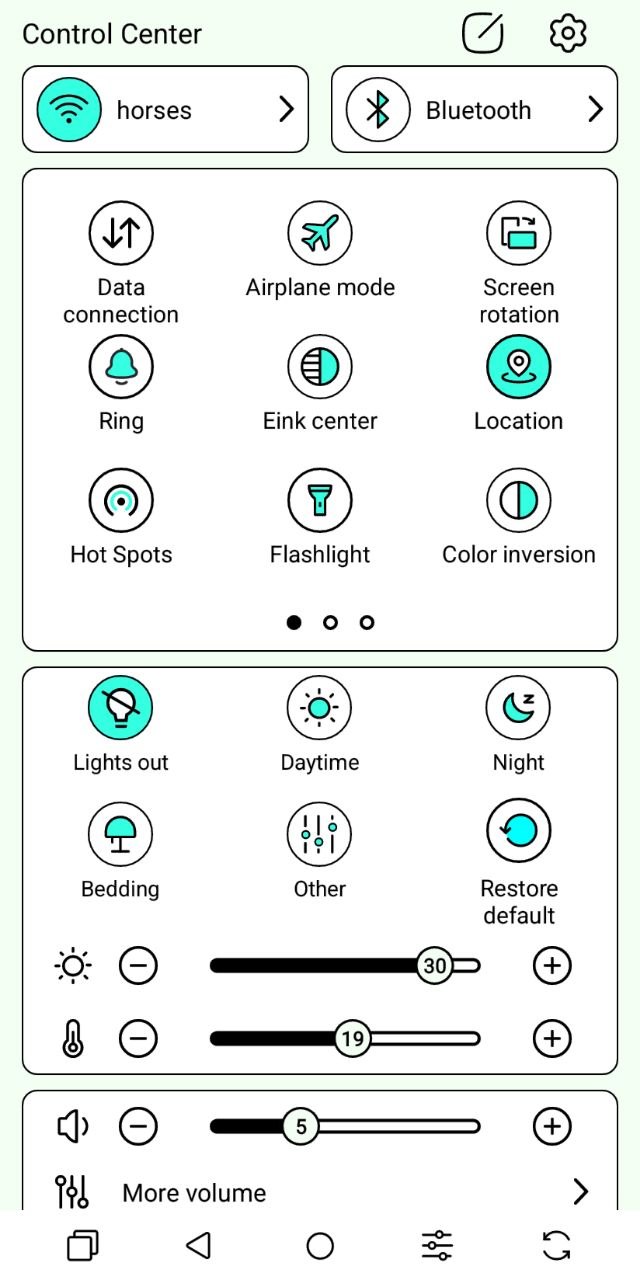
The HiBreak Plus features a 6.13-inch color E Ink Kaleido 3 display with a 52 Hz refresh rate and wide viewing angles. It offers 36 front-light brightness levels, automatic brightness adjustment, color rendering controls, and adjustable color temperature ranging from cool to warm for more comfortable evening use. One particularly convenient touch is that the color temperature can be adjusted directly from the quick settings panel. The same menu also provides several preset lighting profiles designed for daytime use, evening reading, and bedtime.

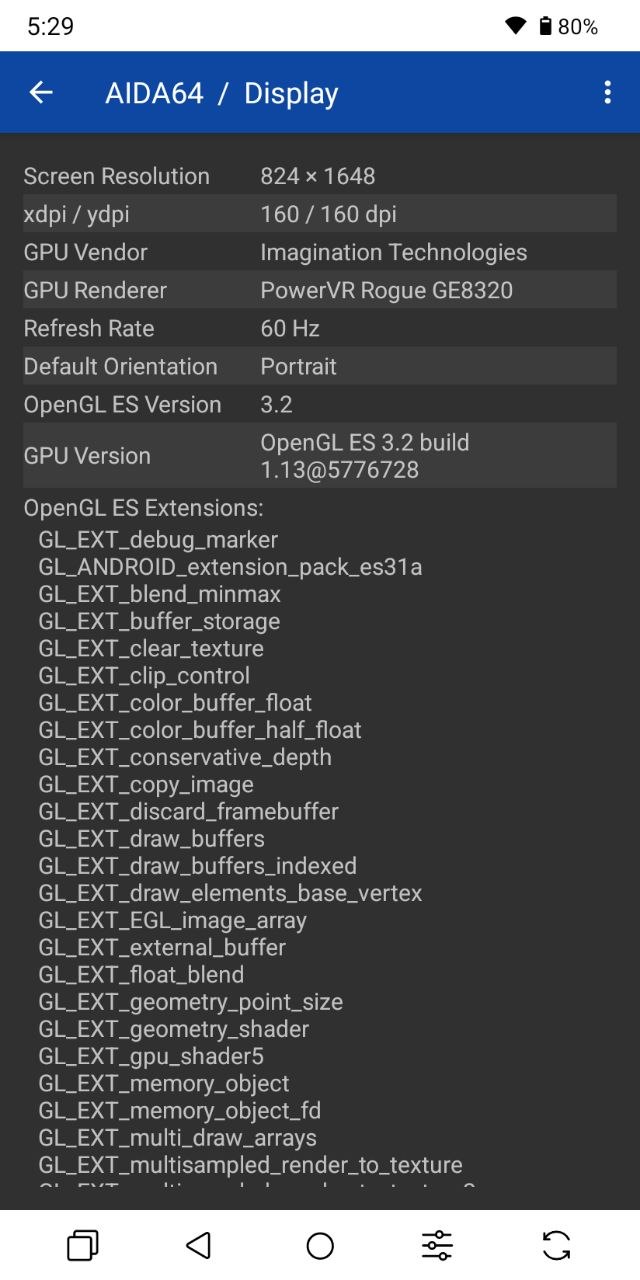
Pixel density is 150 ppi in color mode and 300 ppi in grayscale, which is a direct consequence of the display technology itself. At its core is a high-resolution monochrome E Ink panel, overlaid with a color filter array (CFA) that divides the underlying pixels into subpixels to produce color. As a result, the effective resolution also changes depending on the display mode: 1648 × 824 in grayscale and 824 × 412 in color.
The display is capable of reproducing 4,096 colors, although they appear muted and somewhat washed out. The relatively low pixel density in color mode also makes the image noticeably grainy. Solid colors look reasonably good, but gradients and smooth color transitions quickly reveal the limitations of the panel, resulting in a visibly pixelated image.
In my opinion, the color mode is most useful for making charts, diagrams, or app icons easier to distinguish. It does far less to improve the experience of viewing videos or illustrations in books. Then again, multimedia isn’t really what the HiBreak Plus is designed for. Yes, you can watch YouTube, read comics, or even play games, but those are best viewed as bonus features rather than core strengths. None of them can match the visual experience offered by a conventional IPS or OLED display.


Display responsiveness is another area where it’s important to set realistic expectations. Even with the higher refresh mode enabled, the HiBreak Plus doesn’t approach the smoothness of a conventional LCD or OLED panel. Noticeable input lag is common, particularly when navigating apps, and increasing the refresh rate does little to change that. Ghosting and image artifacts are also a regular occurrence, especially during rapid screen updates such as video playback or switching between applications. These characteristics are present in both grayscale and color modes. In some situations – most noticeably when locking or unlocking the device – the display may also briefly flicker with inverted colors.
Where E Ink remains unmatched, however, is outdoor readability. The screen stays exceptionally clear in virtually any lighting condition, including direct sunlight. In that regard, it deserves full marks.


So, here’s my takeaway so far. The Bigme HiBreak Plus display is outstanding for reading and consuming text-based content. It’s exceptionally comfortable to look at, with brightness and color temperature that can be adjusted to suit virtually any environment. Most importantly, for anyone who spends hours each day in front of conventional displays, it offers a noticeably more eye-friendly experience.
To me, that’s exactly what devices like this are designed for. As for multimedia, it’s better viewed as a useful extra rather than a primary strength. While the HiBreak Plus is perfectly capable of playing videos or displaying other visual content, it simply doesn’t deliver the same level of enjoyment as a traditional LCD or OLED display.
Performance and Wireless Connectivity
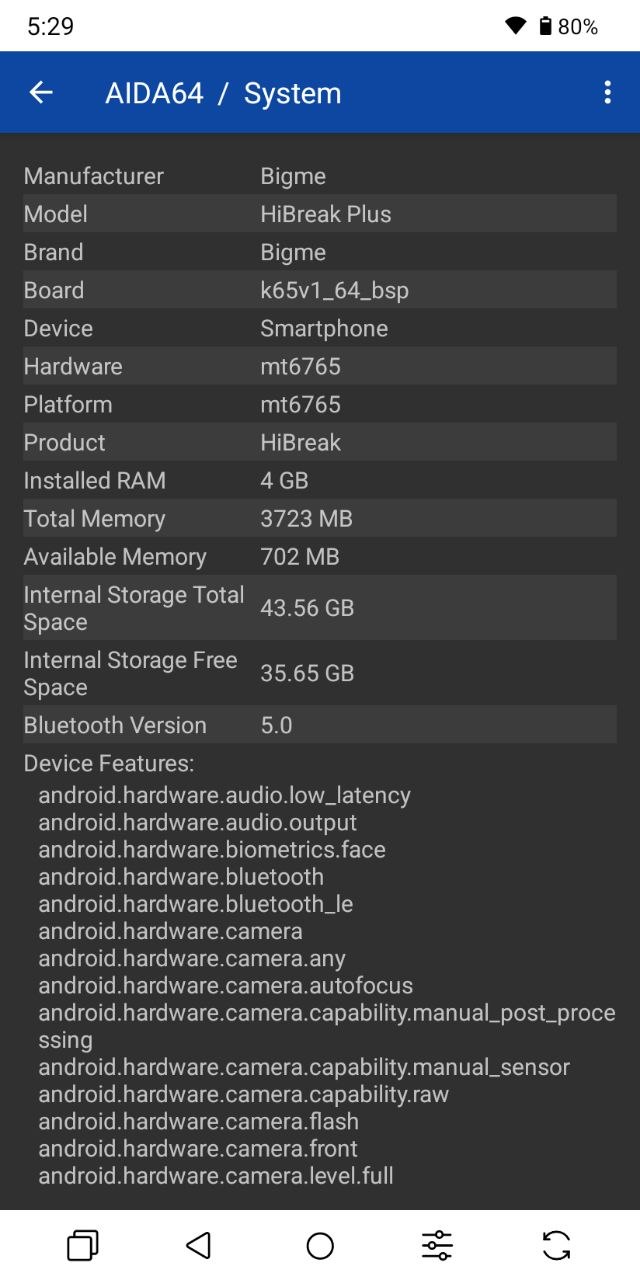
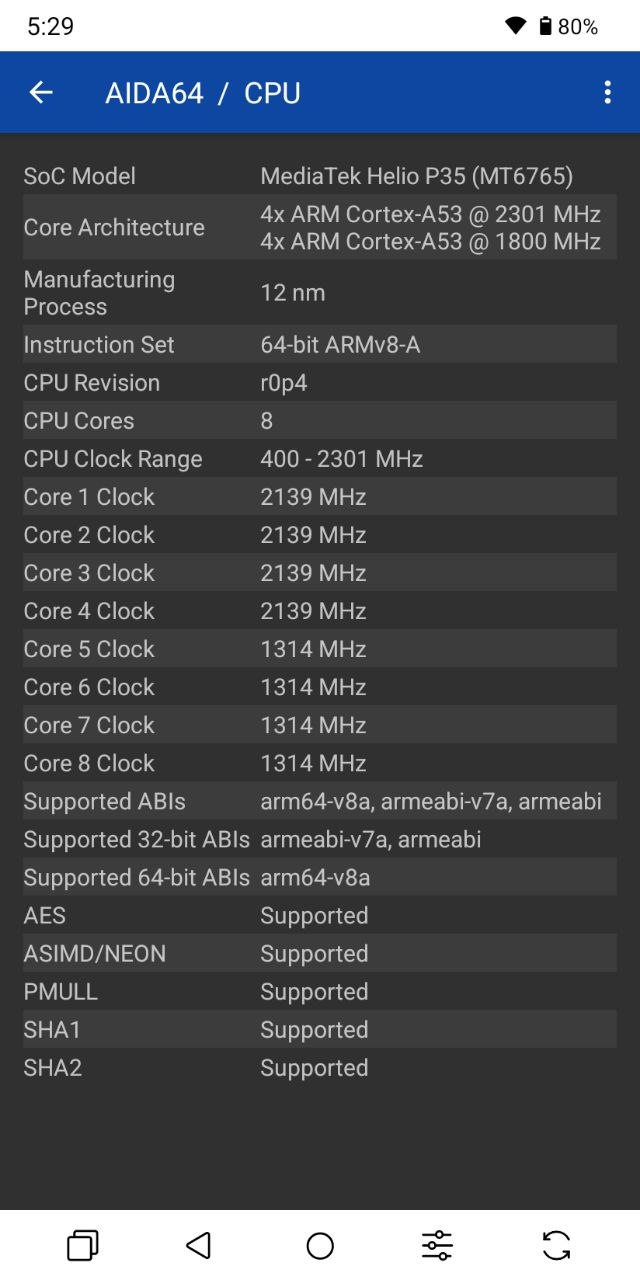
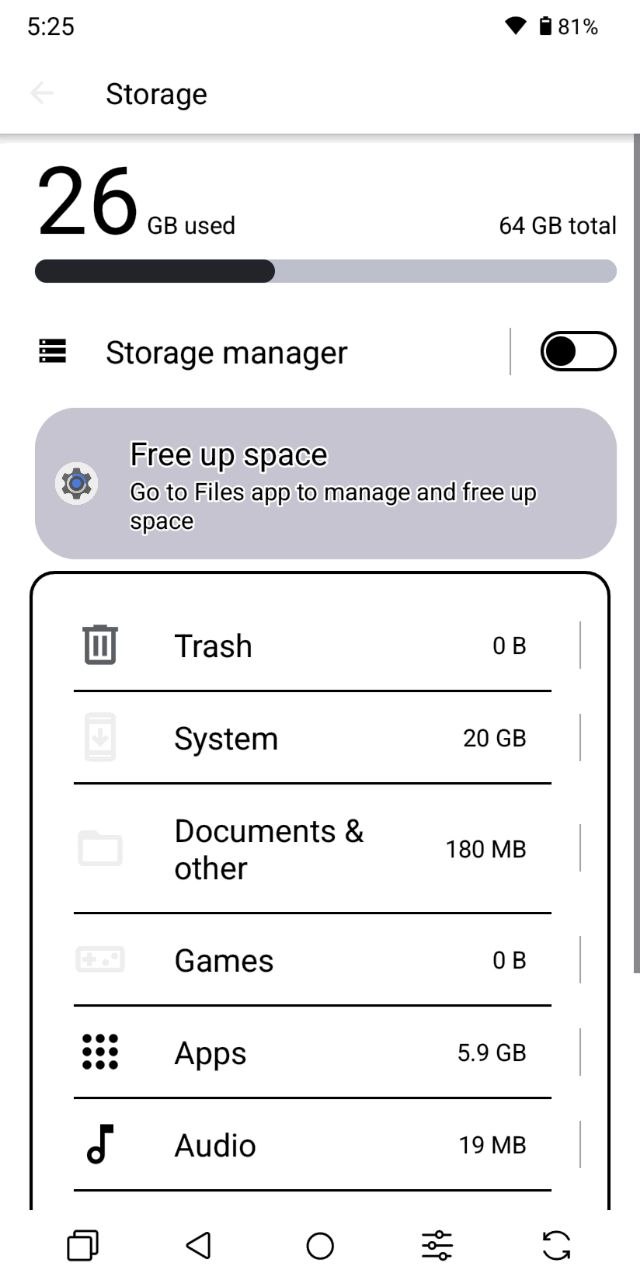
Powering the Bigme HiBreak Plus is the MediaTek Helio P35 (MT6765), an octa-core chipset with clock speeds of up to 2.3 GHz. It is paired with 4 GB of RAM and 64 GB of internal storage, although storage can be expanded via microSD cards of up to 2 TB.
In terms of wireless connectivity, the device supports Wi-Fi 5, Bluetooth 5.0, and GPS. NFC is absent, unfortunately, but dual 4G nano-SIM support is available. That said, the SIM tray appears to be of the hybrid variety, meaning you’ll have to choose between using a microSD card or a second SIM card.

Even the specifications alone make it clear that this isn’t a particularly powerful device. With only 4 GB of RAM, around 3 GB is typically occupied by the operating system, leaving roughly 1 GB available for applications. Combined with an aging entry-level chipset, the hardware struggles to keep up with modern workloads.
In day-to-day use, that translates into frequent stutters and occasional freezes. Apps can take a noticeable amount of time to launch, and switching between them isn’t especially quick either. Under these circumstances, running synthetic benchmarks would add little value, as the real-world experience already paints a fairly accurate picture of the device’s performance.

That doesn’t mean the HiBreak Plus is incapable of handling everyday tasks. Web browsing, messaging, checking email, and similar activities all work perfectly well – they’re just noticeably slower and less fluid than on a conventional smartphone. Reading, on the other hand, is a completely different story. In that scenario, the modest hardware is barely noticeable. The software feels well optimized for text-based content, and page turns and navigation are impressively responsive. The chipset is also capable of handling lightweight games reasonably well, although the nature of the E Ink display means you’re unlikely to spend much time gaming. The same goes for social media. Then again, that’s arguably the whole point of a device like this.
Software
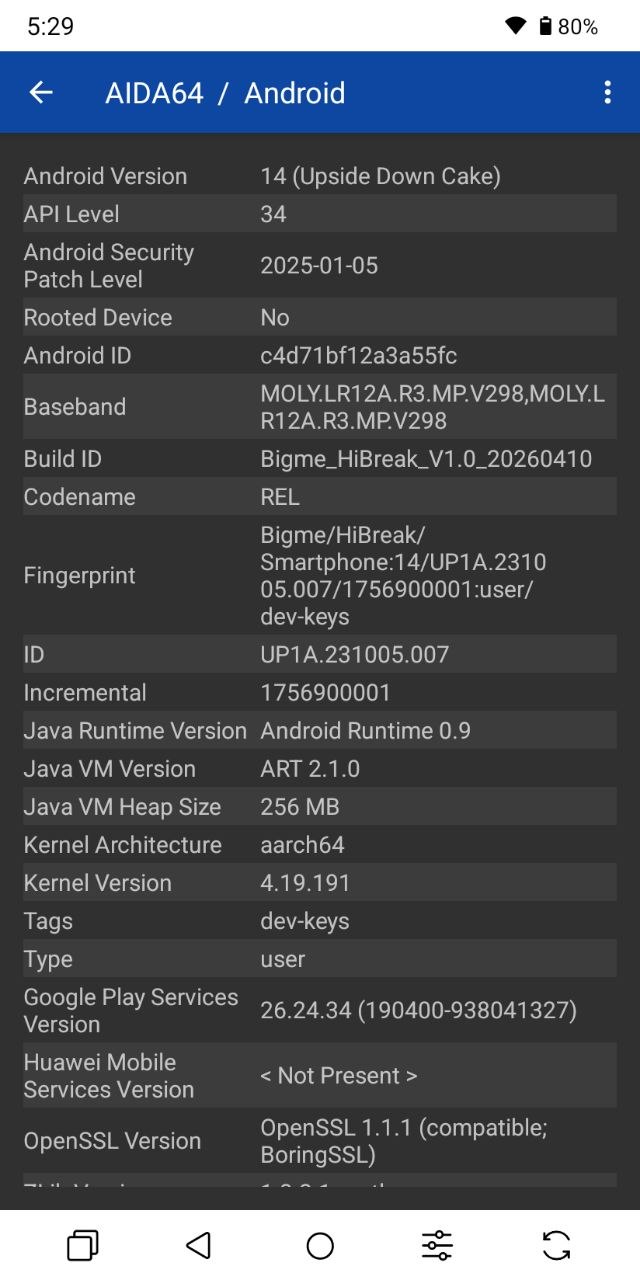
On the software side, the HiBreak Plus runs Android 14 with a number of custom additions designed specifically for E Ink devices. This means you get full access to the Google Play Store, pre-installed Google services, and a selection of proprietary applications. There are also quite a few additional pre-installed apps that most users are unlikely to find particularly useful. Fortunately, many of them can be removed, making it easy to clean up the software experience.

What I appreciated most about the software were two particular features. The first is that the display controls are integrated directly into the quick settings panel. From there, you can disable the front light, switch between preset brightness and color temperature profiles, or manually adjust both settings without having to dig through the Settings menu.
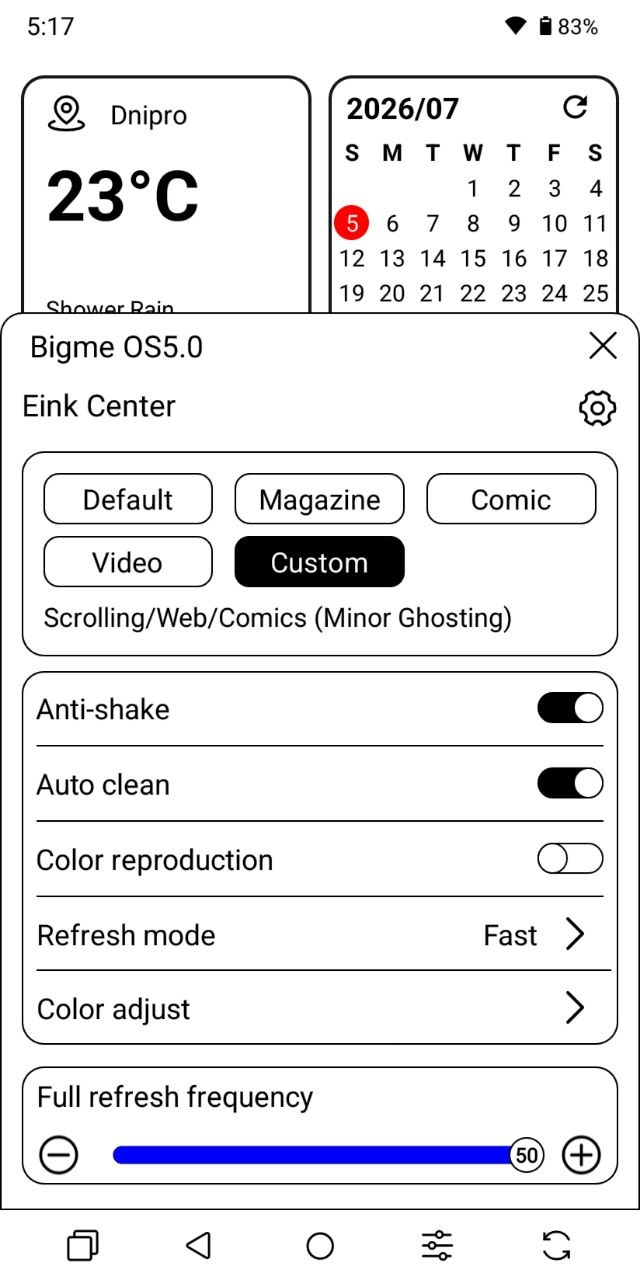
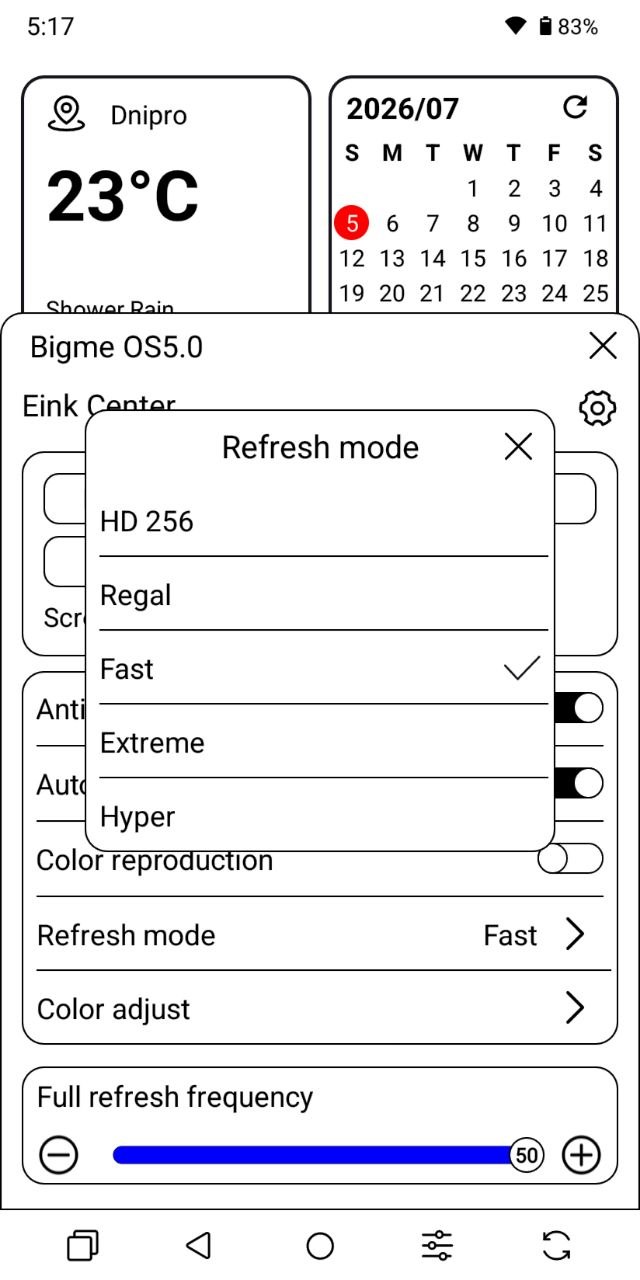
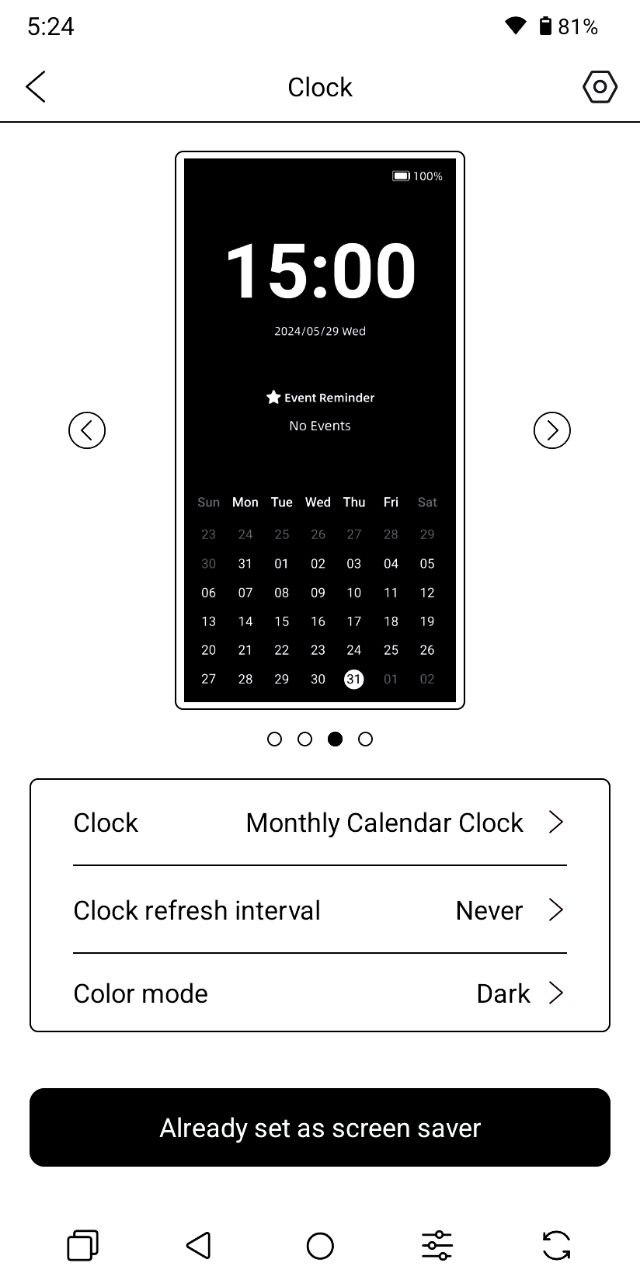
The second highlight is the E Ink Center. It offers several display profiles optimized for different types of content, including Default, Magazine, Comic, Video, and a fully customizable User mode. It also lets you adjust the full refresh interval, select the refresh mode, enable anti-flicker, configure automatic screen cleaning, and fine-tune a variety of other E Ink-specific settings.

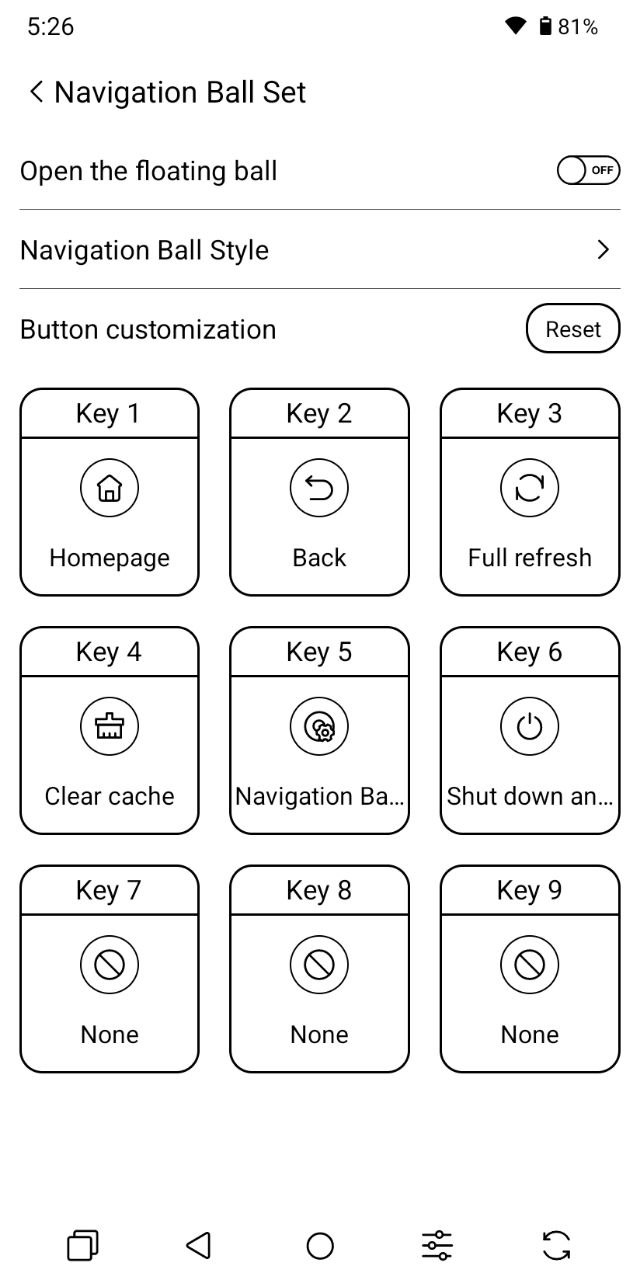
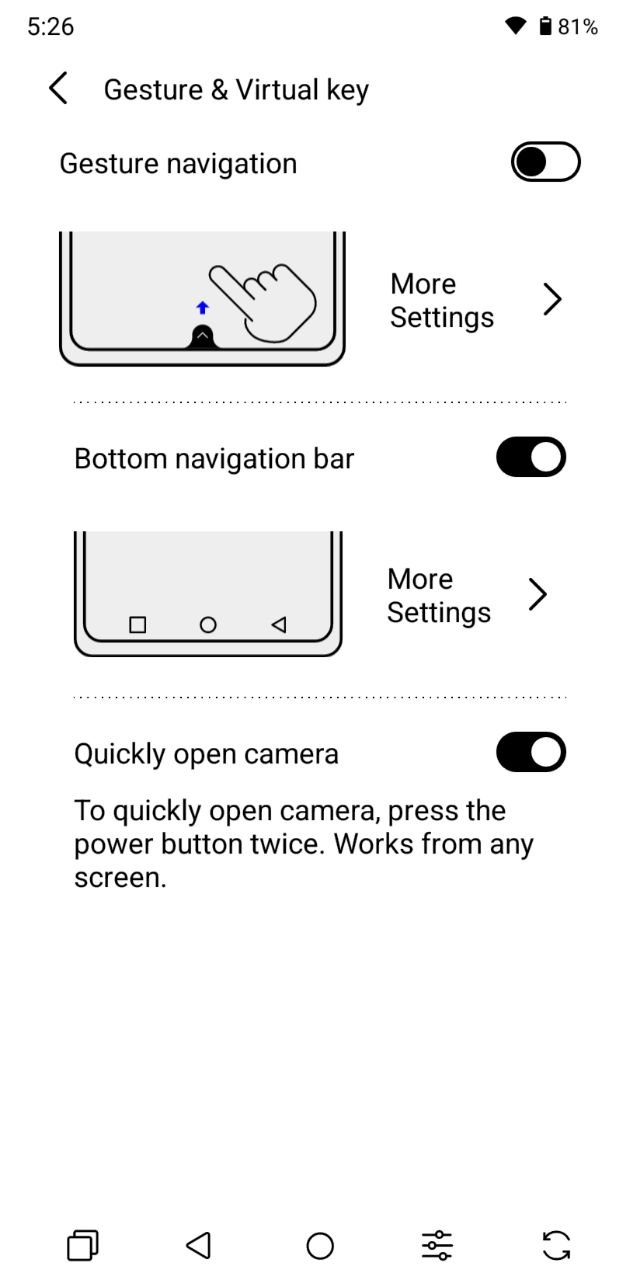
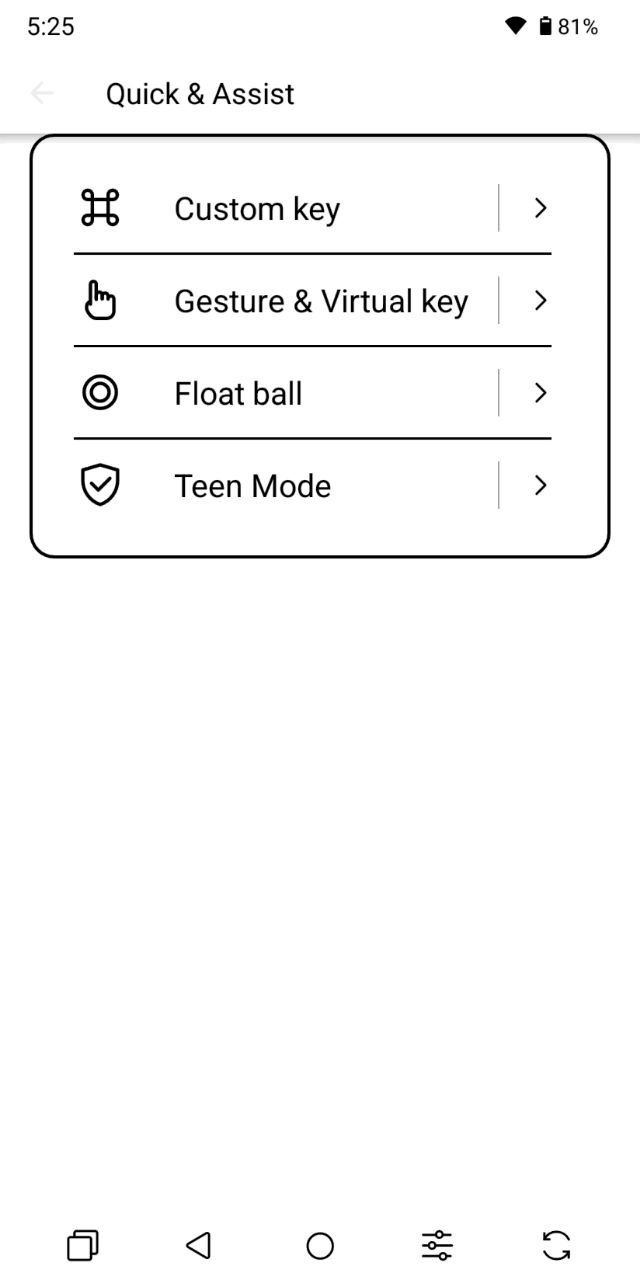
Beyond that, there are a few additional software extras worth mentioning. You can enable a floating sidebar that provides quick access to frequently used functions and apps, making navigation a bit more convenient. The device also comes with BigmeGPT pre-installed. The name may not be particularly original, and it’s unlikely to replace the more established AI assistants, but it’s there for those who want to use it.
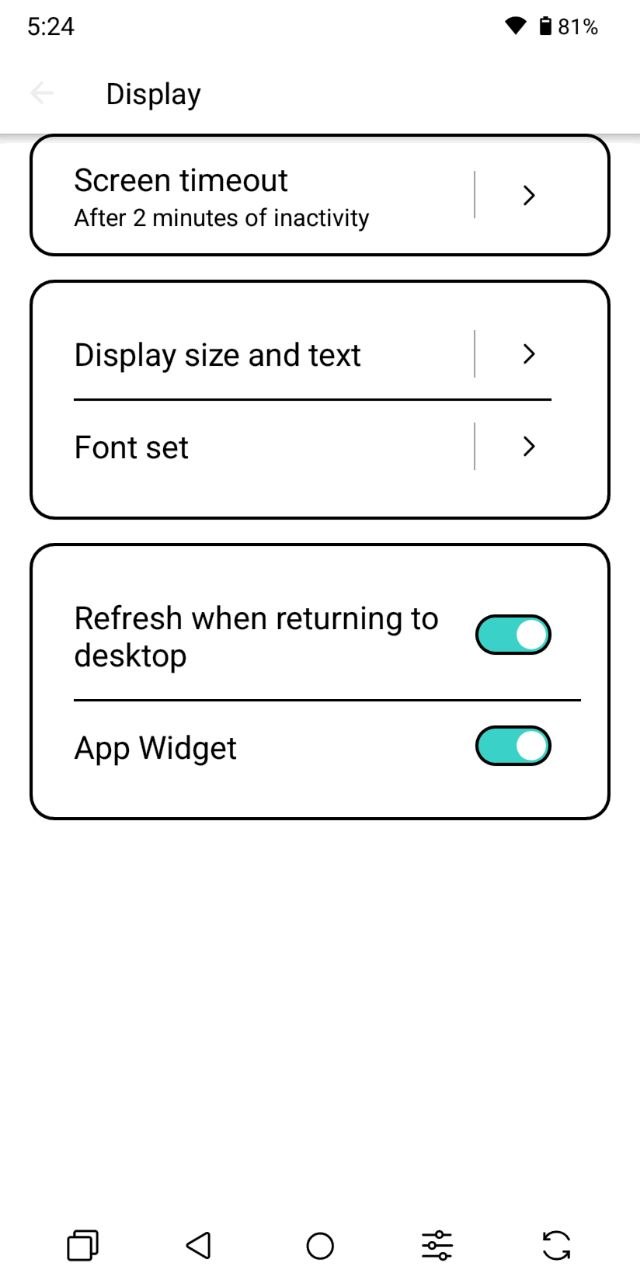
Interestingly, the device received a system update within the first week of testing. According to the changelog, it addressed several “known issues,” although Bigme didn’t specify what those were. To be honest, I couldn’t identify any noticeable changes after installing it.
Another drawback is the software localization. The Ukrainian translation feels incomplete in places, and the overall menu structure can be surprisingly unintuitive. Display-related settings are scattered across multiple sections, turning even simple adjustments into a bit of a treasure hunt. For example, switching the display from color to grayscale requires digging through the Accessibility menu. It would make far more sense to have that option available in the E Ink Center or directly in the quick settings panel, especially considering that color inversion is already accessible there.
Overall, my impression of the software is mixed. On one hand, it’s still Android, so the experience is largely familiar. On the other, it feels somewhat unfinished. I understand that this is an affordable device occupying a niche somewhere between a smartphone and an e-reader, but these are the kinds of usability issues that most manufacturers have already managed to iron out.
Unlocking Methods
The HiBreak Plus offers both a fingerprint scanner and facial recognition. However, there are some caveats. Let’s start with the fingerprint scanner. It is integrated into the power button, which, as mentioned earlier, is positioned above the volume controls. Reaching it comfortably is already a separate challenge. On top of that, the scanner doesn’t always respond quickly and occasionally requires a second attempt.
That’s somewhat surprising, because capacitive fingerprint sensors have long been considered a reliable, fast, and highly accurate unlocking method. Even budget smartphones around the $100 price range often offer better fingerprint recognition performance. Why the sensor on the HiBreak Plus behaves inconsistently remains unclear.

Next is the face unlock feature. Personally, I would disable it and simply not use it. First, it is not particularly fast. Second, it struggles in low-light conditions and when the screen brightness is reduced, as the device does not appear to boost brightness temporarily during face recognition. The sensor also isn’t sensitive enough to work reliably in darker environments.
Third, when face unlock is enabled alongside the fingerprint scanner, the interaction between the two is not always logical. After pressing the power button, the smartphone first attempts fingerprint recognition. If it detects an unregistered finger – for example, when you press the button with your index finger instead of the registered thumb – it will often prompt for a PIN rather than switching to face recognition. This doesn’t happen every time, but it occurs often enough to be frustrating.
A simple device unlock shouldn’t turn into another troubleshooting exercise. In my opinion, this kind of experience has no place in a modern smartphone, even an affordable one.
You should also be prepared for the fact that every time you unlock the device, the display briefly flashes with inverted colors. This happens both on the lock screen and on the home screen. The same behavior occurs when locking the device as well.
Read also: Bigme B751CS Review: A Compact Flagship E-Reader
Cameras
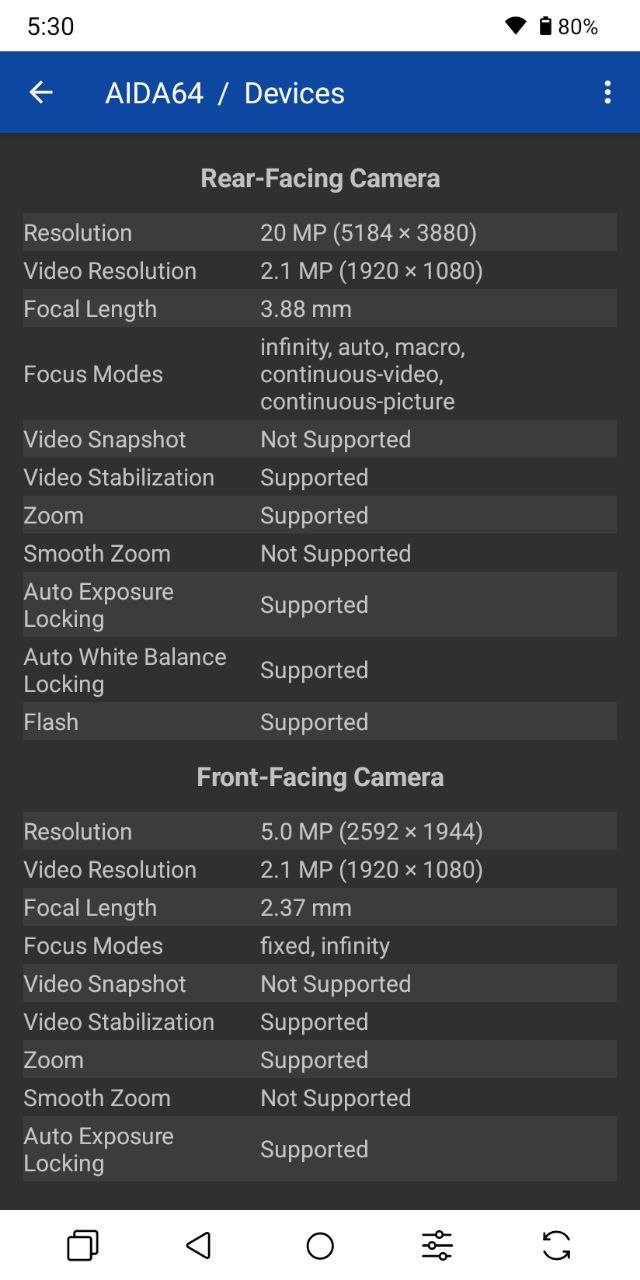
For a smartphone-reader hybrid, the camera is more of an additional feature designed for quick, casual snapshots rather than serious photography. The Bigme HiBreak Plus comes with two camera modules: a 20 MP rear camera with an LED flash and a 5 MP front-facing camera. The camera app itself is quite basic, offering only two shooting modes: Photo and Video. There are no advanced features or additional shooting options, aside from HDR mode.

Both sensors are highly dependent on lighting conditions. In good lighting, they can produce reasonably acceptable images, but both cameras take quite a while to lock focus. Another thing worth considering is the nature of the E Ink display itself: judging the final result while shooting can be difficult, as the preview image appears somewhat blurred due to the characteristics of the panel.
A photo that looks underwhelming on the HiBreak Plus screen may actually turn out fine when viewed on a conventional display. In practice, the key is simply to capture the frame, keep the device steady long enough for autofocus to work, and press the shutter.
That said, this is definitely not a camera designed for creating polished images for social media. It is suitable for quickly capturing a document or an object, but that’s about it. The front camera is also not ideal for selfies, although it should be perfectly adequate for occasional video calls, if that’s something you use.
Audio
The Bigme HiBreak Plus uses a mono audio setup with a single bottom-firing speaker. Overall, it performs reasonably well for basic tasks: listening to voice messages in messengers, watching short videos, or making sure you don’t miss incoming calls. However, if you plan to use the device for audiobooks or music, I would strongly recommend using headphones instead. There is no 3.5 mm audio jack for wired models, but Bluetooth support is available for wireless headphones.

Read also: Bigme B7 Review: When an E-Reader Tries to Be a Tablet – and Actually Pulls It Off
Battery Life
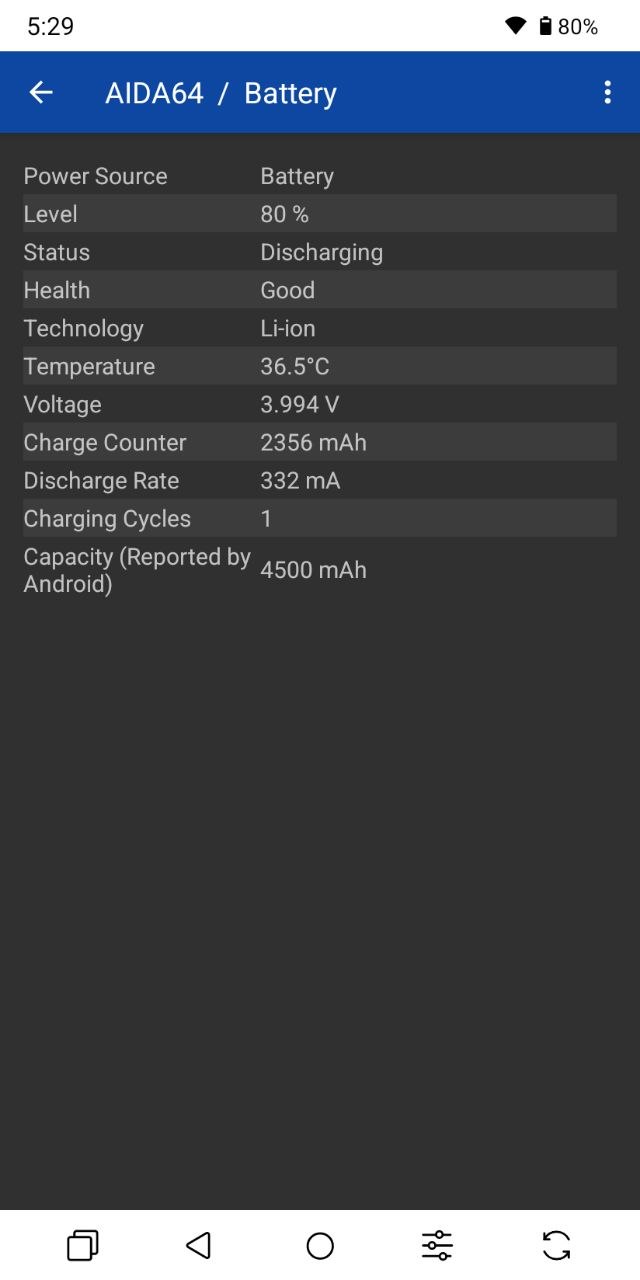
The Bigme HiBreak Plus is equipped with a 4,500 mAh battery. Thanks to the power-efficient nature of the E Ink display, the device can comfortably last around two days with fairly active use. If your primary activities are reading and messaging, the battery life can be extended to approximately three days. Unfortunately, fast charging is not supported. The device is limited to 10 W charging, which means a full charge takes roughly two hours.
Conclusion and Competitors
The Bigme HiBreak Plus is a case where the idea is genuinely interesting, but the execution comes with several compromises. It is definitely not a smartphone I would recommend as a primary daily device. The hardware is modest, and the software experience is not quite polished enough, meaning that many everyday tasks require a slower pace and a bit of patience. The main strength of the HiBreak Plus is its high-quality “paper-like” display. It is exceptionally well suited for reading in virtually any lighting conditions and provides a more comfortable viewing experience that reduces eye strain compared to conventional screens.
So, if you’re looking for a device for digital detox – a gadget primarily focused on reading, with occasional access to messengers or web browsing – the HiBreak Plus can be a rather compelling option. The added stylus support is also a nice bonus that expands its usefulness beyond a typical e-reader.

If I were looking for a more complete smartphone replacement with an E Ink display, I would probably consider the flagship HiBreak Pro Color instead. It has the same display and dimensions, but offers more powerful hardware and is better suited for everyday tasks. The downside is the price – it costs roughly twice as much. If the main goal is simply reading, HiBreak’s own e-reader lineup includes many capable models that are also more affordable than the HiBreak Plus. In fact, almost any model from the series costs less than $200. At that price point, however, you can also find accessible options from more established brands, such as the Kindle Paperwhite Gen 12 or the PocketBook 634 Verse Pro.
Where to buy Bigme HiBreak Plus