





© ROOT-NATION.com - Use of content is permitted with a backlink.
Today I will share my experience configuring my setup based on EcoFlow Stream. If your balcony solar system does not operate according to the scenarios described below, it is likely either inefficient or not optimized. Even if there is more than enough power available, it may still be used in a non-optimal way. However, if you apply similar principles to your own system, you can achieve maximum efficiency from your installed equipment – I can guarantee that.

Links to all articles on this topic:
- Part 1. Equipment selection: rationale for choosing the EcoFlow Stream platform and an overview of its operating principles
- Part 2: EcoFlow Stream Setup, Basic Configuration, Backup Power, and Scalability
- Part 3: Choosing and Installing Solar Panels. Flexible vs Rigid Panels – Which Are More Efficient?
- Part 4: Setting Up Efficient Operation of EcoFlow Stream, Automation, and Tips – THIS ARTICLE
TABLE OF CONTENTS:
Equipment configuration and consumption parameters
If you have enough time, motivation, and money, it is quite easy to build an inefficient solar power system. The recipe is simple: follow the path of maximum power and capacity. You select a (preferably high-power) inverter, add as many batteries as possible, and install as many solar panels as you can. Then you connect all components together. Will such a setup provide full energy independence? It is possible – but only if the number of panels and the storage capacity are sufficiently excessive, and the system’s generation consistently exceeds your daily consumption.
However, in a city apartment environment, this approach is usually not physically feasible due to the limited available solar installation area (unless panels are installed on a roof or building façade and there are no constraints on quantity, which is rare). In any case, the “install everything and as much as possible” approach is, in my view, fundamentally flawed regardless of the circumstances.
It is no secret that there is a simple rule-of-thumb for sizing a home solar power system if the goal is basic energy independence. You take your daily electricity consumption in kWh, add a 20% safety margin, and use that as the required battery capacity. To estimate the required solar panel power, you simply divide this value by 5. Of course, this approach does not account for many important factors, such as panel efficiency in your specific location, average duration of effective sunlight, peak load variations, and other system-level losses. However, as a rough estimation method, this model is still valid and practical.
For example, my approximate calculation for a three-room apartment looks like this: 12 kWh + 20% = 14.4 kWhof battery capacity and 2.88 kW of solar panel capacity. In practice, I currently do not have the possibility to reach such system parameters, primarily due to limitations in balcony space and the available area for installing solar panels.
In terms of my current setup, it consists of two EcoFlow Stream Pro units (a total of 6 MPPT inputs) and one EcoFlow Stream Ultra unit (4 MPPT inputs). In total, this gives a theoretical solar input capacity of 10 × 0.5 kW = up to 5 kW. In practice, this means I have a large surplus of MPPT controllers available, which allows me to potentially expand the number of solar panels further in order to reach the required level of generation.

But this is only theoretical. In practice, I have 800 W installed on the façade, but the panels are mounted vertically, so their efficiency is relatively low in summer. At the same time, this configuration performs better under low sun angles – in autumn, winter, and spring. Additionally, I have two panels installed above the roof with a total capacity of 920 W. Here too there is a placement limitation: the 45-degree tilt is not optimal, and the panels are partially shaded from the sides by adjacent structures, which causes morning and evening shading. As a result, one panel operates more efficiently before noon, while the other performs better after noon. Only for a few hours during the day, roughly between 12:00 and 15:00, does sunlight reach both panels without obstruction, allowing them to deliver close to nominal output.

It is easy to calculate: the total nominal power of the connected solar panels is 1720 W – which is significantly below the theoretical 2880 W required for my apartment based on earlier calculations. In addition, due to installation constraints, the real peak output in summer does not reach the nominal rating. At best, the system delivers around 1.2 kW of instantaneous power, with a total daily energy production of approximately 6–7 kWh.

The total battery capacity of my system is 3 × 1.92 = 5.76 kWh. However, there is an important limitation: according to the manufacturer’s recommendations, the usable state-of-charge range is restricted to 20–95%. As a result, the actual usable capacity is reduced to about 75%, which gives approximately 4.32 kWh of effective energy storage.

Final key figures summary:
- Daily household consumption: 8–12 kWh
- Daily solar generation: up to 6.5 kWh, given the current battery capacity of 4.32 kWh (+ an additional 2048 Wh from the power station, though this optimization trick will be discussed later).
As can be seen, the current hardware setup is not sufficient to achieve full household energy autonomy. More importantly, this is likely a typical scenario for most balcony-based solar installations. It is unrealistic to expect a large performance margin when building a compact residential solar system on a balcony. In practice, such systems can only cover a portion of total household electricity demand. For example, according to the EcoFlow application, my current energy independence level is about 38%. Accordingly, the main objective when operating a low-power solar installation of this type is to utilize the available equipment as efficiently as possible. Proper system configuration becomes critical in this context. I will explain how this can be achieved later, based on my own setup.
Read also: EcoFlow Delta 3 Max Power Station Review
Energy consumption analytics in the EcoFlow application
However, before moving on to configuring the solar power system, it is worth examining the application’s capabilities for monitoring the state of your home energy system. Access to accurate data is the first step toward developing a correct operating strategy, and it also forms the basis for understanding possible directions for future system expansion, if that is feasible at all.
In this regard, there is a clear advantage. One of the key features of the EcoFlow hardware–software platform is the availability of advanced tools for analyzing system performance. In practice, the EcoFlow mobile application functions as a full-featured energy management tool for a household system. This is particularly useful, as effective system control requires both real-time data on electricity consumption and solar generation efficiency, as well as reliable long-term data collection for analysis. Overall, EcoFlow provides a well-developed and functional solution for these purposes.
Android:

iOS:

I have already explained how to install the application, connect devices, and complete the initial basic setup in one of my previous articles. Now we can move on to how to collect and use the data obtained from the system. Of course, statistical analysis requires the system to operate for a certain period of time. In my case, I already have two months of operational data from the solar installation.
On the main screen, you are presented with a detailed dashboard consisting of widgets – current grid power consumption, real-time solar generation, household load consumption, and battery status parameters such as state of charge and charging or discharging power. This allows you to observe, in real time, how energy is distributed throughout your home at any moment of the day.

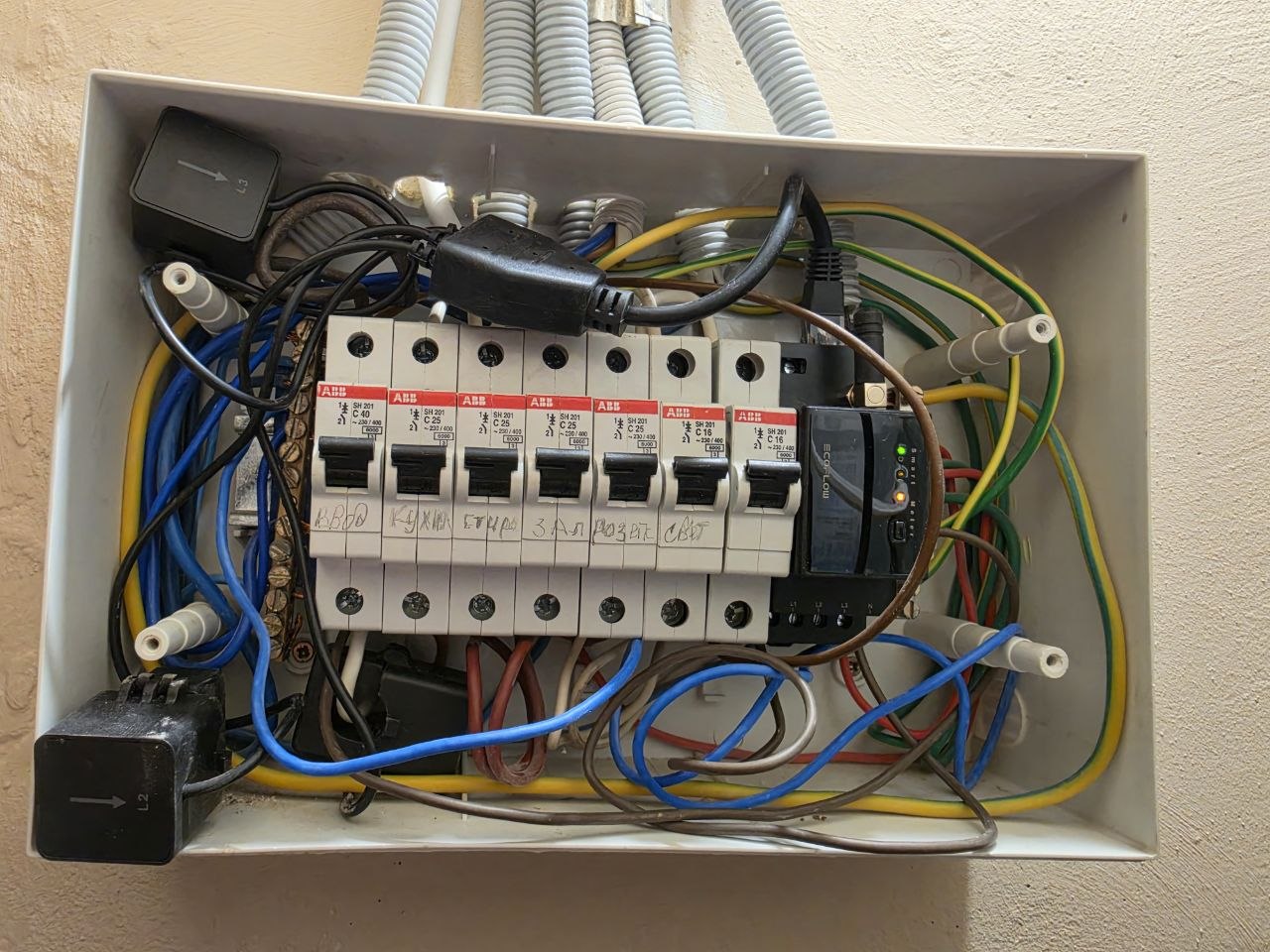
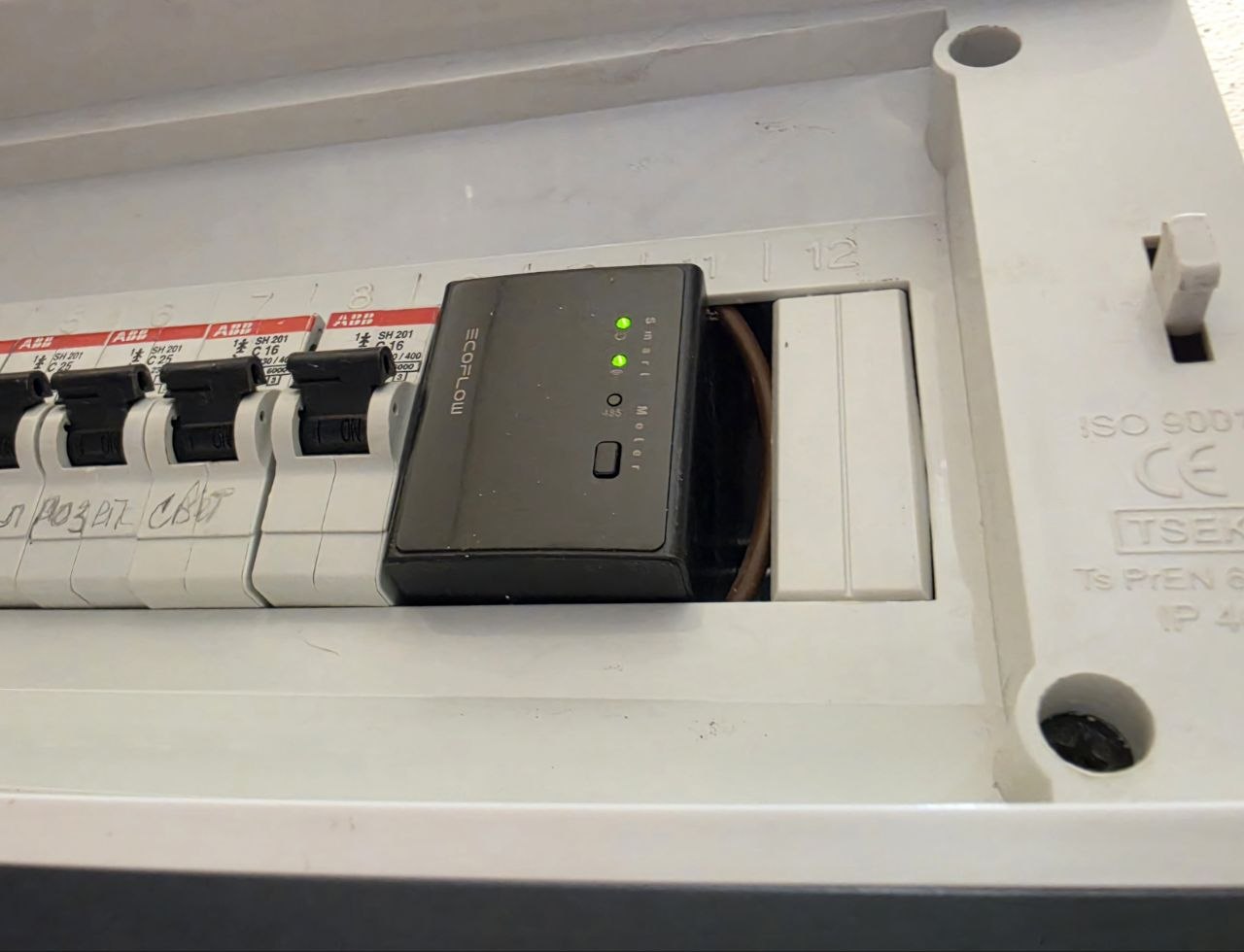
At the top of the interface is the main widget, which displays weather information and your daily solar generation revenue, as well as the overall energy balance: the current amount of electricity generated and total daily consumption. It is important to note that this section reflects the actual energy consumption purchased from the utility provider. Measurement is performed by a dedicated device – the EcoFlow SmartMeter – which is installed in the electrical distribution panel at the point where the apartment’s electrical system is connected, after the main circuit breaker. By tapping the widget data, you can also view detailed consumption breakdowns for individual loads, provided they are connected through EcoFlow SmartPlug smart sockets.
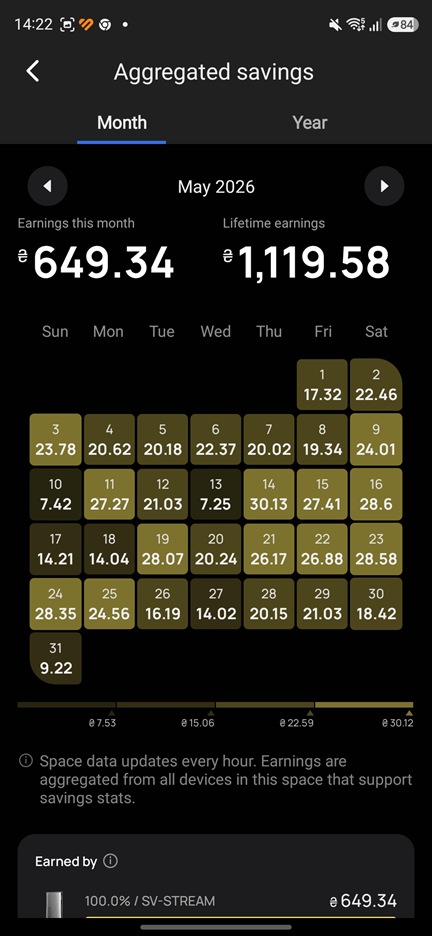
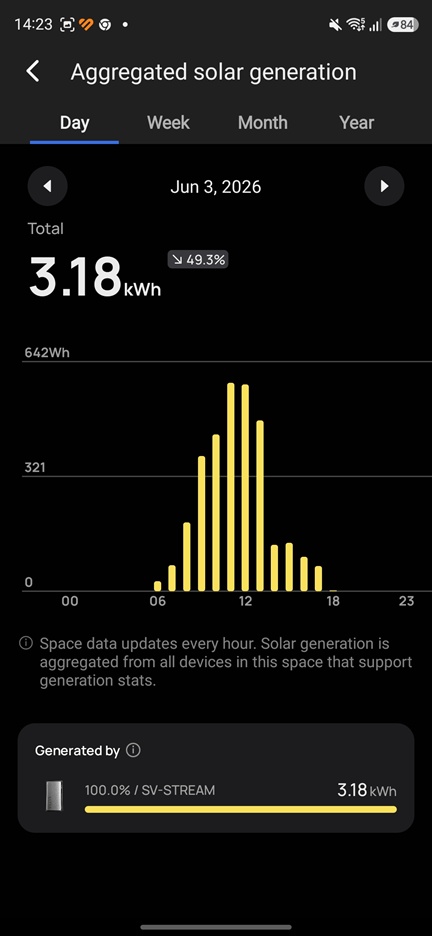
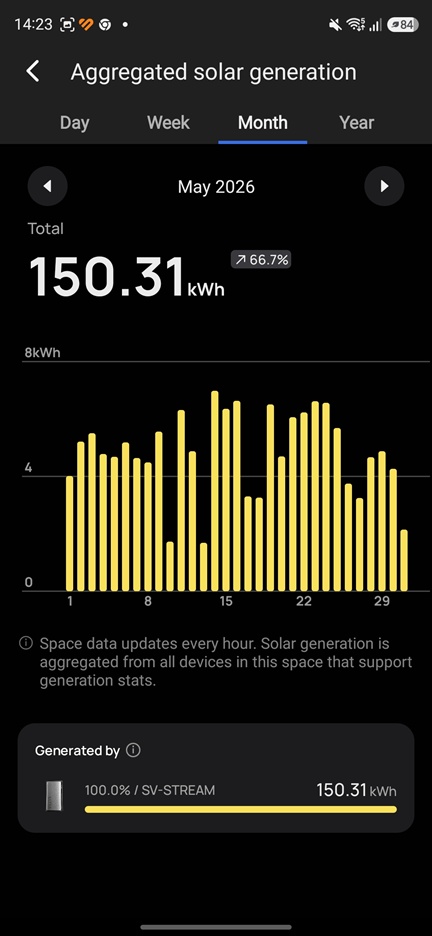
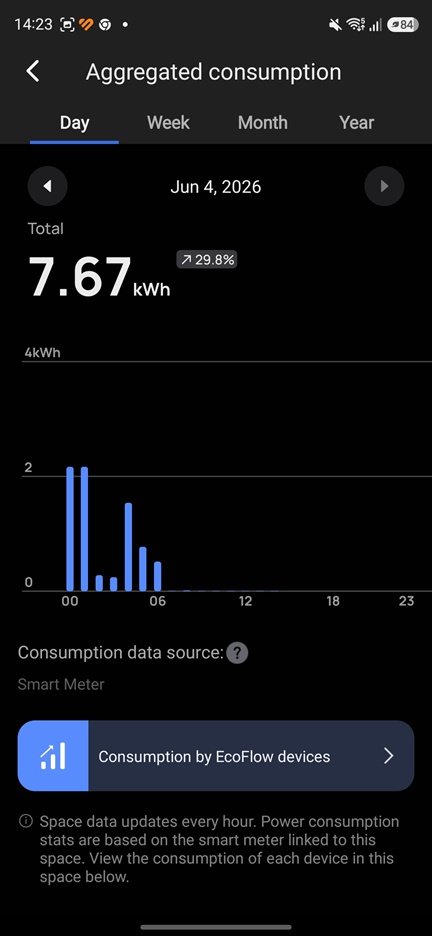
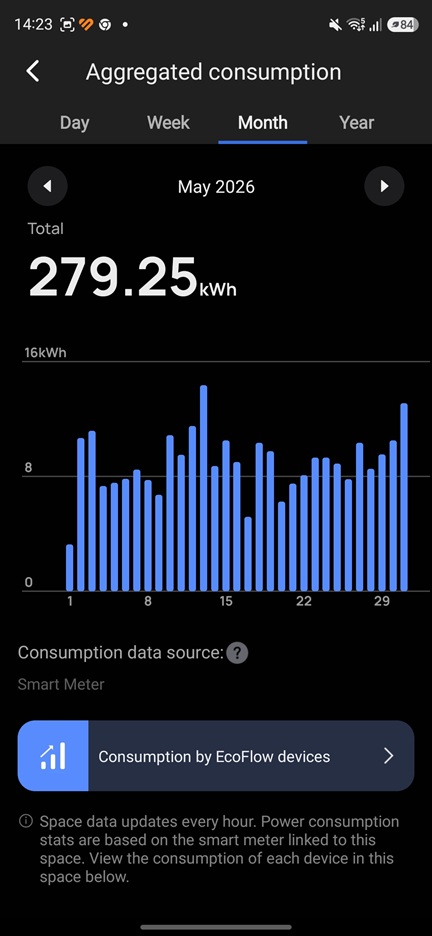
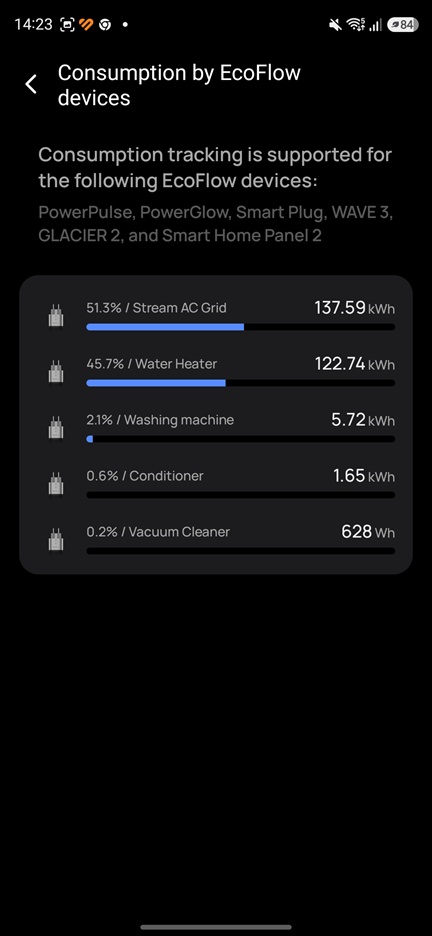
Below are additional widgets whose composition and order can be adjusted through dashboard customization: generation volume and efficiency, consumption data, battery statistics, overall energy independence level for the current year, grid consumption statistics, and environmental impact metrics. Each widget can be opened to view detailed breakdowns across different time ranges – day, week, month, and year. It is also possible to analyze the efficiency of each individual module if multiple units are installed, and even evaluate performance at the level of individual panels or controllers. It is worth noting that the lower “Consumption” widget differs from the upper one. Unlike the top-level view, which reflects electricity purchased from the utility provider, this widget shows total energy usage segmented by source: solar, battery, and grid supply.
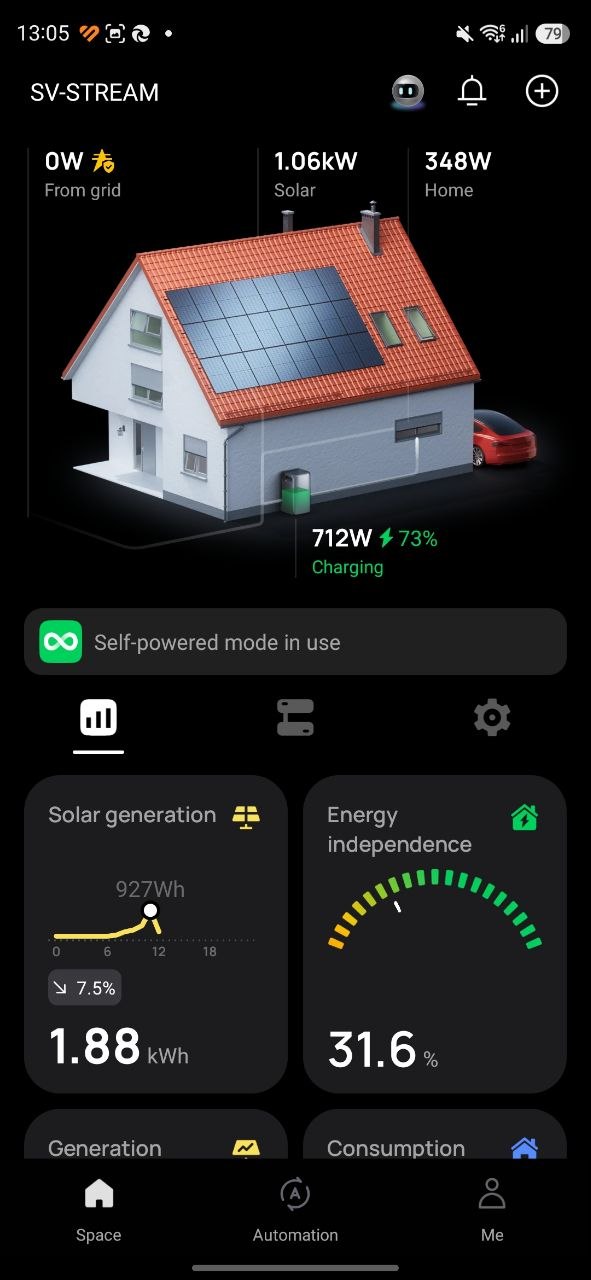
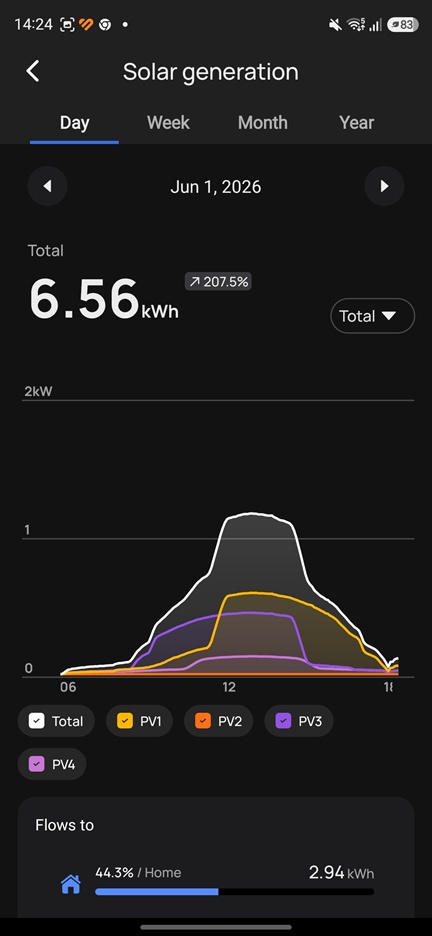
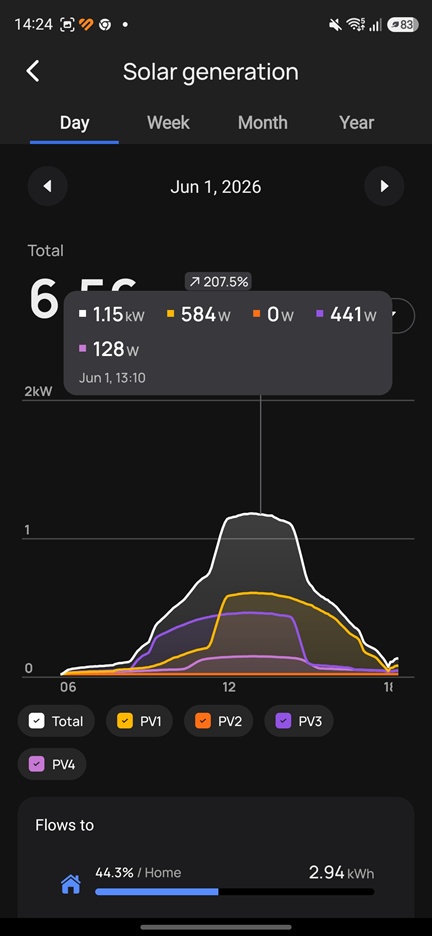
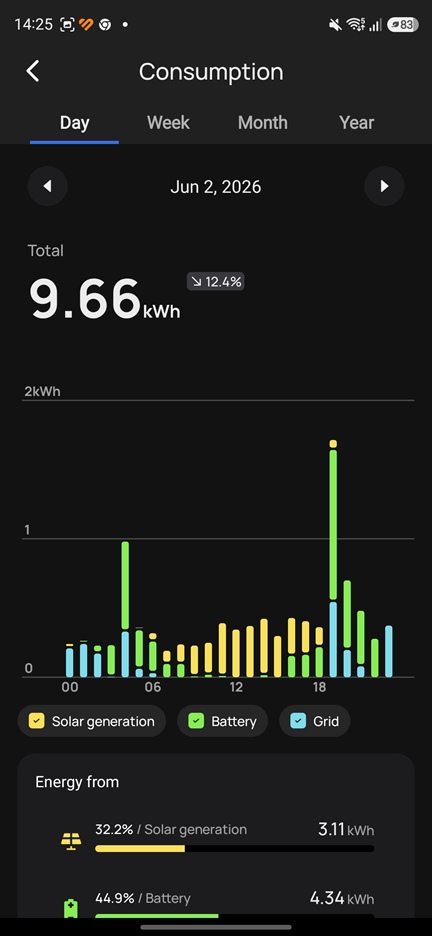
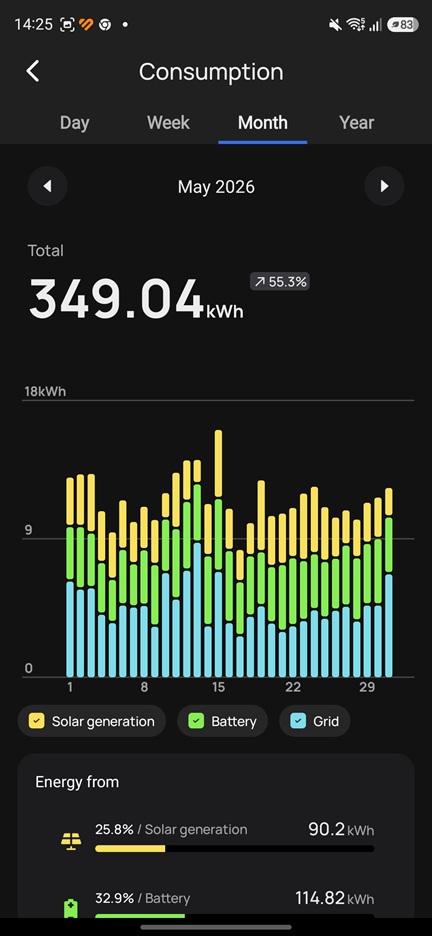
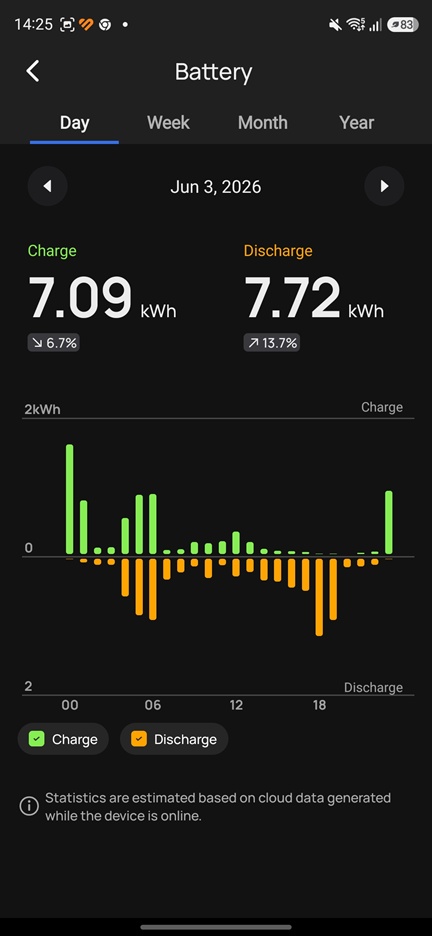
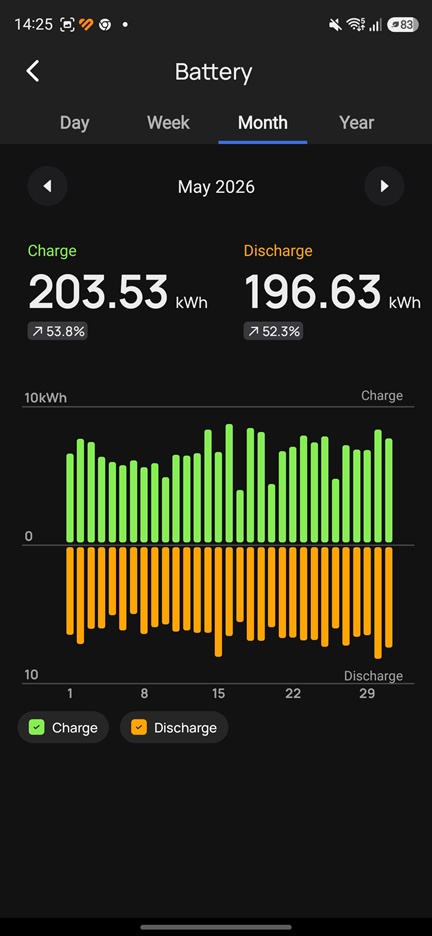
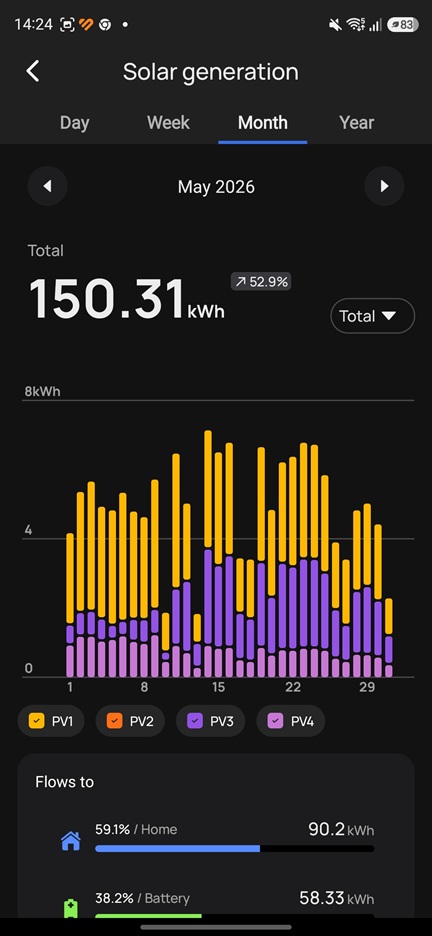
In practice, the system collects a complete set of data that provides a full picture not only of the solar installation itself, but of the overall energy generation and consumption of the household. It also includes additional metrics that may not always be directly actionable, but still improve situational awareness or introduce a form of gamification and comparison – for example, generation efficiency compared to the regional average, the overall household energy independence score, or environmental impact indicators. These elements do not necessarily change system control decisions directly, but they help build a clearer understanding of performance trends and system behavior over time.


It is important to understand that configuring an energy system is not a quick process. It consists of collecting statistics, analyzing data, making adjustments, running experimental configurations, observing the results, and repeating the cycle. Only through this iterative approach is it possible to achieve an optimally efficient system. For example, it took me several months to understand all the nuances and reach the best operating mode for my current equipment. In general, the first recommendation I would make when planning a solar installation on the EcoFlow platform is to install the SmartMeter. This is the most essential device, as it allows you to monitor real-time electricity consumption in your apartment and collect the necessary usage statistics.


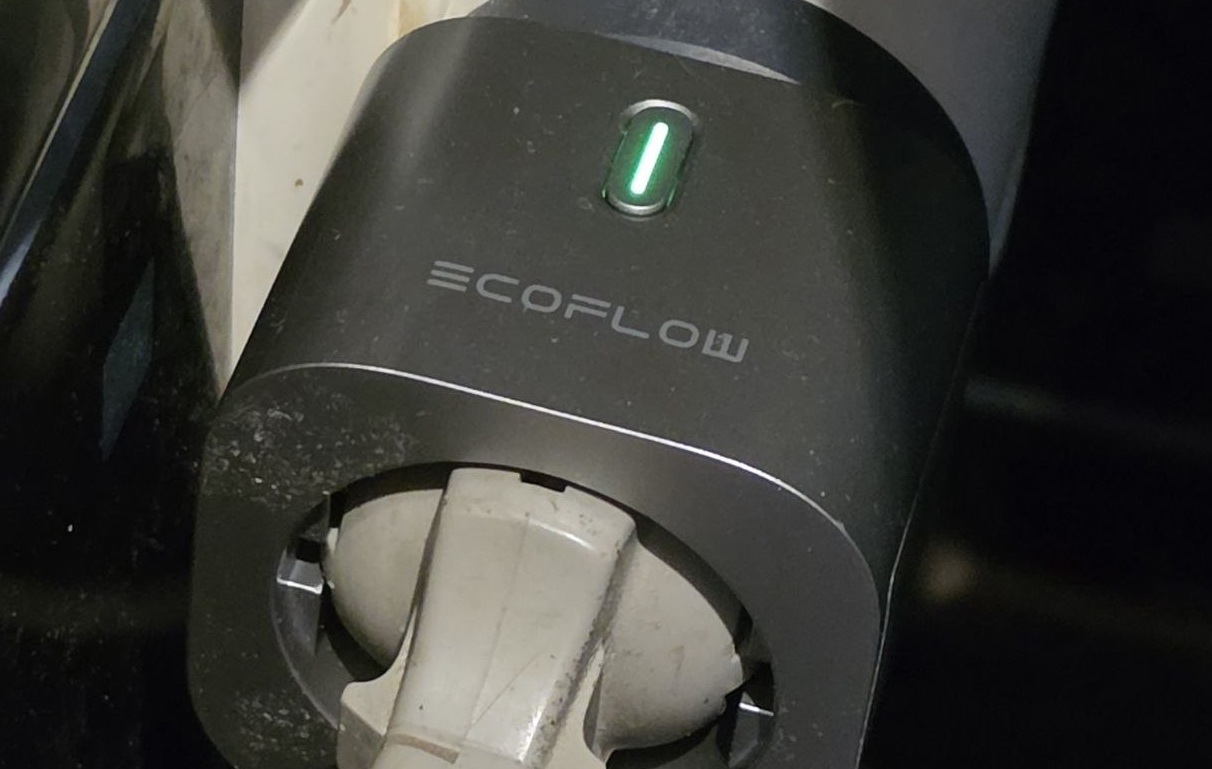
It is also worth purchasing a number of smart plugs for key consumers, or groups of consumers. The SmartMeter collects overall data on household consumption – that is, the total amount of energy drawn from the grid. In contrast, smart plugs provide usage statistics for individual devices or specific load groups.

Importantly, these components are not only useful for collecting consumption statistics. The SmartMeter and smart plugs also act as control elements for regulating the output power that an EcoFlow Stream-based solar system injects into the home grid via the socket (as described in more detail in the first article). In addition, smart plugs enable system automation, allowing users to programmatically connect or disconnect specific loads from the PowerStream system.
Over time, after several months of using the application, you will develop a clear and detailed picture of your household’s energy consumption. This then allows you to properly size your solar installation and plan system expansion, or increase generation and battery capacity based on real measured data, rather than assumptions. In other words, you are able to make decisions based on observed behavior and forecasts, rather than acting blindly and hoping for the best.
Read also: EcoFlow Trail 200 DC and Trail 300 DC Mini Power Stations Review: Worth Every Penny
Operating scenarios of an efficient solar power system (PV system)
In practice, any solar power system should support two main operating scenarios in order to maintain optimal efficiency:
- Sunny day scenario.In this mode, the system should begin discharging the batteries in advance – already during the night – so that by morning, when active solar generation starts, there is sufficient available storage capacity to absorb the excess energy.
- Cloudy day scenario. In this mode, it is preferable to maintain a high battery state of charge to ensure backup power availability if needed. In practice, solar generation during such conditions is minimal, and most of the produced energy will likely be consumed immediately by household loads. However, there is an additional nuance. If the system is connected to the grid through a time-of-use (dual-rate) electricity meter, it becomes possible to charge the batteries at night at a reduced tariff and discharge them during the day. This approach can also provide additional cost savings.
I would like to remind that, in order to manage the operation of an EcoFlow Stream–based solar power system, it is sufficient to adjust the main parameter “RESERVE”. This parameter defines the allocation of battery capacity between backup power availability and energy-saving (self-consumption optimization). I described this in more detail in one of my previous articles.
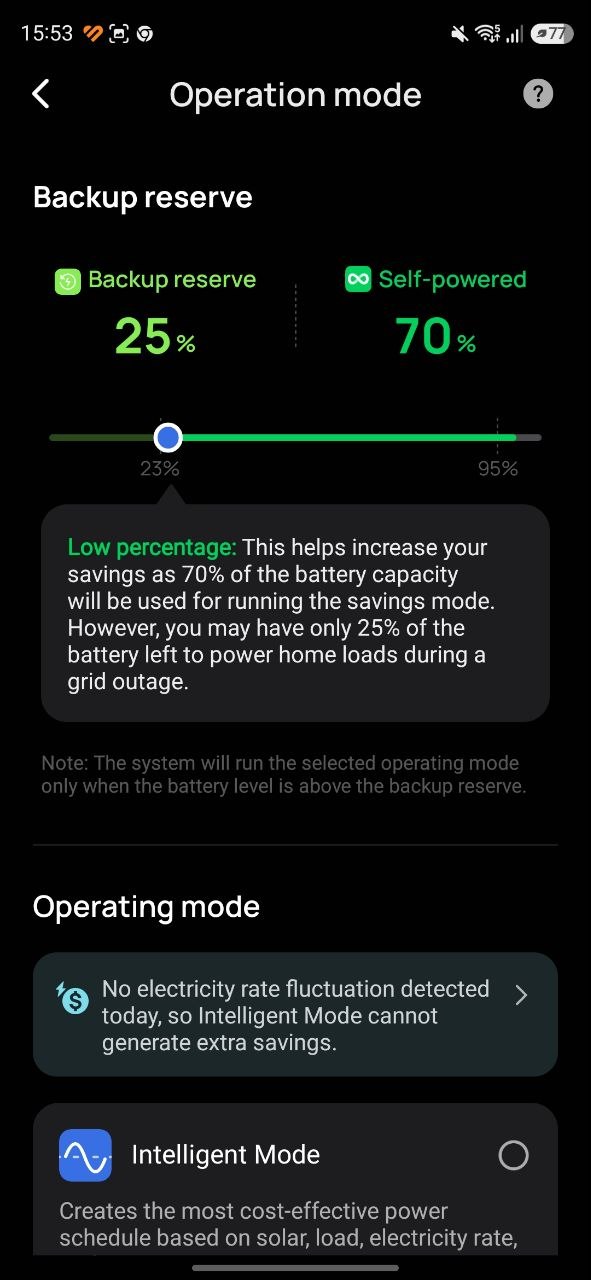
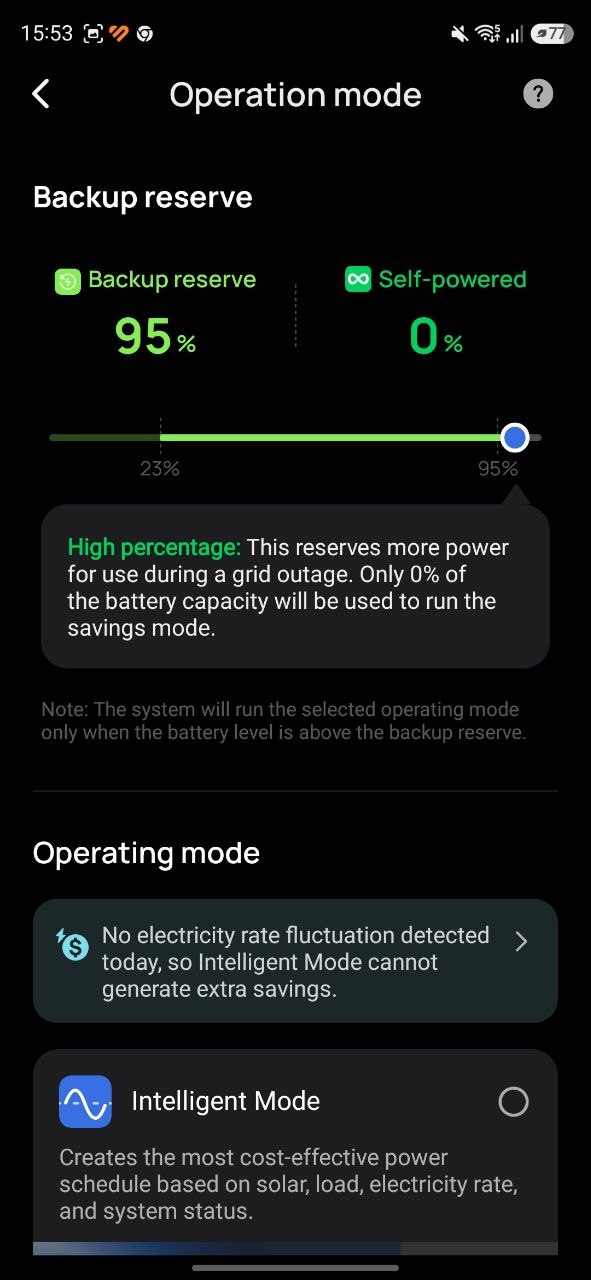
In short, “Reserve” is the battery state-of-charge threshold above which the solar system will charge the batteries only from solar energy. At the same time, the system prevents the batteries from discharging below the set threshold, instead charging them from the grid if necessary. A high reserve level preserves more battery capacity for backup power in case of a grid outage. A low reserve level, on the other hand, allocates more of the battery capacity for cost optimization: the system charges from solar energy or cheaper off-peak electricity and discharges when solar generation is unavailable or when electricity prices are higher. This allows either reduced electricity bills or, in some cases, a higher degree of energy independence.
As a result, system operation scenarios are effectively reduced to adjusting the reserve level depending on time of day, day of the week, season, system condition, grid stability, or other external factors. Ideally, reserve management should be automated. Without such automation, the user must either adjust settings manually in the application or physically disconnect grid power to force battery discharge, which is clearly inconvenient. Therefore, when selecting a solar system platform, it is important to consider not only the electrical specifications of the hardware, but also the software ecosystem. In particular, whether the manufacturer provides a capable application for system control and automation. This is a critical factor to evaluate before making a purchase decision.
Automation in the EcoFlow mobile application
Fortunately, the EcoFlow ecosystem provides full functionality for configuring solar system operating scenarios through automation. The system works on a simple “if–then” logic. The mobile application includes a menu for creating automated routines based on triggers that can modify system parameters throughout the day. These triggers may include time schedules, system or component status, and – importantly – weather forecasts based on location data.
Using these tools, it is possible to program preemptive battery discharge before a sunny day, or conversely, preserve battery charge for backup power. It is also possible to schedule battery charging at night and discharging during the day. In practice, the automation capabilities are quite extensive and allow for a wide range of operating strategies depending on user goals and external conditions.
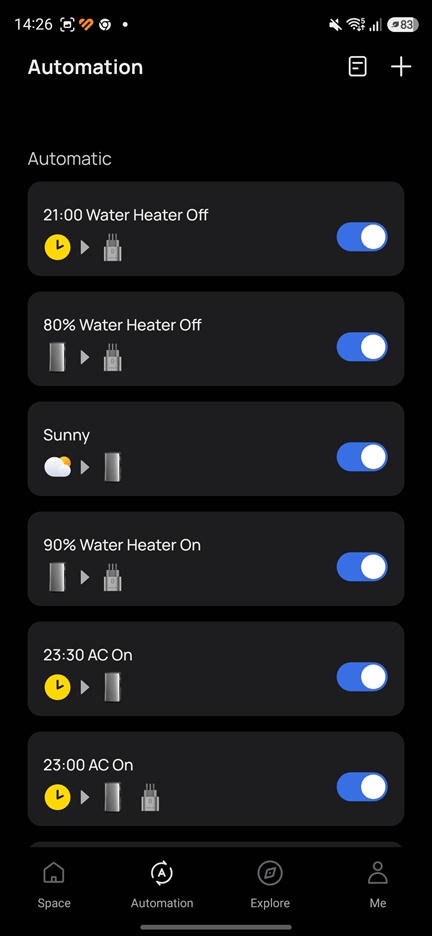
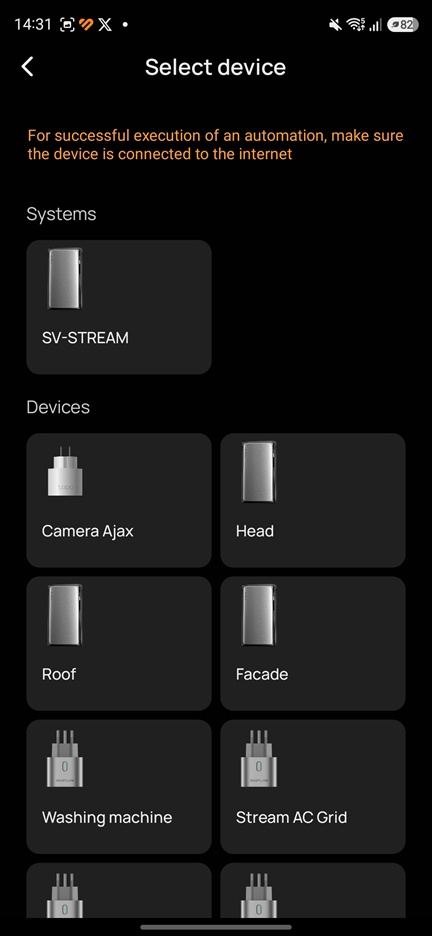
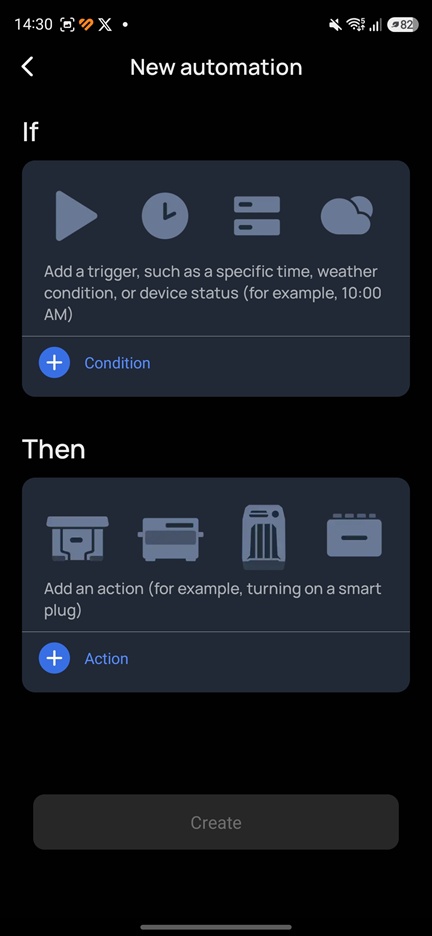
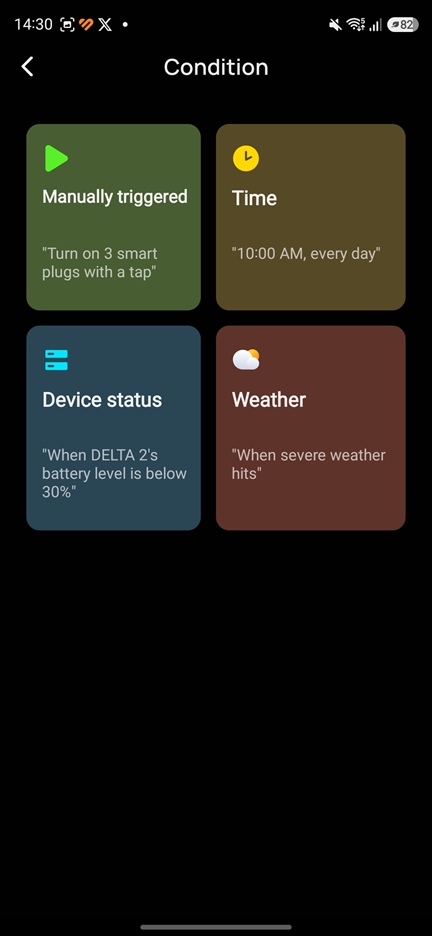
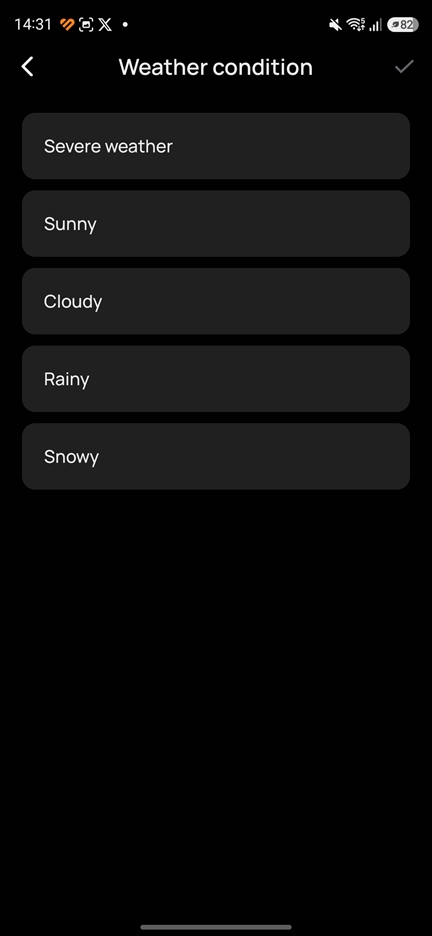
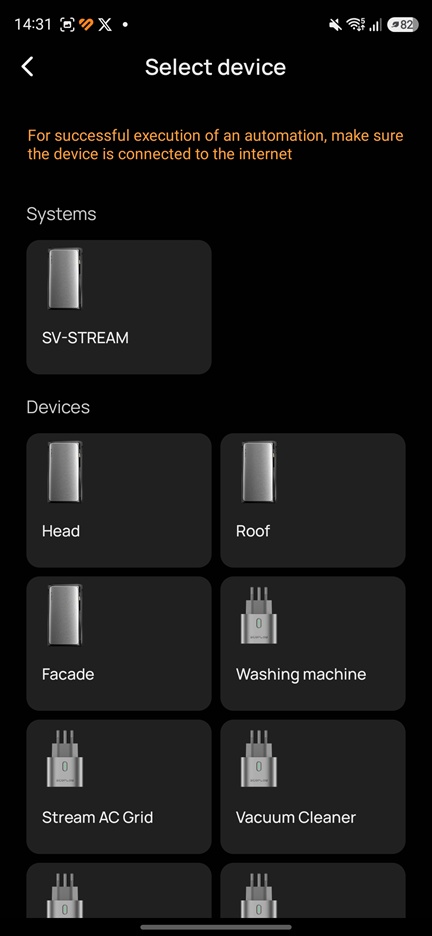
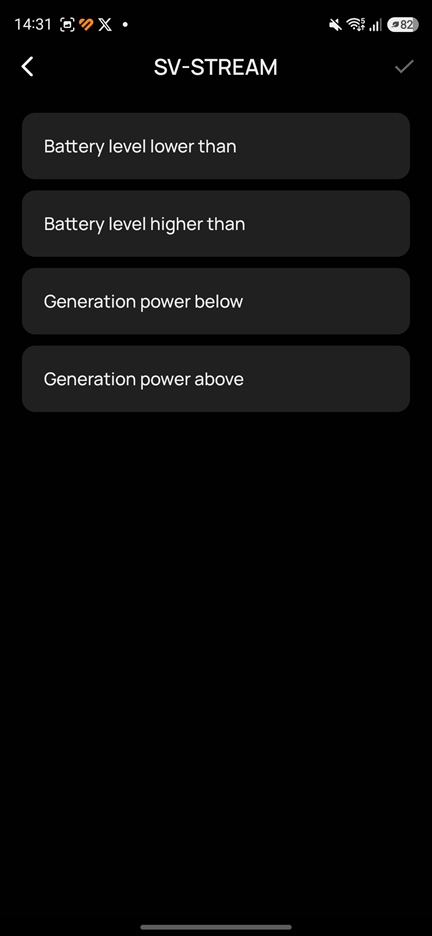
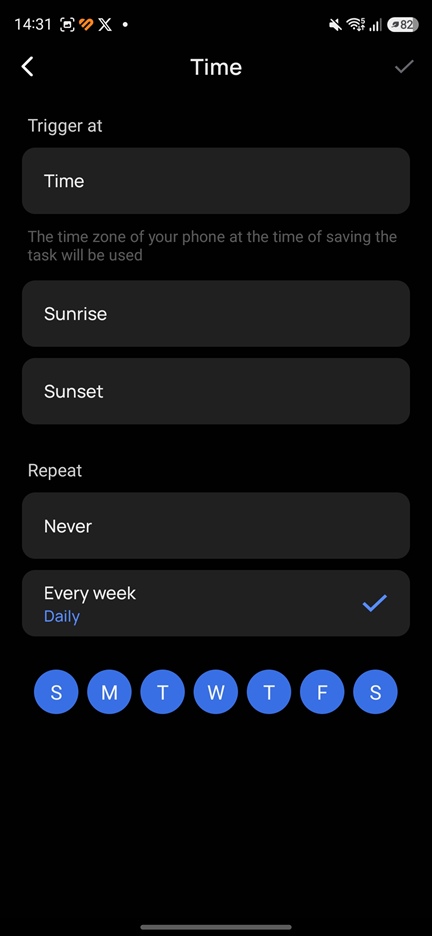
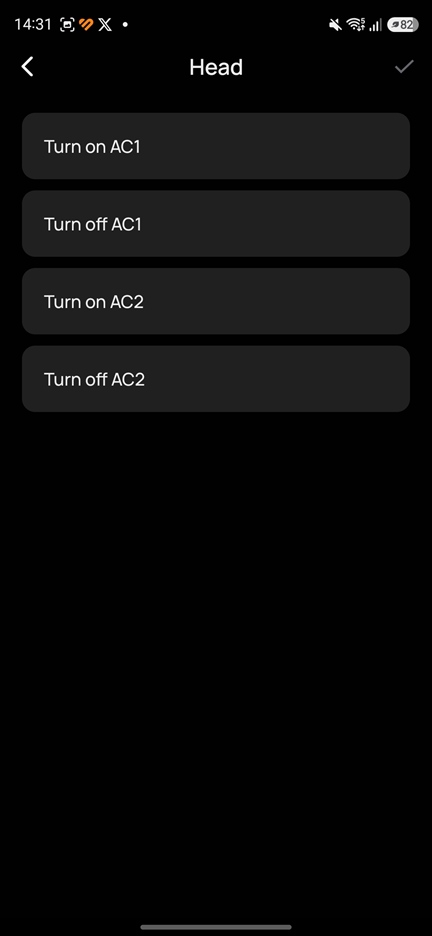
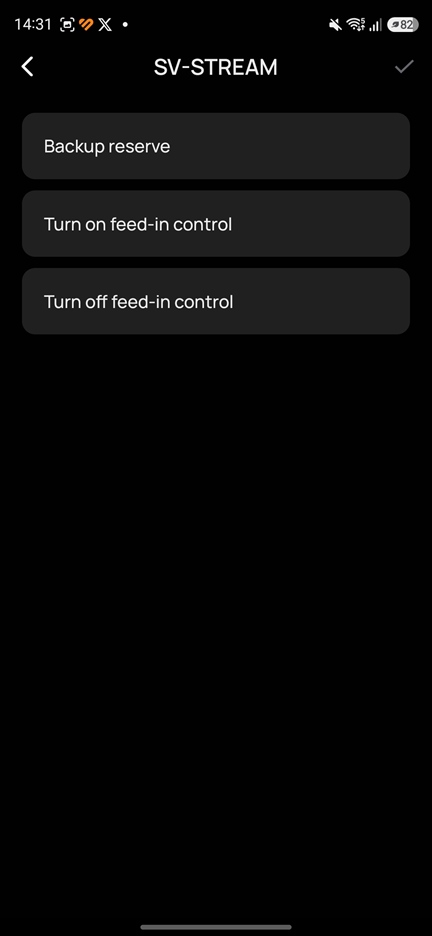
Next, I will describe in detail how the automation of my solar power system is configured. You can apply these techniques when programming scenarios for your own system. Of course, certain parameters will need to be adjusted depending on your specific setup – such as available battery capacity, installed solar panel output, panel placement, peak generation hours, as well as your own preferences and household consumption patterns.
The main objective of my solar system control strategy is to minimize grid electricity consumption during daytime hours. The primary energy sources should be solar generation and batteries charged using cheaper off-peak night-time electricity. Let’s take a closer look at how this is implemented.
Operating algorithm of my balcony mini-PV system
My cycle starts at 23:00, as this is when the tariff switches from daytime to nighttime pricing. At this point, the cost of electricity decreases by 50%. I take advantage of this by increasing the system reserve to 95%, effectively triggering charging of all batteries up to the maximum 95% level. Depending on the initial state of charge of the battery system, this process takes up to 3 hours, typically until around 02:00.

The system then continues to maintain a high reserve level of 95%, meaning the apartment is powered from the grid using the night tariff until the process diverges into two possible scenarios, depending on the weather forecast. Let’s look at these two scenarios.
Sunny scenario
From 03:00 to 07:00, the automated “Sunny day” program is activated. If the weather forecast predicts clear conditions during the day, then approximately two hours before the expected event, the system reduces the reserve level to 25%. In practice, when the weather trigger activates, this usually happens between 03:00 and 05:00. From that point onward, the system begins discharging the batteries in order to free up storage capacity for incoming solar generation later in the day.

To accelerate battery discharge before a sunny day (since nighttime consumption is minimal – only network equipment, security systems, and a refrigerator, totaling around 80–200 W), a higher load is connected to the grid starting at 04:00 via a smart plug. At this time, an electric water heater with a power rating of 1.35 kW is switched on. In effect, this setup uses inexpensive night-rate energy stored in the batteries to heat water before morning, when hot water is typically needed. At the same time, it helps free up battery capacity in preparation for incoming solar generation during the day.

At 07:00, the water heater is switched off:

As a result, in this scenario, the battery state of charge in the morning is around 50–60%, which provides a sufficient level of available capacity for energy-saving operation. After sunrise, the solar panels begin actively generating electricity. This energy is immediately used to power household loads: in the morning, the aquarium lighting turns on automatically, we take showers, use bathroom lighting, and start appliances such as the coffee machine, toaster, and other kitchen devices. Laptops are powered on as well. Solar generation gradually increases, and any temporary shortfall in power demand is covered by the battery system when necessary.
During the day, the household continues to be powered by solar energy. Any surplus generation is stored in the batteries. However, solar output can exceed 1.2 kW from around 11:00 to 16:00, while average household consumption remains only about 300–500 W. In this case, the batteries charge relatively quickly from solar energy. If nothing is done to manage this, a situation may occur in the middle of a very sunny day where the batteries become fully charged and no storage capacity remains. In such a case, the solar panels effectively switch into a near “idle” state, producing only as much power as the household consumption can immediately absorb. To prevent this, I use a simple workaround – connecting a high-power load.
Here we return to the water heater, which is currently switched off. It retains heat for a long time and can remain in this state until the evening, since hot water is rarely used during the day and the tank cools down slowly. However, as mentioned earlier, some hot water was already used in the morning, meaning it has been partially replaced with cold water, lowering the overall temperature inside the tank. This leaves the boiler ready for reheating and with a usable thermal buffer. During peak solar generation periods, a simple automated rule is triggered: if the battery charge level exceeds 90%, the water heater is switched on. In this way, excess solar energy is effectively diverted into the boiler, converting surplus electricity into stored thermal energy in the form of hot water.

When the battery charge drops below 80%, the water heater is switched off.

In practice, the solar generation period in my setup starts around 6:00 and continues almost until 20:00. The peak generation window is typically between 11:00 and 16:00. On a clear day, the household is fully powered by solar energy. Starting from around 16:00, the battery state of charge is usually in the range of 70–90%, and the system transitions into the evening discharge phase. From that point on, the apartment is powered by the energy stored in the batteries during the daytime solar production period.
Cloudy scenario
Returning to the 02:00 time point, when the batteries are already fully charged. If the forecast predicts a cloudy day, the “Sunny day” program simply does not activate during the night, and the system continues maintaining a high reserve level of 95%. This means the apartment continues to be powered from the grid using the cheaper night tariff, including water heating via the boiler starting from 04:00, until 07:00 when the electricity tariff switches to the daytime rate. At that point, the automated “Daytime discharge” program is triggered. It also reduces the reserve level to 25%, and the apartment switches to autonomous operation powered by batteries that were charged using low-cost nighttime electricity.

Even on the most overcast days, solar panels still generate a certain amount of electricity. Over April and May, I have not seen values lower than 1.5 kWh. More commonly, the output is closer to 2–3 kWh, and can even reach 3–4 kWh if there are occasional breaks in the cloud cover or if the overcast conditions are not too dense. This means that throughout almost the entire daylight period, even under cloudy conditions, household loads are partially powered by solar energy. If solar production is insufficient, the system supplements the deficit from the batteries. On such days, by the evening, the system typically reaches a state of charge of around 40–50%.
Evening
As you can probably see, depending on the weather conditions outside and which automation scenario was triggered during the night or morning, by the evening the system maintains either a high or medium battery charge level, and the household continues to be powered by the battery system. In addition, at 19:00 an automated program turns the water heater on again, ensuring that there is a sufficient reserve of hot water available for the evening if needed.

The water heater is also automatically switched off at 21:00:

If the battery state of charge was high after a sunny day, then even turning on the water heater in the evening does not significantly drain the batteries. As a reminder, the water heater was periodically reheated during the day using excess solar energy, so the water temperature in the tank remains sufficiently high. In this case, the battery charge will most likely last until around 23:00. At that time, the automated program again raises the reserve level to 95%, and the batteries begin charging their available capacity using the cheaper night-time electricity tariff.
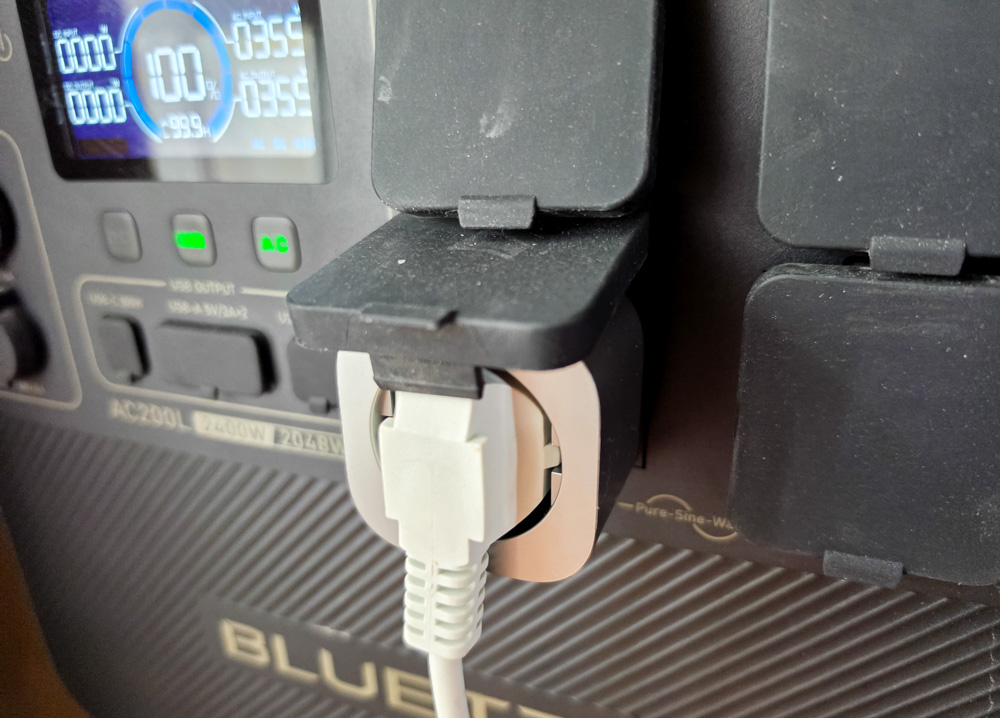
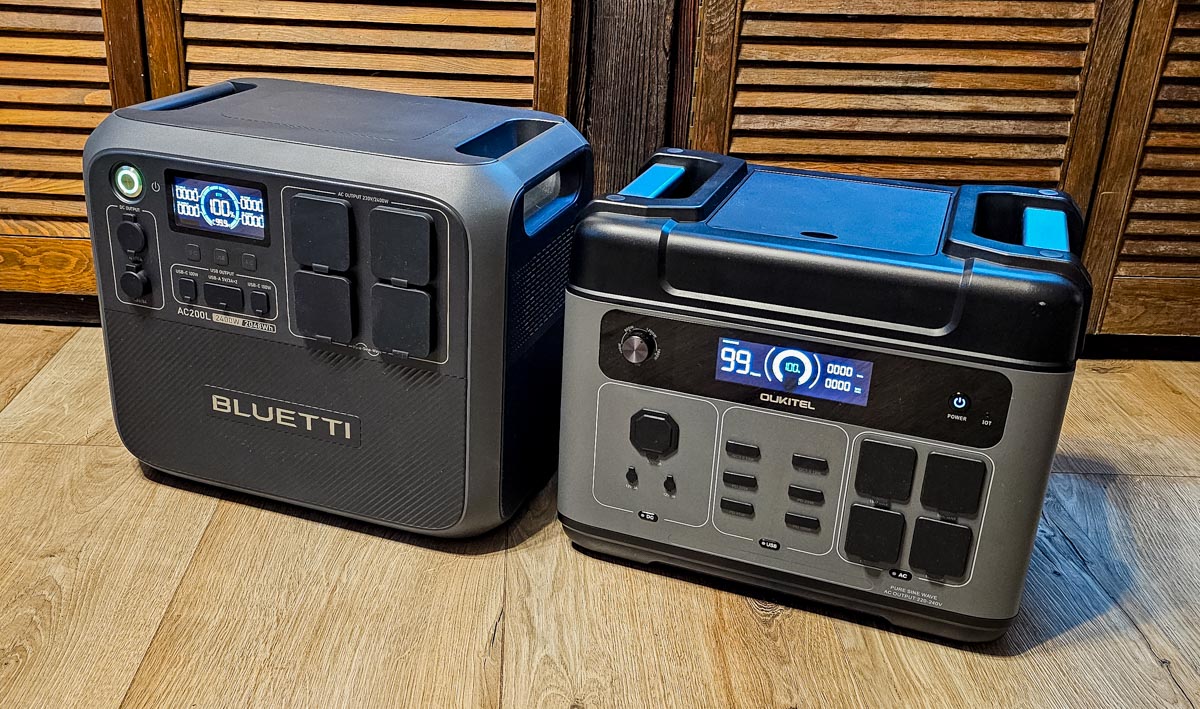
If the day was cloudy, the remaining battery capacity is unlikely to last until 23:00. In principle, it would be possible to simply rely on the grid for the last few hours. However, I use another optimization trick for additional savings. As a reminder, my apartment’s autonomous power system is effectively supplied by the solar installation via a powerful Bluetti AC200L power station with its own 2040 Wh battery. In normal operation, the station is connected to a Stream-controlled outlet and functions in bypass mode, passing power from either the solar system or the grid to household loads. However, between 20:00 and 23:00, another automation rule is activated: if the solar system battery charge drops below 30%, the outlet powering the charging station is switched off. At this point, the UPS (uninterruptible power supply) function engages, and the load is seamlessly transferred to the Bluetti AC200L without interruption.

The water heater is automatically switched off at 22:00. If the battery state of charge has remained high after a sunny day, then even the evening boiler operation does not significantly impact it, since it was already partially reheated during the day using surplus solar energy. In this case, the system will likely still have enough battery capacity to continue operating until around 23:00. At 23:00, the system again increases the reserve level to 95%, and the batteries begin charging using the cheaper night-time electricity tariff, continuing the daily cycle from the beginning.
Tips and tricks
As you may have noticed, in my solar system operating scenario the electric water heater plays an important balancing role. In practice, it is a high-power consumer that is almost always ready to absorb excess generation and effectively utilize it.
However, this approach has a key drawback. Although it helps eliminate situations where solar panels operate in a near-idle state during peak generation on sunny days, it also increases overall daytime electricity consumption. This happens because the solar system only compensates for about 800 W of the boiler load, while the remaining 550 W is drawn from the grid. That said, as a temporary optimization method, this workaround is still valid.
Additionally, in theory, if I switch the boiler from the direct grid supply (where Stream can only add up to 800 W of power) to the autonomous circuit fully powered through the Stream outlet, then the entire 1.35 kW required for water heating could be covered by the solar system.

In any case, the most correct solution would be further increasing the battery capacity of the solar system. For example, purchasing and adding an additional EcoFlow Stream module appears to be a reasonable upgrade in this situation. Such an improvement would significantly expand the energy-saving operating window and reduce the need to switch to the external power station during the final hours of the cycle. However, at the moment I cannot allocate the necessary budget for this.
Overall, the concept of using a high-power “balancing load” (not necessarily a water heater specifically) is valid and can be applied in home automation systems as needed. Additionally, if you have a power station or any external battery that can be charged either from the grid at night (off-peak tariff) or during the day from excess solar generation, you can also incorporate it into the system. For example, you can use such a battery instead of the boiler as a daytime energy sink, and then discharge it in the evening to power selected household loads. Naturally, all of this can also be automated to avoid manual switching and intervention.
Read also: BLUETTI AC200L vs OUKITEL P2001 Plus: comparison of portable power stations
Conclusions
That’s probably where I’ll wrap things up. I hope my experience with configuring the EcoFlow Stream system will be useful to you, and that you’ll be able to extract maximum performance from your existing equipment. If you’re using different scenarios or have your own optimization tricks, feel free to share them in the comments. It’s quite possible that I, or other readers, will take them into account and apply these ideas in our own home solar system setups.

Stay tuned! If you have any questions about the EcoFlow Stream system, or about selecting and installing balcony solar panels for an apartment setup, feel free to ask them in the comments under this post, or on social media where I actively share updates about this project: X (Twitter), Theads. See you in the next articles!

