





© ROOT-NATION.com - Use of content is permitted with a backlink.
As planned, I will continue outlining the process of building a balcony-based solar power system. This section focuses on the practical phase – deploying the EcoFlow Stream system. It includes an overview of the EcoFlow mobile application, with emphasis on the initial configuration steps required for operation, as well as a description of the core control functions available within the interface. In addition, it summarizes practical observations from operating multiple Stream modules in parallel.

Below is the planned structure of the weekly articles (links to published parts will be added over time):
- Part 1. Equipment selection: rationale for choosing the EcoFlow Stream platform and an overview of its operating principles
- Part 2: EcoFlow Stream Setup, Basic Configuration, Backup Power, and Scalability – THIS ARTICLE
- Part 3: Choosing and Installing Solar Panels. Flexible vs Rigid Panels – Which Are More Efficient?
- Part 4: Setting Up Efficient Operation of EcoFlow Stream, Automation, and Tips
TABLE OF CONTENTS:
EcoFlow Stream System Setup: Step-by-Step with Practical Notes
The selection criteria for the platform were covered in the first article, so this section focuses on the initial deployment phase. The process began with acquiring the first EcoFlow Stream Pro module, unpacking it, and placing it on the balcony near a power outlet. At that stage, the main power cable was not yet connected. At the time, there were intermittent power outages due to damage to the energy infrastructure. As an interim solution, a portable 200 W folding solar panel – previously tested with a power station – was used. It was placed on the balcony and connected to one of the Stream module’s input controllers. This allowed the module to begin charging at a low but stable rate, providing a starting point for system operation.


Installing and Launching the EcoFlow Mobile Application
Note: It is advisable to complete the initial setup of the mobile application and account registration (if not already available) before powering on the system. When the EcoFlow Stream is connected to an active power outlet, it starts automatically. Prompt connection via the mobile application is therefore recommended in order to perform the initial configuration steps. In particular, default settings may allow the inverter to feed up to 800 W of power into the household grid. In some cases, this may exceed the intended operating conditions of a residential electrical circuit. For this reason, it is recommended to adjust output limits during the initial setup phase.
The first step is to install the EcoFlow mobile application on a smartphone:
Android:

iOS:

Launch the application and register an account.
Connecting EcoFlow Stream to Wi-Fi and Initial Workspace Setup
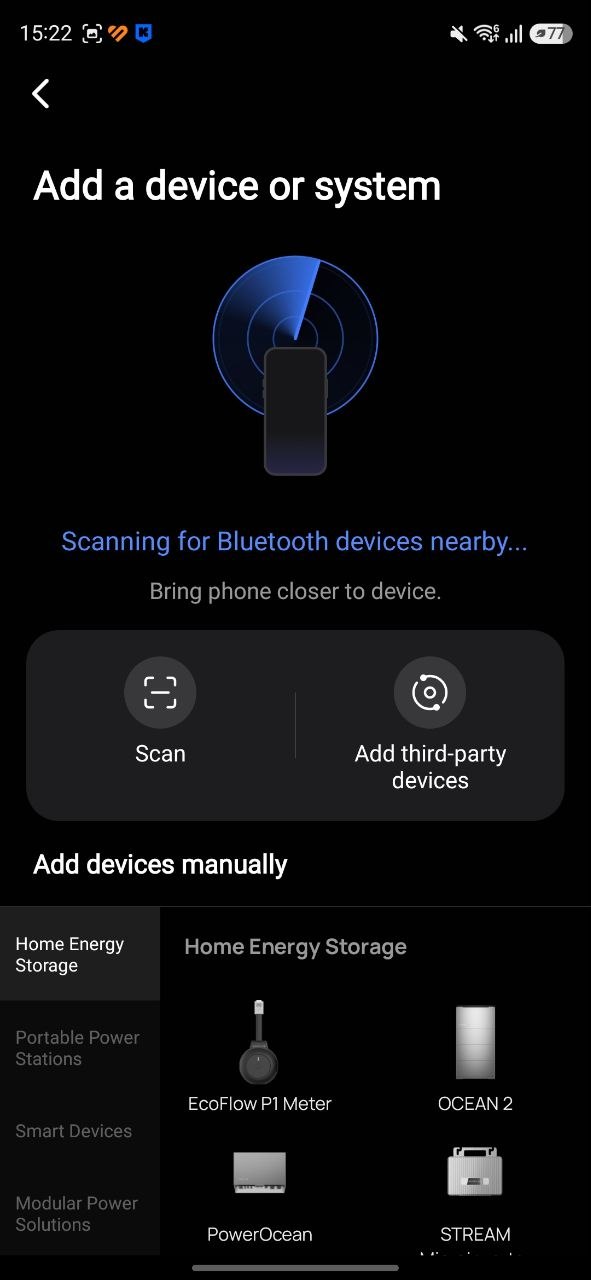
Next, power on the Stream module. In some cases, the application will automatically display a prompt indicating that a nearby device has been detected. If this does not occur, use the “+” button in the upper-right corner of the interface and select “Add device.” The application will then scan for available devices via Bluetooth. Under normal conditions, the Stream module should appear in the list. If it does not – for example, if the unit was previously connected to another account – reset the IoT module. This can be done by pressing the power button five times in quick succession. The status indicator should begin flashing rapidly, indicating that the device has entered pairing mode. After this, repeat the device search and proceed with adding the module once it is detected.
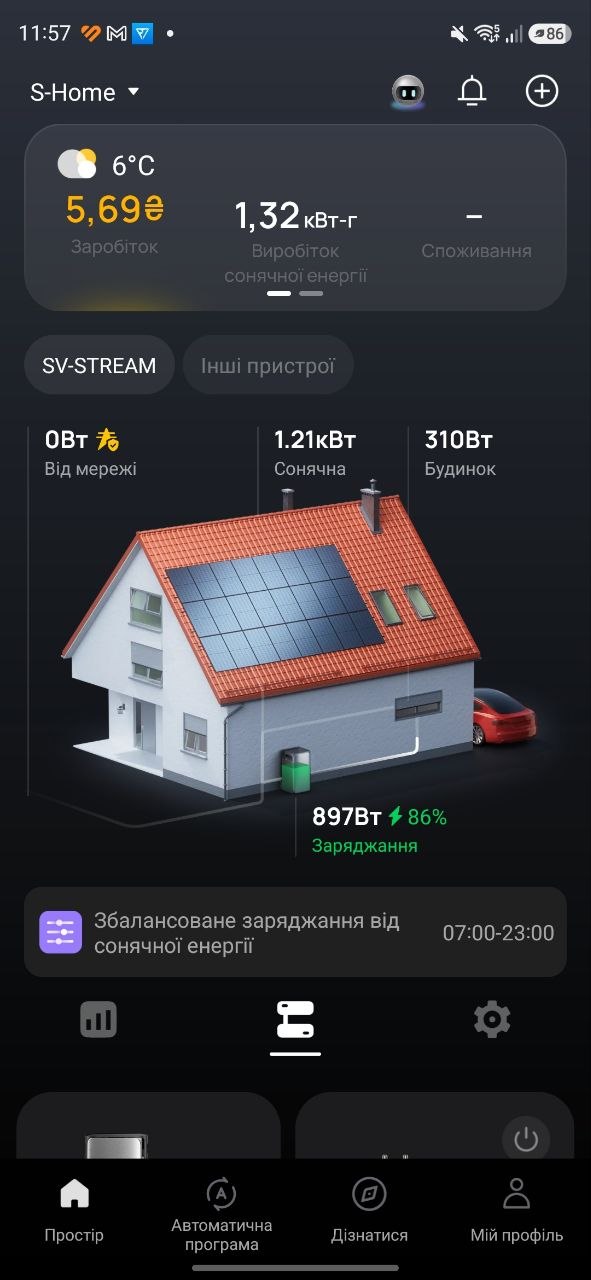
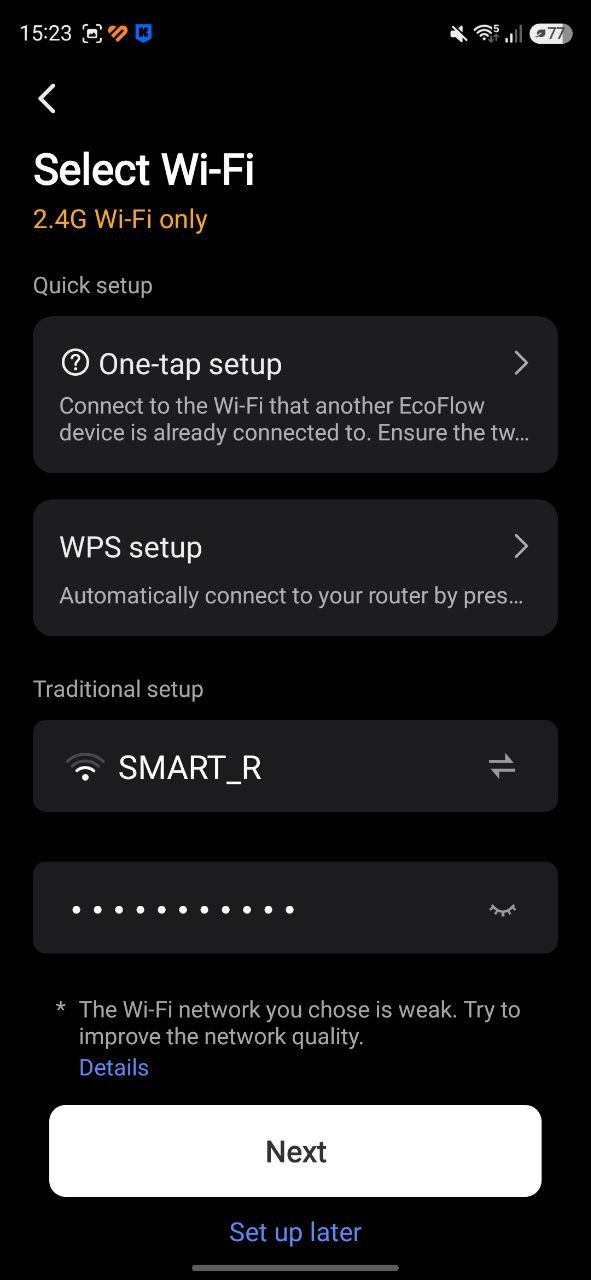
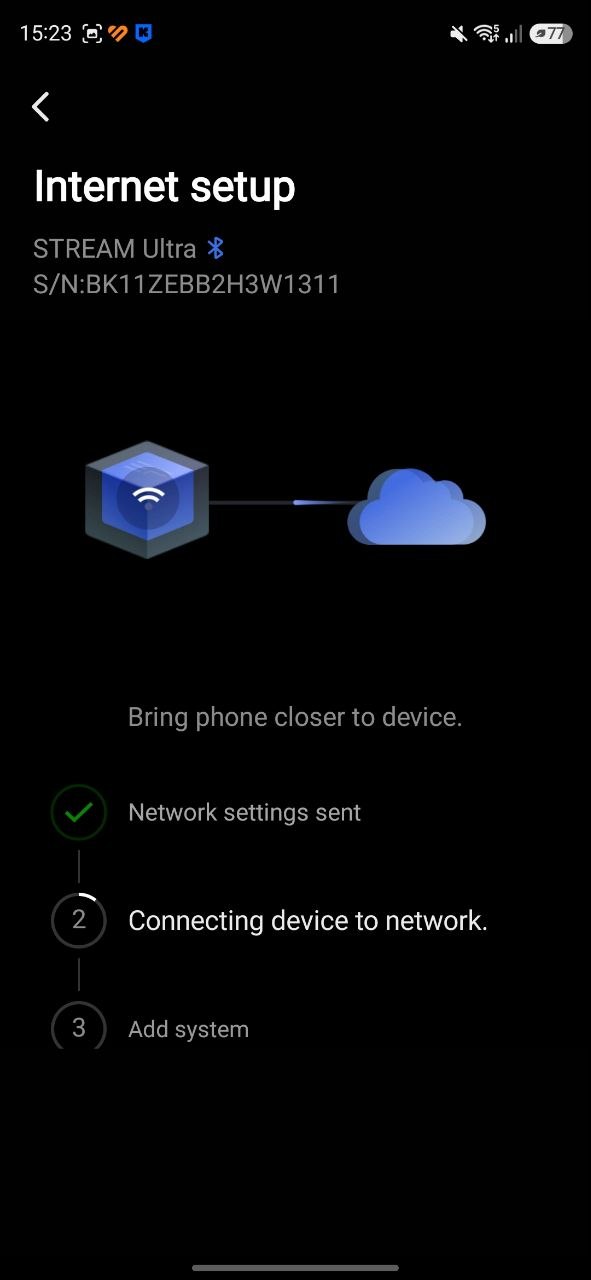
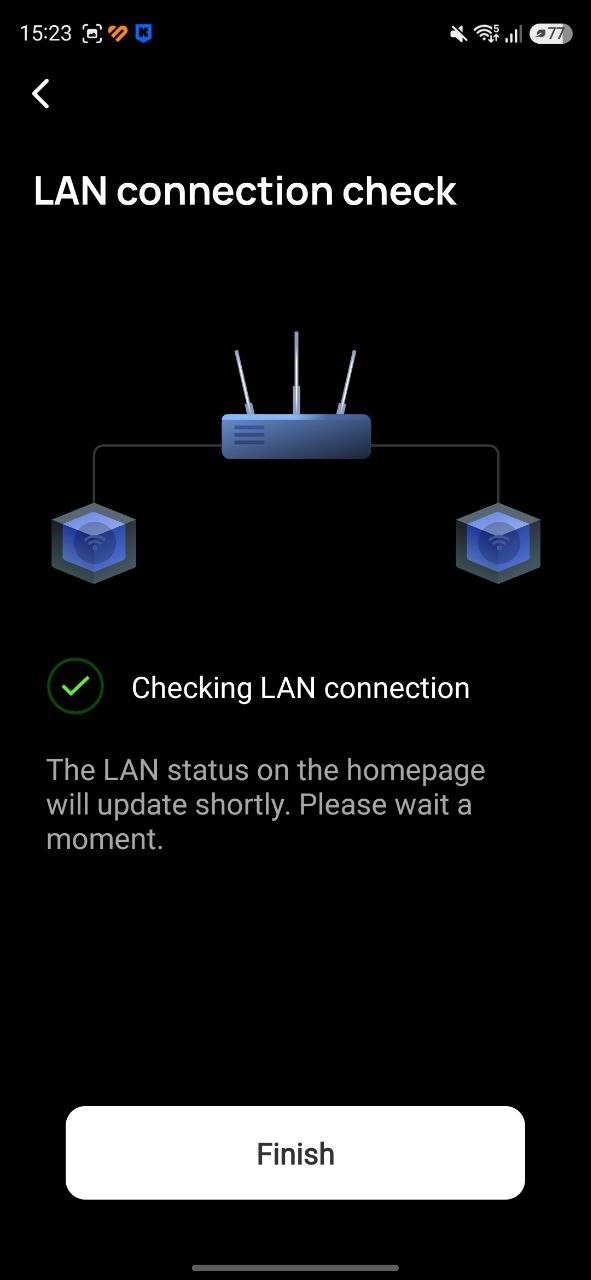
During this step, the module must be connected to a Wi-Fi network. Select an available network or manually enter the credentials for a hidden SSID. A key requirement is the use of a 2.4 GHz network. On newer Wi-Fi 6 or Wi-Fi 7 routers, frequency bands (2.4, 5, and 6 GHz) are often combined under a single SSID. In such cases, it is advisable to separate them into distinct networks. While the EcoFlow Stream may appear to connect to a combined or higher-frequency network, this configuration can lead to unstable operation, including intermittent disconnections from the system workspace, cloud services, and the mobile application.
For stable performance, a dedicated 2.4 GHz network is recommended. This is not specific to EcoFlow devices; many IoT systems – including smart plugs, cameras, sensors, power stations, meters, relays, and lighting devices – either do not support modern combined-band configurations or exhibit reduced reliability when connected to them.
If reconfiguring the primary router is not desirable, an alternative is to deploy a secondary device (e.g., an older router or a 2.4 GHz repeater) to provide a separate network segment for IoT devices.
After connecting the EcoFlow Stream to the network, the application will prompt you to either add it to an existing workspace or create a new one if this has not been done previously. A key step here is to grant the application access to location services and specify the correct location for the workspace. This affects normal device operation and is particularly important for creating automation routines that depend on local weather conditions.
It is also important to note that all devices added to the same workspace should be connected to the same Wi-Fi network. In addition, earlier versions of the system required all EcoFlow Stream devices within one workspace to be physically connected to the same electrical phase for proper interaction. Recent software updates indicate that Stream modules may now communicate and coordinate even when connected across different phases. This functionality has not been independently verified here, but it is worth noting as a potentially relevant capability.
Feef-in control – Power Export Protection
Once the EcoFlow Stream is connected and visible in the application under the “Devices” tab, proceed to the settings section (typically the last tab in the interface). The first step is to enable the “Feef-in control” function. This setting prevents the inverter from feeding power into the household electrical grid. In practice, it should remain enabled unless there is a formal arrangement for exporting electricity to the grid (for example, under a feed-in tariff program).

This does not mean that grid-tie or power injection functionality is completely disabled. However, it should only be enabled after the necessary configuration steps are completed and the home electrical system has been properly prepared.
Once this setup is finalized, the Stream system will be able to supply power to household loads. Before reaching that stage, several additional basic parameters need to be configured.
Charge and Discharge Limits
The first parameter is “Charge and Discharge Limits.” In most cases, it is recommended to follow the manufacturer’s guidelines and set the operating range to 20–95% to ensure better long-term battery preservation.
In general, if the EcoFlow Stream is intended to be used as part of a solar power system rather than only as a backup storage device, regular charge–discharge cycling is expected. This cycling is a normal part of how a solar-based system operates and is essential for its efficiency. This aspect will be discussed in more detail later. At this stage, the primary goal is to configure the battery for long-term durability. While the rated cycle life (around 6000 cycles) is relatively high and can correspond to many years of use, improper operating habits can significantly reduce battery lifespan over time.

Switching EcoFlow Stream to Power Station Mode
If solar panels are not yet installed and the only available charging source is the grid, the EcoFlow Stream can initially be configured to operate in power station mode. This does not negatively affect the system and can be useful if the goal is to maintain a fully charged battery for backup purposes during power outages. In this mode, the stored energy can be used directly through the built-in AC outlets to power connected devices. A detailed step-by-step video guide is available on the official EcoFlow Ukraine website. Follow the instructions as shown in the video, even if some steps are not immediately clear. System behavior and settings can be reviewed and adjusted later if necessary.
Energy Delivery Strategy
To properly enable the device’s main function – a grid-tied inverter mode – open the “Energy Delivery Strategy” menu. Here you will find two control options: “Semi-automatic monitoring” and “Smart meter monitoring.” The choice depends on your hardware configuration. If a compatible smart meter is already installed at the main input of your home electrical system, the second option can be selected. However, in most residential setups this is not the case. Therefore, we will first focus on the semi-automatic monitoring mode.
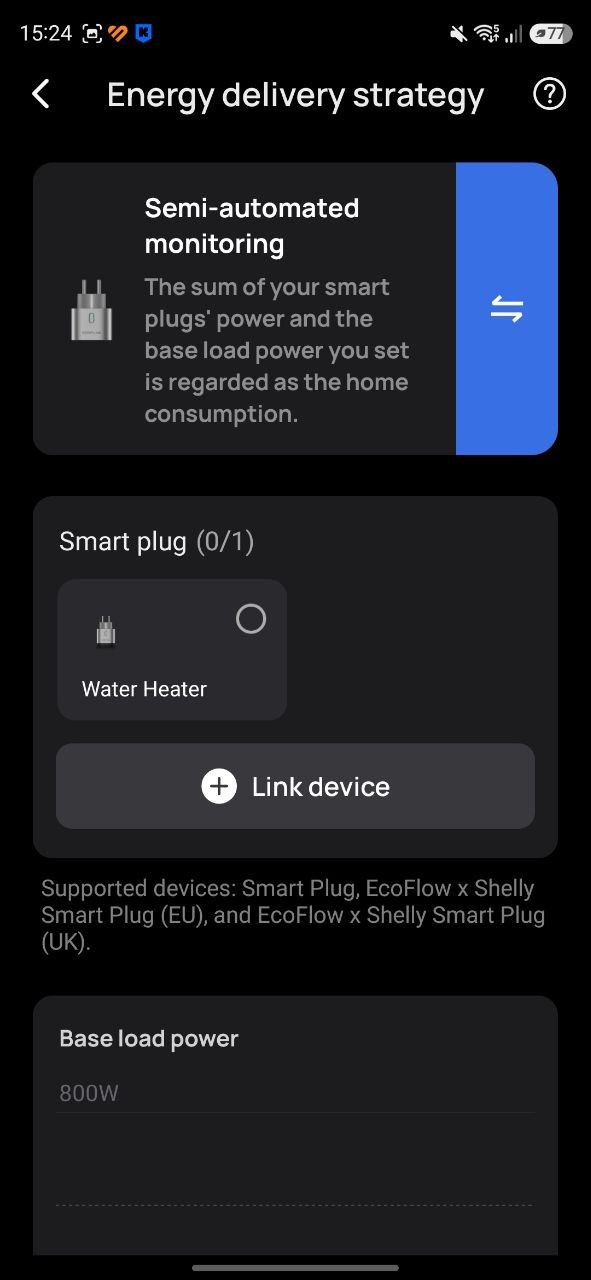
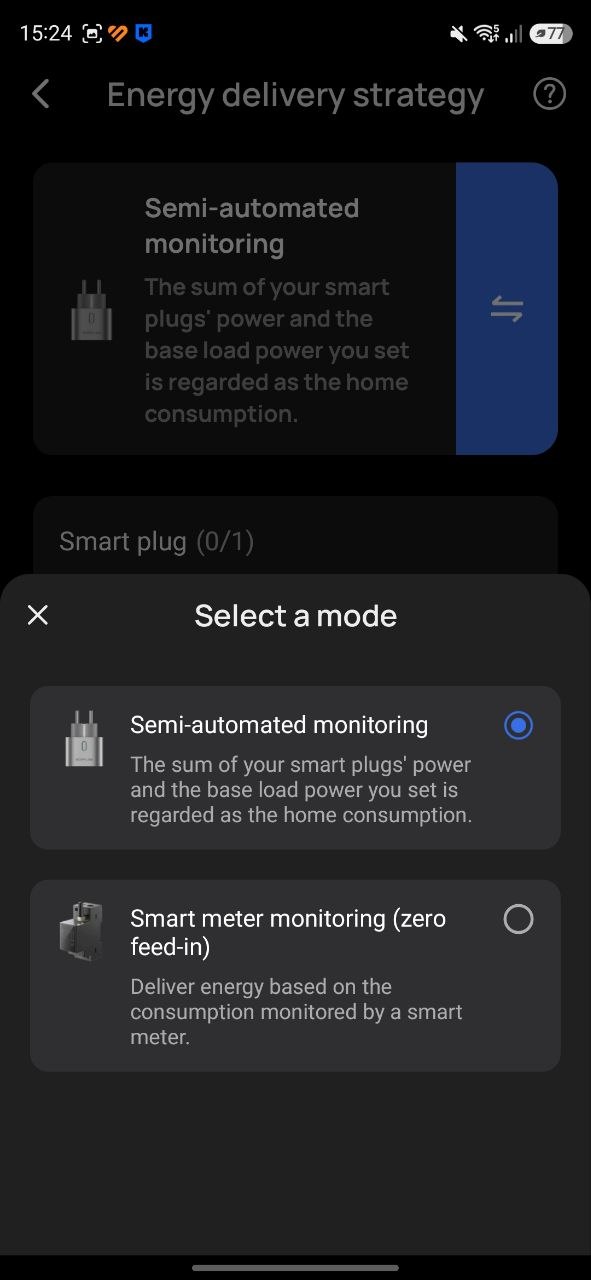
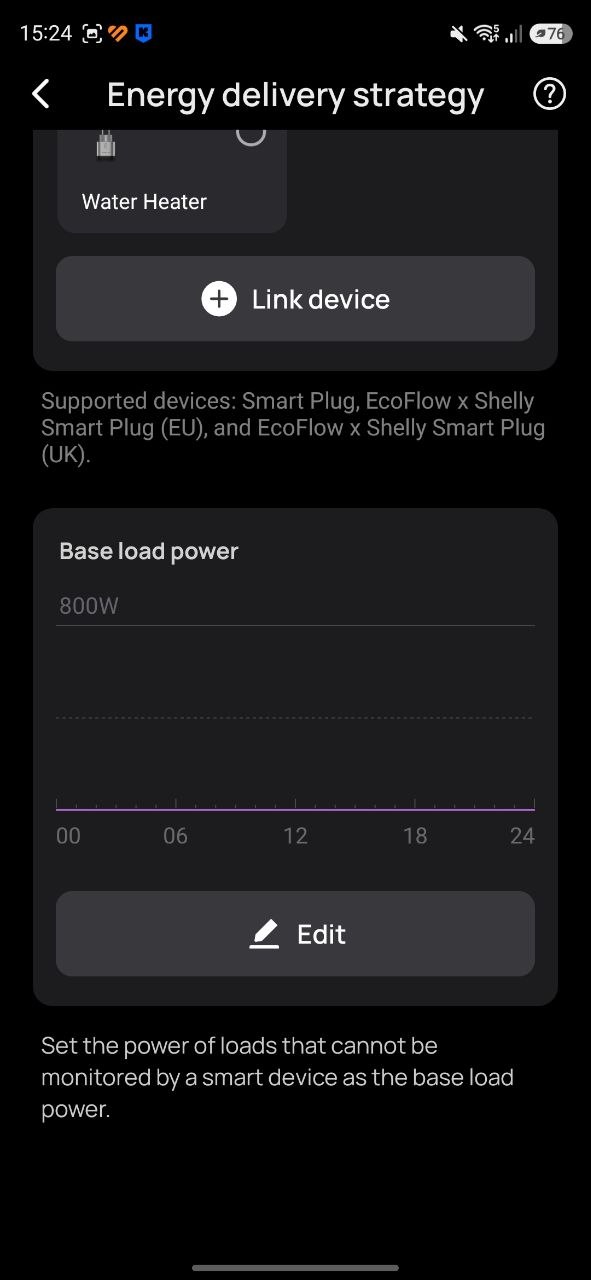
As explained in the previous article, by default the EcoFlow Stream can feed up to 800 W into the household electrical system. However, if real-time consumption in the home is lower than this threshold and there is no corresponding load to absorb the output, the system may effectively export energy beyond the internal circuit and back into the external grid. The objective of this configuration is to limit power output strictly to local consumption, ensuring that generated energy is used entirely within the internal household network.
In “Semi-automatic monitoring” mode, the application indicates that output power is calculated as the sum of connected smart plug loads and a defined baseline load. In this setup, devices intended to be powered through the Stream system must be connected via compatible smart plugs that are added to the same workspace. If total consumption exceeds 800 W, the additional demand is supplied from the grid. If consumption is below 800 W, the Stream system adjusts its output to match the required load. In this configuration, smart plugs effectively act as distributed load meters, enabling dynamic control of system output power.
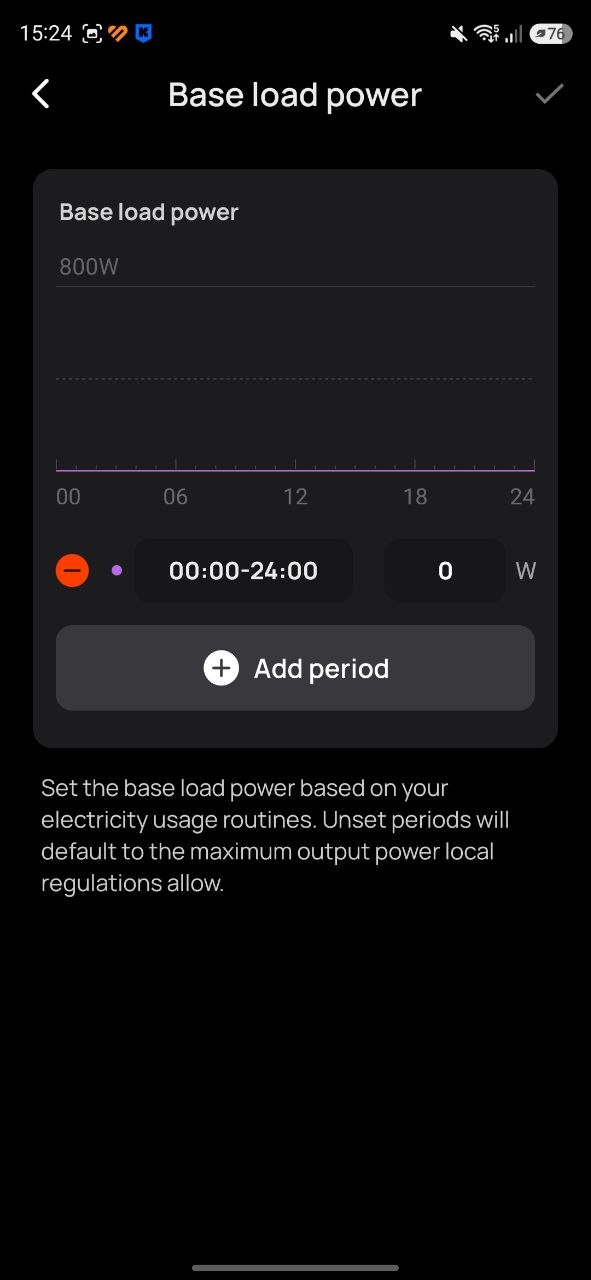
What is “base load”? “Base load power” refers to a manually defined power value. In practice, it represents the consumption of devices that are continuously connected to the system and have relatively stable energy usage – for example, security systems with cameras, network equipment, or similar always-on loads. In other words, base load is the sum of the power consumption of such constant devices. It is also possible to set this value slightly lower than the estimated real consumption.
If the overall load profile of the household is well understood and varies predictably over time, the base load can be adjusted according to a schedule. However, in such a configuration it is not possible to fully guarantee the absence of energy export outside the home electrical system. For this reason, a more reliable approach is dynamic control using smart plugs, while setting the base load parameter to zero.
Once the principle of output power control is understood, the second option in the “Energy Feed Strategy” menu – “Smart Meter monitoring” – becomes easier to interpret. In this mode, a smart meter performs a similar role to smart plugs, but at the level of the entire household electrical system, with the goal of ensuring zero export of energy beyond the home installation.
The choice of energy feed strategy is ultimately up to the user. In my case, I started with smart plugs, but I am now planning to install a smart meter as well. In my view, the most effective approach is a combination of a Smart Meter and Smart Plugs. In such a setup, the smart meter ensures zero export to the external grid, while smart plugs provide fine-grained control over individual devices and loads.
This configuration allows selective use of EcoFlow Stream power without interrupting the physical power supply to connected outlets. As a result, loads can be powered either entirely from the grid or supplemented with energy from the EcoFlow Stream system. Control can also be automated based on schedules, days of the week, or system conditions such as battery state of charge, current generation level, or weather data.
Operating Mode
In this section, you will find one of the most important settings of the EcoFlow Stream system: the “Backup reserve” slider. Its purpose should be clearly understood, as it determines how the system prioritizes energy usage based on user requirements. In practice, this setting defines the balance between two operating objectives. The first is energy optimization – storing as much freely available solar energy in the battery as possible and discharging it during evening or night hours. The second is backup preservation – maintaining a minimum state of charge reserved for emergency use during power outages.
In other words, this parameter defines the portion of battery capacity that is intentionally kept available as a guaranteed reserve for backup operation, while the remaining capacity is used for regular energy cycling within the system.

In practice, this has always been – and remains – the core trade-off in operating a home solar power system, especially when only a single module is available, where usable capacity is significantly limited. With a nominal capacity of 1920 Wh and a configured operating range of 20–95%, the effectively usable energy is approximately 75%, or about 1440 Wh. This limitation comes directly from the charge limits described earlier.
From experience, even three modules may be insufficient for a three-room apartment with a daily consumption of around 10 kWh. However, actual performance depends heavily on the total capacity and real output of the installed solar panels. In practical terms, the rule is simple: a lower reserve level increases energy savings through higher self-consumption, while a higher reserve level extends the duration of backup power availability during outages.
The main nuance is that a higher reserve level leaves more battery capacity available for use during power outages. However, it also reduces the amount of available space for solar charging. As a result, situations may occur where solar generation exceeds current household consumption while the battery is already fully charged. In such cases, excess energy cannot be stored and is effectively lost, as the solar panels operate without a usable load.
There are three main ways to address this issue:
- Reducing the reserve level, which increases usable battery capacity for daytime solar storage.
- Increasing total storage capacity by adding additional battery modules.
- Increasing consumption during peak generation by connecting additional loads to the Stream system.
Each of these approaches has different implications and will be discussed in more detail later.
On the other hand, a lower reserve level reduces the available capacity for backup power during outages. In general, a solar power system is better understood not as a primary backup source, but as an energy buffering system that stores and redistributes generated electricity.
The EcoFlow Stream platform is primarily designed for cost optimization through reduced electricity consumption from the grid. However, this usage model – common in many European contexts – may not fully align with conditions where grid instability makes backup power a more immediate concern. As a result, users often need to balance energy savings against backup autonomy. Fortunately, the EcoFlow Stream system supports both physical scalability (through additional modules and increased storage capacity) and software-based control options, including manual and automated settings that help optimize performance within a given hardware configuration.
Below you can choose one of the available operating modes: “Intelligent Mode”, “Self-powered”, or “Custom”. There is no particular need for detailed explanation here, as each option includes built-in guidance and relatively straightforward configuration tools. In all cases, the operating logic is based on the current reserve level, which was described in detail earlier.
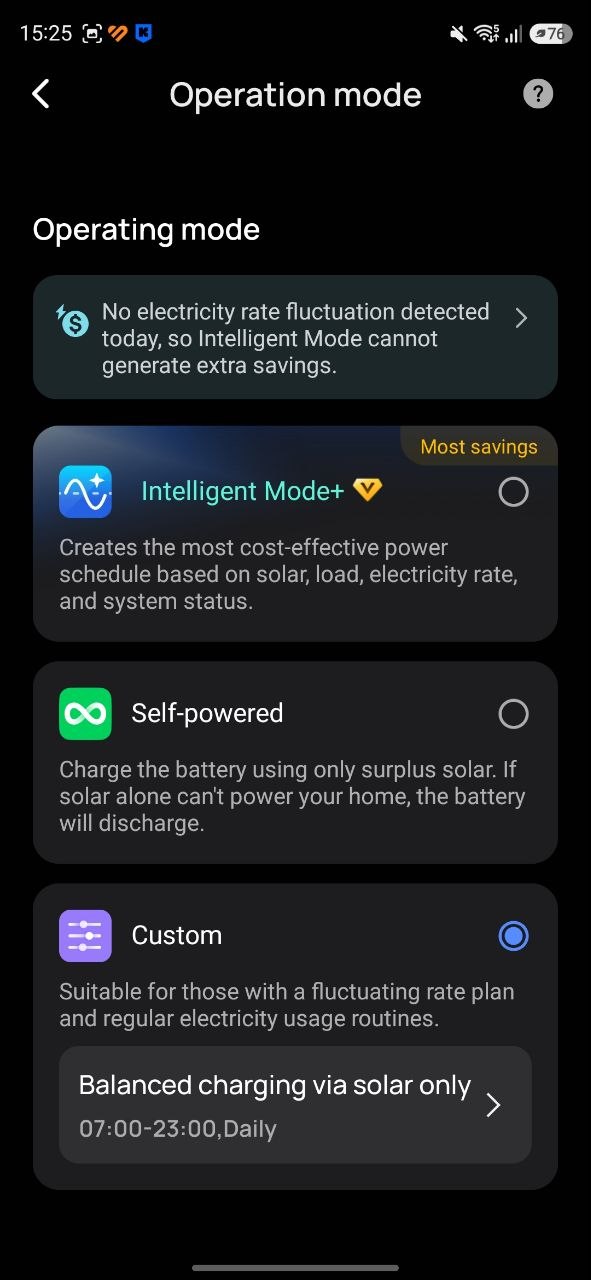
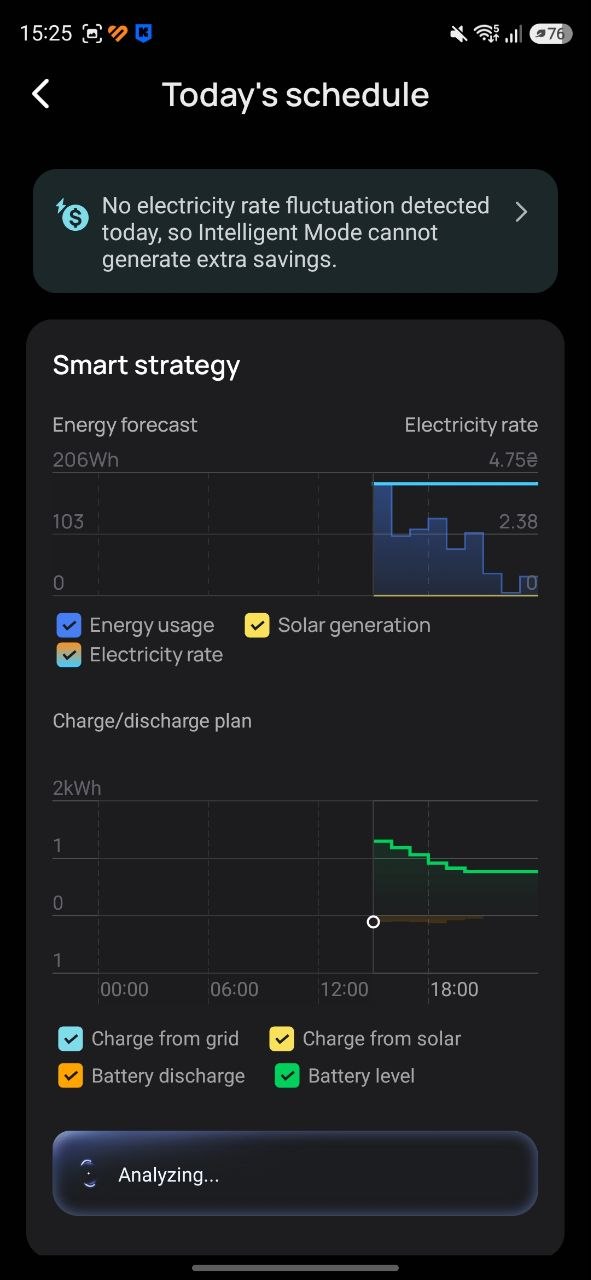
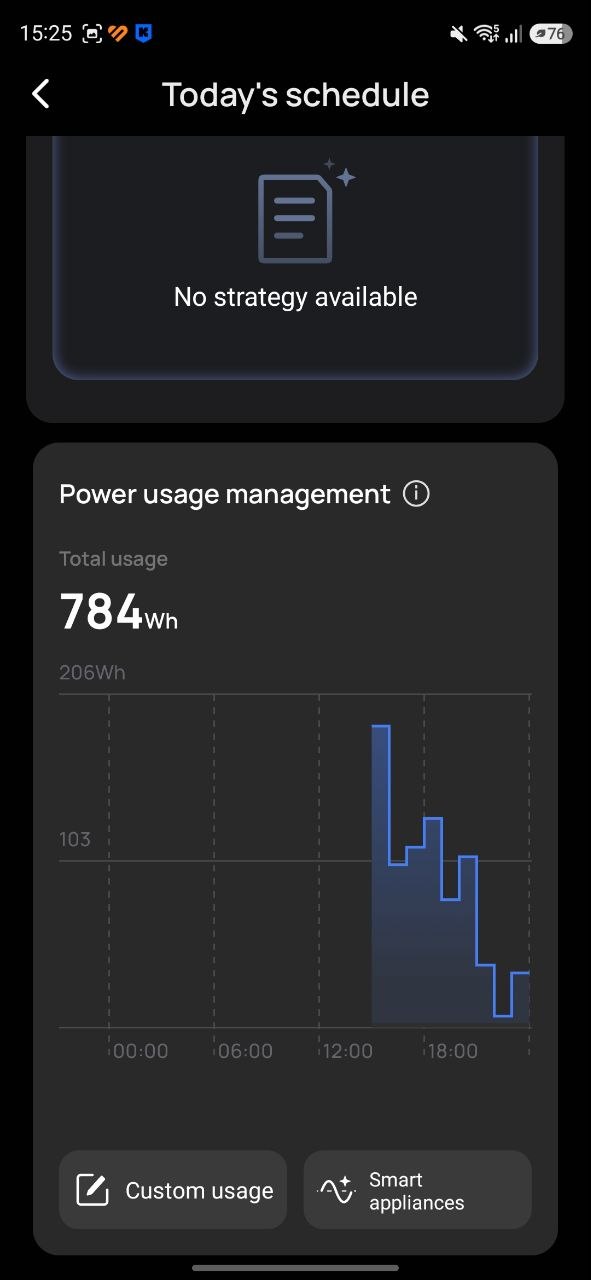
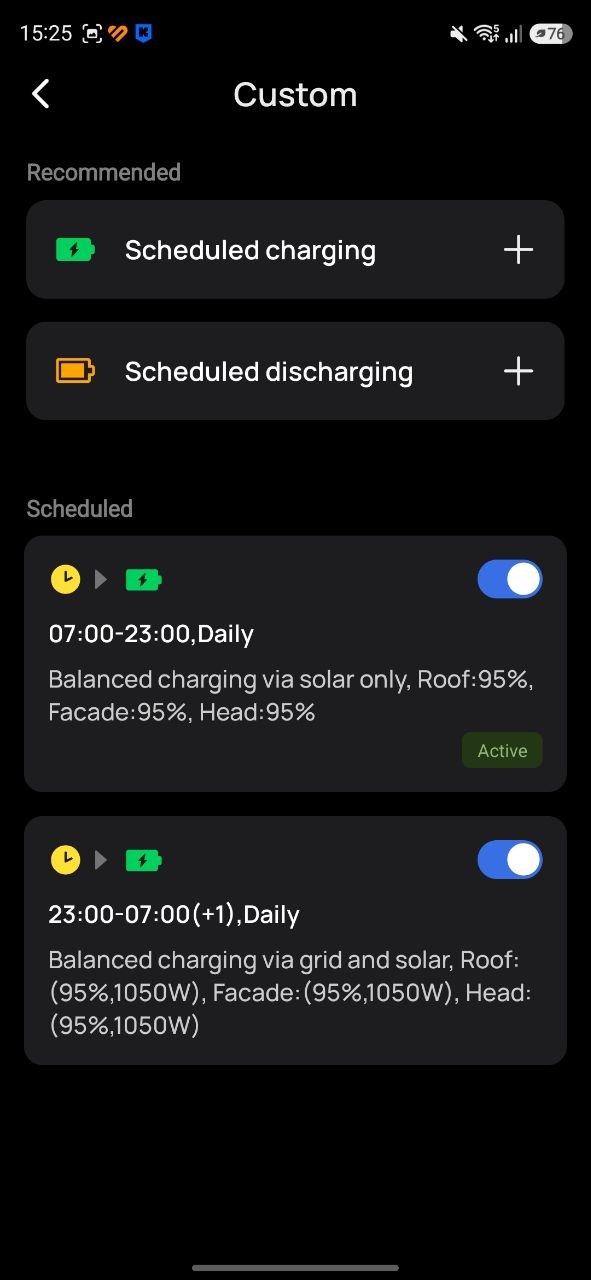
In practice, the first option represents a highly automated operating mode, but its actual efficiency still requires evaluation. It is also possible to enable a subscription-based AI control feature that is intended to optimize system behavior. However, it is not guaranteed that this approach will provide the best results in all scenarios. One limitation is that the application allows configuration of electricity purchase tariffs, but this functionality is not fully adapted to local conditions. For example, in cases where a dual-zone electricity meter is used, charging during off-peak hours (23:00–07:00) at a reduced tariff is a common strategy. The “Intelligent” mode does not explicitly account for this type of scheduling, which may reduce its effectiveness in such use cases.
“Self-powered” is a straightforward, conventional solar power system mode. In this configuration, the battery is charged above the user-defined reserve level exclusively from solar generation. At the same time, the state of charge will not be allowed to drop below the configured reserve threshold. If necessary, this minimum level will be maintained by drawing energy from the grid.
“Custom” is a mode that allows you to define your own charging schedule for the battery. For example, you can configure daytime charging exclusively from solar generation and nighttime charging from the grid. As with all other modes, the key parameter remains the reserve level. The system will not allow the battery to discharge below the configured threshold under any circumstances.
Looking ahead, it is worth noting that, thanks to automation within the EcoFlow application, the reserve level can be adjusted dynamically based on time schedules, system state, connected devices, or weather conditions. This will be covered in the final article on optimizing the efficiency of the solar power system.
Read also: EcoFlow Trail 200 DC and Trail 300 DC Mini Power Stations Review: Worth Every Penny
Backup Power
The system can also operate effectively as a backup power source. This aspect of EcoFlow Stream functionality is worth examining in more detail. In this configuration, the solar power system can be treated as a semi-autonomous energy source: during the day it is powered by solar generation, while in the evening and at night it operates from the battery. To support this use case, a separate isolated circuit can be created using the built-in outlet, which allows connection of critical loads that need to remain powered during outages.

For implementing such a configuration, there are several possible approaches. The first involves running a cable from the solar system to the apartment distribution board and connecting it through an automatic transfer switch (ATS). In this setup, the internal electrical network is isolated during a grid outage and automatically switched to power from the Stream outlet. When grid power is restored, the system switches back to the main supply. This is a more technically complex installation method and typically requires electrical expertise or the involvement of a qualified electrician.
However, it is also important to question whether it is practical to power an entire apartment from the Stream output, given the relatively limited power rating of approximately 1200 W for a single module or around 2300 W for two modules in parallel. It should also be noted that the Stream outlet may be sensitive to load surges due to inrush currents and does not function as a true uninterruptible power supply (UPS), which can result in disconnections under certain conditions.
Personally, I chose a different approach, and I still consider it the most appropriate one. I decided not to вмешуватися (interfere with) the fixed household electrical system, using it only for charging the solar system and for cost savings through energy supplementation. Instead, I created a separate, independent auxiliary circuit dedicated to critical devices. This approach avoids direct integration with the main apartment wiring while still allowing the system to operate effectively. Of course, this is only one possible implementation, and others may choose a different configuration based on their own requirements. However, I will describe my practical setup, which has been functioning reliably and, in my experience, performs well.
In any case, where possible, it is advisable to have additional storage capacity and backup power beyond the main solar system. For example, in my setup I use a Bluetti AC200L power station, which is connected to the AC output of the EcoFlow Stream. It can be charged from the solar system and can also pass power through to an auxiliary network in bypass mode.
From the output of this power station, I built a distributed internal network throughout the apartment, with cables routed along baseboards. Most modern skirting systems include integrated cable channels, which make it relatively convenient to route electrical wiring and position socket outlets in practical locations while keeping the installation as concealed as possible.
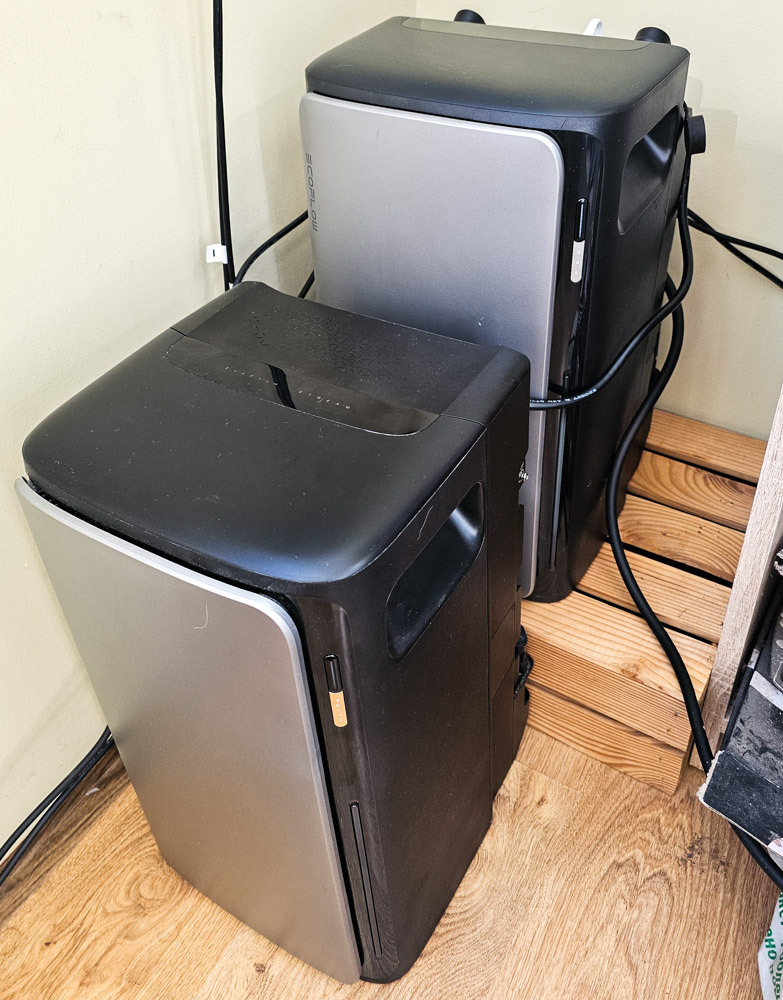
Next, I gradually connected the main household devices in the bedroom, hallway, and living room to the backup network. This included bedside lighting and all device chargers, two routers with fiber-optic terminals, a 55-inch television, laptops and monitors, a digital photo frame, LED strip lighting, an audio system, as well as aquarium equipment such as the filter, heater, and lighting, and a security system with cameras. After some time, I added a second EcoFlow Stream Ultra module, connected it to the first unit via a parallel cable, and extended the autonomous network into the kitchen. This allowed me to power the refrigerator, coffee machine, toaster, and microwave.
At a later stage, I plan to fully disconnect a lighting circuit from the main grid and transfer it to the autonomous system, as there appears to be sufficient remaining load capacity. At present, the main grid still supplies the water heater, washing machine, dishwasher, electric oven, and air fryer. As a side effect, this setup has also freed up a significant number of unused outlets from the original household wiring across the apartment.

As for consumption, without high-power appliances (coffee machine, toaster, microwave), the maximum load on the autonomous network does not exceed approximately 600 W. On average, daytime consumption is around 300–400 W, while nighttime consumption typically ranges between 70–200 W. When high-power kitchen devices are used, each appliance draws roughly 800–1000 W in short bursts. These loads are usually brief, lasting only a few minutes. It is generally preferable to operate devices such as the coffee machine or toaster sequentially rather than simultaneously.
However, even when two appliances are activated at the same time, a system consisting of two parallel modules is able to handle this load without issues, both in bypass mode (when grid power is available) and when operating from the battery.
In this configuration, the role of a high-power intermediary station between the EcoFlow Stream and the autonomous network is significant and should not be underestimated.
First, it provides an additional layer of power headroom. The Bluetti AC200L has a nominal output of 2400 W, with short-term surge capability up to 4800 W for inrush loads. In addition, an enhanced power mode can be activated, increasing continuous output to 3600 W with surge handling up to 7200 W.
Several operating schemes were tested. In bypass mode, the station can supplement the EcoFlow Stream output (1200–2300 W depending on configuration) during peak demand. In this case, the station gradually discharges while supporting high-load devices. When the peak load subsides, it returns to bypass operation and is recharged from the solar system until reaching full capacity. Second, the station effectively functions as a UPS for the autonomous network in the event of a grid outage. It maintains power delivery while the EcoFlow Stream transitions between grid and battery operation, thereby compensating for the lack of a dedicated UPS mode in the Stream platform.
For higher predictability, switching logic between the solar system and the power station can be automated using a smart plug as a trigger. For example, if consumption in the autonomous network exceeds a defined threshold, the EcoFlow Stream AC output can be disabled, and the load is temporarily handled by the power station acting as a UPS. When consumption drops, the Stream AC output is re-enabled.

Both approaches are equally viable, and the better choice depends on the specific setup: number of modules, average consumption, and peak load requirements. Integrating a power station into the system is not strictly necessary, but in my view it is a desirable addition, primarily due to its uninterruptible power supply (UPS) functionality.
In addition, the power station serves as a final layer of backup during extended outages. It is important to note that for more efficient operation of a solar system, batteries are typically cycled regularly, which means the actual available charge at the moment of an outage is not always predictable.
In my case, when grid power is lost, all devices in the autonomous network are first powered by the remaining charge of the Stream system. Once the state of charge drops to around 20%, the AC output is disabled, and the load is then transferred to the power station battery. Under this configuration, the total effective backup capacity of the system is approximately 8000 Wh. In practice, with careful load management and avoidance of high-consumption devices, this reserve can sustain several days of basic operation, or approximately one full day with near-normal usage.
Read also: EcoFlow Delta 3 Max Power Station Review
EcoFlow Stream System Scaling – Parallel Connection
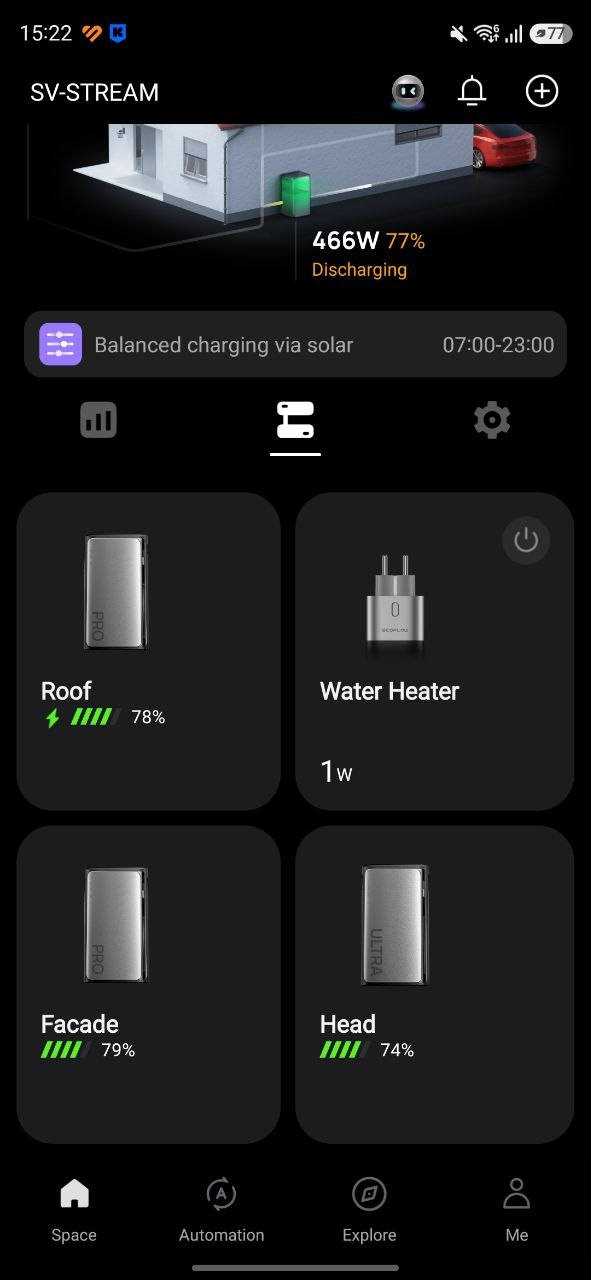
As you may have already noticed, my current setup consists of three EcoFlow Stream modules – two Pro units and one Ultra. However, this was not always the case. The system initially started with a single Stream Pro module. During the first week, I focused on testing the core functionality and understanding less obvious operational aspects of the system. Within a few days, it became clear that the chosen platform was suitable for my needs. At the same time, it also became evident that a single module was insufficient, and the system required further scaling.
The key point is that if the goal is to approach zero dependence on the grid, the system needs sufficient battery capacity. As a baseline, this should be at least around 50% of daily household consumption, and ideally close to 100%. In addition, an additional module increases the available input capacity for solar panels. This becomes important if you plan to scale solar generation in parallel. In an ideal scenario with good weather conditions, the system should be capable of covering the full daily energy demand of the household. The methodology for sizing a solar power system will be discussed in subsequent articles.
To clarify the situation, at that time all solar panels were installed indoors on the balcony: a 200 W portable folding panel placed on a bench, a 100 W flexible panel borrowed from a friend, and a 150 W rigid panel positioned in the window. This configuration already occupied all three available MPPT inputs on the Stream Pro unit. It should be noted that this was a test setup, intended solely for modelling system behavior and evaluating performance under different operating conditions during real-world use. The next planned step was the installation of external panels, scheduled for spring when outdoor conditions become more suitable.
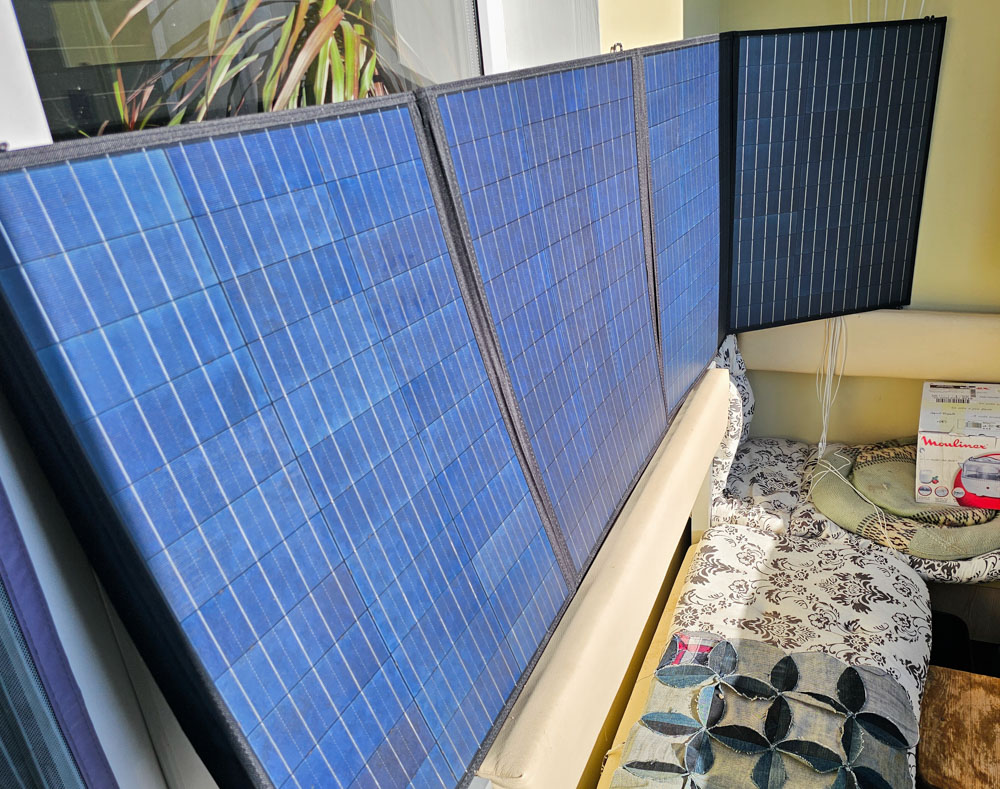
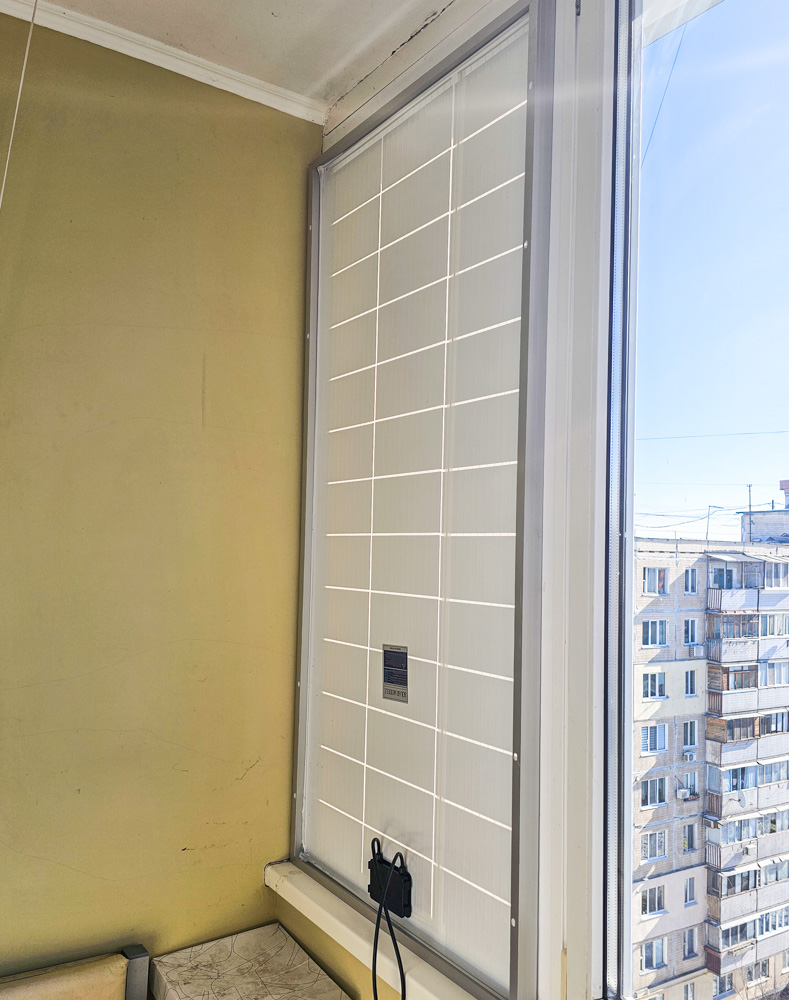
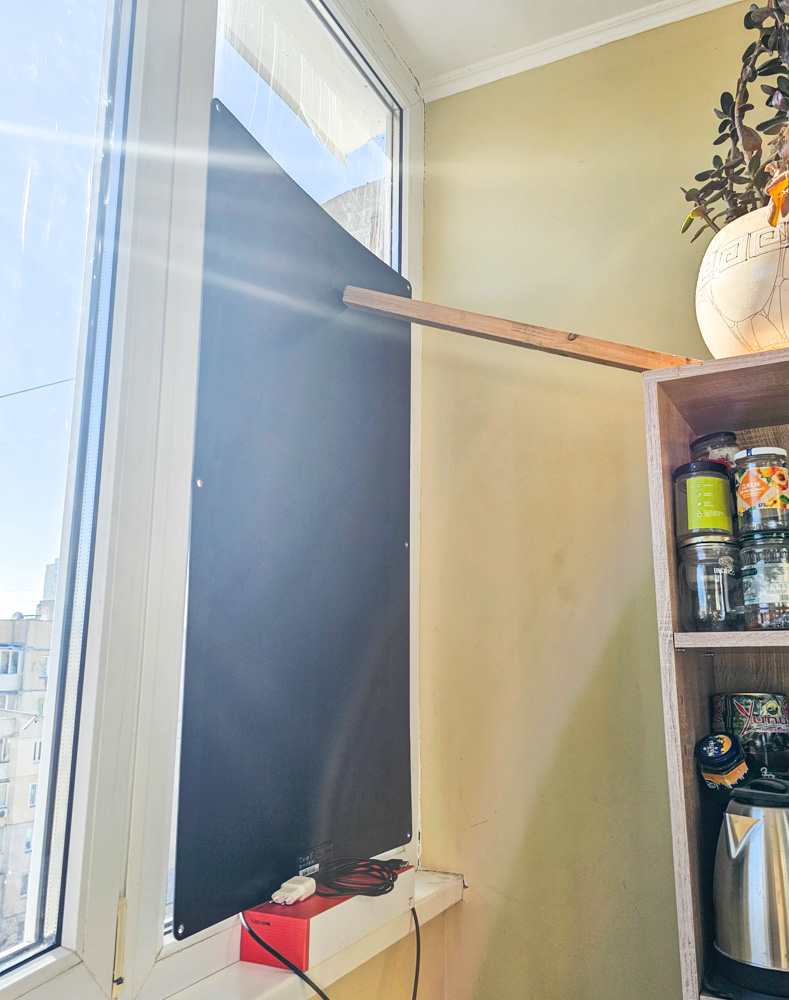
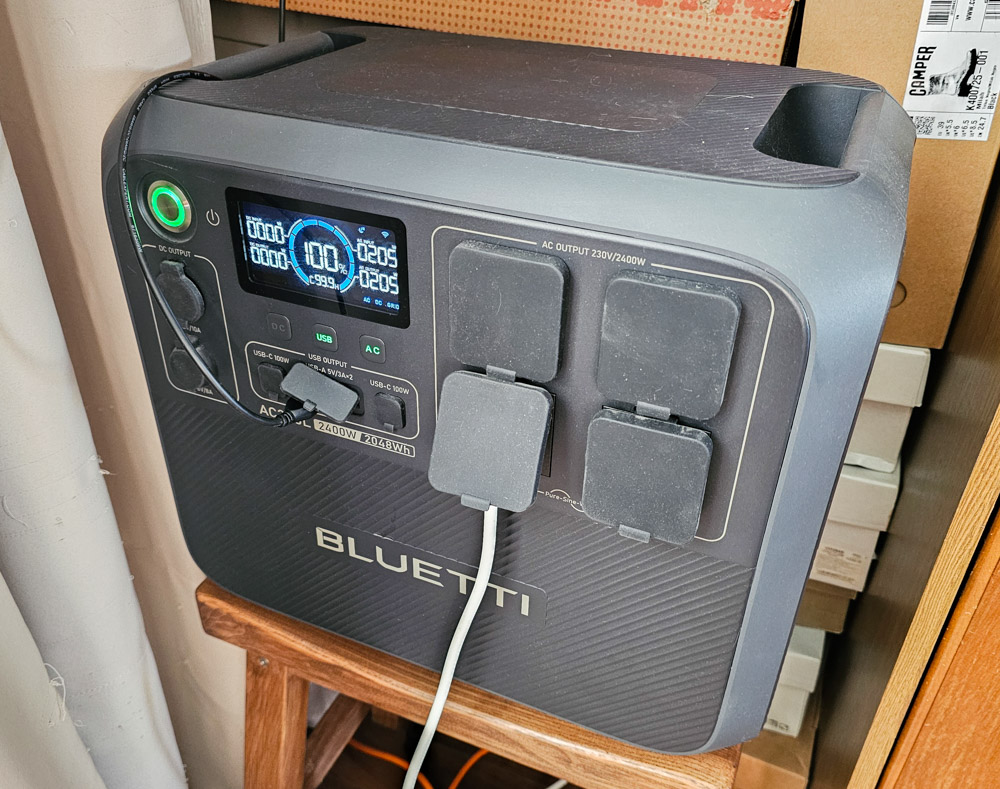
It is also worth noting that a single module provides up to 1200 W via the AC output. While this is sufficient for many household loads, the output channel is relatively sensitive and can be easily overloaded, triggering protective shutdowns of the socket. At the time (February 2026, Kyiv), frequent power outages were occurring, so the system primarily operated in backup mode, with repeated transitions between grid loss and restoration. During these transitions, the AC output was often unstable. For this reason, I decided to add redundancy to the backup network using a power station. Prior to this, it was already in use in the living room, powering my workstation, network equipment, a home security hub, and a television.
Even with the power station, I initially encountered some issues. When grid power returned and the station started charging, the Stream outlet would often shut down due to insufficient available power to handle both the household load and the charging demand simultaneously. This was resolved by reducing the charging power (switching the station to a low/noise or “silent” charging mode). However, this experience also highlighted another limitation of the setup and became one of the factors that led to the decision to add an additional Stream module to the system.
After some time, I made an exchange with a colleague. I gave him one of my power stations (which had previously been used in the kitchen), and in return I received an EcoFlow Stream Ultra module. He had been using the Stream Ultra as a backup power source for a refrigerator, but experienced certain limitations due to the appliance’s high starting (inrush) power, particularly with an older unit. In his case, a conventional 2400 W power station was a more suitable solution. As a result, it was a mutually beneficial exchange: he received a device better matched to his use case, while I obtained the additional Stream module I needed for expanding the system.

After connecting two modules in parallel, the system output increased to approximately 2300 W. This was sufficient to cover all loads in the autonomous network without restrictions. Following this upgrade, I no longer observed shutdowns of the EcoFlow Stream AC output during grid outages or when grid power was restored.


To all readers and subscribers asking whether connecting a second module via a parallel cable increases the power fed into the grid through the socket (grid-tied output): no, it does not. Regardless of whether you use one, two, or more modules, the limit of 800 W remains the regulatory restriction for power injection into the active grid in Europe. It is technically possible, at the user’s discretion and risk, to increase this limit up to 1200 W through the mobile application.
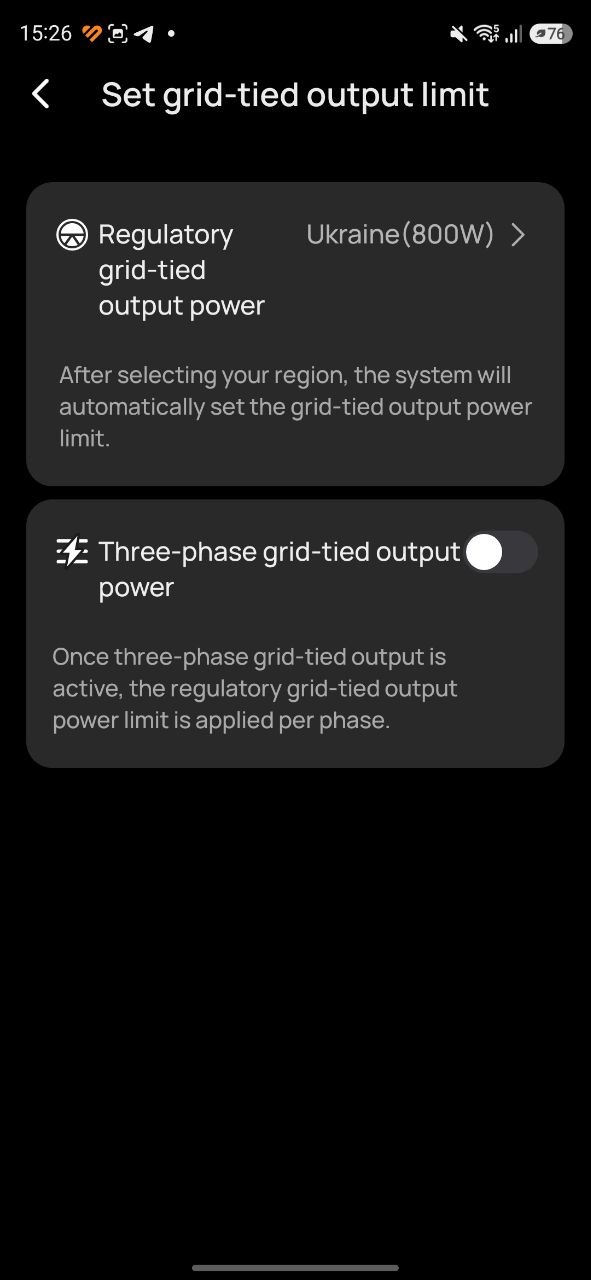
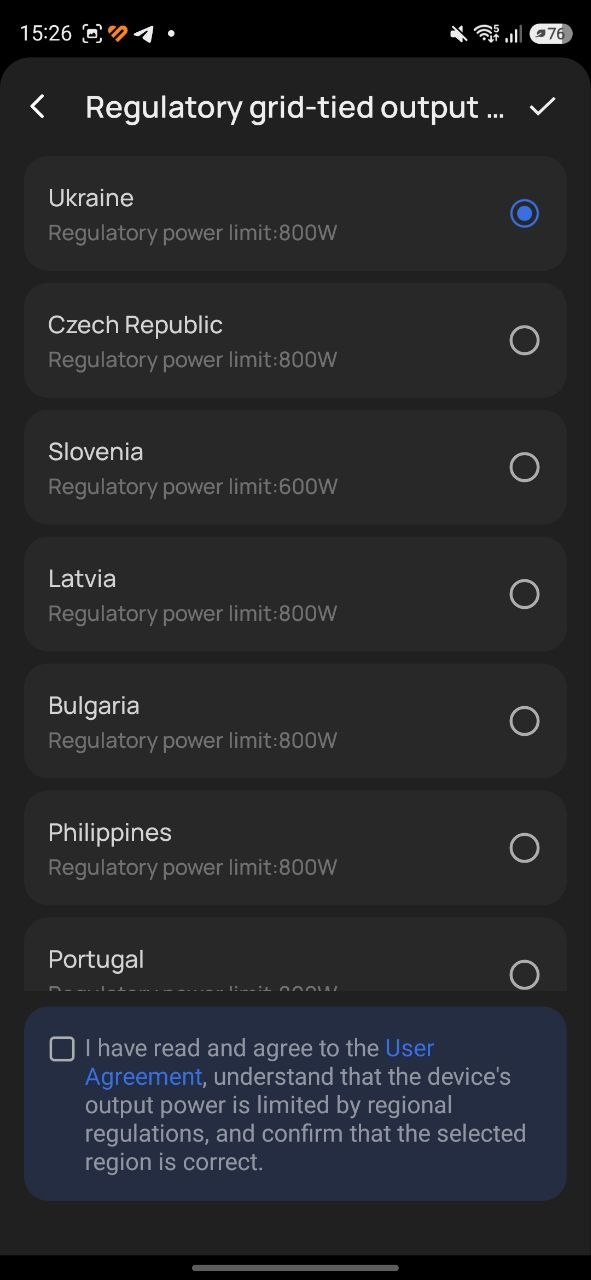
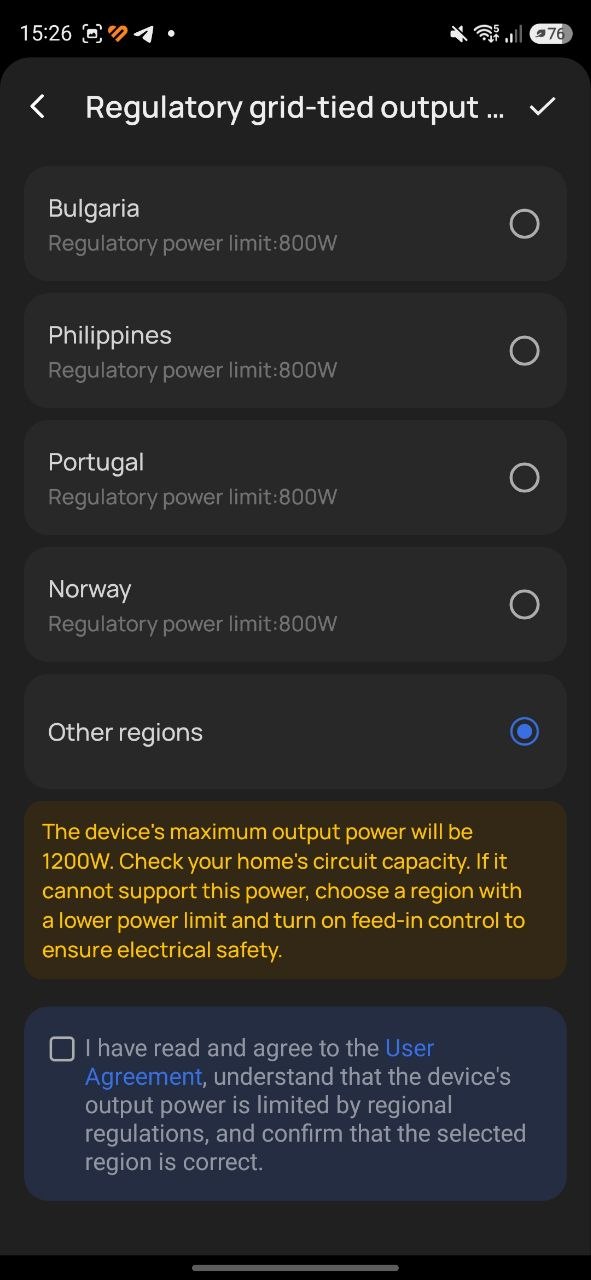
Adding a second module via a parallel cable increases the system’s AC output from the Stream itself to approximately 2300 W. In addition, it provides additional battery capacity within the solar power system. That is the primary effect of this upgrade.

As for the third module, it was an impulse purchase: I came across a listing for a nearly new Stream Pro unit. Given that hardware prices had dropped significantly, I decided not to delay and expanded the system further. The primary objective was additional battery capacity. This allows more energy to be stored overnight, charged during lower night-time tariffs, and then discharged during daytime periods with little or no solar generation. This also contributes to overall energy cost optimization. In addition, the third module adds three more MPPT inputs, which may become useful later if further expansion of solar generation capacity is required.

Read also: BLUETTI AC200L vs OUKITEL P2001 Plus: comparison of portable power stations
Summary
It is probably time to conclude the second part of this series. In the next article, I will move on to the most interesting stage – selecting solar panels, along with my specific implementation case involving external installation on the balcony façade and above the roof.

Stay tuned. If you have any questions about the Stream system, you can leave them in the comments under this post or reach out via social media, where I actively share updates on this project: X (Twitter), Theads. See you next week.
All reviews of portable power stations and home backup powersystems on our website: read here

