





© ROOT-NATION.com - Use of content is permitted with a backlink.
We continue our exploration of the GamePro Asgard accessory lineup. Having reviewed the keyboards in detail, it is now time to examine the mice: the GamePro Asgard Odin, GamePro Asgard Thor, and GamePro Asgard Loki.
Read also: Gaming mouse reviews

TABLE OF CONTENTS:
Video review of GamePro Asgard Odin/Thor/Loki
Positioning and Price
As with the keyboards, these are not budget accessories. The most affordable of the three mice, the GamePro Asgard Loki, is priced at $37 with discounts. The GamePro Asgard Thor costs $44, while the top-tier model, both in terms of price and designation, the GamePro Asgard Odin, is listed at $63.
Package Contents
The mice come with a well-equipped set of accessories, though these vary between models. All three include a high-quality white braided cable, spare glides (vinyl feet), a 2.4 GHz adapter, a manual, and even stickers.
The Loki and Odin models also feature additional grip attachments. In contrast, the Thor includes a wireless hub-station for charging with both Type-C and USB-A ports, while the Odin comes with a simple Type-C wireless adapter.
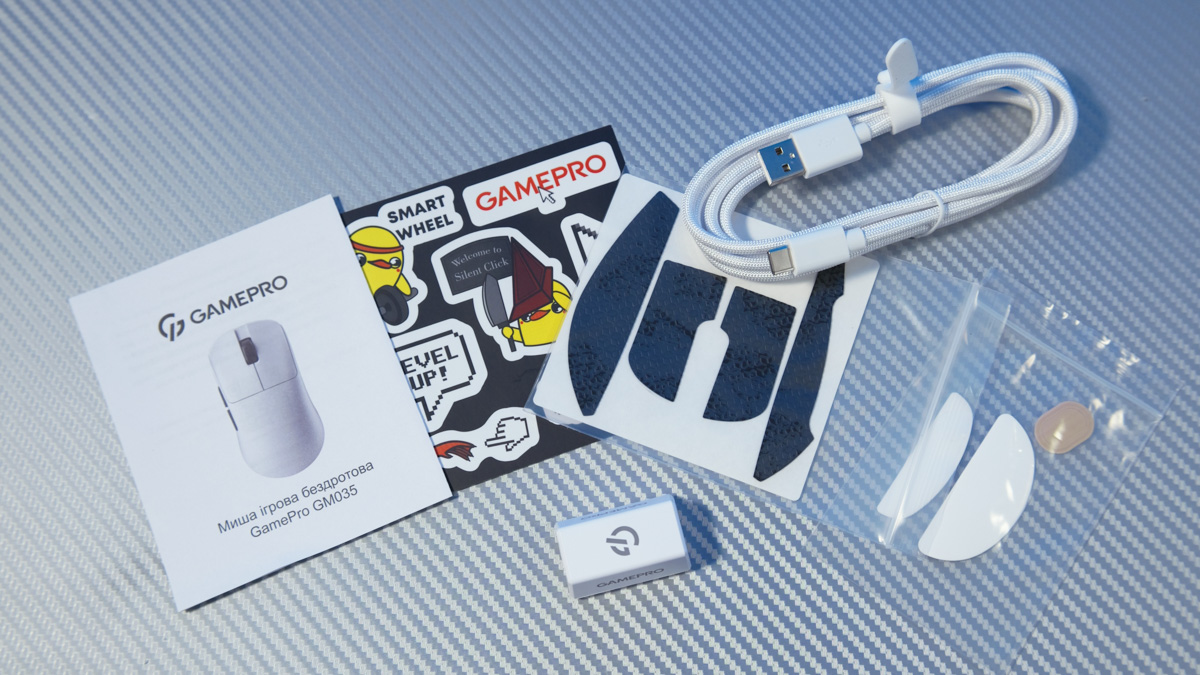
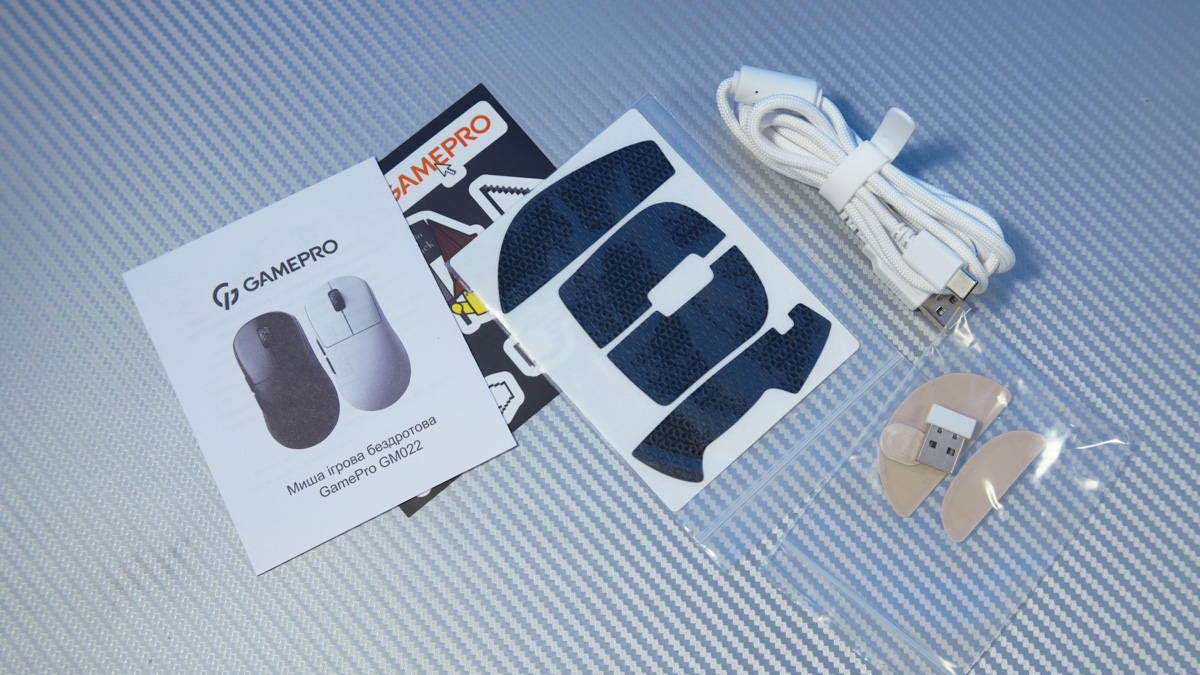
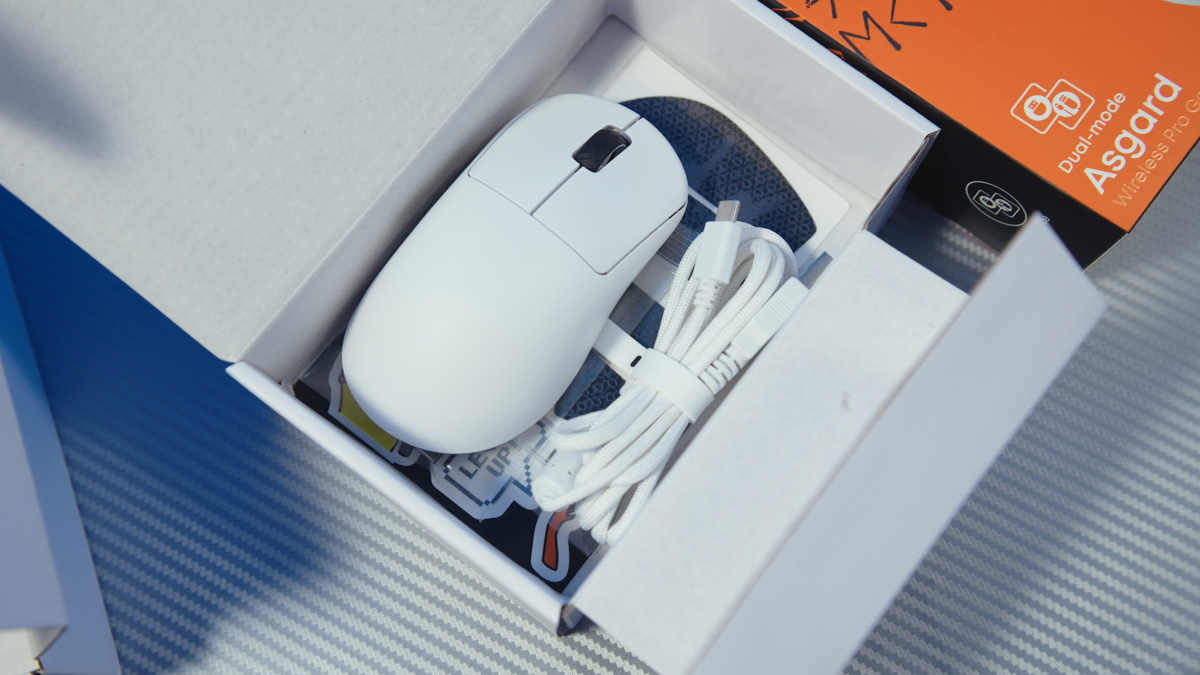
It’s worth noting that all three mice are hybrid, capable of operating both wired and over a 2.4 GHz wireless connection, and can be used while charging. However, for wired use, a Type-A to Type-C cable is generally required. Only the Odin avoids this limitation, but we will cover that in more detail later.

The external design of all three models is 99% identical. Each features a solid white matte ABS plastic body that feels very comfortable to the touch, two black side buttons, a textured scroll wheel, and a Type-C port at the front. On the underside are the switches. Interestingly, the Loki and Odin share the same layout – a power toggle and a DPI button – while the Thor has three switches, plus a three-LED status indicator and a set of contacts.

All three mice strongly remind me of my favorite design, the Mionix Avior SK, though that model featured reversible colors. What the Asgard mice do excel in is refinement – both in terms of color, materials, and even the switches.
In particular, the side buttons deserve praise. I’ve always been extremely wary of pressing them on similar mice, but on all three Asgard models, the switches are crisp and firm rather than soft and mushy, which is what I usually fear. The sound of the clicks is demonstrated in the video review above.
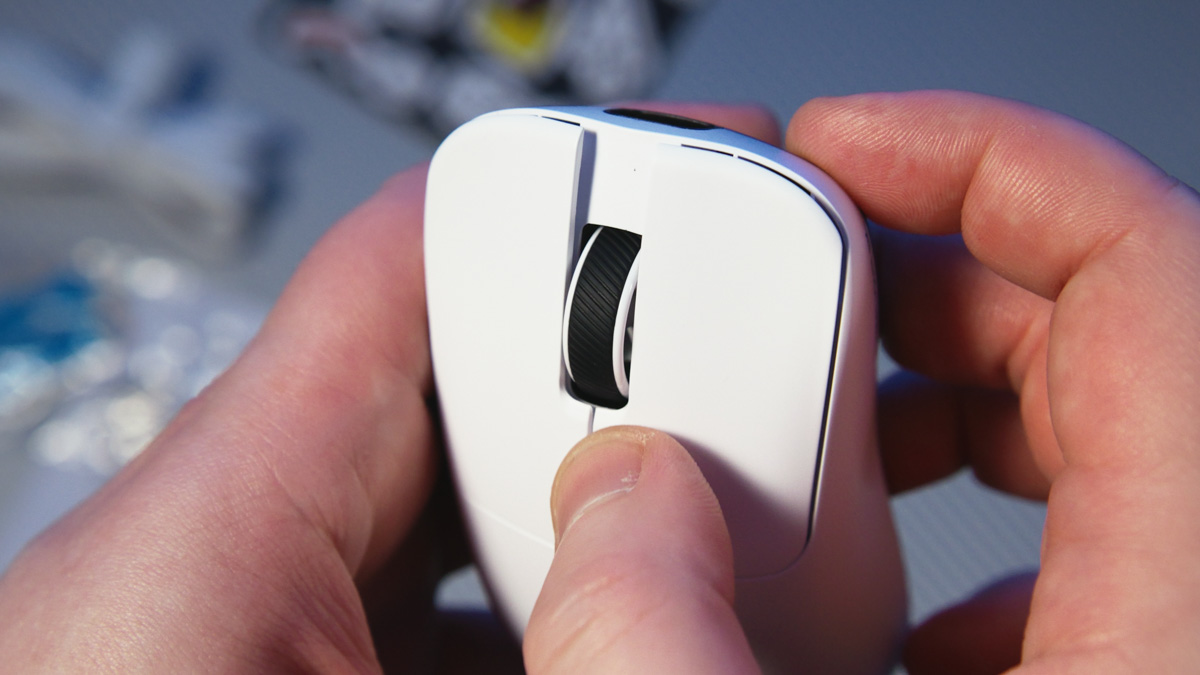
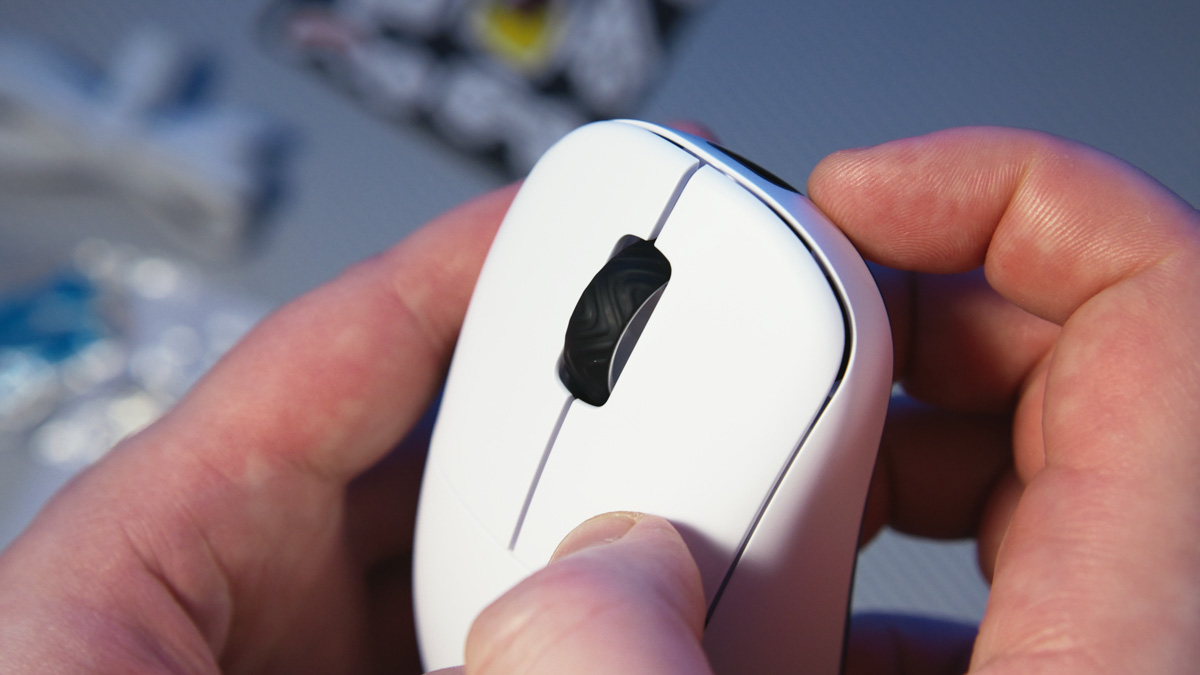
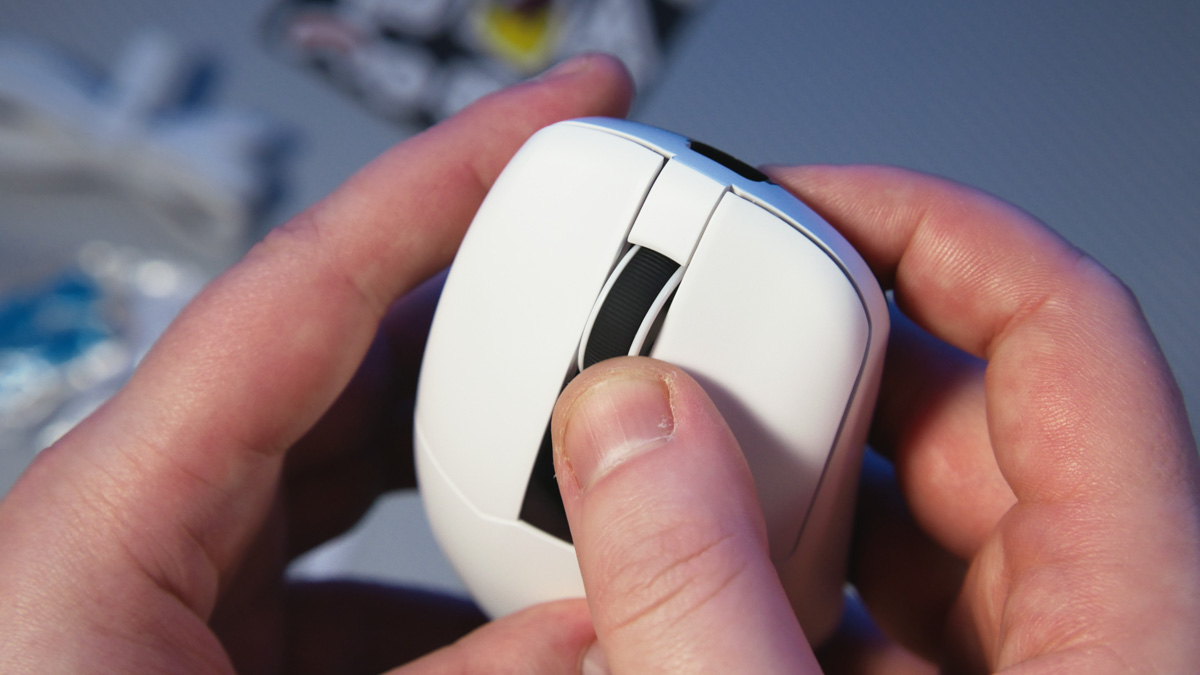
I was surprised to notice that the rubberized texture of the scroll wheels differs across all three models. Interestingly, the top view of each mouse is slightly distinct as well. None of them are fully ambidextrous, and none is objectively more comfortable than the others – but all three are ergonomic and extremely pleasant to hold.

Using them is even more enjoyable because, as you may have noticed, all three mice – without any skeletonized design – are under 60 g. Interestingly, the more expensive and higher-tier the model, the lighter it is. The Loki weighs 52 g, the Thor 56 g, and the Odin an astonishing 39 g.
And this is for the wireless versions, with batteries built in! Battery life is advertised at up to 40 hours of continuous use. I’ll discuss the factors affecting autonomy in more detail later.
The clear winner here is the Asgard Thor. Why? It is the only model of the three that comes with a charging station – and not just any station, but a hybrid one with RGB lighting. The lighting can be cycled via a button on the underside or even turned off entirely.

This hub also functions as a receiver: simply remove the 2.4 GHz adapter from the mouse, plug it into the hub, and connect the hub via Type-C to a PC, laptop, or other device – and the mouse works. This feature is unique within the lineup. For example, in the Loki, the adapter cannot be stored in the body, while the Odin uses a special proprietary adapter, for reasons I will discuss later.

The Thor’s uniqueness doesn’t stop there. First, it is the only model of the three that supports three connection modes, with the third being Bluetooth, in addition to wired and 2.4 GHz wireless. Second, the Thor features a full LED display on the body. This display not only shows complete real-time specification data but is also interactive – you can press it, and the input is functionally controlled via software.

Unlike the keyboards, the Asgard mice do not use browser-based software. Instead, their software is offline, not universal, and – unfortunately – hosted on Google Drive rather than the manufacturer’s official site. Each of the three mice has a separate program, and these applications are completely independent of the mice’s hardware.
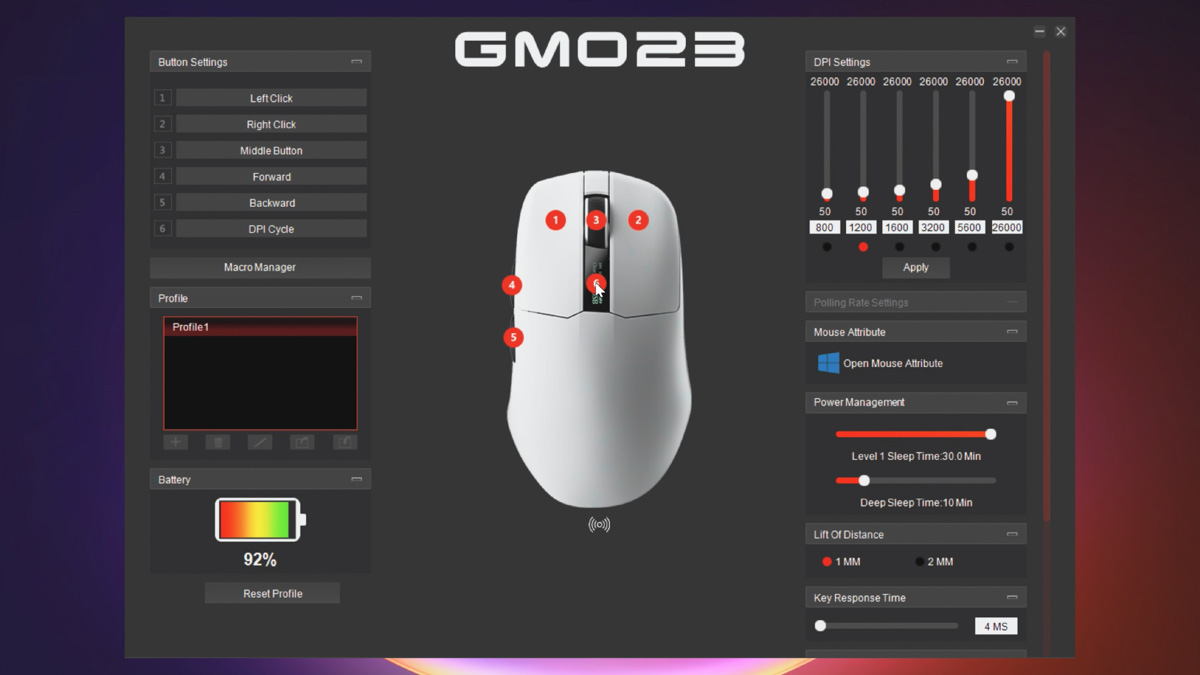
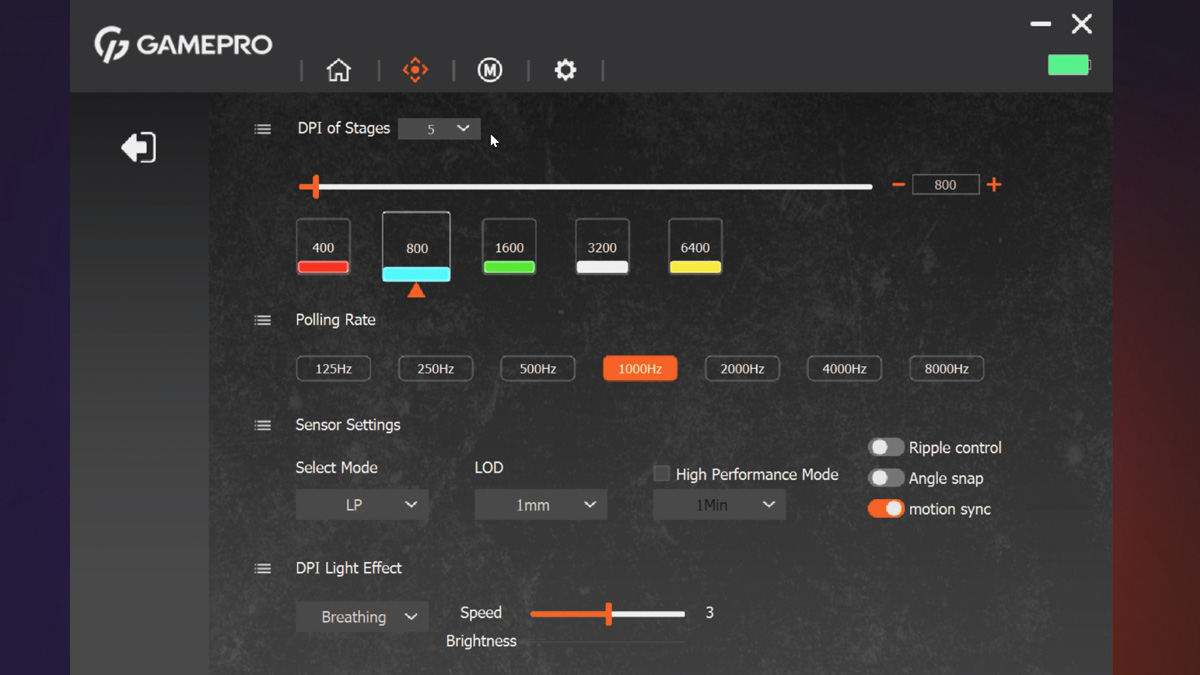
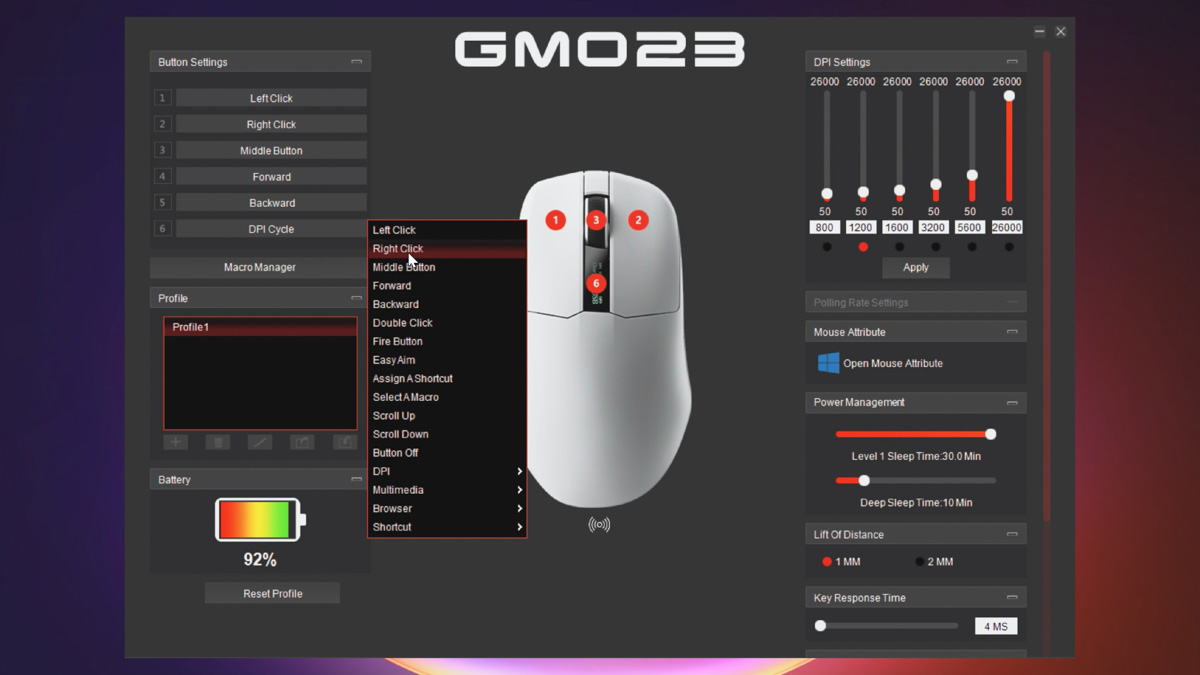
For the Odin and Loki, the software feels less outdated than simply untidy. For example, PNG files could easily be larger without causing any issues. Additionally, DPI profiles cannot be switched without manually activating them – so if you want the full 25,600 DPI, you need to enable each profile step by step.
On the positive side, there are unique switches. For instance, a high-performance mode extends the operational range from the receiver. In the case of the Asgard Odin, the polling rate can be increased from 1,000 Hz all the way up to 8,000 Hz!

This, however, switches the power mode from energy-saving to performance, which reduces battery life to around 30 hours – explaining the autonomy point I promised to cover. In the Asgard Loki, performance mode does not affect battery life, but the side LED indicator is active and fully customizable across a wide range. The Odin also has a side LED, though it is less prominent.

Finally, let’s focus on the specifications, because they explain why the GamePro Asgard Odin costs significantly more than the Thor, despite lacking a display on the body or an additional connection mode. The difference comes down to the sensor: the PixArt PAW3950. And if the number 3950 rings a bell – perhaps reminding you of Ryzen – it’s not entirely coincidental; you’re on the right track.

This is a fully flagship-level sensor for gaming mice. It offers a DPI range from 400 to 30,000, a maximum tracking speed of 750 IPS, and acceleration up to 50 G. Lift-off distance ranges from 0.7 to 2 mm, and the polling rate reaches up to 8,000 Hz in wireless mode. There is also the PixArt PAW3950 Max, but that sensor is reserved for premium mice, which can cost up to five times more than the Odin.

For comparison, the Thor and Loki use the PixArt PAW3395, a flagship sensor from previous years that performs roughly 10–20% lower than the 3950 in key metrics. The biggest differences are in tracking on glass – the 3950 handles it flawlessly, while the 3395 can struggle – and in lift-off height, 0.7 mm versus 1 mm. These distinctions are particularly important for esports performance.

However, this performance comes at a cost. If you’ve noticed, the Odin comes with a thicker 1.8 m USB-C cable, noticeably more robust than the cables included with the Thor and Loki. This is because it’s a USB 3.0 cable, required for high-speed data transmission from the wireless adapter when polling rates exceed 1,000 Hz.

No need to worry – any high-speed cable will work. I tested the Odin using a USB-C cable from a Goodram HX200 SSD, and the receiver functioned perfectly. However, with a USB-C 2.0 cable, the receiver wasn’t recognized at all, even in Windows.
User Experience
A few words about the overall experience: all three mice are ultra-light, refined, and extremely comfortable to hold – even without grips. I’m used to heavier mice, as I usually prioritize weight for work tasks. However, even in shooters, I notice how much easier and more enjoyable it is to use these 50‑gram wireless miniatures.
Conclusion
In summary, the GamePro Asgard Odin, Thor, and Loki are much closer to the Drakkar line than Valhalla. My personal favorite is the Thor, as I love mice with charging stations and on-body displays. For esports players, the Odin is the better choice, while anyone seeking a simple, sleek gaming mouse will find the Loki to be an excellent option.
Anyway, let us know in the comments which of these three mice you liked the most and why!
Read also:
- Cougar Minos Neo Express Review: An Affordable Gaming Mouse That Delivers
- ASUS ROG Gladius III Core Mouse Review: Asymmetric Design, Hot-Swap Switches, New Switch Technology, and Gear Link
- ASUS ROG Harpe Ace Mini Wireless Gaming Mouse Review
- Design vs. Features: Choosing Between the Bloody W72 Ultra and R72 Pro


