





© ROOT-NATION.com - Use of content is permitted with a backlink.
Today I’m reviewing the ROG Strix Morph 96 Wireless – a new keyboard from ASUS that is expected to officially launch within the next few days. At the moment, the device is only available through pre-orders, while full retail availability is scheduled for approximately June 15. That said, we already have an opportunity to take a detailed early look at it. The new model is a 96% full-size keyboard featuring hot-swappable switches, three connectivity modes, and several original engineering solutions in the chassis design. The latter, incidentally, is the device’s defining feature. Today we’ll take a closer look at the keyboard, examine its strengths, and see what new features ASUS has introduced this time.
Read also: All gaming reyboard reviews
TABLE OF CONTENTS:
Morph Concept and Technical Specifications
First of all, it is important to clarify that the ASUS ROG Strix Morph 96 Wireless represents an entirely new product line for ASUS, with the Morph 96 Wireless effectively serving as the first keyboard in the series.
The core idea behind the new lineup is already reflected in the name “Morph.” The concept centers around extensive customization options – not only in the familiar sense of replacing keycaps or switches, but also through modification of the keyboard’s internal structure itself. Importantly, ASUS designed the system in a way that even users with no prior experience in custom keyboard builds should be able to work with it comfortably.
To achieve this, ASUS implemented an original top-access construction that allows quick and relatively simple access to internal components, including the plate, sound-dampening layers, and even the bottom section of the chassis. This significantly simplifies various modifications and tuning procedures. That said, it is worth emphasizing from the outset that even in its stock out-of-the-box configuration, the keyboard is already very well executed.

- Model: ROG Strix Morph 96 Wireless
- Form factor: 96%
- Connectivity: wireless (2.4 GHz RF, Bluetooth), wired (USB-C to USB-A)
- Switches: ROG NX V2 Mechanical Switch (Snow / Snow)
- Hot-swappable: supported (5-pin / 3-pin)
- Polling rate: 1000 Hz
- Anti-ghosting: full (N-Key Rollover)
- Construction: Gasket Mount
- Keycaps: ROG Doubleshot ABS
- Lighting: RGB compatible with Aura Sync
- Proprietary software: Gear Link, Armoury Crate
- Onboard memory: 6 profiles (default + 5 user-defined)
- Controls on the chassis: multifunction button + adjustment dial
- Cable: detachable USB-C to USB-A (1.8 m)
- Chassis material: aluminium, plastic
- Dimensions: 398×134×39 mm
- Weight: 1125 g
- Model features: 96%; three connection modes; hot-swap; pre-lubricated switches / stabilisers; Gasket Mount; modular design with improved top access to components for customisation; multifunction button and roller for adjustment; side chassis lighting; browser-based settings; ROG Omni Receiver; ROG SpeedNova
- Contents: keyboard, ROG Omni Receiver wireless adapter, dual puller for keycaps and switches, three translucent ROG keys, Copilot key, USB-A to USB-C adapter, Torx key, detachable USB-C to USB-A cable, ROG branded stickers, user manual, warranty booklet

Positioning and Price of the ROG Strix Morph 96
In terms of positioning, the ASUS ROG Strix Morph 96 Wireless feels like a fundamentally new mainstream model that ASUS designed for a very broad audience. It works for regular gamers who simply want a solid and visually appealing keyboard. It also targets more demanding users who care not only about basic functionality, but also about typing feel and the overall tactile experience of using the device. At the same time, it appeals to enthusiasts interested in customizing their peripherals, as well as complete newcomers exploring the custom keyboard scene for the first time. In short, this is a keyboard designed to suit almost everyone. If it used magnetic switches, it could probably extend that audience to include esports players and highly competitive gamers looking for that level of input precision as well.

The pricing of the new ASUS ROG Strix Morph 96 Wireless can also be described as fairly approachable: not exactly a budget model, but far from the most expensive option in ASUS’s lineup either. Within the company’s keyboard portfolio, it sits comfortably in the mid-range segment.
The keyboard is priced at $169 / €145. However, as is often the case with new launches, ASUS is offering a promotional introductory price, reducing the cost to approximately $144 / €124 for early buyers. In one of my previous reviews, I mentioned that new ASUS peripherals are often more attractive to purchase at launch rather than waiting for discounts later. The new ROG Strix Morph 96 Wireless is a good example of exactly that situation.
Package Contents
The ASUS ROG Strix Morph 96 Wireless comes in ASUS’ recognizable retail packaging with the signature ROG-series visual design. The box immediately communicates both the type of device inside and its key features.


The accessory bundle itself is fairly solid. In addition to the ASUS ROG Strix Morph 96 Wireless, the package includes:
- wireless receiver
- dual-purpose keycap and switch puller
- three alternative semi-transparent ROG keycaps
- dedicated Copilot keycap
- USB-A to USB-C adapter
- Torx key
- detachable cable
- branded ROG stickers
- user manual
- warranty booklet

The proprietary ROG Omni Receiver operates over a 2.4 GHz connection and is stored out of the box in a small magnetic compartment built directly into the ASUS ROG Strix Morph 96 Wireless. The receiver supports ASUS’ proprietary ROG SpeedNova wireless technology, which is designed to improve connection stability while minimizing latency. It also supports pairing with a second compatible ASUS wireless device. For example, a keyboard and mouse can share a single Omni Receiver, effectively freeing up an additional USB port on the PC.

The included dual-purpose puller is fairly standard: one side is designed for removing keycaps, while the other is intended for extracting switches from the ASUS ROG Strix Morph 96 Wireless. One detail worth highlighting is the length of the keycap puller prongs – they are properly sized here. As a result, removing larger keys should be noticeably easier and more convenient than with many shorter pullers commonly included in accessory bundles.

The semi-transparent ROG keycaps can be used to replace the stock ESC and ENTER keys on the ASUS ROG Strix Morph 96 Wireless. They look surprisingly stylish, so I installed them immediately after unboxing the keyboard. The included Copilot keycap can replace the default right-side CTRL key. An interesting detail is that on many other ASUS keyboards this key is preinstalled out of the box, whereas here ASUS takes the opposite approach and leaves the choice to the user.

The USB-A to USB-C adapter included in the ASUS ROG Strix Morph 96 Wireless package is the same type commonly bundled with other ASUS keyboards and mice.

The included L-shaped Torx key features star-shaped tips and is used to quickly remove five screws on the chassis of the ASUS ROG Strix Morph 96 Wireless, allowing full removal of the top case. Notably, the tool is magnetic – small screws remain attached to the tip during both removal and reassembly, which is a very convenient detail in practice.

The detachable cable is a standard USB-C to USB-A unit with a length of 1.8 m. It uses a basic rubber coating rather than a braided sleeve, but includes ROG-branded connectors and a rubber strain relief. The cable is flexible and straightens without issues, and in general it works comfortably for wired use of the ASUS ROG Strix Morph 96 Wireless, for example when the keyboard is being charged or used in a wired mode.

The included ROG stickers are standard – the same type that has frequently been bundled with other ASUS devices. The same applies to the warranty booklet, which comes in the form of a small, conventional pamphlet.

The user manual is presented as a large folded paper sheet covering multiple languages. One useful detail is that it clearly marks all the screws on the chassis of the ASUS ROG Strix Morph 96 Wireless that need to be removed in order to detach the top case.

Overall, the ASUS ROG Strix Morph 96 Wireless offers a solid and even quite generous bundle. However, one notable omission is the lack of spare switches, which are typically included with most hot-swap keyboards. ASUS once again does not include them with the Morph 96, and this can reasonably be considered a minor drawback – especially given that the proprietary ASUS switches cannot be purchased separately anywhere on the market. Aside from that, the overall package remains well thought-out and well executed.
Read also:
- ASUS ROG Strix Arion SSD Enclosure Review: 20 Gbps and NVMe / SATA Support
- ASUS ROG Falchion Ace 75 HE Keyboard Review: Expanded Layout, Hotswap, 8000 Hz, and Gear Link
Design, Ergonomics, and Build Quality
At first glance, the keyboard looks like a typical gaming device, immediately recognizable as part of ASUS’ ROG design language, with clear visual similarities to the ROG Strix Scope II 96 Wireless. It features a precision-machined aluminum top case with perfectly straight edges, signature ROG branding elements, a multifunction button with a scroll wheel, and an impressive lighting system. Interestingly, the RGB implementation is not limited to the keycaps – it also extends to the chassis itself, enhancing the overall visual effect.


The new ASUS ROG Strix Morph 96 Wireless uses a 96% form factor with a standard ANSI layout. In practice, it is essentially a full-size keyboard with a numpad, where some of the function keys have been consolidated into the top row. This layout helps preserve most of the key set while reducing the overall footprint, making the keyboard more compact. Its dimensions are 398 × 134 × 39 mm.

One immediate thing to note is the keyboard’s height – due to its internal construction, the ASUS ROG Strix Morph 96 Wireless sits quite high and practically calls for a wrist rest. This is also where a small critique of the bundle can be made: considering the price segment of the model, ASUS could reasonably have included a wrist rest in the package.

The chassis of the ASUS ROG Strix Morph 96 Wireless is built from a combination of metal and plastic. The top case is made of aluminum, while the sides and bottom are constructed from high-quality matte plastic. Despite this hybrid construction, the keyboard weighs 1125 g.


Inside, the keyboard features a gasket-mounted design with gasket-mounted switches and a full set of damping layers for a more pleasant typing experience, both in terms of feel and sound. You can see exactly what’s inside the keyboard on the official ASUS website. I won’t list everything here, but I’ll simply provide a clear screenshot below.
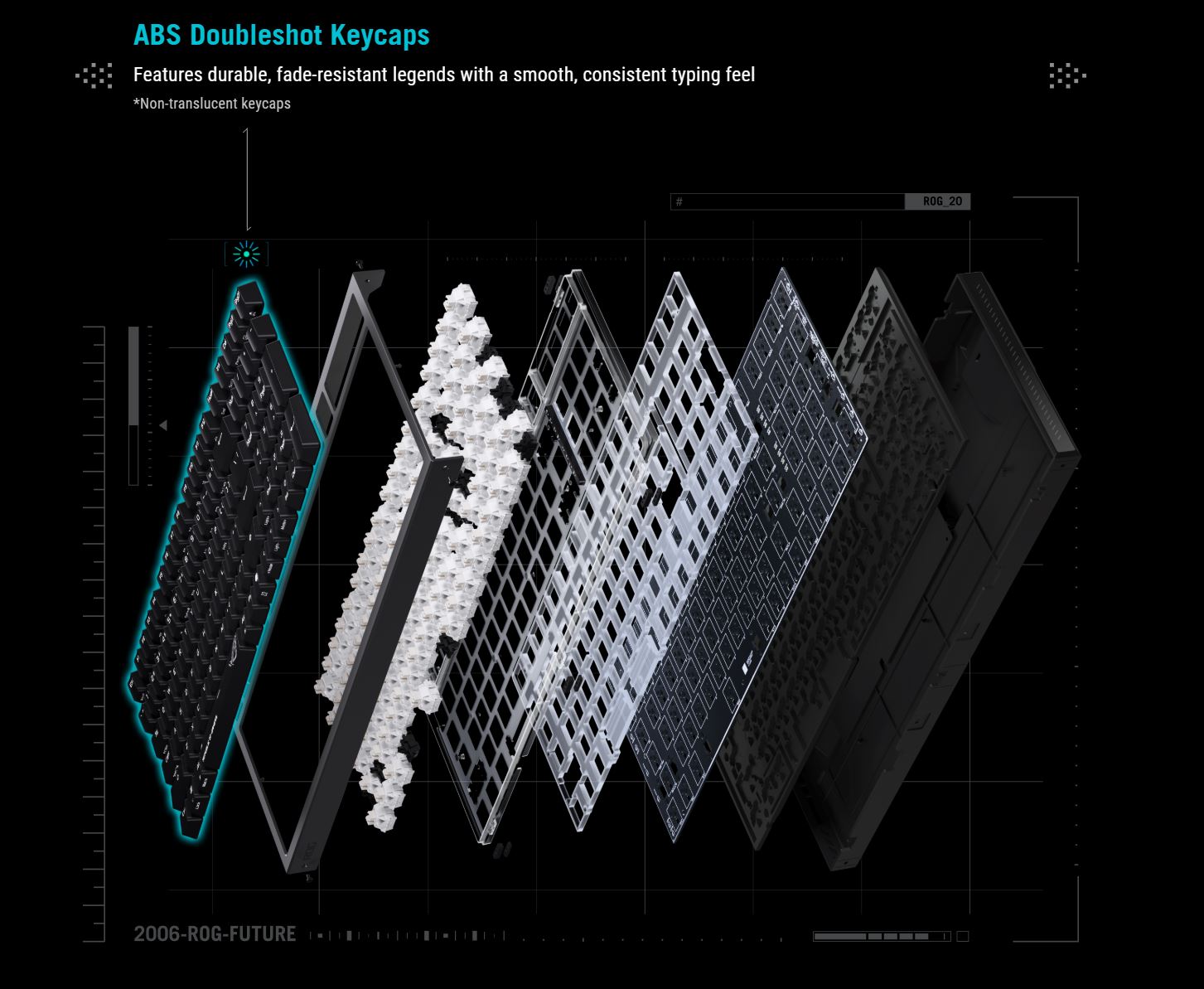
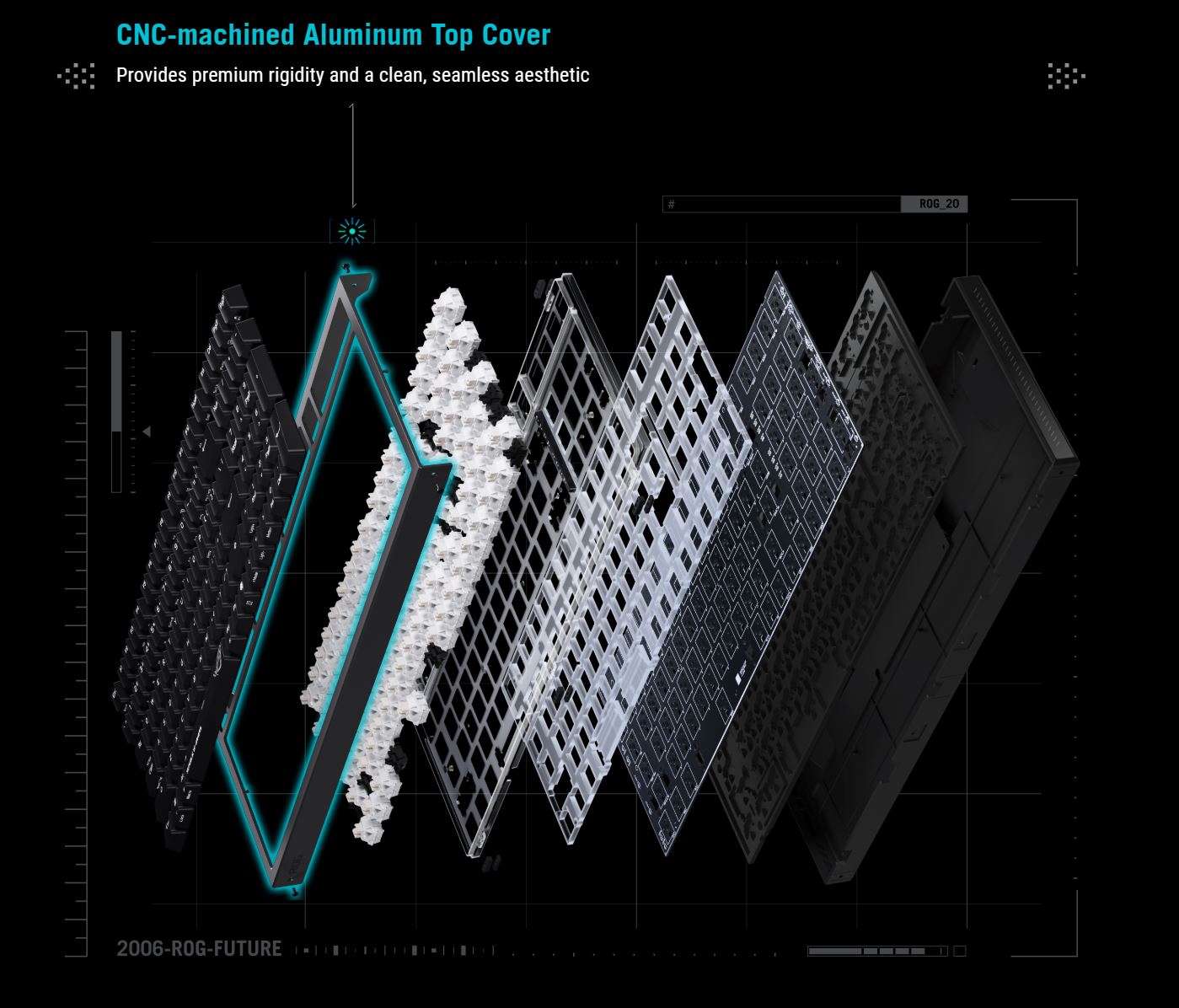
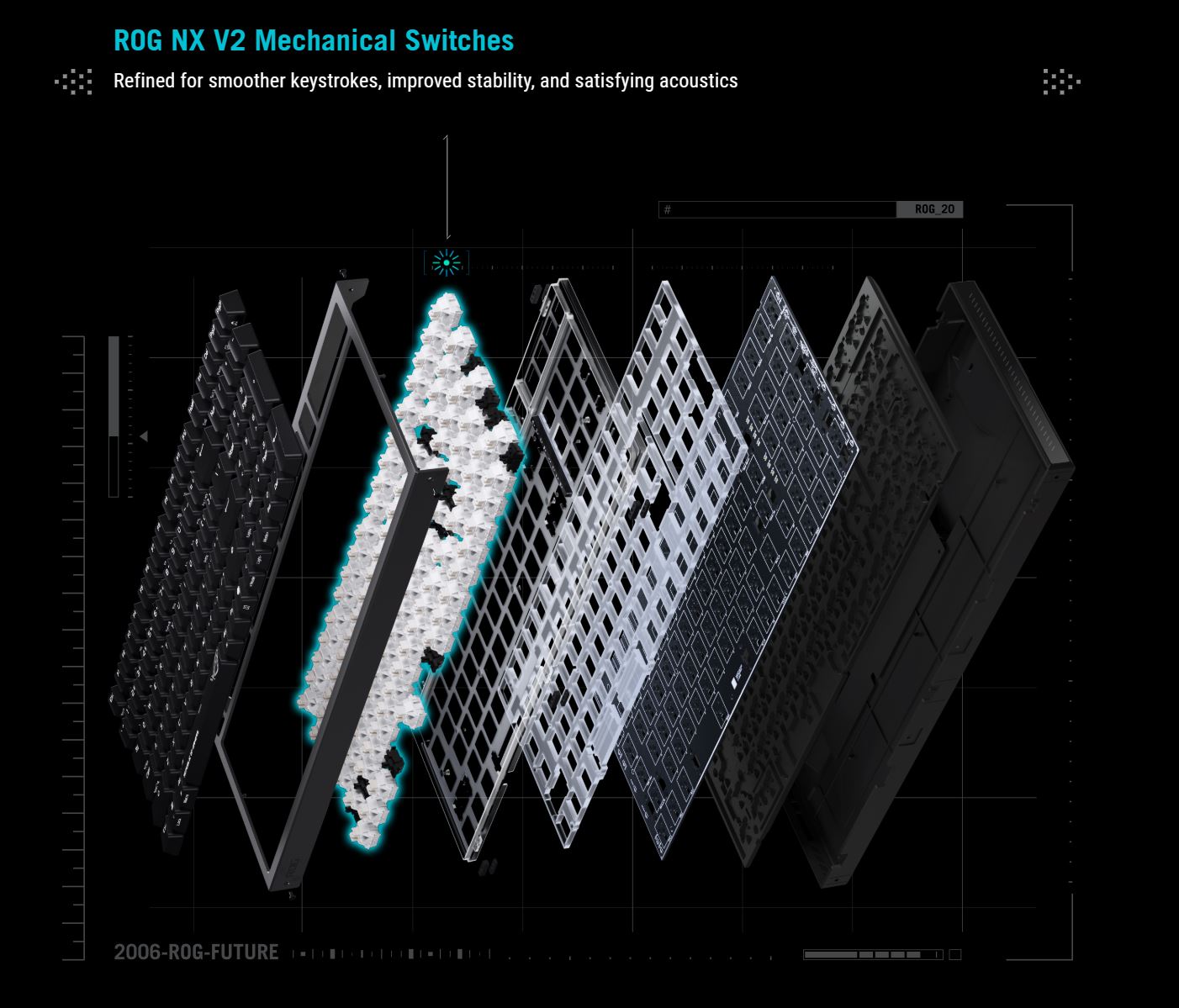
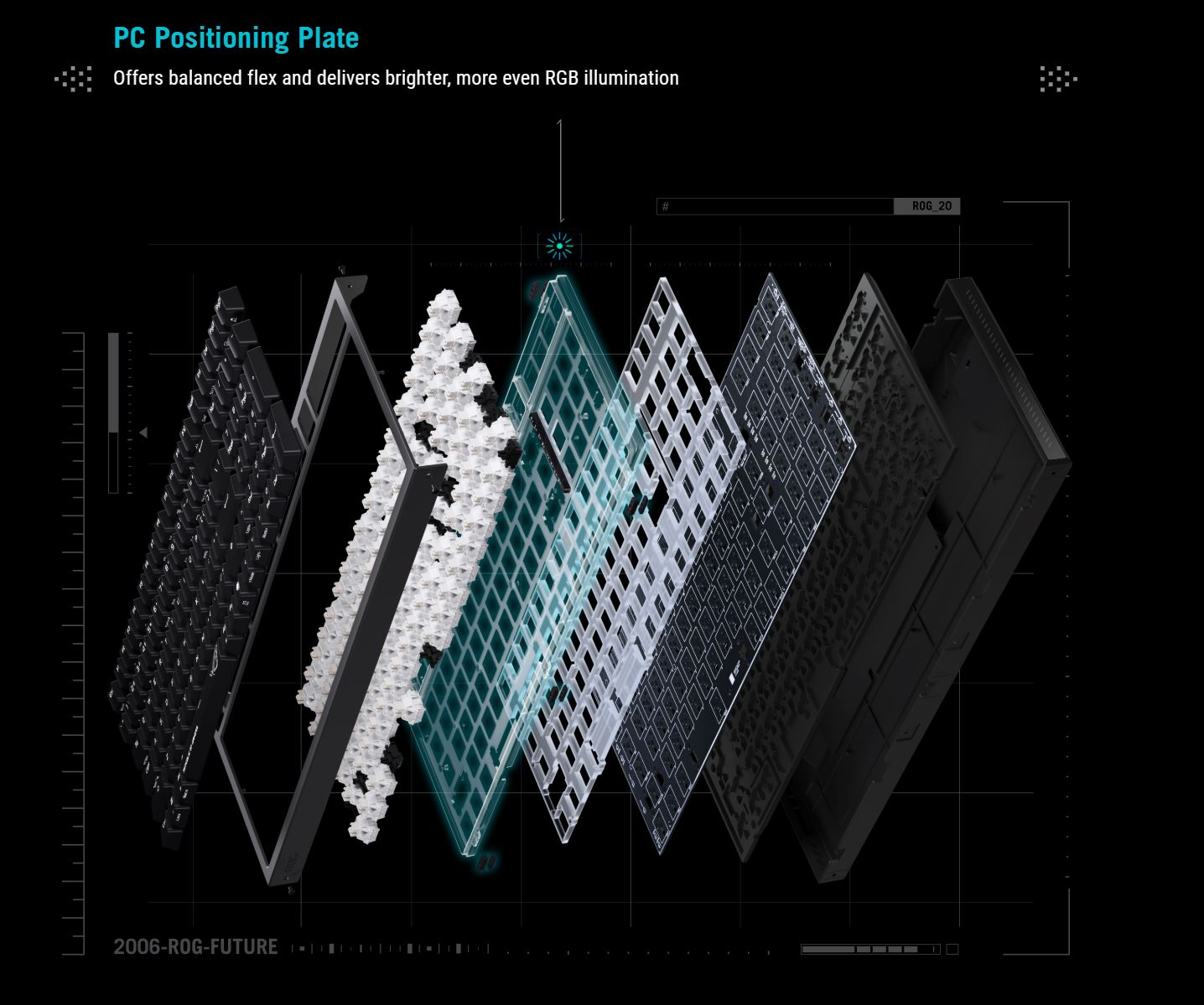
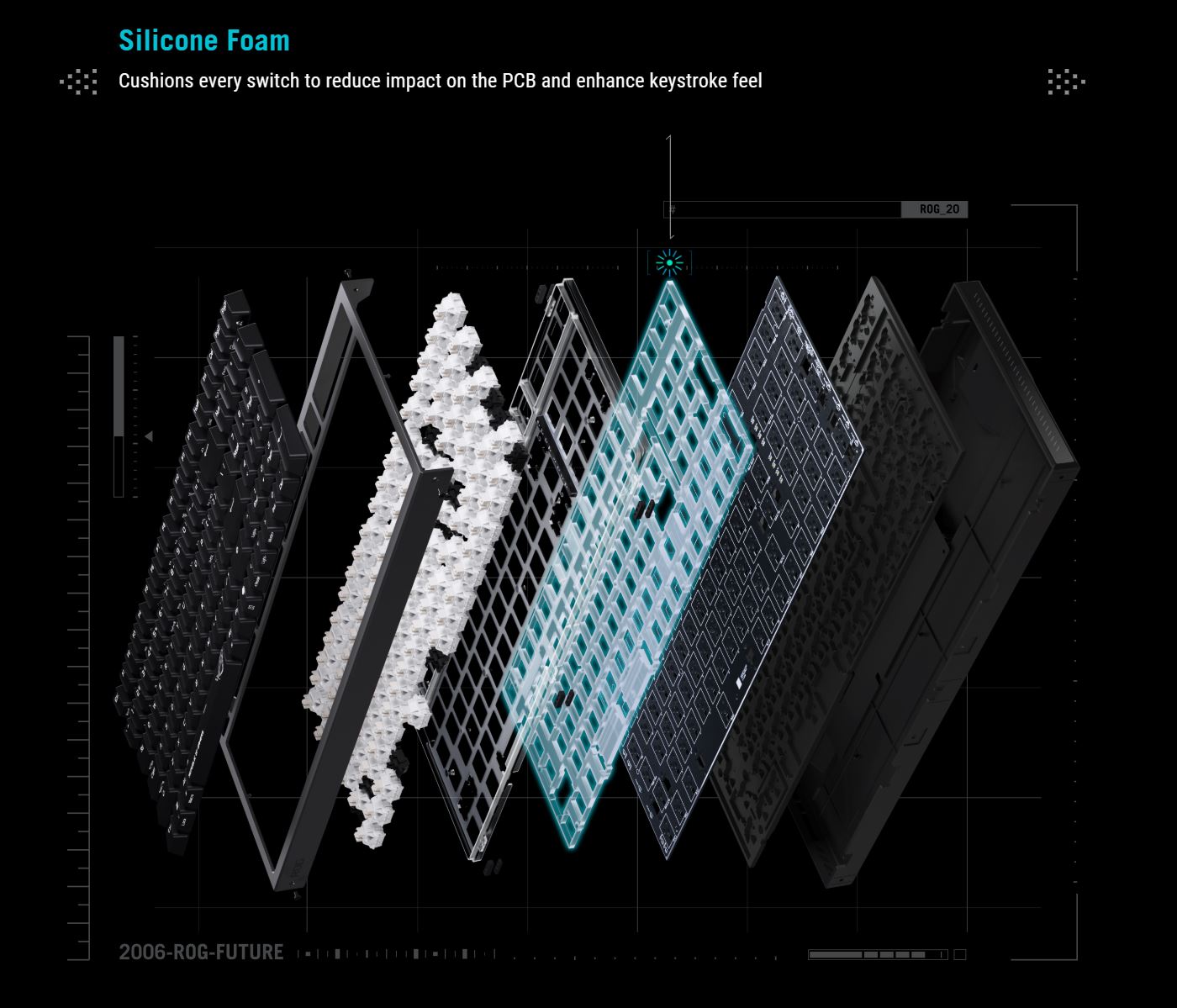
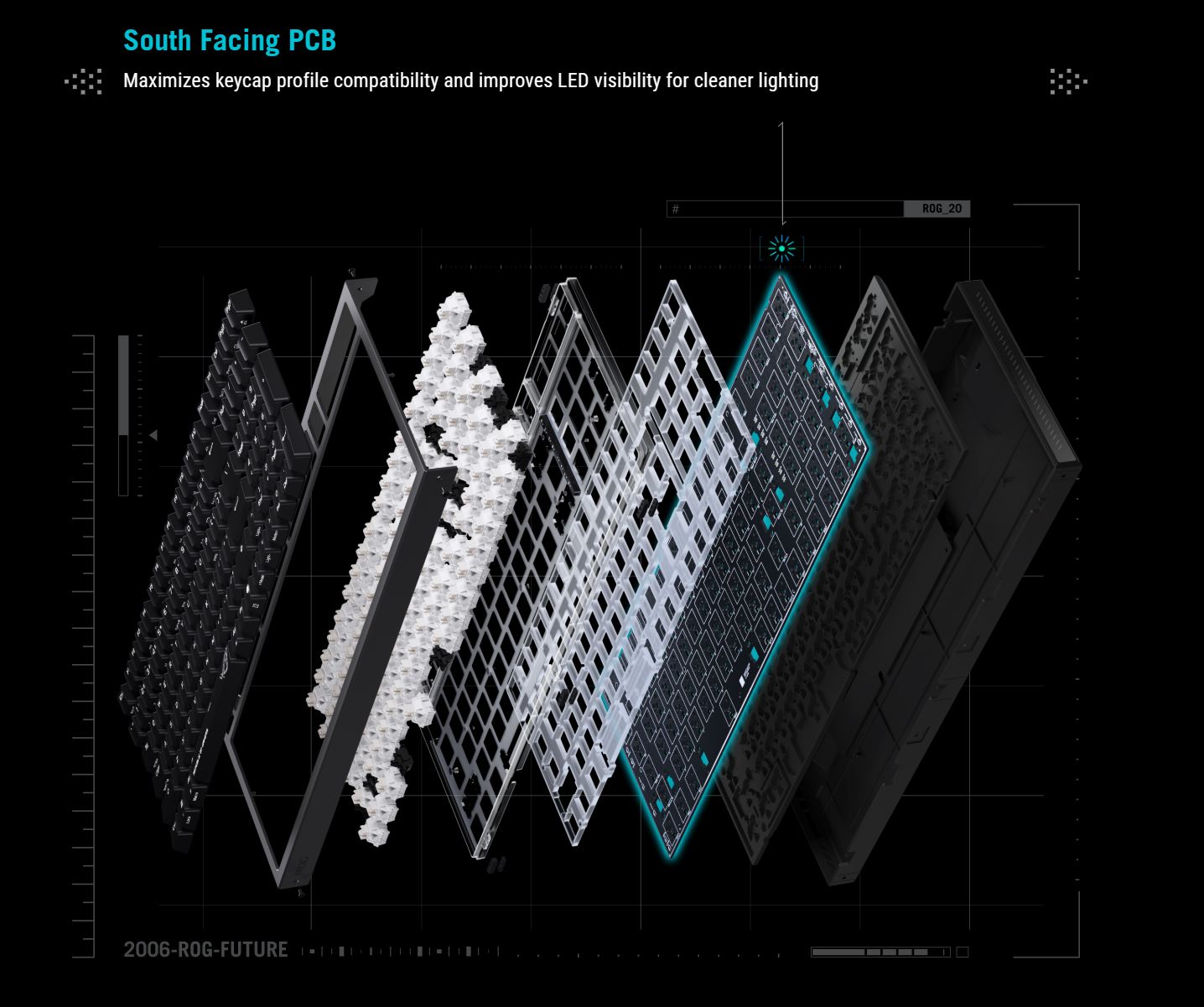
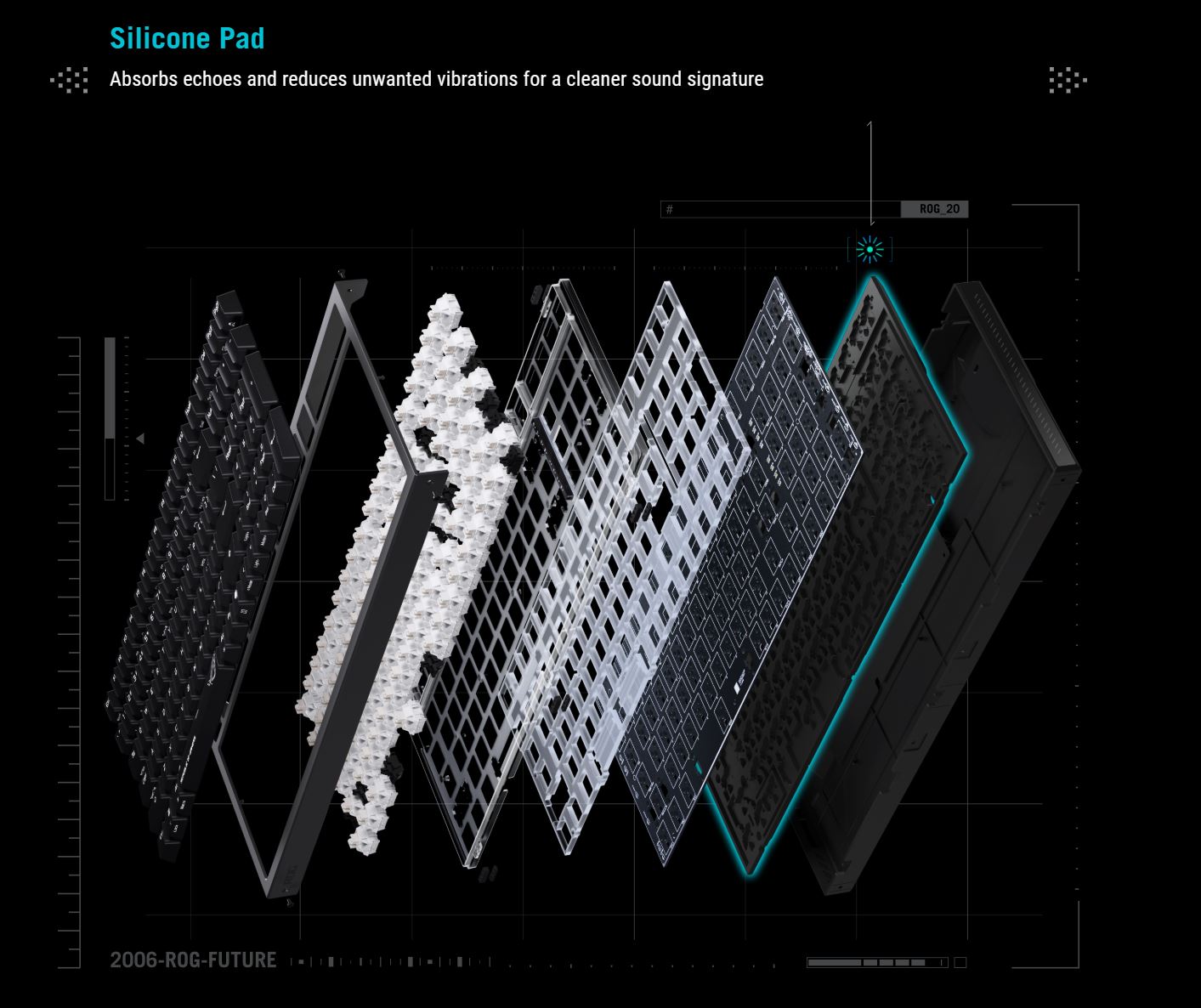
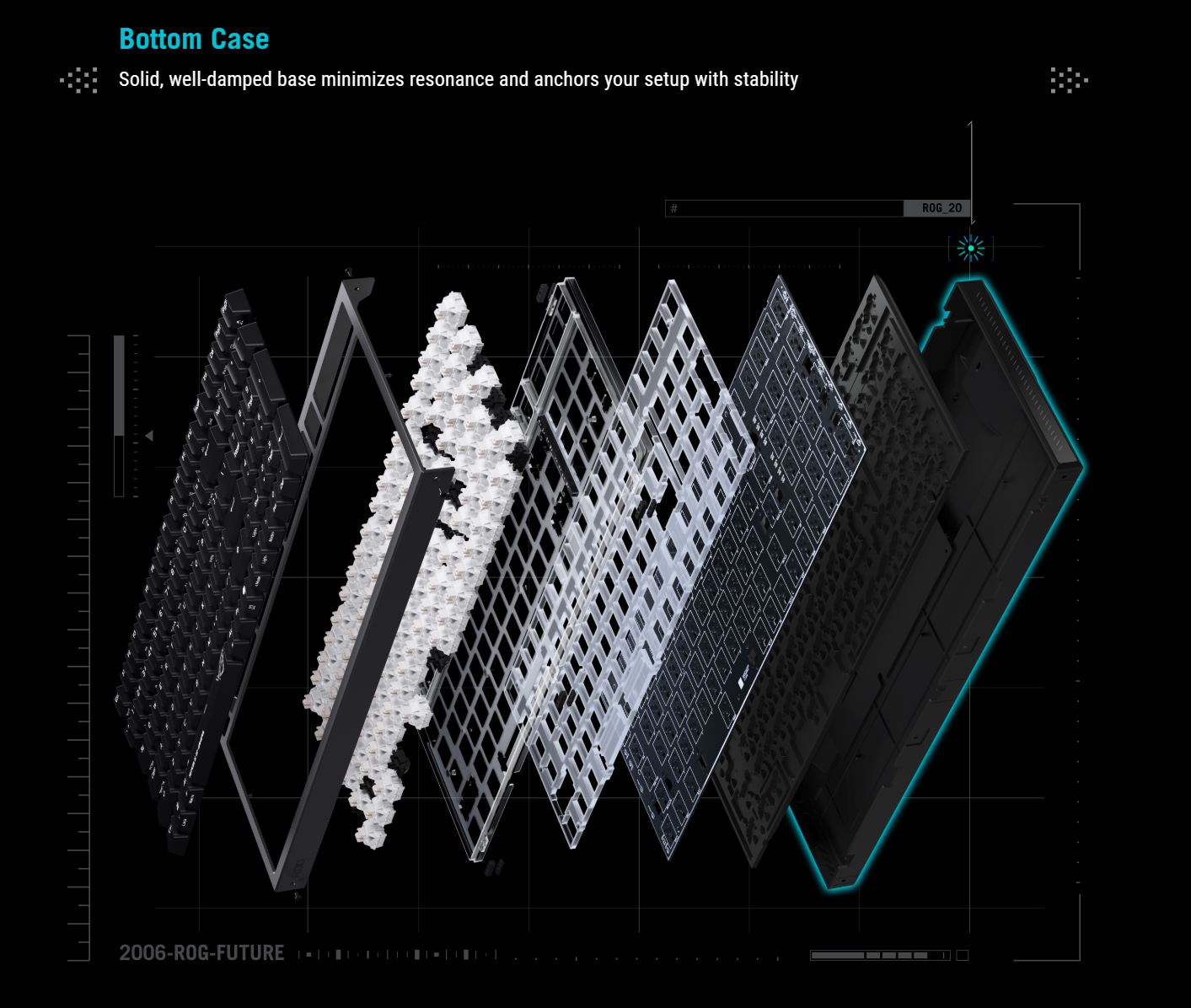
As noted at the beginning, the key feature of the new Morph model is the ability to quickly and easily customize the keyboard not only at the level of keycaps and switches, but also within the internal structure itself. For this purpose, ASUS implemented a special design in the new model with top access to the internal components.

In other words, to disassemble the keyboard, you don’t even need to turn it over. It is enough to simply remove the metal top case, which is secured to the body with five screws. In principle, they are clearly visible anyway. However, if needed, the included manual provides a diagram with a clear indication of which screws need to be removed and where they are located.

The top case comes off very easily – you simply unscrew all the bolts and lift it upward. There are no hidden fasteners or clips that could potentially break. This is precisely the idea: to make it easy enough to disassemble even for beginners who have never customized keyboards before.


After removing the top case, the entire internal structure of the keyboard becomes immediately visible. The only remaining steps are to remove the switches and then take out the plate to access the sound-dampening layers. In this review, I will not be doing that. First, I simply do not have any modifications to install. Second, as already mentioned, I personally find the new ROG Strix Morph 96 very good in its stock configuration. It offers solid typing performance, and overall both the sound and feel are quite well-balanced.


Another feature of the new Morph model is its design, more specifically the side lighting of the decorative case panels. In my view, it looks quite stylish and, most importantly, unobtrusive – it does not distract or draw unnecessary attention to itself. However, it is worth noting that this is a single lighting zone shared with the keys. In other words, the side panels and the keys cannot be configured separately.


Looking at the left illuminated panel, you have probably already noticed a roller and a multifunction button. The button is used to switch control modes (volume, media playback, lighting, and a custom mode), while the roller is used for the actual adjustments.

To identify the currently selected mode, it is enough to look at the panel located between the Backspace/Enter keys and the numpad. The active mode is indicated by the icon that is lit. This same panel also includes status indicators such as Win Lock, Caps Lock, Num Lock, as well as a Windows/macOS platform indicator.

In the stock configuration, the new Morph model comes with two-piece ABS keycaps in a standard Cherry profile. Notably, the legends are not backlit, which is quite unusual for ASUS keyboards in general.


Otherwise, the keycaps are solid: they are well made, with thick plastic and a pleasant, moderately textured surface that offers a balanced level of grip.


As already mentioned, ASUS includes three alternative semi-transparent keycaps with the keyboard, featuring the signature ROG design. I decided to install them right away, and below I will simply show how they look in combination with the keyboard’s lighting.


The keyboard features south-facing LEDs for broader compatibility with third-party switches and keycaps. In addition, the switches themselves include dedicated light diffusers, which provide bright and uniform light dispersion. Overall, the backlighting, as is typical for ASUS, is well executed: bright, vivid, evenly distributed, and smooth.

The bottom of the keyboard is made of plastic and features a linear texture with the signature ROG logo on the right side. Along the edges, there are two large, solid dual-stage feet that allow you to adjust the tilt angle and height. The keyboard stands on them stably and confidently. Overall, given their size, their durability does not raise any concerns.


On the front edge, there are connection mode switches (RF, USB, BT) and a standard USB Type-C port for the cable. Slightly further along, there is a magnetic compartment that houses the wireless dongle.


As you can see, there is no physical Windows/macOS platform switch here. Instead, switching between these operating modes is done using a simple key combination: FN + TAB.

Overall, the build quality of the keyboard is solid. During typical use, there are no creaks, looseness, or flex anywhere in the chassis. That said, if you deliberately try to twist the keyboard with force, you may notice a slight micro-flex, which is typical for enclosures made of two-part конструкции. However, under normal use, it is not noticeable at all.
The only element I can really criticize in terms of build is the roller. In general, it is functional and convenient, especially given its placement on the left side panel. However, it has noticeable wobble and play – it feels somewhat too loose. While rollers of this type are not expected to be overly tight, in this case it feels a bit excessively loose, which stands out compared to the rest of the components. In short, it could have been slightly more solid in its implementation. That said, this does not affect usability or performance in any way. Everything works reliably; it simply feels a bit unusual to the touch.

In terms of ergonomics, I don’t have any major complaints. The keyboard is comfortable and generally pleasant to use. The only aspect worth noting is the height of the chassis. The keyboard itself is quite large, and it really calls for a wrist rest, which ASUS, somewhat surprisingly, did not include in the box. Given the price point, it would have been reasonable to add one.

Read also:
- ASUS ROG Raikiri II Xbox Wireless Gamepad Review: TMR Sensors, Microswitches, and 1000 Hz Polling on PC
- ASUS ROG Cetra Open Wireless Review: Open-Ear Design, Hybrid Multipoint, and Strong Battery Life
Switches, hot-swap, typing
The new ROG Strix Morph 96 can be equipped with two types of proprietary switches: linear ROG NX V2 Snow or tactile ROG NX V2 Storm.

ROG NX V2 Snow are updated linear switches with a dust-resistant stem design featuring side walls. The actuation point is set at 1.8 mm, with an initial actuation force of 40 gf and a bottom-out force of 53 gf. Out of the box, they come with a dedicated lens (diffuser) for improved RGB light diffusion, as well as factory lubrication that provides smoother key travel.

ROG NX V2 Storm are tactile switches with the same 1.8 mm actuation point, but with a noticeable tactile force of 65 gf (actuation force ratio of 25%). The stem and housing are made from a composite material based on polyoxymethylene (POM) to ensure maximum smoothness. Factory tuning and lubrication are aimed at delivering a clean and pleasant typing sound.

I received the keyboard for review with the first type of switches, and I can say that they are quite good: soft, smooth, quiet, with consistent key presses and minimal key wobble. At the end of this section, there will be a video so you can hear how the keyboard sounds with them.

One of the key features of the new ROG Strix Morph is hot-swap support, allowing for switch replacement without soldering. In one of my previous reviews, I mentioned that the presence of hot-swap in a relatively affordable ASUS ROG keyboard suggested the brand would soon start integrating it across its lineup. The new Morph is a clear confirmation of that trend. Additionally, the concept itself essentially requires hot-swap support for full customization.
As for the sockets themselves, they are standard 5-pin. They are compatible with both 5-pin and 3-pin third-party switches.

Regarding the stabilizers for larger keys, the keyboard uses a plate-mount design. This means they are clipped directly into the metal plate rather than being screwed into the PCB. As a result, they can be easily removed and serviced without fully disassembling the case, although, as established, disassembly on the new ROG Strix Morph is not an issue anyway.
In use, the larger keys feel well-tuned. They offer the same soft, smooth, quiet, and stable keystrokes as the individual keys, without any unwanted noise. In other words, the stabilizers perform very well overall. The only characteristic worth noting is that they sit very tightly in the keycap slots and tend to come off together with the keycaps. This is not a drawback in my view; on the contrary, the tight fit combined with factory lubrication further improves the stability of the larger keys.
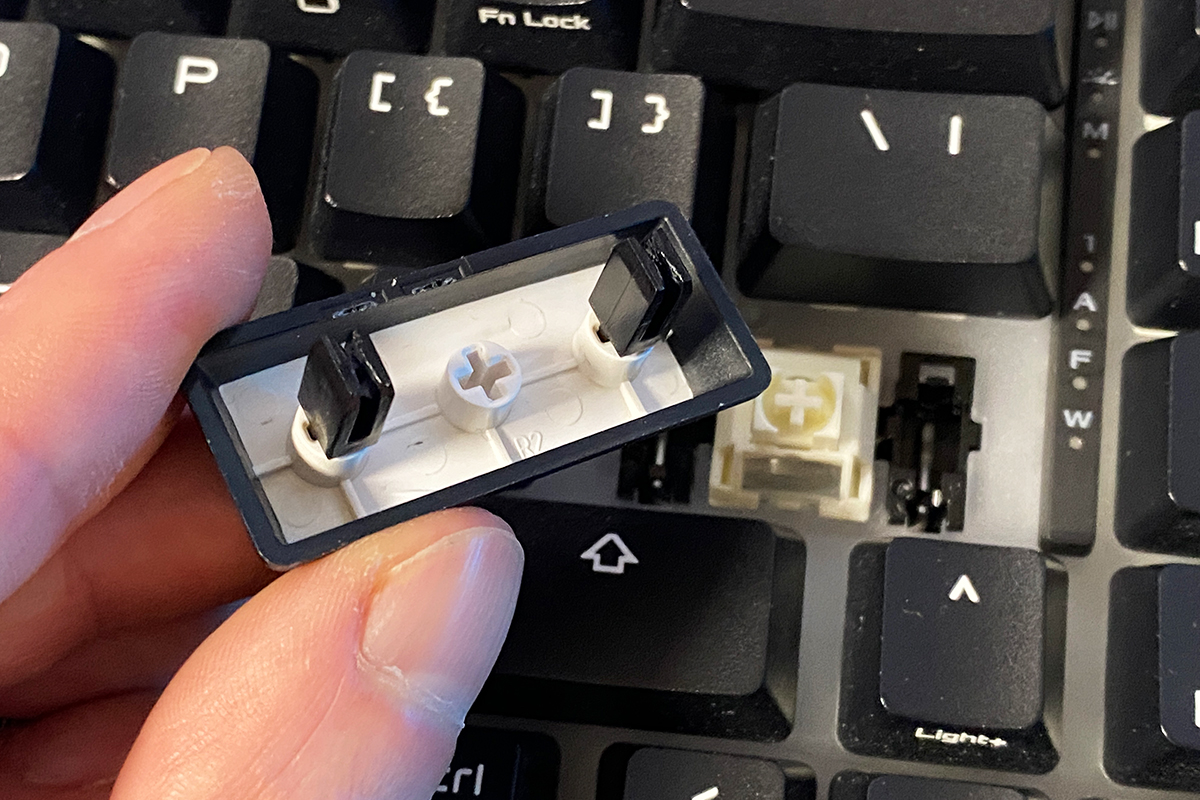
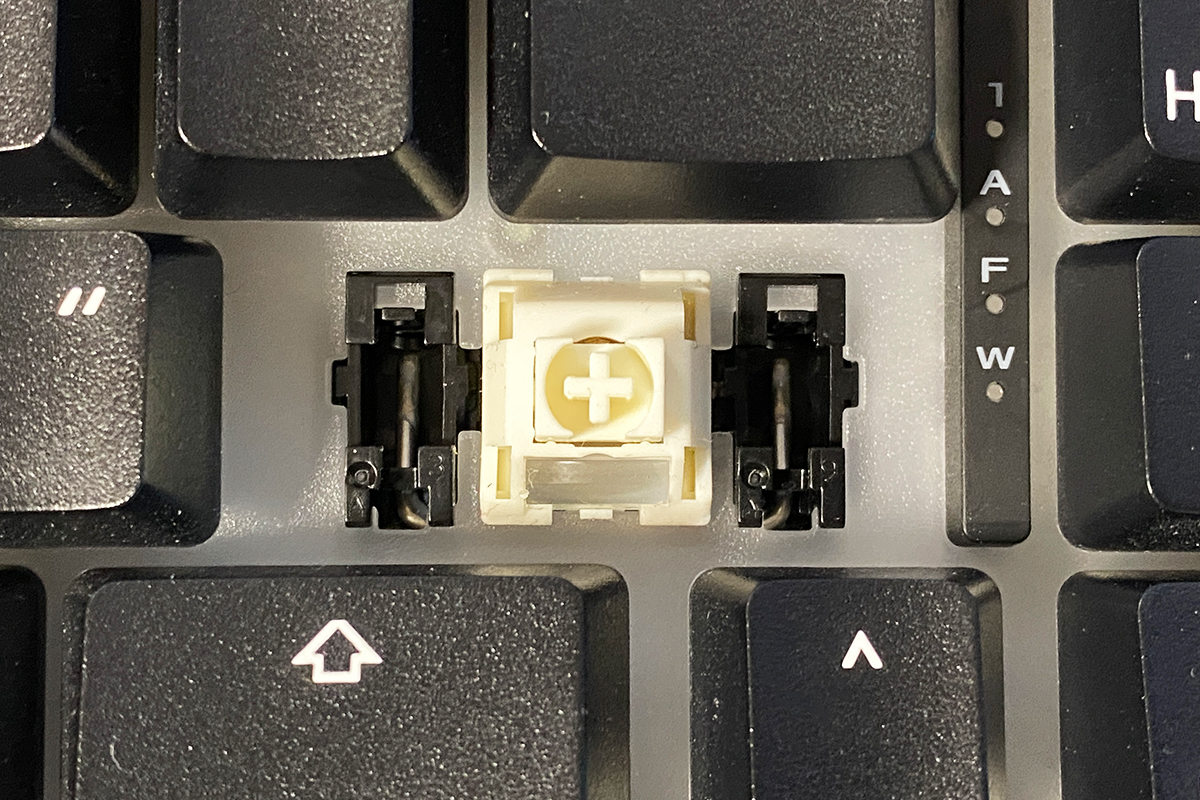
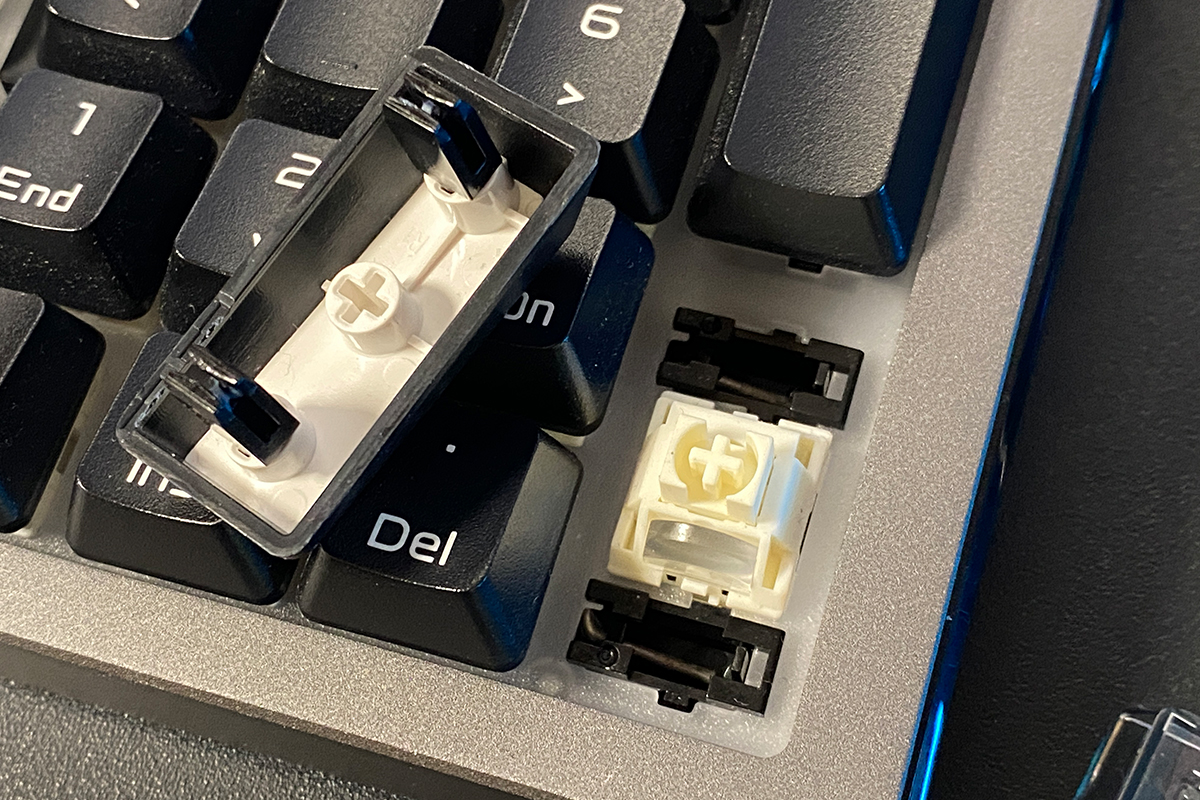
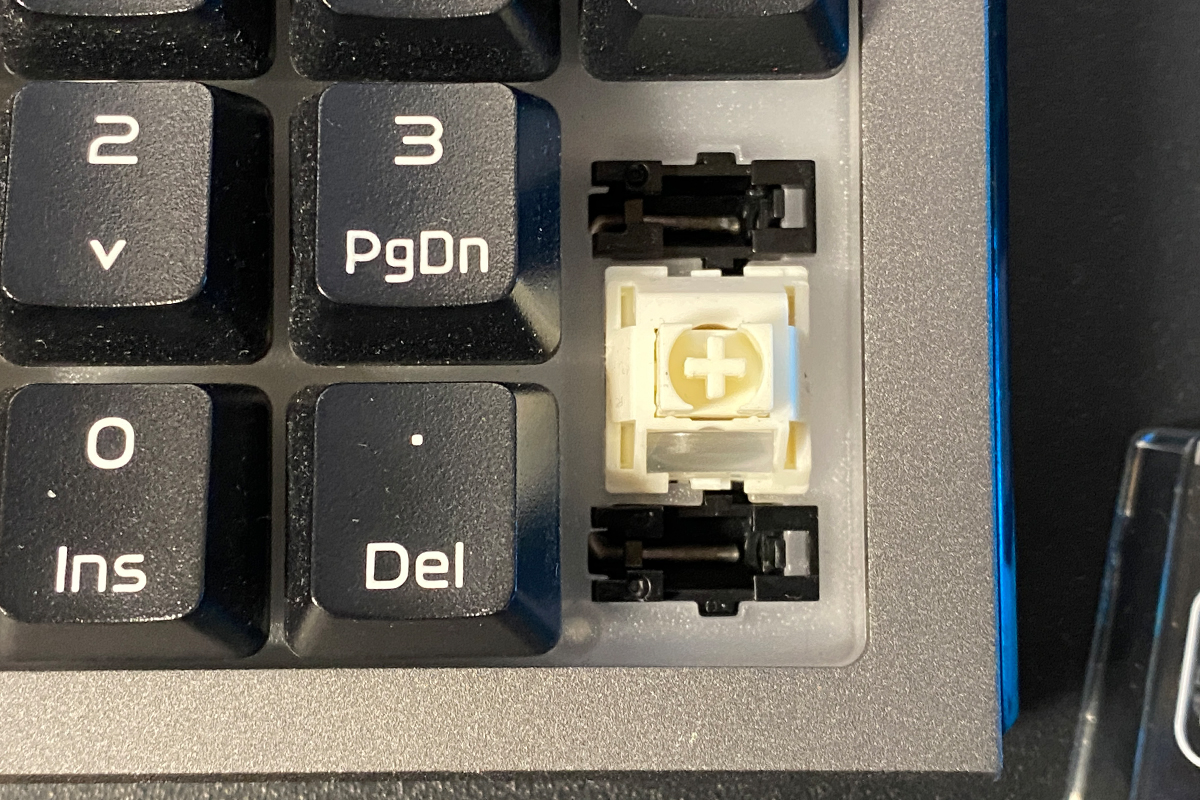
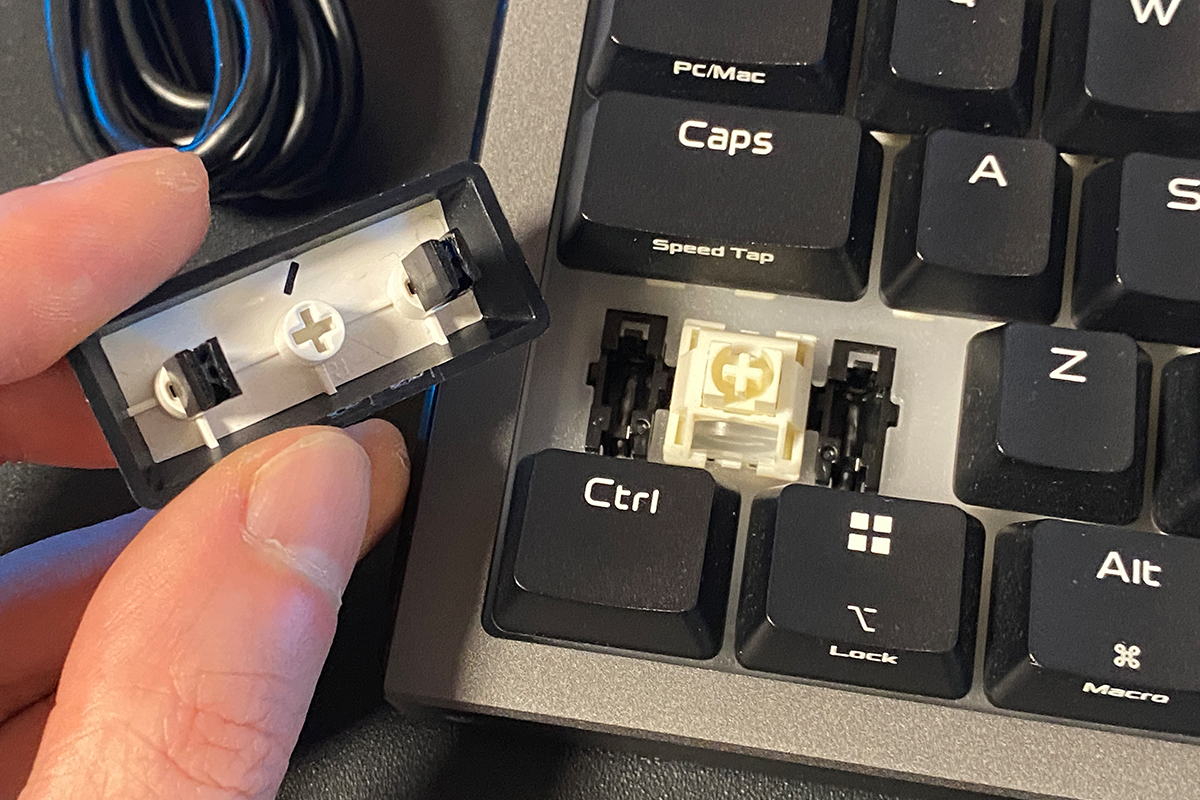
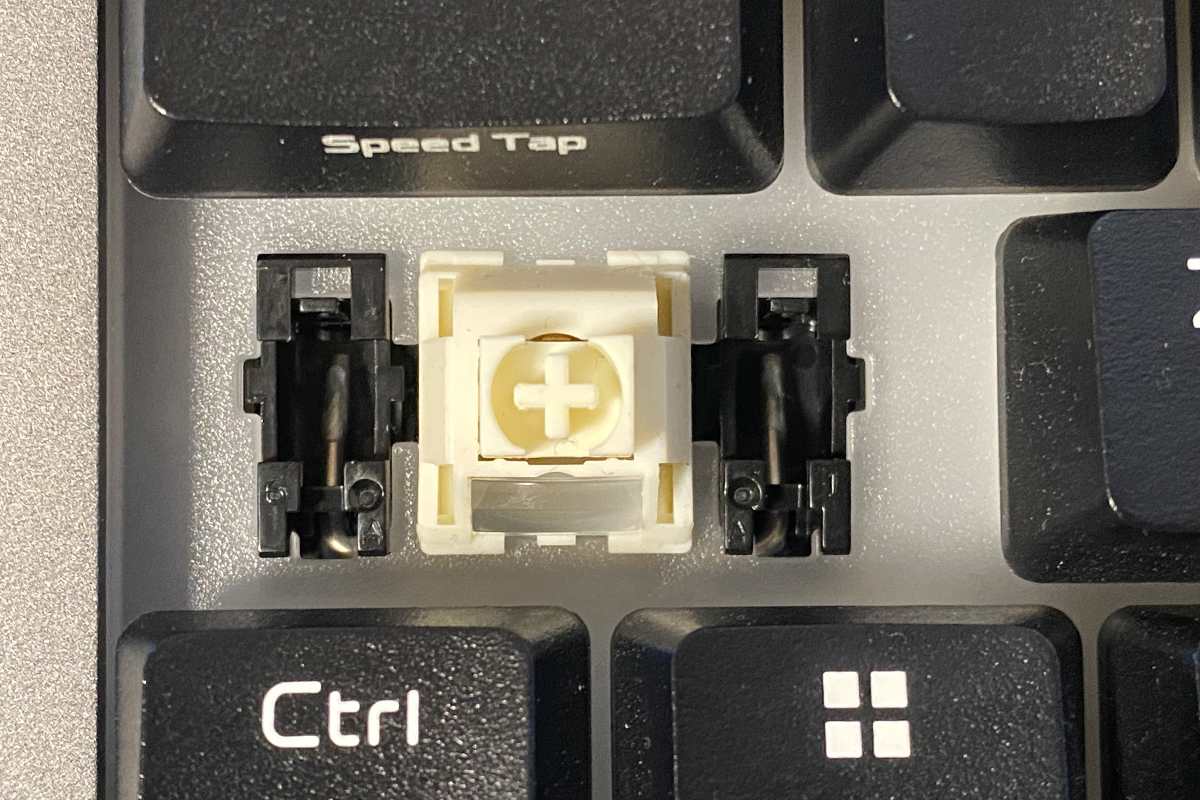
By the way, if you decide to replace the keycaps, the most convenient approach is the following: remove the larger keys together with the stabilizer inserts, take them out, immediately place them into the new keycaps, and only then install the whole assembly back onto the switches. This way, you avoid having to align the inserts separately – they will naturally sit correctly in their slots right away.

Now for the main point. The typing experience on the new ROG Strix Morph is excellent: soft, smooth, quiet, and stable keystrokes with minimal key wobble. The larger keys feel and sound just as good as the standard ones. Overall, the typing experience is satisfying both in terms of tactile feedback and acoustics.
That said, it may not feel as premium as higher-end alternatives or top-tier custom builds. But in its stock configuration, as I mentioned, it is still very solid. And if something does not suit your preferences, the keyboard can always be further modified. Fortunately, there are no issues in that regard.
Read also:
- ASUS ROG KJP Accessories Review: Original Collaboration with Kojima Productions
- ASUS ROG Herculx Review: ARGB GPU Support Bracket
Proprietary software: Gear Link and Armoury Crate
As with all newer ASUS devices, full configuration of the keyboard is handled through the proprietary web-based application Gear Link. The new model has been decoupled from the classic Armoury Crate software – it is now limited to syncing the keyboard’s lighting with other ASUS devices and performing firmware updates.
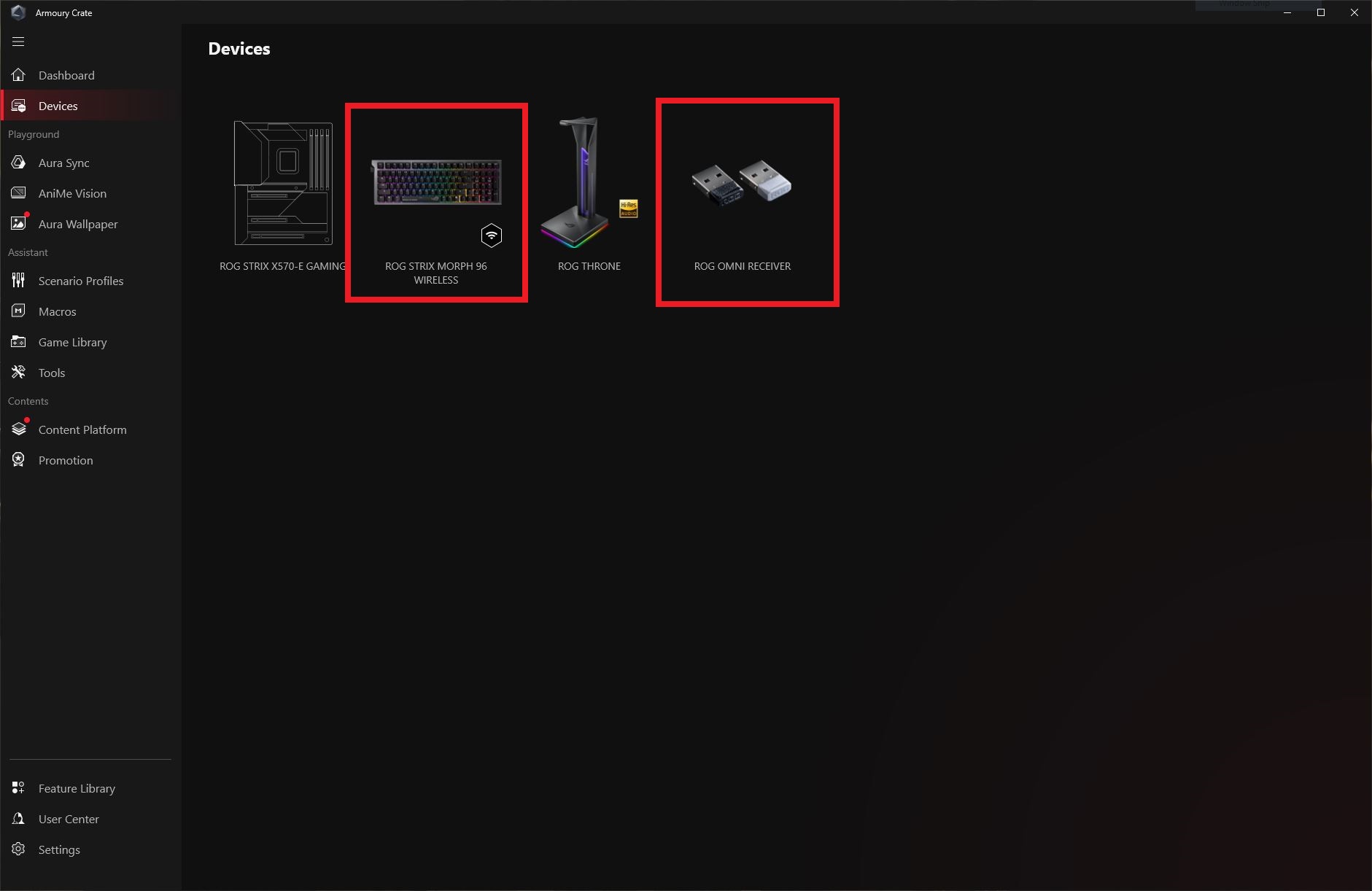

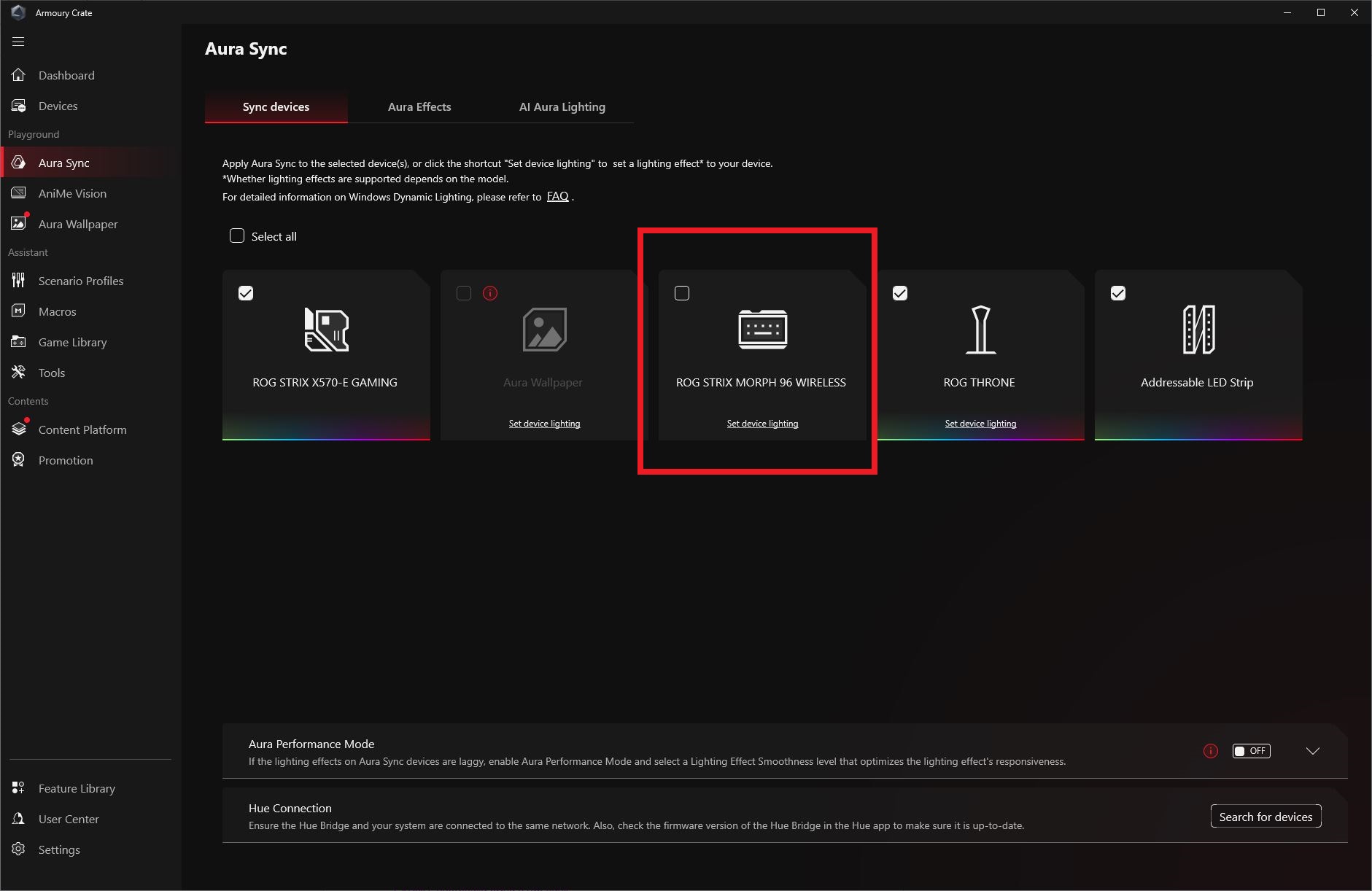
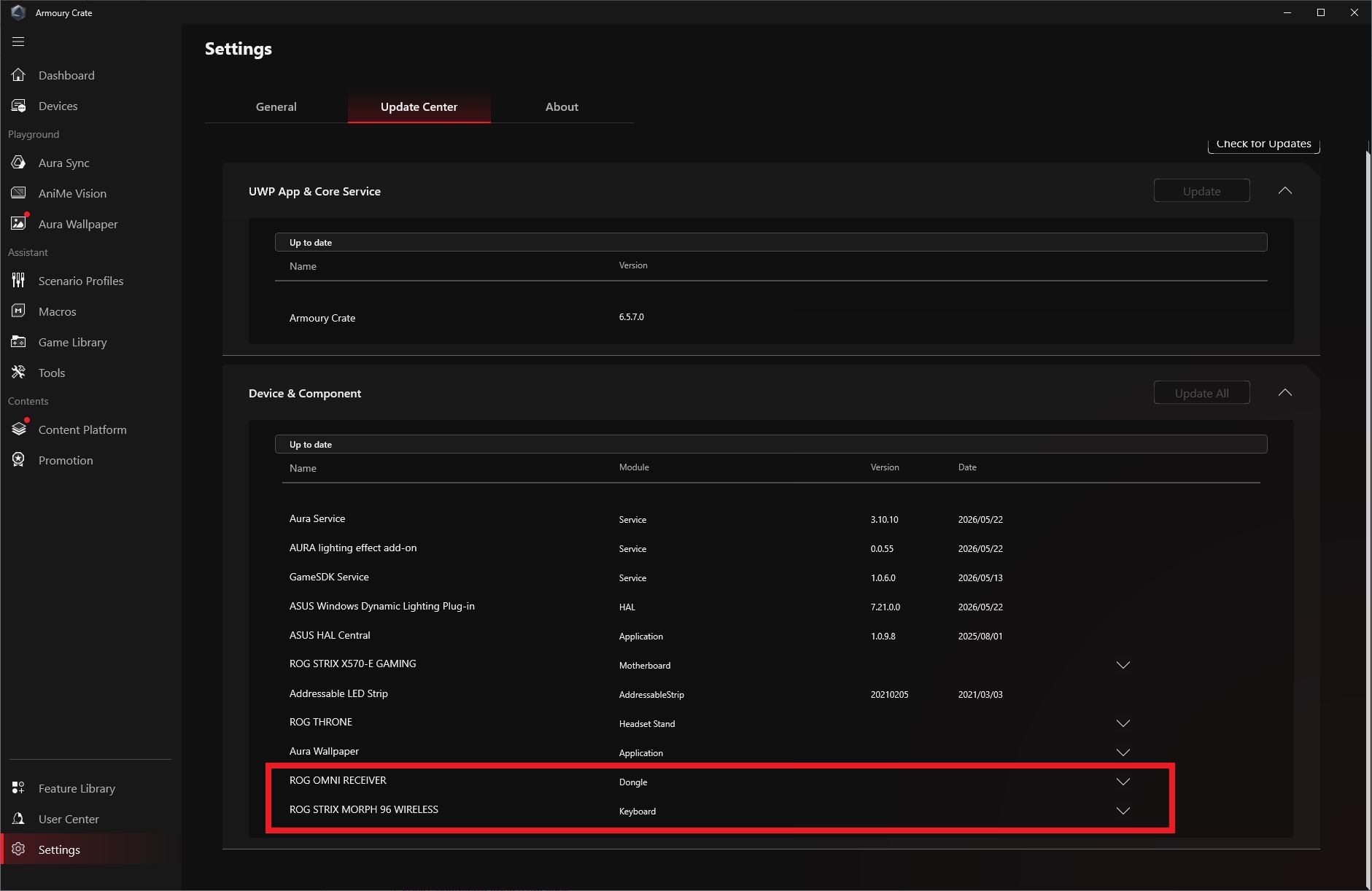
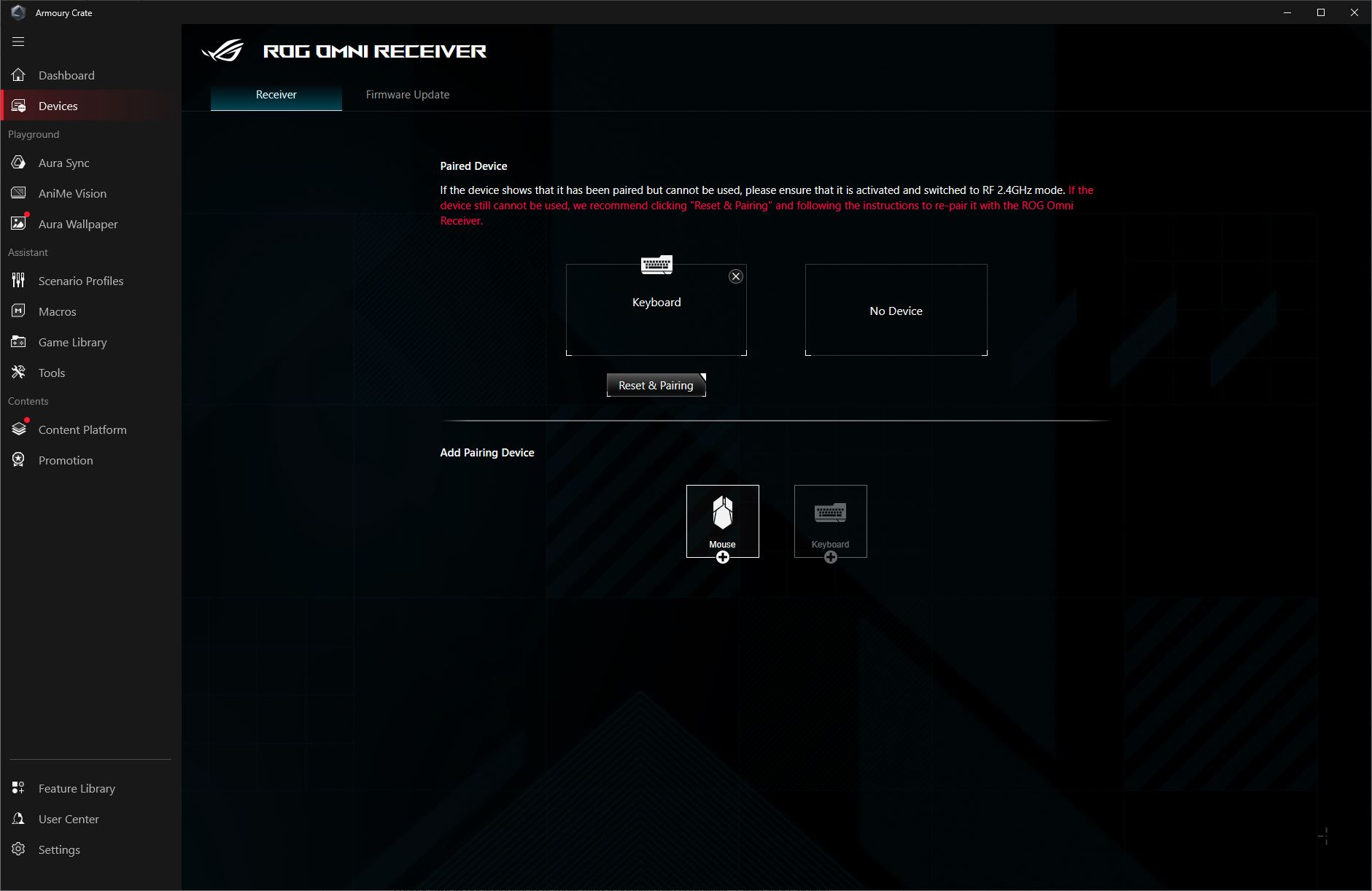
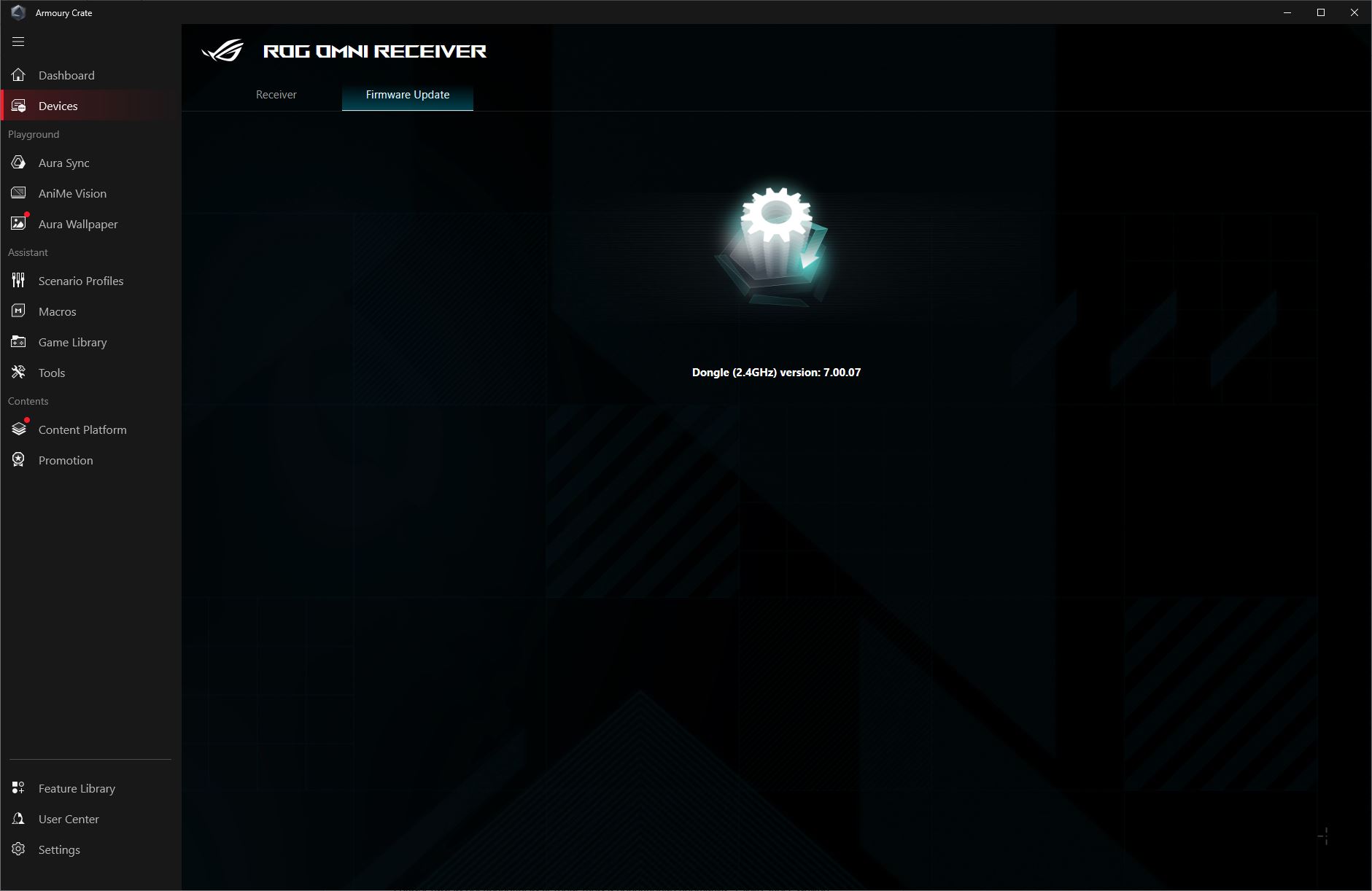
As mentioned earlier, the keyboard comes with the proprietary ROG Omni Receiver wireless adapter (2.4 GHz RF). It can be configured both in the older Armoury Crate software and in the new Gear Link application. Although “configure” is perhaps too strong a term here, since in practice the only available options are pairing a second wireless device to the receiver and updating its firmware.
To access the Gear Link settings, you simply need to go to the website gearlink.asus.com and allow the browser to connect to the device.


After connecting, two devices will appear in the list: the Omni Receiver and our keyboard.
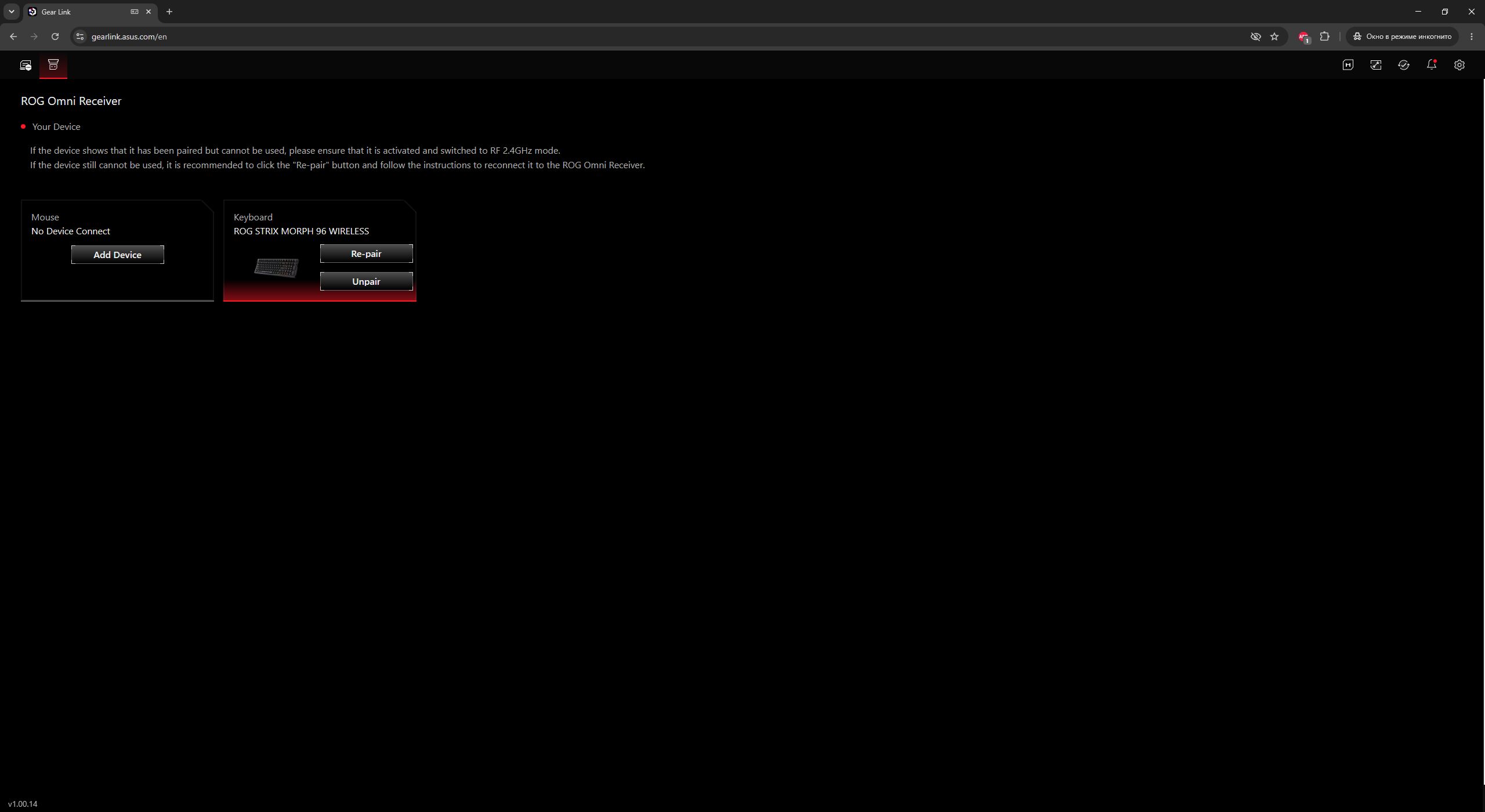
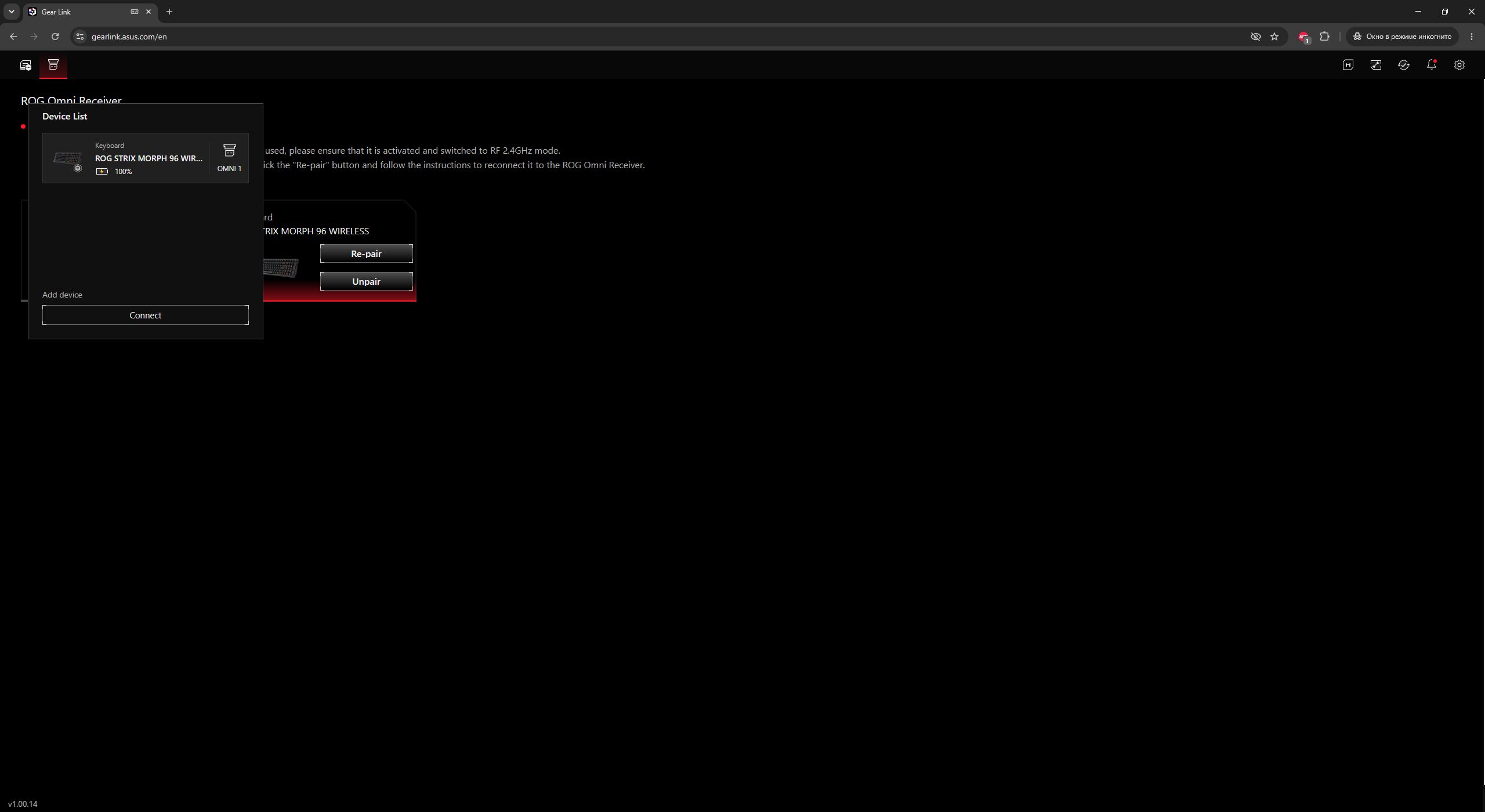
The receiver settings here are the same as in Armoury Crate: pairing with a second compatible wireless device and updating the firmware. You can also unpair or re-pair the keyboard if any issues occur with the wireless connection.

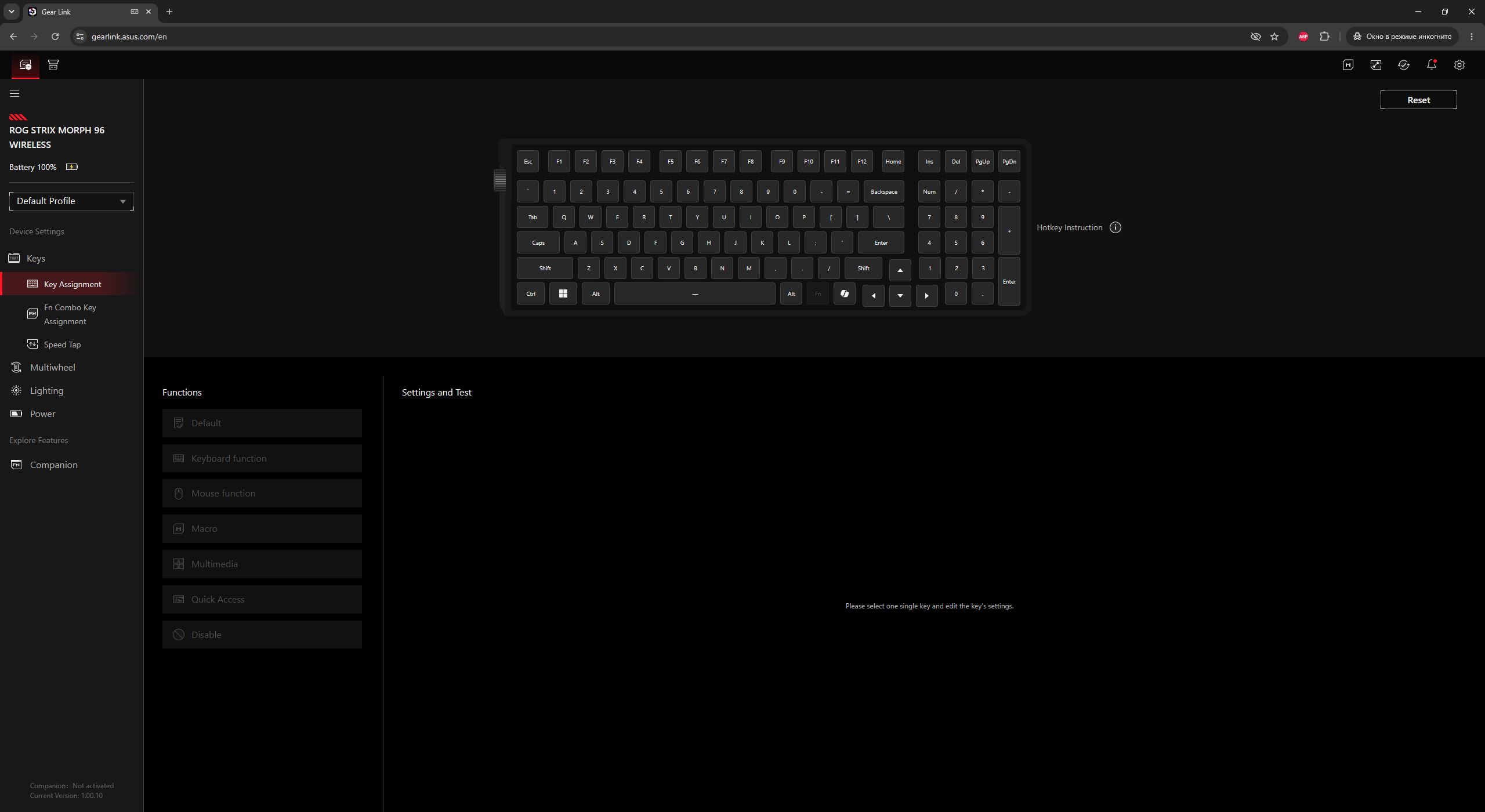
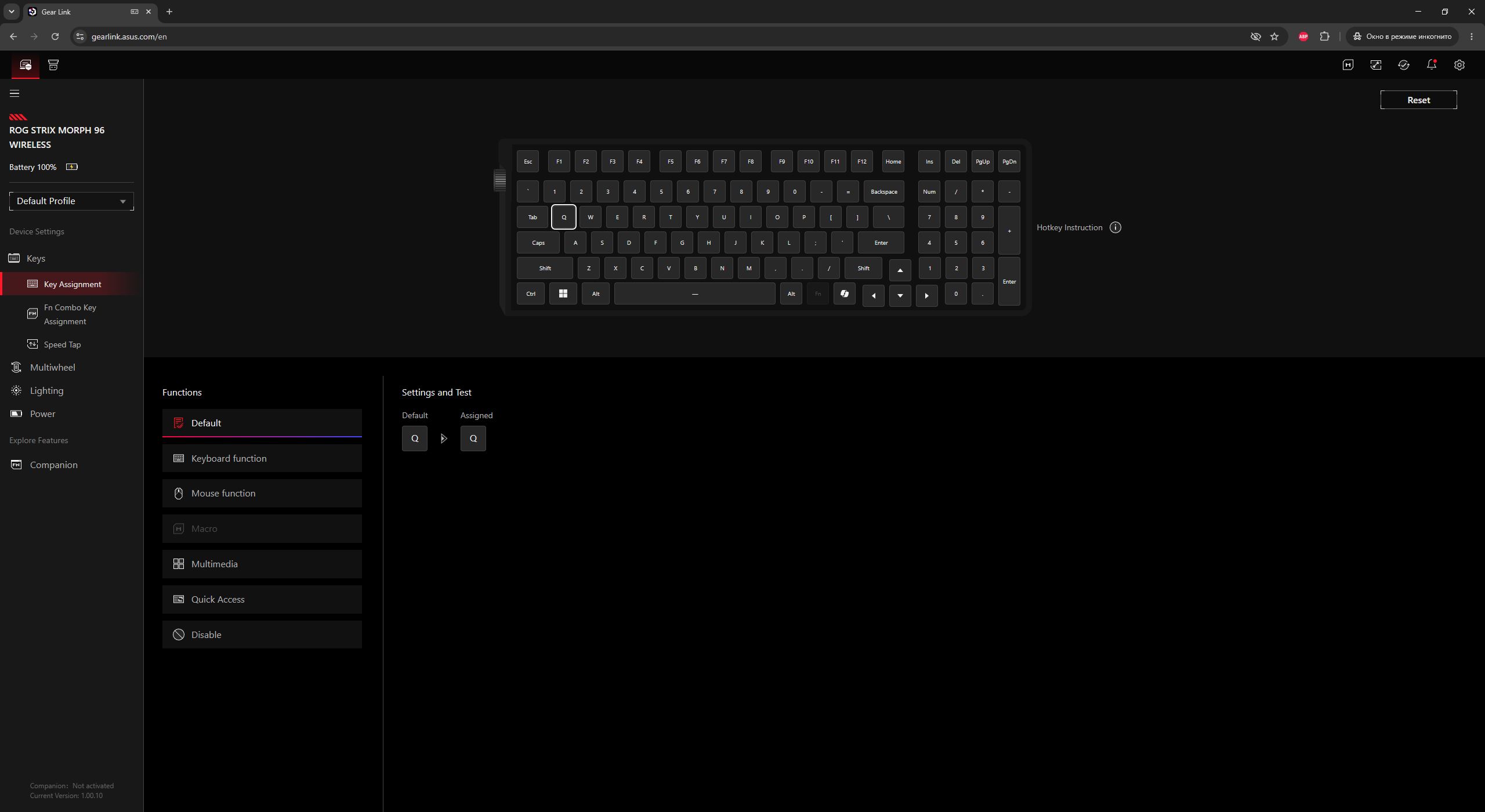
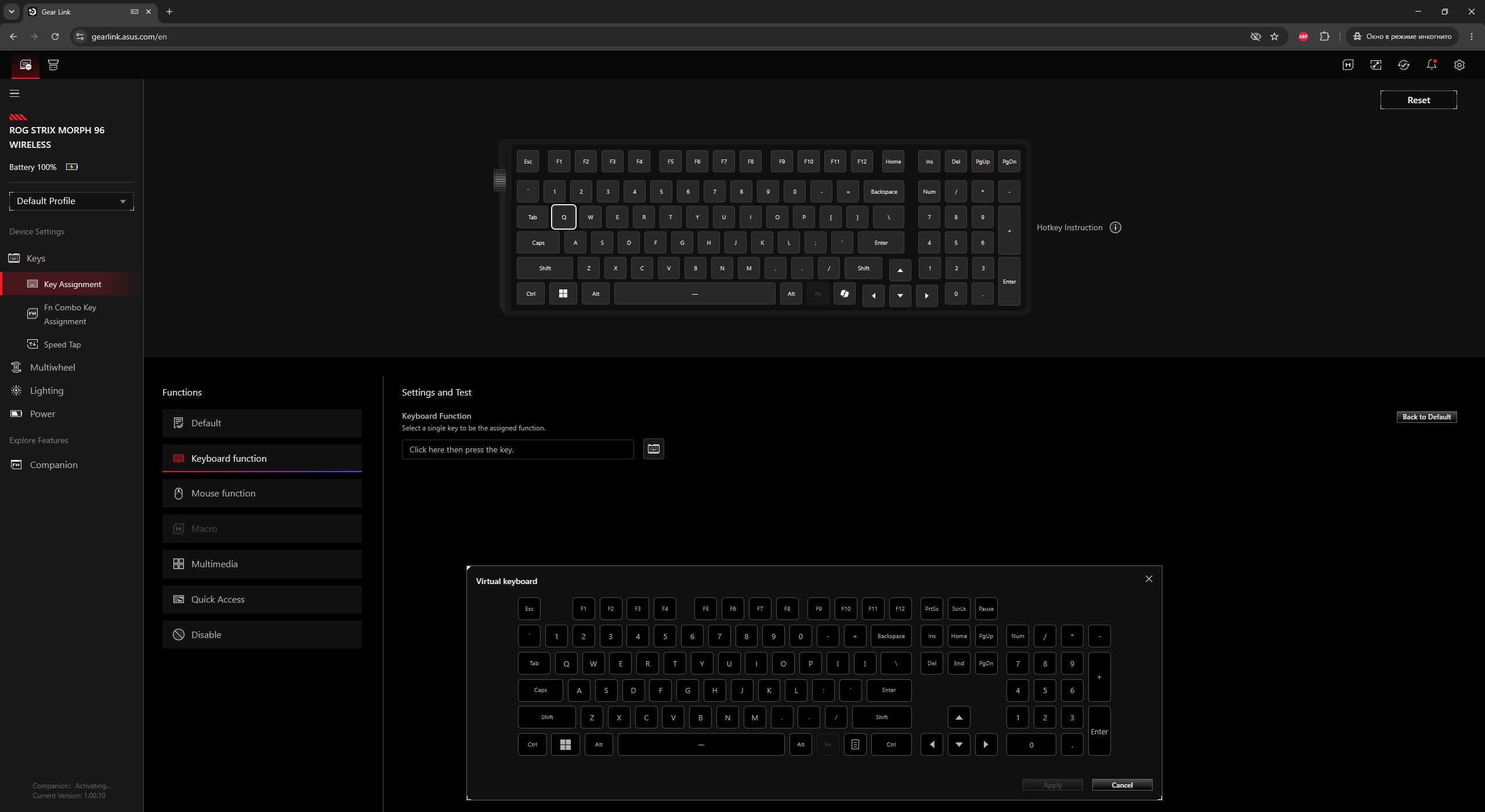
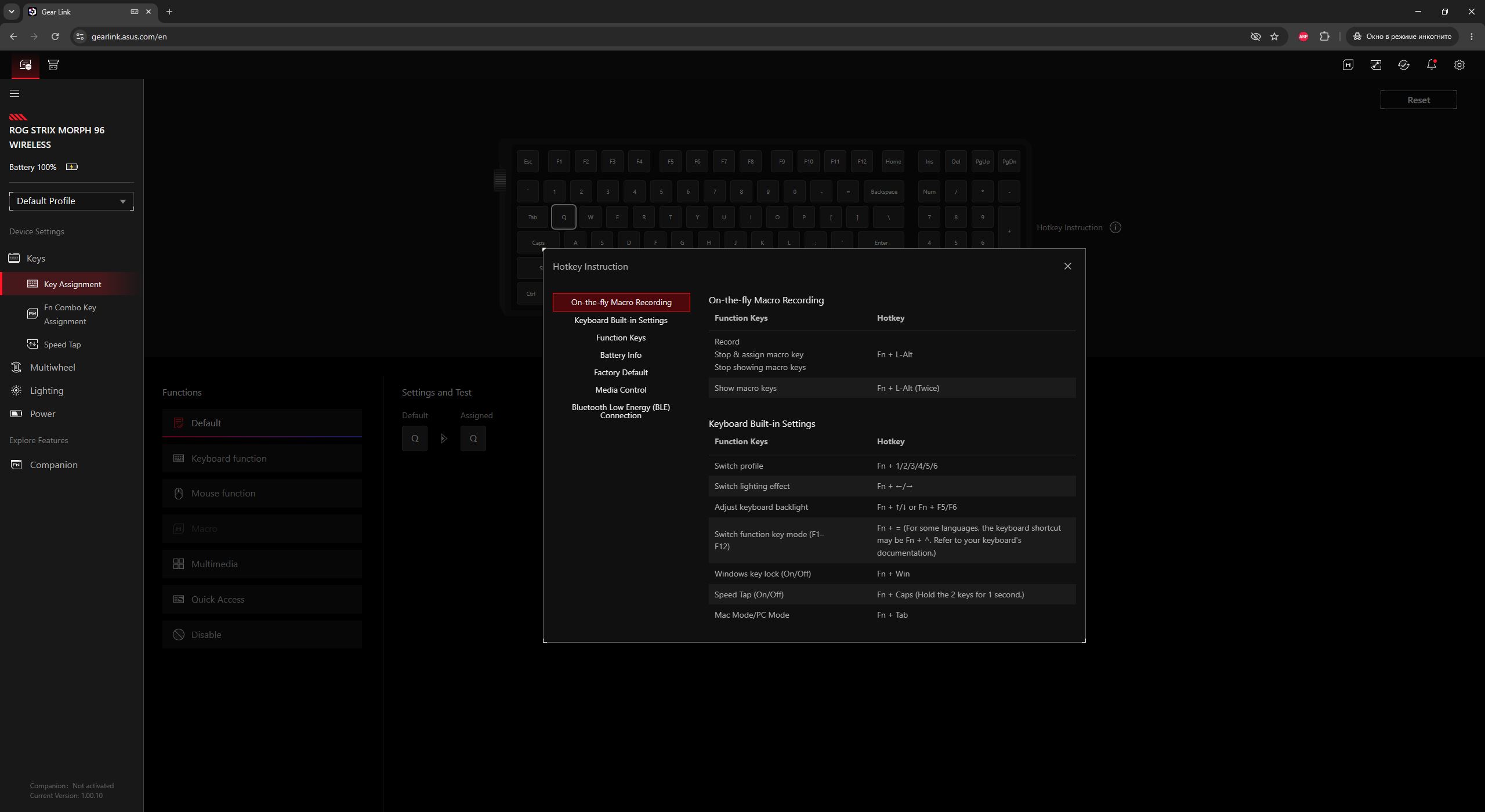
Now let’s move on to the keyboard settings. In the Key Assignment menu, you can remap keys and assign various shortcut functions and macros. Note that macros are disabled by default. To enable them, you need to install the Companion extension package.
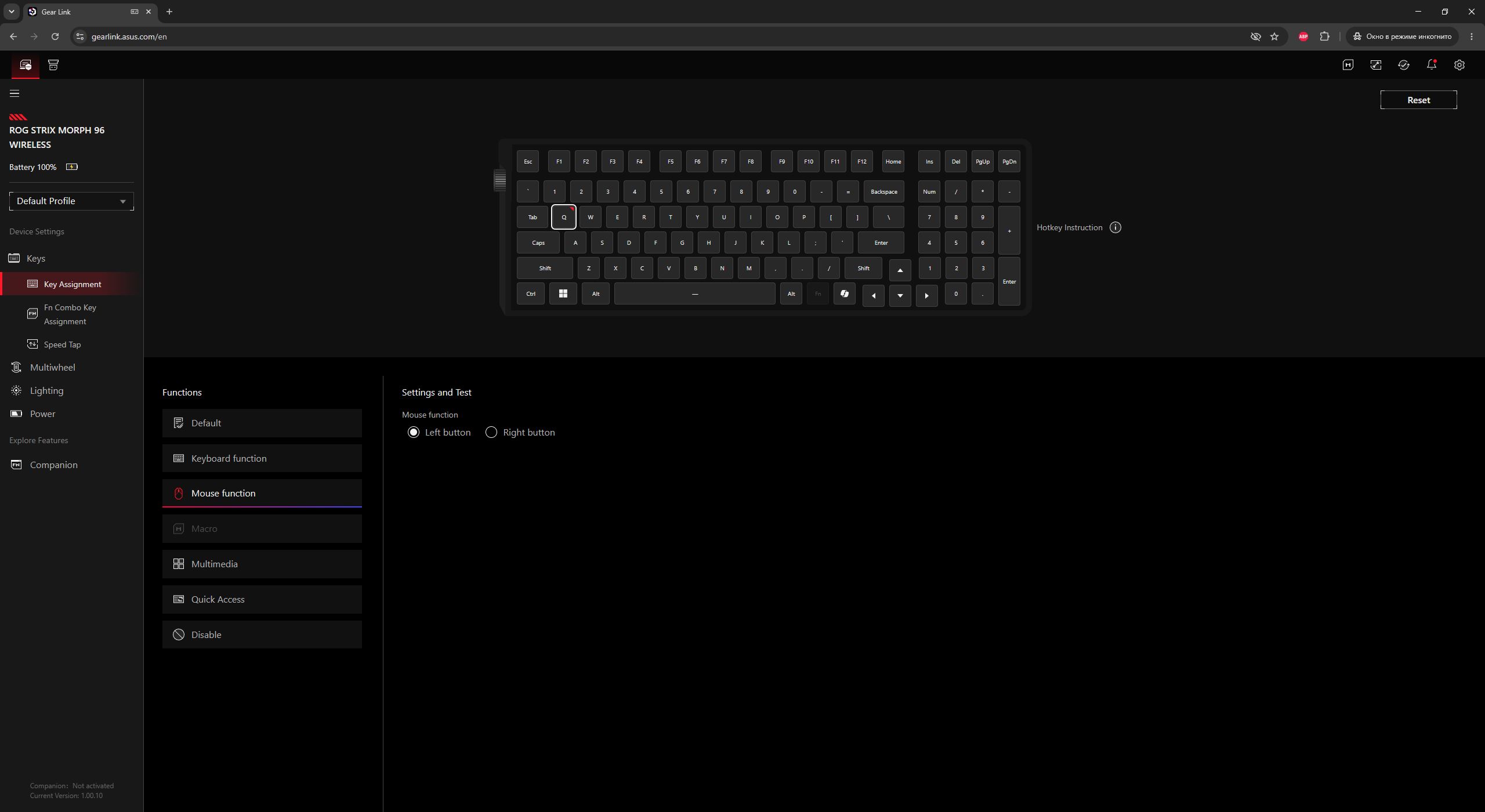
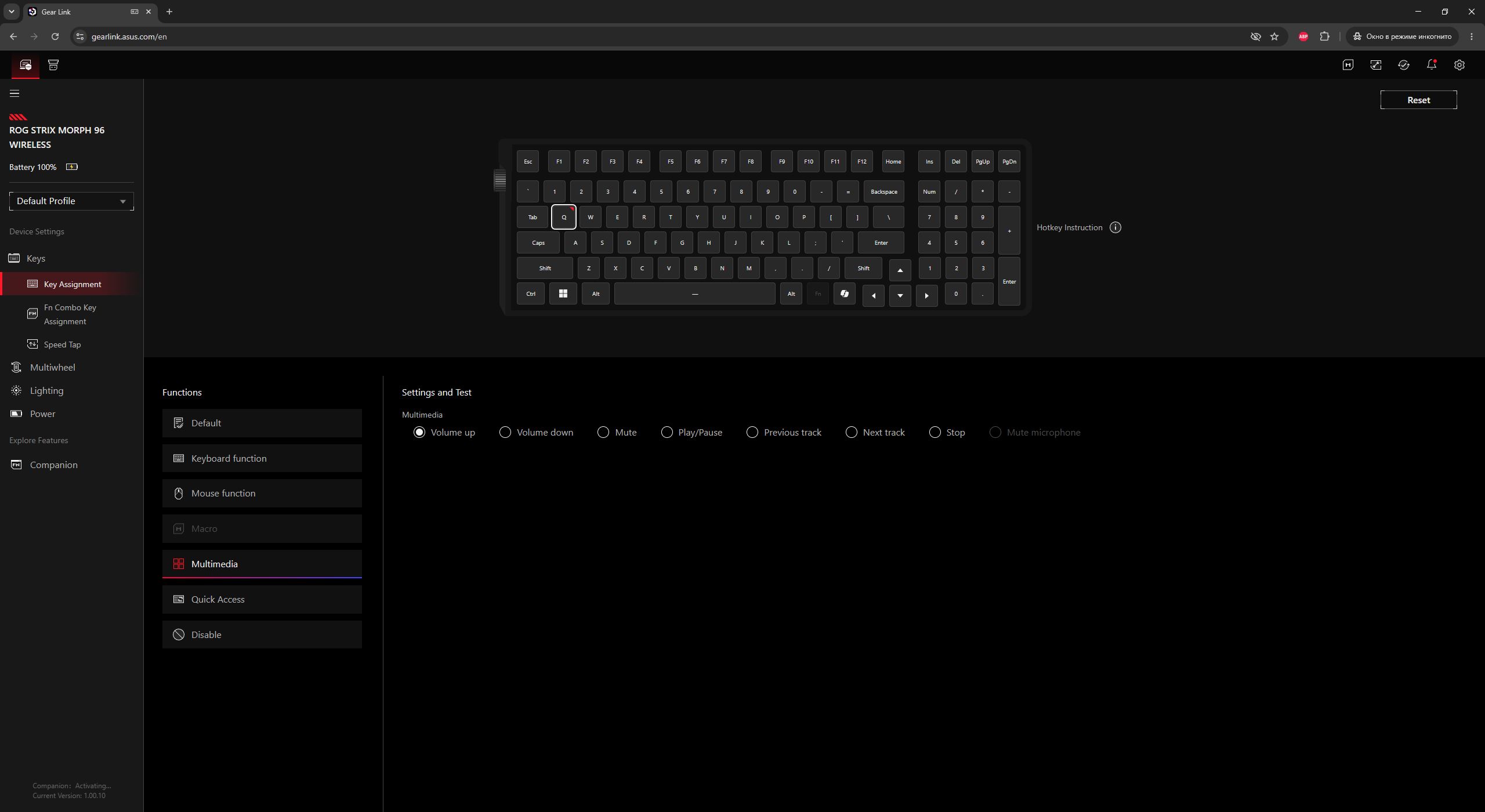
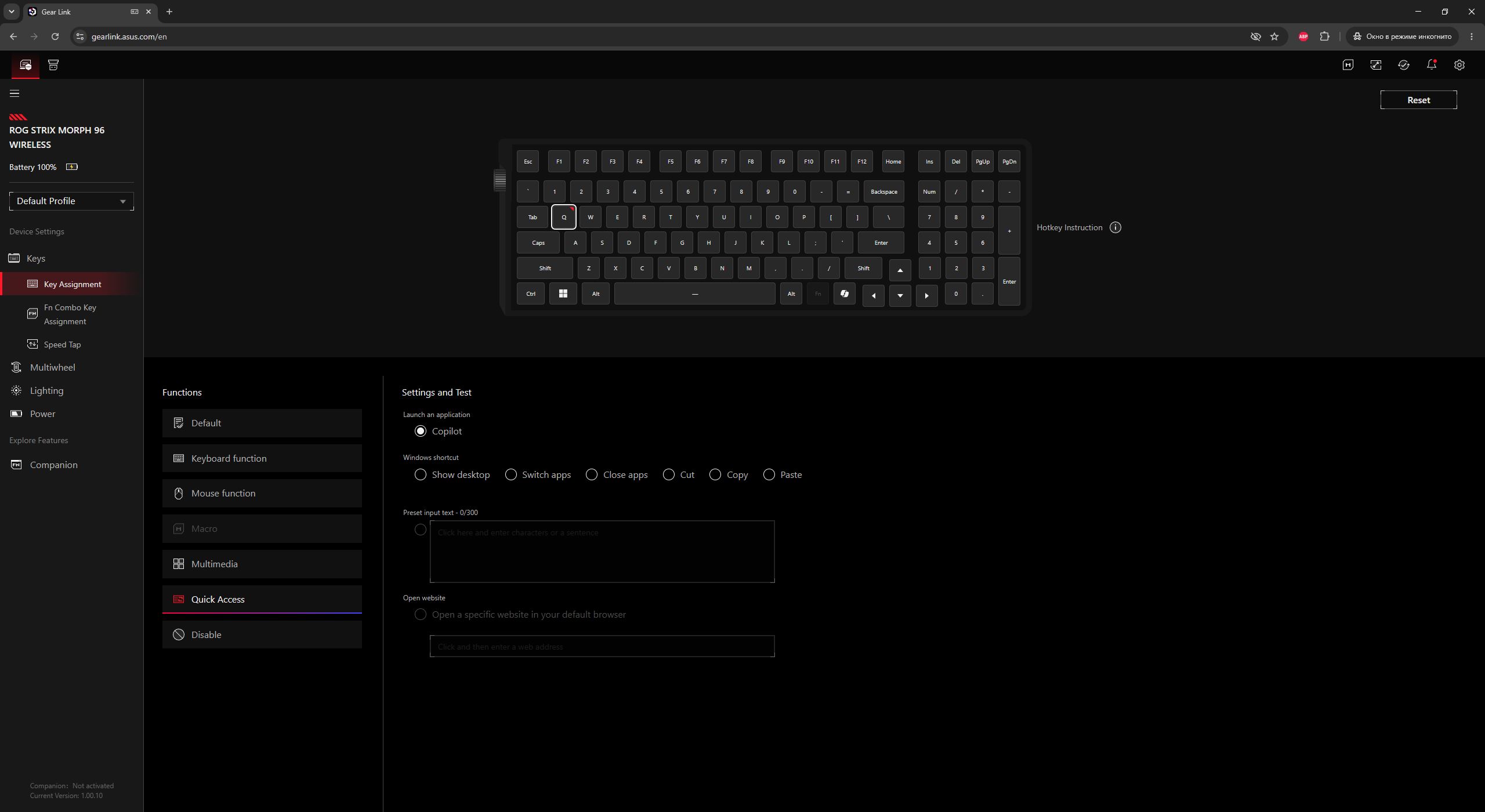
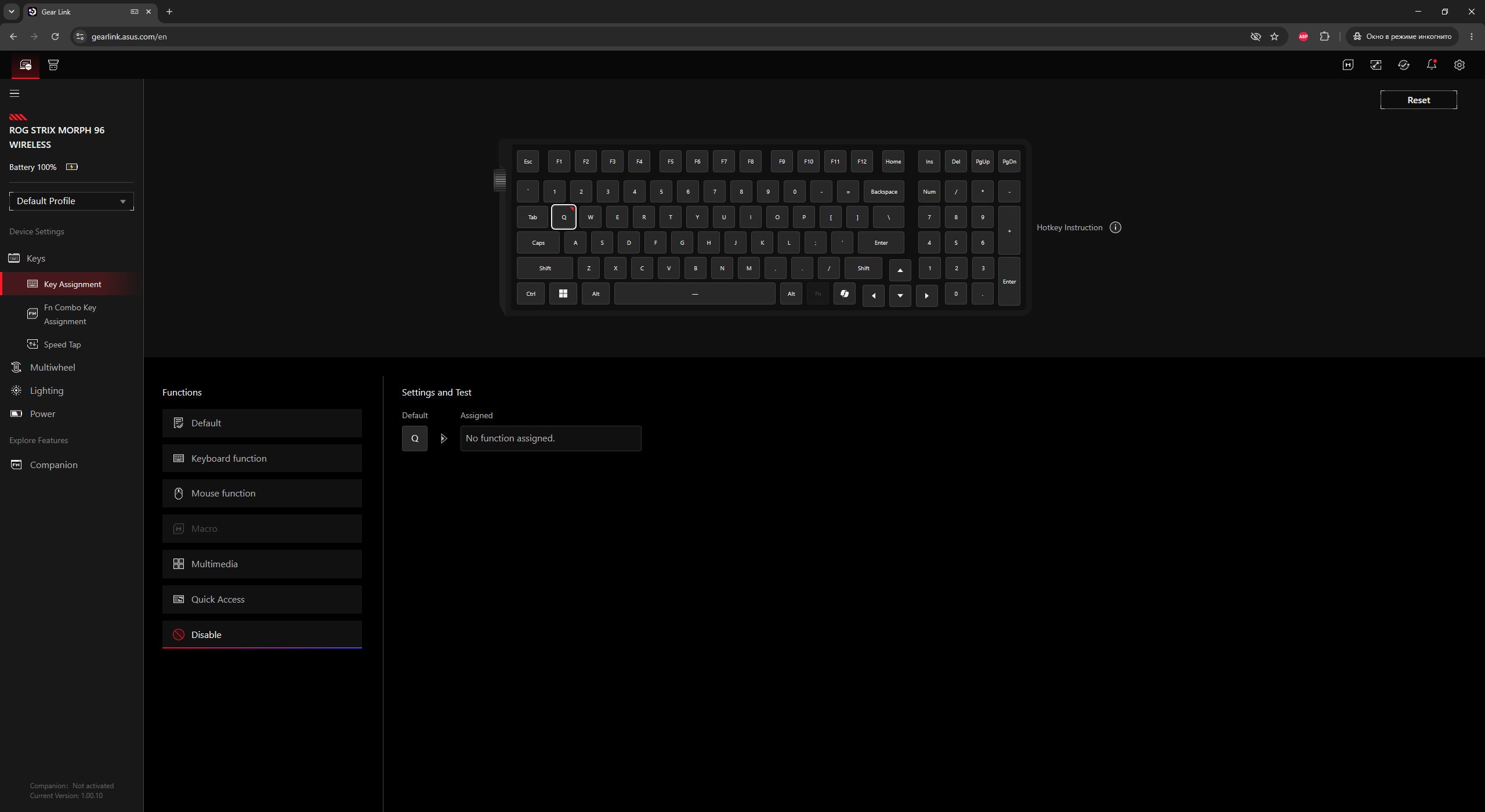
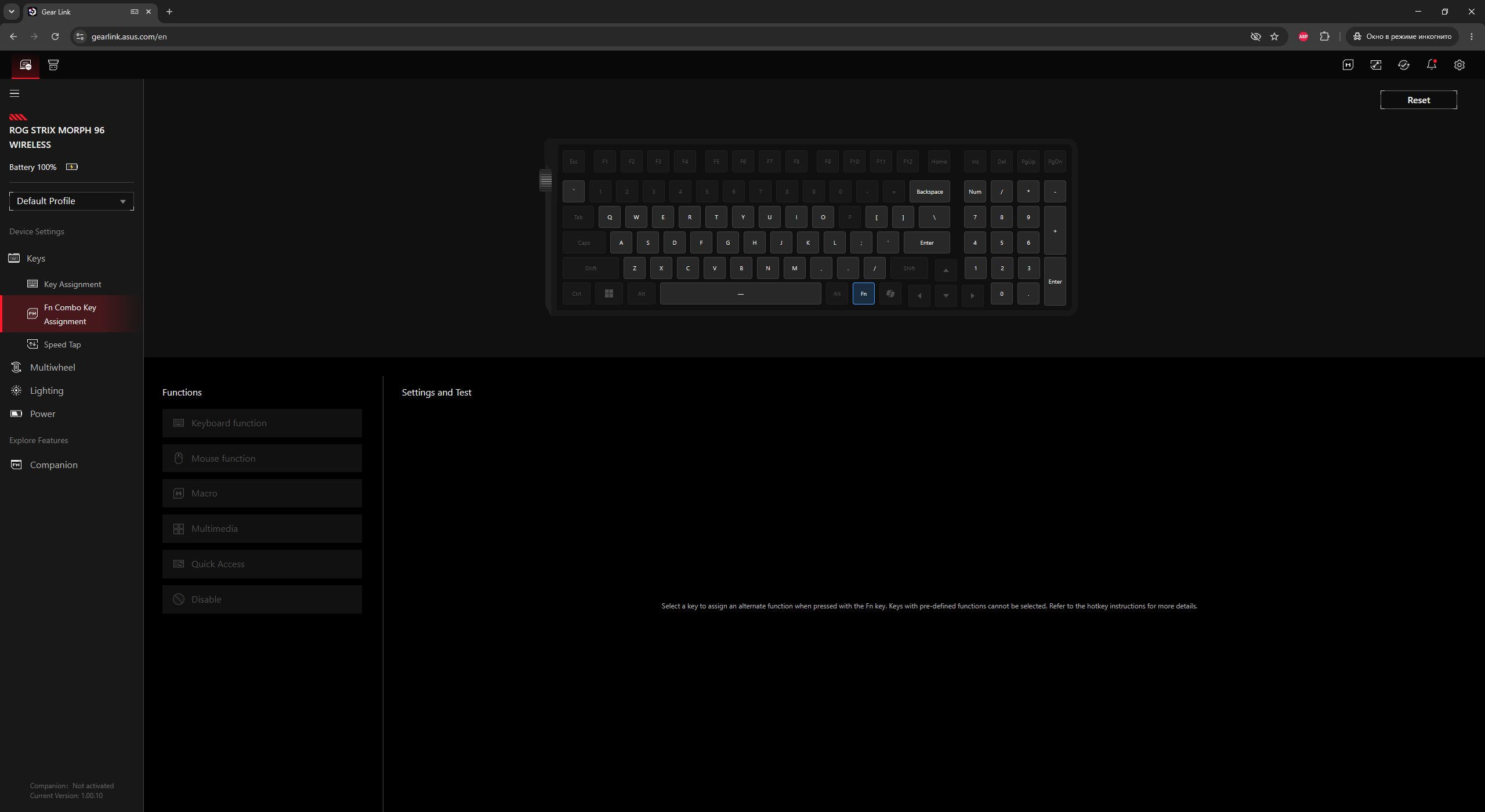
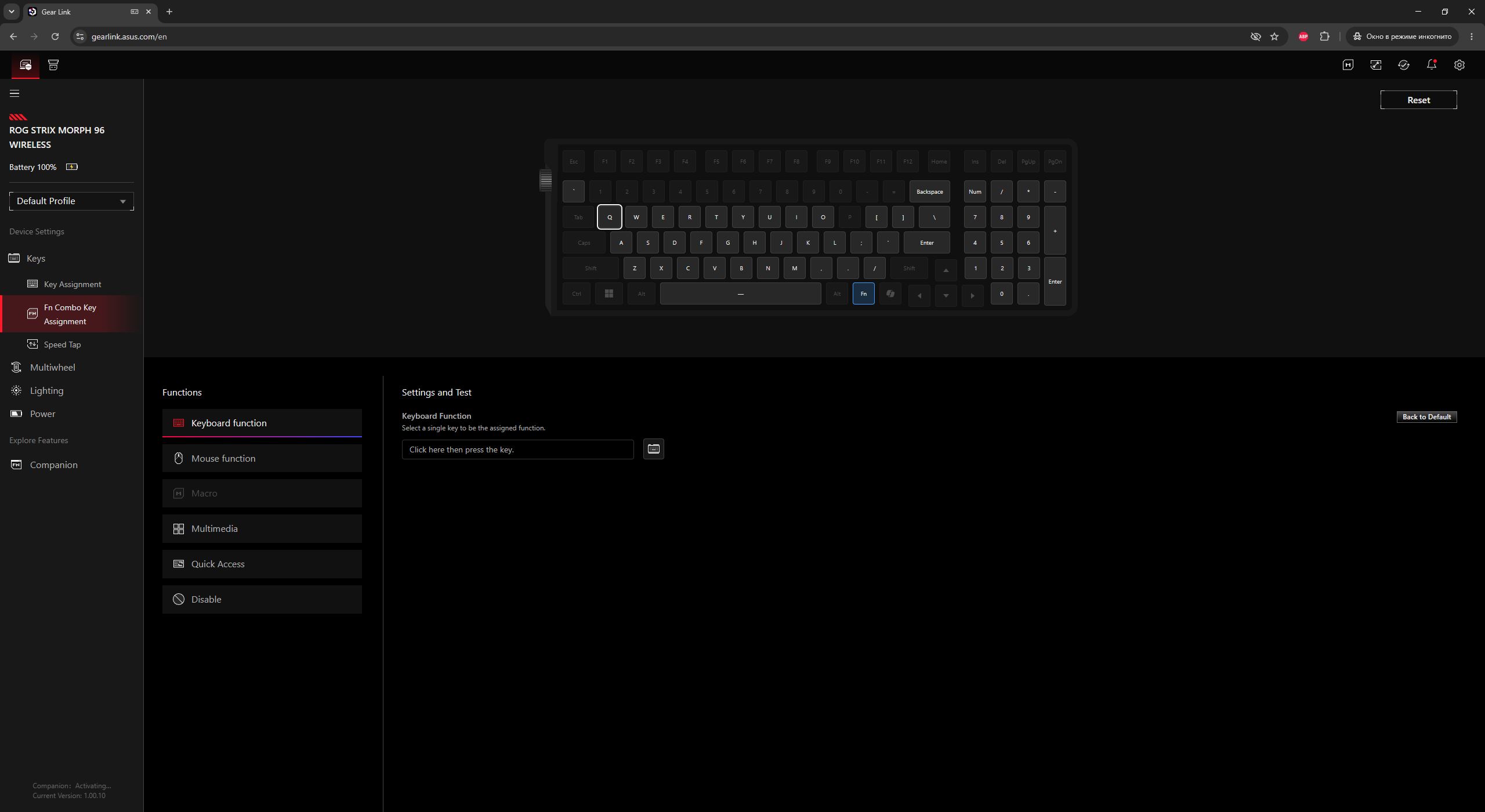
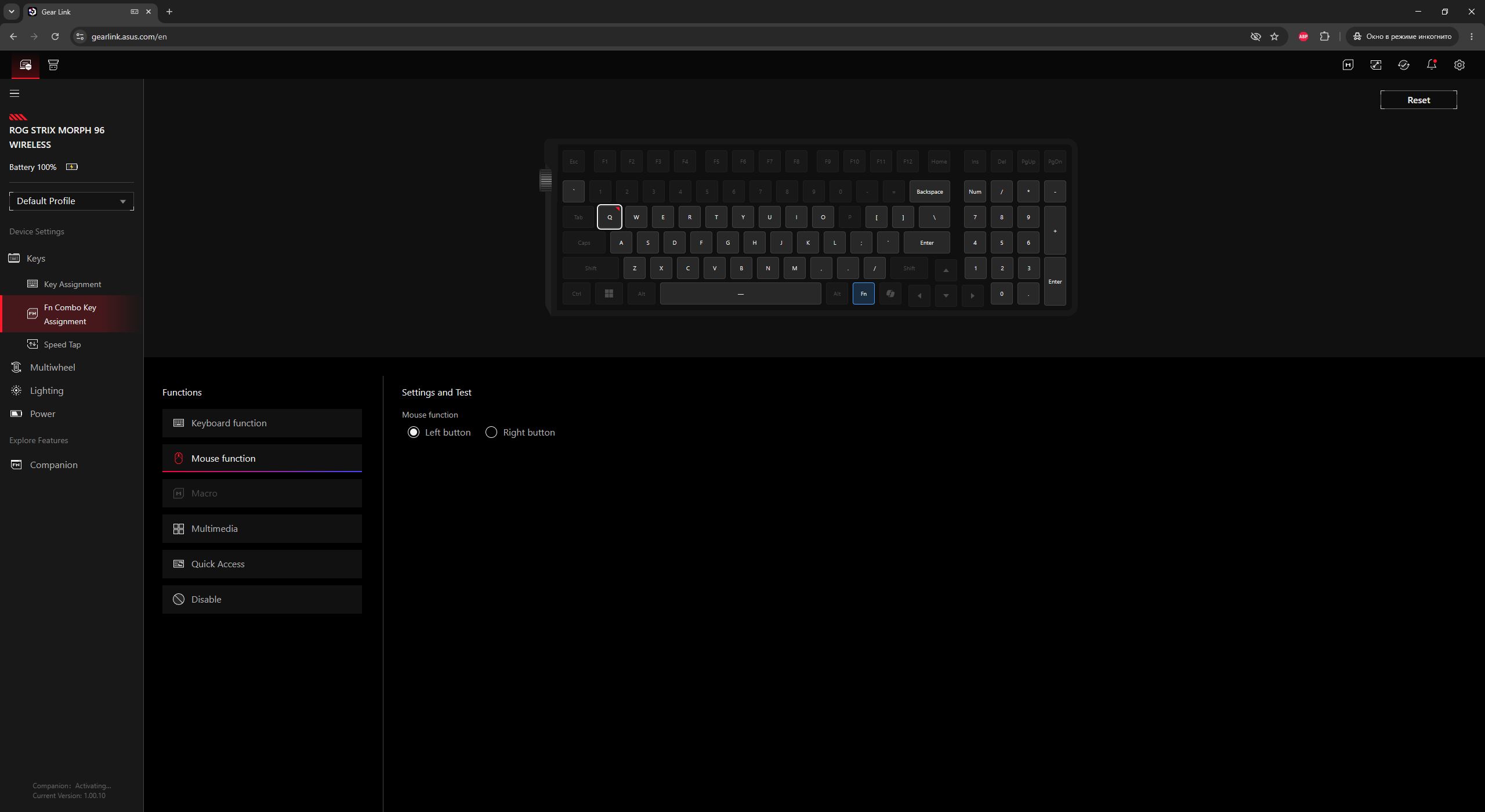
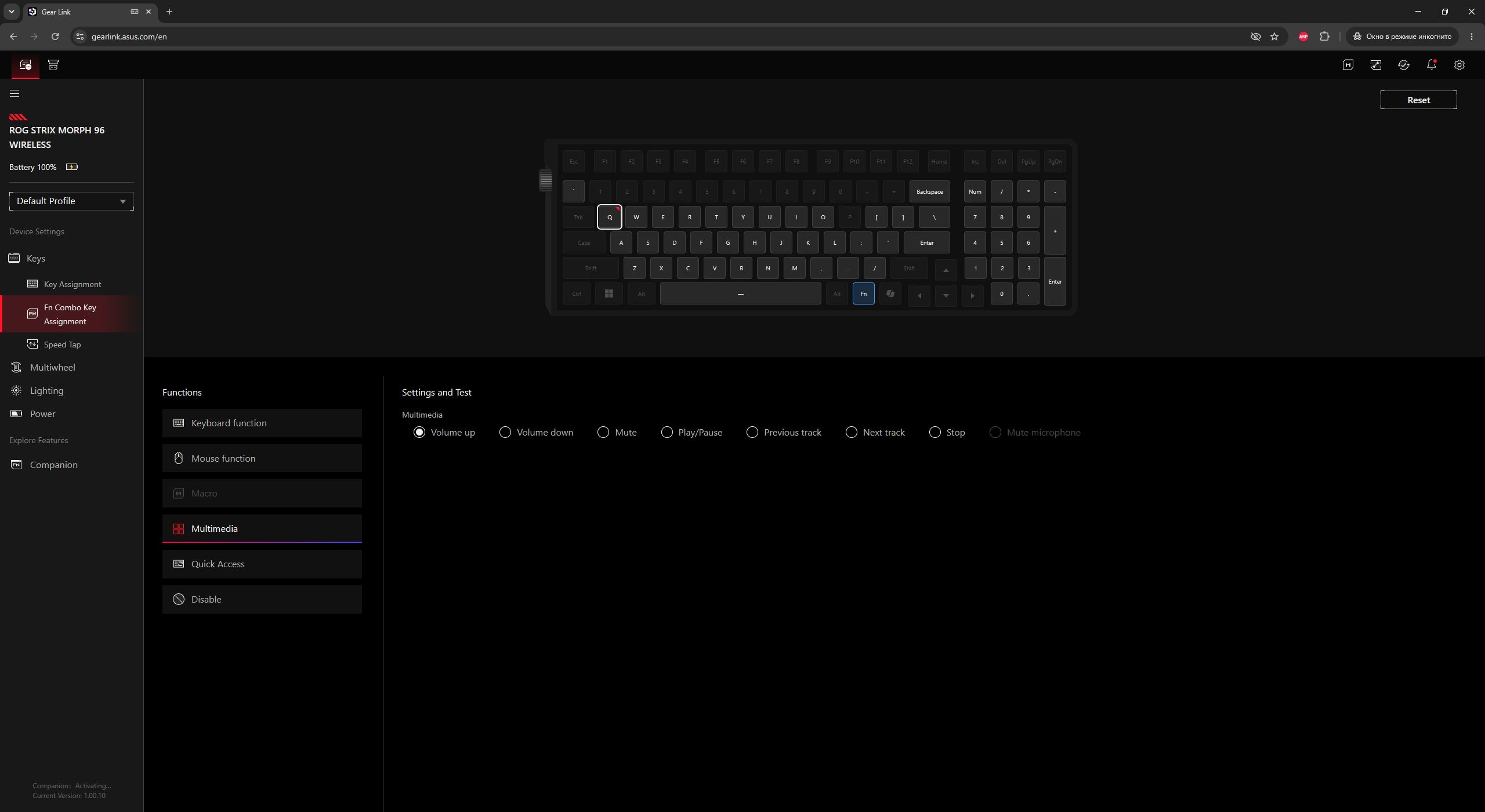
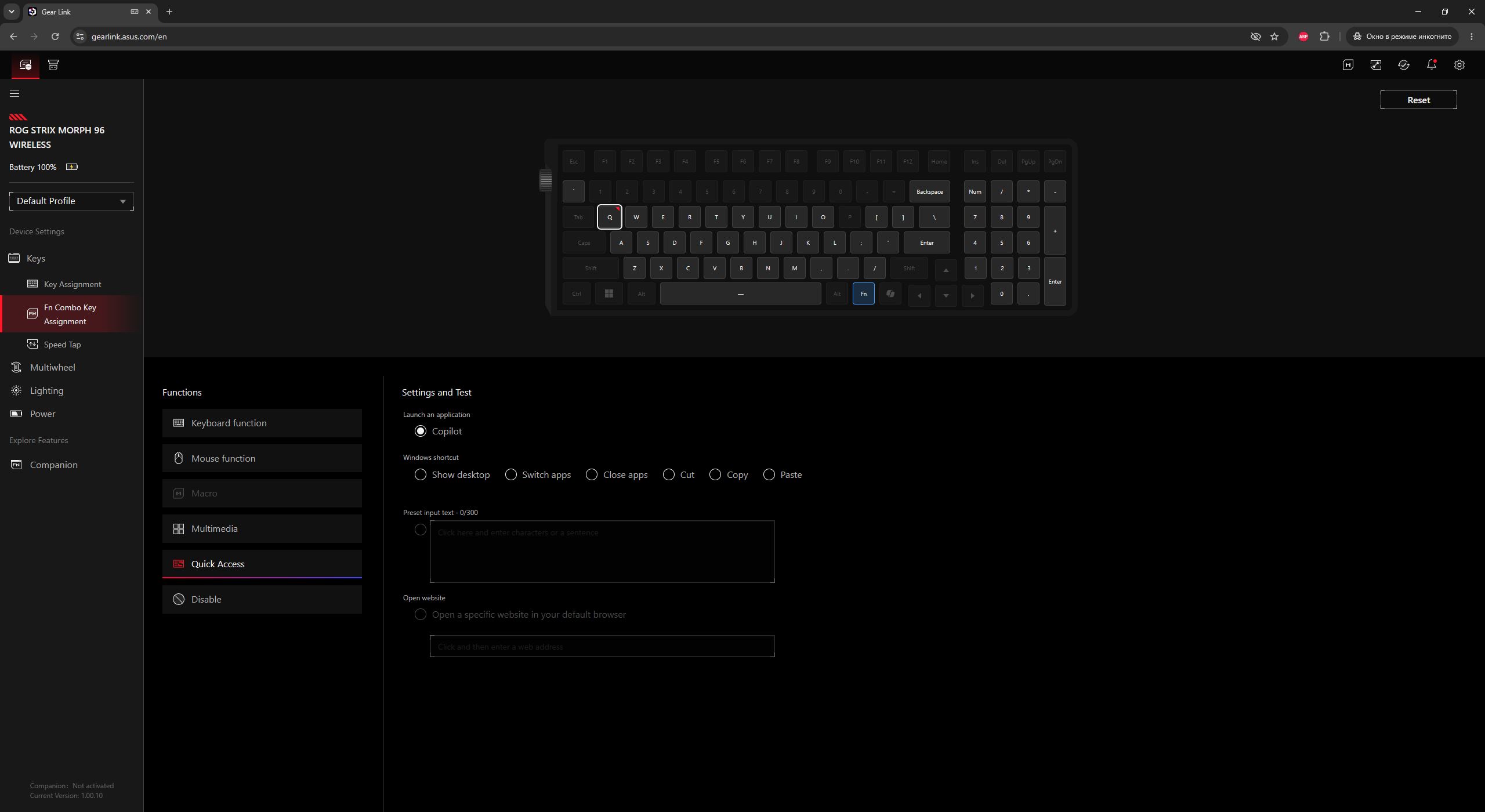
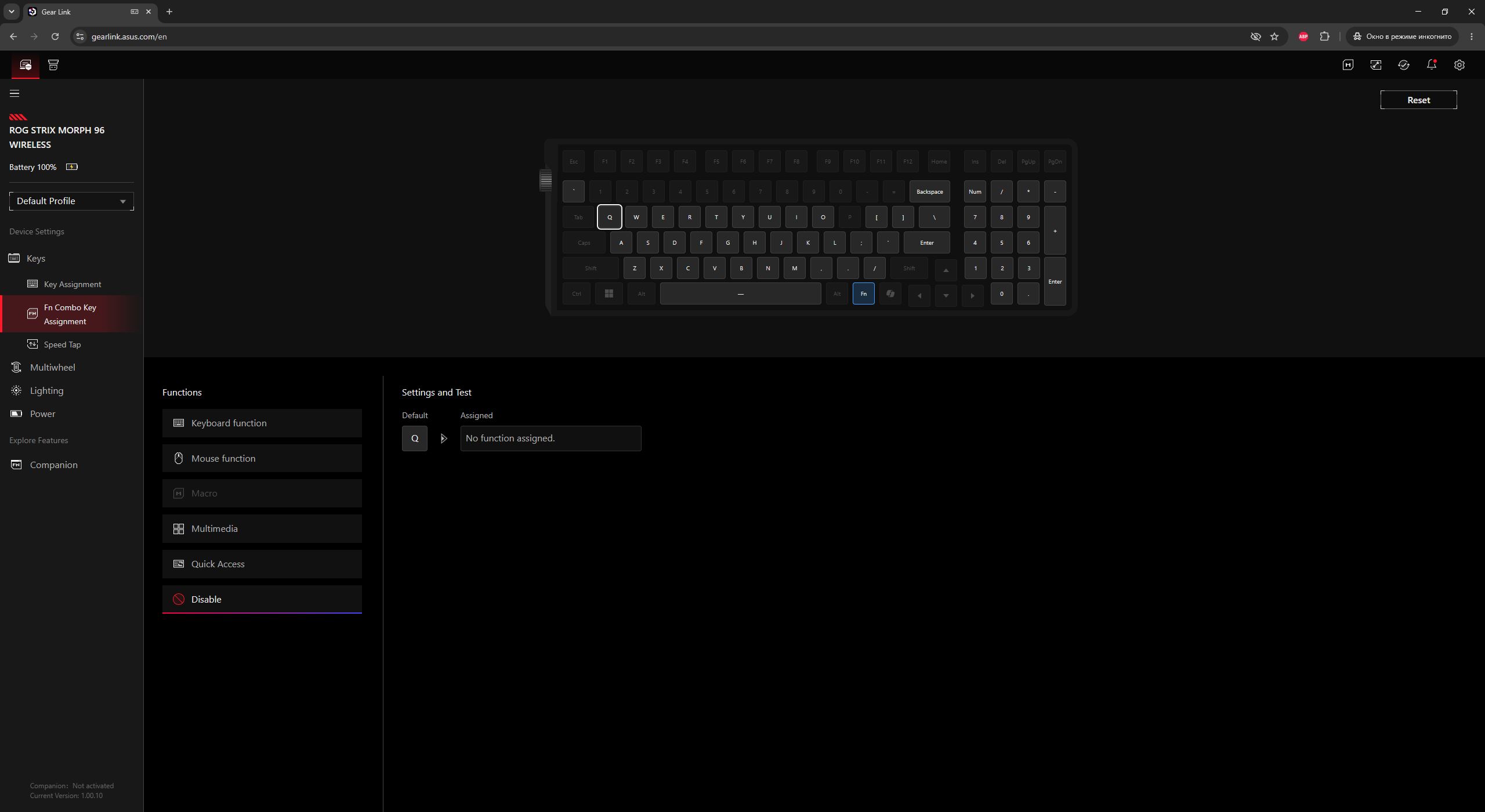
In the Fn Combo Key Assignment menu, you can configure the FN-layer key combinations. For inactive keys on the layout, default functions are already assigned and cannot be changed. For active keys, you can assign custom FN functions by simply selecting them from the list below.
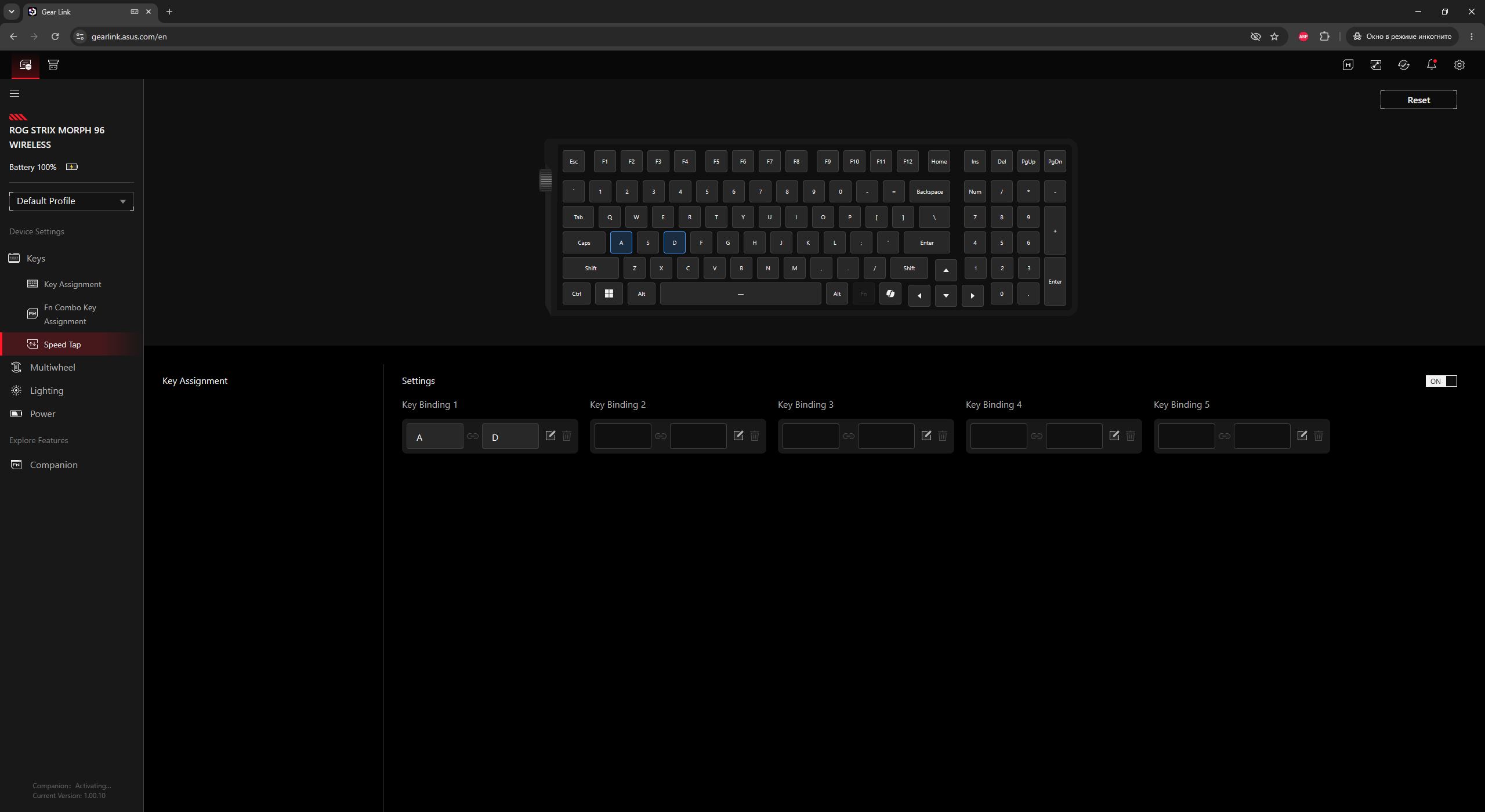
Next is the Speed Tap menu. For anyone unfamiliar, this is an implementation similar to Snap Tap or SOCD functions, which are increasingly used in gaming peripherals, particularly magnetic keyboards.
The idea is simple: when two opposite movement keys are pressed simultaneously (for example, A and D for strafing), the keyboard ignores the first input and immediately registers the most recent one. This enables instant counter-strafing in shooters without needing to release the previous key first.
By default, the feature is disabled and is assigned to the primary movement keys A and D. Speed Tap can be quickly enabled in-game using the FN + CAPS key combination. In this menu, you can also assign up to five such key pairs.
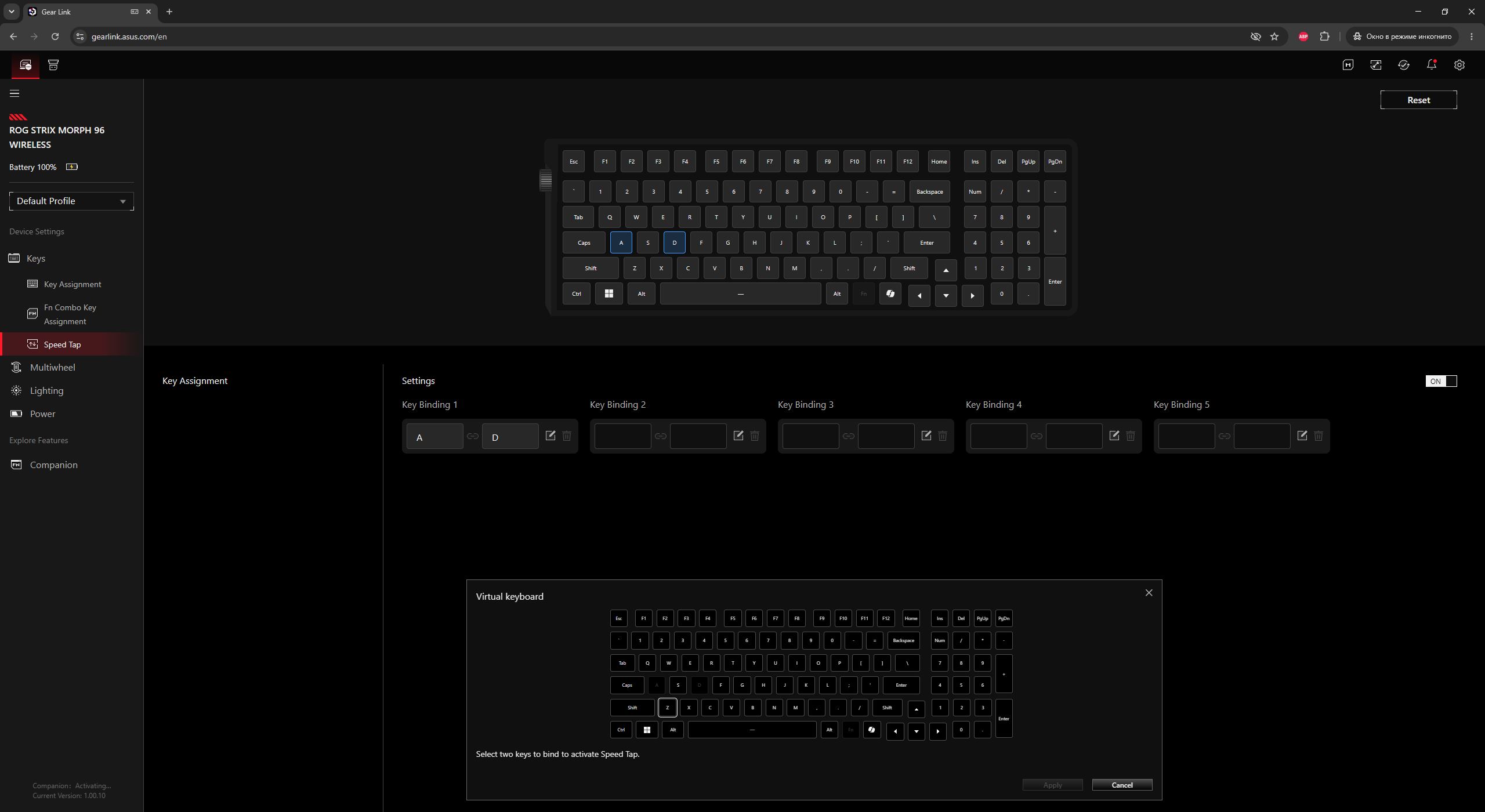
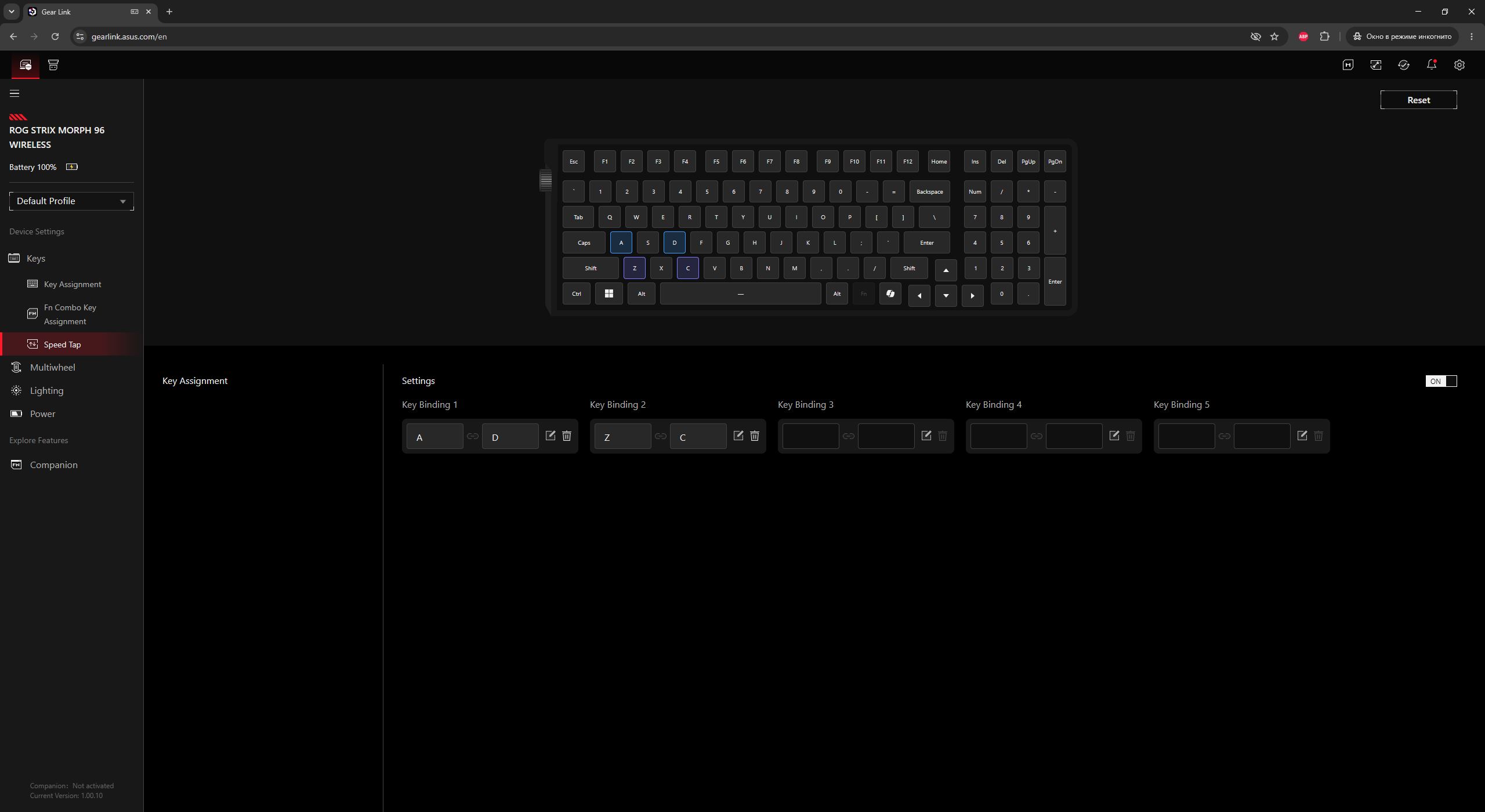
The next menu is Multiwheel. As the name suggests, this is where the roller control is configured. There are three preset modes available (volume, track switching, and backlight brightness), along with one custom mode where you can assign your own functions from a list.
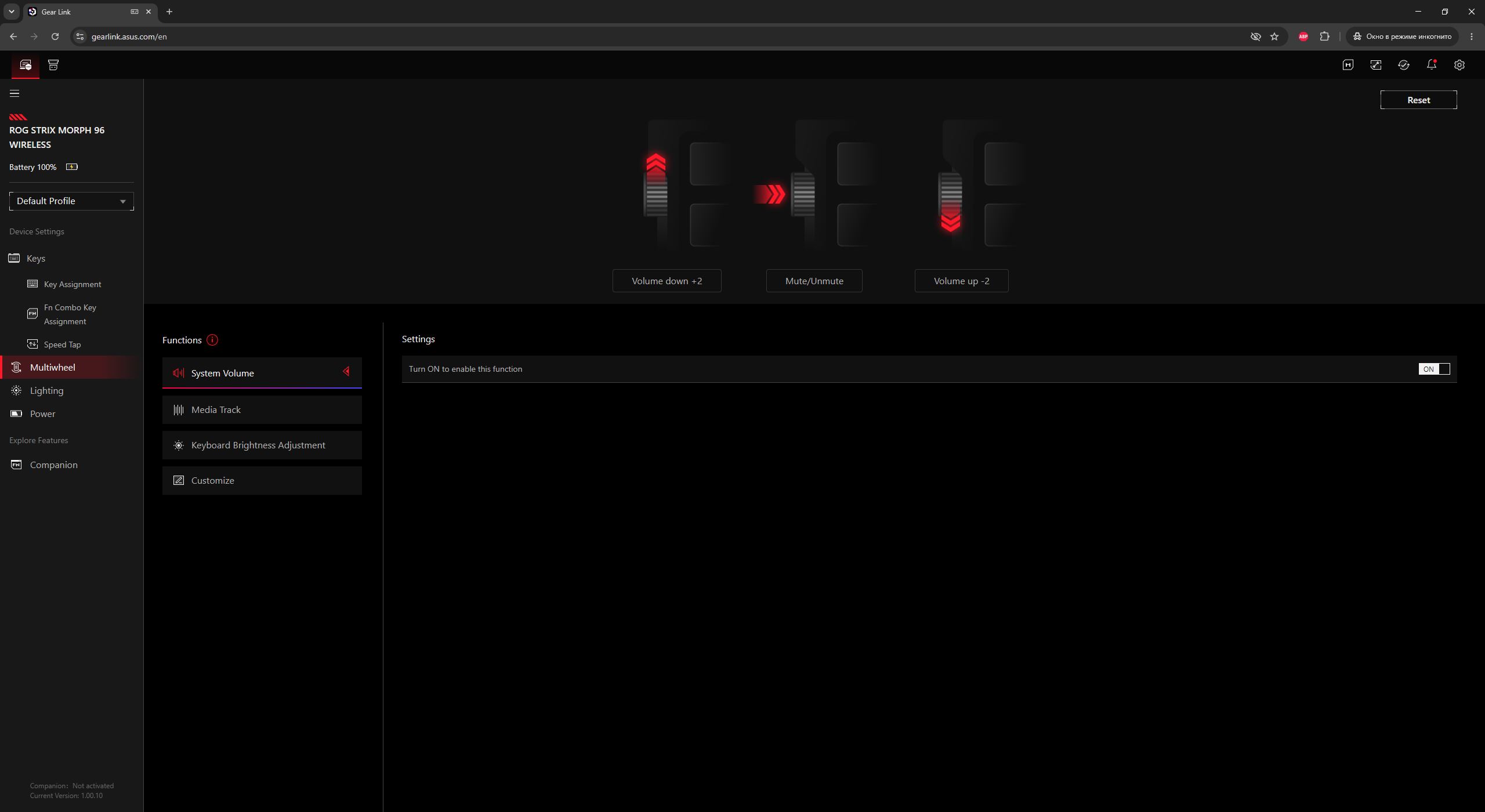
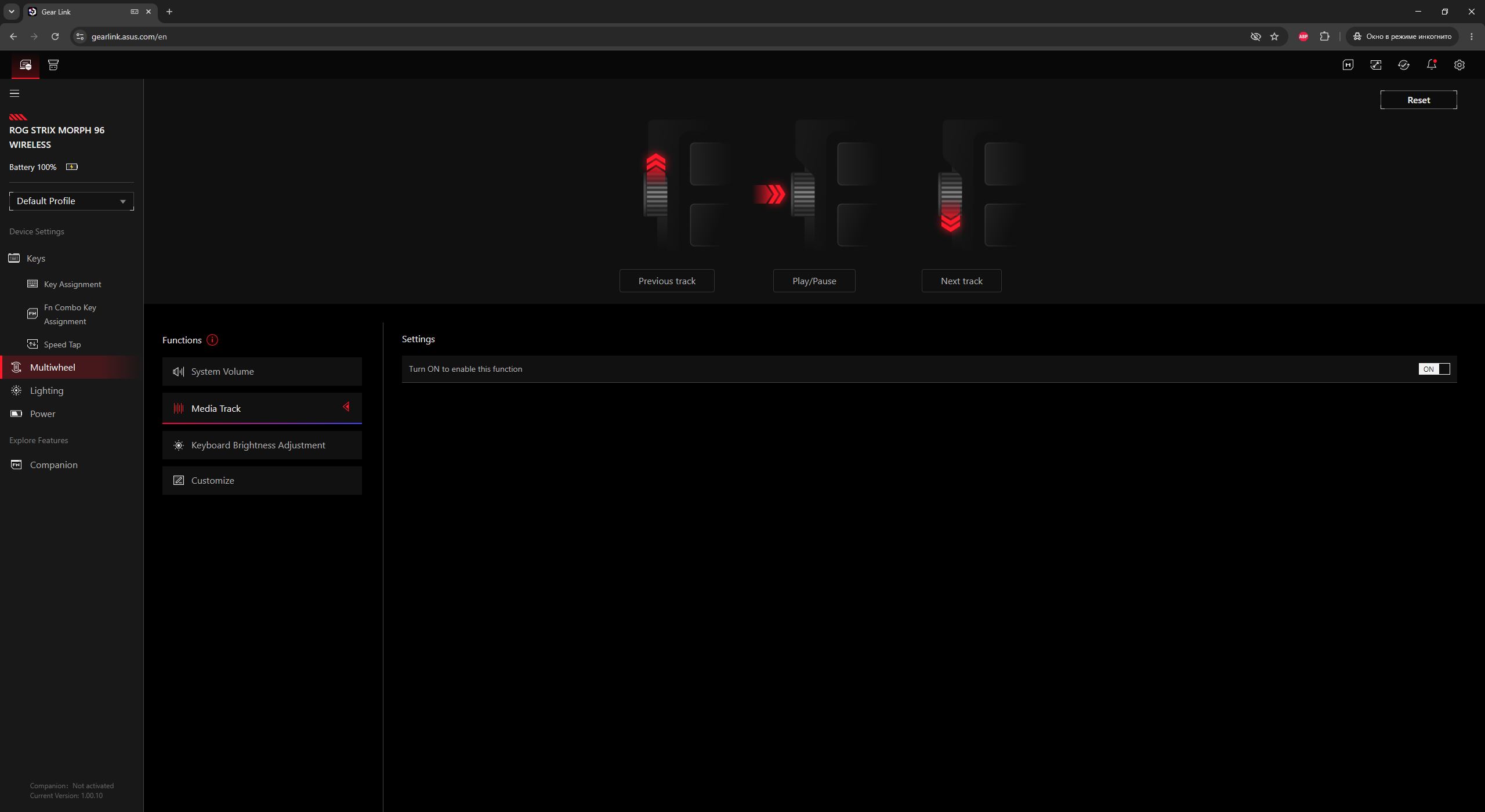
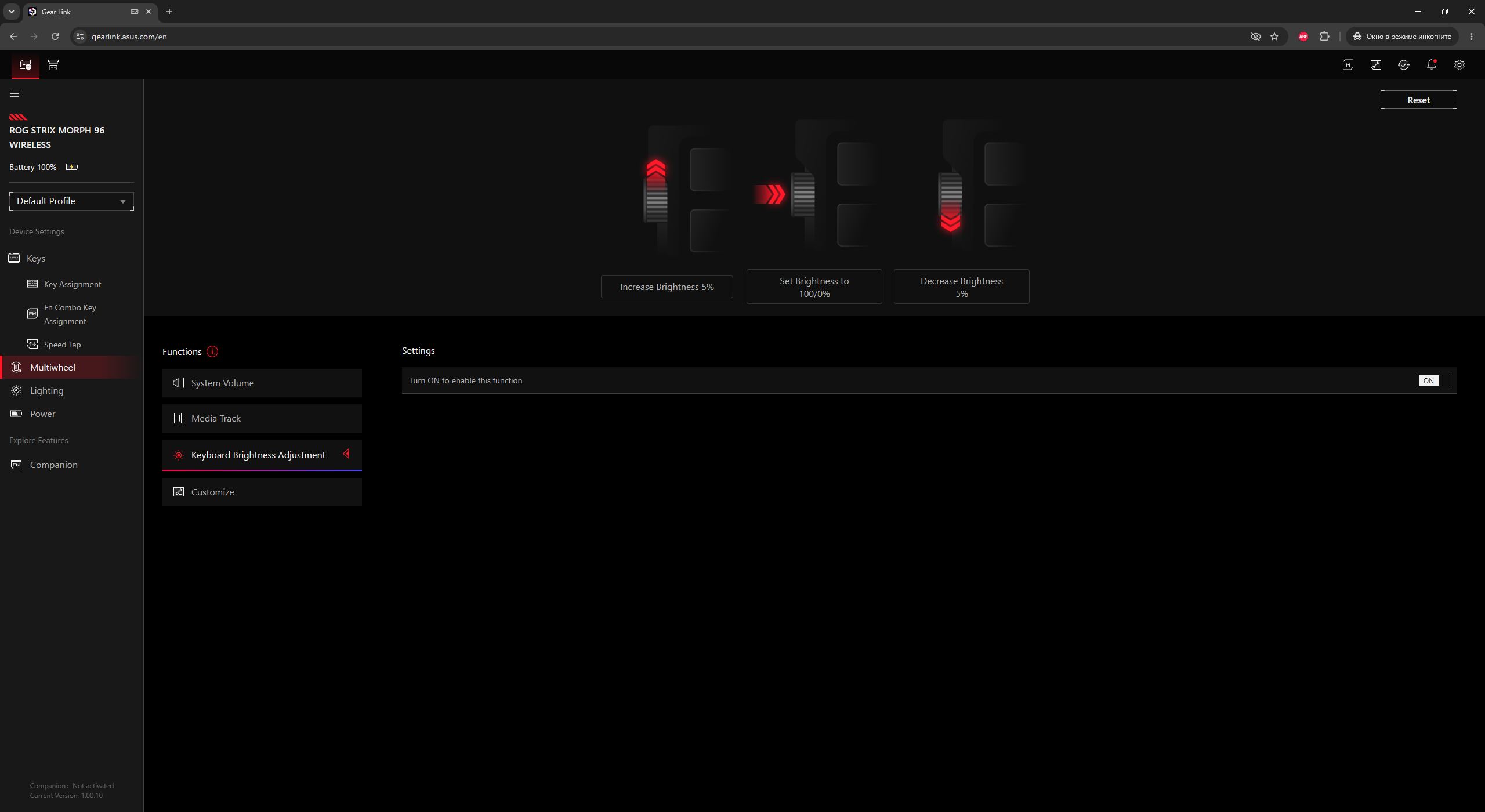
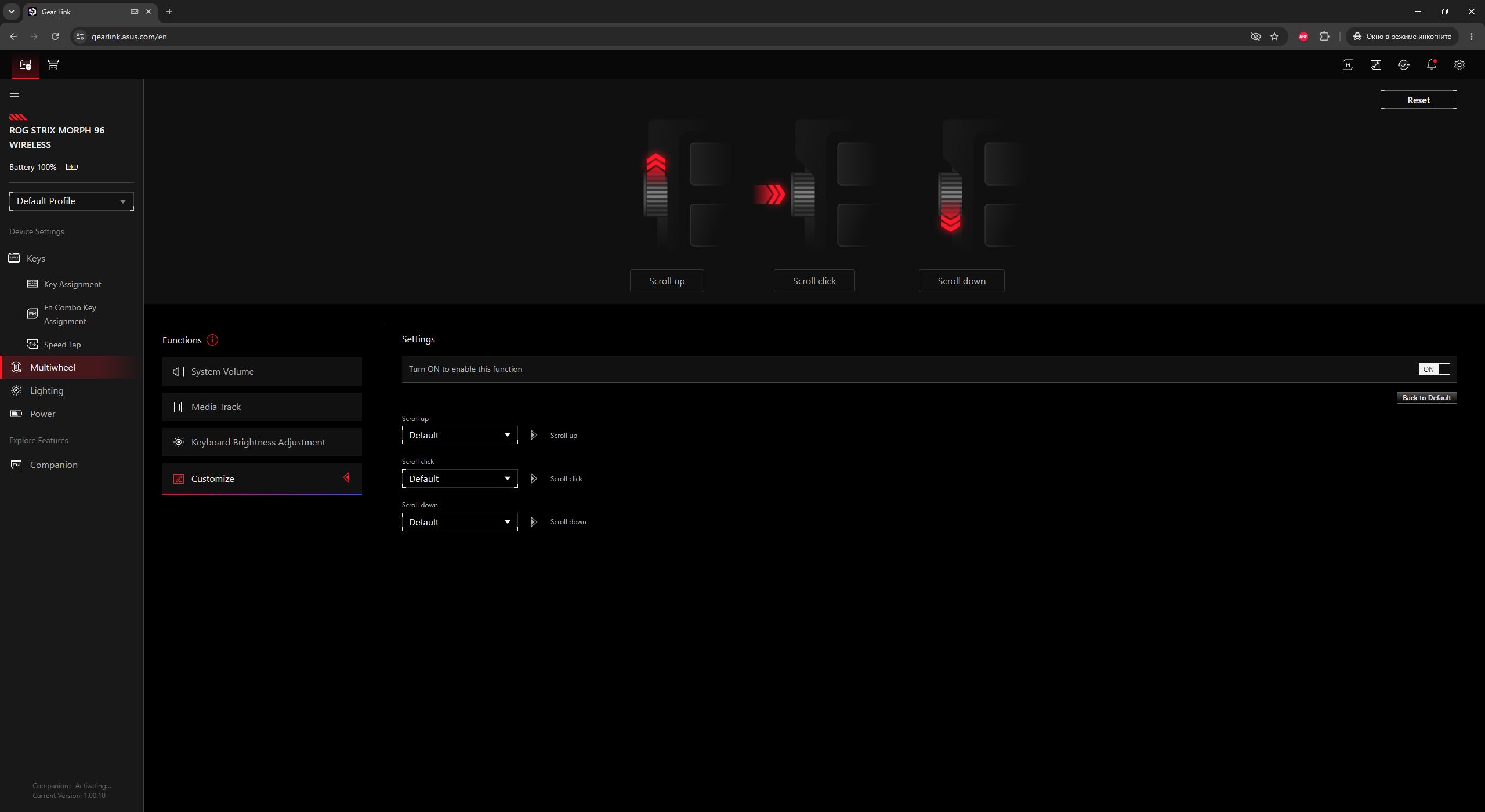
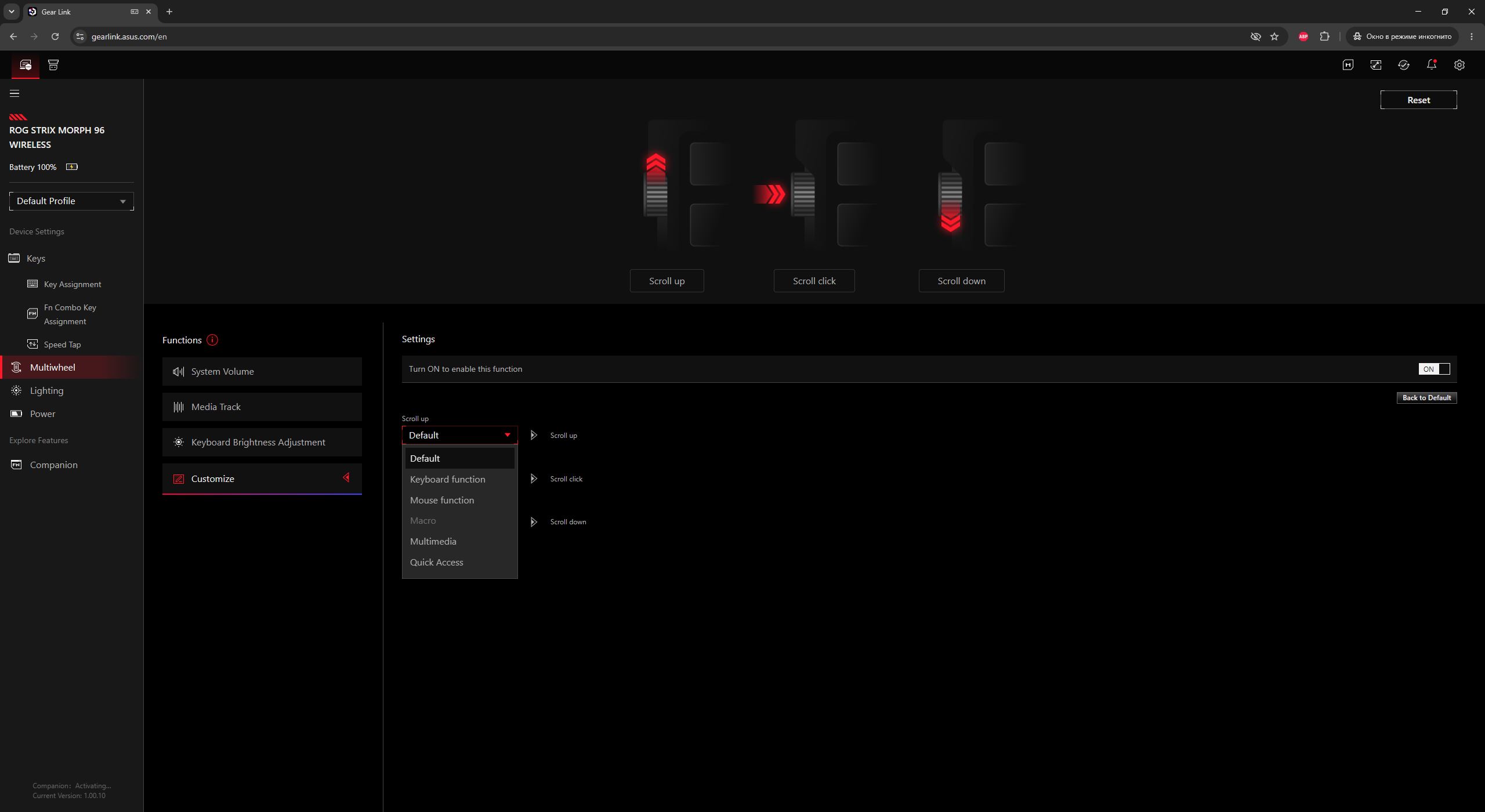
In the Lighting menu, you can configure the keyboard’s key backlighting and the side panel lighting. As mentioned earlier, this is a single unified lighting zone, so the keys and side panels cannot be adjusted separately.

The Power menu contains all battery-related settings for the keyboard: battery level display in percentage, low-battery indication threshold, disabling backlighting in power-saving mode (by default below 20%), and the sleep timer.



The Companion menu contains extensions that need to be installed to enable certain additional keyboard functions. First and foremost, they are required for macro functionality, as this menu does not work without the package. Installing Companion also enables other useful features, such as quick website access, text input templates, and Windows shortcuts.




In the Macro menu, you can create and edit macros. It is also worth noting that the new Morph can record and store macros on the fly directly from the keyboard. It includes a dedicated mode for this purpose.

The Firmware Update menu allows you to download the software and firmware required to update the keyboard. The process is straightforward: you download the utility, run the executable file, and wait for the update to complete. For clarity, the device can also be updated via the older Armoury Crate, where the process is slightly more automated.

All changes made in Gear Link are applied to the keyboard instantly. There is no need to save settings manually or restart the device. In addition, the keyboard has onboard memory with six independent fully configurable profiles (one default and five user profiles), which can be switched between as needed. This allows you to configure the device once in Gear Link and then use it with all settings applied even without the application, including on other PCs.

Read also:
- ASUS ROG Gladius III Core Mouse Review: Asymmetric Design, Hot-Swap Switches, New Switch Technology, and Gear Link
- Review of ASUS ROG Harpe II Ace and ROG Sheath II XXL: An Esports Mouse and Gaming Mat with Cooling Surface
ROG Strix Morph 96 Battery Life
As is often the case with ASUS devices, there are no official specifications regarding the battery capacity of the new ROG Strix Morph. Instead, the official website only provides a general claim of over 500 hours of battery life in 2.4 GHz RF mode with the backlighting turned off.

But here’s the thing: I’ve used a lot of ASUS devices, and I also rely on some of them in daily use, so I’m quite familiar with their real-world battery performance. From that perspective, ASUS is generally consistent when it comes to battery life. So the claimed figure is likely very close to reality, and you can reasonably expect up to a week of use without recharging even with the backlight at maximum in 2.4 GHz RF mode.
Like all wireless keyboards, to save power, the device enters sleep mode after a period of inactivity (by default, 3 minutes). Importantly, it wakes up instantly without dropping the first input. Even scrolling the wheel immediately brings the keyboard out of sleep, which is something not all models with rollers handle well.

You can check the battery percentage either in Gear Link or directly on the keyboard itself. The latter method is faster, although slightly less informative. To see the remaining charge level, you simply need to press the key combination FN + the minus/dash key.

When this key combination is pressed, the number row lights up to indicate the remaining battery level. For example, in my case shown in the photo below, the keyboard is almost fully charged – keys from 1 to 9 are illuminated. This indicates that approximately 90% charge remains. If, for instance, keys 1 through 7 were lit, it would mean the battery is at around 70%.

Read also:
- ASUS ROG Strix Scope II X Keyboard Review: Hot-Swap Support, Clean Design, and an Accessible Price
- ASUS ROG Azoth X Keyboard Review: Futuristic Design, Hot-Swap Support, and OLED Display
Conclusion
To conclude this review, the new ROG Strix Morph 96 Wireless (and the broader new device lineup it represents) turns out to be a successful and interesting release. It is a solid keyboard option that should suit a wide range of users and cover most modern gaming and productivity use cases.
It offers a versatile layout, good build quality, hot-swap support, pleasant typing experience, strong battery life, browser-based configuration via Gear Link, and, of course, the standout feature of top-case disassembly for easier customization and modifications. Most importantly, it remains relatively affordable for the ROG lineup.
I did not identify any significant drawbacks in everyday use. The only minor points worth mentioning are small complaints about the included accessories and the somewhat loose-feeling roller. Otherwise, it is a well-executed device and a strong addition to the ROG series.

Read also:
- Five AI Cities: Inside the Emergence AI Experiment – Order, Chaos, and Survival
- Everything About VERTU ALPHAFOLD: Smartphone Priced Like Car or Future of Enterprise AI?
- Moon Base: What’s Behind NASA’s Ambitious Plan to Conquer the Moon
Where to buy the ROG Strix Morph


