




© ROOT-NATION.com - Use of content is permitted with a backlink.
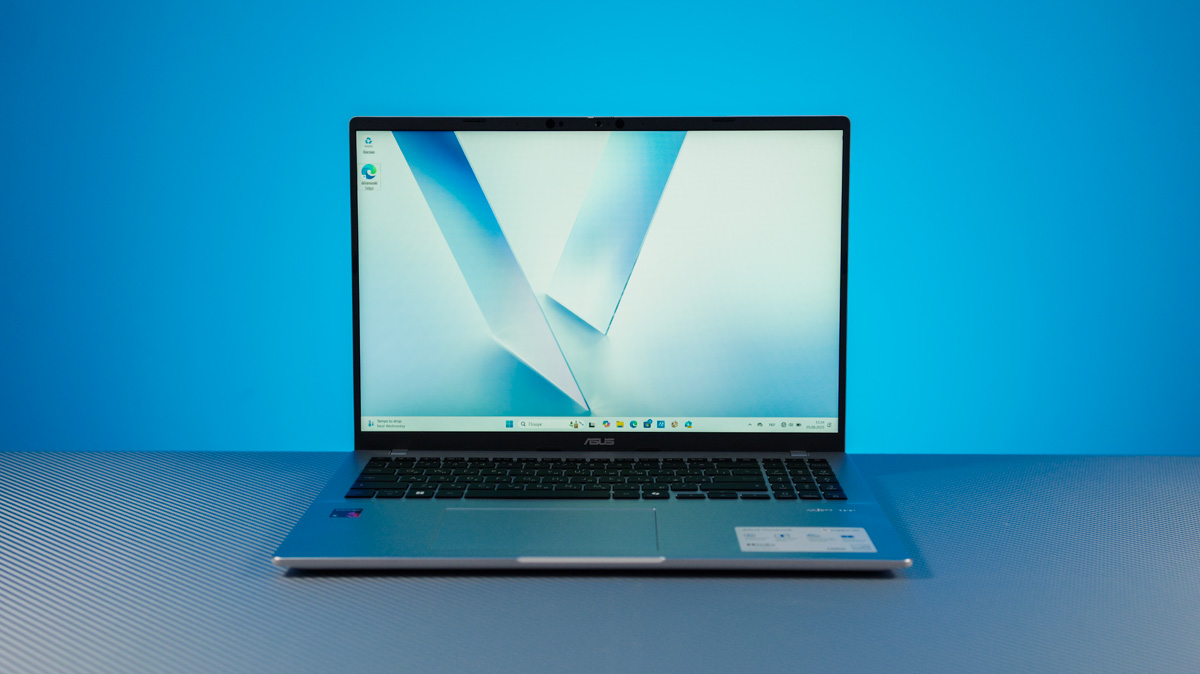
The ASUS Vivobook 16 X1607Q, powered by the Snapdragon X X1-26-100 processor, has one clear advantage. It strives to carve out a spot in the energy-efficient workhorse category, aiming to compete alongside the MacBook Air and Chromebooks – while retaining nearly all the versatility that Windows offers.
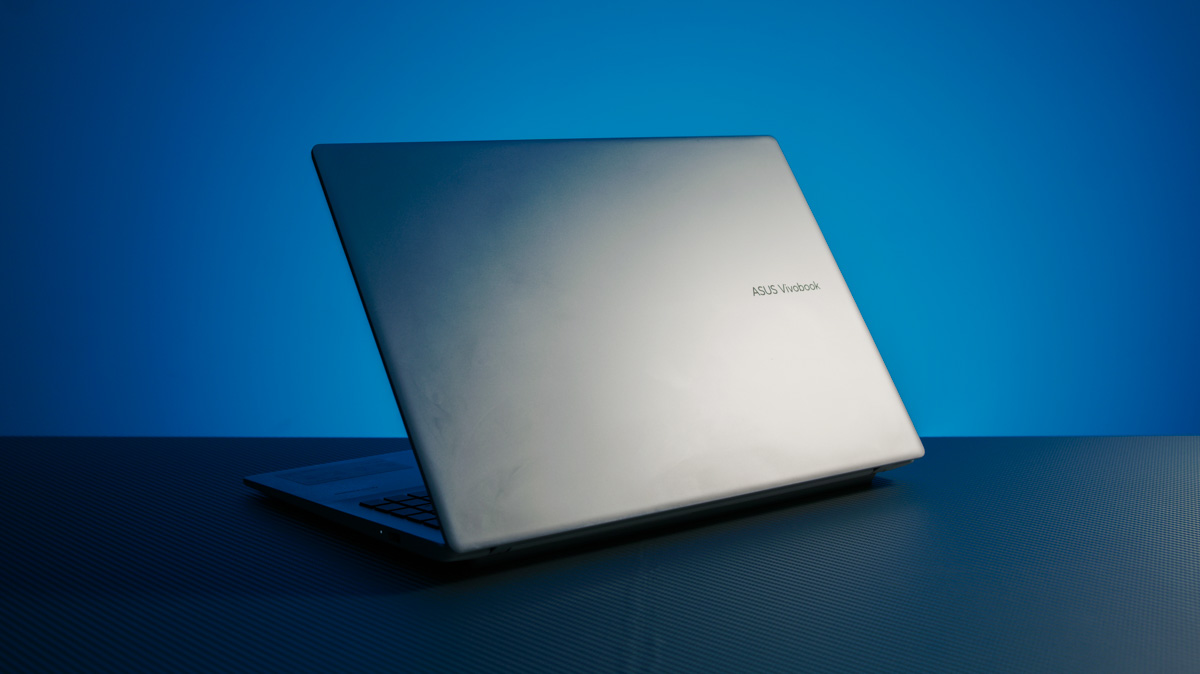
TABLE OF CONTENTS:
Specifications
- Operating system: Windows 11 Home
- Processor: Snapdragon X X1-26-100
- Video core: Adreno X1-45
- NPU: Qualcomm Hexagon (up to 45 TOPS)
- Screen: 16 inches, WUXGA (1920×1200)
- Panel type: IPS
- Refresh rate: 60 Hz
- Brightness: 300 nits
- Colour gamut NTSC/Adobe RGB: 45%
- RAM: 16 GB LPDDR5X
- Storage: 512 GB (PCIe 4.0 x4 2280)
- Ports: 2×USB Type-A 10 Gb, 2×USB4 (display/power), HDMI 2.1, combined 3.5 mm
- Network interfaces: Wi-Fi 6E, Bluetooth 5.3
- Battery: 50 Wh
- Power supply: 65 W
- Weight: 1.88 kg
- Dimensions: 357×250×17 mm
Positioning and price
How much does it cost? Around $770 or €660 at the time of this review. The most affordable Apple options, factoring in seasonal discounts, are roughly in the same price range. Chromebooks, meanwhile, are significantly cheaper – in fact, you could buy three ASUS CX1 units for the price of one X1607Q. You can, but that doesn’t necessarily mean you should.
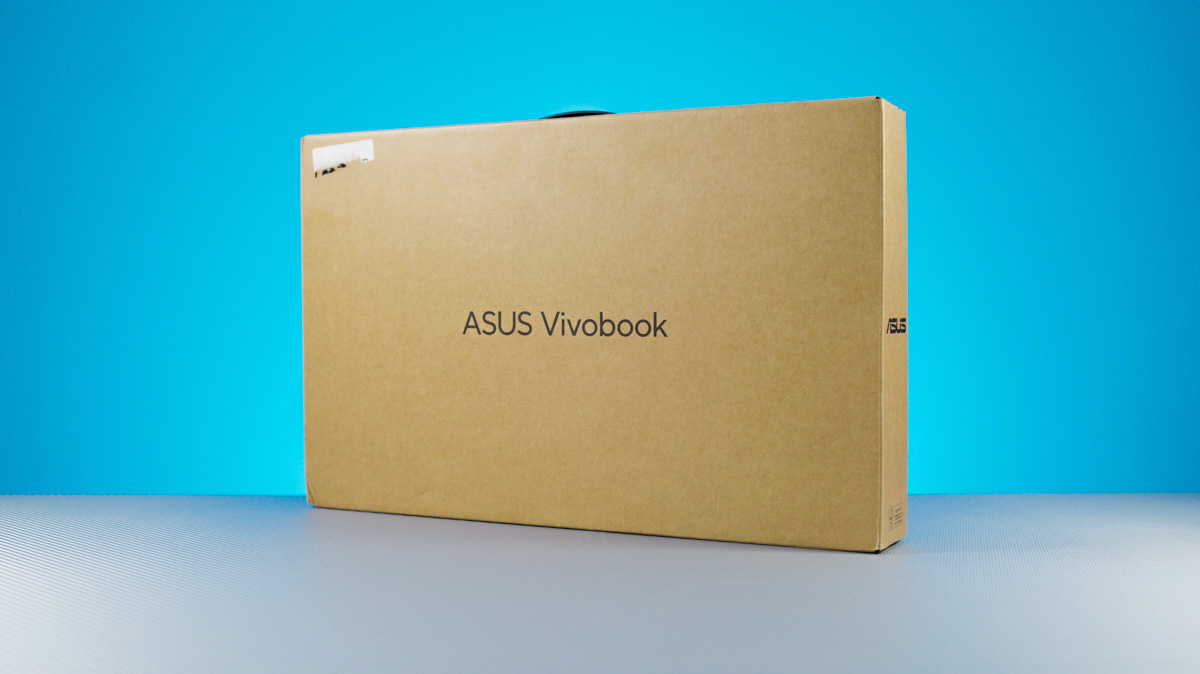
It’s worth noting that for $770, you get a configuration with 16GB of soldered LPDDR5X RAM and a 512GB SSD, along with an official version of Windows Home.
Package contents
Inside the box, along with the laptop, you’ll find a 65W USB-C charger. I didn’t even use it during testing, because the main advantage of USB-C charging at a standard 65W is the ability to easily swap the original charger for any branded one with equal or higher power.
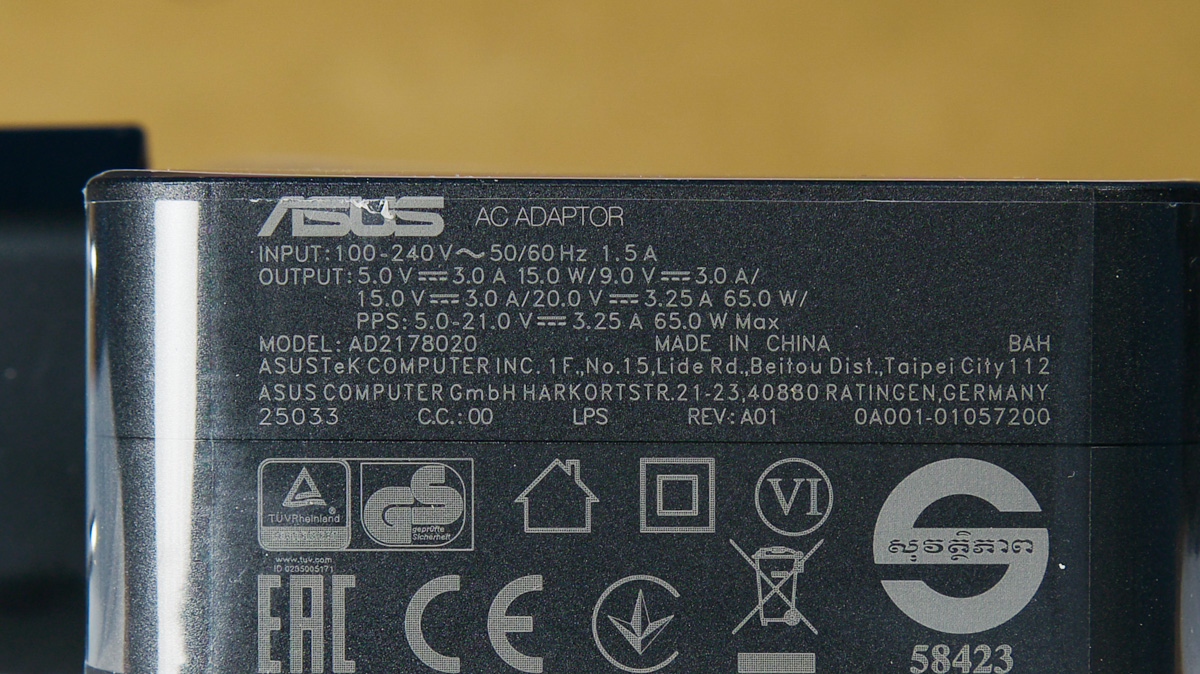
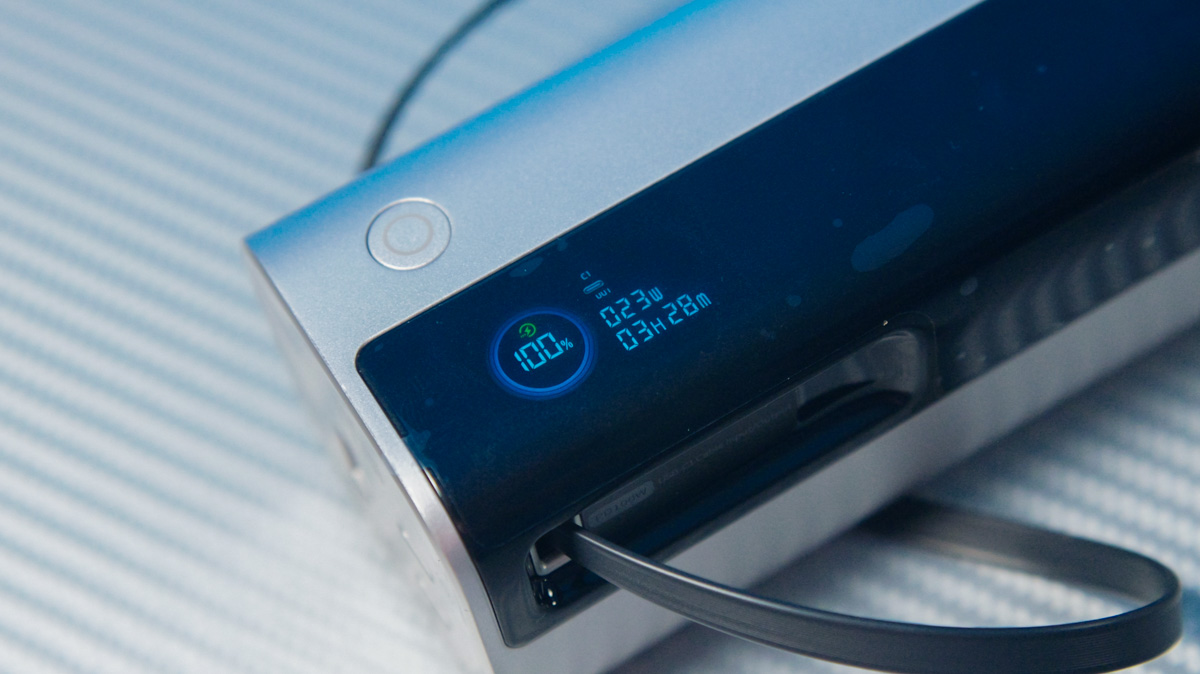
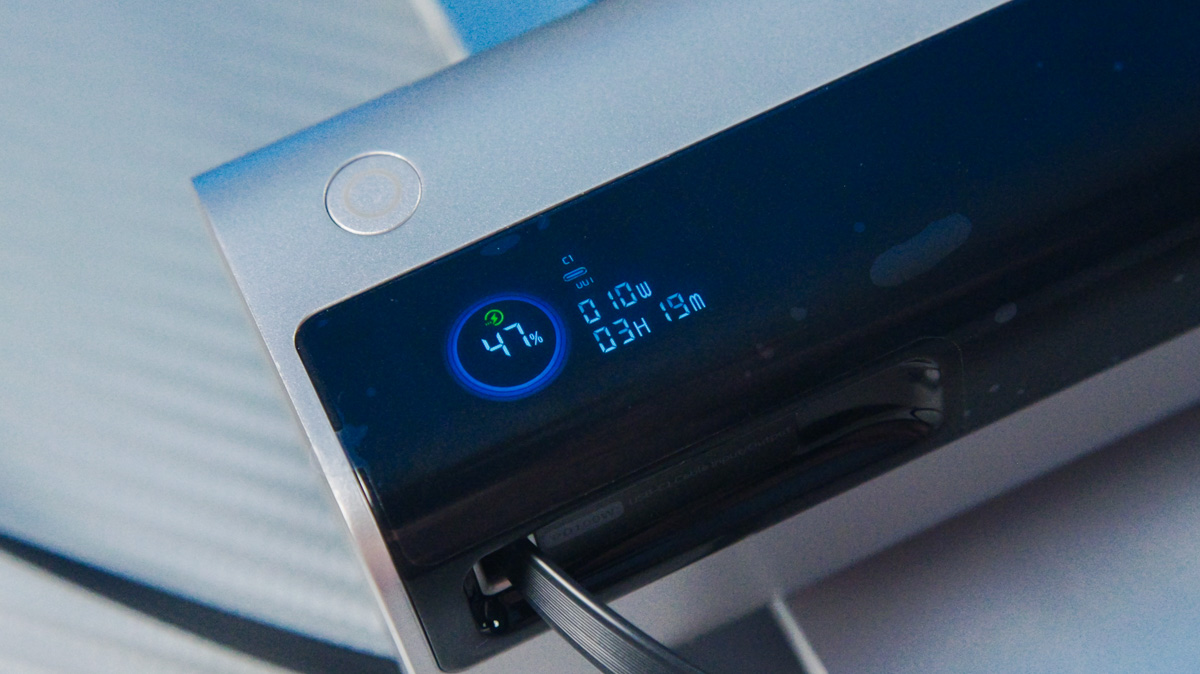
You can use either a charger or a power bank. I tested charging with affordable Baseus EnerCore CJ11 and EnerGeek GR11 power banks, and even monitored the laptop’s approximate power consumption through the EnerGeek GR11. We’ll come back to this, but considering its energy efficiency and a 50Wh battery – which is small for a gaming laptop but typical for budget ultrabooks – you could keep your ASUS Vivobook 16 X1607Q running for nearly a week without plugging in.
Design
The laptop has a clean, straightforward design without any unnecessary experiments. It’s made entirely of plastic, though the finish mimics metal. The color options are gray or black, both paired with dark gray keycaps on the keyboard.

The touchpad on the ASUS Vivobook 16 X1607Q is a decent size. There’s a cutout at the bottom edge to make opening the lid easier, and it passes the MacBook test with ease. Additionally, thanks to its hinge design, the lid can open a full 180 degrees.

On the positive side, the laptop benefits from a natural lift thanks to a silicone foot. On the downside, the lid has a uniquely fingerprint-prone finish – it’s matte, designed to look like metal, yet glossy enough to attract smudges almost instantly.

On a neutral note, the bottom cover has a noticeably rough texture in certain areas. This improves grip significantly, but it feels unusual to the touch.
Ergonomics and peripherals
Overall, the ASUS Vivobook 16 X1607Q doesn’t offer any unique or unusual features, but it also avoids unnecessary experimentation with the placement of ports on the chassis.
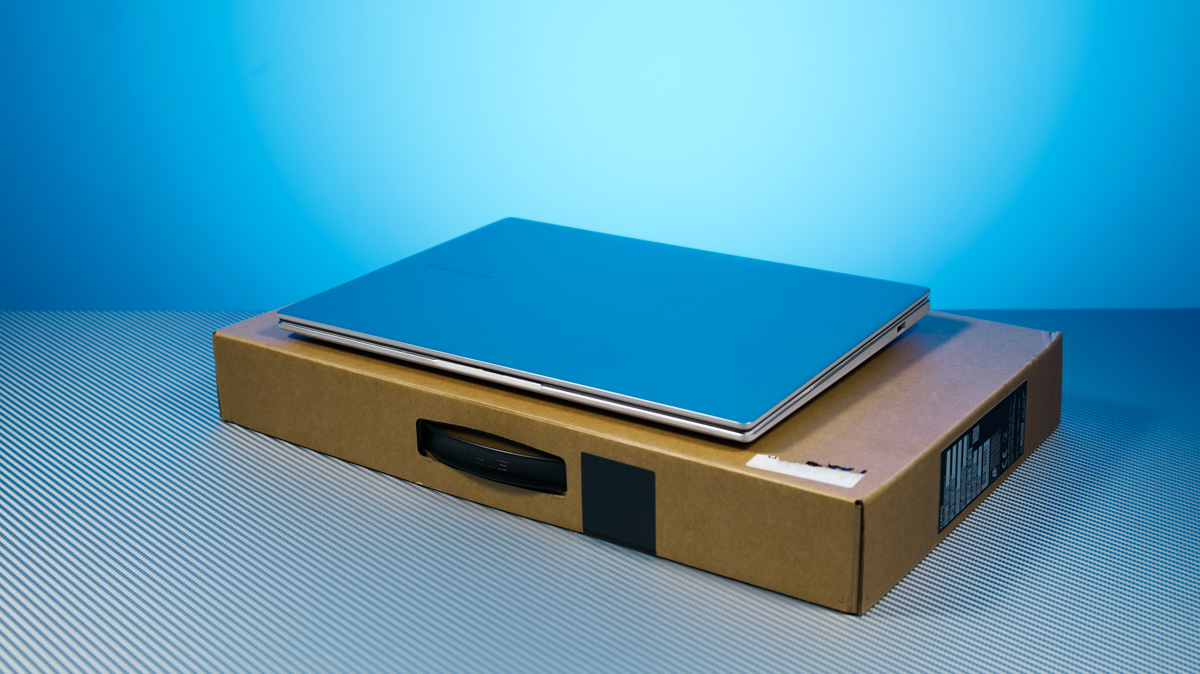
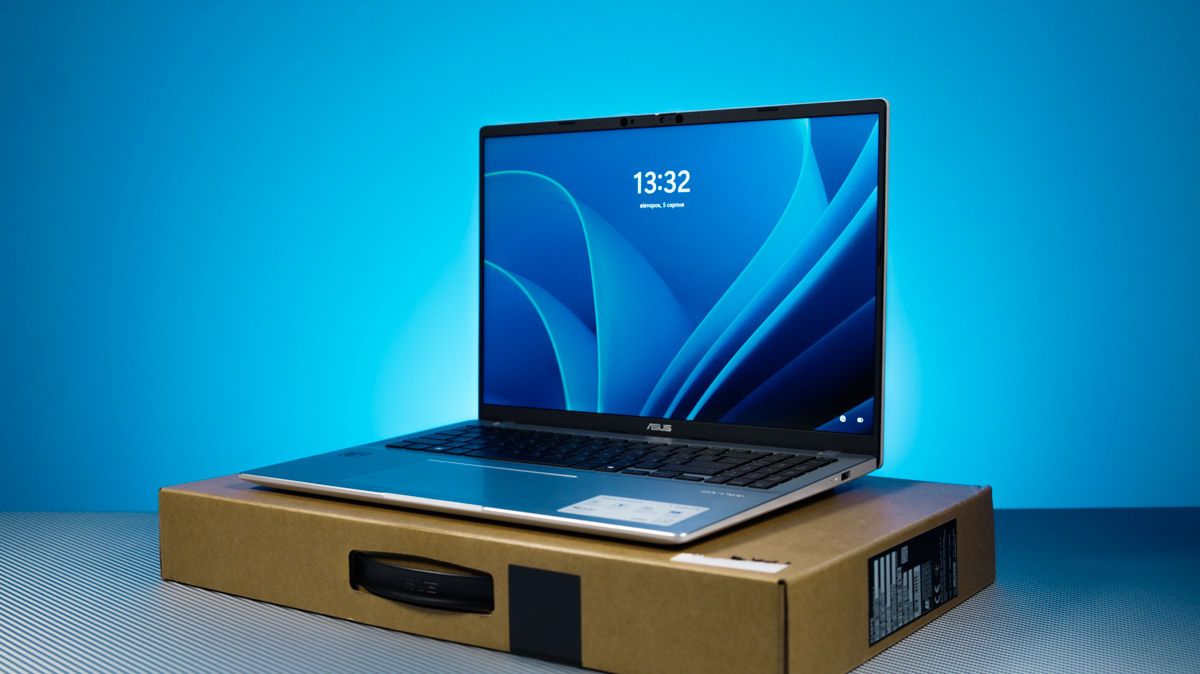
This model measures 35.7 × 25.06 × 1.79 cm and weighs just under 2 kg – specifically, 1.88 kg. Considering it has a 16-inch screen, the plastic build and optimized hardware deliver impressive results.
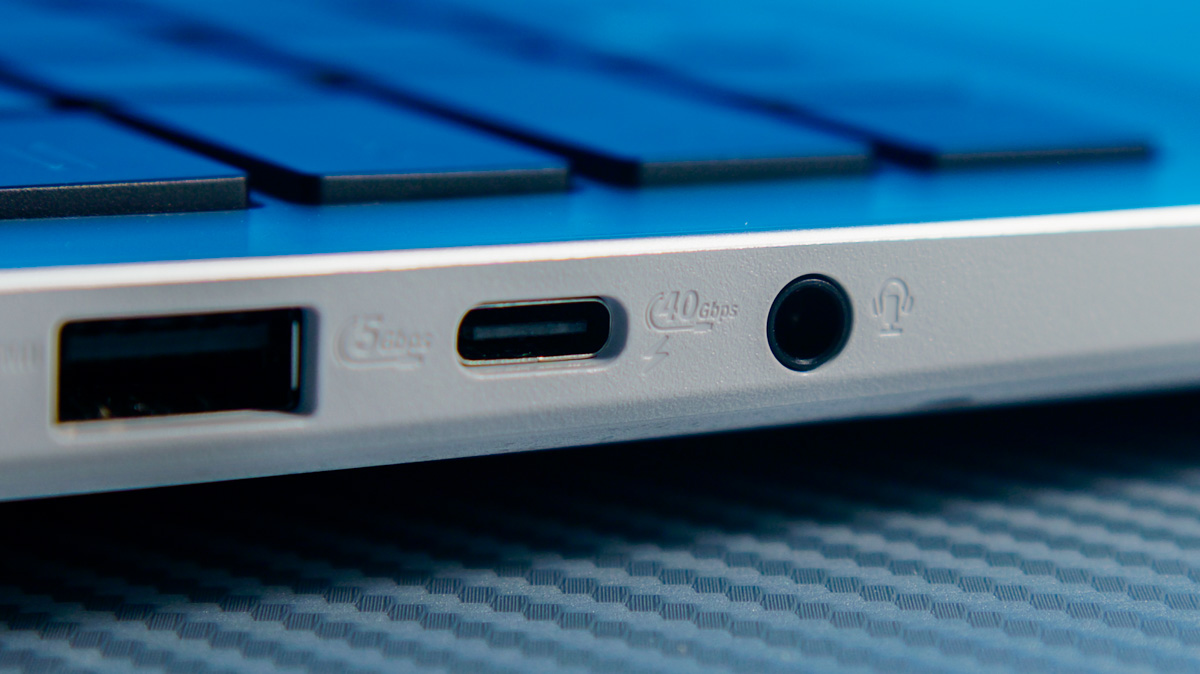
Looking at the ports, there’s a single USB-A port on the right side. On the left, you’ll find the rest: two USB4 40 Gbps ports, both supporting charging and video output (though without iGPU support), plus another USB-A, an HDMI 2.1, and a combined headphone/microphone jack.
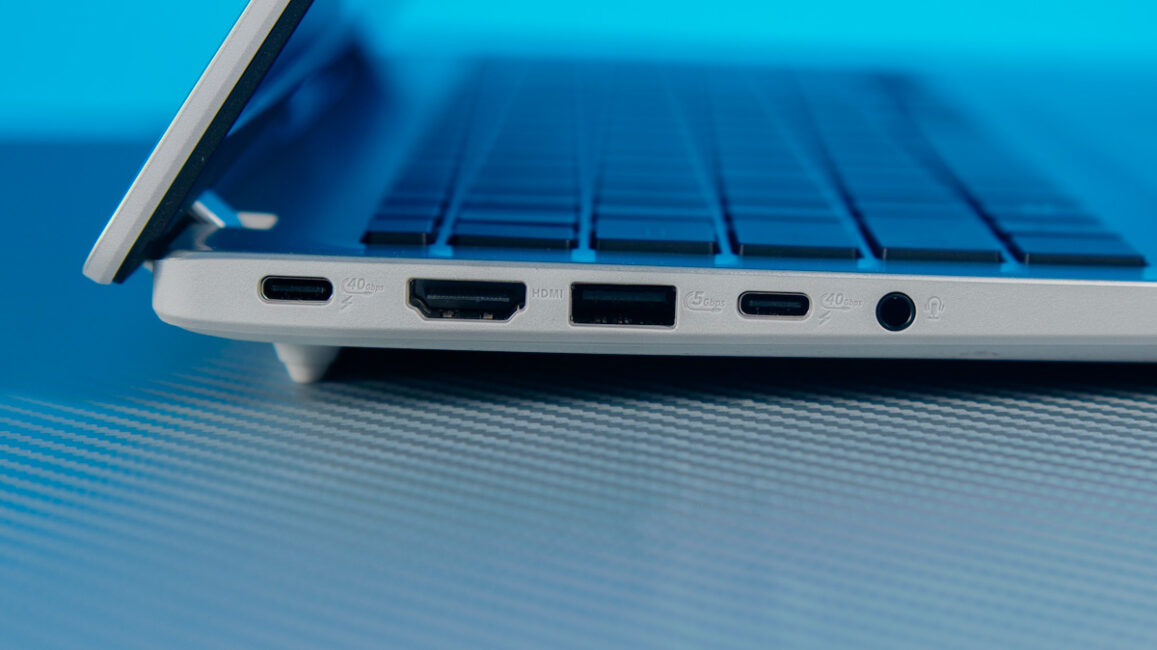
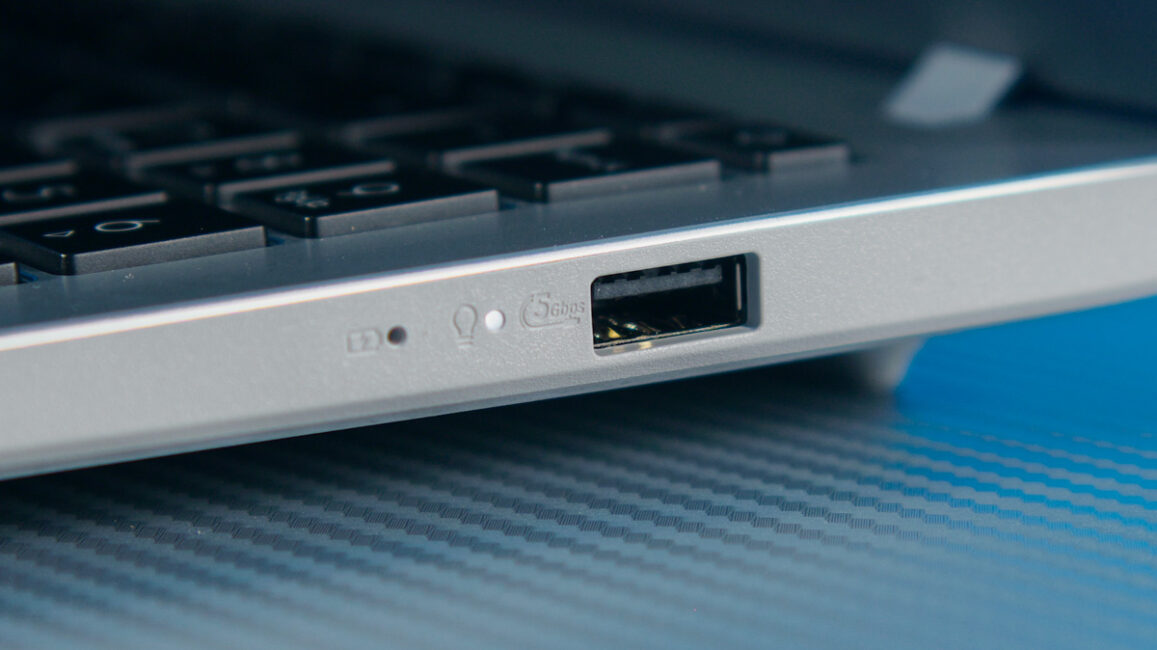
The only thing I’d like to see is USB4 ports spread across both sides of the laptop, making it more convenient to charge and use a hub at the same time.
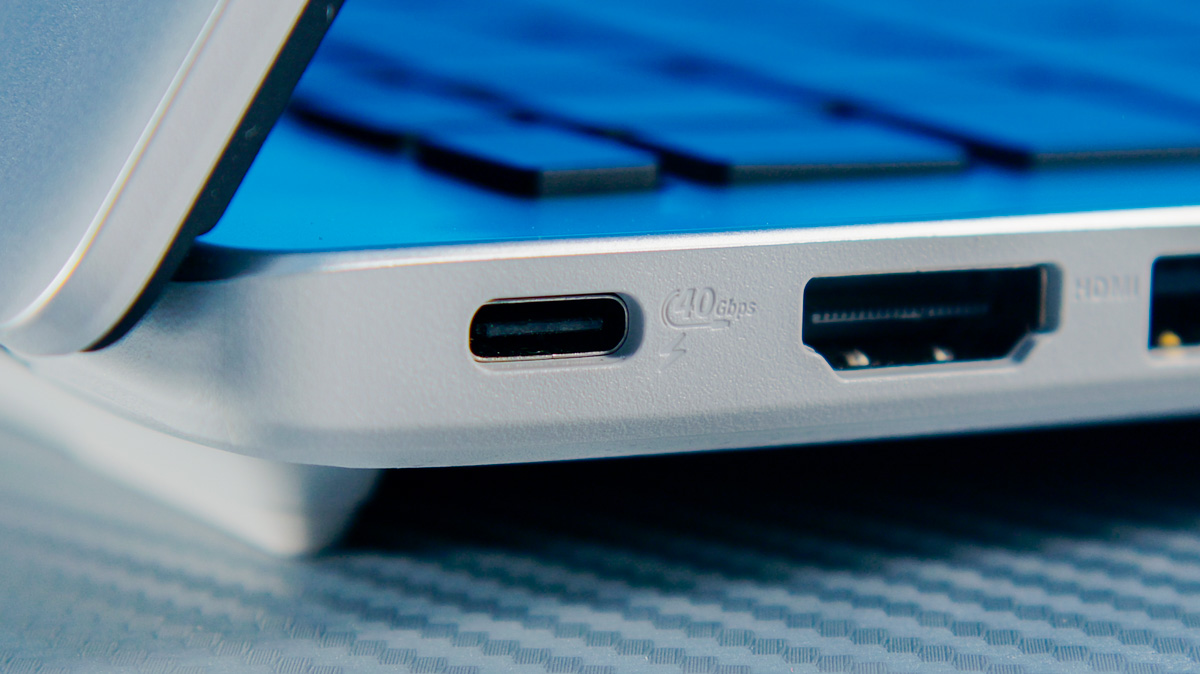
However, considering that most USB4 hubs can both charge the device and transfer data simultaneously, this isn’t much of an issue.
Disassembly
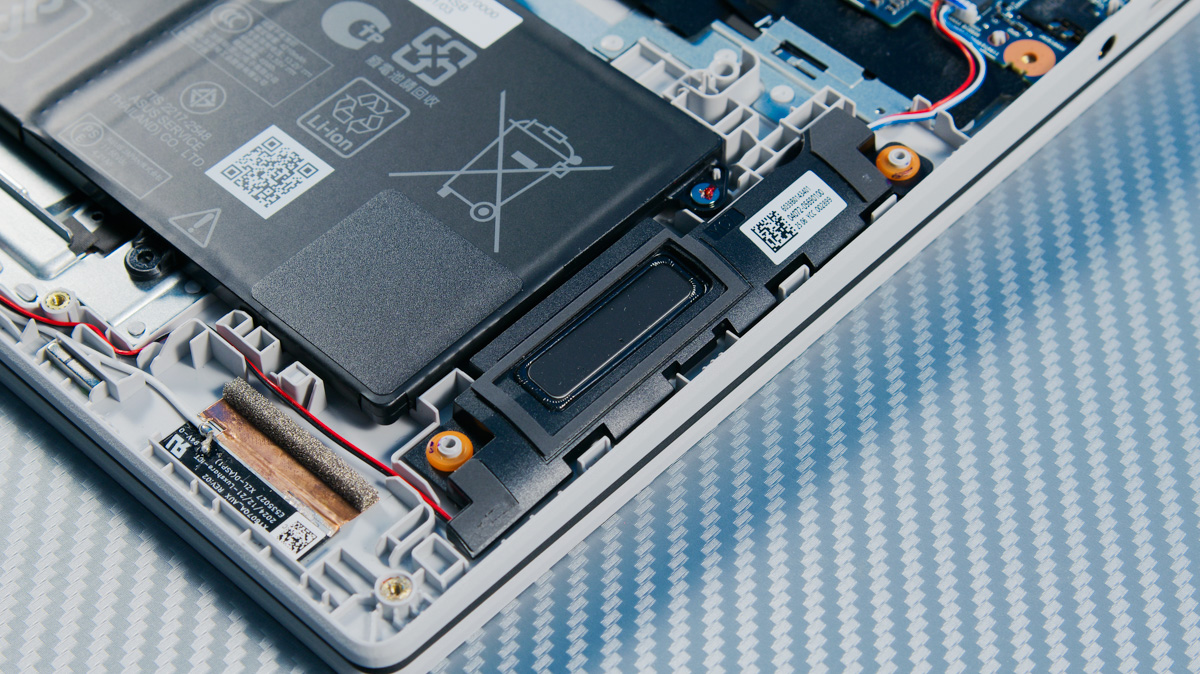
After removing the bottom cover – there’s a guide for this in the manual on the website – you’ll find a relatively simple layout: two speakers, a 50Wh battery, and a single copper heat pipe connected to the fan at the top.
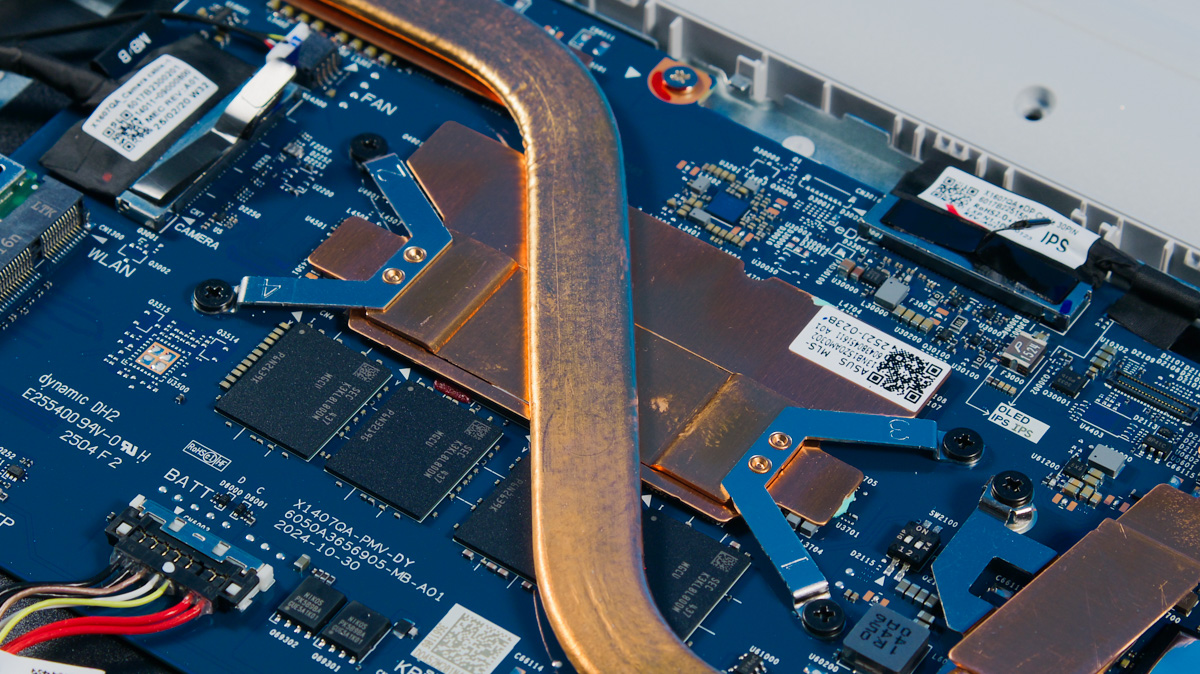
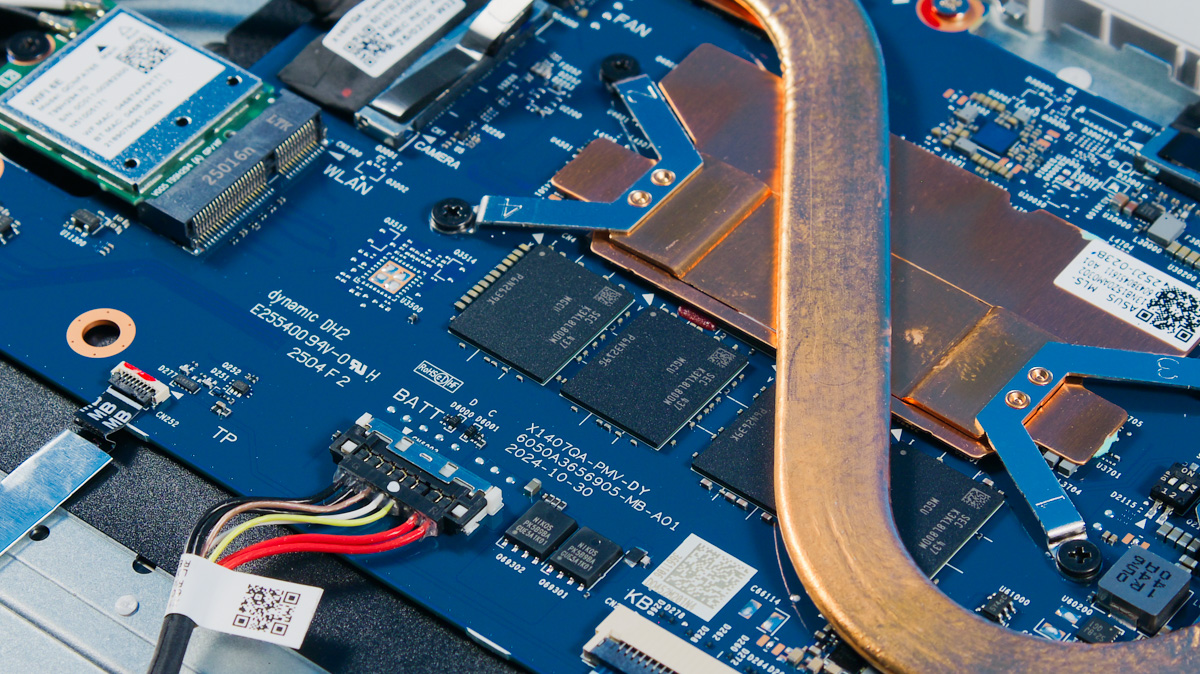
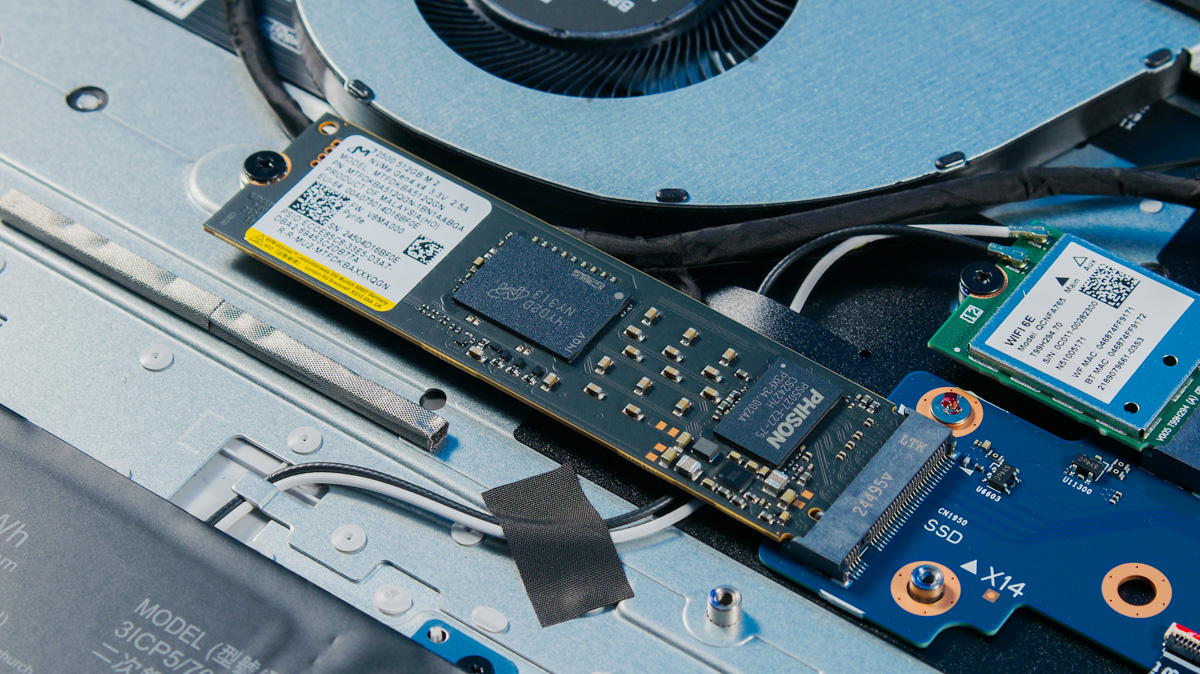
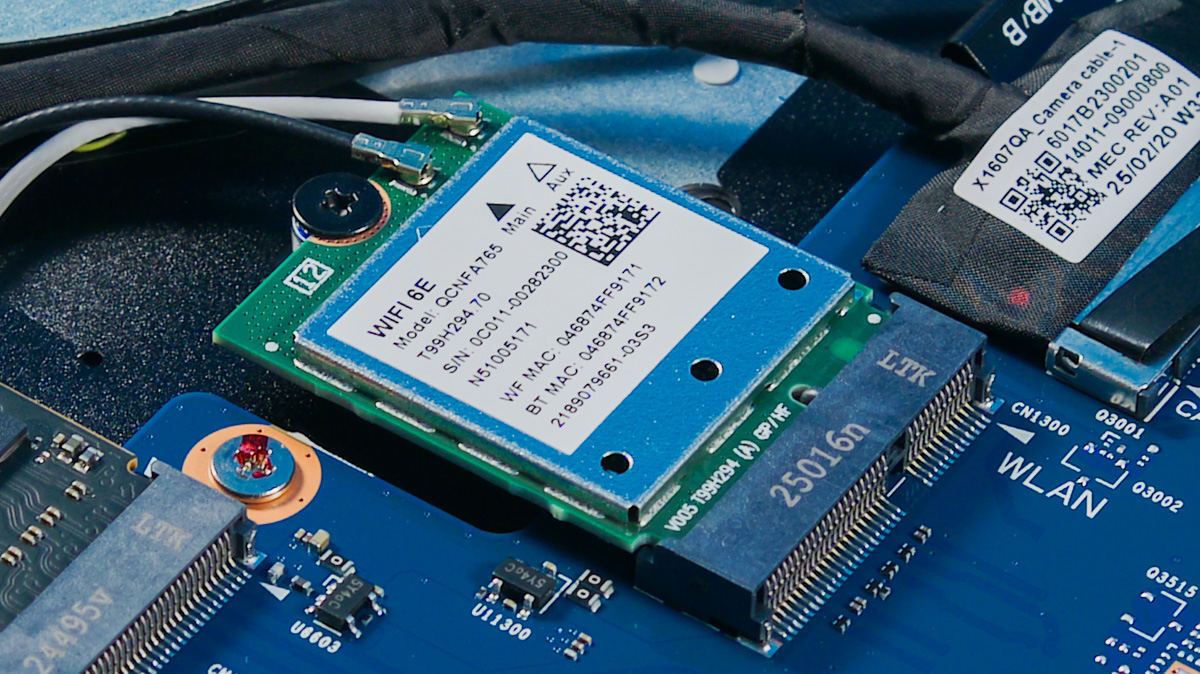
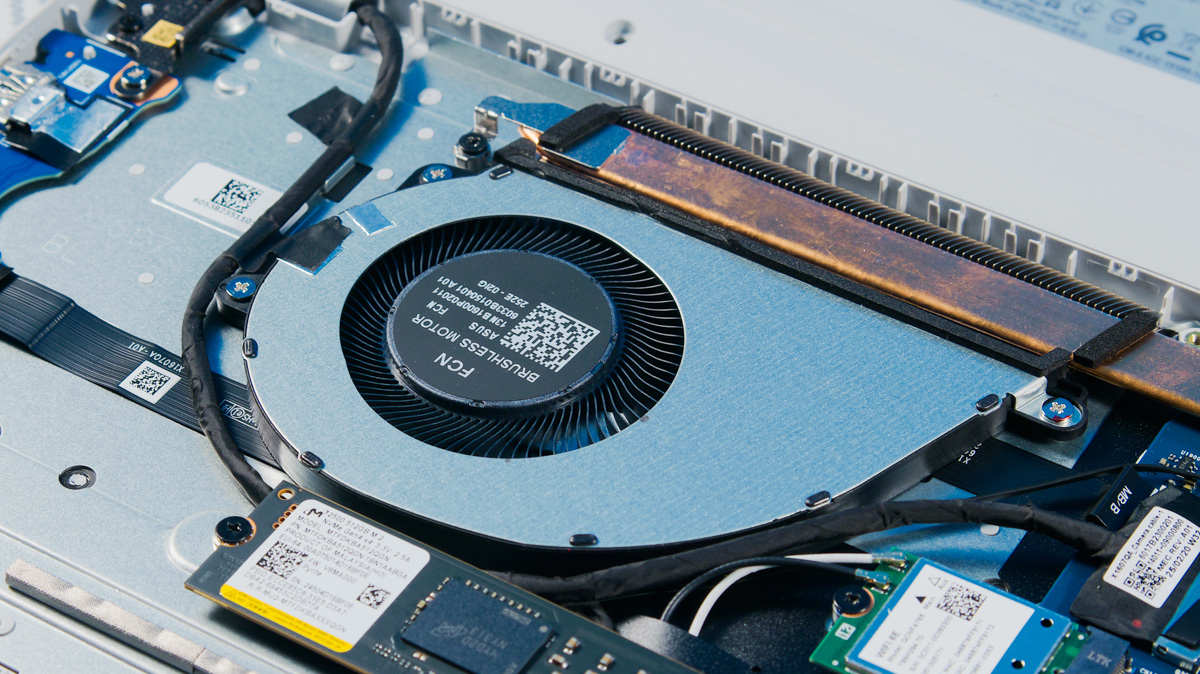
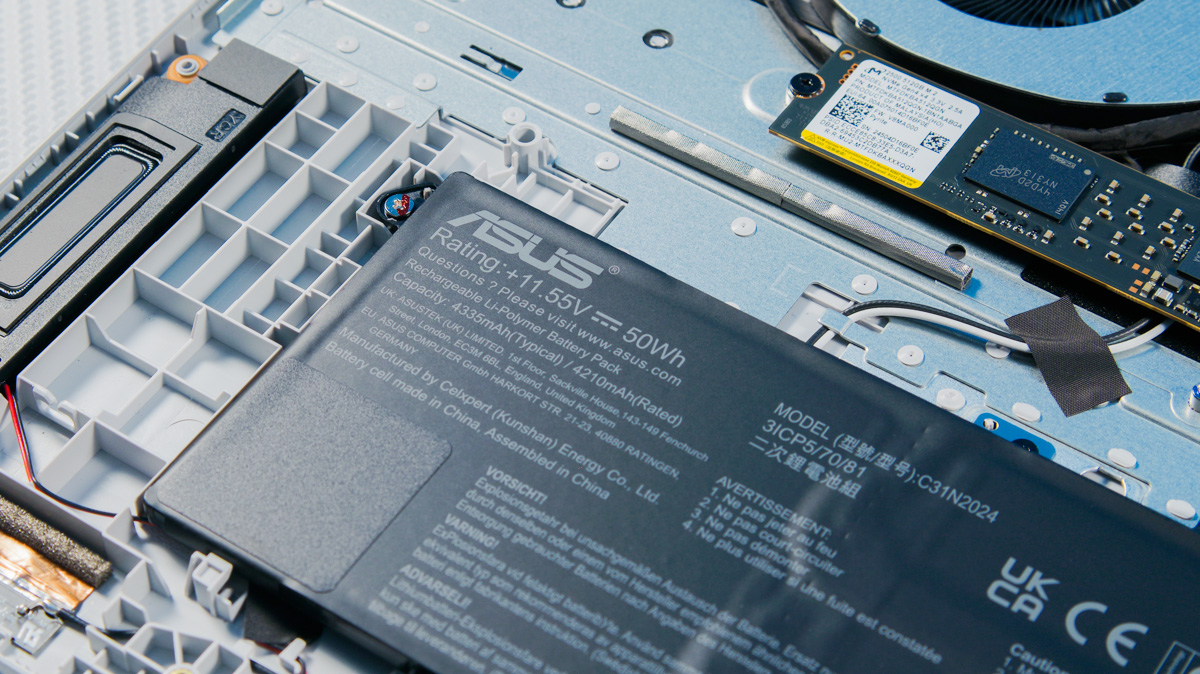
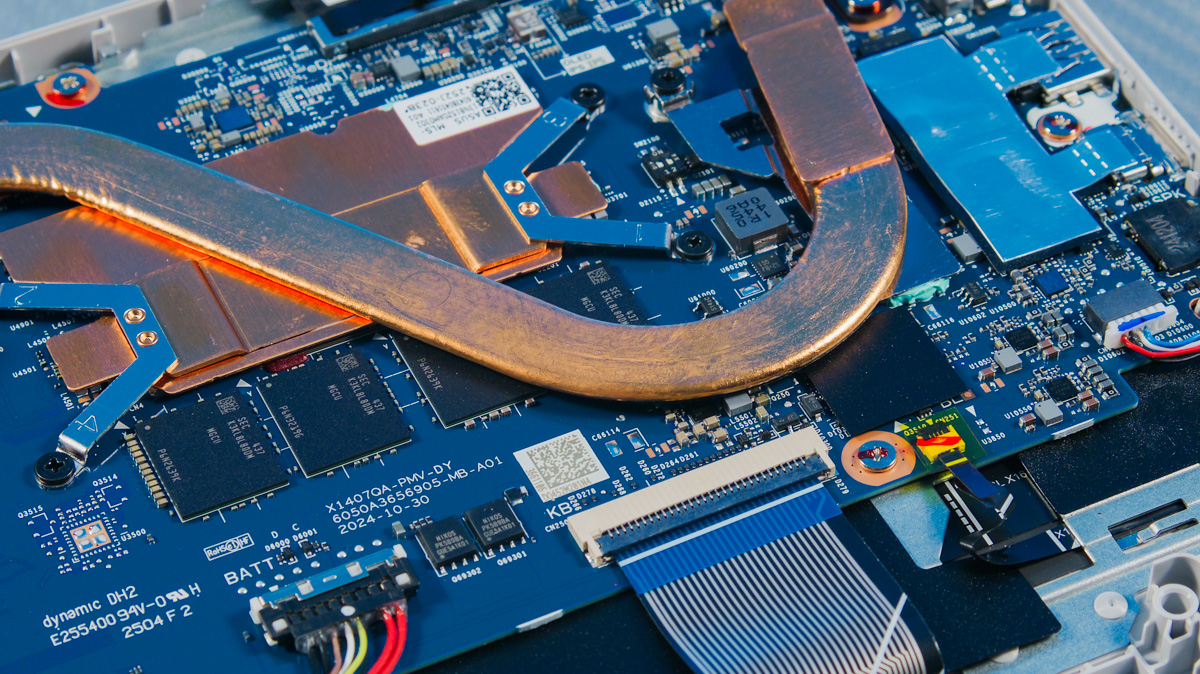
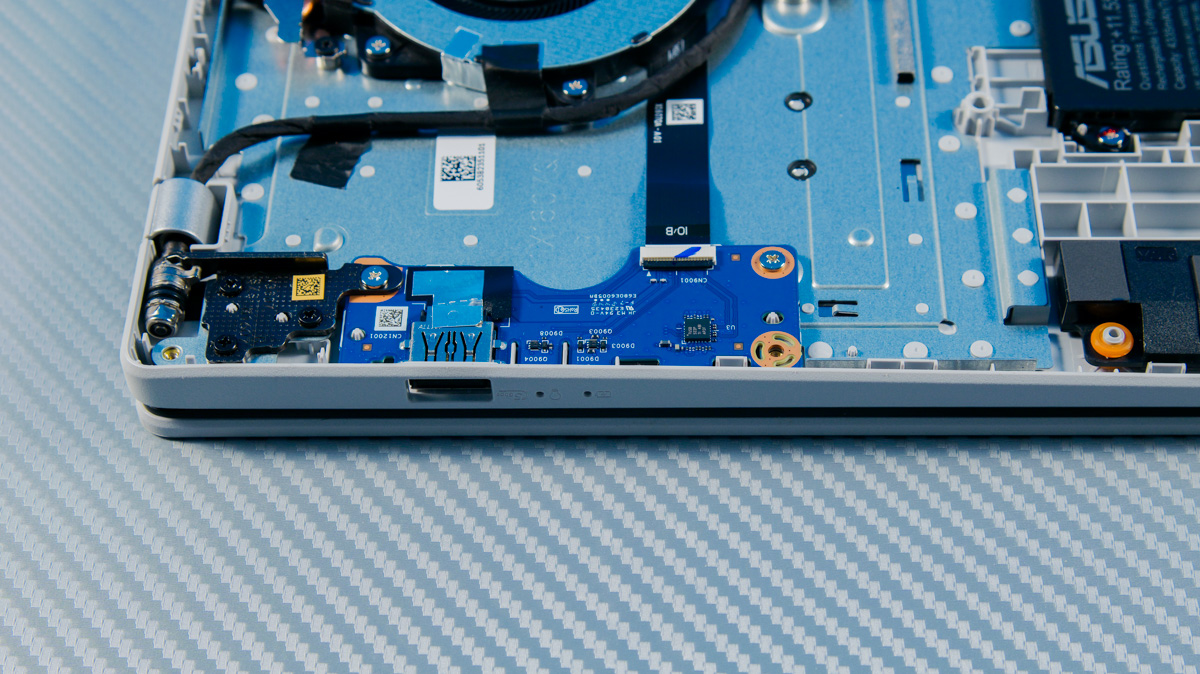
The RAM is soldered, but the SSD isn’t. A Micron MTFDKCD512QGN-1BN1AABLA is installed in the PCIe 4.0 2280 slot. I was also surprised that the Wi-Fi card isn’t soldered. Instead, there’s a Qualcomm FastConnect 6900 (QCNFA765) module installed in its slot by default.
Display
The display on the ASUS Vivobook 16 X1607Q is its main and only real weakness. On the one hand, it offers a 16-inch FHD+ panel with an anti-glare coating. On the other, it’s limited to 60Hz refresh rate, a basic 300-nit brightness, and just 72% sRGB coverage.
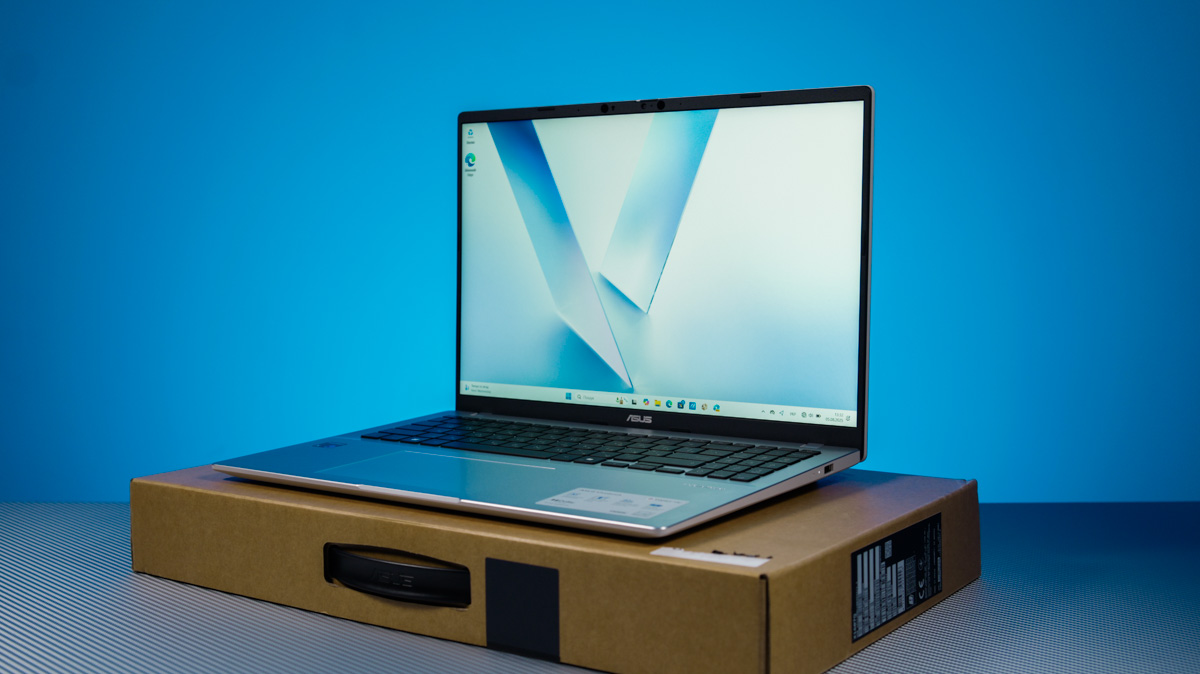
In other words, this display is completely unsuitable for color work, and overall the colors appear quite dull. What surprised me most, however, was the panel’s noticeable motion blur. I’ve seen this on cheap IPS smartphone screens, but didn’t expect it on a laptop. Even casual gaming on this display feels unpleasant.
Performance
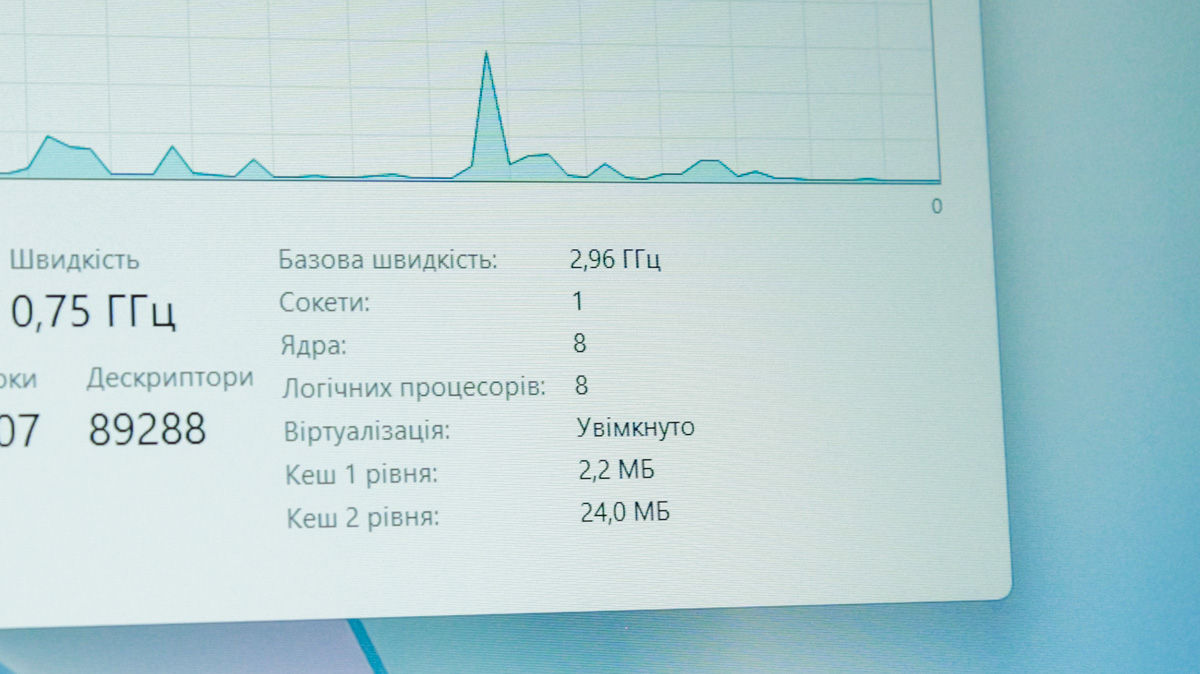
The Qualcomm Snapdragon X, or Snapdragon X1-26-100, is considered an entry-level processor for Windows devices based on ARM architecture. It features two clusters of four Oryon cores each, clocked up to 3 GHz. The chip includes a 6 MB L3 cache and is built on TSMC’s N4P process.
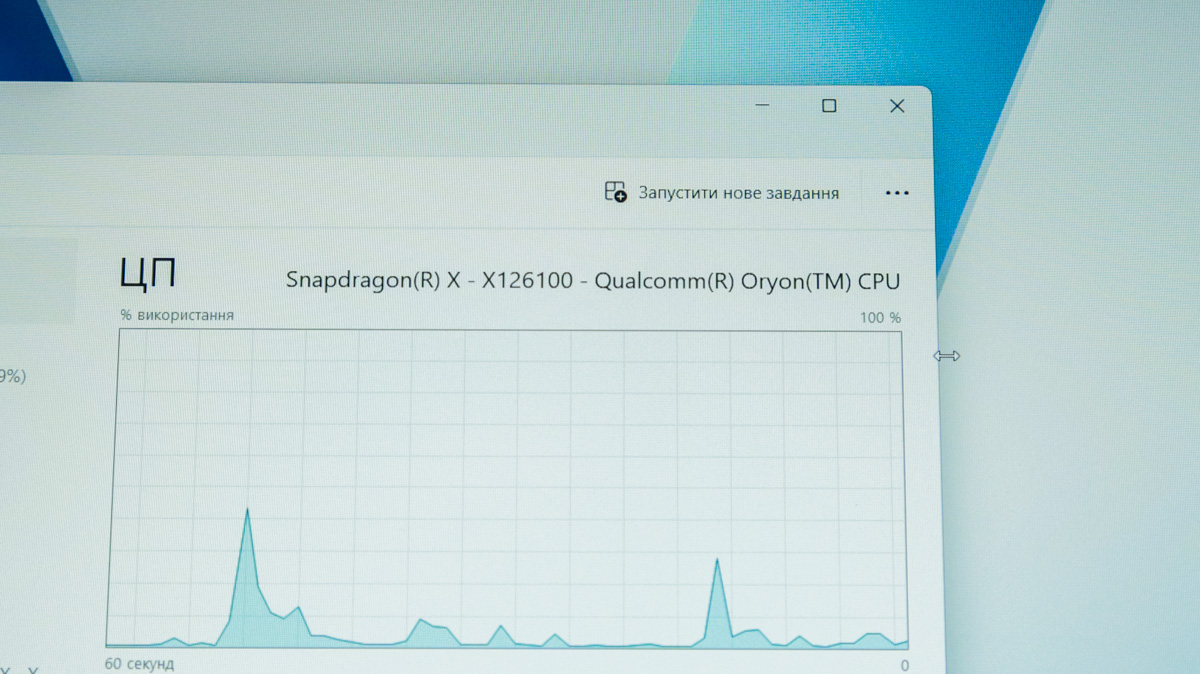
Within the Snapdragon X lineup, the X1-26-100 model has the lowest clock speed. Higher-end variants can reach frequencies between 3.4 GHz and 4.3 GHz, with 10 to 12 CPU cores. Interestingly, Qualcomm’s website lists boost speeds only for one or two cores.
The GPU in this model is the Adreno X1-45, which is often compared in performance to the GeForce MX350. The NPU is a Qualcomm Hexagon with a performance of 45 TOPS, allowing the laptop to meet Microsoft’s requirements for Copilot+ certification.
In short, this is an 8-core ARM processor clocked at 3 GHz with a GPU whose raster performance is comparable to the MX350. The Vivobook 16 X1607Q’s versatility is limited both by its basic performance level and compatibility concerns, since ARM processors can’t run all Windows applications natively.
It’s worth noting that even at launch, about a year ago, compatibility was quite solid and satisfactory. Most of Adobe Creative Suite and DaVinci Resolve are supported, along with the full range of browsers and text editors. Cinebench is available in both x86 and ARM versions. There’s also broad support for Steam, and I was able to run several games without major issues.

The Outer Worlds launched but suffered from significant lag. Strange Brigade also ran but at an unpleasant 30 FPS with noticeable frame tearing. S.T.A.L.K.E.R. Shadow of Chornobyl ran at a decent frame rate, but I immediately noticed a large number of graphical artifacts – something Sidorovich wouldn’t be able to sell. In Death Must Die, I saw the same odd motion blur and fuzzy animation I mentioned earlier. The only game I played without any issues (on minimum settings) was Songs of Conquest.
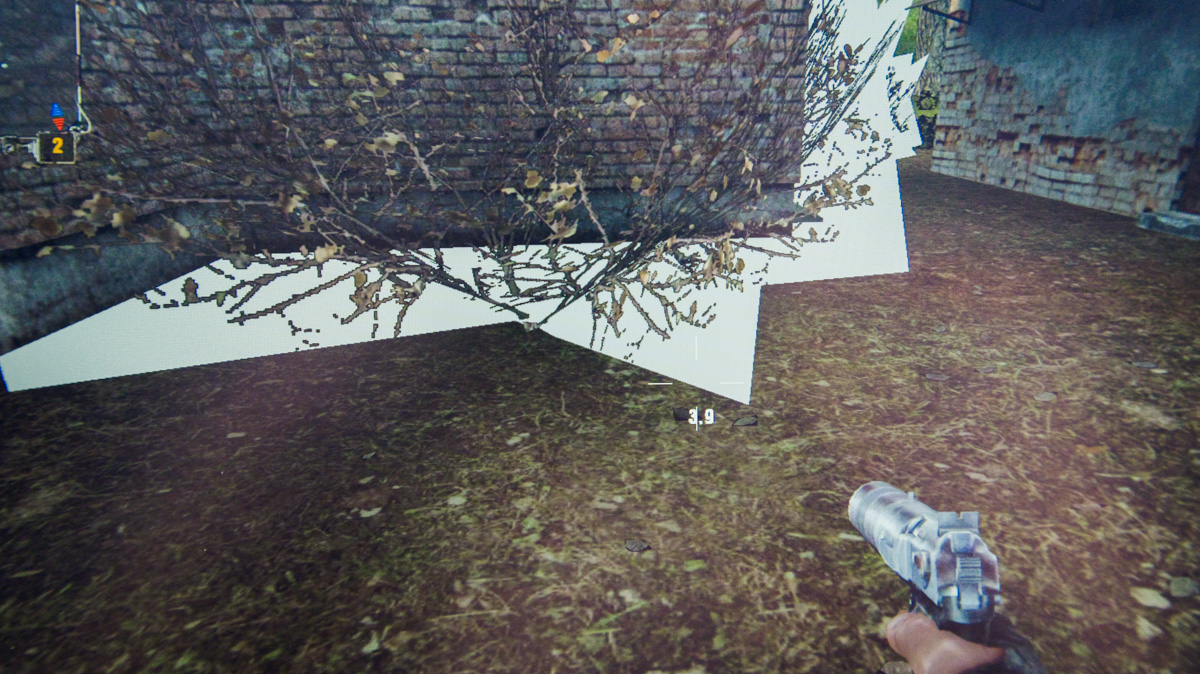
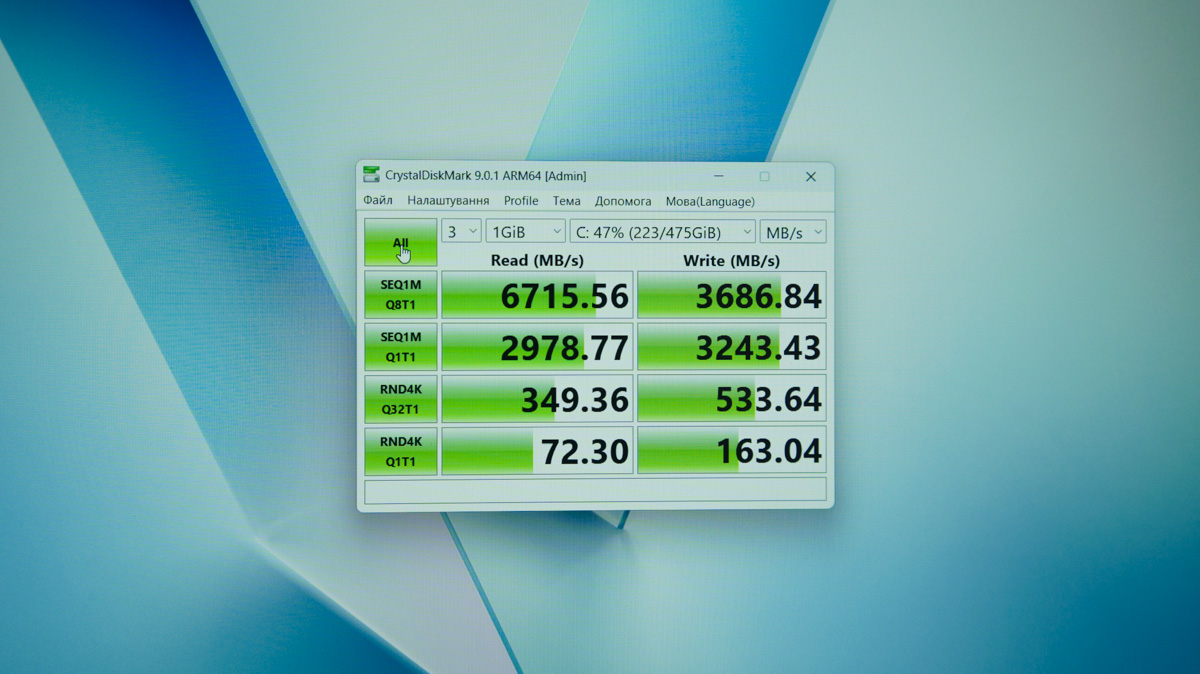
In other words, the laptop’s gaming capabilities are limited not only by compatibility but also by performance. As for the SSD, there are no concerns – it delivers nearly 7 GB/s in the CrystalDiskMark 9 test, and I didn’t notice any unusual heat buildup.
This model comes with 16 GB of LPDDR5X RAM running at 8448 MT/s. While that’s insufficient for demanding tasks like video editing, I didn’t notice any limitations when it came to gaming.
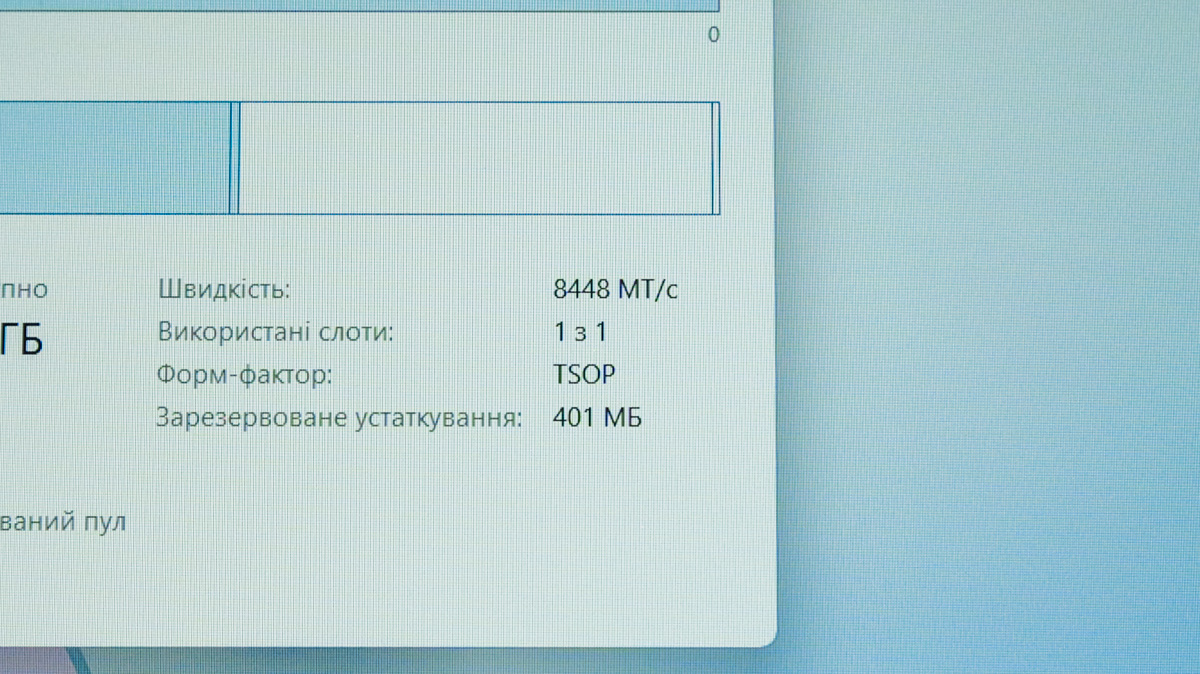
More precisely, any limitations you encounter will likely stem from the GPU’s power rather than a lack of RAM or video memory. By default, only 256 MB of VRAM is allocated, but in games, this amount automatically increases as needed – drawing from system RAM, though still somewhat limited.
Software
Among the software typically pre-installed on Vivobook and Zenbook models, StoryCube stands out for creating combined cards using artificial intelligence. Another notable app is MyASUS, a companion program for updating drivers, adjusting performance settings, controlling fan speed, managing battery charge levels, and more.
Touchpad and keyboard
The keyboard on the ASUS Vivobook 16 X1607Q is decent in quality, featuring three levels of backlighting and an almost full-size layout that includes a numeric keypad. Unfortunately, instead of the right Control key, the manufacturer placed… what else but the Copilot button.
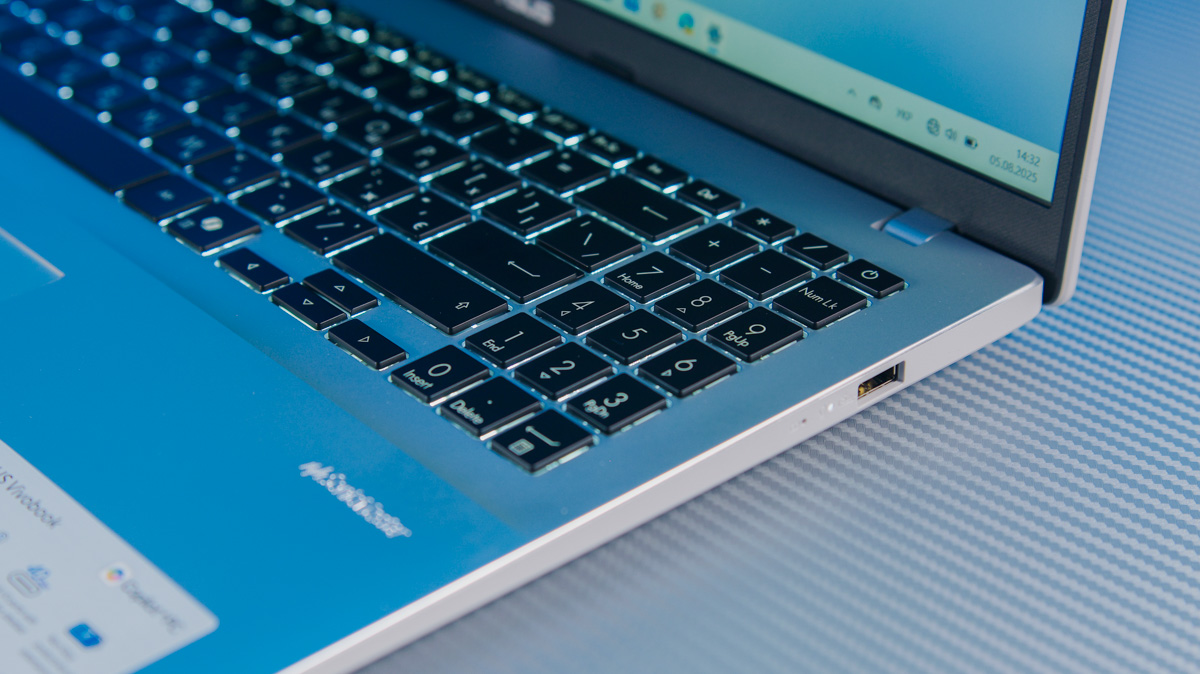
If you find the Control key more important, you’ll need to remap the Copilot button using a separate program, such as Microsoft PowerToys. Also, the arrow keys have slightly unusual sizes.
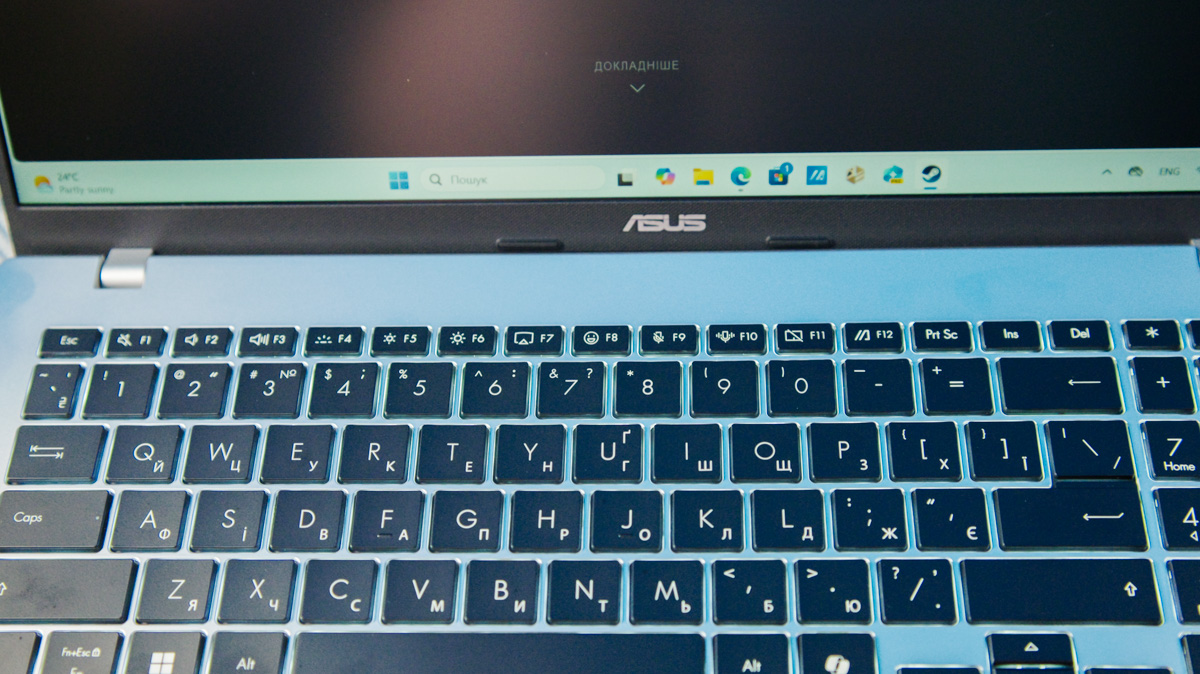
There are far fewer concerns with the touchpad – it’s not huge, but it’s smooth and reliable. Overall, like a dependable typewriter, the ASUS Vivobook 16 X1607Q performs quite well, though it does require some getting used to.
Media capabilities and data transfer
The ASUS Vivobook 16 X1607Q features two SonicMaster-branded speakers. They aren’t very loud, but the stereo sound is pleasant, and overall, the quality was surprisingly good. Yes, the highs can be harsh, and the bass is limited, but I’d still enjoy watching a movie with these speakers.
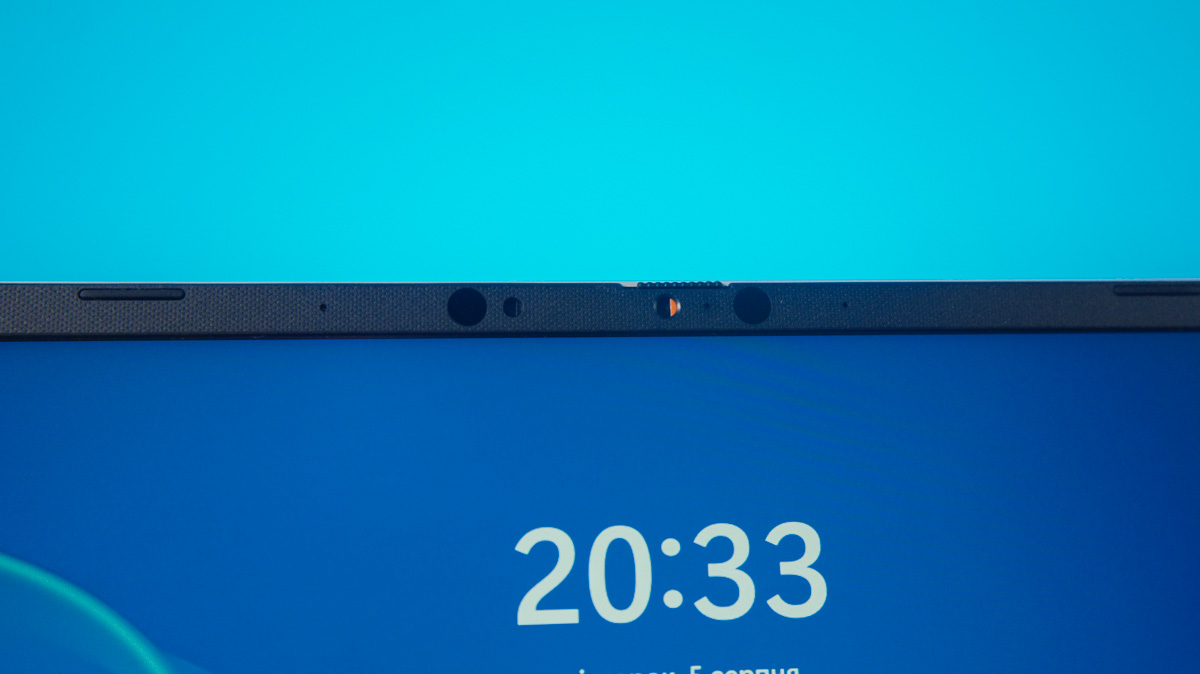
The webcam on the X1607Q is average in quality but includes a privacy shutter and supports Windows Hello through an infrared module. This design choice has slightly increased the thickness of the top display bezel. On the downside, the laptop lacks a fingerprint scanner altogether.
Data transmission is handled by the Qualcomm FastConnect 6900 network card. While not the newest model, it supports Wi-Fi 6E 2×2 MIMO and Bluetooth 5.3. In real-world testing near an ASUS AXE-7800 router, download speeds during Steam game downloads and installations reached nearly 700 Mbps.
Heating and noise level
The laptop isn’t completely silent – the internal fan runs during activities like game downloads, producing noise around 24-25 dBA. Power consumption during these times can reach up to 57 watts, but the device can still be powered without issue by an affordable power bank.
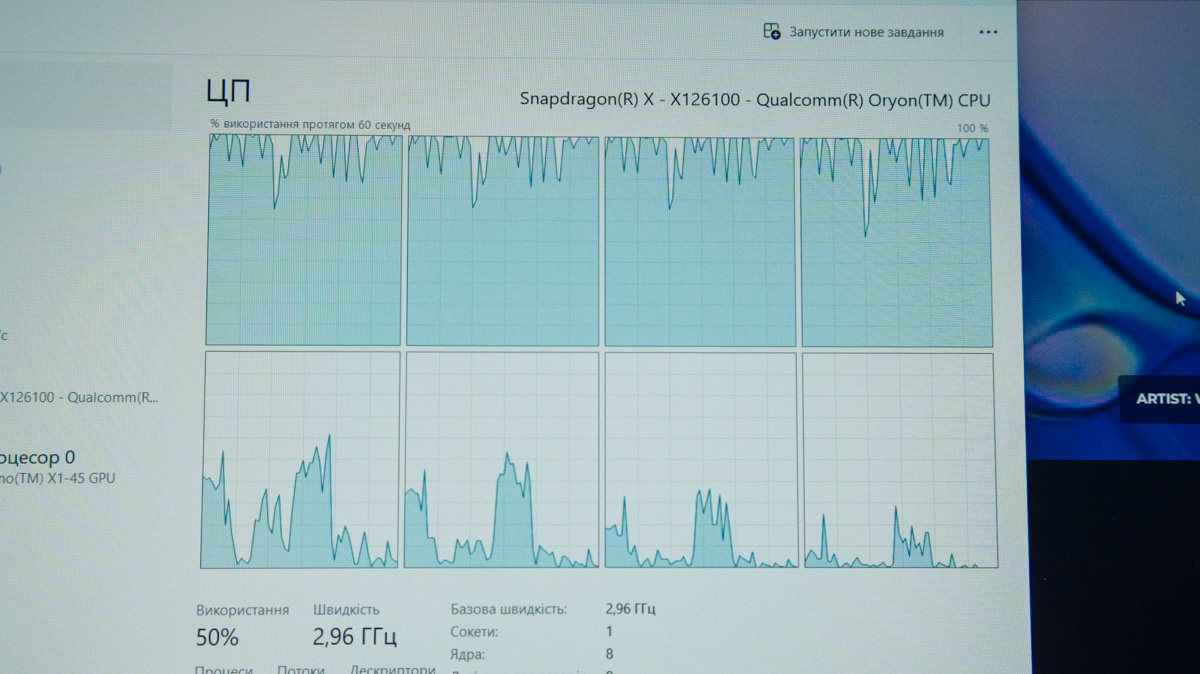
I also noticed that when opening the Task Manager during game downloads, only 4 out of 8 cores are active. This is curious since the processor architecture doesn’t feature different clusters like a big.LITTLE design. However, it’s possible that one cluster handles lighter tasks while the other takes on heavier loads, such as gaming.
Regarding heating – none of the temperature monitoring programs showed any significant increase in CPU or GPU temperatures. Neither HWMonitor nor the Steam overlay reported any rise. Stress tests like OCCT failed to start entirely. The only indication I have is the CPU throttling down to 1100 MHz during the 3DMark CPU gaming test, which could be interpreted either as an aggressive frequency scaling behavior or as a result of overheating.
Battery life
I’ll say right away – this is the main advantage of the ASUS Vivobook 16 X1607Q, but it turned into a real headache for me. The laptop didn’t stay with me for an unusually long time. More precisely, I tested it for the same amount of time as any other laptop. However, when a single battery test in PCMark takes over 18 hours – which is two to three times longer than other models I usually review – it starts to get frustrating.
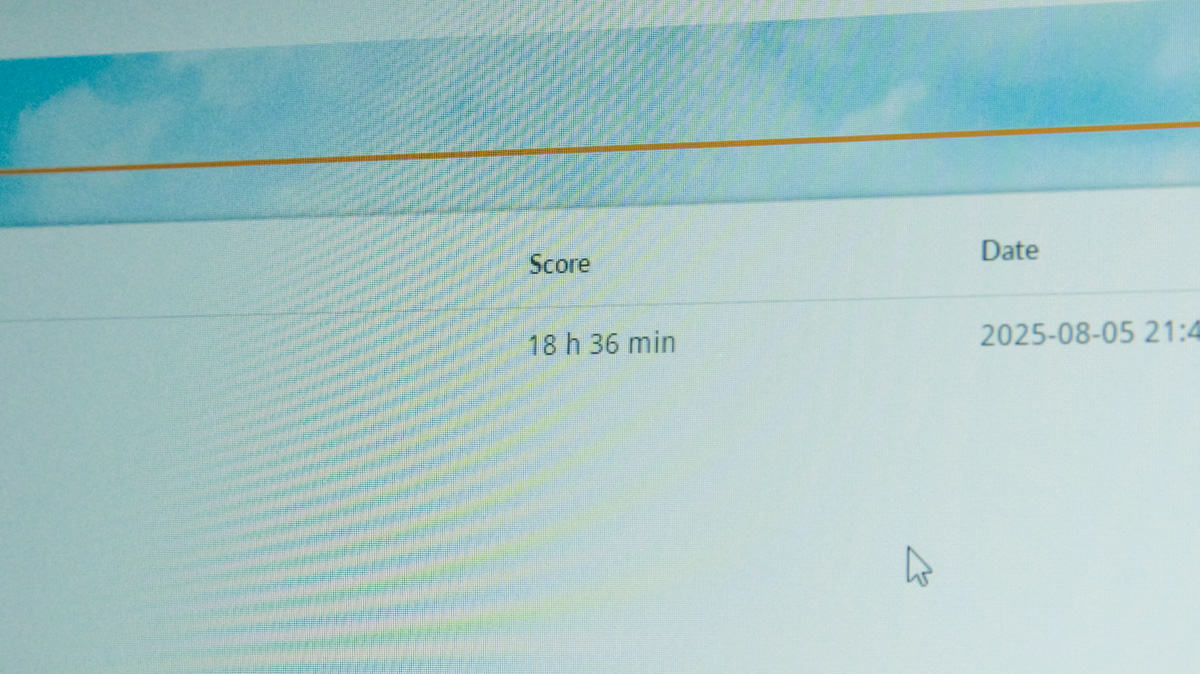
Additionally, I expected the PCMark test to fail due to compatibility issues. However, it completed without any problems. The processor’s power consumption under heavy load is very similar to that of its x86/x64 counterparts.
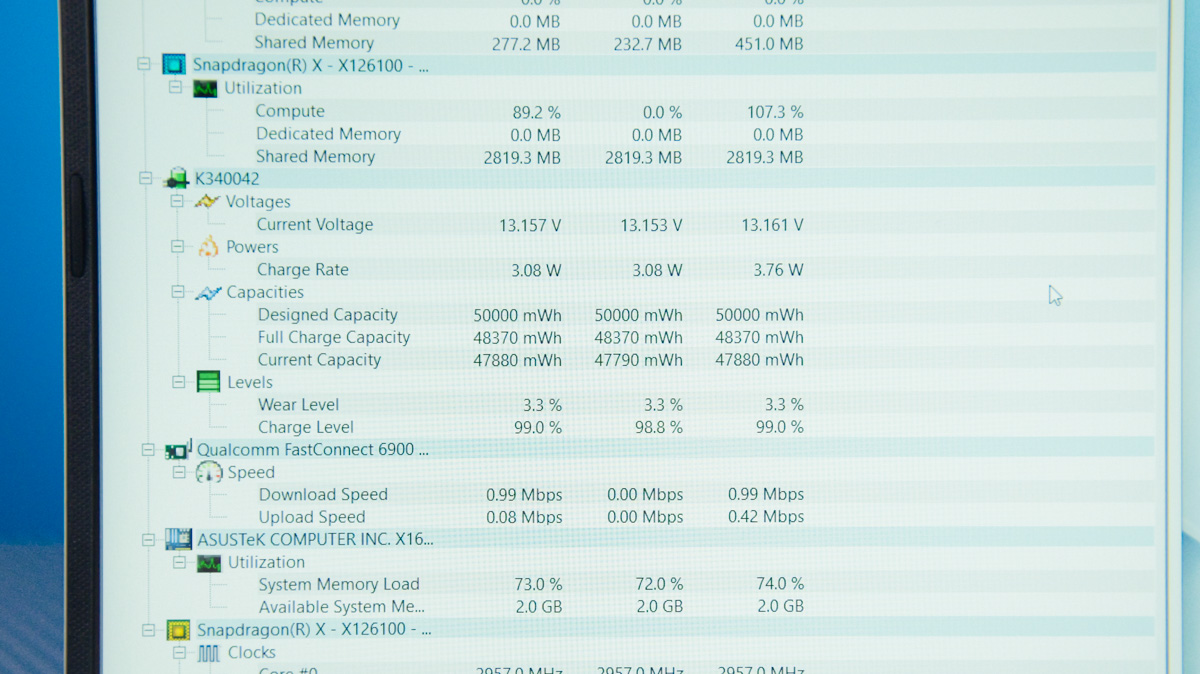
For example, while downloading and installing games through Steam, the power bank recorded power consumption close to 60 watts. Clearly, the laptop’s 50 Wh battery isn’t going to last very long under those conditions. That said, the ASUS Vivobook 16 X1607Q showed consistent performance on battery power. In the Cinebench R24 test, the CPU scores on battery and while connected to the power bank differed by less than 1%.
Charging time is under an hour when using compatible power sources. When turned off, the laptop drew nearly 60 watts from the power bank. This means the 50 Wh battery can be fully charged in less than an hour, even accounting for the typical slowdown in charging speed as the battery fills up.
Conclusions
This laptop is a solid workhorse. Its 16 GB of RAM is sufficient for handling large numbers of documents as well as streaming video, movies, and TV shows. The backlit keyboard is comfortable, although it has some quirks. The design feels well-made, and the options for peripherals and data transfer are comprehensive.
However, be aware that the 8 cores running at 3 GHz may limit performance for demanding tasks, and the integrated graphics will restrict gaming capabilities. The only clear downside I see with the ASUS Vivobook 16 X1607Q is its weak display. Everything else can be justified by either the battery life or the price point.
Read also:
- ASUS Laptop Reviews
- Motorola Moto Buds Loop Review: More Than Just a Stylish Accessory
- Razer Joro Review: Ultra-Compact Gaming Keyboard

