





© ROOT-NATION.com - Use of content is permitted with a backlink.
In the first few weeks, almost any flagship smartphone presents a strong initial impression: performance is fast, the camera delivers appealing results, battery life is sufficient, and the interface feels smooth. After a year of use, however, the evaluation criteria shift. The initial novelty fades, and day-to-day behavior becomes more relevant.
At this stage, factors such as minor usability issues, changes in battery performance, consistency in routine tasks, and the predictability of the camera system become more noticeable. Some features become привычными and integrate naturally into usage patterns, while others require adjustment over time. With the HONOR Magic 7 Pro, this transition is evident. Initially perceived as a fast and well-built device, it gradually became a primary everyday tool. Over time, aspects that were not immediately apparent during early use begin to stand out. Accordingly, this section focuses not on specifications or a general overview (which is also available on our website), but on observations based on extended, one-year usage.
Read also: Honor smartphone reviews
TABLE OF CONTENTS:
Ergonomics and Build of the HONOR Magic 7 Pro
The Magic 7 Pro is large and relatively heavy, even by flagship standards, with dimensions of approximately 162.7 × 77.1 × 8.8 mm and a weight of around 223 g. In practical use, this translates into two main observations. First, the device feels substantial and well-built rather than hollow. Second, one-handed operation is not always convenient, particularly while in motion. The large 6.8-inch display further reinforces this: reaching the upper areas of the interface with a thumb can be inconsistent. Over time, this leads to more frequent grip adjustments or increased reliance on gesture controls.
In everyday use, several aspects become more apparent over longer periods. The relatively flat front panel, without pronounced curved “waterfall” edges, helps reduce accidental touches and generally makes handling more predictable – especially during typing or gaming. Additionally, certain finishes (such as the gray “Lunar Shadow” variant with a micro-texture) provide slightly better grip compared to fully glossy surfaces.

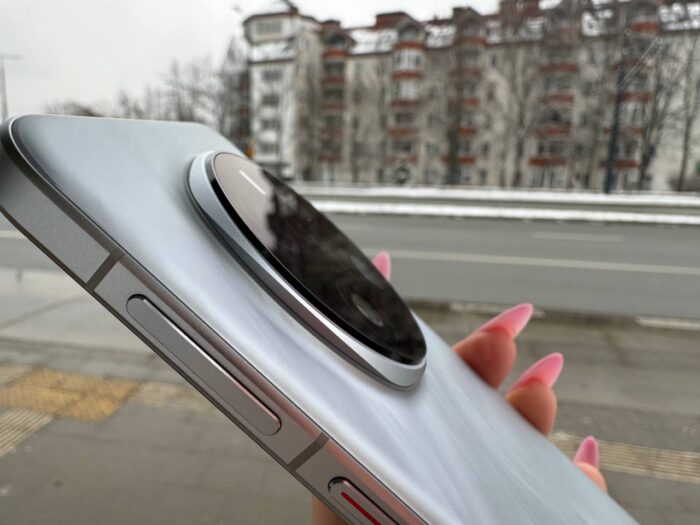
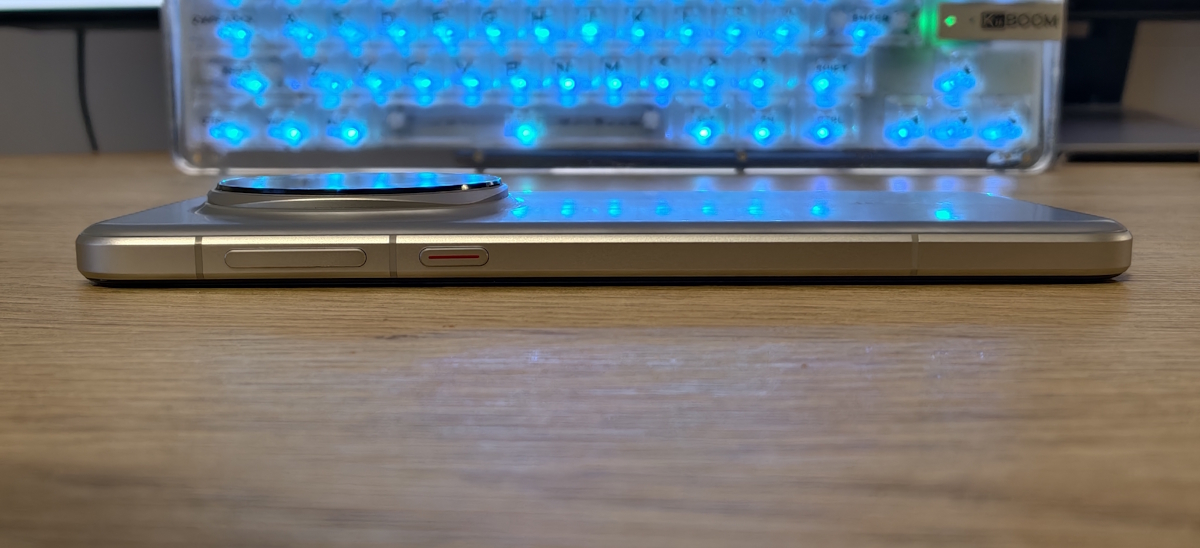
Materials and construction are also consistent with flagship devices in practical terms: the fit is tight, there are no noticeable gaps, the buttons have a clear tactile response, and the body feels solid. At the same time, the finish has a practical drawback – the smartphone is noticeably slippery without a case. This is not just a short-term impression: the smooth rear panel combined with the large surface area reduces friction, which makes the device more likely to shift in the hand, particularly in public transport, outdoors in winter, or when wearing gloves. As a result, a case becomes less of an optional accessory and more of a practical necessity.
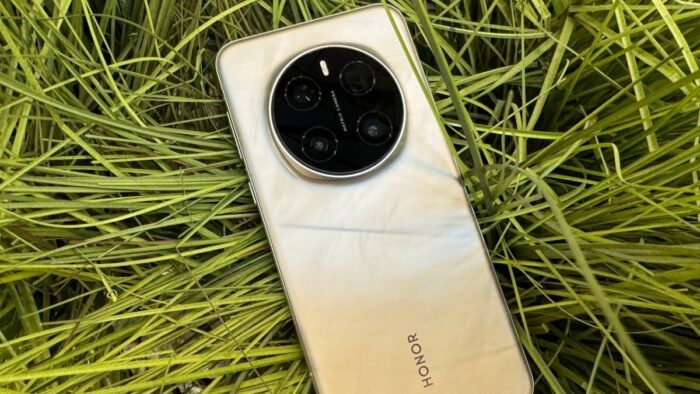
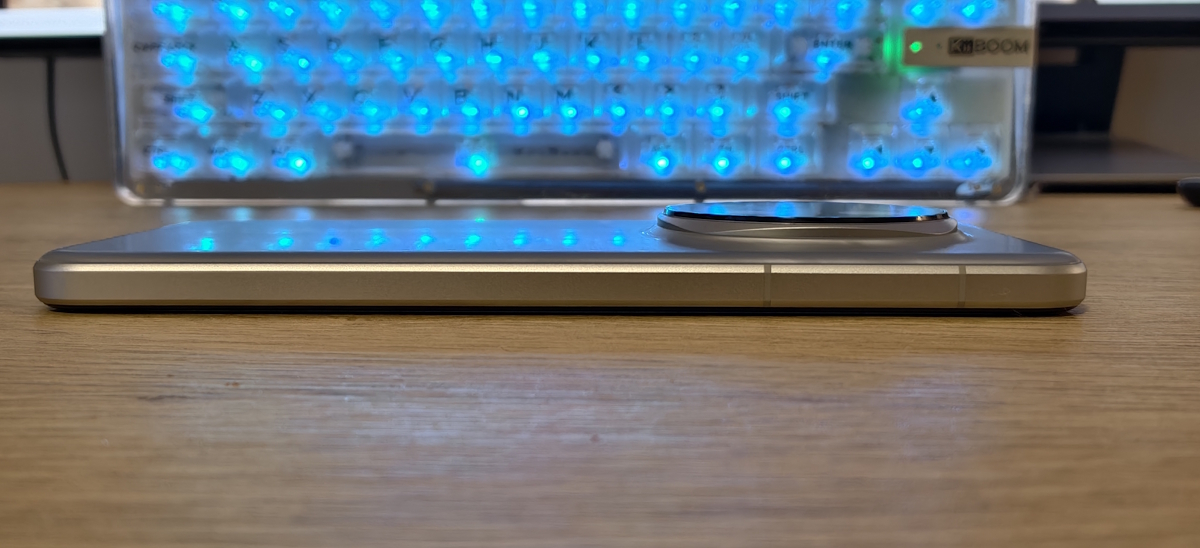
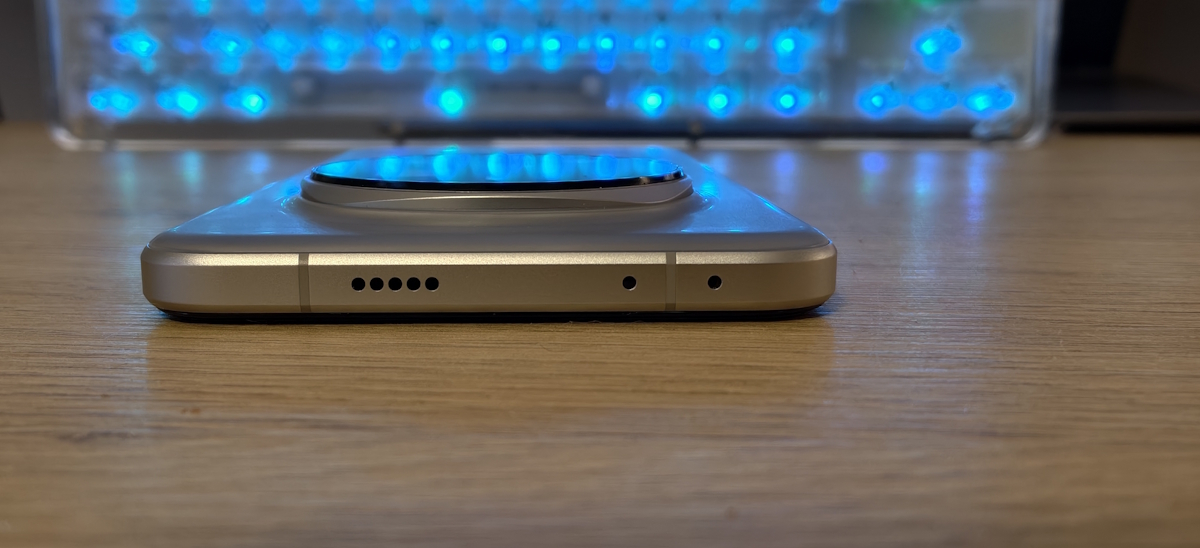
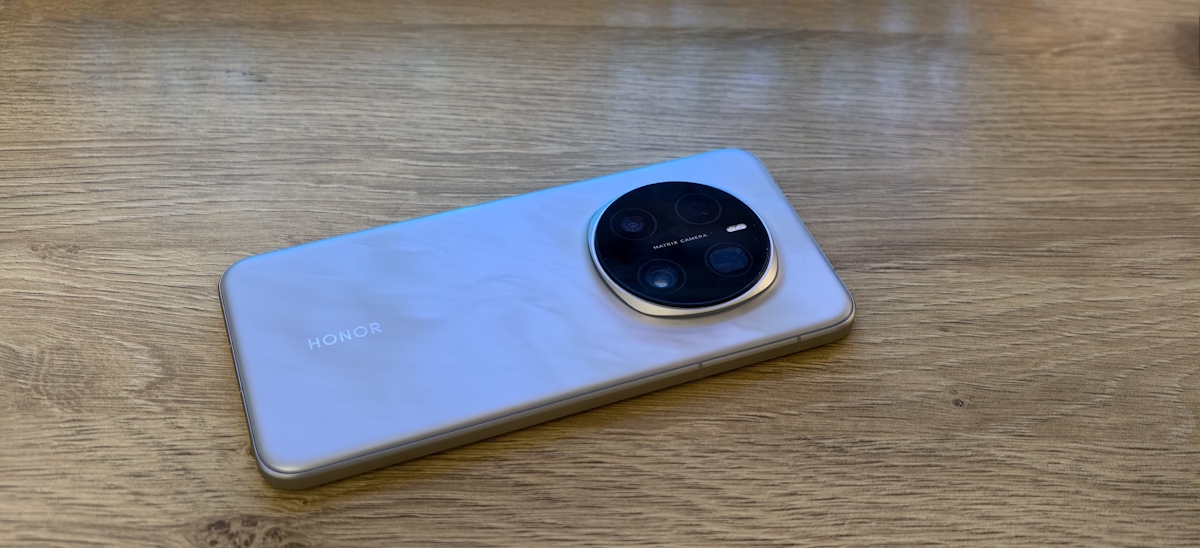
Another factor is the large camera module. It is visually prominent and affects weight distribution, making the upper part of the device feel heavier. During quick grip adjustments, fingers may occasionally come into contact with the edge of the module. On a flat surface, the phone does not rest as evenly as models with a less pronounced camera unit. When typing on a desk, slight wobbling may occur depending on the point of contact. In practical terms, a case with a flat frame around the camera module usually addresses this issue. The module itself feels more refined than in some previous HONOR generations, but the shift in balance is still noticeable.
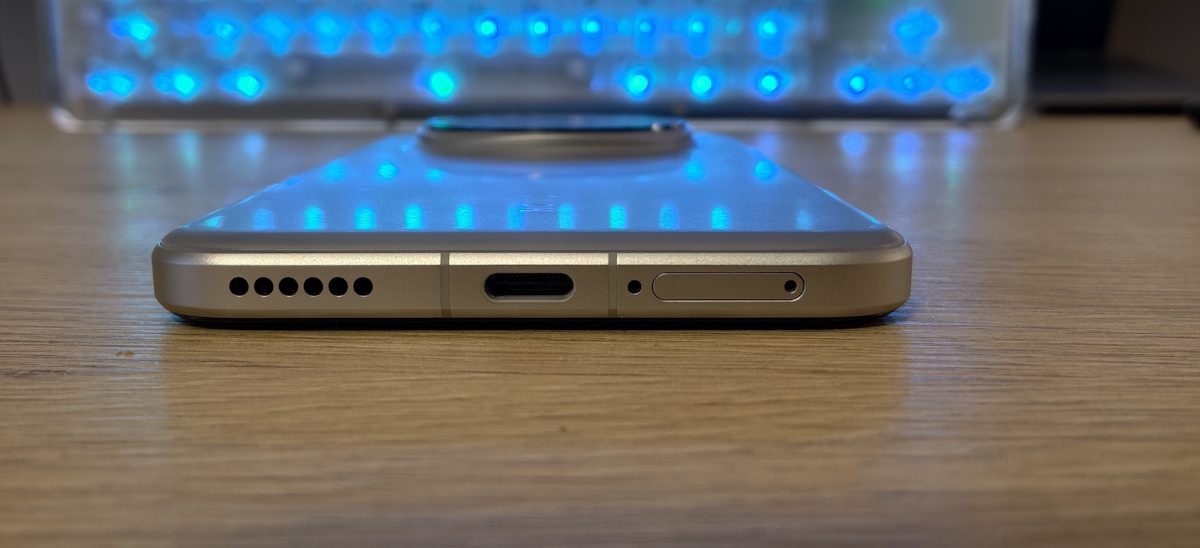
One aspect that tends to be appreciated more over time is water and dust resistance. The Magic 7 Pro is rated at IP68/IP69, which provides additional flexibility in everyday scenarios such as rain, wet hands, or accidental splashes, and reduces the need for overly cautious handling. At the same time, basic precautions remain relevant: exposure to salt water or chemicals is still undesirable, and after contact with water, it is advisable to allow the USB-C port to dry before connecting a cable.
The display features slight edge curvature (“micro quad-curved”), which primarily affects grip. This design makes the device more comfortable to hold, as the fingers can wrap around the edges more naturally. However, depending on how the device is held, it may also increase the likelihood of accidental edge touches, particularly during gaming. In practice, this can usually be mitigated through sensitivity or gesture settings, as well as minor adjustments in grip – for example, holding the device slightly below the ambient light sensor to avoid unintended brightness changes.
Display, Audio, and Biometrics
The display is one of the stronger aspects of the Magic 7 Pro. The large OLED panel, combined with a 120 Hz refresh rate, обеспечивает consistent interface smoothness and комфорт during reading and scrolling. Based on measured values, brightness reaches approximately 1600 nits on a nearly full white screen, with peaks of around 4700 nits in HDR scenarios on smaller highlighted areas. This behavior is particularly noticeable when viewing HDR content and when using the device outdoors.


Among the notable characteristics is the automatic brightness adjustment. At times, it responds too abruptly, particularly when the ambient light sensor is partially covered by a hand – such as during gaming or when holding the device in certain positions. In such cases, manual brightness control tends to be more predictable.
Another aspect worth noting is the range of “eye comfort” settings. These features require some initial adjustment to be effective. In practice, the impact is subtle rather than immediately noticeable, but during extended evening use, the display can feel less fatiguing compared to default settings.

Biometric authentication is implemented at a high level. In addition to an ultrasonic fingerprint scanner, the Magic 7 Pro includes a 3D depth camera for facial recognition. In terms of operation, this is closer to systems like Face ID rather than standard 2D front-camera-based recognition. The dedicated depth sensor enables reliable unlocking in low-light conditions and generally provides a more robust and consistent experience. In practice, this also affects how quickly users adapt to the front cutout: while it may seem intrusive at first, the convenience of a quick “raise-and-unlock” interaction tends to outweigh the initial perception over time.


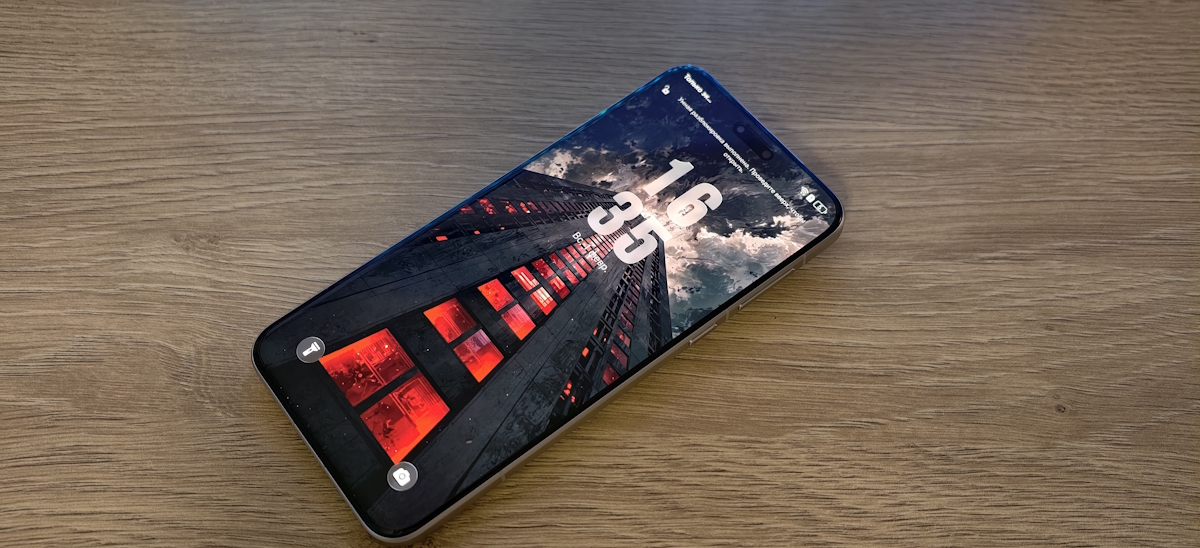
At the same time, this approach involves a trade-off. The front cutout is larger than in devices with a standard front-facing camera, reflecting a balance between visual minimalism and functional convenience. From an aesthetic perspective, the “pill-shaped” cutout may appear somewhat dated compared to smaller punch-hole designs. However, in practical use, it becomes less noticeable over time, particularly for users who rely heavily on facial recognition for unlocking.

In terms of audio and haptics, the device performs in line with flagship expectations. The speakers are loud, with measured peak levels around 89 dB, and maintain clarity without significant distortion at higher volumes. Subjectively, the sound presentation feels relatively wide, with stereo separation adding a sense of spatial depth that is noticeable in video playback and gaming. Vibration feedback is firm and well-controlled, without unwanted resonance.

A feature that becomes more noticeable over time is the oleophobic coating. Its effectiveness diminishes, causing the screen to accumulate fingerprints more quickly than when the device was new.
Read also: Review of HONOR Magic 7 Pro: Worthy Flagship Smartphone
MagicOS 10 and Daily Use
A year into ownership, much of the experience with the Magic 7 Pro depends not only on hardware but also on software. MagicOS 10 is more than a cosmetic update – it introduces a range of changes that are noticeable in everyday use, including interface refinements, copy-paste workflows, photo management, security, and device interoperability. I received MagicOS 10 during the first rollout in fall 2025, and it is an example of an update that meaningfully affects daily operation rather than merely adding new features.
From an interface perspective, MagicOS 10 emphasizes more pronounced lock screen personalization and a consistent visual logic across the system. While it does not magically make the device faster, it reduces the sense of clutter in settings and the interface. Many actions and elements now appear more unified, contributing to a smoother daily experience.
The most practical aspect of MagicOS 10 is its contextual suggestions and quick actions directly on content. The system aims to reduce the number of steps: for example, when you select a text fragment, prompts suggest “what to do next,” allowing you to perform actions without manually switching between apps. Here, personal preference plays a role. I appreciate AI that assists quietly and efficiently – for instance, dragging an address immediately opens Maps, or extracting text from an image allows instant insertion into Notes. Conversely, when AI is overly present and constantly tries to take the spotlight, it can become tiring over time.
Alongside this, AI features such as text summarization and content-handling tools operate not as mandatory “magic,” but as accelerators for routine tasks – messages, notes, links, and minor edits. In practical terms, features like transcribing and summarizing meeting notes, quickly translating dialogues, or extracting text from images are useful, though their real value depends heavily on how frequently you actually use them.

It’s also worth highlighting the utility of “agent” workflows – where the system helps locate settings or suggests a shortcut to an action. This becomes especially valuable after a year of use, once the device is customized to your preferences but you occasionally return to rarely used menu items. The time savings in these cases are more noticeable than a brief description might suggest.
Another less visible but important aspect is security. MagicOS 10 includes mechanisms aimed at fraud prevention, such as detection of deepfake videos during video calls and recognition of voice spoofing. Even if these threats are not encountered frequently, it is reassuring that the OS addresses such risks at a system level.
Finally, HONOR emphasizes cross-platform scenarios, particularly integration with Apple devices. The idea is straightforward: if you maintain a mixed setup with an Android phone, iPhone, or Mac, MagicOS 10 provides smoother ways to share files, data, and certain interactive workflows. This doesn’t turn the Magic 7 Pro into part of the Apple ecosystem, but it does reduce friction when you need to quickly transfer a photo, document, or note between different operating systems.
Read also: HONOR Magic6 Lite Smartphone Review: Too Many Drawbacks
Performance, Emulators, and Thermal Behavior of the HONOR Magic 7 Pro
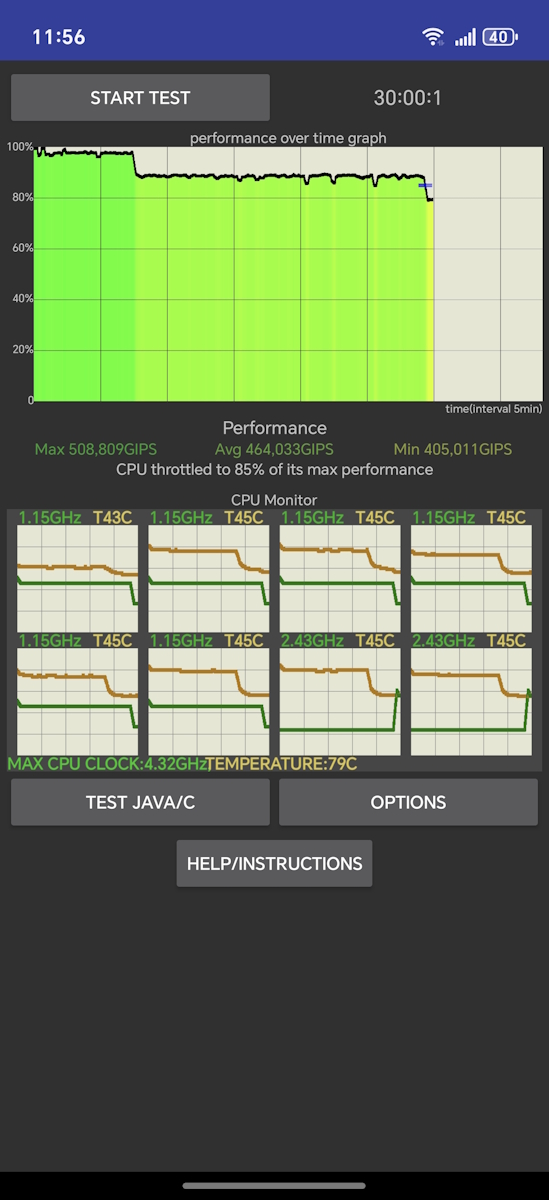
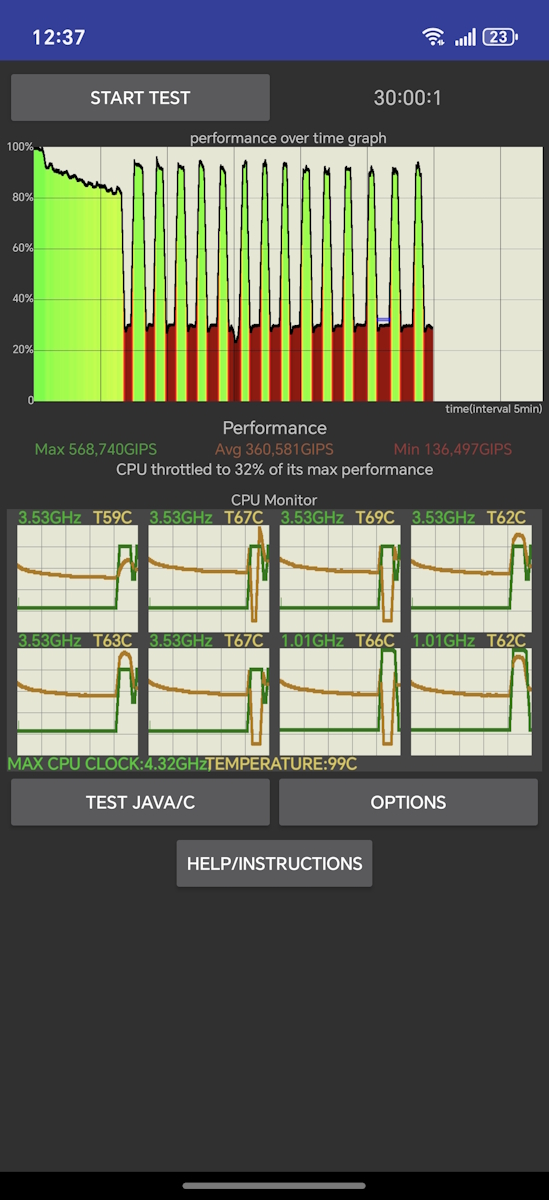
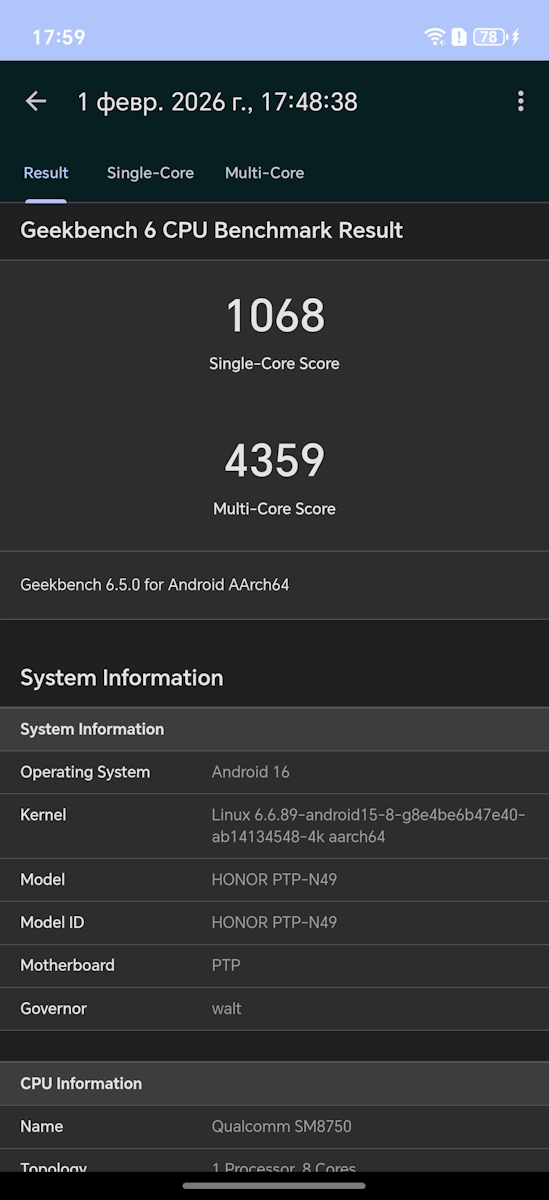
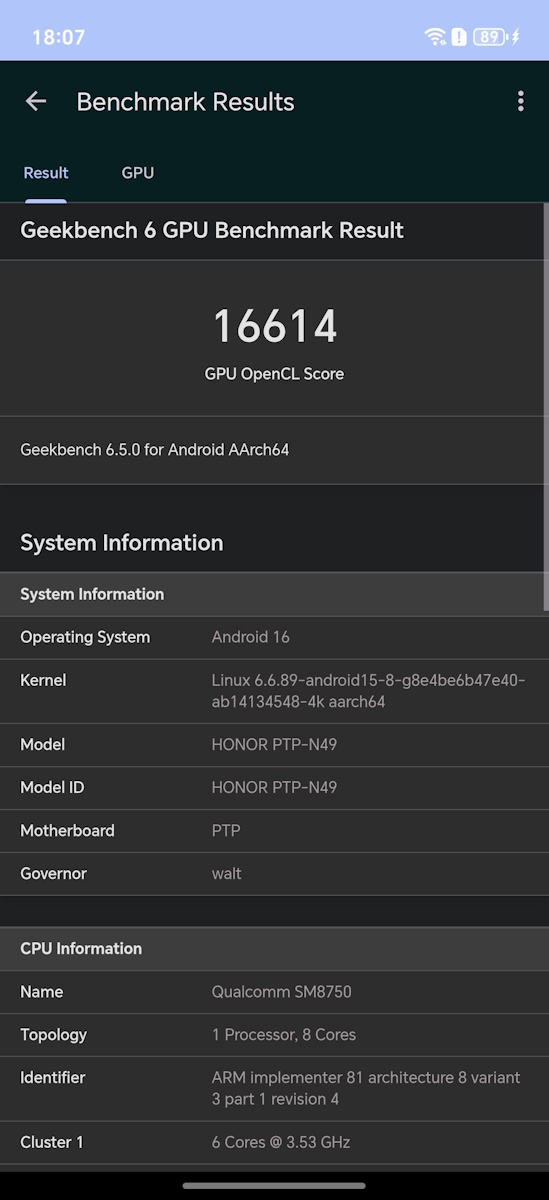
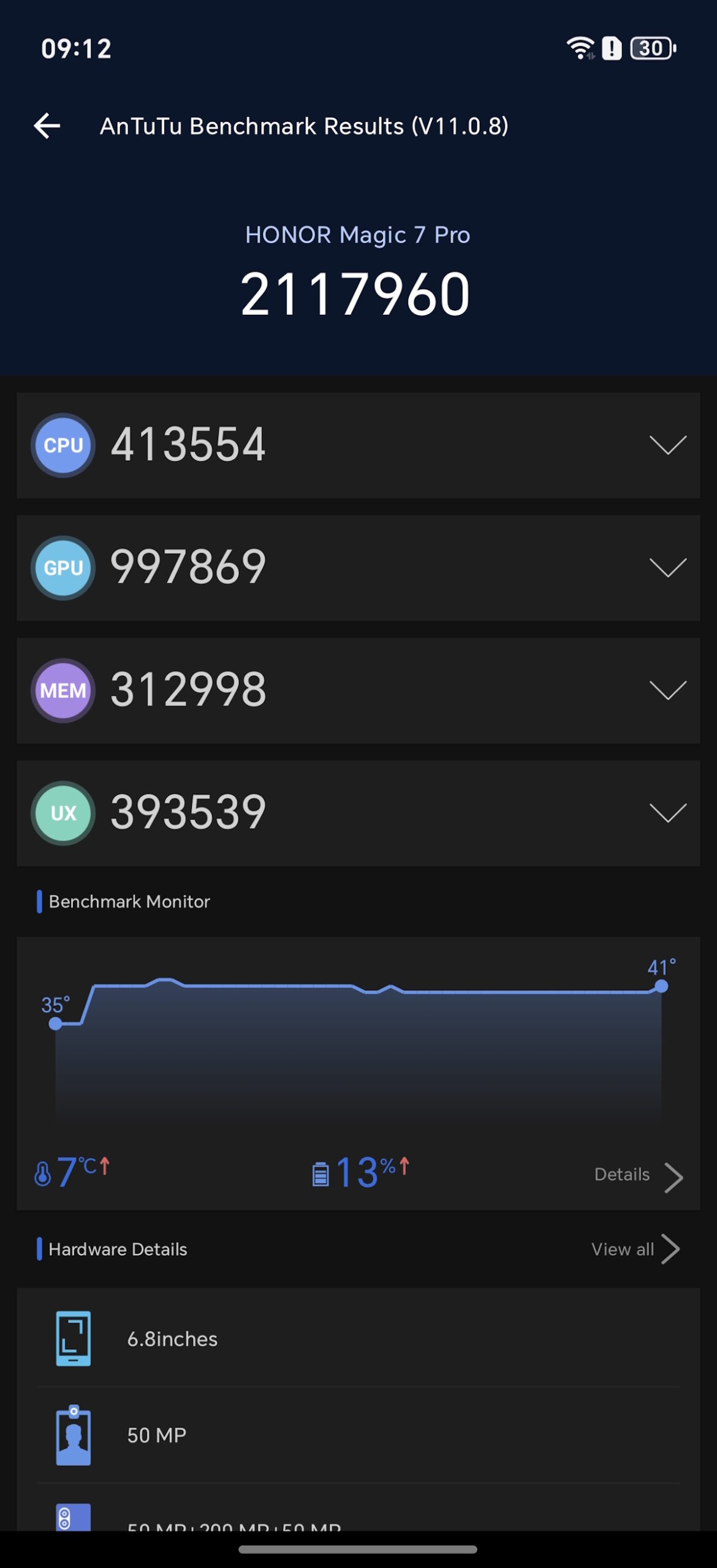
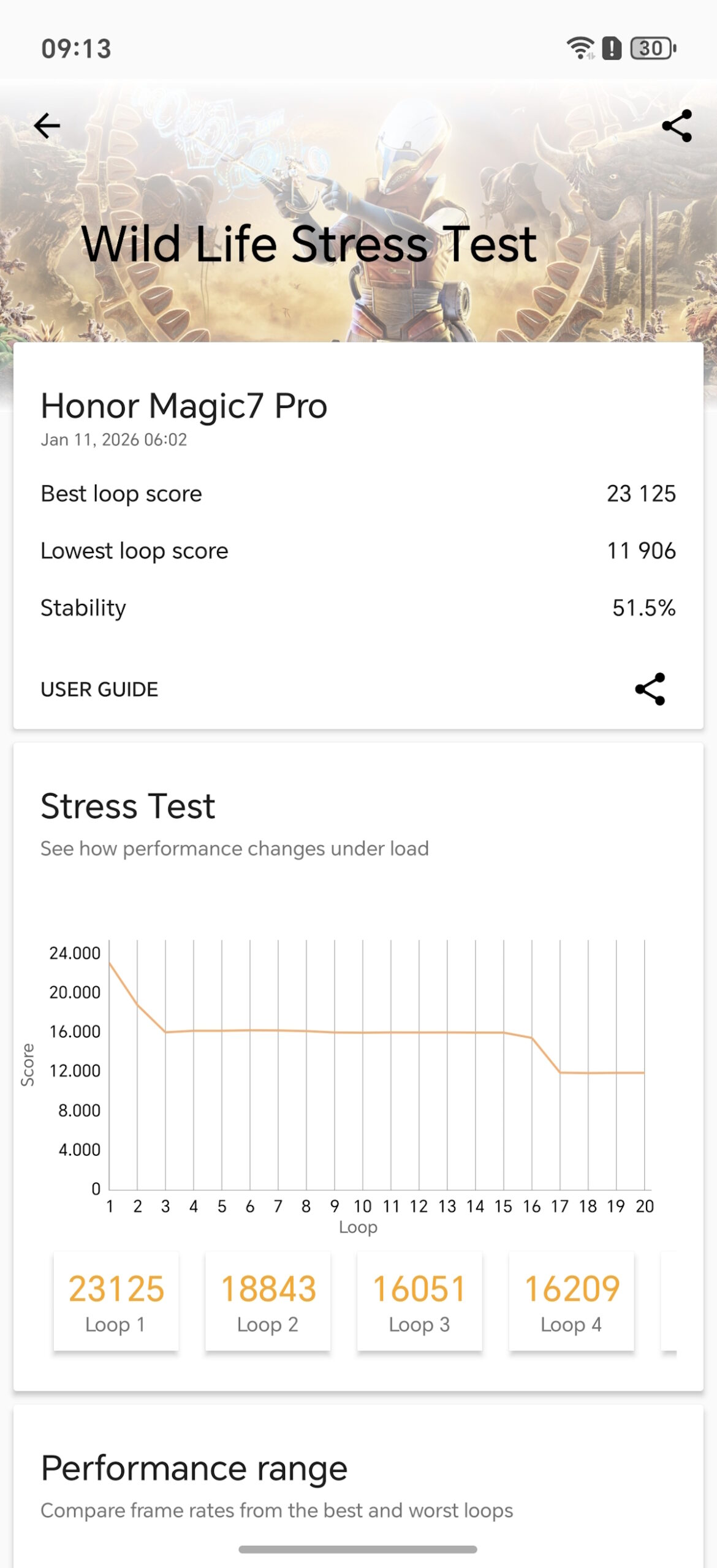
The Magic 7 Pro is powered by the Snapdragon 8 Elite. In synthetic benchmarks, it performs at flagship-level speeds: in my tests, Geekbench scores were approximately CPU 1068/4359 and GPU 16,614; AnTuTu v11 measured around 2,117,960; and 3DMark Wild Life Stress Test scored roughly 23,125. I also ran the CPU Throttling Test in both standard and performance modes. After a year of use, raw numbers are less important than real-world behavior: the interface remains smooth, apps and the gallery do not hesitate, and the camera functions reliably even after consecutive shots.
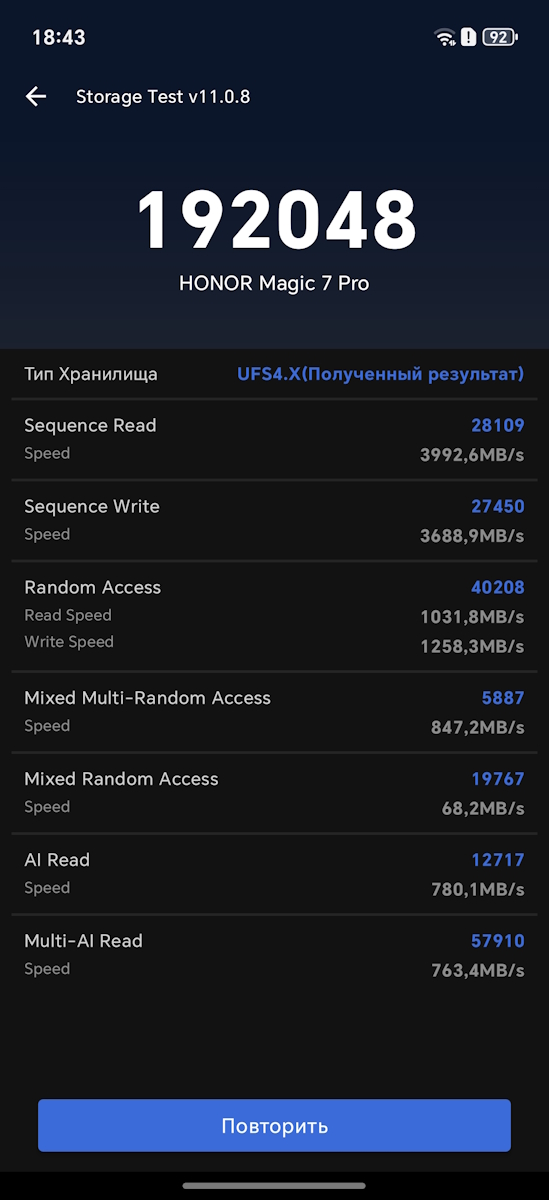
Regarding memory and storage, my Antutu Storage Test measurements showed roughly 3992 MB/s for read and 3688 MB/s for write. In practical use, this translates into faster installation of large games and smoother handling of sizeable files.
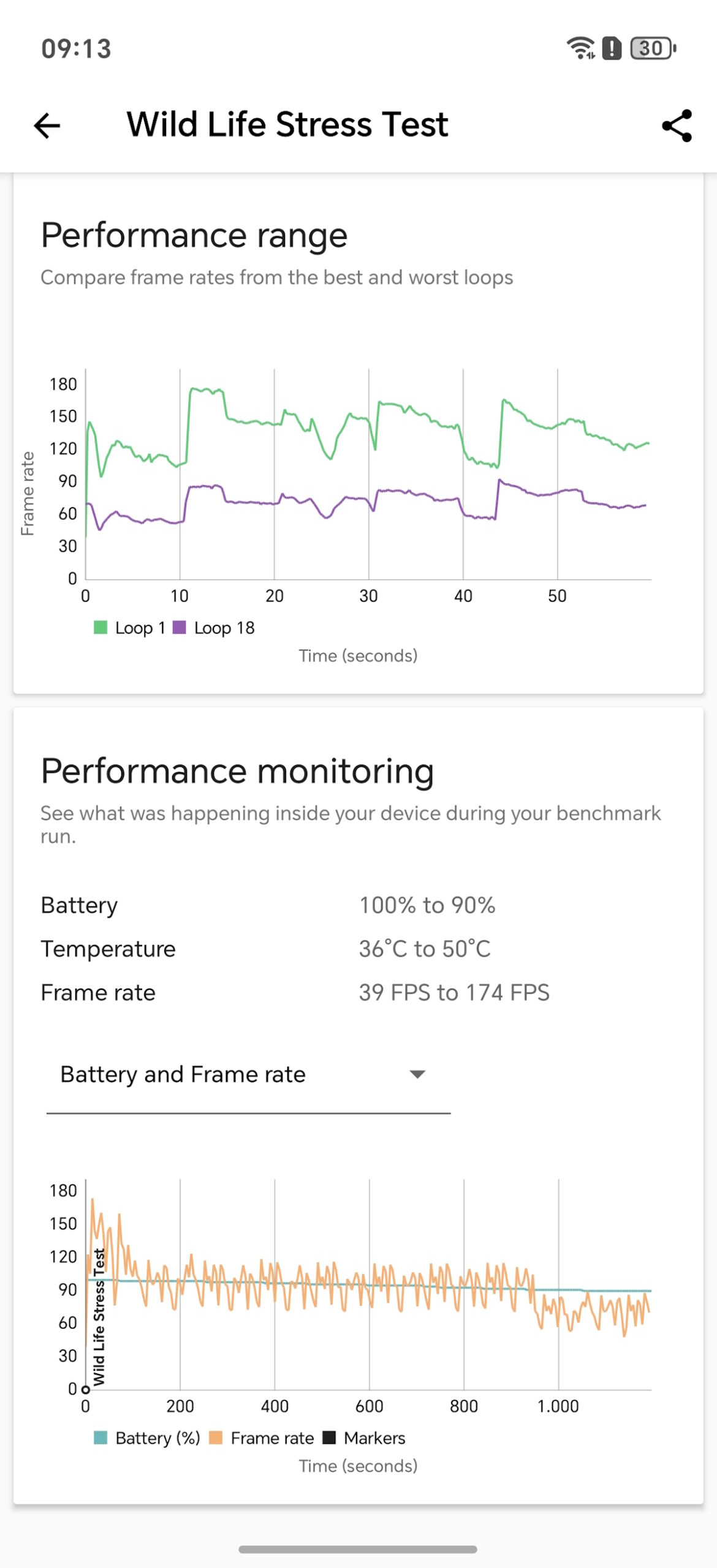
A year in, thermal behavior becomes more noticeable. Under everyday use, the device remains calm, but during synthetic benchmarks or heavy workloads, the phone actively manages temperature, sometimes by slightly reducing peak performance. This isn’t experienced as stuttering; rather, it feels like a predictable strategy – initially fast, then settling into a stable performance mode. During extended gaming sessions, the more noticeable factor is that the chassis warms up, and the hands fatigue from the size and weight slightly before performance limitations become apparent.
Emulators – a test under sustained load. It is important to bear in mind that the result depends on the emulator version, the graphics API (OpenGL/Vulkan), drivers and settings (resolution, shaders, asynchronous compilation). On the Snapdragon 8 Elite, the typical performance looked like this. On the PS2 (NetherSX2) with 4× native rendering, GTA: San Andreas hovers around 30 fps. But here, this is also the game’s own limit – the fact that the upper limit is maintained consistently is telling. In a similar scenario, Need for Speed: Most Wanted usually runs at close to 60 fps for short stretches. That said, the choice between OpenGL and Vulkan does make a real difference: Vulkan often delivers a better minimum frame rate, but in certain situations OpenGL can be more consistent in terms of average values.


A key factor is thermal buildup. After roughly 25 minutes of continuous load, throttling begins, and by the end of an extended session, frame rates become less stable. This effect is more noticeable in NFS, though gameplay remains smooth at around 45 fps or higher.
For more mature emulators like Dolphin (GameCube/Wii), the situation is generally calmer. Mario Kart (Wii) at 1080p (3× native) with 2× anti-aliasing maintains roughly 60 fps most of the time, while Super Smash Bros. Brawl also stays near 60 fps, with only brief slowdowns during scene transitions or loading.


PSP emulation (PPSSPP) on high-end Snapdragon chips has long ceased to be a demanding task. When running God of War: Chains of Olympus and Spider-Man 3, frame rates typically stabilized around 60 fps. In practice, performance issues were more often related to high internal resolution, post-processing effects, or large texture packs rather than raw processing power. In other words, it’s primarily a matter of quality settings, not whether the device can handle the games.


Thermal behavior under load is predictable. During a graphics stress test, the system maintained stability at roughly 57.6% of peak performance to manage temperature. In resource-intensive games, after an hour of continuous play, the chassis can reach around 45 °C, with localized hot spots reaching 46–50 °C.
For prolonged use, the key observation is that performance does not degrade over time: the device does not remain constantly hot. Instead, under extended load, it transitions into a steady state, reducing clock speeds to maintain safe operating temperatures.
HONOR Magic 7 Pro Cameras
The Magic 7 Pro camera system stands out for producing consistent results in typical shooting scenarios. Understanding which module to use, when to adjust exposure, and in which situations the automatic processing might overcorrect comes with experience.
The configuration is as follows:
- Main camera: 50 MP, 1/1.3″ sensor, ~24 mm equivalent, variable aperture f/1.4–f/2.0, OIS.
- Ultra-wide: 50 MP, ~12 mm equivalent, f/2.0, includes macro capabilities.
- Telephoto: 200 MP, 1/1.4″ sensor, ~72 mm equivalent, f/2.6, OIS, 3× optical zoom.
- Front camera: 50 MP with a 3D depth sensor.

In daylight at 1× zoom, the automatic mode generally performs reliably: color balance is stable, and skies and shadows remain well-defined even under high contrast.
A practical note concerns texture processing. On skin, hair, fine leaves, or rough surfaces, the camera occasionally applies excessive sharpening or overemphasizes micro-details. This is usually better managed not by switching to Pro mode, but by taking an additional shot with slightly adjusted exposure – tapping a brighter area in the frame or reducing exposure by roughly 0.3–0.7 EV. Distance also helps: stepping back 10–20 cm (especially when photographing faces) often results in more natural textures, as the algorithms are less likely to overemphasize fine details.
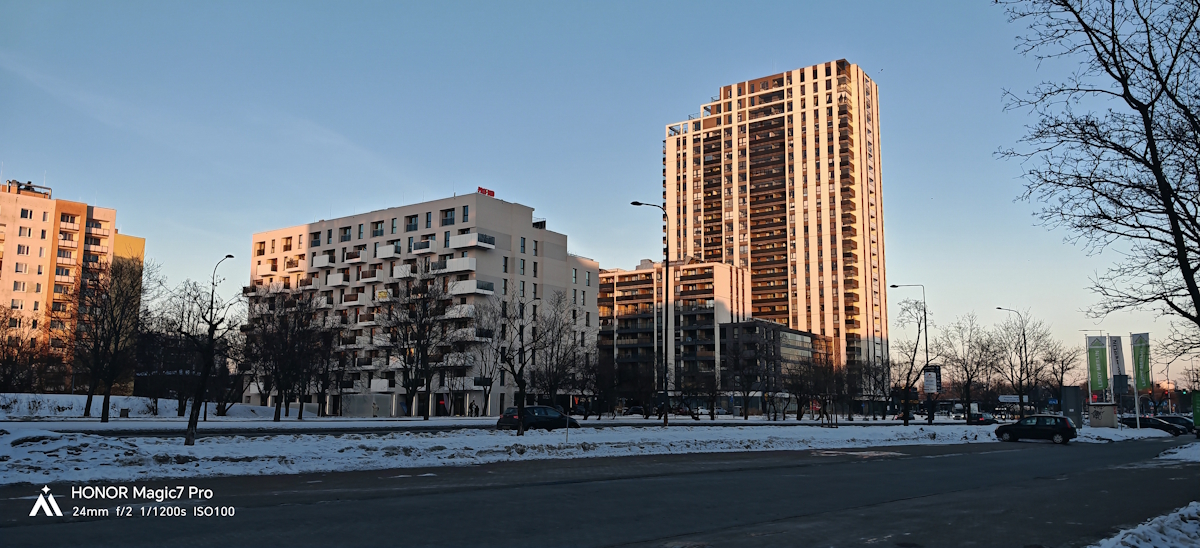

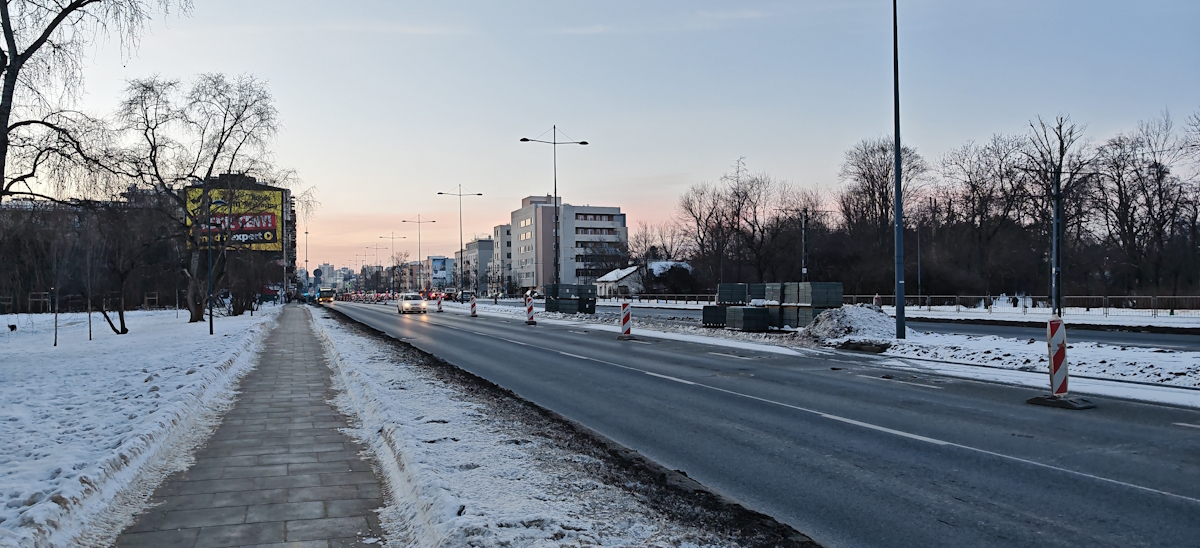
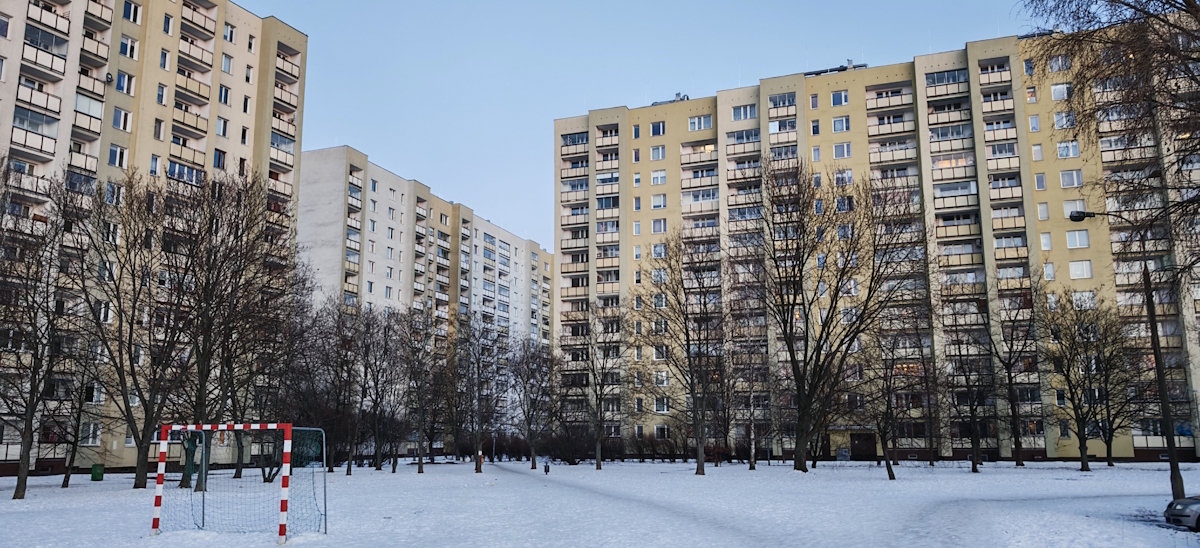


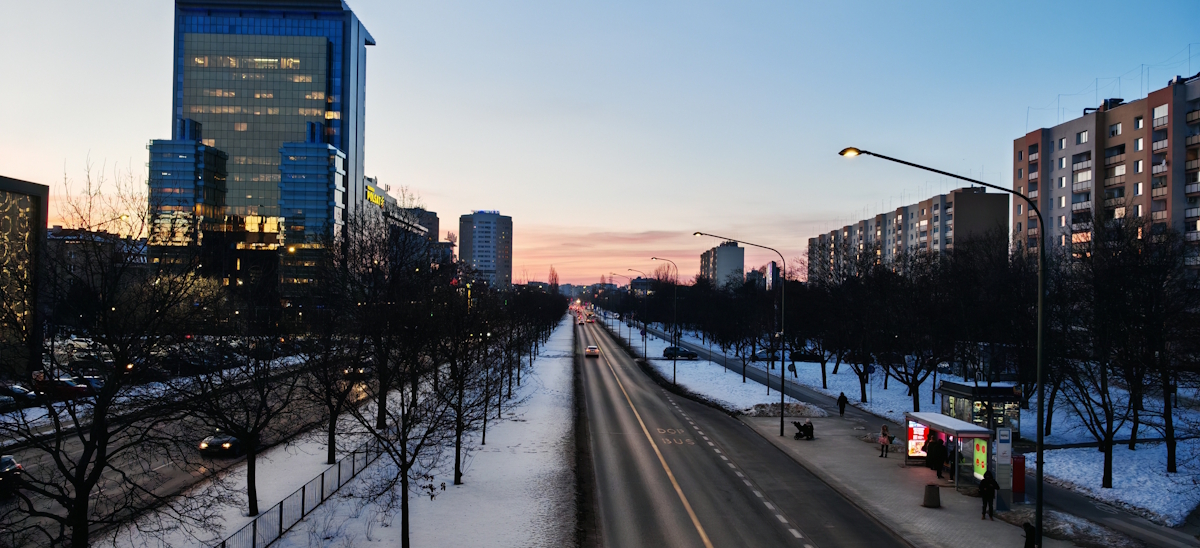
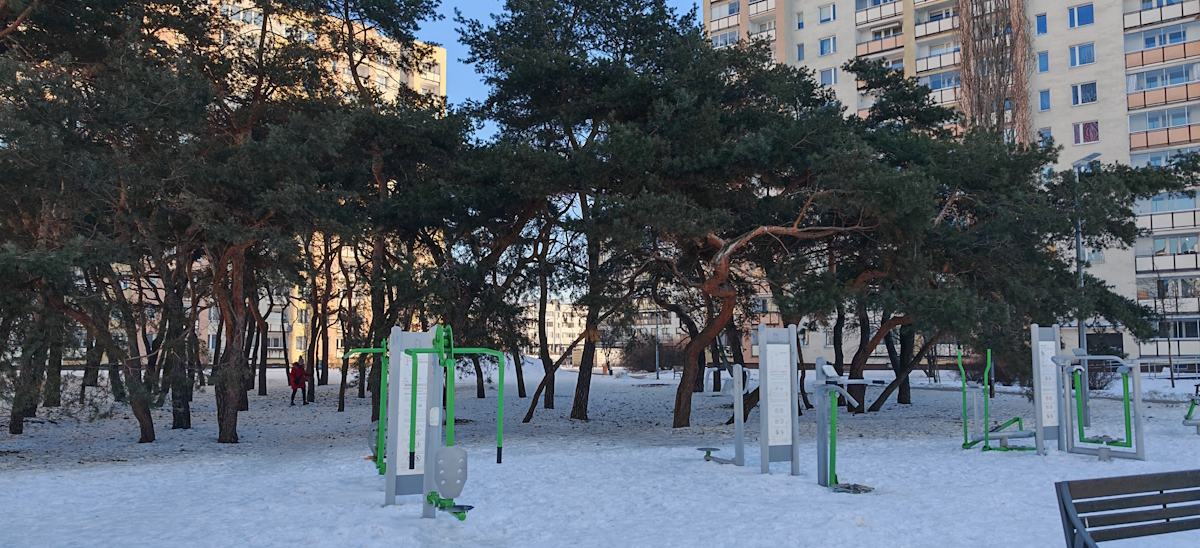
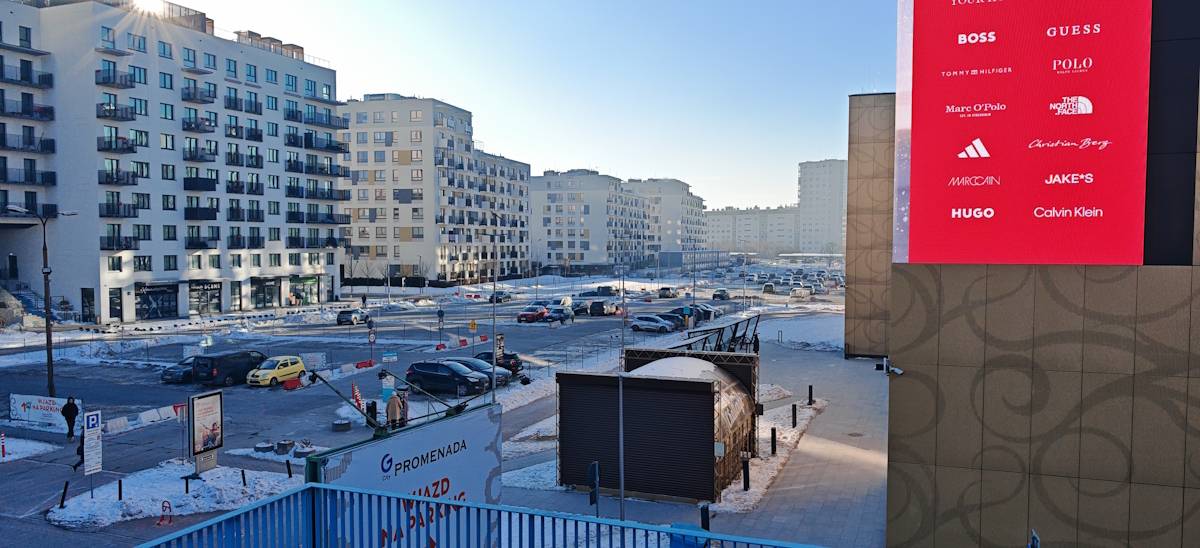
The variable aperture proves useful when applied according to the shooting situation. f/1.4 is typically more beneficial in the evening, indoors, or at dusk. It allows lower ISO settings and reduces aggressive noise suppression, producing cleaner images. f/2.0 is more practical for group shots, objects, text, or scenes with subjects at varying distances, as it increases depth of field and lowers the risk of background elements or people in the second row appearing noticeably soft. In bright light, the aperture also contributes subtle character to the image – such as neat light streaks from point sources – that often makes the shot feel less “phone-like.”
The telephoto module is the primary workhorse in practice. If the goal is a sharp, predictable shot, starting at 3× (~72 mm) is sensible. At this focal length, the balance of sharpness, perspective, and subject separation is typically optimal. This applies not only to portraits but also to urban scenes: architectural details, signage, and facade elements are rendered accurately. Subjectively, the 3–5× range feels the most faithful in terms of detail and color reproduction.

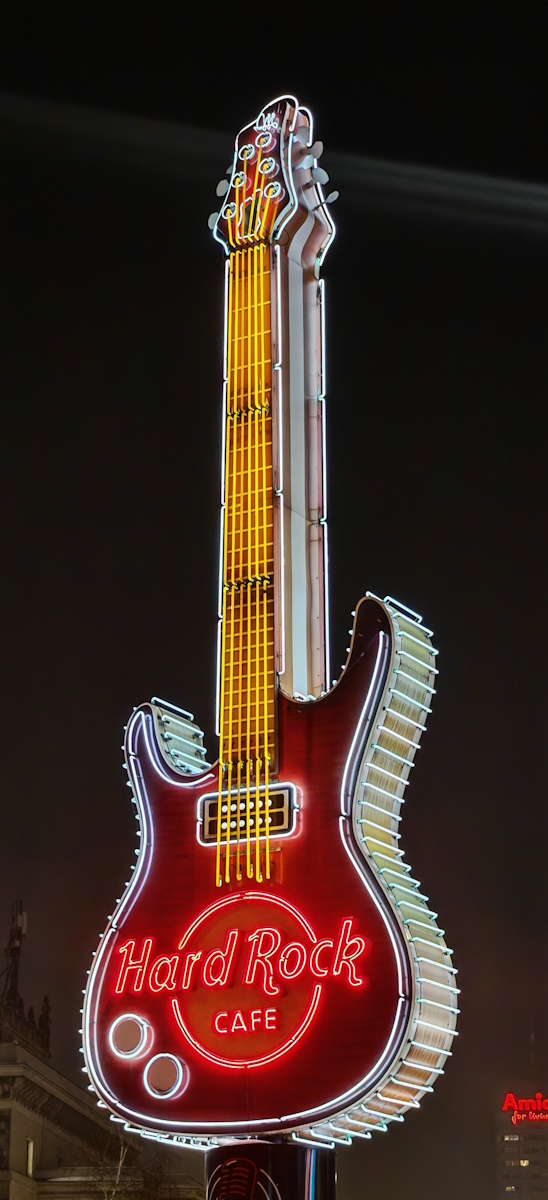
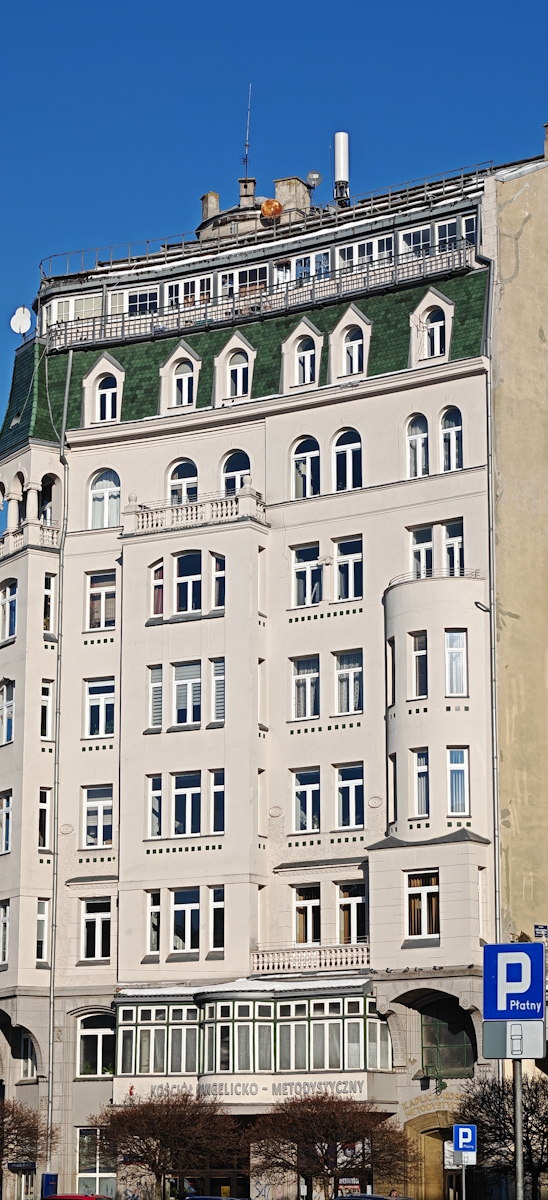
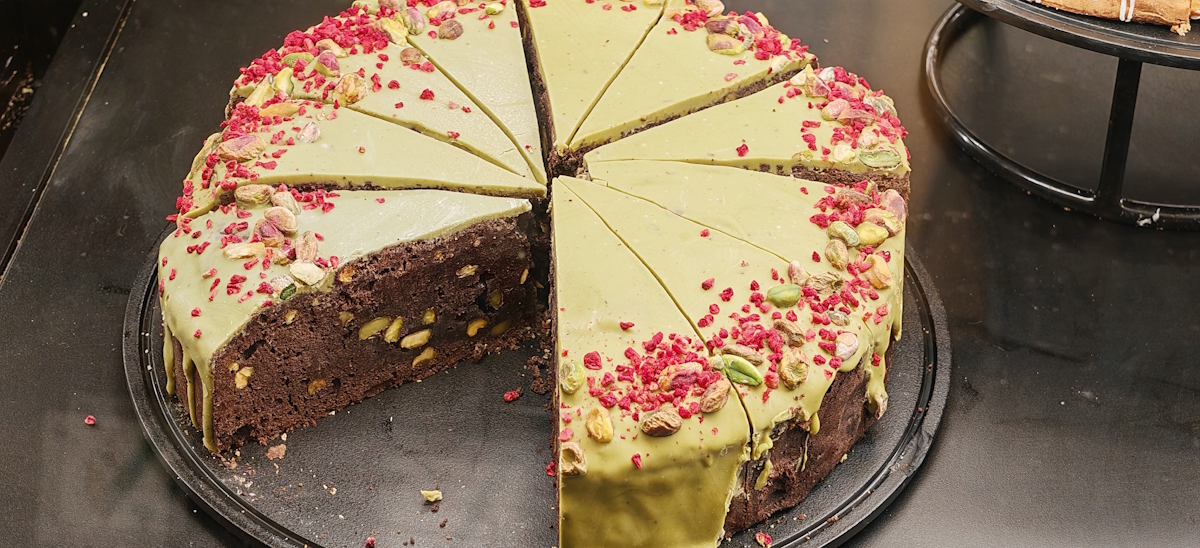
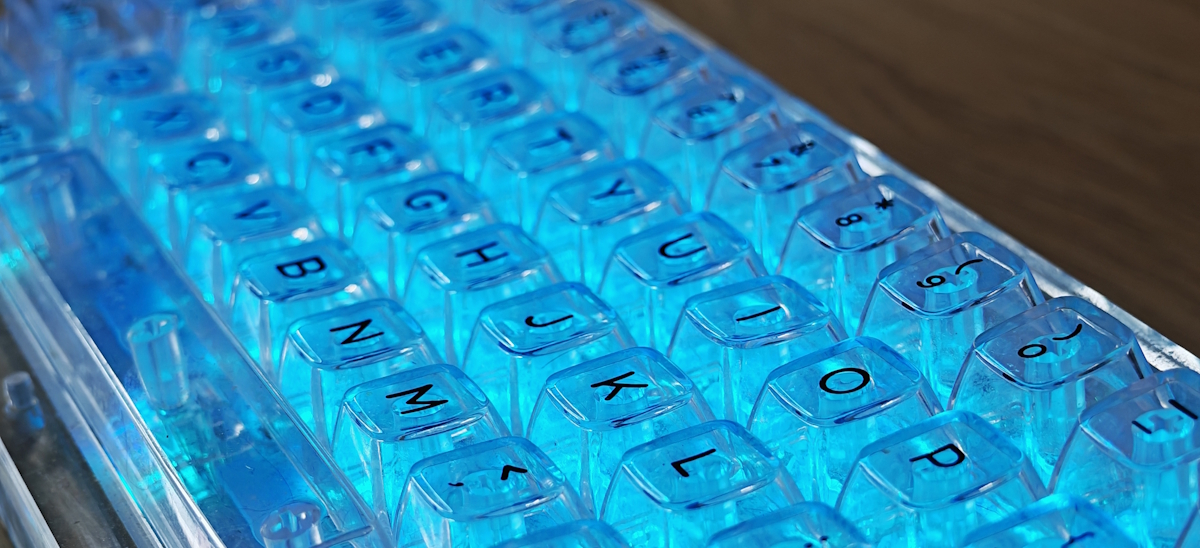

The 6–10× range often remains convincing thanks to the telephoto’s high resolution and careful cropping, but hand shake becomes more noticeable. A practical tip is to take two shots in quick succession and select the sharper one.
Extreme zoom levels (30× and above, up to 100×) should be approached as a “observe and document” mode rather than a guarantee of a naturally detailed image. At higher magnifications, results rely heavily on algorithms, making fine structures – small text, grids, branches, or hair – less predictable. In some scenes, AI zoom produces impressively sharp results, while in others it can suddenly render the image like watercolor or make details appear overly “plastic.” Over time, you begin to recognize where “enhancement” ends and “artificial reconstruction” begins.


Portraits are most consistently successful using the telephoto lens, and it’s important not just to switch to 3×, but also to maintain an appropriate distance. For a head-and-shoulders composition, a distance of roughly 1–1.5 m works well; for waist-up portraits, 2–3 m is usually ideal. This keeps perspective natural and allows autofocus to perform more reliably. In low-light conditions, pushing for strong software-driven bokeh isn’t always the best choice. Sometimes a standard 3× shot without aggressive background blur looks more natural, particularly when the background is already distant.



The ultra-wide lens is convenient for shooting interiors and architecture, but it has two typical “field” characteristics to keep in mind. First, geometry: the more tilted the horizon and the closer the camera is to the subject, the more noticeable edge distortion becomes – even with correction enabled. For buildings and interiors, it’s best to hold the phone as level as possible and avoid tilting it upward unnecessarily; this keeps lines sharper and perspective cleaner. Second, light: at night, the ultra-wide is almost always weaker than the main camera in terms of detail and noise. In dark scenes, it’s usually better to step back and shoot at 1× rather than accept a soft image at 0.6×.
Macro with the ultra-wide requires sufficient lighting. In daylight or under a lamp, results are reliable, but in darkness, macro quickly becomes “soft” or muddy. A practical way to improve macro shots without a tripod is to provide more light and avoid getting too close: it’s better to shoot from slightly farther away and crop afterward than to lose sharpness due to the minimum focusing distance.
At night, the Magic 7 Pro generally produces sharp images without excessive overexposure. However, a characteristic issue in low light is the appearance of artificial texture caused by noise reduction and detail enhancement. This is especially noticeable on skin and fine surfaces. In practice, this can be managed with three approaches: give the camera a fraction of a second to stabilize after pressing the shutter (avoid moving the phone), choose the stronger modules (1× or 3× instead of the ultra-wide), and avoid extreme zoom in the dark. If there are bright signs or lights in the frame, slightly adjusting the angle and composition so that the light source doesn’t hit the lens directly helps reduce flares and maintain contrast.
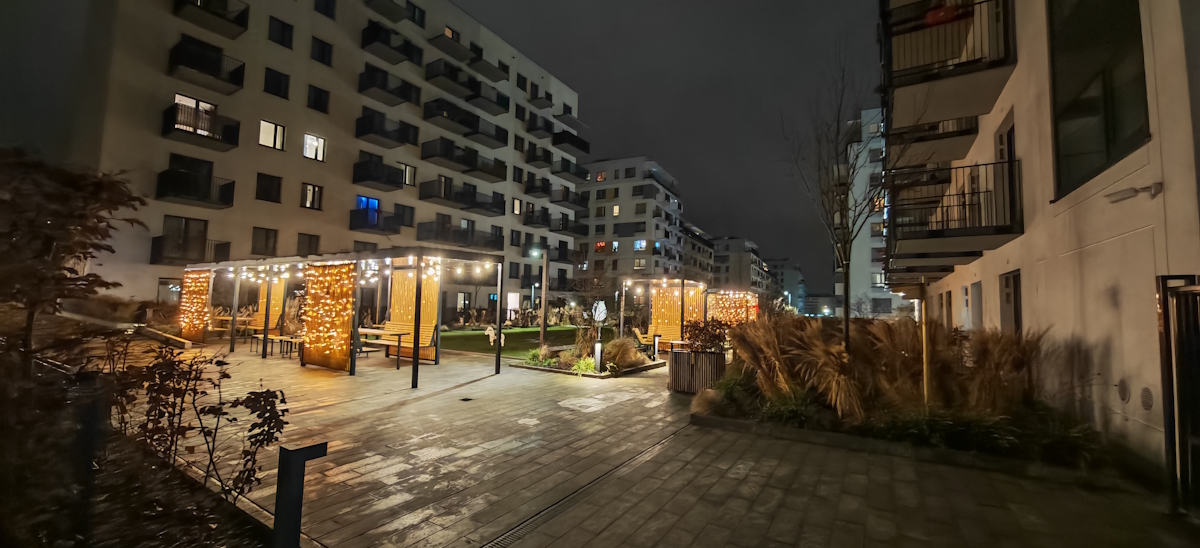



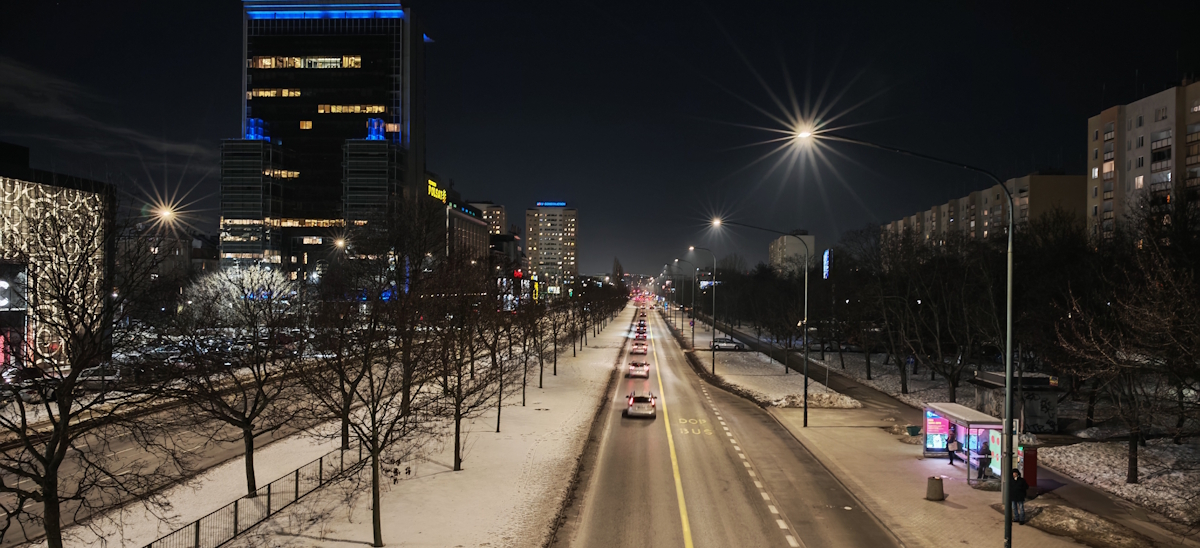
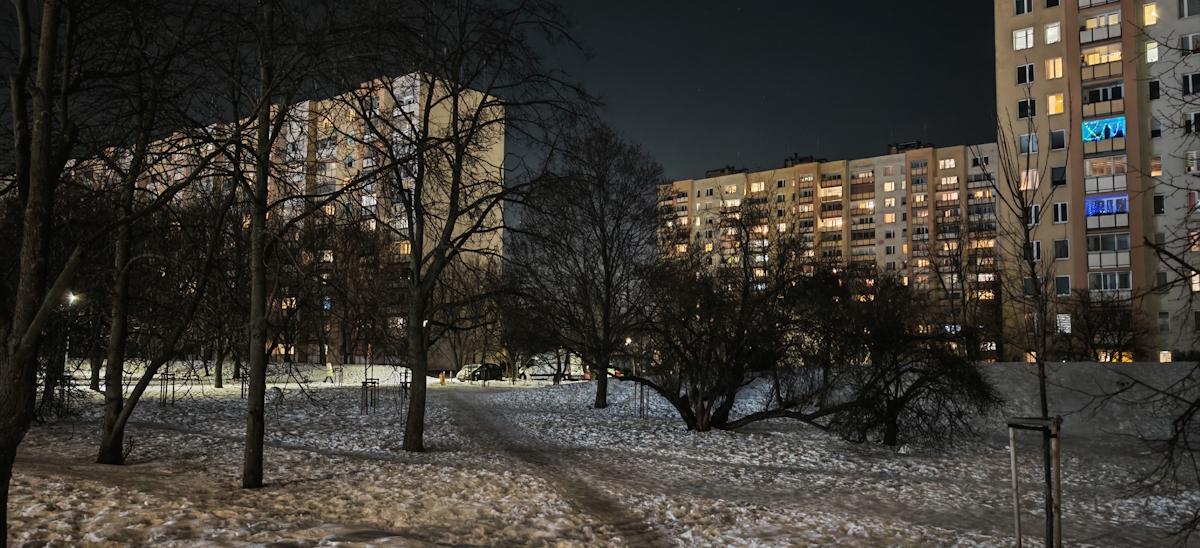
Motion capture is an area where the Magic 7 Pro performs surprisingly well. In daylight, it handles movement confidently, though in the evening or at night there’s a higher risk of blurred shots. Special modes or burst shooting help mitigate this. In practice, it becomes a simple routine: instead of a single shot, take a short burst series and then select the sharpest frame. For photographing children or pets, this approach is genuinely a time- and stress-saver.
Video recording offers a wide range of options, including 4K at up to 60 fps, and in daylight conditions it generally performs well: stabilization keeps footage steady, autofocus tracks subjects predictably, and color remains consistent between frames. In high-contrast scenes or in the evening, dynamic range and exposure stability can be weaker. A practical rule of thumb: during the day, 4K60 is usually fine; in low light or indoor settings, 4K30 tends to look more stable, with less noise and easier exposure control. One small but noticeable tip for night video: clean the lens beforehand – on a large camera module, fingerprints and dust quickly affect contrast and create flares.
Read also: Honor 90 Review: “Flagship Killer” with a 200 MP Camera
Battery life and charging on the HONOR Magic 7 Pro
When it comes to the Magic 7 Pro’s battery, one important nuance appears even before real-world use. Different retailers list different battery capacities in the specs. Globally, it’s specified as 5850 mAh (typical) with a nominal 5750 mAh, but in some European listings, 5270 mAh is indicated. That’s the figure relevant for this review. In practice, this means that “battery life numbers” can vary slightly between batches. When buying, it’s worth checking the capacity listed for your specific market and configuration.
In everyday use, the Magic 7 Pro usually lasts confidently for 1.5–2 days on mixed usage, with actual screen-on time around 7–9 hours. The biggest drains are the camera, navigation, and gaming. In my tests, the numbers looked like this: web browsing over Wi-Fi ~24h 41min, video playback ~30h 06min. This kind of real-world profile is more important after a year of use than any spec sheet: the phone doesn’t turn into a “charging-on-demand” device even under active use.
That said, there’s a flipside: in some scenarios, battery life feels good rather than “champion-level.” Frequent 4K video recording, constant max-brightness screen usage, or staying in the camera/navigation apps can deplete power faster. It’s not a “magical infinite” phone – it’s strong, but heavy use will naturally drain the battery.
Under heavy load, autonomy becomes especially telling, because here physics matters more than marketing. In Genshin Impact at max settings and 60 fps, the drain was about −10 % per 30 minutes. So under demanding 3D gaming, the battery consumption is entirely expected for a top-tier chip and a bright, large display. This scenario also shows how the phone heats up: after a long session, you notice not only battery drain but also how the system transitions to a more stabilized frequency regime.
Charging remains one of the strongest points of the Magic 7 Pro, but an important clarification: peak speeds depend on proprietary protocols and the “right” kit. Wired charging is rated at 100 W HONOR SuperCharge (up to 20 V / 5 A). Wireless charging – 80 W HONOR Wireless SuperCharge. In practice, with the original adapter and cable, the phone really reaches these speeds, which can change daily habits: in my tests, the fast mode went from 0–100 % in about 31 minutes and around 55 % in 15 minutes. In a more relaxed scenario, it took about 1 h 09 min to full (50 % in ~13 minutes, 80 % in ~25 minutes). Standard USB-C chargers under regular protocols are usually slower, and that’s normal.
Wireless charging is convenient in daily life, but its “maximum” also requires proper equipment. Peak 80 W is typically achieved on the official pad. On regular Qi chargers, the rate is slower and produces less heat. In my tests, wireless charging took roughly 40 minutes from 0 to 100 %. Keep in mind that wireless charging is more sensitive to positioning, heat, and ambient conditions (case, thickness, room temperature). One practical detail often forgotten: fast modes almost always speed up the first 50–60 %, then slow down. This isn’t a flaw – it’s battery protection logic, which is exactly what matters a year into using the device.

Finally, regarding the box contents: it varies by market, which affects the perception of the charger. In some regions, the charging brick is included; in others, it isn’t. If you want the same 100 W wired / 80 W wireless speeds stated in the specs, you may need to purchase the “correct” adapter separately. For the user, this is another reason to check the included accessories for their specific market – so you won’t be surprised by “why isn’t it charging that fast?” A minor note from my perspective: in a flagship of this class, I’d like to see more universal standards / magnets, like Qi2 – currently, it doesn’t give that “magnetic ecosystem” feeling.
Summary
After one year, the HONOR Magic 7 Pro demonstrates strengths in several areas: the display, the camera (particularly the telephoto lens and the practical 3–10× zoom range), fast charging, stable system performance, and convenient biometric features. MagicOS 10 contributes to daily usability through context-based actions, AI tools, security functions, and cross-platform data sharing. Audio performance is also notable, representing one of the few instances where the term “flagship-quality sound” appears appropriate without exaggeration.
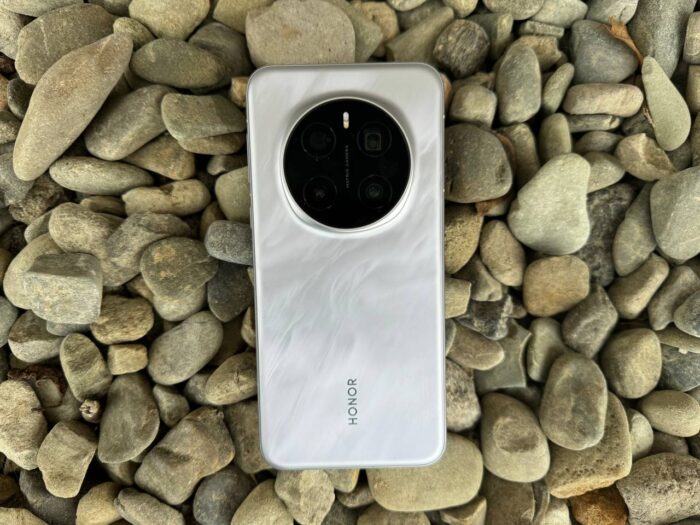
Considerations: The device has a slippery body, large dimensions, and noticeable weight. It can heat up under prolonged load, and the automatic brightness adjustment can occasionally be overactive. Performance in Nintendo Switch emulation is highly dependent on the software version and specific builds. The AI features present a mixed experience: they are functional and can assist with tasks such as translation, note-taking, quick actions, and smart photography. However, for users who prefer minimal automated intervention, some AI-driven functions may feel intrusive.
Overall, the Magic 7 Pro remains a fast and predictable device, which aligns with the primary expectations for a device after one year of use.
Read also:
- Samsung Galaxy S26 Review: Most Compact Flagship with Minimal Changes
- Motorola Signature: The Company’s First True Super-Flagship
- Xiaomi 17 Review: Compact Flagship with Leica Optics

