





© ROOT-NATION.com - Use of content is permitted with a backlink.

Positioning and price
The Logitech G Astro A20 X is priced at around €200 on the European market, or $180 on Amazon. This places it at the upper end of the mid-range segment – or the entry point to the premium tier, depending on how you look at it. Overall, it’s not a budget headset, but the price is justified by a set of unique features that we’ll explore in more detail below.
Package contents
Inside the box, alongside the Logitech G Astro A20 X headset neatly packed in a fabric sleeve, there’s a separate compartment containing two USB-A to USB-C cables, a wireless adapter, and a detachable microphone – each placed in its own pouch. The package also includes detailed connection guides for every supported platform, from PC and Mac to gaming consoles. Additionally, Logitech provides labeling stickers for organizing and marking the cables.

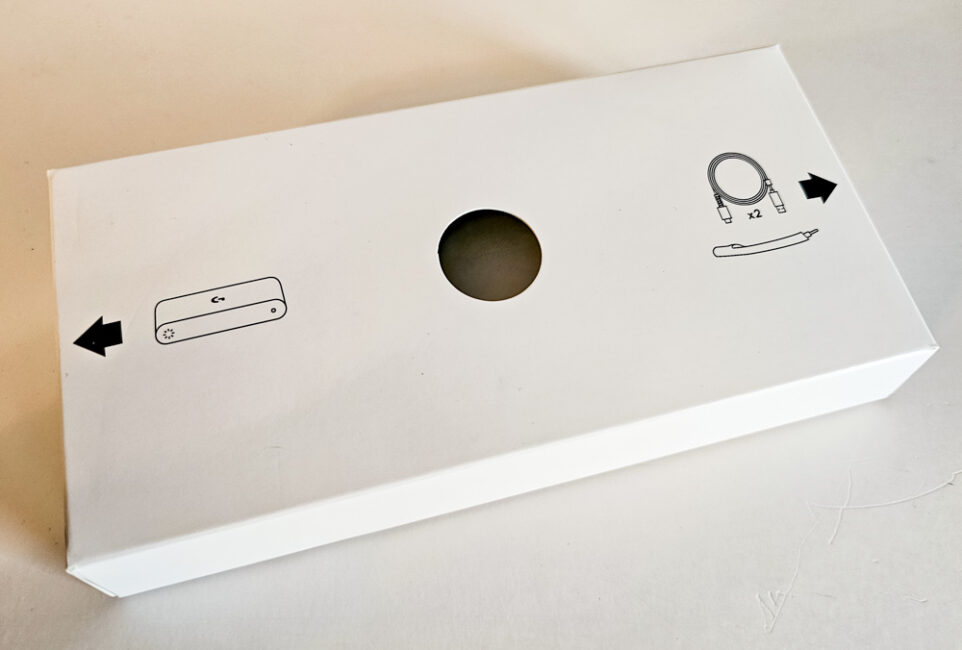
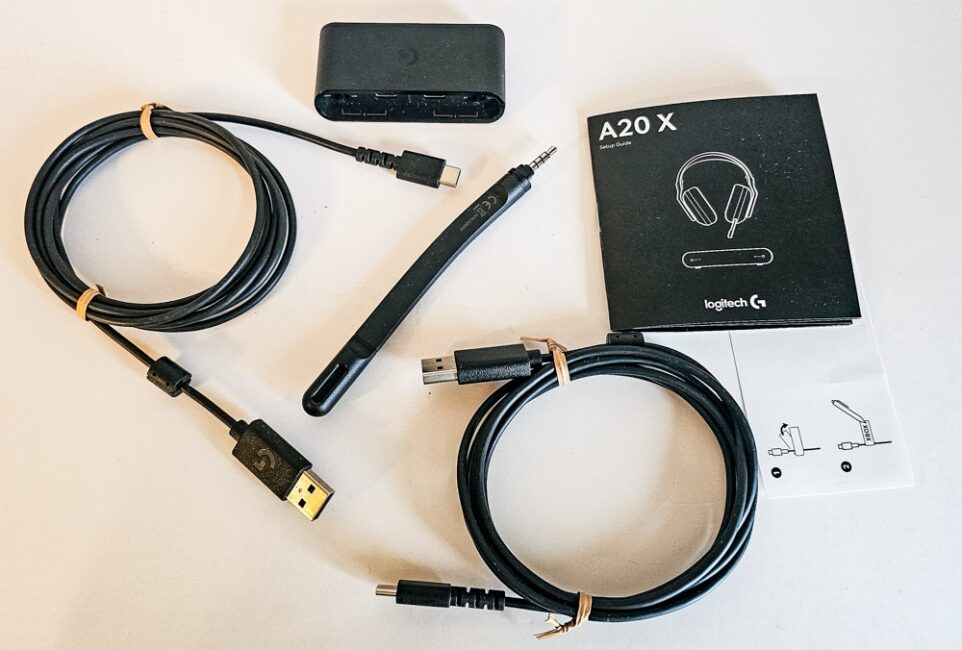
Overall, the bundle is quite comprehensive and well-organized, including nearly everything you might need. However, I would have appreciated the addition of a power adapter and a third USB-A to USB-C cable – and I’ll explain later why having three of them would actually make sense.
Read also: Logitech G321 Review: Entry-Level Wireless Gaming Headset
Connection
The Logitech G Astro A20 X connects to devices via Bluetooth 5.3 or through a proprietary USB adapter that supports Logitech’s LIGHTSPEED 2.4 GHz wireless technology. What makes this adapter special? If you look closely, you’ll notice it has two USB-C ports, each labeled – XBOX and PC – along with a small switch beside them. This design allows you to connect the adapter to two devices simultaneously using USB-A to USB-C cables, and then switch between them with a single button press on the headset itself.
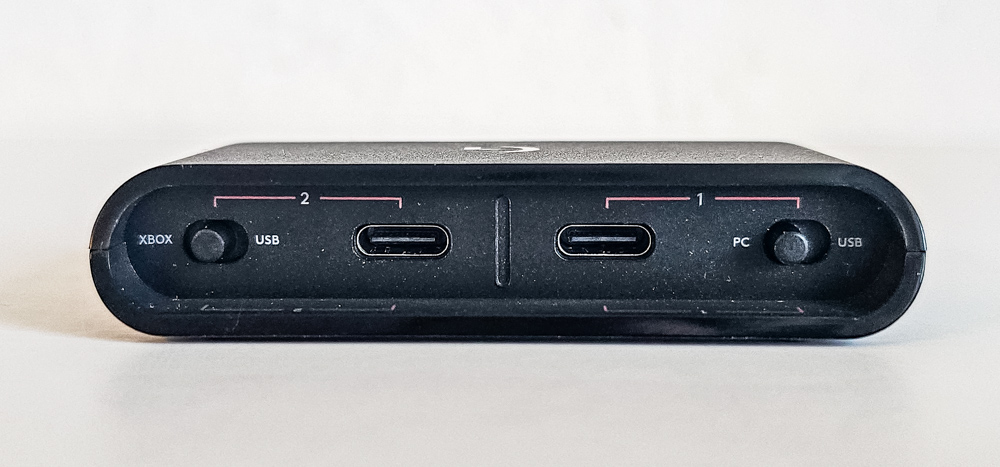
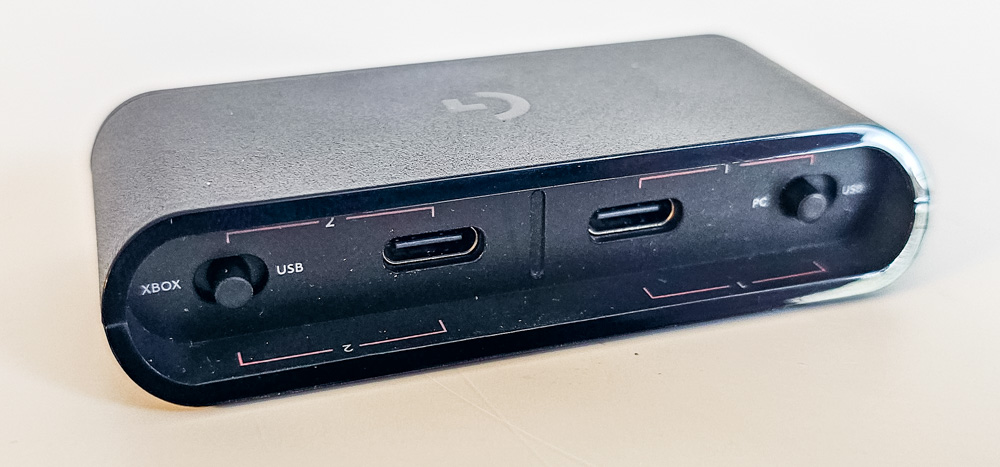
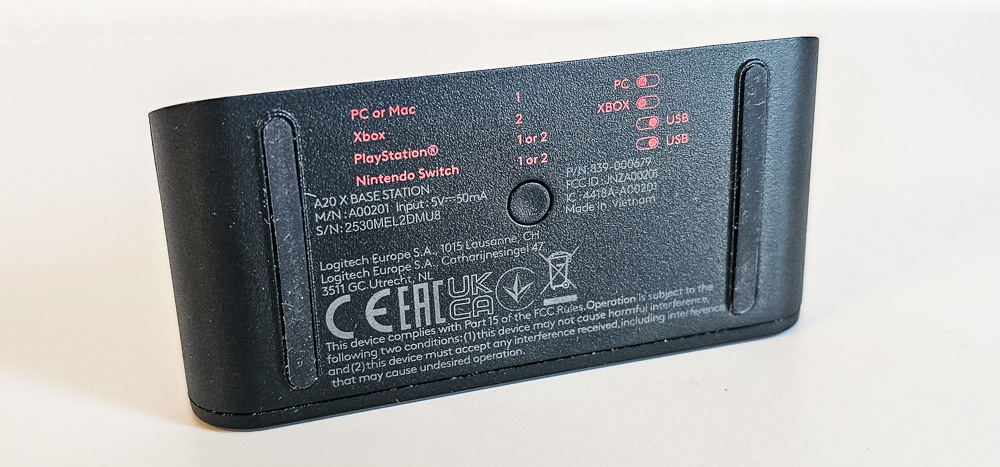
The included USB cables are two meters long, allowing you to position connection points up to four meters apart. While that’s not enough to link devices located in different rooms, it’s more than sufficient for typical setups within the same space.
Switching between devices is quick and seamless – it takes just a second or two after pressing the button for the headset to reconnect.
Overall, the LIGHTSPEED connection proved to be very stable. Even when moving into a neighboring room, there were no noticeable dropouts; the signal only started to weaken at the far end of the apartment, behind two thick walls.
Read also: Logitech MK250 Wireless Combo Keyboard and Mouse Review
Design
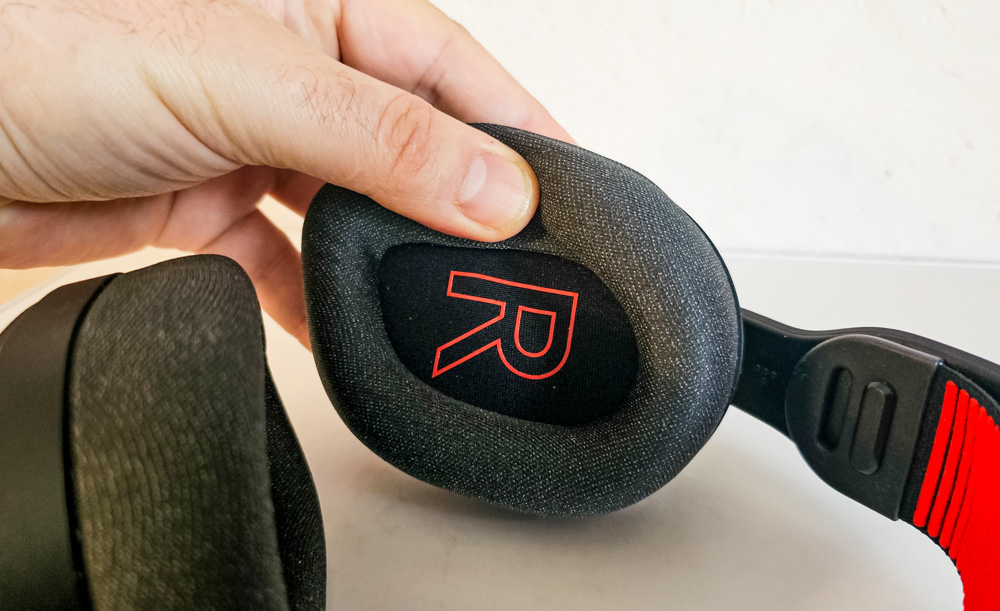
The Logitech G Astro A20 X headset is made of high-quality plastic, with a flexible rubberized fabric band stretched across the headband to provide support and comfort. The ear cushions are covered in breathable fabric and filled with memory foam, ensuring a comfortable fit even during extended use.


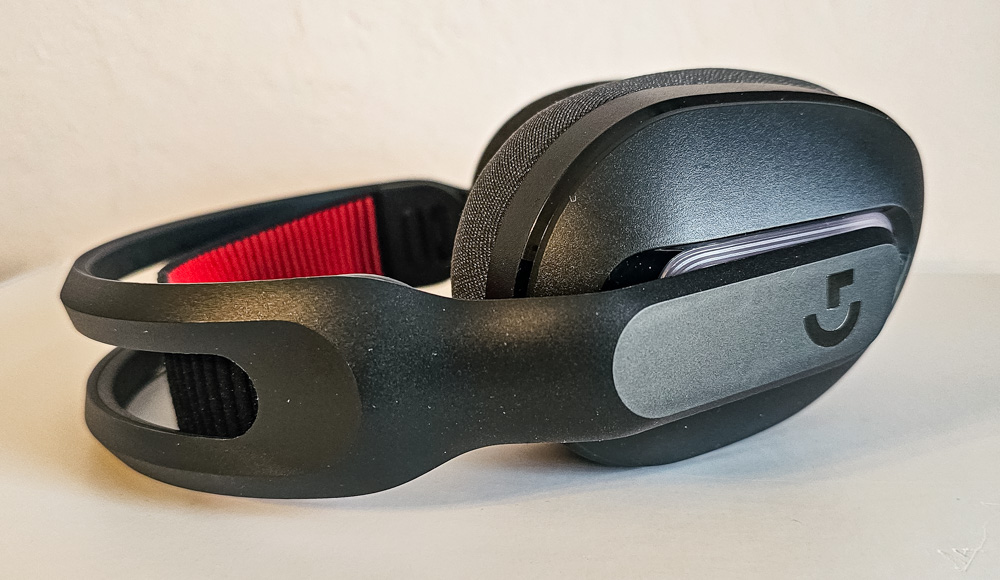


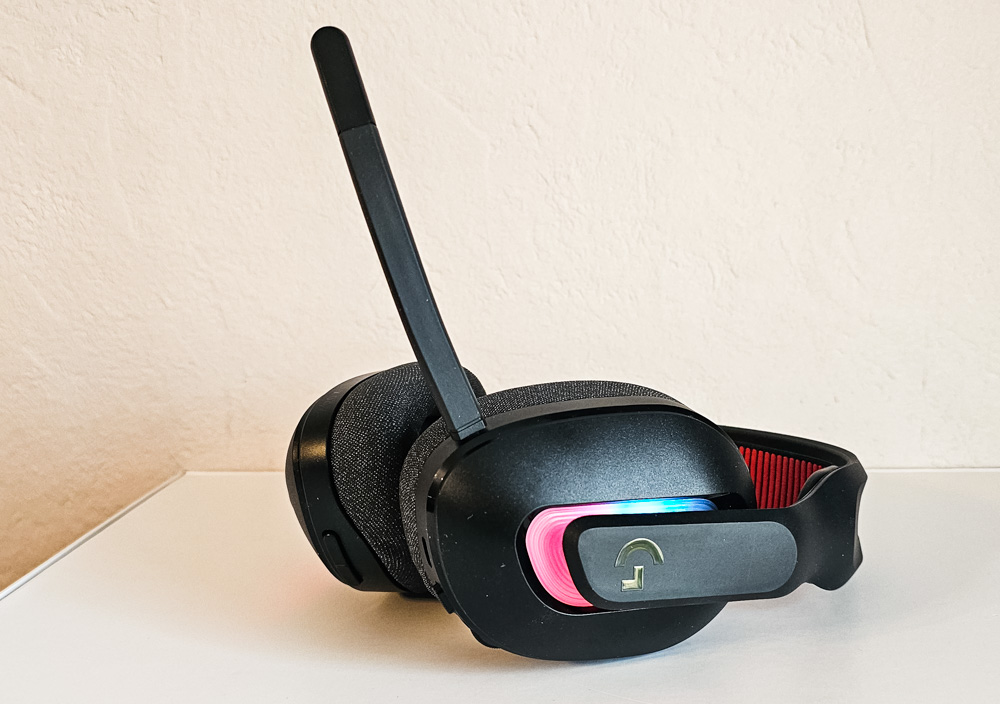
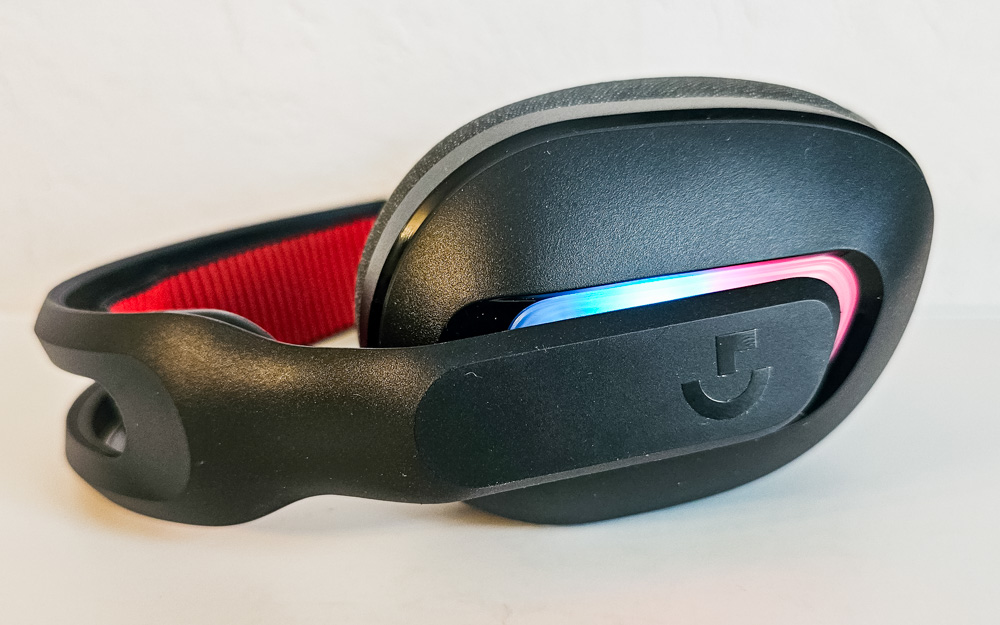
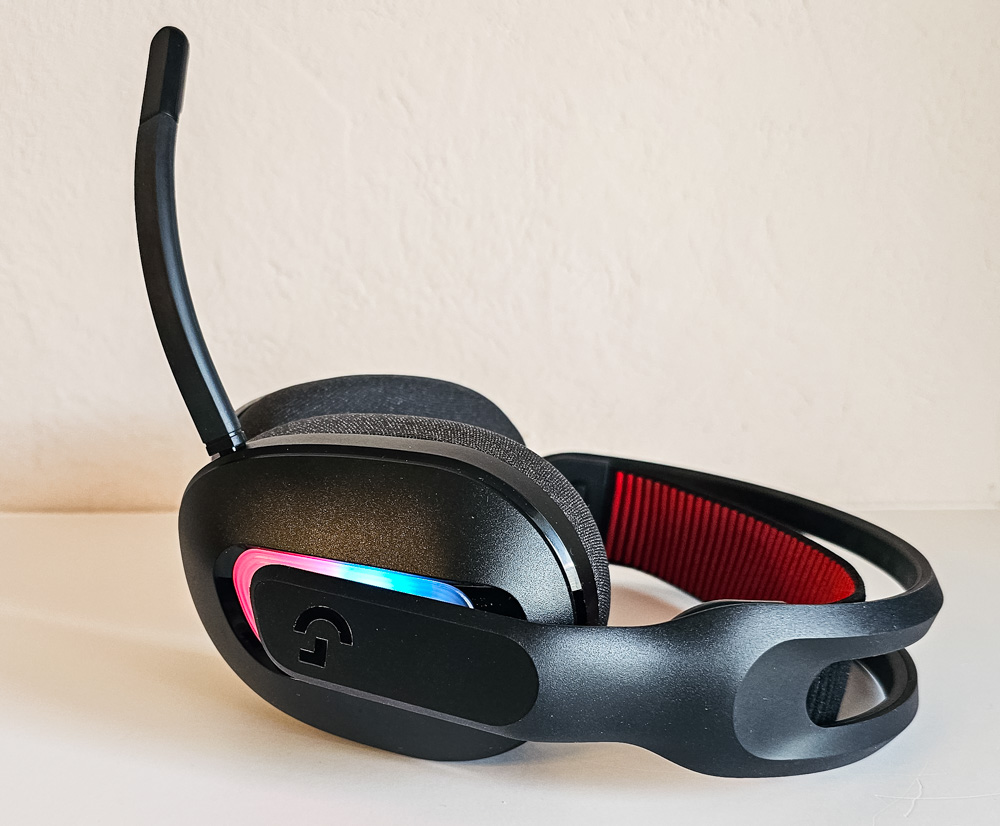
At the points where the earcups connect to the headband, there’s subtle backlighting beneath a layer of matte, semi-transparent white plastic. Personally, I appreciate this restrained lighting design – it emits a soft, pastel glow that’s unobtrusive and won’t distract people nearby.
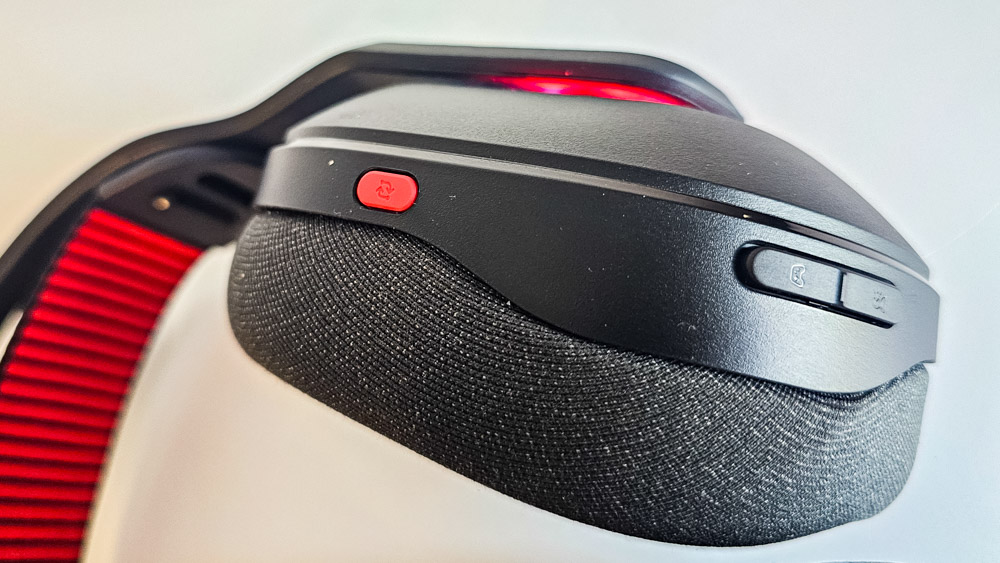
On the back of the right earcup, there’s a button for switching between the two connected devices. Just below it are two additional buttons that let you toggle between game and voice audio modes.
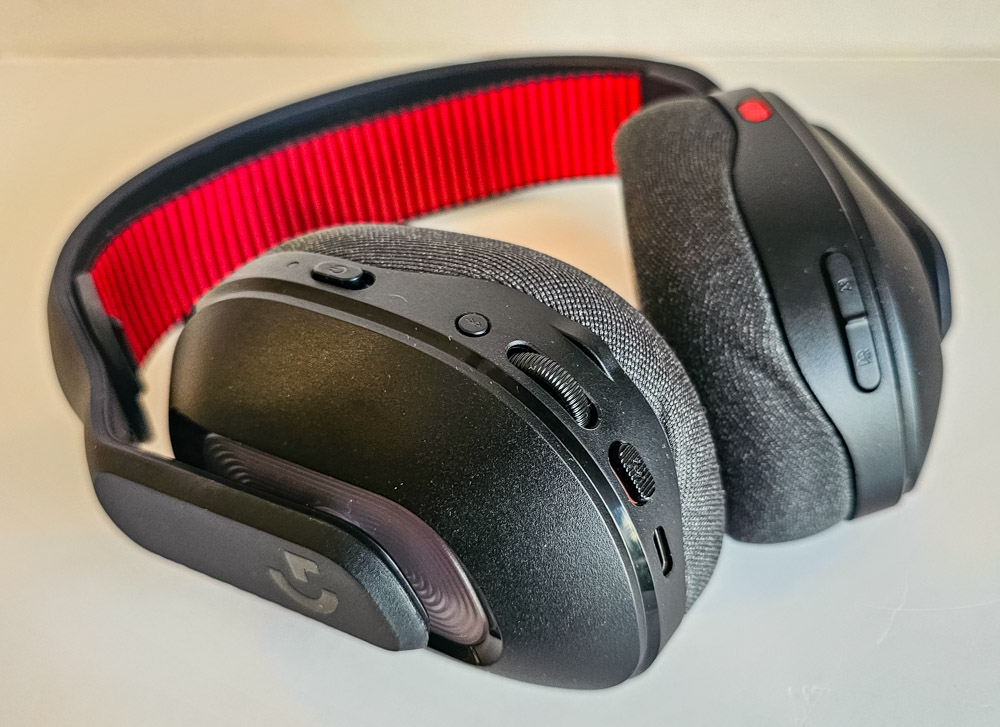
The left earcup houses several controls and ports. At the front, there’s a 3.5 mm jack for the microphone. On the back, you’ll find an LED indicator, a power switch, a Bluetooth pairing button, a volume wheel, a microphone mute button, and a USB-C port for charging.
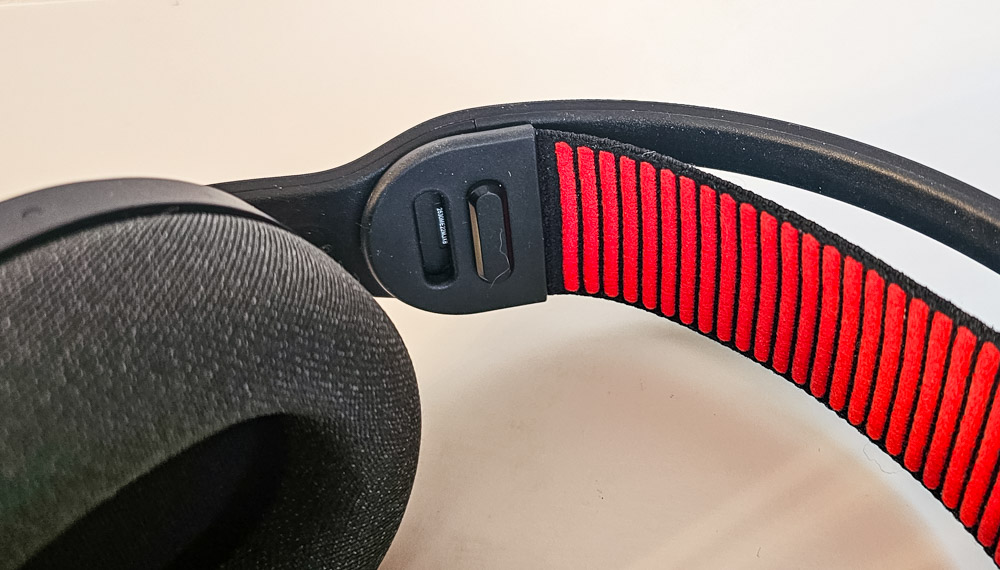
A notable design feature is the continuous adjustment of the earcup positions relative to the headband. I mentioned a similar approach in my Logitech G321 review, and in my opinion, it’s far more convenient than notched, step-based adjustments. Comfort is further enhanced by the adjustable rubberized band, which has two attachment points on each side for fine-tuning the fit.
Read also: Logitech G Powerplay 2 Review: Gaming Mouse Pad with Wireless Charging
Ergonomics
The Logitech G Astro A20 X sits comfortably on the head, with neither the crown nor the ears feeling fatigued during extended use. All controls are easily accessible by hand, with distinct tactile feedback, and I rarely experienced accidental presses. The only exception was occasionally pressing the device-switch button when removing the headset, but this happened infrequently and mostly during the first few uses.
Sound
Sound in the Logitech G Astro A20 X is delivered by 40 mm biocellulose drivers, covering a frequency range from 20 Hz to 20 kHz.
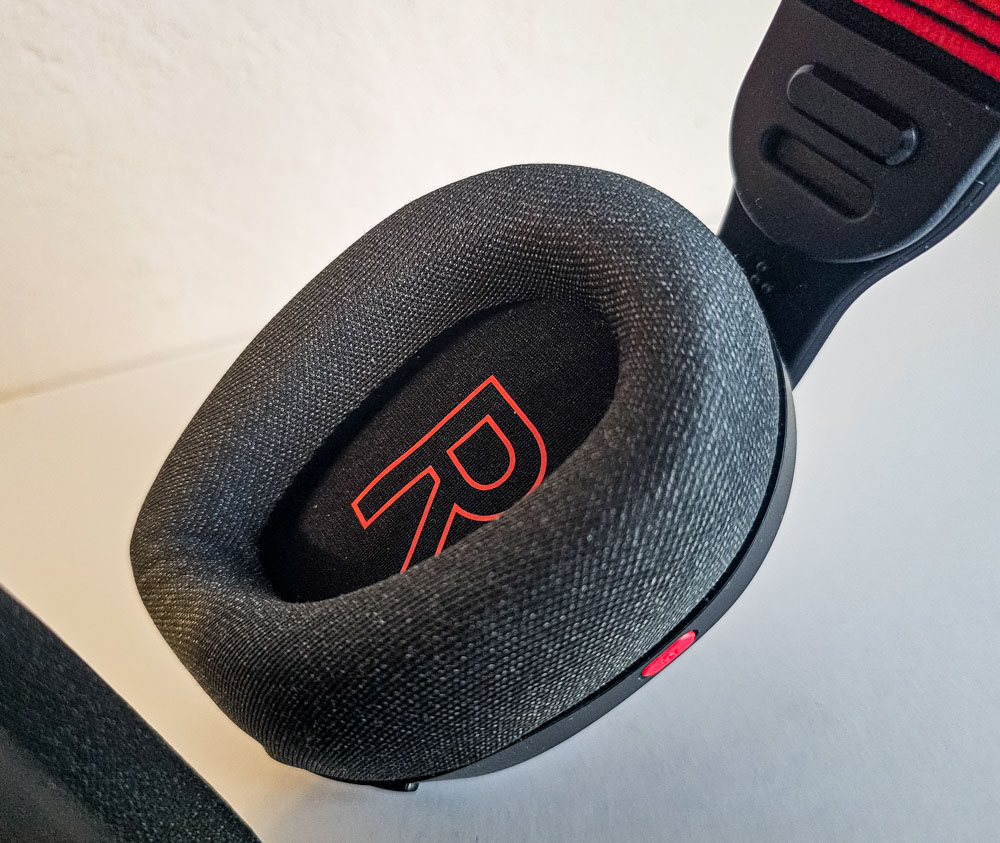
The headset delivers clear, immersive sound, with all frequencies well represented. The audio is deep and detailed, free from noticeable distortions. Similar to the Logitech G321, the directional audio implementation is impressive – in-game sounds are accurately positioned, making it easy to perceive the direction of different audio cues.
Read also: Review of Logitech G923 Gaming Wheel
Microphone
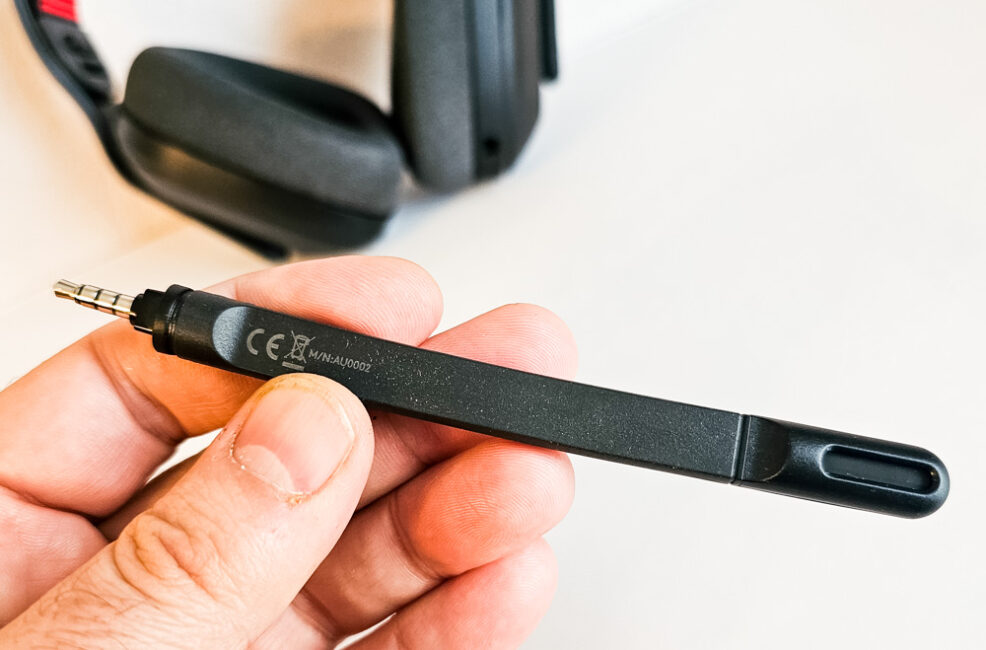
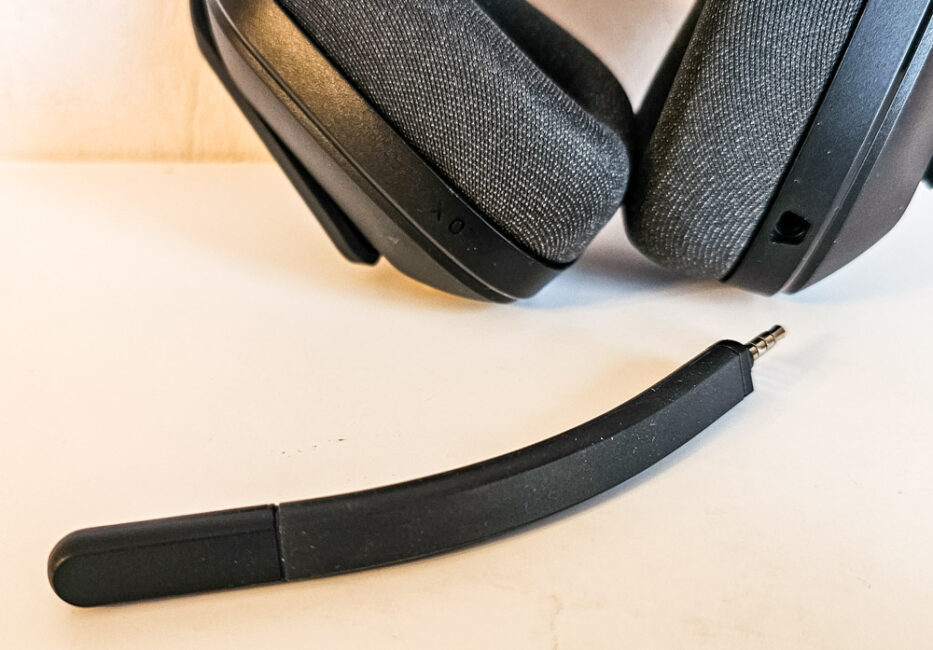
The Logitech G Astro A20 X features a detachable omnidirectional microphone with a frequency range of 70 Hz to 20 kHz. Overall, the microphone performs well – voice is transmitted clearly and with good depth, while background noise is minimal.
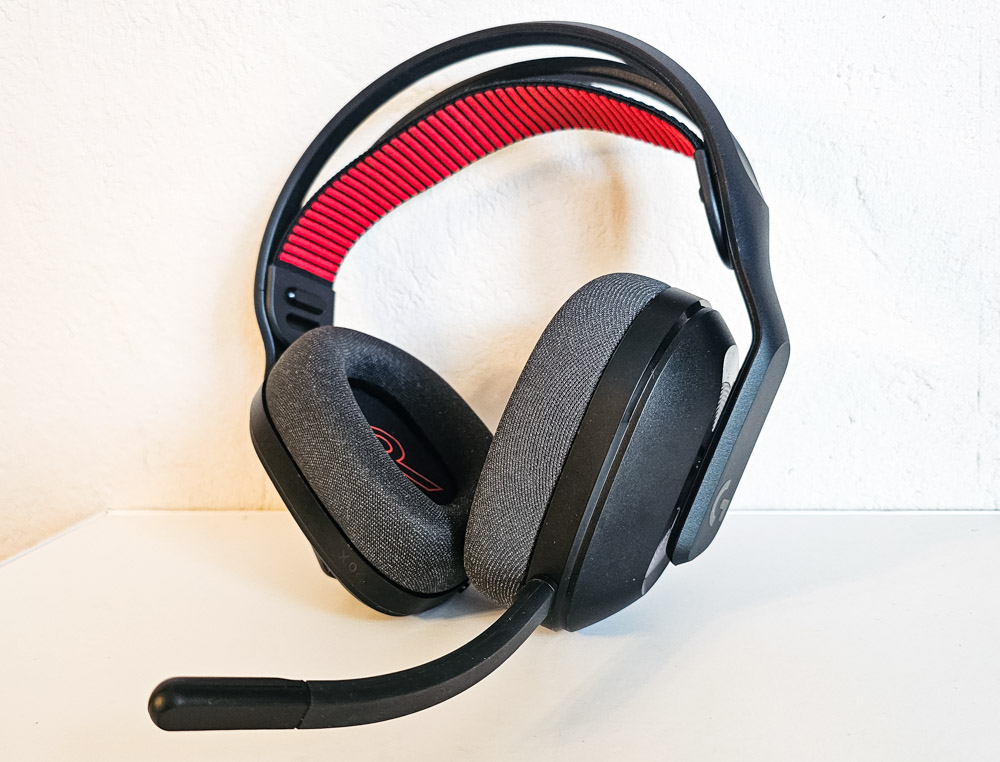
From a design perspective, the microphone is flexible, made of sturdy rubber with an internal wire that holds its position, and features a plastic tip housing the voice-capturing diaphragm. The plastic section also includes an LED indicator that lights up when the microphone is muted via the headset switch. The indicator is visible in most microphone positions without obstructing view or causing distractions.
Software
Logitech provides robust software support for its devices. The Logitech G HUB app serves as a centralized control hub, working seamlessly with the Astro A20 X as well as other Logitech models. Let’s take a closer look at how it manages these headphones.
On the home screen, you can select from the connected devices that are supported by the application.

Within the Astro A20 X settings, there are five tabs: Headset, Microphone, Samples, Lighting, and Settings. The headset and microphone tabs offer similar functionality, allowing you to create, customize, and modify your own EQ presets, or use presets provided by Logitech or the community.
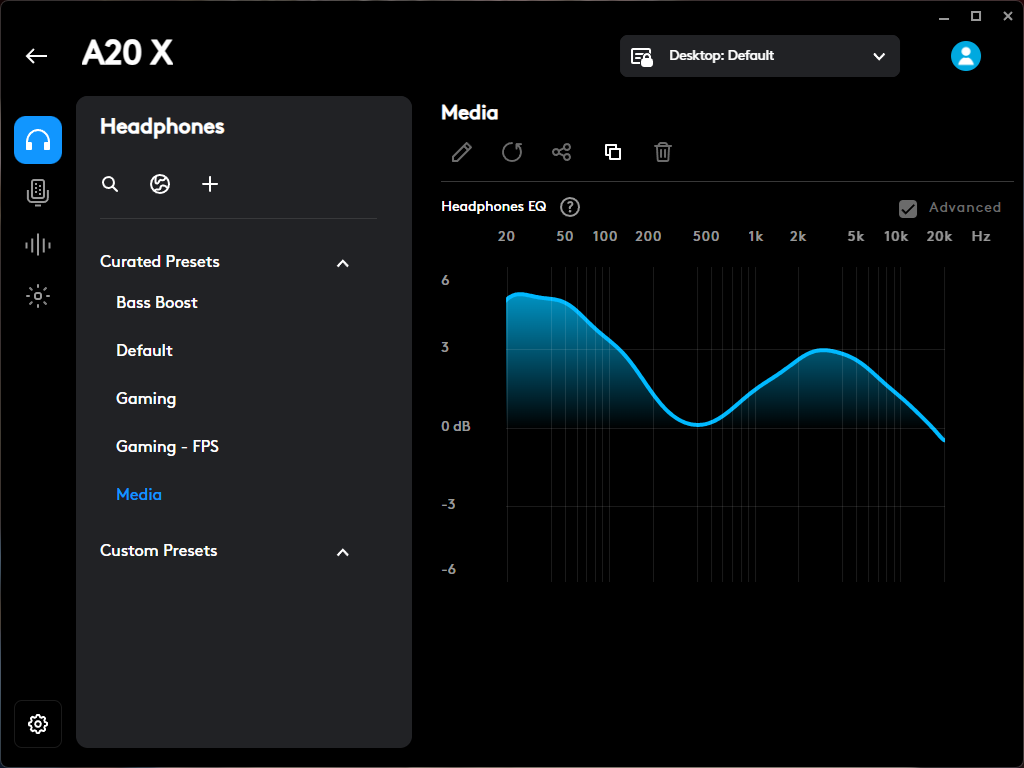
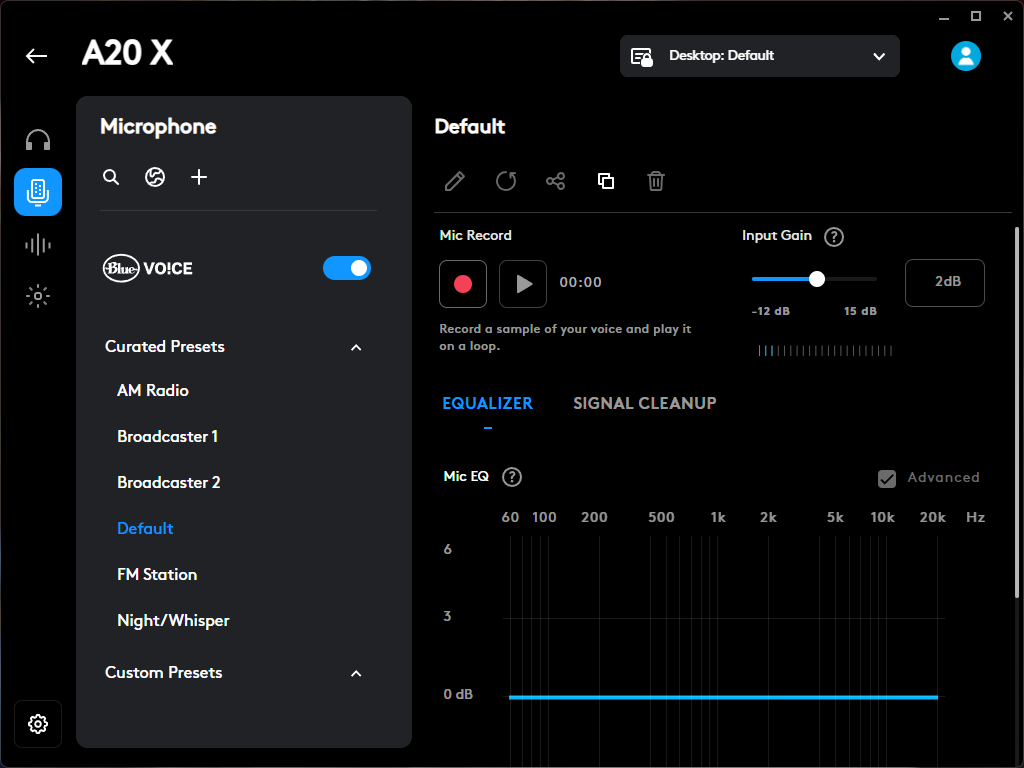
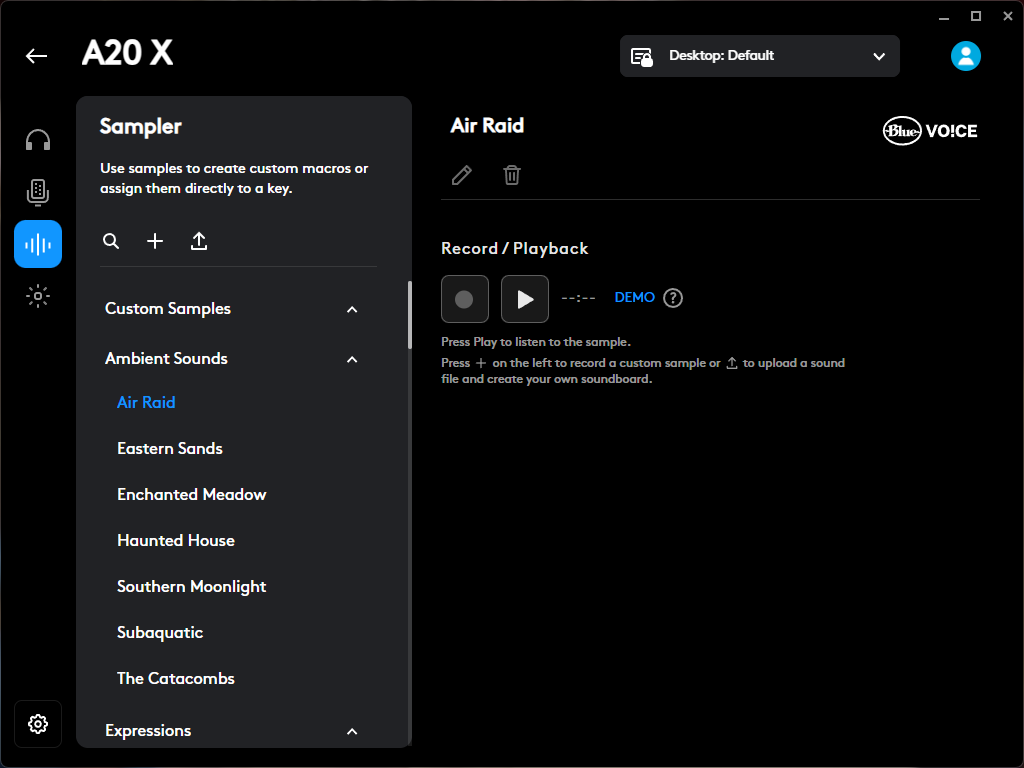
The Samples tab functions essentially as a soundboard – a panel of various sounds that can be triggered and heard both through the headset speakers and over recordings or calls via the microphone. Within this menu, you can add, remove, or use the default sounds included with the headset.
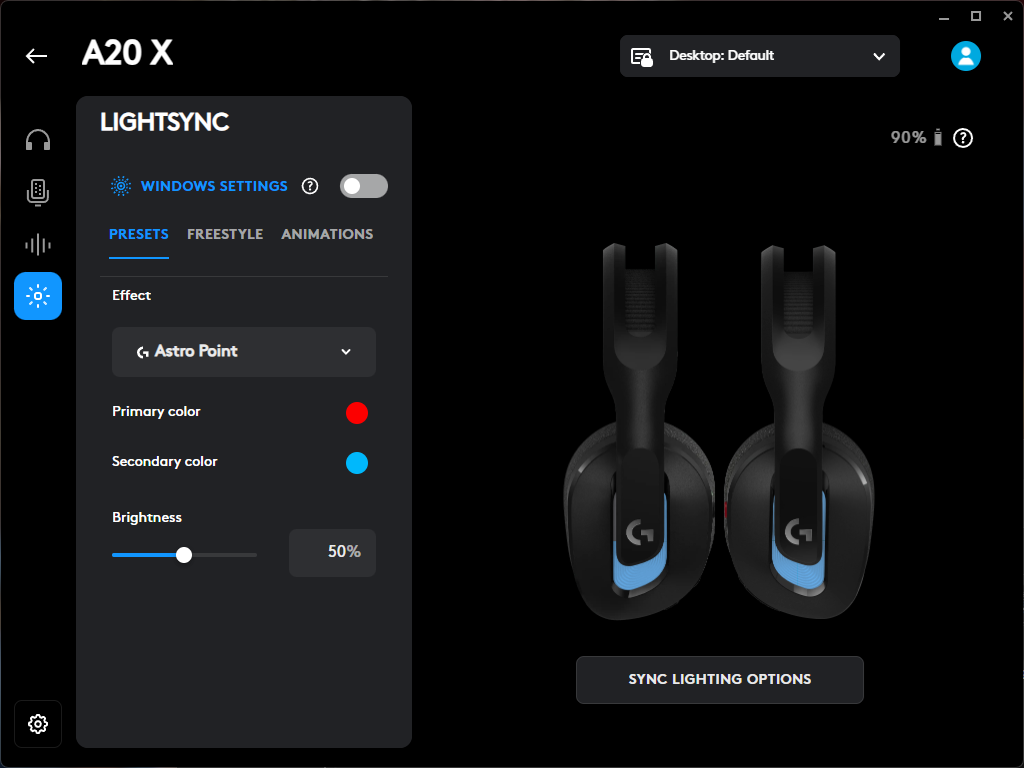
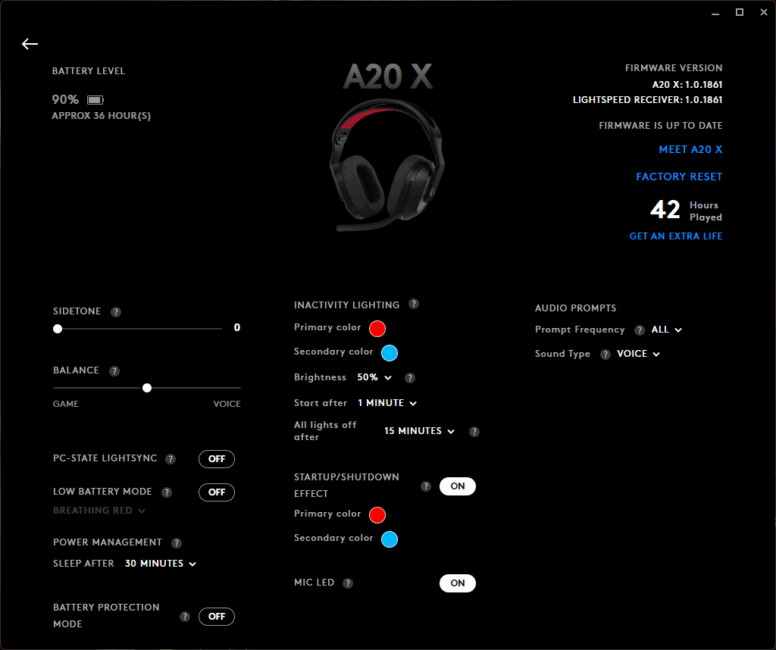
The Lighting settings allow you to adjust animation, colors, and brightness of the headset’s RGB lighting. It’s worth noting that the displayed color may not perfectly match the selected value – I had to approximate settings to achieve the desired hue. Whether this is due to the headset hardware or the Logitech G HUB software, and whether it will be fixed in future updates, remains unclear.
Battery life
Logitech claims that the Astro A20 X headset can run up to 90 hours without lighting and 40 hours with lighting on a single charge. In practice, the unit I tested lasted approximately 35 hours with the lighting enabled.
The headset starts alerting you to low battery about three to four hours before it fully shuts down, giving you enough time to finish a full gaming session or complete a lengthy call without interruptions.
Read also: Logitech Introduces Spot and Rally Board 65 to Address Workplace Collaboration Challenges
Conclusions
The Logitech G Astro A20 X is a mid-range headset that delivers excellent sound quality from both its speakers and microphone. It benefits from solid software support via Logitech G HUB, offers respectable battery life, and provides the unique capability to connect to two devices simultaneously with instant on-the-fly switching.
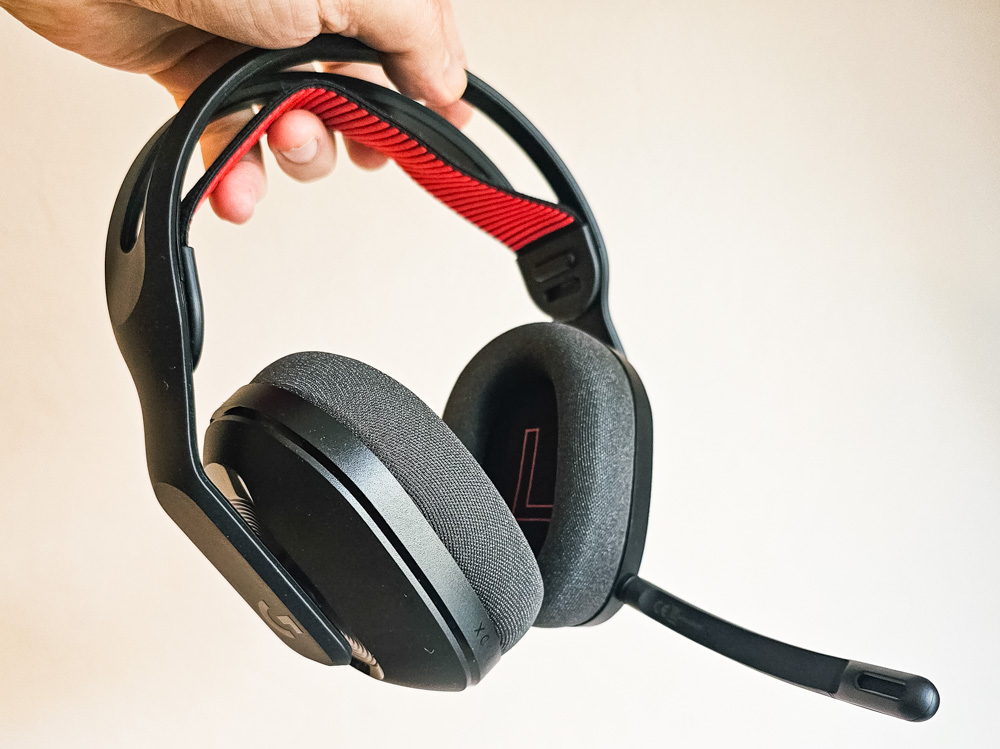
All of this is complemented by a stylish yet understated design, a lightweight but durable build, good ergonomics, extensive customization options, and intuitive controls. It’s a versatile headset suitable for both gaming and everyday professional use.
Where to buy Logitech G Astro A20 X


