





© ROOT-NATION.com - Use of content is permitted with a backlink.
The ASUS TUF Gaming A16 2025 FA608UH happens to be in a very fortunate position. It is among the most affordable branded gaming laptops equipped with a modern-generation discrete GPU – the RTX 5050. However, due to current trends affecting entry-level mobile graphics cards, the TUF series has in recent years become one of the most balanced and attractive options in its category.
Read also: ASUS Laptop Reviews
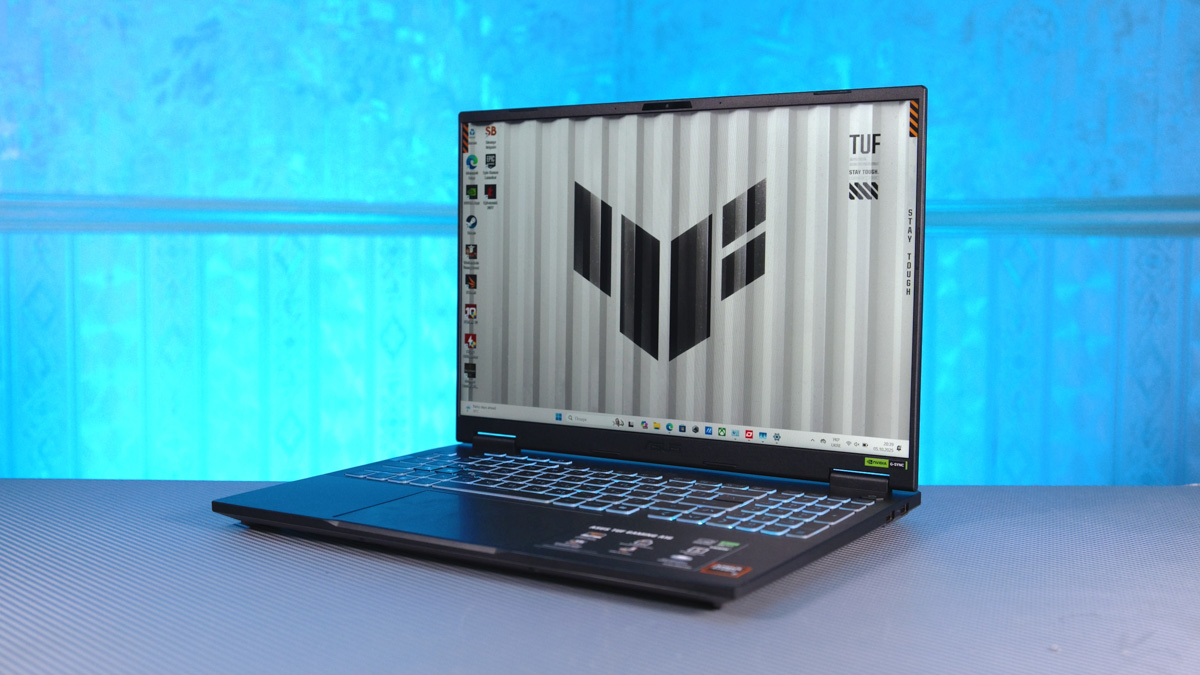
TABLE OF CONTENTS:
Video about ASUS TUF Gaming A16 2025 FA608UH
Technical characteristics
- Processor: AMD Ryzen 7 260
- Graphics card: NVIDIA GeForce RTX 5050 for laptops, 100 W + 15 W Dynamic Boost, 8 GB GDDR7
- Neural processor: AMD XDNA NPU up to 16TOPS
- Screen: 16 inches, FHD+ 16:10 (1920×1200), IPS-level, matte, sRGB:100%, Adobe
- RGB:75.35%, 165 Hz, with support for G-Sync, MUX Switch and NVIDIA Advanced Optimus
- Expansion slots: 2×DDR5 SO-DIMM + 2×M.2 PCIe
- Ports: combo 3.5 mm, 1×HDMI 2.1 FRL, 2×USB 3.2 Gen 2 Type-A, Type-C USB 4, USB 3.2 Gen 2 Type-C, USB 2.0 Type-A, RJ45
- Webcam: 1080p FHD + Windows Hello support
- Network interfaces: Wi-Fi 6E 2*2 + Bluetooth 5.2
- Battery: 90 Wh, 4S1P, Li-Ion
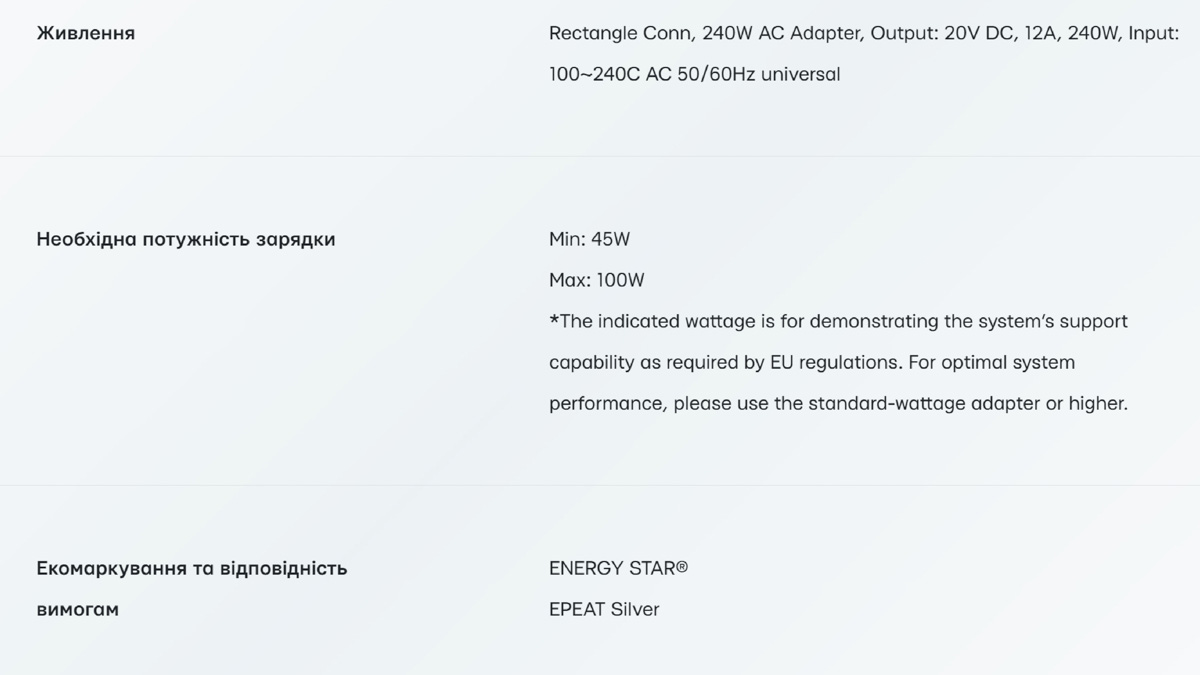
- Power supply: rectangular, 240 W
- ASUS AURA SYNC support: Yes
- Weight: 2.2 kg
- Dimensions: 35.40×26.90×1.79~2.57 cm
Price and package contents
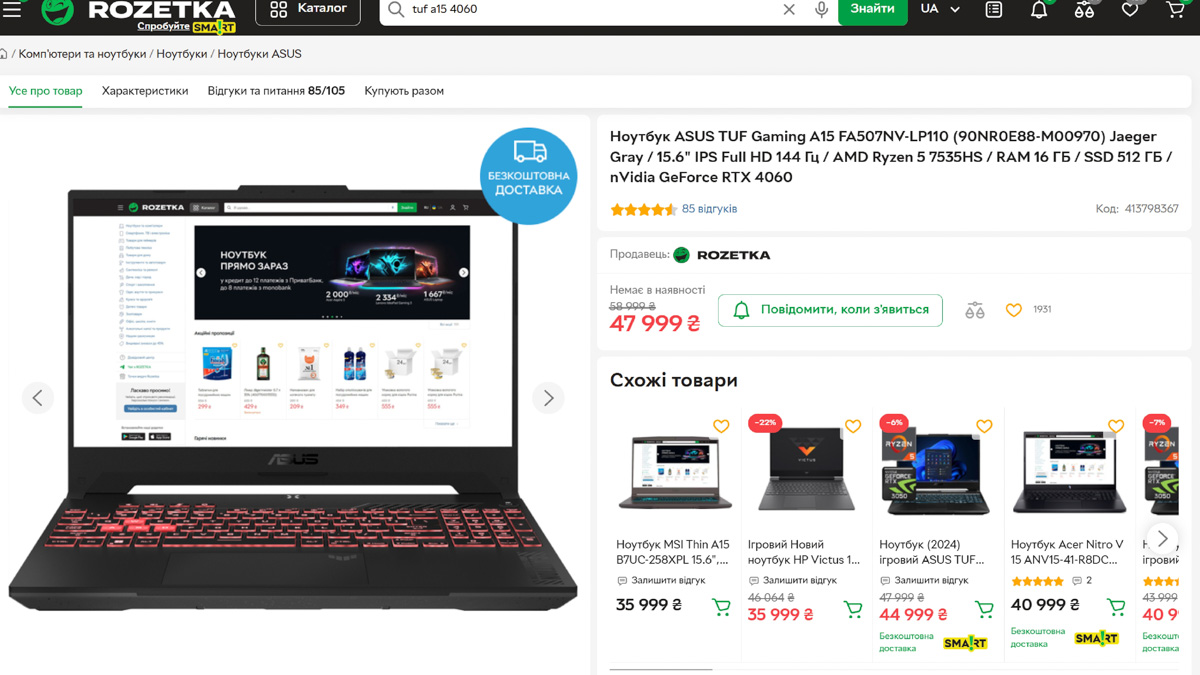
Let’s start with the price – $1400. If that seems high, it’s worth noting that previous TUF Gaming A15 models with an RTX 4060 cost about the same. Interestingly, the memory configuration hasn’t changed much either: both setups include a 512 GB SSD and 16 GB of RAM.
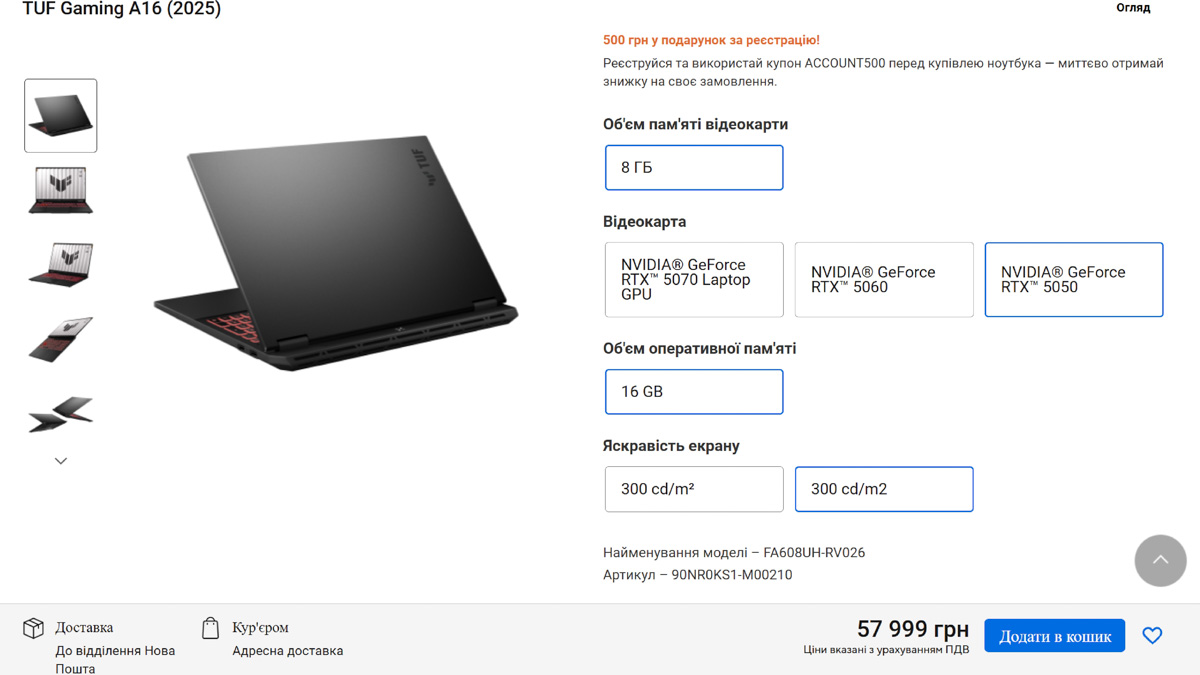
The ASUS TUF Gaming A16 (2025) can be configured with an RTX 5070, RTX 5060, or RTX 5050 GPU. The amount of RAM is fixed, and there are no storage capacity options available either.
Another aspect of the ASUS TUF Gaming A16 2025 FA608UH configuration is that it comes only with a proprietary charger featuring a rectangular connector. This connector is designed to make the power system more compact than a standard barrel plug and includes an automatic shutoff feature in case of overheating.
Read also:
Video card power
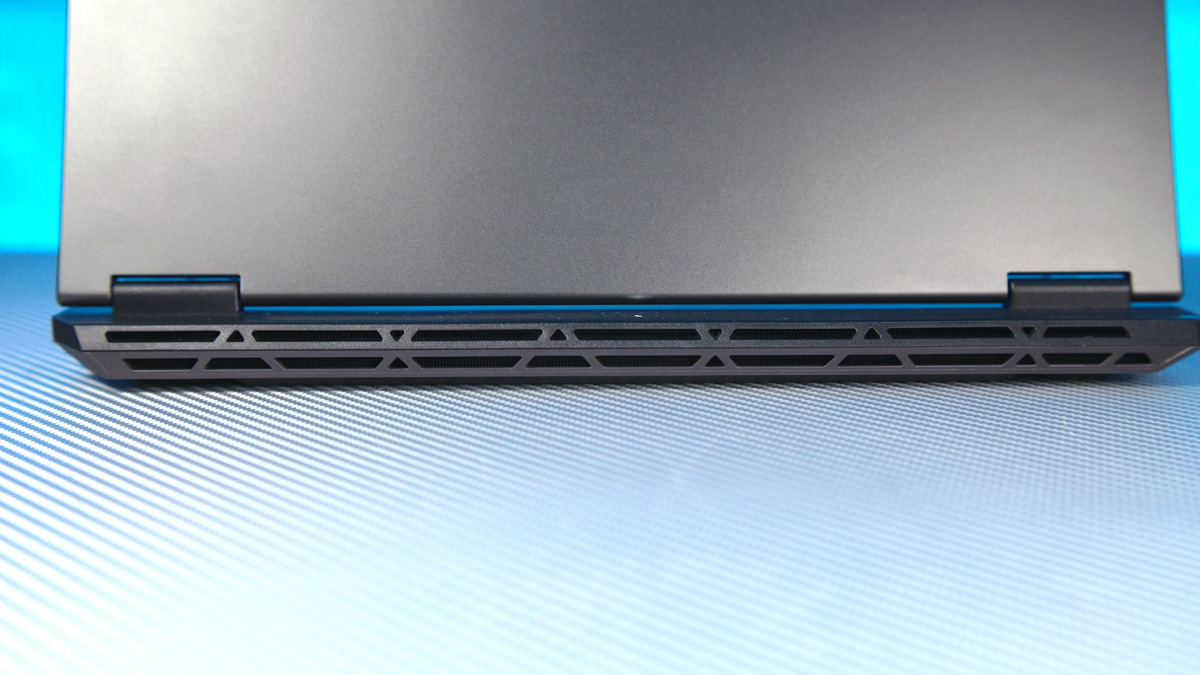
It’s worth noting that the power supply is rated at 240 W, which is relatively high for a budget gaming laptop. This highlights a key aspect of the TUF A16 and entry-level mobile GPUs: in laptops, GPU performance is determined not by the model name or series but by power allocation. Larger laptops with more effective cooling systems can manage higher power consumption, making it easier to keep internal components adequately cooled.
That makes sense, but it’s not the full picture. For example, an RTX 5070 in a thin chassis with a TDP of 50 W may deliver performance comparable to – or even lower than – an RTX 5050 in a larger laptop running at 100 W. The 5070 will, of course, be significantly more expensive. It also offers more VRAM, additional CUDA and tensor cores, enhanced AI modules, more robust components, and support for more codecs. However, in terms of raw raster performance, an entry-level GPU and a near-flagship GPU can end up performing at a similar level.
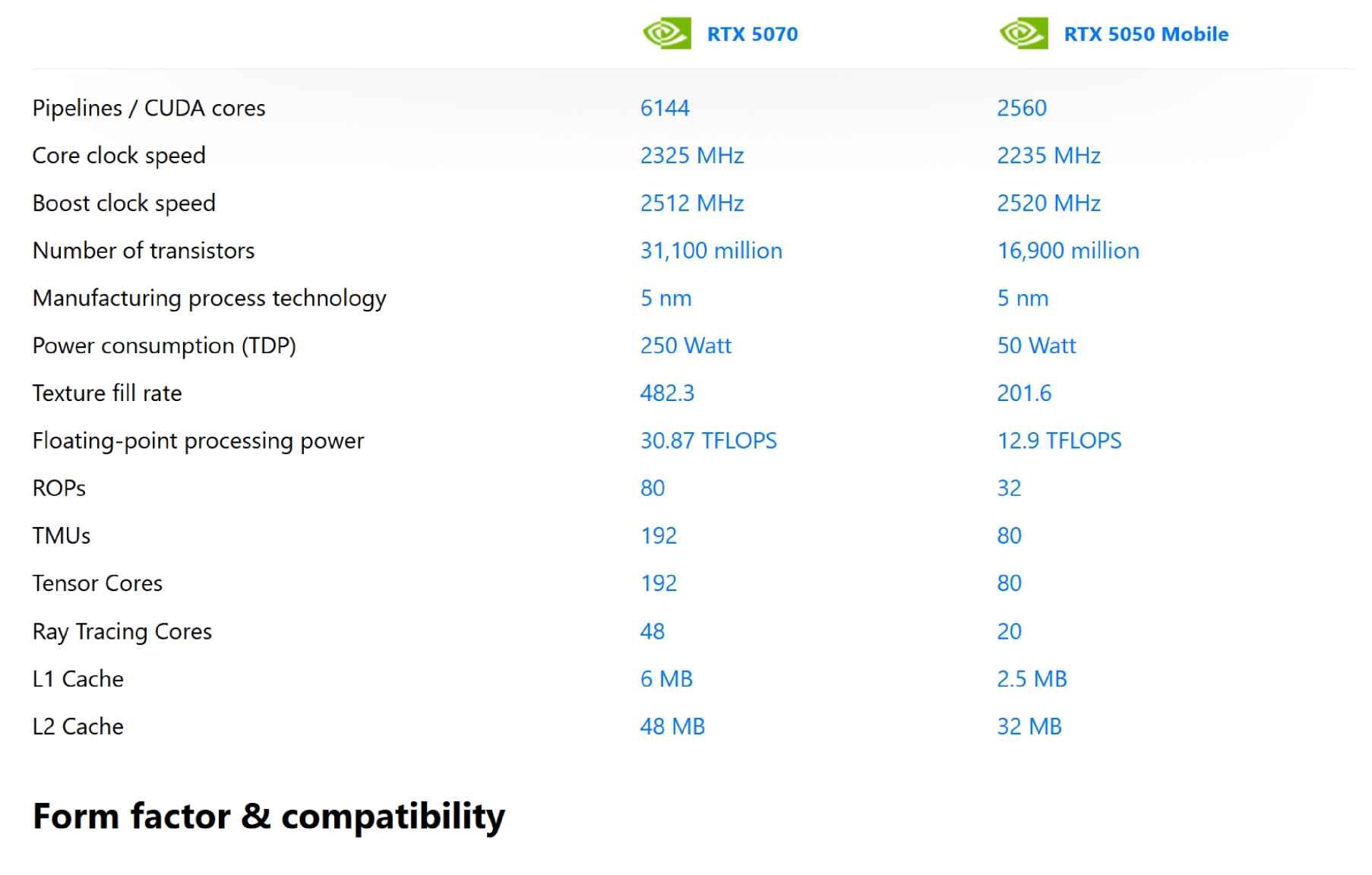
For reference, this isn’t just a theoretical example. ASUS offers the ROG Flow Z13 (model ACRNM RMT02 GZ301VIC) with an RTX 4070 in a tablet-style chassis. Its TDP is 50 W, with an additional 15 W boost possible if the cooling allows. And if you think the RTX 5070 will automatically outperform thanks to FP8 support (which the RTX 5050 lacks) or a higher number of encoding/decoding streams, that assumption can be misleading.
Cooling and dimensions
Additionally, it’s worth noting that designing a laptop chassis to handle the maximum TDP is generally more efficient and cost-effective. Once the cooling and power delivery are set up, manufacturers can simply install lower-end components as needed. In this case, the A16 2025 chassis was likely designed for an RTX 5070, but this unit comes with an RTX 5050.
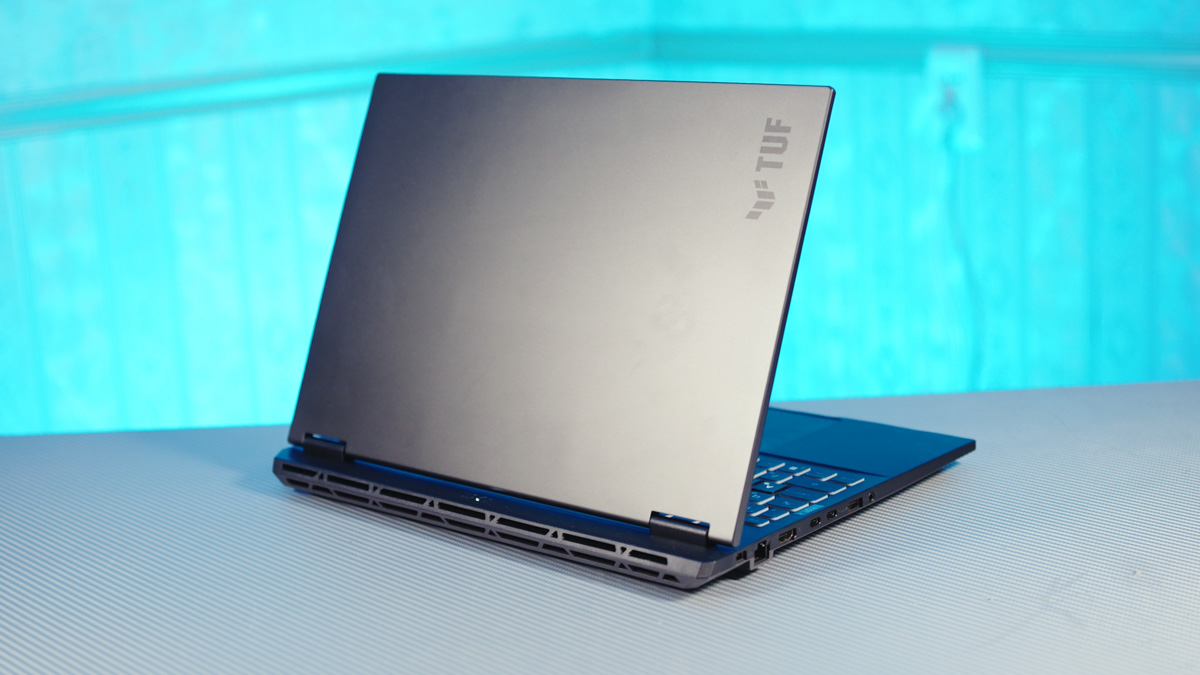
The laptop’s dimensions are approximately 35.0 × 27.0 × 2.8 cm, and it weighs 2.2 kg. Compared to previous review units I’ve tested, this is a relatively large device, though the comparison is mainly against ASUS VivoBook S14/S16 models. The larger size supports effective cooling, and the laptop meets MIL-STD-810H durability standards. Noise levels are also within reasonable limits. Testing of the speakers and print quality will be covered in the accompanying video review.
Read also:
- Top 10 Mechanical Gaming Keyboards
- Why I Need the ASUS TUF A2 SSD Enclosure – and What I Put Inside It
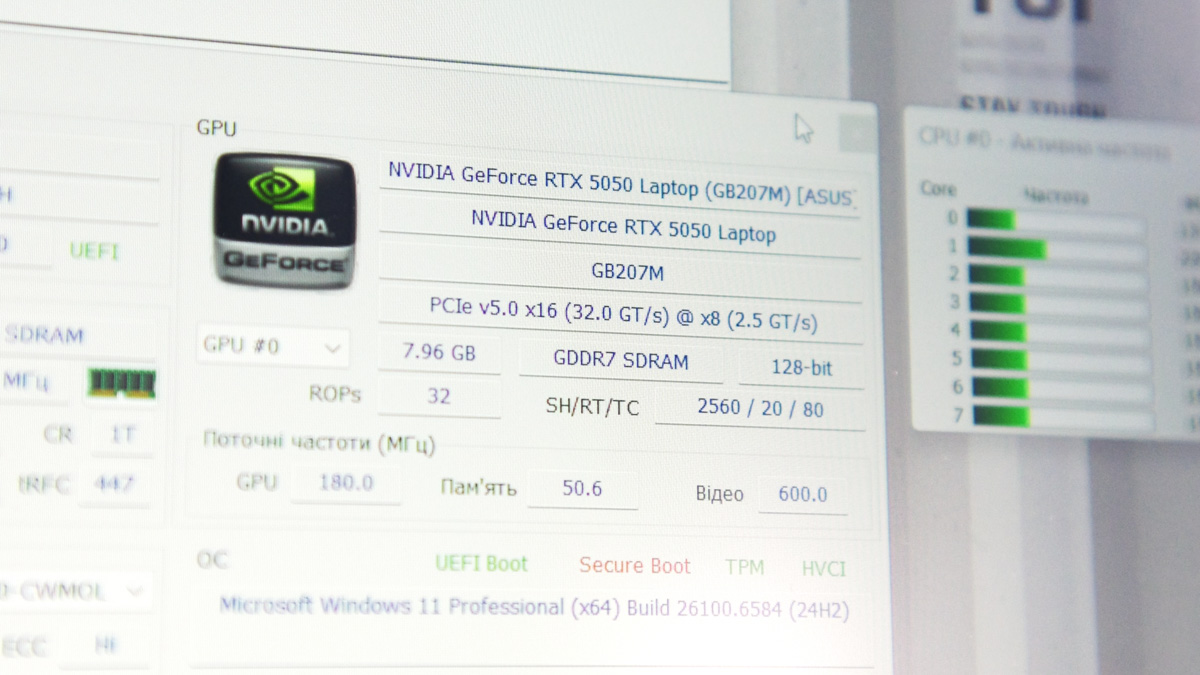
Now, a few words about the RTX 5050 itself. The mobile version actually outperforms the desktop variant. Both have 2,560 CUDA cores and a core clock of 2.5 GHz, but the desktop model uses 8 GB of GDDR6 memory on a 128-bit bus, giving a memory bandwidth of 320 GB/s. The laptop version, however, uses GDDR7 on the same 128-bit bus, resulting in 384 GB/s, or roughly 20% higher bandwidth.
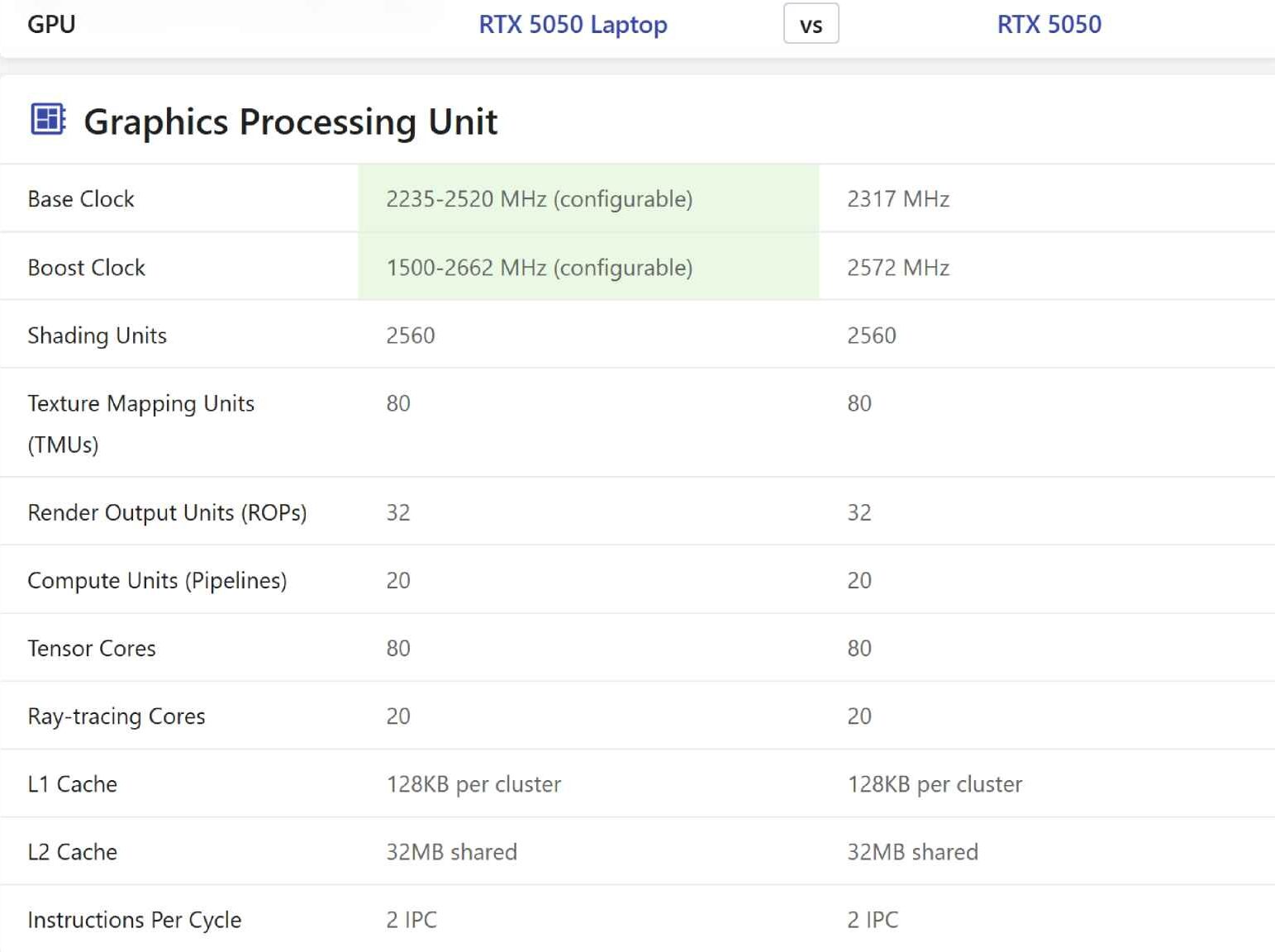
Of course, the desktop card has a power draw of up to 130 W, but in the ASUS TUF Gaming A16 2025 FA608UH, the GPU can receive up to 125 W in FurMark 2. Additionally, GDDR7 memory is more energy-efficient, which further reduces the effective TDP difference – the mobile card uses less power for memory while allocating more to the GPU cores.
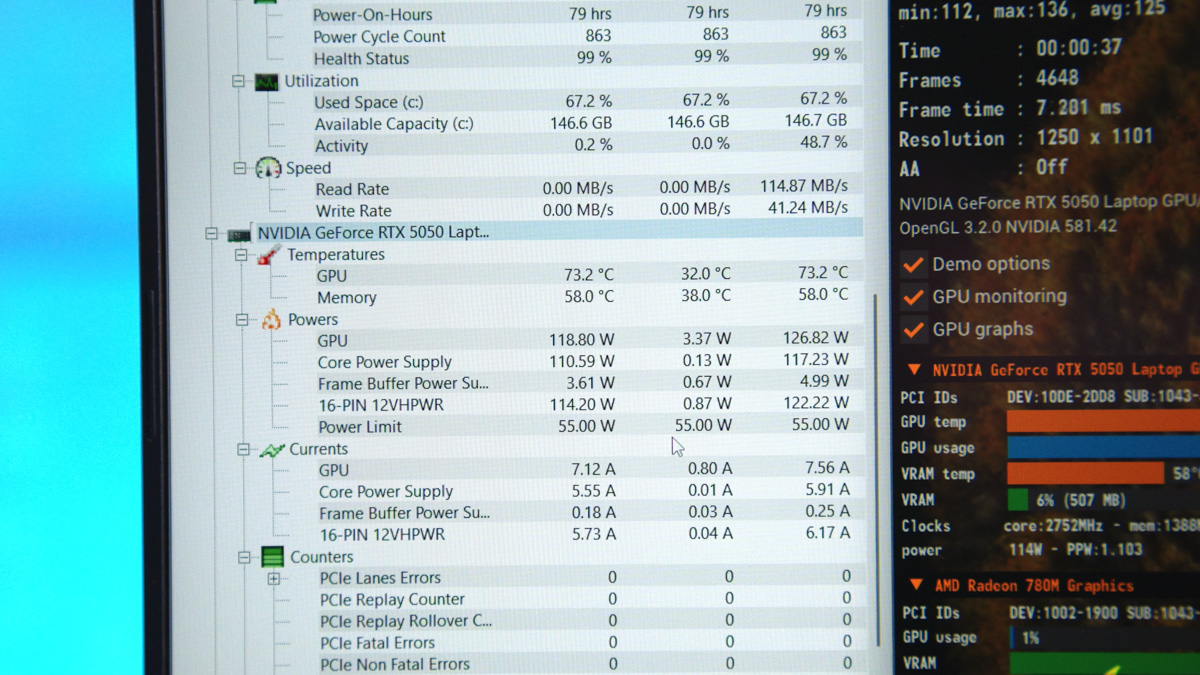
As a result, the laptop’s GPU can actually deliver higher performance than its desktop counterpart, although operating temperatures will be higher.
Other aspects of performance
Of course, the CPU, RAM, and other components also matter. Even here, the ASUS TUF Gaming A16 2025 FA608UH performs well. It features an AMD Ryzen 7 260, part of the new Hawk Point generation based on the Zen 4 architecture and manufactured using a 4 nm process. The CPU has 8 cores and 16 threads, a base clock of 3.8 GHz, and a boost frequency of up to 5.1 GHz, with a TDP of up to 80 W and support for AVX512 instructions.
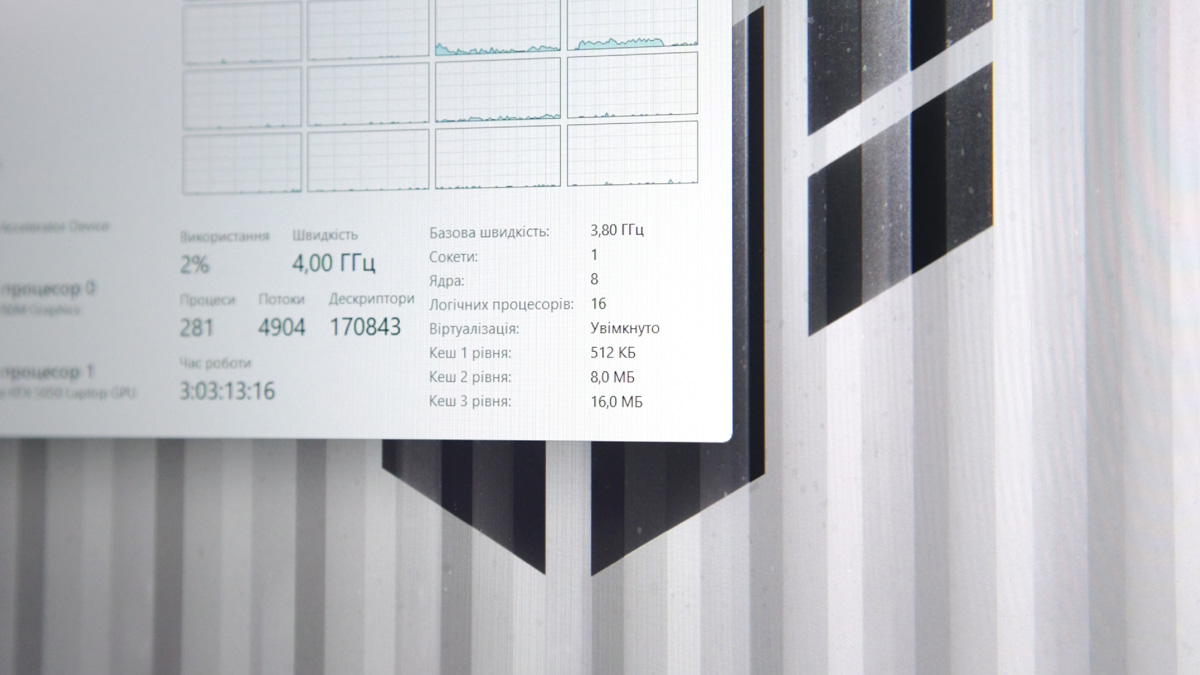
In addition, it includes an integrated AMD Radeon 780 GPU with 12 cores running at 2700 MHz. During stress testing, the CPU maintains a frequency of 4.8 GHz across all cores, resulting in very solid performance. This is quite surprising, considering it’s 16 threads running near 5 GHz in a budget dGPU laptop.
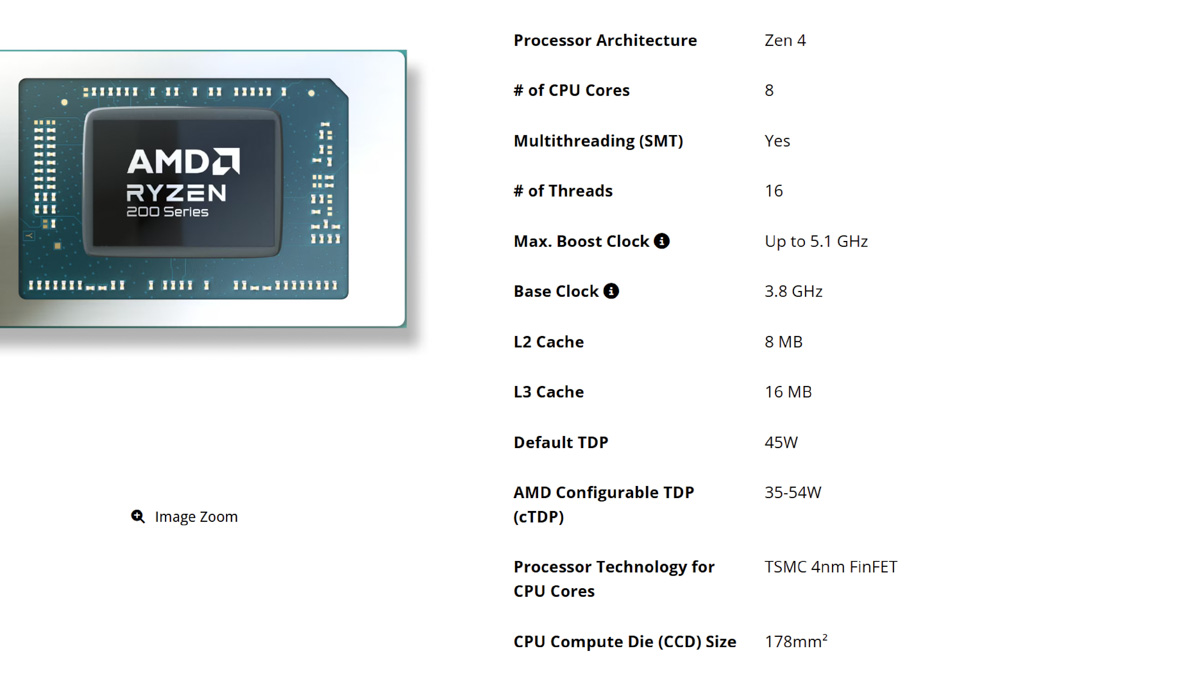
I remember when 6-core CPUs without SMT were considered flagship models. Even on my own laptop, which has a Ryzen 9 5900HX – a flagship from five years ago – this budget gaming laptop comes impressively close in performance. I emphasize that this is a budget gaming model, as AMD also offers less powerful options. Still, even in a gaming PC, this processor would perform very well, and in an entry-level laptop, it’s exceptional.
Read also:
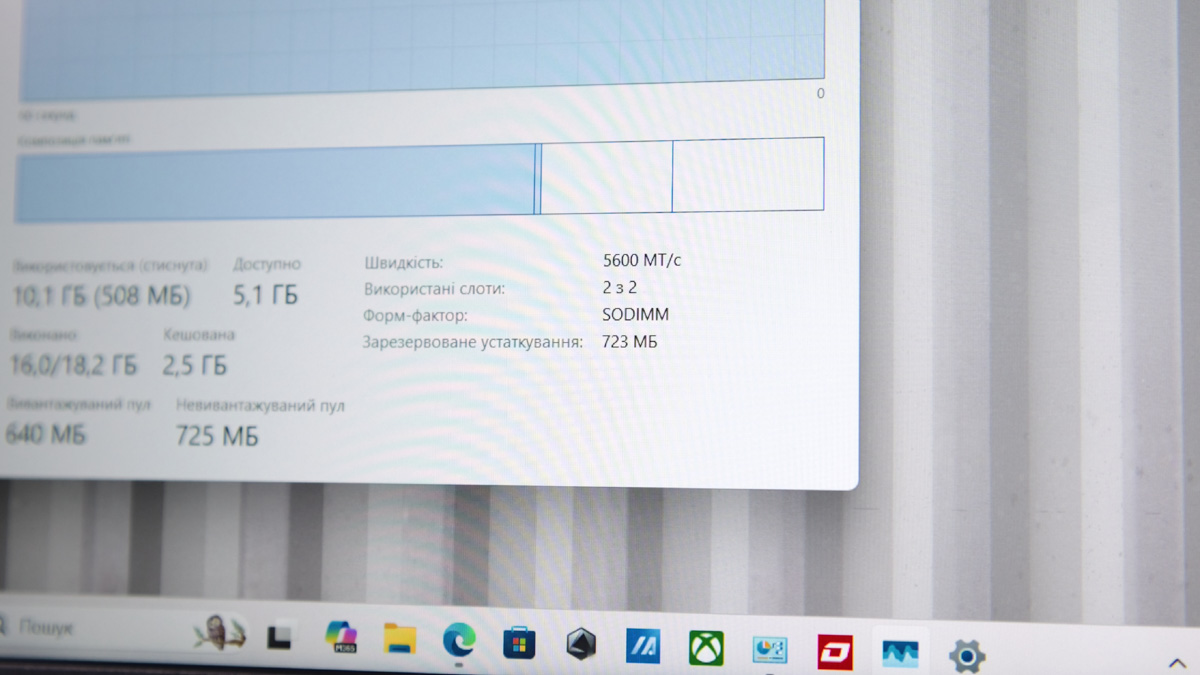
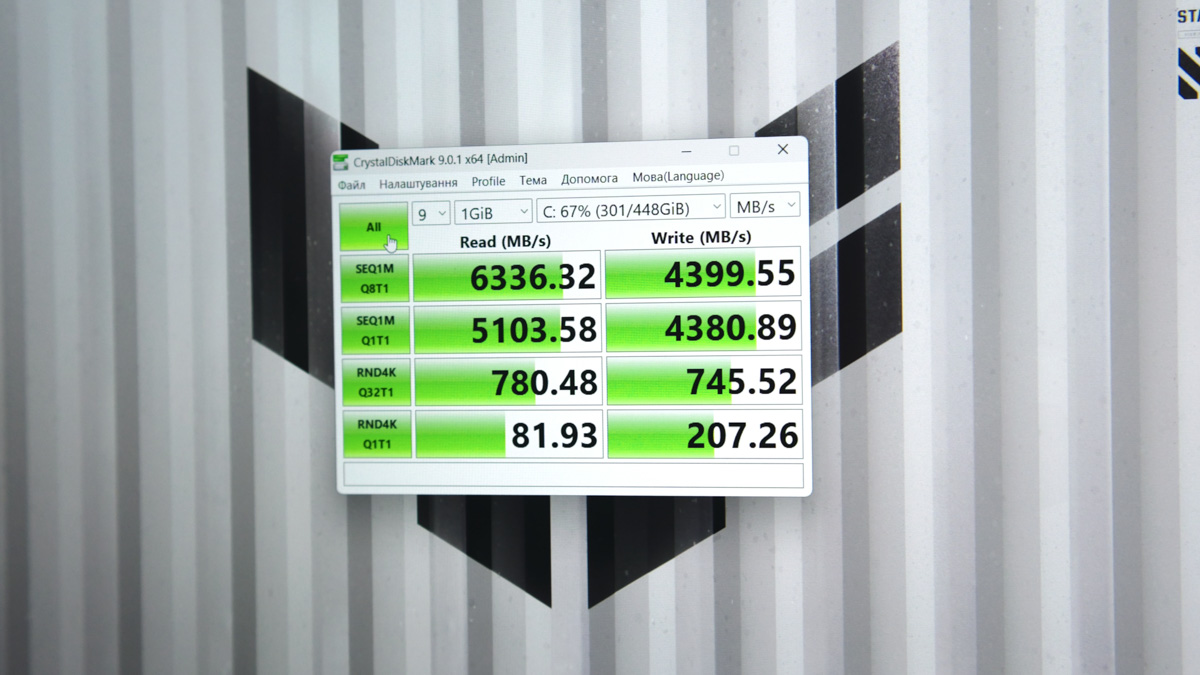
RAM – DDR5-5600 TMC, two SO-DIMM slots with 8 GB each, they are not soldered, and the maximum can be 64 GB. CSO-DIMM is still not supported. Why this is important – read here. There are even two PCIe slots here. Both are 4.0, but full-size. My sample had a 512 GB WD SN5000S with pretty good speeds.
Display
The laptop features a 16-inch FHD+ display with a 165 Hz refresh rate, supporting MUX Switch, Advanced Optimus, and G-Sync. Maximum brightness reaches 300 nits, there’s no HDR support, but sRGB coverage is 100%. The screen also has an anti-glare coating, and the hinge opens up to 180 degrees.

It’s also worth noting that NVIDIA has finally enabled laptops to record desktop video directly through the official NVIDIA App, using the ShadowPlay module. I highlight this because the ability to capture desktop footage on NVIDIA laptops has been unavailable for nearly ten years.
Periphery
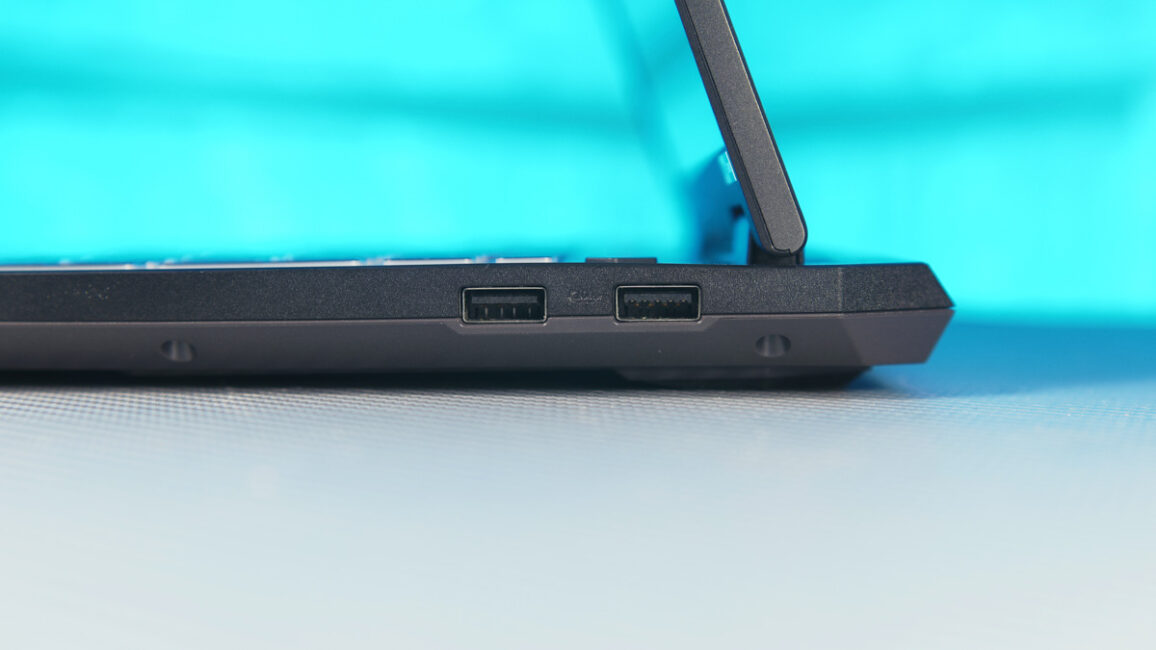
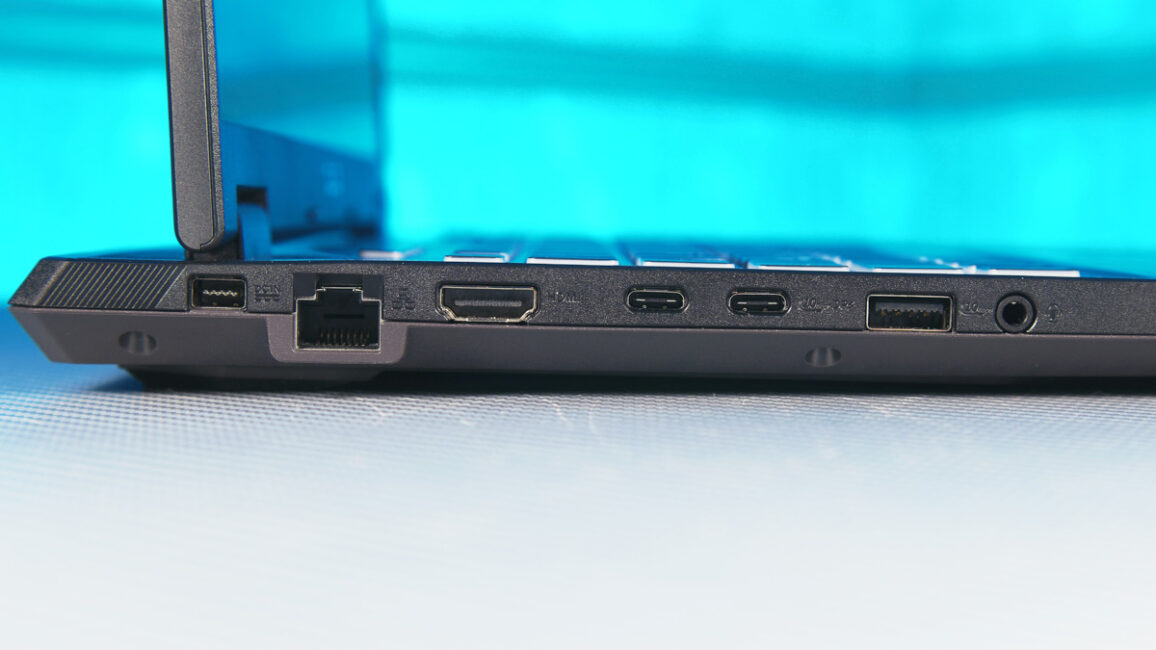
The set of connectors is very nice. There are none at the back, all are on the sides. On the right, there are two Type-A ports for 10 Gb, on the left, there is a Gigabit Ethernet port, one USB 2.0 port, one HDMI 2.1 port with FRL, and two Type-C ports. One is 10 Gb with G-Sync, DP AltMod, and power supply. The other is USB4, i.e. 40 Gb.
Additionally, the laptop includes a Realtek 8852CE Wi-Fi card with Wi-Fi 6E and Bluetooth 5.3, an FHD webcam with Windows Hello support, a large touchpad, a metal lid, and a keyboard backlight with multiple brightness levels.
Read also:
- Review of the ASUS ROG Zephyrus G16 2024 Gaming Laptop with AMD Ryzen AI 9 HX 370
- ASUS ROG Strix G16 (2025) G615 Review: Almost a Flagship on Blackwell
Software
It was also interesting to see both ASUS Armory Crate and MyASUS on a single laptop. Armory Crate is aimed at gaming laptops, offering control over performance, keyboard lighting, and other features that could be explored in more detail. MyASUS, on the other hand, is geared toward work and office models, providing settings for battery management, network configuration, and similar functions.
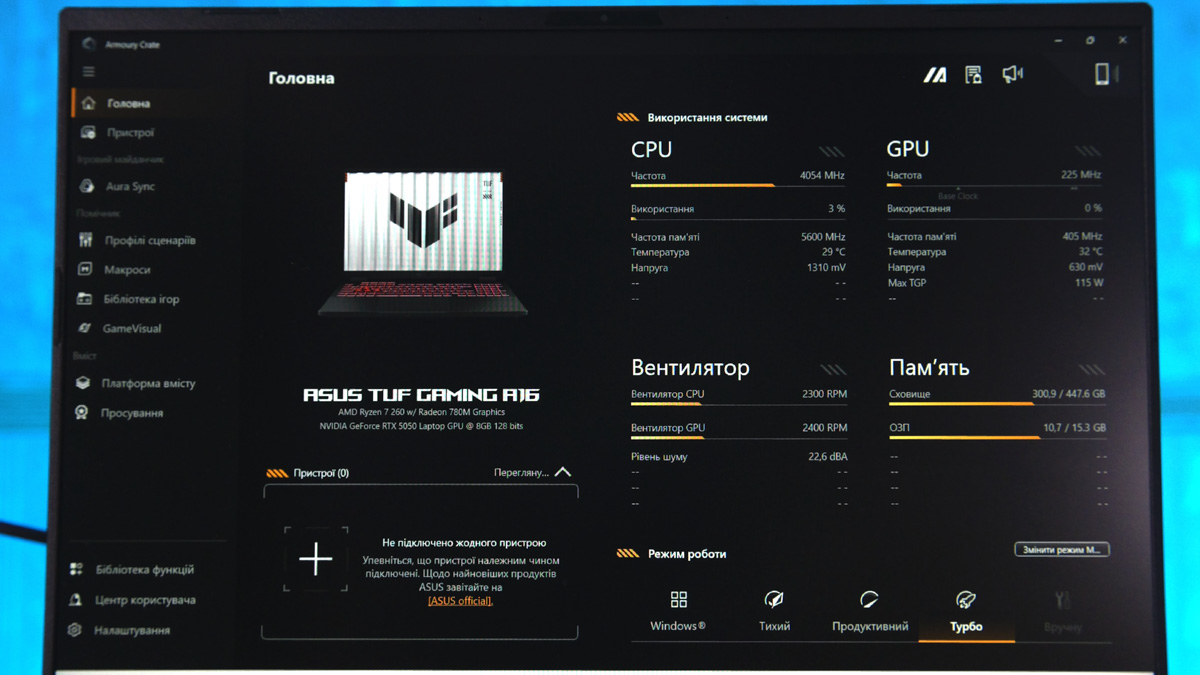
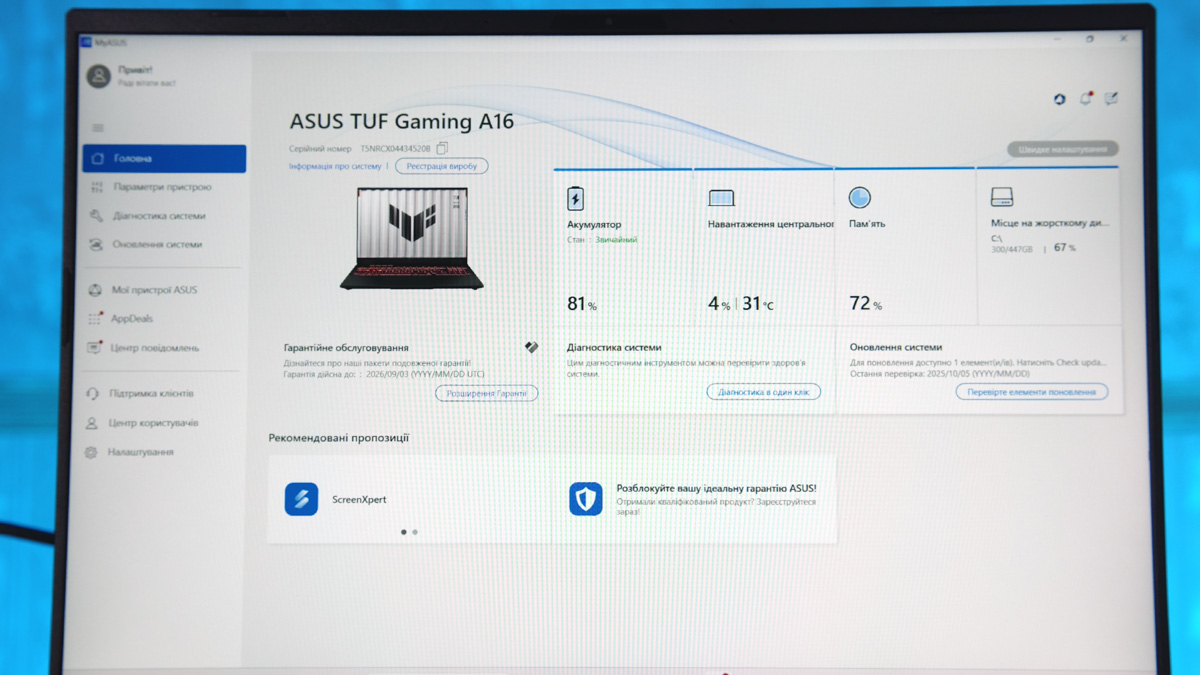

It’s also worth noting that the ASUS TUF Gaming A16 2025 FA608UH should support G-Helper software, currently one of the best third-party tools for fine-tuning ASUS laptops, from ROG to ZenBook models. While not an official ASUS application, it allows extensive adjustments, including CPU and GPU settings, as well as fan speed control.
Battery life
The Type-C charging behavior is also interesting. According to the manufacturer, the minimum power is 45 W and the maximum is 100 W. This means you don’t even need a standard 65 W power bank, like the Baseus model we reviewed. However, the challenge is that 65 W power banks are much easier to find than 45 W ones.
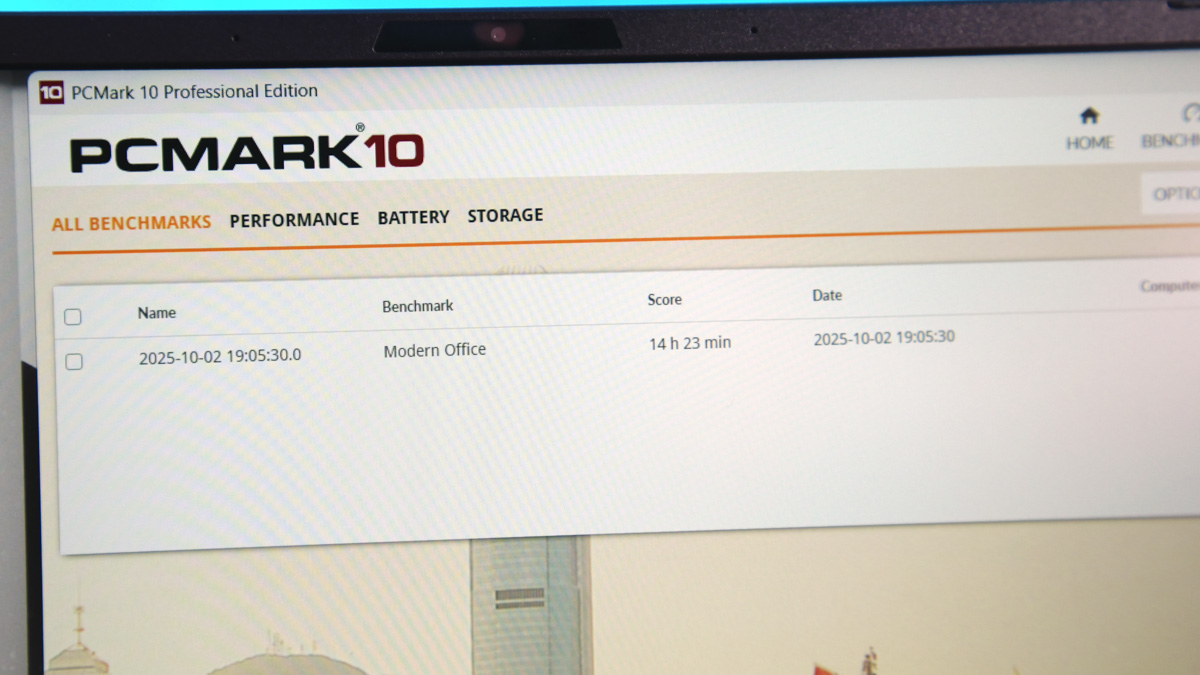
Overall battery life is impressive. Whether due to the CPU or the 90 Wh battery, the laptop lasts around 14 hours at half brightness in PCMark Office. That’s comparable to office-oriented laptops that don’t even have a discrete GPU.
Drawbacks
However, I would also like to mention a couple of drawbacks.
- The power button has some play.
- I would like to see at least one USB-C port on the right side.
- And the location of the activity indicators is behind the monitor, so you can’t see them when you’re working on your laptop
- But what disappointed me the most was the USB4, which cannot accept power.
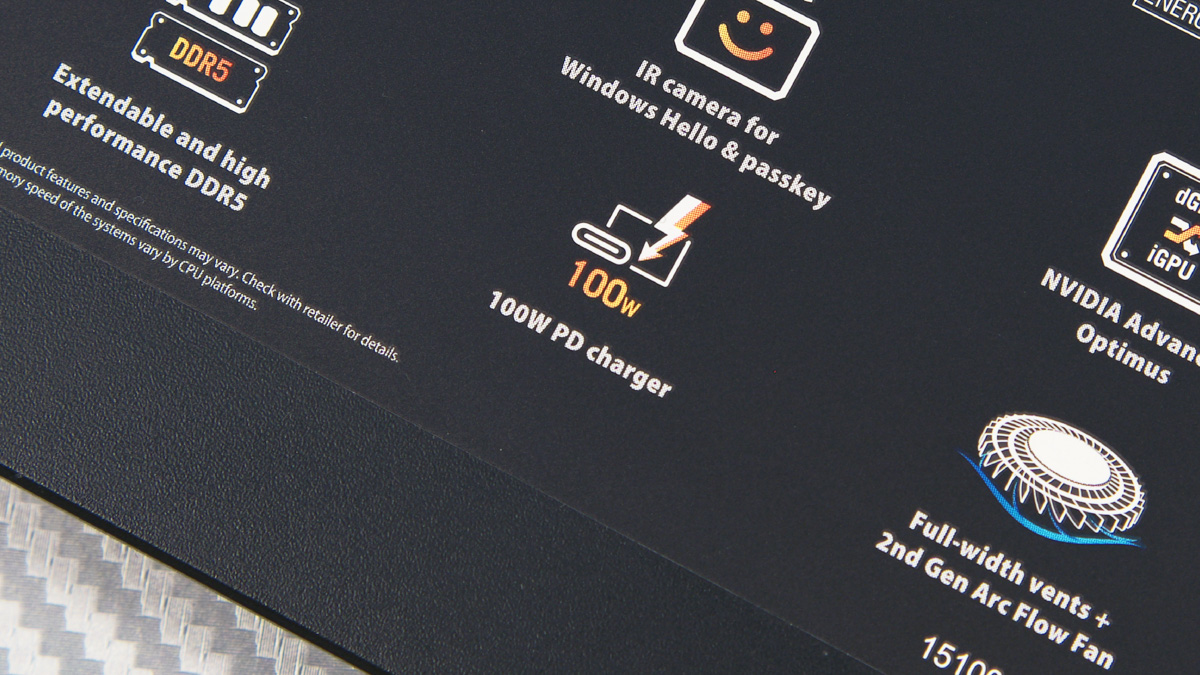
And finally, one thing that frustrated me the most isn’t ASUS’s fault – it’s USB-IF, which once again failed in standard unification. When I see USB4, I expect 40 Gbps speeds, video output, and power delivery, similar to Thunderbolt 3, since USB4 is based on that standard.
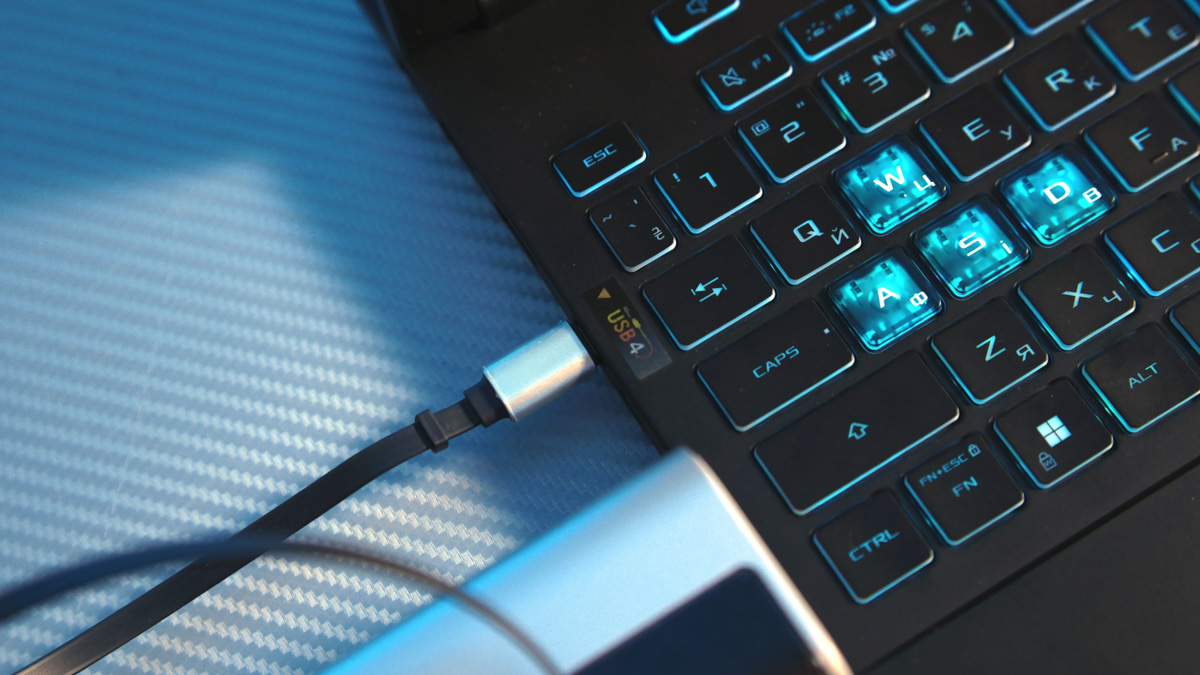
But there’s no reason why a 10 Gbps USB port, where 100 W power delivery is optional, can provide power, while a USB4 port, which is supposed to support it, does not. There’s no cost saving here – the power delivery chip still needs to be included. At this point, I don’t trust the USB4 label; it no longer guarantees anything.
Conclusions
The ASUS TUF Gaming A16 2025 FA608UH is one of the best budget laptops I’ve seen in a long time. As the meme goes, “top for its price” – and I mean in the way classic Xiaomi used to deliver value, not current trends. For its price, the laptop offers a strong display, solid performance, a well-built chassis, good battery life, and numerous other advantages. There are some drawbacks, but aside from the USB4 issue, they’re mostly minor. Overall, it’s a model I can recommend.
Read also:
- Acer Nitro V 16 AI Gaming Laptop Review: Balanced, Stable, and Engaging
- Review of HATOR Darkside 3 Pro Fabric Gaming Chair: Perfect Balance of Price and Quality… and Cat Approves
- How to Choose the Best Gaming Laptop for Any Budget


Hello, are the fans spinning when the laptop is on idle? Thank you!
Greetings! Due to this being an ASUS laptop – you have suppport of G-Helper, that can force pretty much any laptop in zero RPM mode. But at basic level – the Silent Profile in Armoury Crate must force fans to stop, when the temperatures allow it.