© ROOT-NATION.com - Use of content is permitted with a backlink.
I continue to test portable monitors designed to improve laptop productivity or to provide a more comfortable gaming experience when connecting a smartphone or a handheld console to a larger display. This review focuses on the 16-inch ARZOPA Z3FC portable monitor. The device offers specifications that are typically found in higher-end models, while its pricing remains relatively moderate. This combination warrants a closer look, which is the purpose of this review.

Read also: All monitor reviews on our website
TABLE OF CONTENTS:
ARZOPA Z3FC specifications
- Screen diagonal: 16.1”
- Panel type: IPS
- Aspect ratio: 16:9
- Resolution: 2560 × 1440 (2K)
- Colour depth: 8-bit
- Contrast ratio: 1000:1
- Brightness: 400 cd/m²
- Colour gamut: 107% sRGB
- Refresh rate: 180 Hz
- Dynamic range: HDR10
- AMD FreeSync support: yes
- Power consumption: 12.9 W
- Built-in speakers: 2 × 1 W
- Body material: aluminium alloy
- Stand: built-in
- Dimensions (W x H x D): 366 × 228 × 9.3 mm
- Net weight: 780 g
- Interfaces: 2 × TYPE-C USB 3.1, with Power Delivery and Display Port support, 1 × miniHDMI 2.0

Read also: Bigme B13 Portable E-Ink Monitor Review: Who Is It For and What Is It Good For?
Positioning and price
Which aspects stand out when reviewing the specifications? The monitor features a relatively large 16.1-inch IPS panel, a 2K resolution, and a 180 Hz refresh rate. The manufacturer primarily positions this model as a portable gaming monitor, which is further supported by the inclusion of AMD FreeSync technology.

Overall, however, the monitor’s relatively high contrast and brightness make it a versatile option suitable for a wide range of everyday tasks. It can also be used for professional work, supported by its wide color gamut and HDR capability.

Within the brand’s lineup, there is a series of eight visually similar portable monitors ranging from 14 to 17 inches. In this context, the ARZOPA Z3FC can be considered the flagship model due to its more advanced specifications. Despite this, its pricing remains relatively restrained: the listed price in the U.S. market is $150. For other regions, the price is slightly higher – $170 on the global version of the official website – but given the display’s specifications, it can still be regarded as reasonable. With some effort, the monitor can also be found on certain online marketplaces for around $139.
Package contents
The product is supplied in a white box made of thick, rigid cardboard. The packaging provides a high level of protection. Inside the box, the monitor is secured in a molded plastic holder.


The package includes the monitor itself, a protective faux-leather sleeve with a soft inner lining, a user manual, a warranty card, and several cables. These consist of a double-sided USB-C cable with DisplayPort support and a 180-degree angled connector on one end for combined power and video transmission, an HDMI to mini-HDMI video cable, and a second double-sided USB-C cable with straight connectors intended for power only.


Read also: Duex Max DS Review: 14.1″ Portable Monitor for Boosting Mobile Productivity
Design, materials, and build quality
In practice, the ARZOPA Z3FC resembles a tablet housed in a gray metal chassis with flat edges. The design is minimalist, and the device is thin and lightweight, giving it a restrained, high-quality appearance. The display bezels are slim on the top and sides, while the lower bezel is noticeably thicker and features the manufacturer’s logo centered on it.

On the right side, there are only speaker openings. The left edge houses two USB-C ports and one mini-HDMI port at the bottom, while the top section includes control buttons, a status LED, and a volume rocker; the openings for the second speaker are positioned in the middle. The rear is covered by a single-piece aluminum panel with a built-in fold-out stand. This stand allows the monitor to be used in both landscape and portrait orientations. Along the lower edge, there are two rubber feet, and the stand itself is also rubberized on its contact surface.


Overall, the ARZOPA Z3FC presents a solid impression, with the choice of materials, refined design, and thoughtful construction contributing to a sense of quality. The included cables also appear well-made, featuring metal connector housings and sturdy, relatively rigid wires with a fabric outer sheath.

Read also: Review of ASUS ZenScreen Touch MB16AHT Portable Monitor
Connectivity
The monitor connects to a video source via the ports on its side panel, offering several options. Ideally, a single USB Type-C cable is sufficient if the connected device supports both DisplayPort output and the power required to operate the monitor. The ARZOPA Z3FC requires approximately 13 W for normal operation. This setup is generally compatible with most desktop PCs and the majority of laptops. In testing, the monitor worked seamlessly with both a gaming laptop (ASUS ROG Strix SCAR 17 G733PY-LL020X) and an ultrabook (realme Book Prime) using just a single cable.

If the power supplied through the primary connection is insufficient, an additional USB-C cable can be used to provide external power. Any adequately rated power adapter or even a power bank can serve this purpose. This approach was necessary when connecting the monitor to a Samsung Galaxy S23 Ultra, which cannot supply enough power for the ARZOPA Z3FC. By comparison, a different portable monitor with a smaller size, lower resolution, and standard 60 Hz refresh rate can operate from a single cable with the same smartphone.
For devices that lack a modern USB-C port with DisplayPort support, a conventional HDMI connection to the monitor’s mini-HDMI port can be used. In this configuration, external power must still be supplied through one of the USB-C ports.
It is also worth noting the included USB-C video cable, which features a 180-degree angled connector. The design allows the cable to wrap along the back of the monitor’s chassis. This can be convenient in certain setups and may also provide a more secure connection to the port.

An important feature is that the monitor can be connected to up to three devices simultaneously across all available ports, with input switching handled via the side buttons. However, at least one of the connected USB-C devices must supply sufficient power. Alternatively, two devices – one via USB-C and one via mini-HDMI – can be used in combination with an external power source.

Read also: Nintendo Switch 2 Review: Move Over, Steam Deck
ARZOPA Z3FC display quality
The ARZOPA Z3FC uses an IPS panel comparable in quality to those found in high-end laptops. In testing, no notable deficiencies were observed compared to the display of my primary laptop, the ASUS ROG Strix SCAR 17 G733PY-LL020X, which also features a 2K IPS panel. The main difference is the refresh rate – 180 Hz on the Z3FC versus 240 Hz on the laptop – but in practical, professional use, this difference is negligible. For gaming, 180 Hz is also more than sufficient, as no portable console currently delivers higher frame rates.

Regarding color performance, the ARZOPA Z3FC also performs well. For reference, I compared it to my primary monitor, a Philips Brilliance 439P9H/00, and the laptop display mentioned earlier. Both of these reference screens are nearly factory-calibrated for accurate color reproduction and suitable for professional work. In comparison, the Z3FC’s colors are not perfectly identical but are very close, demonstrating a high level of color accuracy.

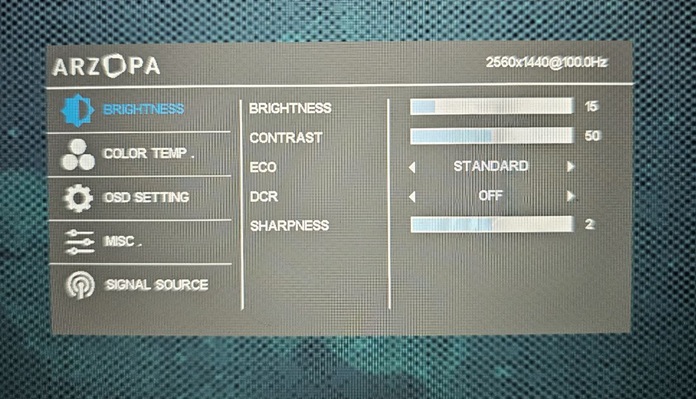
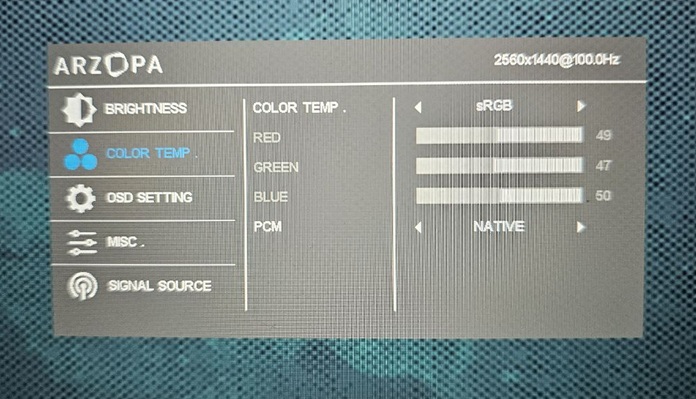
Additionally, the monitor’s settings allow selection from several preset color modes or manual calibration. Users can also switch between sRGB and DCI-P3 color spaces. Personally, the default image quality is sufficient, but the Z3FC offers a wide range of adjustments for color representation, providing significant flexibility for fine-tuning. This versatility is supported by the display’s high brightness and contrast. In typical indoor lighting during the day, comfortable viewing was achieved at 20–40% brightness and 40–50% contrast, leaving substantial headroom for increasing both parameters if needed.
Read also: Using the Nintendo Switch 2: Few Games Available, but It’s Hard to Go Back
Speaker performance
The monitor is equipped with two 1 W speakers, providing stereo output. However, this functionality is basic. The volume is limited, and low-frequency response is minimal. Overall, the sound quality is comparable to that of an average tablet or smartphone.

Nevertheless, if no alternative audio output is available, the built-in speakers are sufficient for watching videos, hearing notifications, or listening to a conversation. They can also be used for gaming. However, expectations should remain modest, and for better sound quality, headphones or an external audio system are recommended.
Settings adjustment
The monitor’s left-side buttons allow for quick control of key functions. The top button serves as the power switch when held and also opens a quick menu for selecting the input source. The central rocker enables rapid adjustment of brightness (up) or speaker volume (down). The bottom button provides access to the main settings menu.

On-Screen Menu
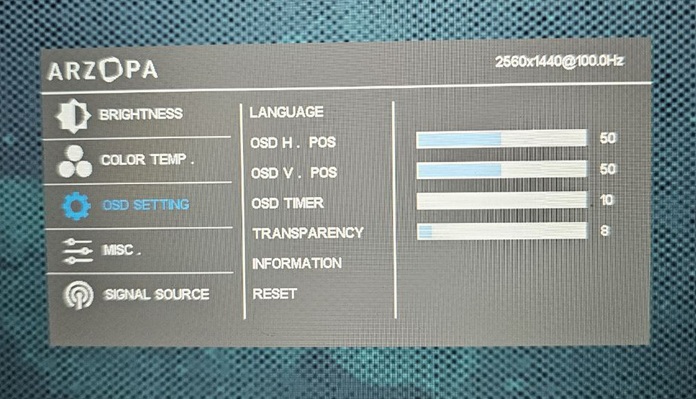
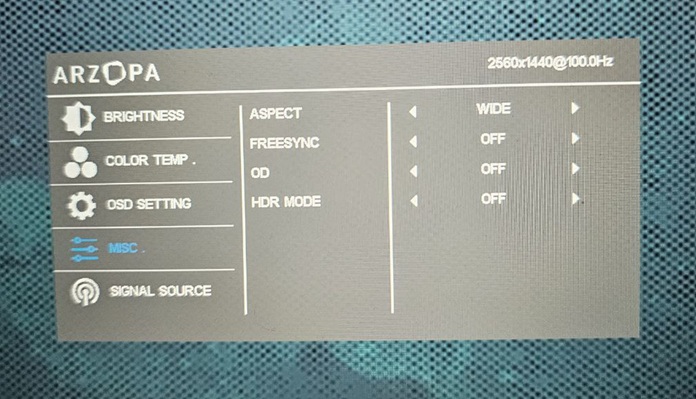
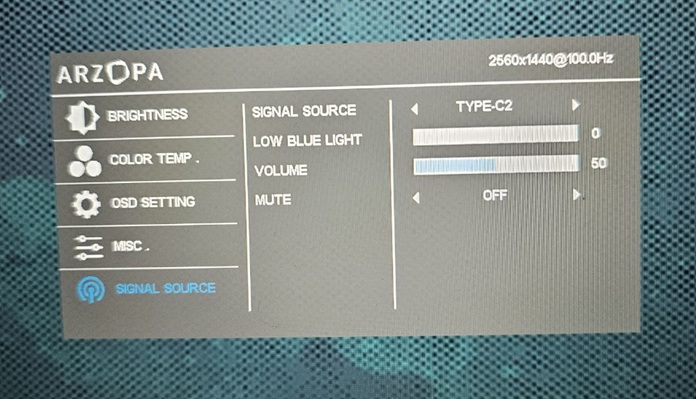
The monitor’s settings menu, illustrated in the gallery below, allows adjustment of key image and color parameters, menu language and layout, input and audio settings, as well as activation of HDR or FreeSync. Menu items are selected using the bottom button, navigation and value changes are controlled via the central rocker, and the top button functions as the “back” command.
Read also: AVerMedia Elite Go GC313Pro/Core Go GC313 Review – HDMI Charging… and a Capture Card?
Conclusion
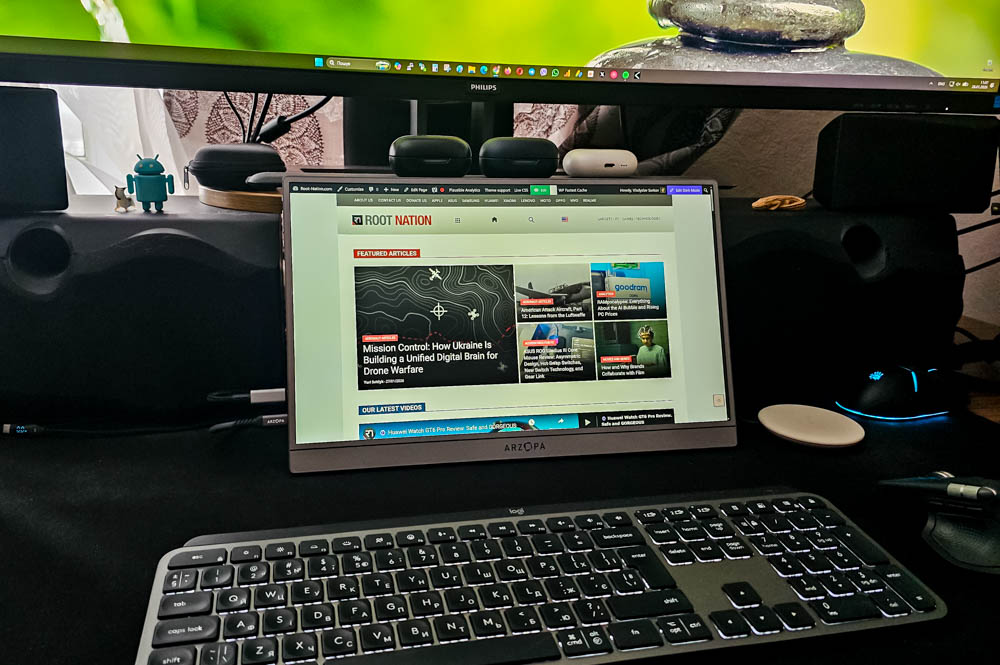
The ARZOPA Z3FC is a versatile portable monitor featuring a high-quality IPS panel that delivers bright, natural colors and a wide dynamic range. It can serve as an additional display for a primary desktop setup or as a monitor for travel and remote work. The device is suitable for mobile gaming, general content consumption, and professional tasks, including photo and video editing. Considering its relatively moderate price, the monitor is a practical option for anyone seeking a portable display with these capabilities.

Advantages
- Modern premium design, slim and lightweight metal body
- Carrying case and all necessary cables included
- High-quality image, natural colours, wide brightness and contrast ranges, high frequency, HDR support
- Convenient parameter control
Disadvantages
- Requires additional power supply to connect to a smartphone
- No separate compartment for cables in the case
- Weak sound
Where to buy ARZOPA Z3FC