





© ROOT-NATION.com - Use of content is permitted with a backlink.
Imagine this: an intern walks into your office – full of energy, ambitious, eyes shining. On their very first day, they say: “I’ve got a brilliant idea! Let’s add AI to the system calculator! Or better yet – let’s integrate social media into the disk defragmentation tool so users can instantly share screenshots of fragmented clusters with their friends.” Naturally, you’d smile, compliment their creativity, and gently steer them toward something a bit more grounded.
Now here’s the reality: at Microsoft, it seems like interns don’t just get a green light – they’re handed the keys to Windows 11 with a cheerful “Go wild!”

The latest example of this tech-world absurdity? Microsoft has added text formatting to Notepad. Yes, that Notepad – the one that’s been a poster child for minimalism for decades: fast, lightweight, stable. People liked it precisely because it wasn’t trying to be Word. But here we are: Markdown support, bold and italic text, bullet points – basically, everything you’d need to write a quick Instagram caption without ever leaving a system utility.
It’s like strapping a turbocharger onto a child’s scooter. Technically possible? Sure. But… why?
Read also: How to Disable Location Tracking in Windows 11 – and Why You Might Want To
TABLE OF CONTENTS:
The WordPad killer is back… for his victims
To fully appreciate the surreal nature of this situation, let’s take a quick step back into the recent past. In classic Microsoft fashion – “break it first, figure it out later” – the company quietly decided to retire WordPad. That same versatile text editor had, for nearly three decades, perfectly filled the gap between the spartan Notepad and the bulky, paid version of Word. With the rollout of Windows 11 24H2, WordPad was removed without much fanfare. The official suggestion to users? Either pay for Word or type in Notepad. Bold move. Decisive. Completely illogical.
But then, it seems someone at Microsoft finally woke up from their afternoon nap and thought: “Wait a minute… what if users actually do need a functional editor – without a subscription?” And so, we now find ourselves in a strange new reality: Notepad is mutating.
Into what, exactly? A reincarnated WordPad? A lightweight Markdown editor? A demo version of Copilot Studio with dark mode? It’s hard to tell – maybe even the developers themselves haven’t quite figured it out yet.
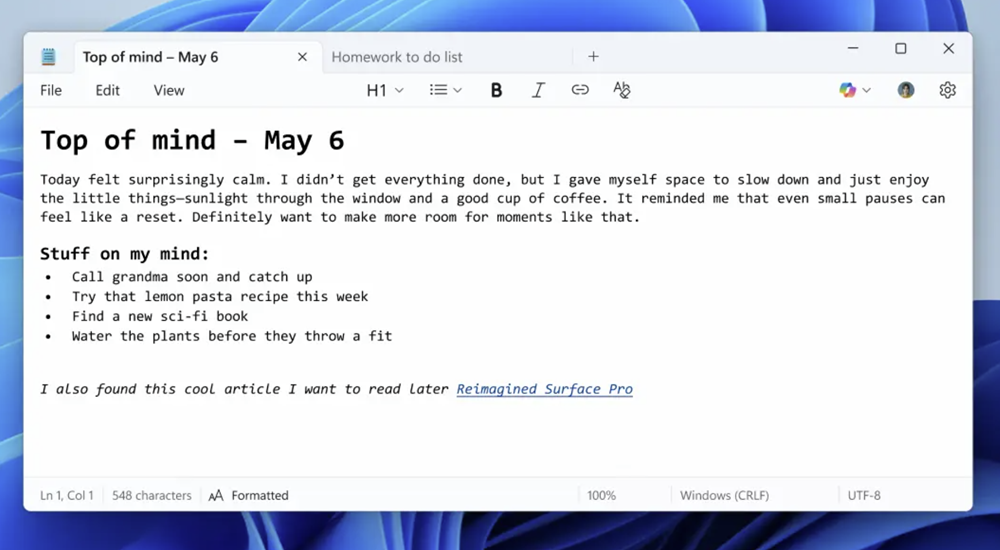
It’s the perfect illustration of what’s wrong with Windows 11: no strategy, no clear vision, no logic. Decisions seem to be made on a whim – “let’s just try it and see what happens.” It’s like an architect who first demolishes a bridge, then remembers it was needed, and tries to convert a sidewalk into a highway. Sure, no supports, no road markings – but hey, it comes with a built-in chatbot and an emoji panel.
It’s sad to see a platform that once set the standard now feel more like a beta testbed for random ideas. Instead of a reliable system utility, we get an interface experiment that surprises us not with its capabilities – but with their sheer randomness.
Read also: Everything You Need to Know About Dolby Atmos FlexConnect Wireless Technology
Two faces of Windows 11
Windows 11 is a system with a split personality. On one side – technical excellence, on the other – interface chaos. And the most fascinating part? Both faces are created by the same company.
Let’s start with the good. The team responsible for the system’s “reinforced concrete” foundation deserves genuine respect. Under the hood, Windows 11 showcases true engineering craftsmanship: reliability, security, stability. The support for ARM64 is on another level entirely. Microsoft managed to port a complex desktop OS to a new architecture while maintaining compatibility with x86/x64 applications through elegant emulation. That’s not just a “well done” – it’s technological finesse that proves the company knows what it’s doing… when it actually wants to.
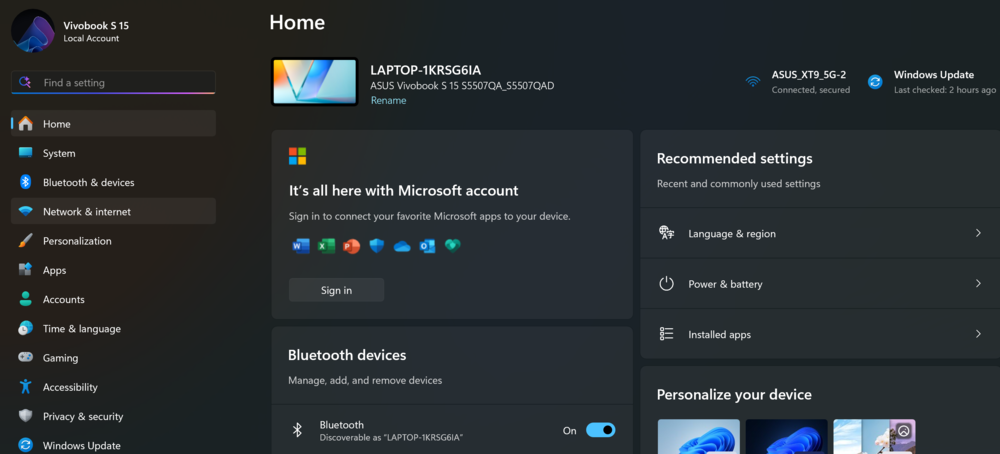
But then enters another team – the UX enthusiasts, who seemingly took a “Designing Interfaces in 30 Minutes” course on YouTube. And they are doing their absolute best to prove that even perfection can be ruined.
Every interface update feels like a lottery ticket: will the context menu disappear this time? Will the “Restart” button move again? Will a new, utterly useless widget suddenly appear – showing weather only in London, of course? Anything is possible. They’re reinventing the wheel – except it’s square, and now comes with a built-in ad on the spoke.

It feels as if one group of engineers is building a system for NASA, while another is designing it for TikTok.
The result? A hybrid: a core powerful enough to support the cloud infrastructure of the future, wrapped in a shell desperately trying to turn a PC into a tablet for middle schoolers. And until these two sides reconcile their double life, Windows 11 will remain a product that is both inspiring – and endlessly frustrating.
Read also: Seven Annoying Windows 11 Features – and How to Fix Them
The Copilot saga, or How to lose an assistant in a few updates
If you’re looking for a textbook case on how not to develop a product, just take a look at the saga of Copilot in Windows 11. It’s not just an AI assistant – it’s the protagonist of a tech epic filled with confusion, half-baked experiments, and a total absence of direction.
Copilot has changed its location more times in a short period than an IT student moves in five years of dormitory life. It started as a sidebar – simple but functional. Then it was abruptly upgraded to a web application, which was later embedded into a WebView, making the interface even less user-friendly. In a surprising move, Microsoft decided to have it launch automatically in the background, regardless of whether users actually need it.
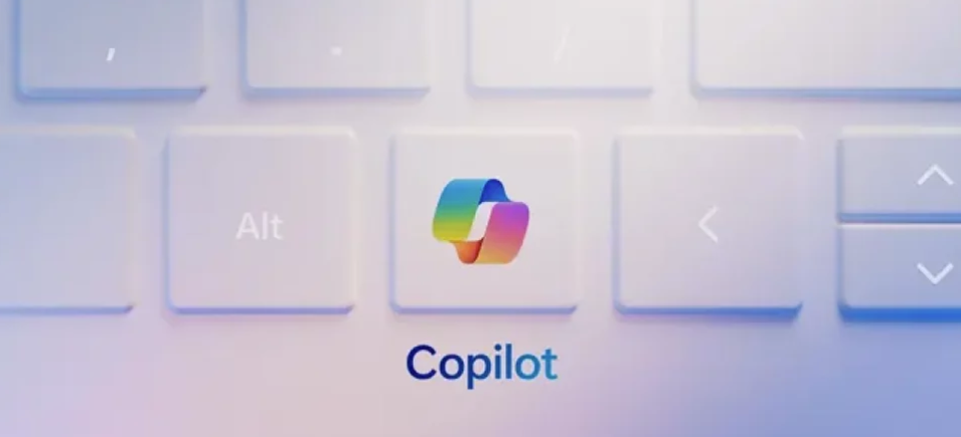
For corporate clients – those who actually pay for the software – this whole setup was moved into Microsoft 365. Because, why not? Meanwhile, the Copilot key on new keyboards no longer opens Copilot at all. Instead, Microsoft politely suggests that users manually reassign the key. It’s like buying a TV remote that turns on the microwave, but comes with instructions saying, “Don’t worry, you can change this in the settings!”
Copilot no longer feels like an assistant but more like a digital ghost – appearing and disappearing unpredictably, sometimes opening something completely unrelated. It gives the impression that Copilot isn’t really part of Windows, but more a participant in some UX reality show called, “Guess where I’ll show up next!”
If Microsoft truly wants users to take Copilot seriously, maybe they should start by treating the product with a bit more consistency. Right now, it doesn’t feel like an assistant at all – more like a joke that’s gone on longer than it should.
Read also: Everything About New Android 16: Changes, Improvements, and More Gemini Integration
Recall – a promise that has not yet become a reality
The Recall feature was supposed to be the showcase, the main reason to invest in new Copilot+ computers. A unique selling point meant to tell users, “Here’s why you need a new PC right now.” Instead, it ended up following a classic Microsoft pattern: a loud announcement, followed by quiet confusion, and a product that exists somewhere between a PowerPoint presentation and a closed beta test.
Months after the launch, Recall still only exists as a “limited preview for select testers.” In other words, it’s like advertising a revolutionary car but only letting people test the steering wheel – and not even everyone gets that.
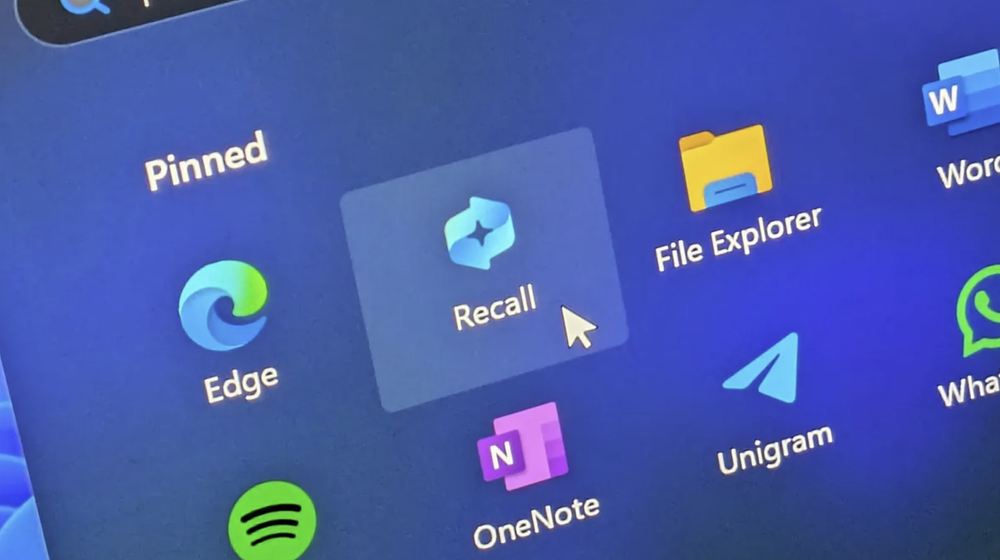
Things got even more interesting when the feature was finally demonstrated in action. It turned out that Recall saves full screenshots of everything you do on your computer. Literally everything. Privacy? Security? Apparently, these weren’t part of the initial plan. Microsoft had to add TPM 2.0 encryption, require authentication through Windows Hello, and reassure users with messages like, “No, we’re not spying on you, honestly.” A classic case of “build it first, think later.”
The most notable issue is the geographic restriction. Recall isn’t available in Ukraine, something many owners of the new Copilot+ PCs only discovered after their purchase. It’s like buying a TV with voice control, only to find in the fine print that it works exclusively in the US – and only in English.
This leaves us with a product that was meant to be a breakthrough but has instead become another marketing mirage. Until Recall moves beyond Microsoft’s demo rooms, it’s not a flagship feature – just a promising idea with a disappointing execution.
Read also: Everything Announced at Microsoft Build 2025
Start menu: The Eternal Wanderer in search of himself
The Start menu in Windows 11 has been on quite a journey. If it had an autobiography, it might be called “50 Shades of Redesign.” Over the past few years, it has gone through so many changes that even fans of the show “Doctor Who” could envy its number of reincarnations.
Initially, it was drastically redesigned compared to Windows 10, removing much of what users were familiar with – presumably because the traditional Start menu was considered too straightforward. Then came the “Recommended” tab, which was meant to be helpful but mostly ended up being a source of frustration. The main user feedback was clear: please just get rid of it.

Now Microsoft is planning another redesign. The upcoming changes include a larger layout, scrolling within the Start menu, and – surprisingly – the option to remove the intrusive “Recommended” tab. It seems someone finally decided to fix what they themselves had broken. What’s next? Maybe in 2026, tiles from Windows 8 will make a comeback, but this time with Copilot built in.
It feels like the Start menu at Microsoft has become a kind of playground for enthusiastic designers: every new OS release is another chance to “fix” what was already working. Meanwhile, some users try to adapt to the changes, and others turn to third-party tools just to get back the functionality they once had.
Ultimately, the Start menu should be a starting point, not a quest. But in Windows 11, it feels more like a maze where the Start menu itself keeps changing its shape, direction, and function. You just click – and then wonder what’s different this time.
Read also Microsoft Copilot: Game-Changer or False Path?
A dark topic: the reconstruction of the city centre is still unfinished
It’s as if everything was promised and partially implemented, but half the system still looks stuck in the old style. Microsoft made a big deal about introducing dark mode back in Windows 10, promoting it as visual comfort, eye care, and a modern look. Yet nearly a decade later, even in Windows 11, the dark theme still feels like a beta version of a design that might one day become cohesive. Maybe.
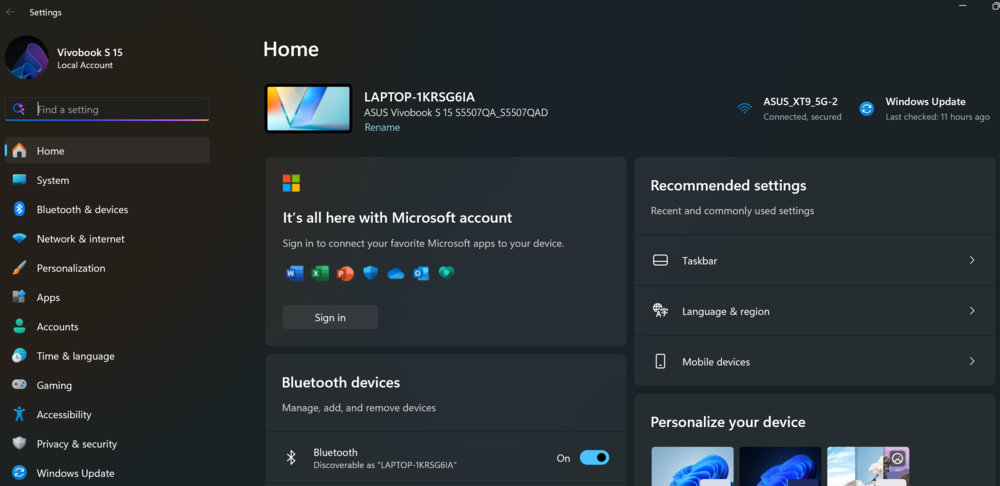
While some elements proudly shine in dark mode, others stubbornly ignore the theme – dialog boxes, context menus, system notifications… they seem to live by their own rules. It feels like part of the interface was designed by modern designers, while another part is stuck in a time loop from the Windows 7 era.
Microsoft even took it a step further by adapting notification sounds for dark mode, making them softer, gentler, and less intrusive. The idea sounds good in theory, but maybe the focus should have been on making the entire system visually consistent before working on its sound palette.
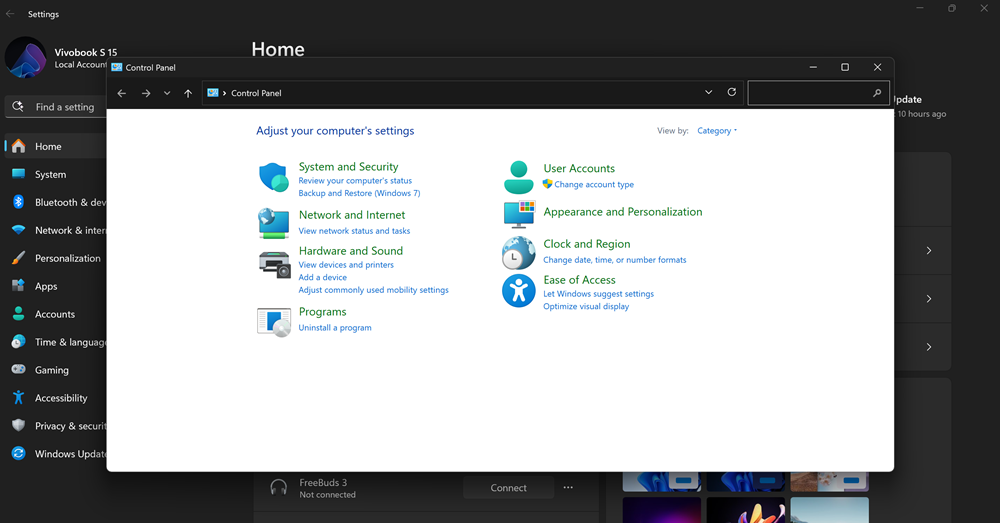
This all feels like a renovation that’s still unfinished – wires sticking out of the walls – while the owner’s already bought designer curtains. Stylish, but a bit premature.
Dark mode was supposed to be a standard that just works. Instead, it’s the usual story: partially there, partially missing, some promises made – and maybe it’ll get finished someday. Probably. Unless they change the concept again.
Read also: Civilization at Risk: Donald Trump’s Policies Are Undermining the Scientific World
AI notebook – seriously?
If you thought the only thing Notepad was missing was artificial intelligence, Microsoft is here to prove you wrong. The new “Rewrite” feature lets you adjust tone, length, and style – and maybe even the mood – of your text. Sound familiar? It should. It’s the same thing AI editors have been doing for years, just now wrapped in the retro shell of Windows.
Let’s not forget what Notepad was supposed to be: lightweight, fast, and unpretentious – like a sandwich on the go. Now it’s being asked to sing opera, juggle paragraphs, and, heaven forbid, give advice. It’s like attaching Bluetooth to a nail: interesting, but what’s the point?

On one hand, we live in a world where even toasters have microcontrollers, so giving Notepad a dose of AI doesn’t seem that far-fetched. On the other hand, there’s something sacred about simple tools that just work – without trying to coach you through writing a grocery list.
Read also: AI Hallucinations: What They Are and Why They Matter
Call the adults
Seriously, who’s making these decisions? Watching the evolution of Windows 11, it often feels like the interface is being shaped by a team told: “Just make it flashy, do whatever you want.” And so they do – adding buttons, menus, and constantly repainting everything like students in a shop class who got access to paint but never received any actual instructions.

Every new feature feels like an experiment from the “why not?” category. Does it improve anything? Does it make life easier for users? Well, maybe – in a parallel universe. Here, it’s just another way to make a simple task slightly more confusing. Like search in the Start menu: it exists, sure – just not for you.
And against this backdrop – a painful contrast. Because under the hood, Windows 11 is genuinely impressive. The ARM architecture is nearly a work of technical art. x64/ARM64 support, strong security, smart power efficiency – it’s all there, running like a Swiss watch, but in code. The team that built this clearly knows what they’re doing. These are grown-ups. The real deal.
But between the core and what the user actually sees – there’s a chasm. And it feels like the bridge connecting them is being built by someone who really loves glitter, but has never used a computer for more than 20 minutes at a time.
Read also: Techno-feudalism – A New Form of World Order
A proposal for Microsoft: UX landing in reality
Dear Redmond, may I offer a small but heartfelt suggestion? Perhaps it’s time to upgrade not just the system, but also the internal logic behind your decision-making. For instance, consider sending the UX team on a short-term – let’s say, two-year – assignment to tech support. Let them hear firsthand how users try to find the screen settings or simply close Copilot, who’s once again asking questions no one invited. Trust me, it changes your perspective.

And one more modest rule: before launching a new feature, let it pass the Grandma Test. If your (or someone’s) grandma doesn’t understand what it’s for – and can’t use it without a PhD in cognitive design – don’t release it. Just don’t. Let it rest in beta, like dough before baking.
Because Windows 11 isn’t a startup where you can pivot the design daily and toss the latest trendy experiment at the user. It’s an operating system – the backbone of digital life for billions. And there’s no room here for hyperinterface improvisations built on a “why not?” philosophy.
Technically – everything’s brilliant. The ARM version is sleek, architecturally elegant, energy-efficient, and secure – clearly the work of people who understand what responsibility means. But the interface… it looks like it was designed by an intern who just discovered Figma and is really eager to impress Satya Nadella.

Maybe it’s time to remember a simple truth: less isn’t a lack – it’s a choice. Notepad can stay Notepad, not a neurotic assistant. The Start Menu can just launch apps instead of turning into a glossy brochure. And Copilot – bless its digital heart – could maybe just sit quietly for now and stop popping up in every window.
One more suggestion: interns are great. But maybe let them make their mistakes on internal projects – not in the system that millions rely on for work, school, and mental stability. Because right now, it feels a bit like letting design students remodel an airplane cockpit. Just… not ideal.
Read also:
- Panama Canal: History of Its Construction and Basis of U.S. Claims
- Use It or Lose It: How AI is Changing Human Thinking

