




© ROOT-NATION.com - Use of content is permitted with a backlink.
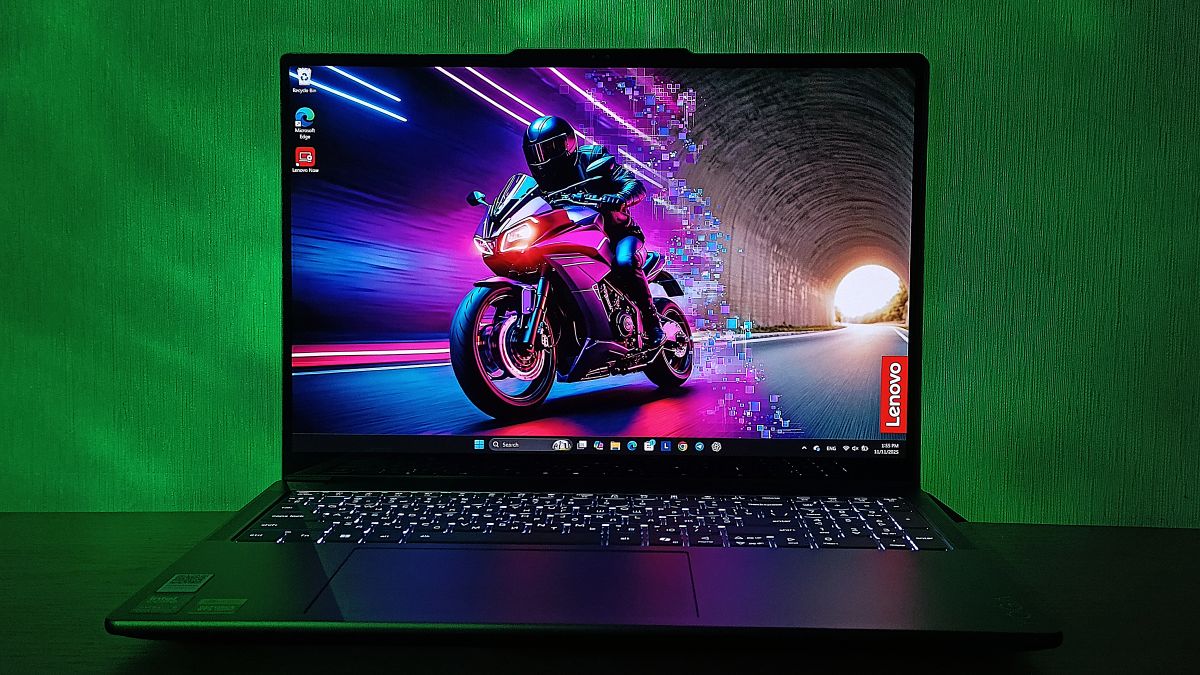
Lenovo Yoga Pro 9i Aura Edition (2025) is a capable and powerful laptop designed to meet the needs of both content creators and gamers.
Lenovo first introduced this model at the MWC 2025 in Barcelona. The Yoga Pro 9i Aura Edition immediately caught my attention. In the premium laptop segment, competition is intense, and manufacturers often compete not only on technical specifications but also on their ability to deliver a device that balances performance, portability, and design.
High-end models typically suggest a product where engineers have pursued maximum optimization – using advanced materials, fitting powerful components into a slim chassis, and setting a price that reflects its premium positioning. At first glance, the Yoga Pro 9i Aura Edition aligns with this expectation.
However, beyond its premium appearance, it is important to assess how well-balanced this laptop is in real-world use. I was therefore keen to test Lenovo’s new model to determine whether it can genuinely meet the needs of its target audience – content creators, designers, video editors, and even gamers.
The following sections provide a closer look at the features, specifications, and practical experience of using the Lenovo Yoga Pro 9i Aura Edition (2025).
Read also: All Lenovo laptop reviews
TABLE OF CONTENTS:
Key Highlights of the Lenovo Yoga Pro 9i Aura Edition (2025)
The Lenovo Yoga Pro 9i Aura Edition (2025) is positioned as a premium 16-inch laptop aimed at users who need a powerful yet versatile device for work, creative projects, and entertainment. Lenovo has taken a measured approach to balancing performance, portability, and build quality, resulting in a laptop that competes confidently within its segment.
The laptop is available in several configurations, allowing users to choose an optimal balance between performance and cost. The hardware platform is built around Intel Core Ultra 7 255H or Intel Core Ultra 9 285H processors, paired with 32 or 64 GB of LPDDR5X memory and a PCIe NVMe SSD with up to 1 TB of storage.
The main differences between configurations lie in the display and graphics options. The base model features a 2880×1800 OLED display combined with an NVIDIA GeForce RTX 5050 GPU, while the higher-end version comes with a 3200×2000 Tandem OLED display and an NVIDIA GeForce RTX 5060 GPU.
The review unit we tested represents the top-tier configuration, featuring an Intel Core Ultra 9 285H processor, NVIDIA GeForce RTX 5070 graphics with 8 GB of GDDR7 memory, and 64 GB of LPDDR5X-7467 RAM. The system’s total power consumption reaches 130 W, indicating a performance level aimed at handling professional workloads.
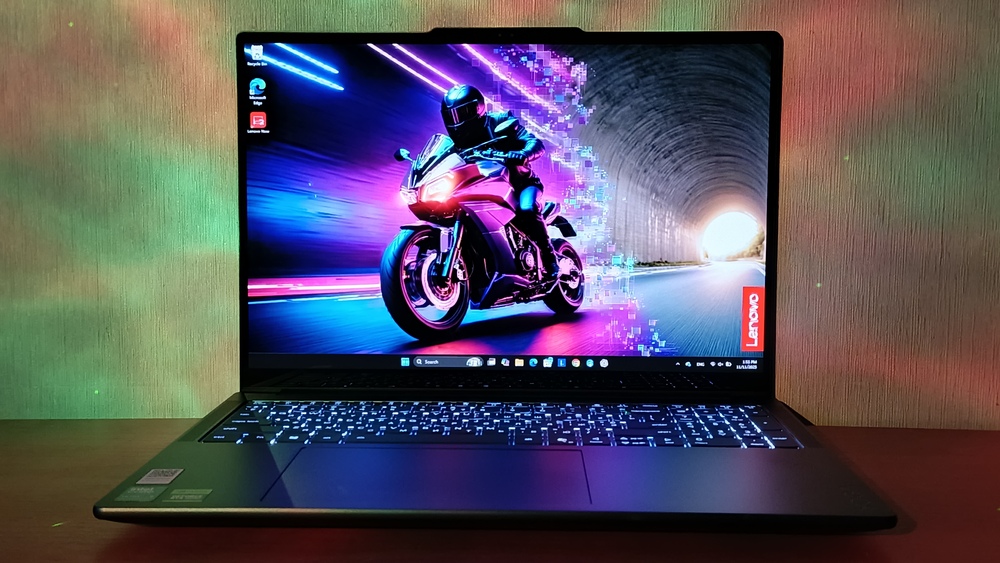
The display is one of the device’s standout features. The 16-inch Tandem OLED panel, with a resolution of 3200×2000 pixels and peak brightness of up to 1600 nits, delivers exceptional image quality. Certifications such as Dolby Vision HDR and VESA DisplayHDR True Black 1000 attest to its high contrast and accurate color reproduction. Coverage of 100% of the sRGB, Display P3, and Adobe RGB color spaces makes the screen suitable for professional designers as well as users who prioritize visual fidelity. An optional touchscreen version further expands potential use cases.

The laptop features a six-speaker system (four 2 W low-frequency and two 2 W high-frequency drivers) with Dolby Atmos support, delivering rich, immersive sound. A 5 MP webcam provides clear video for conferencing, which is a notable advantage for remote work. The port selection includes two USB4 Type-C, two USB 3.2 Gen1 Type-A, HDMI 2.1, an SD card slot, and a combined 3.5 mm audio jack – a comprehensive set that allows for productive use without the need for additional adapters.
The 84 Wh battery provides reliable runtime, which the manufacturer claims is sufficient for a full workday. Combined with the energy-efficient Intel Core Ultra processors, this makes the Yoga Pro 9i Aura Edition competitive not only in performance but also in efficiency.
The Lenovo Yoga Pro 9i Aura Edition (2025) is now available in Ukrainian retail outlets, with prices ranging from UAH 89,998 to UAH 146,999 depending on the configuration. Within this price range, the laptop is positioned as a high-end option for users seeking a combination of mobility, performance, and a premium experience.
Lenovo Yoga Pro 9i Aura Edition (2025) Specifications
- Display: 16-inch 3.2K (3200 x 2000), Tandem OLED, 120 Hz, 16:10, PureSight Pro, 1000 nits (SDR) / 1600 nits (HDR), 100% sRGB, 100% P3, 100% Adobe RGB, Delta E < 1, Dolby Vision, VESA DisplayHDR TrueBlack 1000 certified, TÜV Low Blue Light certified, Eyesafe certified, TÜV Flicker Free certified, glass/matte, touchscreen
- Processor: Intel Core Ultra 9 285H (E-cores up to 4.50 GHz, P-cores up to 5.40 GHz with Turbo Boost, 16 cores, 16 threads, 24 MB cache)
- RAM: dual-channel LPDDR5X 8400MT/s slot up to 64 GB
- Storage: M.2 PCIe Gen 4 solid-state drive with up to 2 TB capacity (2 x 1 TB)
- Graphics: integrated Intel Arc Graphics 140T, discrete NVIDIA GeForce RTX 5070, 8 GB GDDR7
- Ports: left side: power connector, HDMI 2.1 (supports resolutions up to 10K at 30 Hz), 2 USB-C ports (Thunderbolt 4/USB4 40 Gbps), with Power Delivery 3.0 and DisplayPort 2.1 technology, combined headphone/microphone jack; right: USB-A (USB 5 Gbps), USB-A (USB 5 Gbps), SD card reader
- Wireless modules: Wi-Fi 7 802.11a/b/g/n/ac/ax/be (2 x 2), Bluetooth 5.4
- Camera: hybrid infrared 5-megapixel camera, electronic shutter
- Audio: 2 x 2W high-frequency speakers + 4 x 2W low-frequency speakers with Dolby Atmos support, smart amplifier, 4 microphones with Dolby Atmos Voice
- Battery and charging: 84Wh, 170W power adapter
- Dimensions: 17.90×362.72×253.69 mm
- Weight: 1.93 kg.
Read also: Review of Lenovo ThinkPad X1 Yoga (Gen 8): Business-Oriented
Package contents
I appreciate Lenovo’s consistent effort to make its products not only technologically advanced but also environmentally responsible. The use of recycled materials in packaging has become something of a brand signature, and the Yoga Pro 9i Aura Edition (2025) continues this practice.
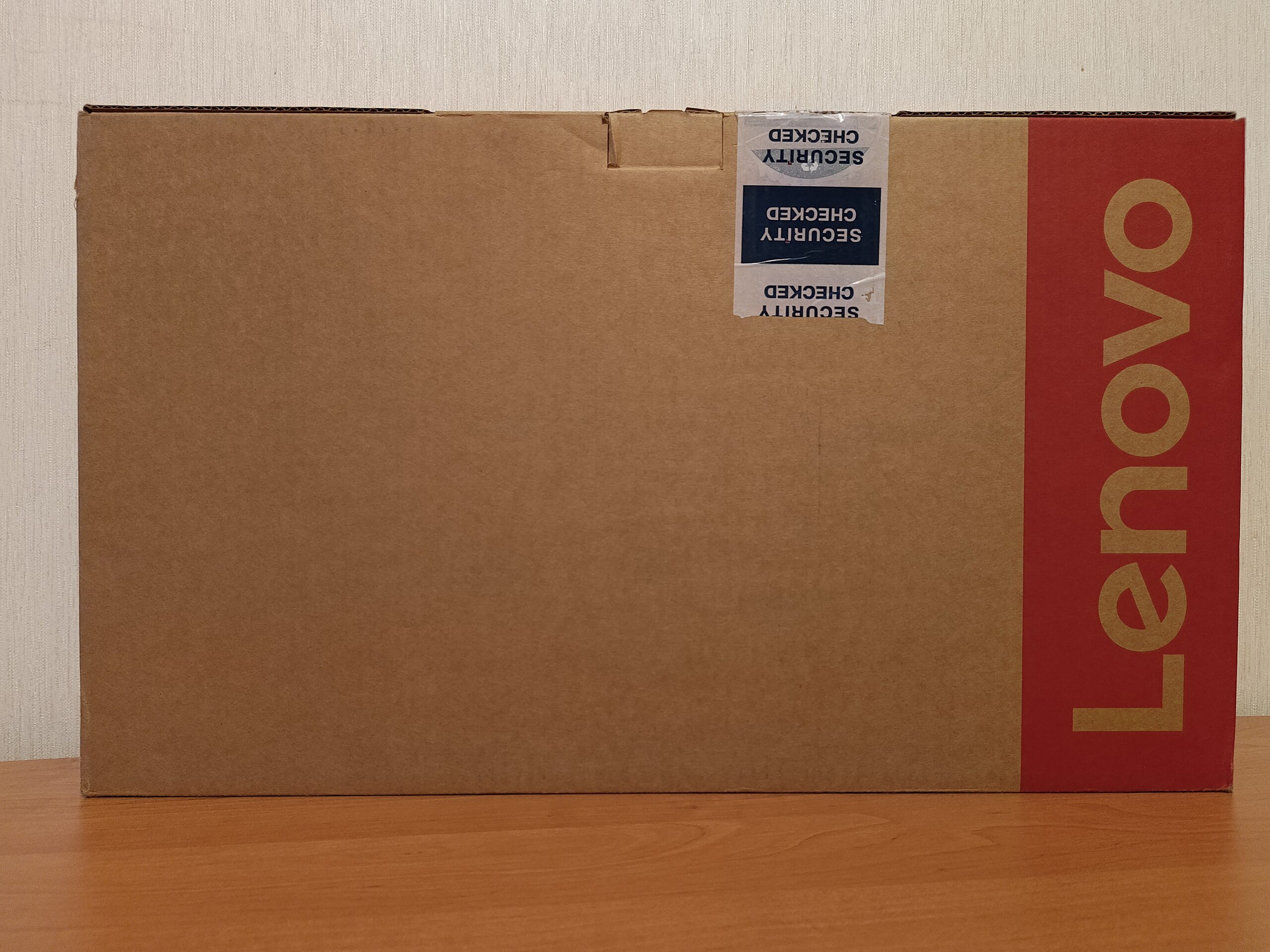
The laptop arrived in a modest yet tactile cardboard box featuring a simple Lenovo logo and basic technical information on the side – without excessive gloss, plastic, or decorative elements.
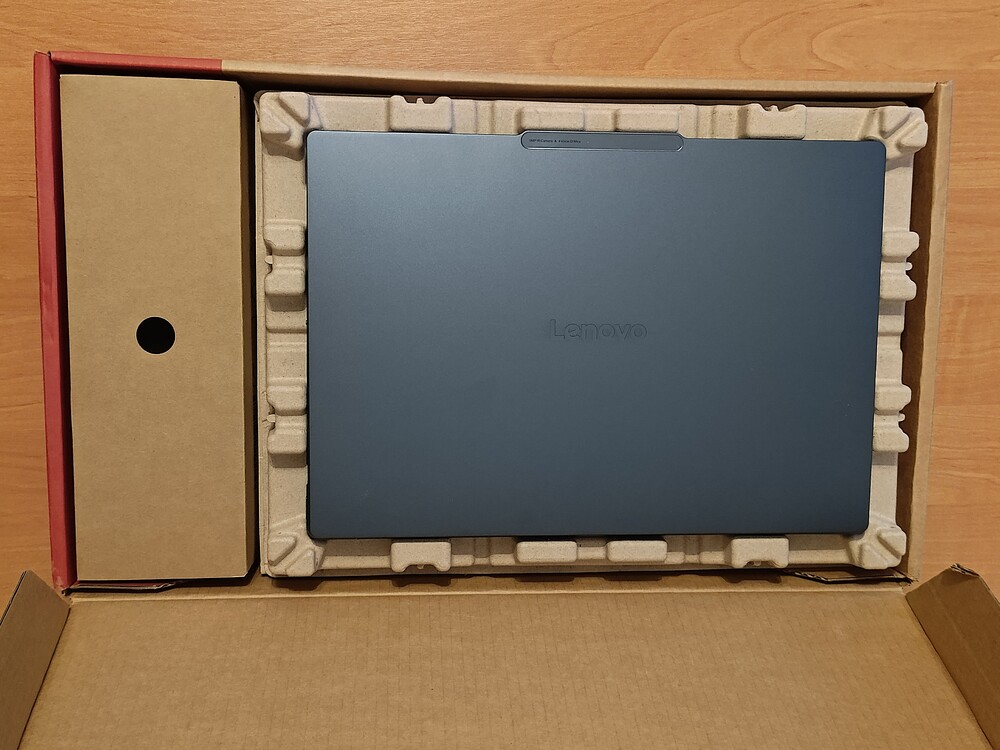
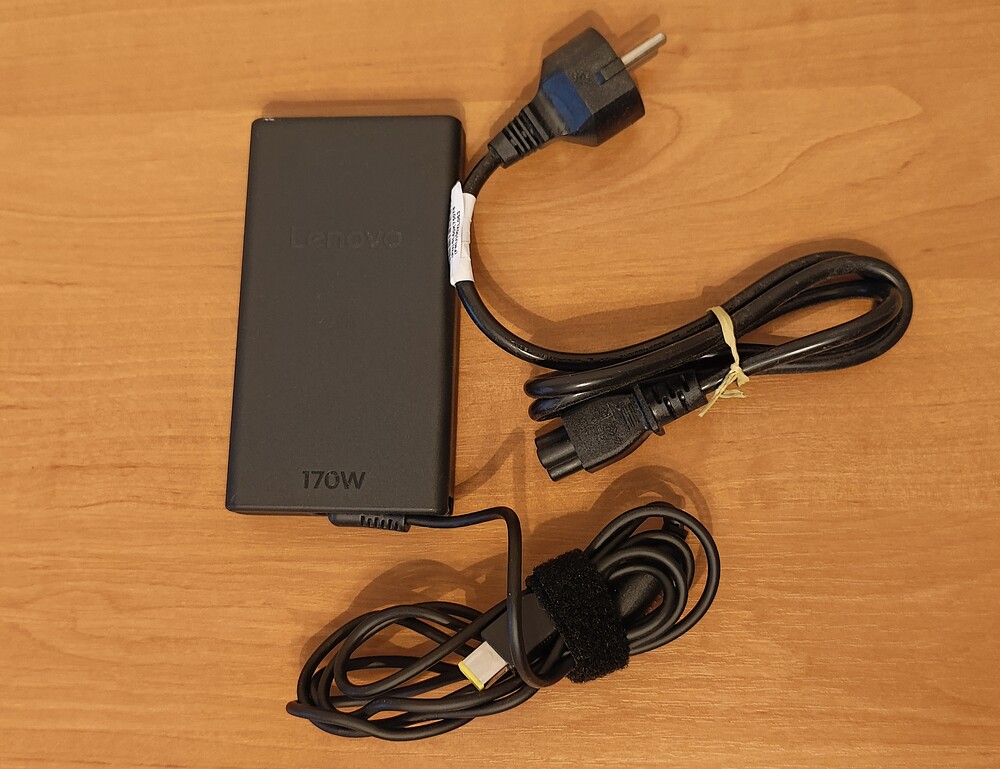
The interior is thoughtfully organized for practicality: the laptop is securely held in place, while a separate compartment houses the 170 W power adapter with Lenovo’s proprietary connector and the charging cable. A minimal set of documentation is also included, providing everything necessary to get started.
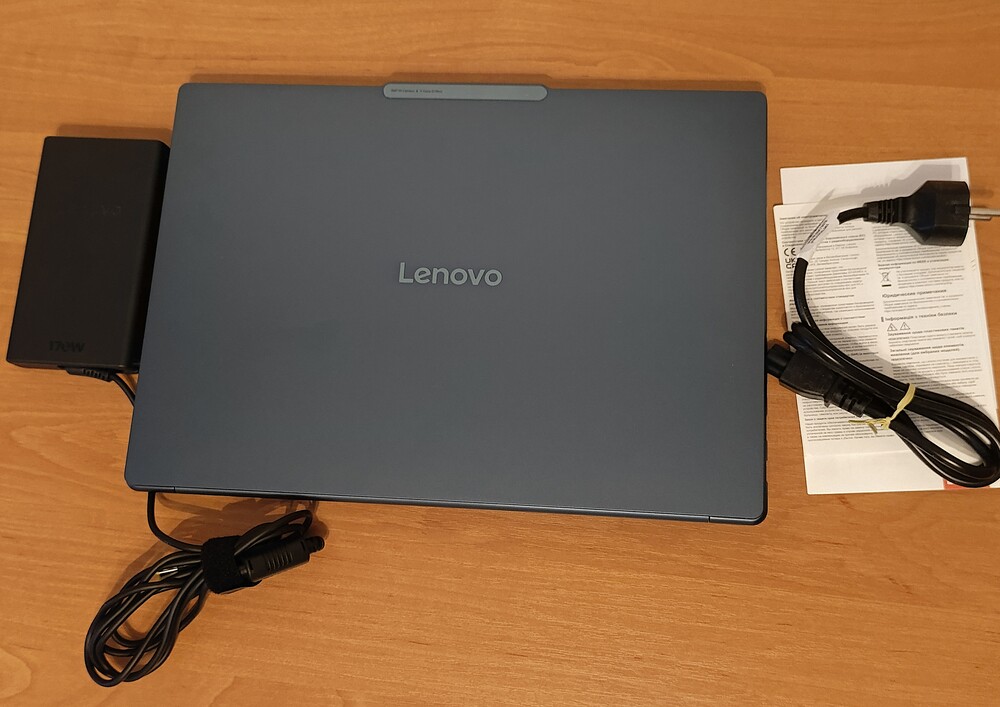
The absence of plastic, foam, or other harmful materials is not merely a marketing choice but a clear indication that Lenovo takes sustainable manufacturing seriously. While the packaging may appear somewhat “minimalist,” this simplicity serves a purpose. The company demonstrates that a premium experience can be expressed not through flashy presentation but through a conscious approach to environmental responsibility and consumer care.
Read also: Lenovo ThinkPad X9 14 Gen 1 Aura Edition Laptop Review – Familiar Design, Minus the TrackPoint
Premium Design
At first glance, the Lenovo Yoga Pro 9i Aura Edition might seem like “just another premium laptop.” However, handling it for even half a minute makes it clear that this is more than a standard gray rectangle. The design and slim profile work together to convey a sense of capability, projecting the laptop’s performance without needing any overt cues.
Two color options are available: Luna Gray and Tidal Teal, both featuring an anodized finish that provides some, though not complete, resistance to fingerprints. The Tidal Teal in particular stands out as stylish, slightly unconventional, and visually engaging. This impression isn’t just personal – friends and colleagues also immediately noticed the color and the overall sense of premium quality.
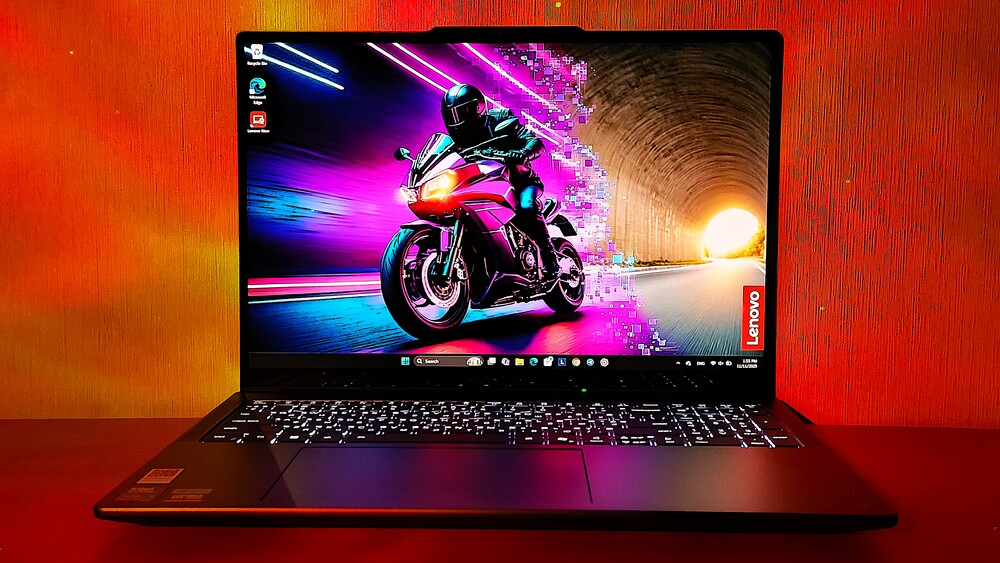
In terms of overall design philosophy, Lenovo has made no radical changes – which is a positive, as the Yoga series has long established a successful formula. There are a few minor adjustments to port and button placement, but the laptop’s silhouette remains instantly recognizable.
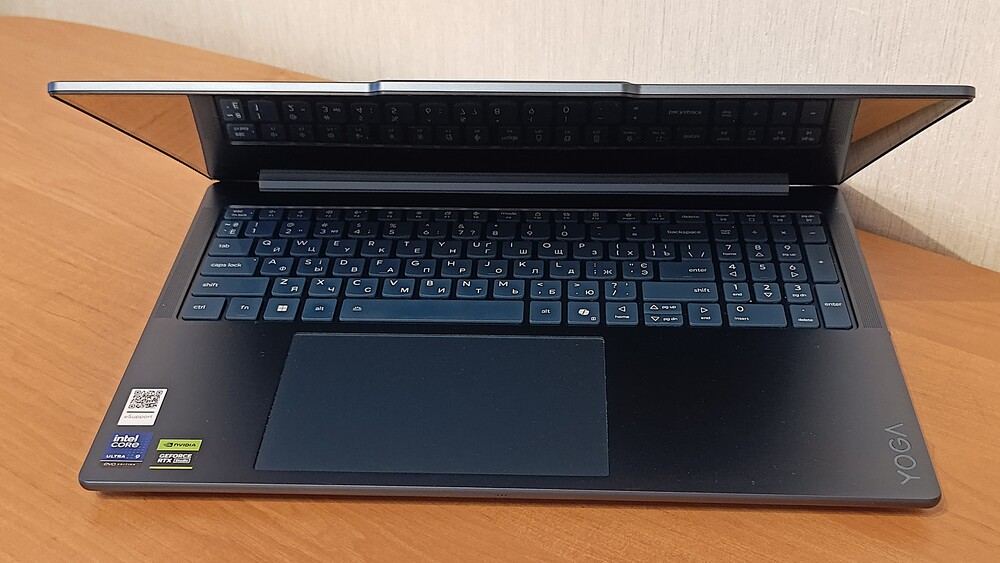
The laptop is sizable, measuring 362.72 × 253.69 mm, but its 17.9 mm thickness gives it a relatively slim profile. At 1.93 kg, it falls within the mid-range weight for a 16-inch laptop. In other words, this is not an ultrabook but a business-class device.
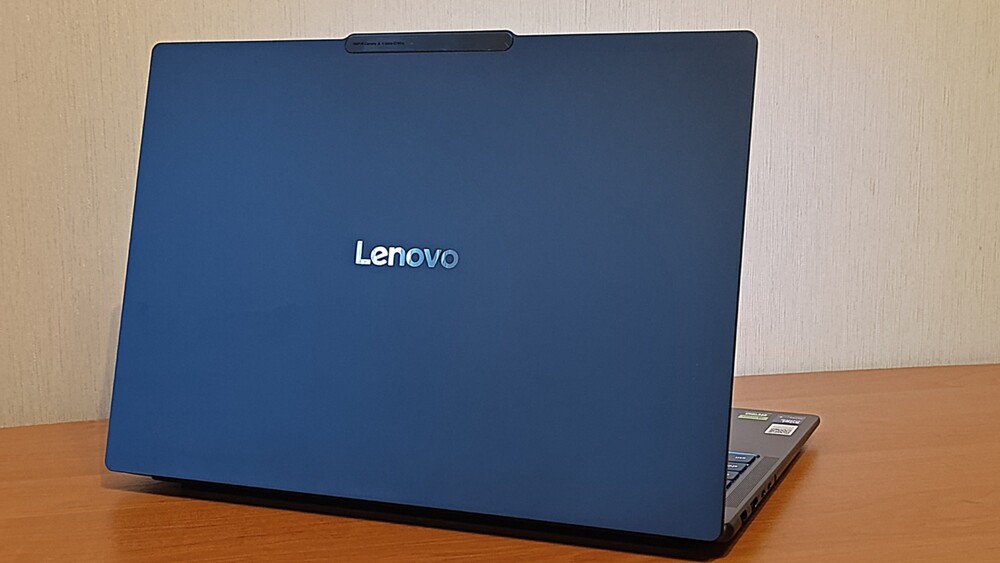
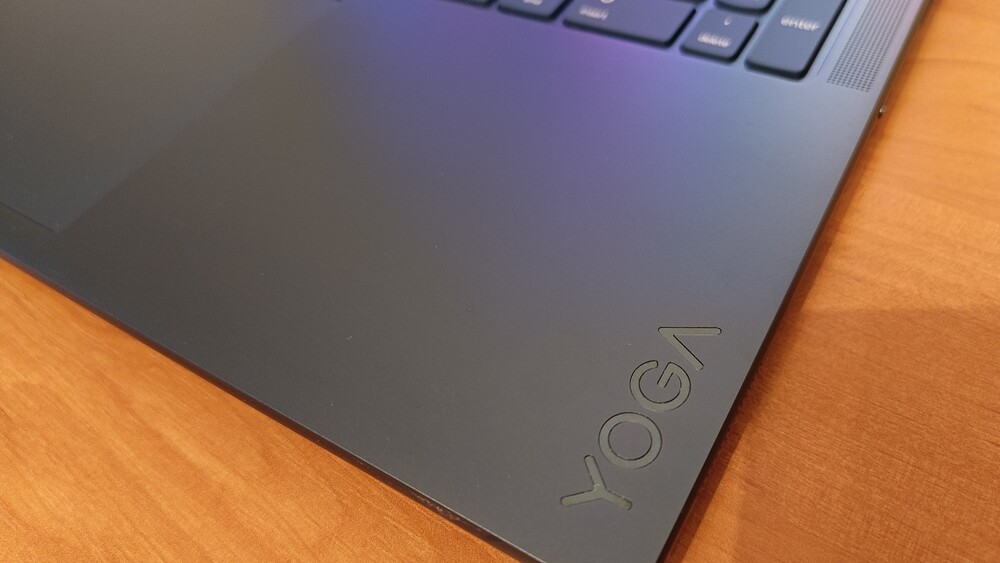
The rigid aluminum lid is the first element that makes an impression. Beyond the brand logos, it features a subtle accent that hints at the presence of the 5 MP camera and four microphones. Overall, the build quality and structural rigidity are such that even skeptical observers quickly recognize this as a genuine premium device.
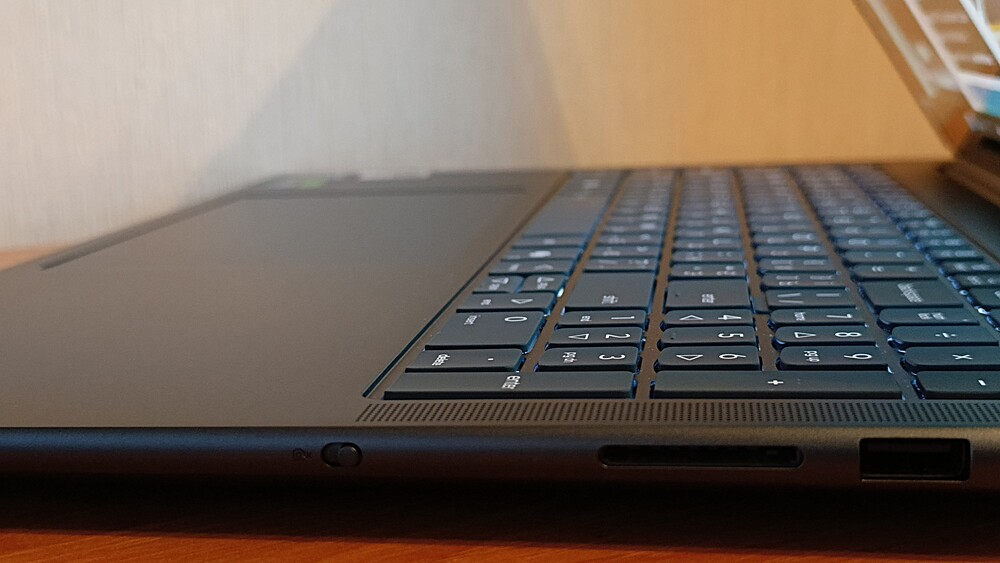
The only aspect I find slightly debatable is the combination of heavily rounded edges with relatively sharp lines elsewhere. It creates an interesting look, though some may find it somewhat polarizing. And yes, despite its relatively compact dimensions, this laptop cannot be described as particularly light.
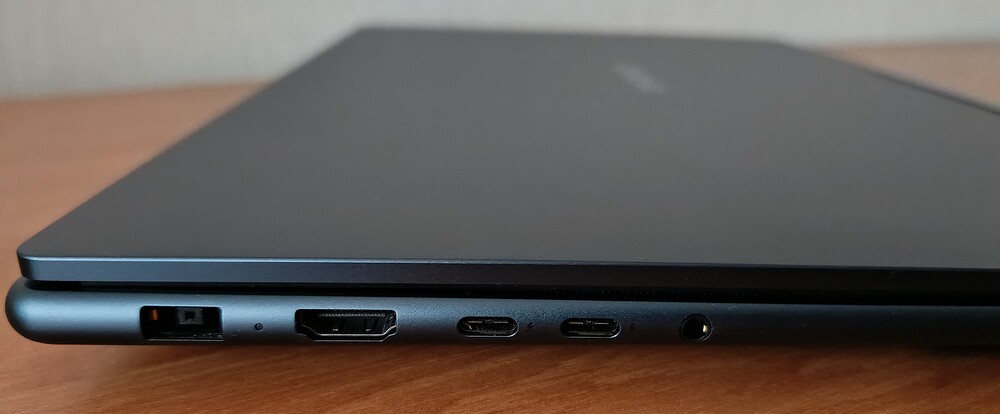
The lid can be easily opened with one hand – a small but convenient feature. The hinges perform exceptionally well, keeping the display stable even during vigorous typing. Overall, the structural rigidity of the laptop is outstanding.
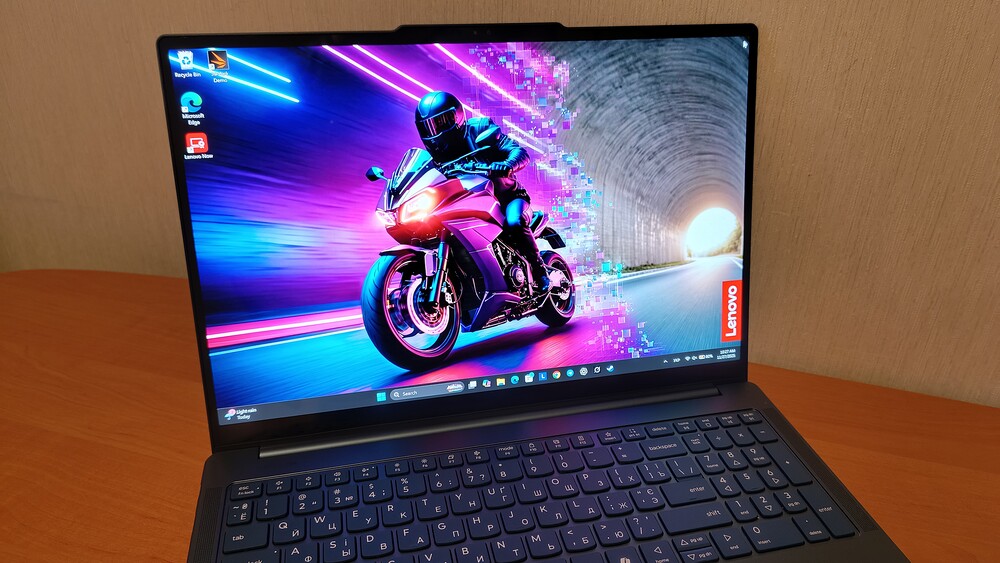
The aluminum chassis is a single, solid piece with no weak points. Neither the lid nor the base flexes under substantial pressure. Even the area above the trackpad – traditionally the most vulnerable spot – withstands pressure without any creaking. Panel fit and overall build quality leave no cause for concern.
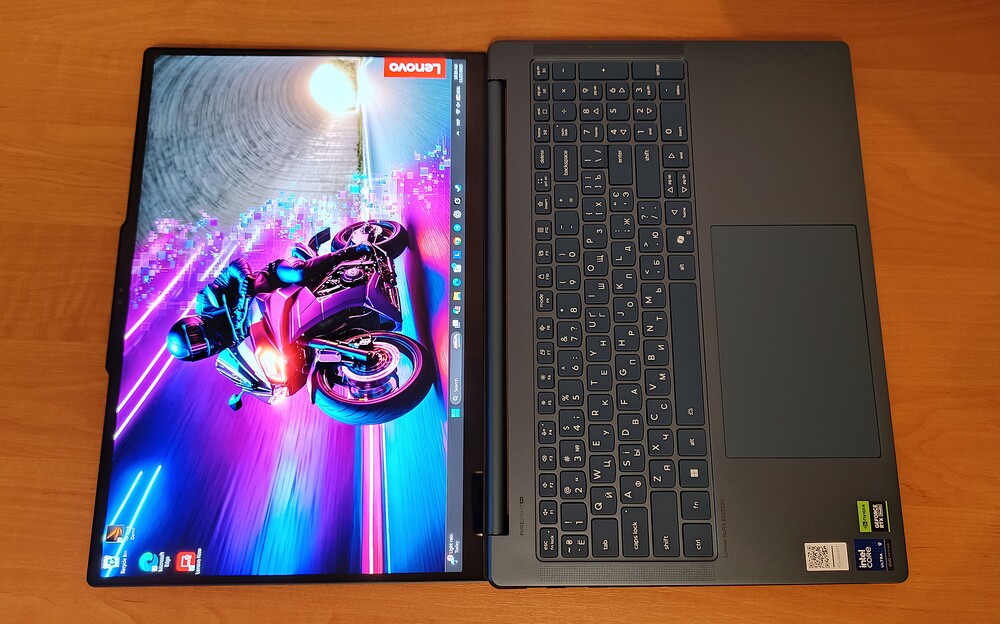
The display can tilt back to 180°, though the Yoga Pro 9i does not convert into a tablet. This is a slight drawback given the presence of a touchscreen, which will be discussed further. The bezels are minimal, and the top housing neatly conceals the camera and Windows Hello sensors.
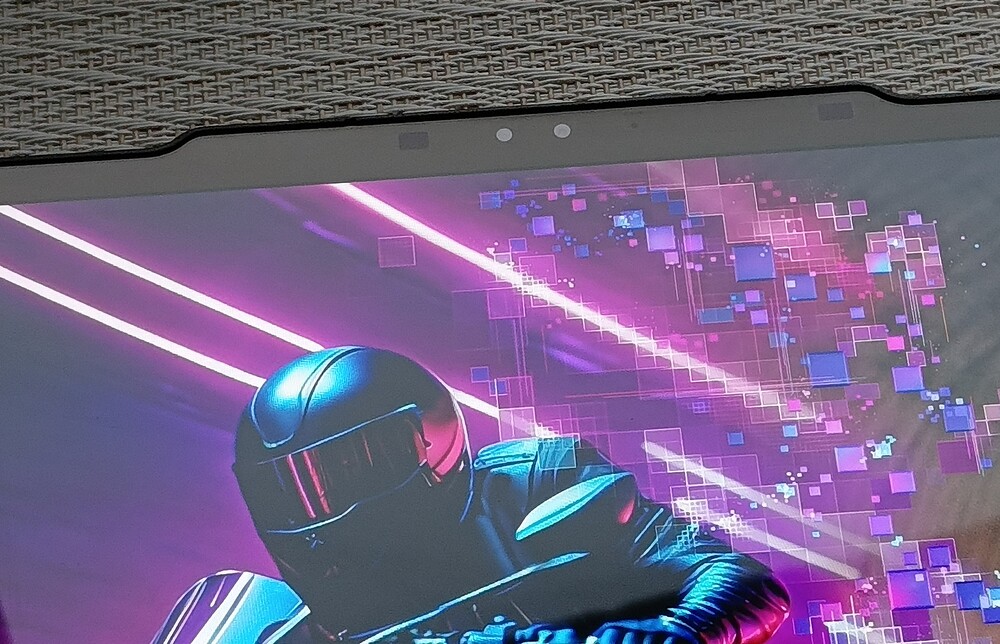
Finally, the camera. Many high-end laptops include webcams that feel like an afterthought, installed simply because “it’s required.” In this case, the sensor is responsive, of high quality, and performs well even in suboptimal lighting conditions.
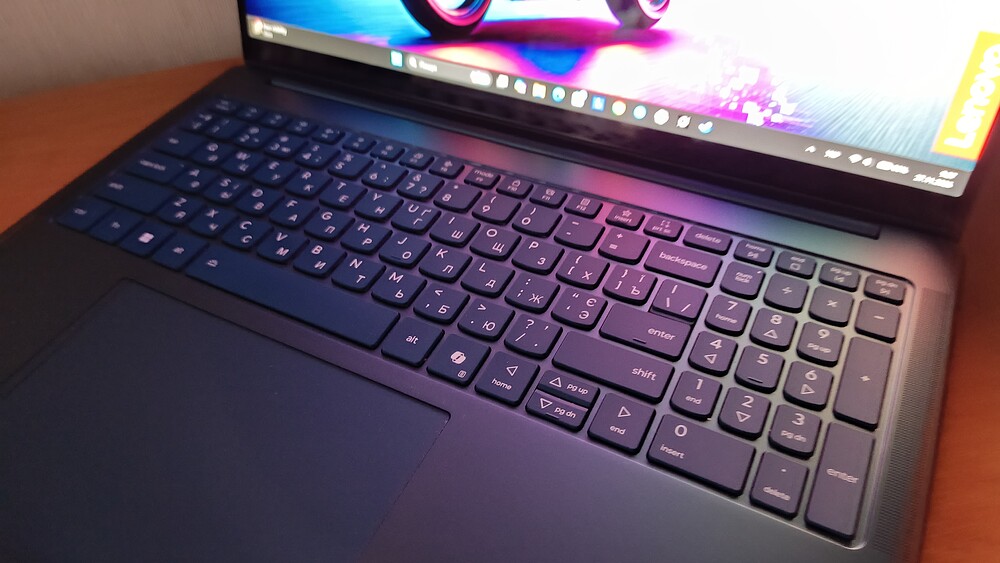
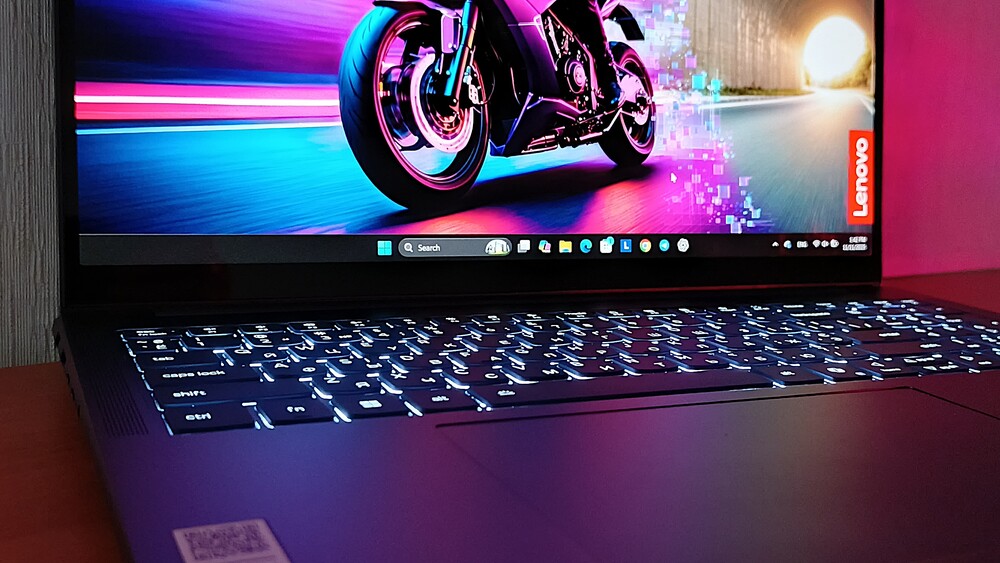
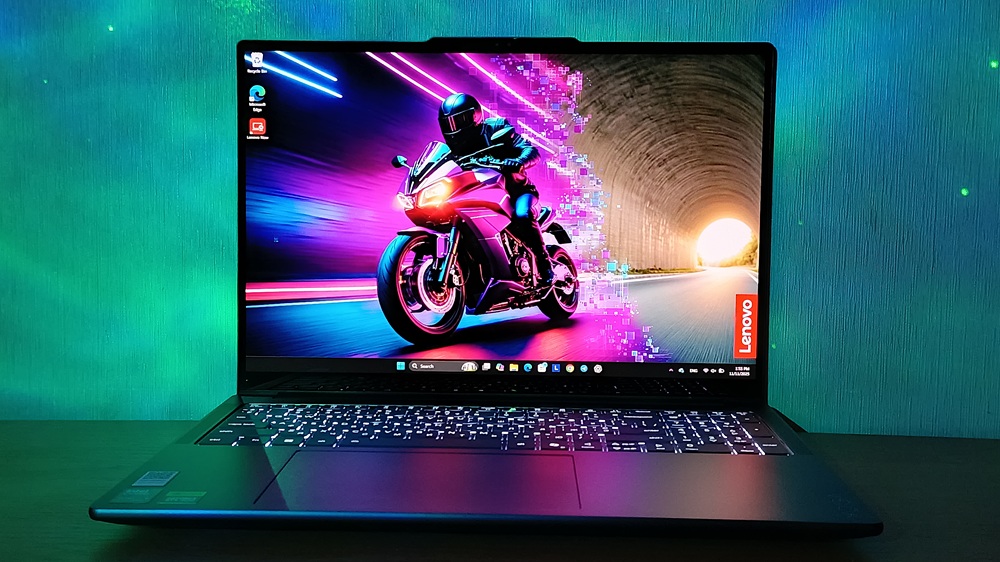
The interior layout is equally well-considered. It features thin display bezels, a full-size backlit keyboard, a large trackpad, side-mounted speakers, and neatly positioned ventilation openings.

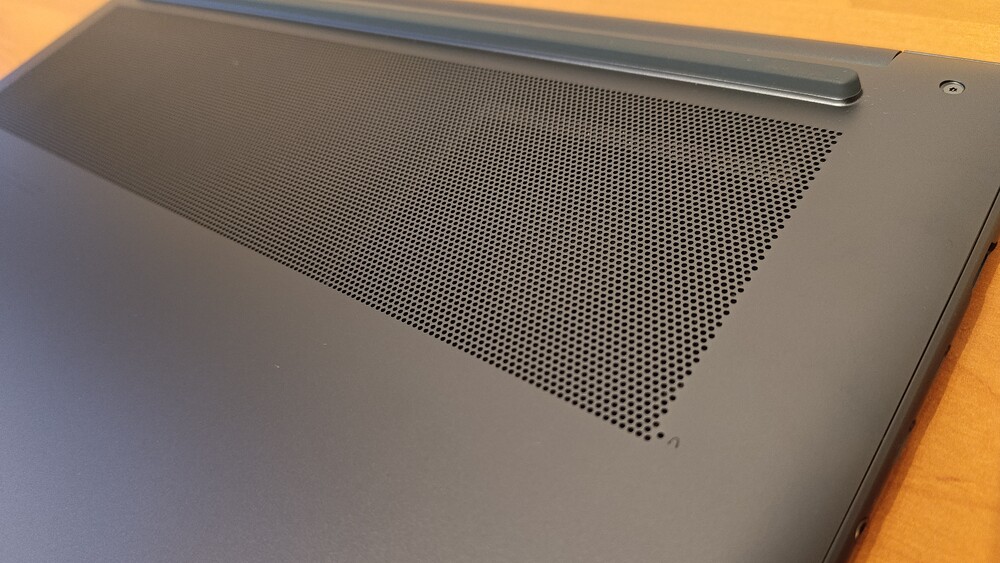

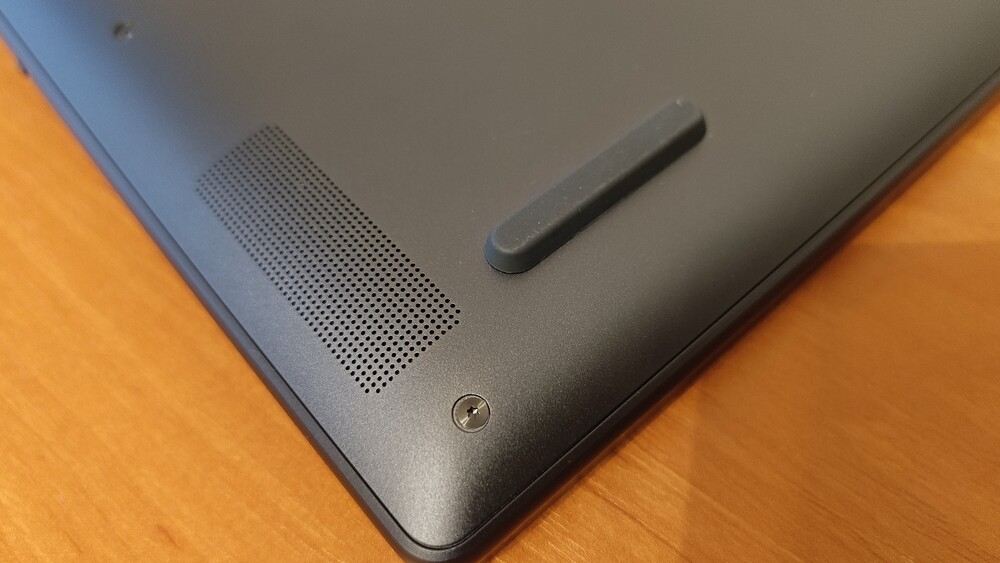
On the underside, there are silicone feet, additional ventilation, and another set of speakers.
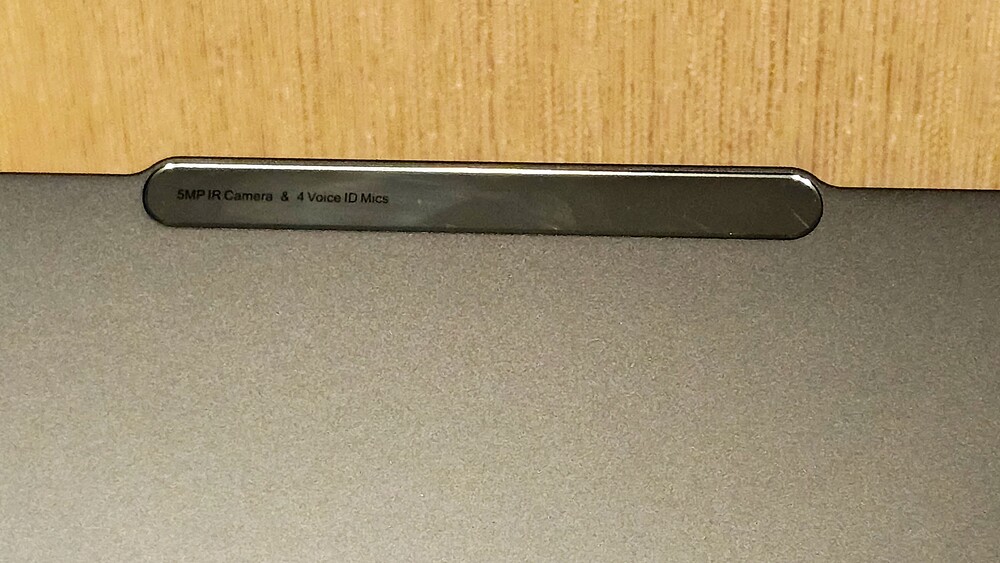
One element that was slightly disappointing is the aforementioned “island” above the display, which houses the webcam and Windows Hello sensors (it’s worth noting that the laptop does not include a fingerprint scanner). While the protrusion is not overly noticeable and does not detract from the overall aesthetics, I have concerns about the material. The “island” is made of plastic that easily shows fingerprints, and its surface includes extra labeling with camera specifications, which, in my view, gives it a somewhat cheap feel reminiscent of lower-end smartphones.

Overall, the design of the Lenovo Yoga Pro 9i Aura Edition is not revolutionary, nor is it meant to be. It is modern, understated, versatile, and – importantly – clearly premium. The fully aluminum chassis with an anodized finish, rigid lid, and sturdy base make the device not only visually appealing but also durable. The MIL-STD-810H certification is not just a marketing detail; it’s a welcome bonus that further underscores the laptop’s quality.
Read also:
- Lenovo ThinkPad X13 Yoga Gen 4 Review: Almost Perfect
- Lenovo ThinkPad Z13 Gen 2 Review: Reliable Business Ultrabook
Interfaces and connections
Ports are always a topic of their own, and it seems no manufacturer has ever gotten them perfect. The Lenovo Yoga Pro 9i Aura Edition is no exception. Its port selection is generally solid, occasionally even interesting, but it falls short of being flawless. As usual, there are thoughtful choices alongside aspects that make you raise an eyebrow.
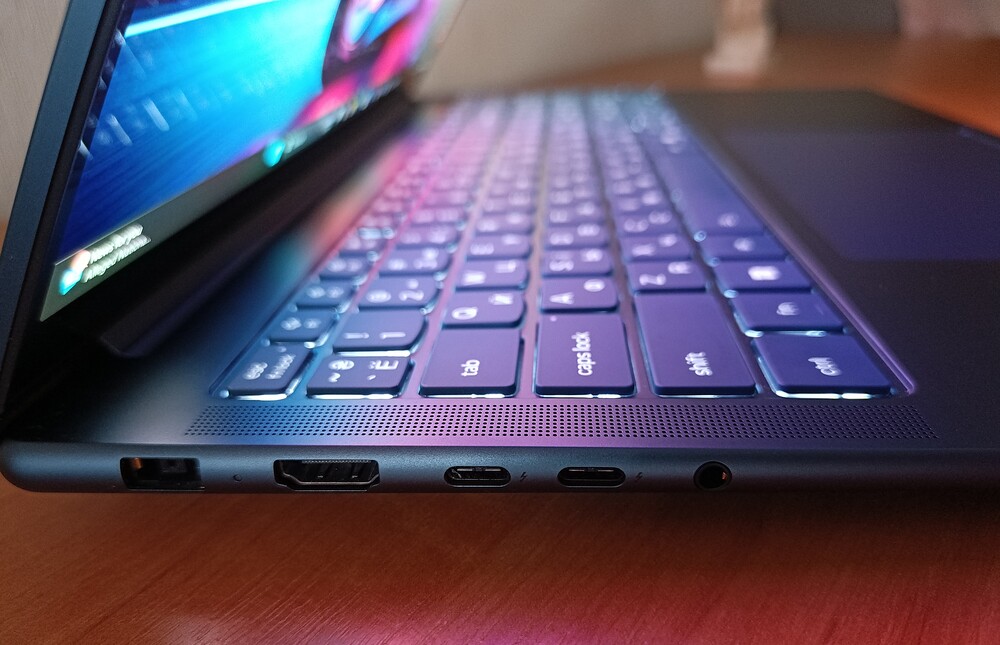
Starting with the left side, we find a combined audio jack, two USB-C ports (Thunderbolt 4 / USB4 at 40 Gbps) supporting Power Delivery 3.0 and DisplayPort 2.1, HDMI 2.1 – which, by the way, can output up to 10K at 30 Hz – and a proprietary power connector. This last element raises the most questions. On one hand, Lenovo positions this laptop as a tool for work, creativity, and professional use. On the other hand, it’s unclear why the proprietary connector is retained when full-featured USB-C ports with PD 3.0 are already available. It seems time to let go of legacy standards and embrace universal ones. If the laptop is designed for 2025, its charging should feel that way as well.
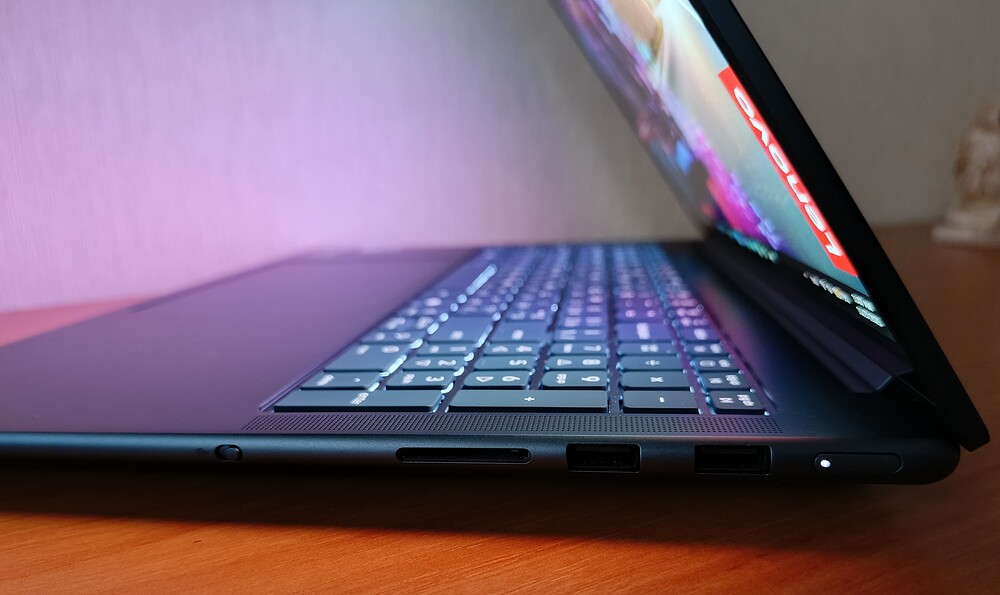
The right side is also well-equipped. It includes a power button with an LED indicator (personally, I would have placed it elsewhere), two USB-A ports (5 Gbps), a full-size SD card reader, and a physical camera shutter. The latter is an unquestionable plus – nothing reassures users like the ability to disable the webcam hardware-wise.
This port selection covers a wide range of connectivity needs, which is particularly important for everyday work.
In summary, this set of ports will suffice for most users, even those who prefer to have “everything at hand.” If a particular exotic port is missing, it is likely either a very specialized professional requirement or a personal preference for peripheral connectivity.
Read also: Lenovo ThinkPad X1 Carbon Gen 11 Review: Classic of Genre
Keyboard and touchpad
I’ll admit it: I have a long-standing and unapologetic fondness for the keyboards in Lenovo Yoga laptops. There’s something distinctive about them – the rounded keys, the comfortable profile, the well-thought-out layout, and that soft yet responsive click that somehow always feels satisfying. Sitting down at one of these laptops, work somehow becomes both more productive and more enjoyable. But enough of the sentiment – let’s focus on the specifics.
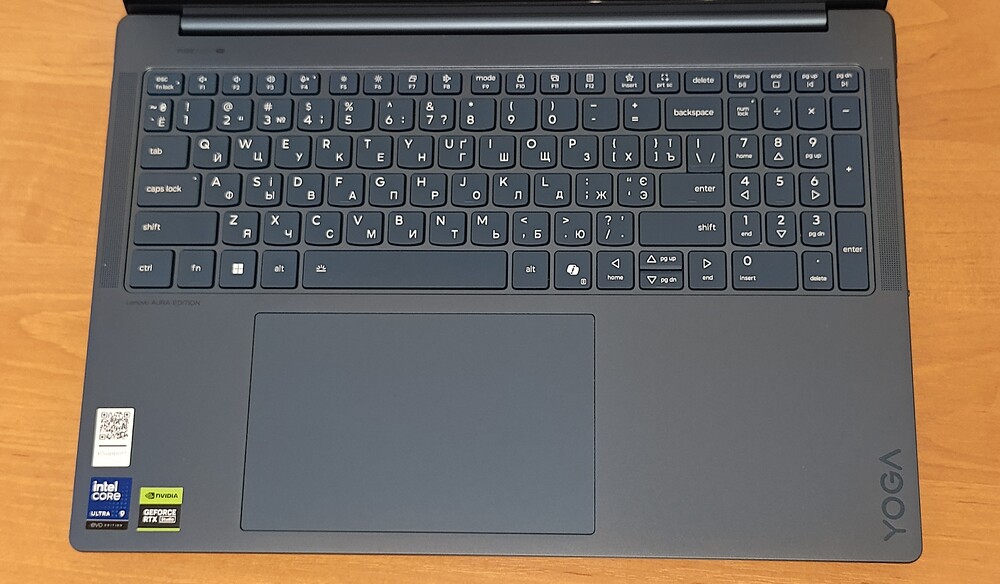
The Lenovo Yoga Pro 9i Aura Edition features a large, comfortable island-style keyboard with a numeric keypad – a notable advantage, especially considering that many manufacturers recently treat the numpad as an afterthought. Here, it is full-size, comfortable, and well-stabilized. The keys produce a satisfying sound – audible but not distracting – and the tactile feedback is precise, making it well-suited for daily typing.

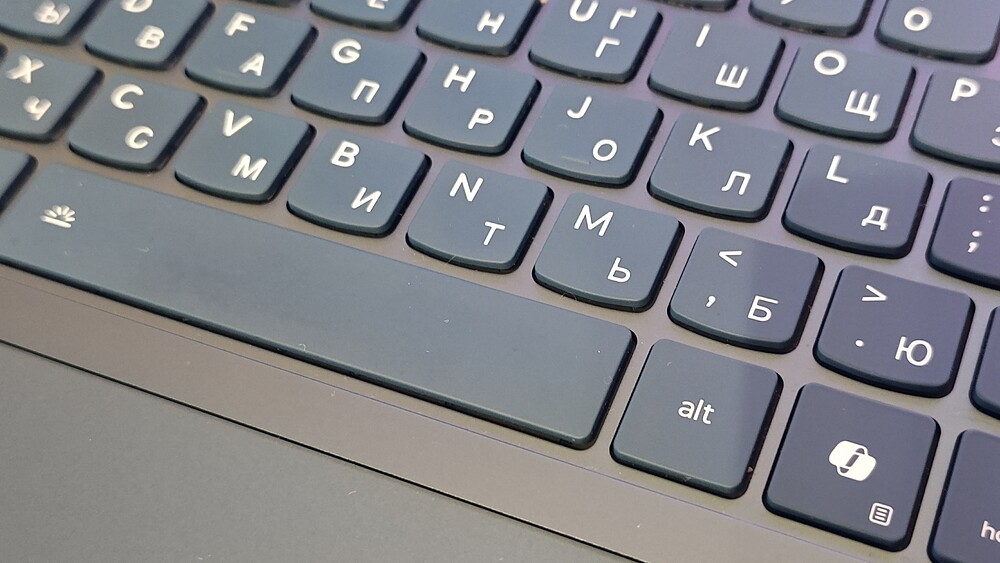

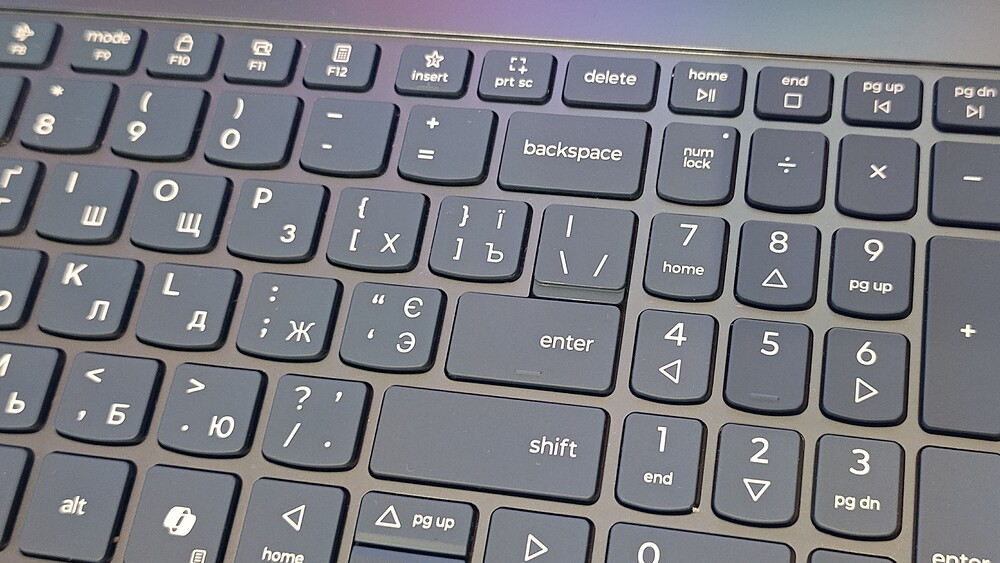

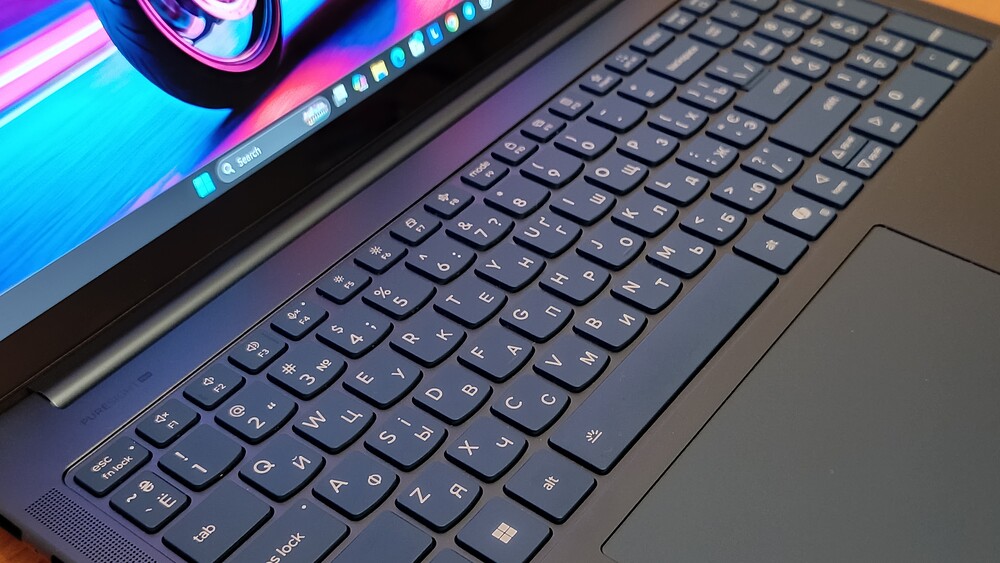


The keyboard is compact and membrane-based, offering a soft yet precise response. The only adjustment is with the arrow keys: the “up” and “down” keys are half the standard height, which may require some getting used to. Otherwise, the build is excellent – the keys are stable, with a travel of about 1.5 mm, and overall feel comparable to the best keyboards in this class. Some users might initially find the click slightly firm, but the hand adapts quickly.
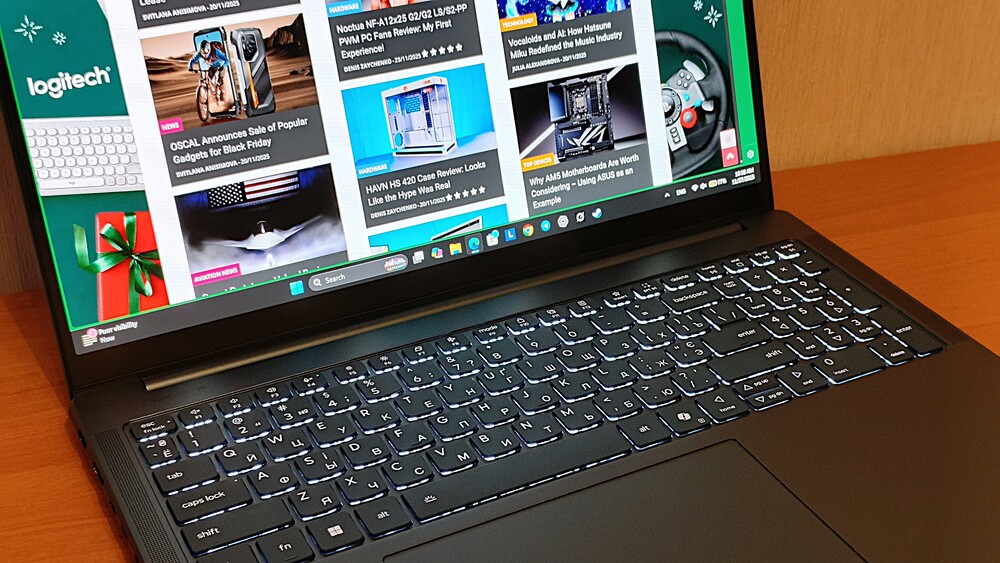
The backlighting is white, bright, and evenly distributed. It’s controlled via the Fn + Space shortcut and offers two intensity levels – both of which are genuinely effective, not just decorative. This is especially useful in the evening or low-light conditions: key outlines remain clear, and the symbols do not fade or get lost.
Typing on this keyboard is a pleasure. I adapted within about ten minutes and was soon able to work confidently without looking. If not for the reduced arrow keys, there would be virtually no complaints about the layout.
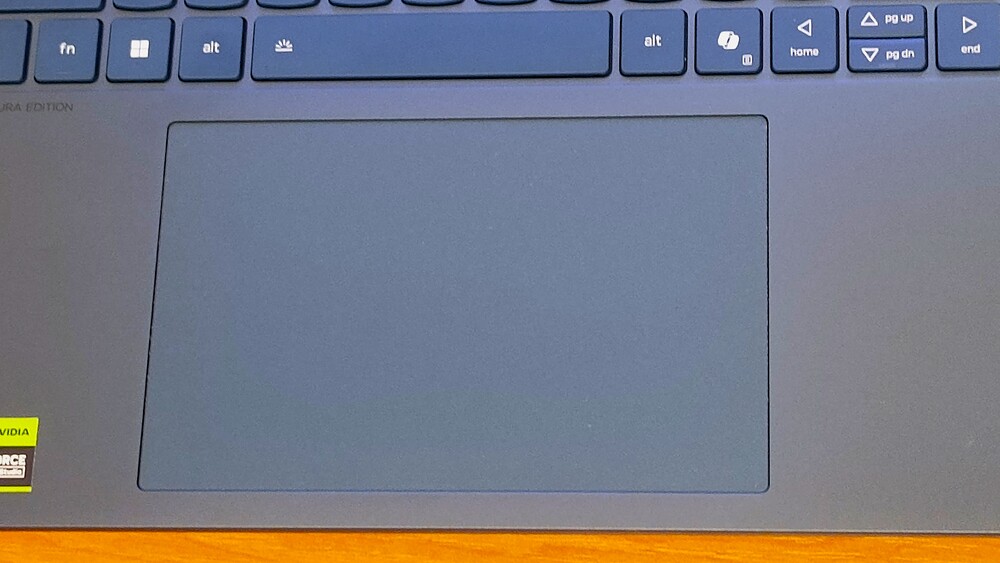
Beneath the keyboard is a large glass trackpad measuring 15.0 × 9.5 cm. It’s spacious, precise, and very smooth to use, with integrated buttons for left and right clicks. The surface feels pleasant, allowing fingers to glide effortlessly.
The only drawback I noticed is that the lower portion of the trackpad flexes noticeably when pressed. This could allow dust or small debris to accumulate under the exposed area over time. It’s not a major issue, but it is surprising that a laptop at this level hasn’t addressed it more thoroughly.

On the other hand, gesture support is excellent. The trackpad handles all modern multi-touch actions: scrolling, switching desktops, invoking context menus, zooming, and window management with two, three, or even four fingers. There’s ample surface area to work comfortably. The only missing feature is a quick keyboard shortcut to disable the trackpad, which would occasionally be quite useful.
Read also: Lenovo Yoga Book 9i Review: Laptop-transformer with two displays
Vibrant Tandem OLED Display
Lenovo offers two 16-inch touchscreen OLED options. Both feature a 16:10 aspect ratio, 120 Hz adaptive refresh rate, TÜV Flicker Free certification, and a matte coating that noticeably reduces glare. Regardless of which option you choose, both deliver impressive brightness, deep contrast, and the rich, saturated colors that OLED is known for.
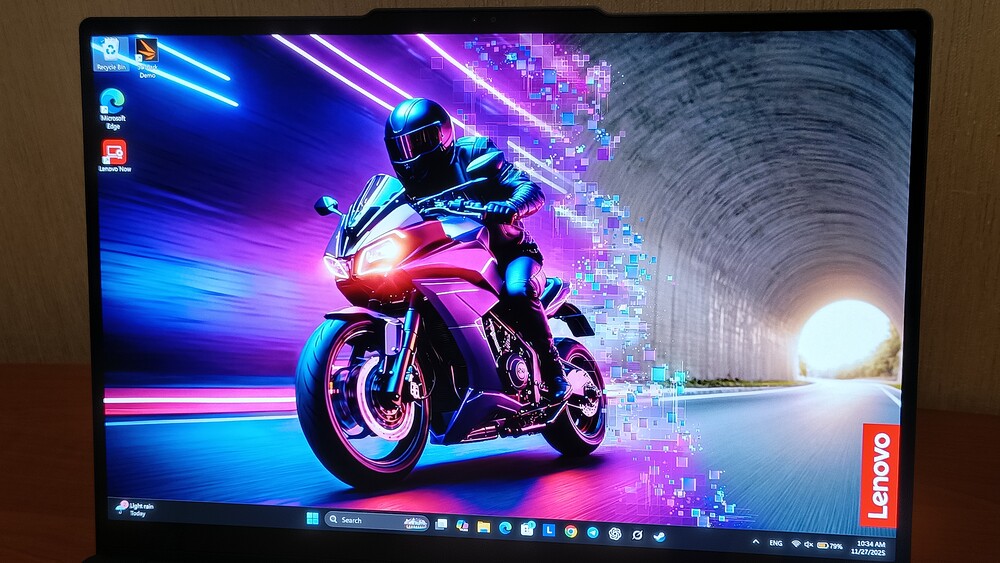
The first option is a standard OLED panel with a 2.8K resolution (2880 × 1800). It covers 100% of the sRGB and P3 color spaces, supports DisplayHDR 1000 and TÜV Low Blue Light technology, and reaches up to 500 nits in SDR and 700 nits in HDR. It’s a very solid display, but there is a more advanced option available.
The second is the Tandem OLED with a 3.2K resolution (3200 × 2000). Its brightness is on another level: up to 1000 nits in SDR and 1600 nits in HDR. It offers 100% coverage of sRGB, P3, and even Adobe RGB – a rare feature for laptops, signaling professional-grade use. It also supports DisplayHDR True Black 1000. I had the chance to test the Tandem OLED version, and it proved to be an excellent introduction.

I hadn’t previously worked with Tandem OLED panels, so I expected the main difference would be brightness. In practice, I noticed much more: the display is not just brighter, but deeper and cleaner, with exceptional handling of highlights and none of the artifacts typical of standard OLEDs at high brightness. Surprisingly, power consumption remained reasonable – a welcome bonus.
The 16-inch Tandem OLED in the Yoga Pro 9i Aura Edition is arguably one of the laptop’s standout features. The screen is bright, sharp, and smooth at 120 Hz, and crucially, it’s free from PWM flicker that often detracts from the experience on OLED panels. It’s one of those cases where just looking at the display makes tasks like coding, video editing, or photo retouching genuinely enjoyable.
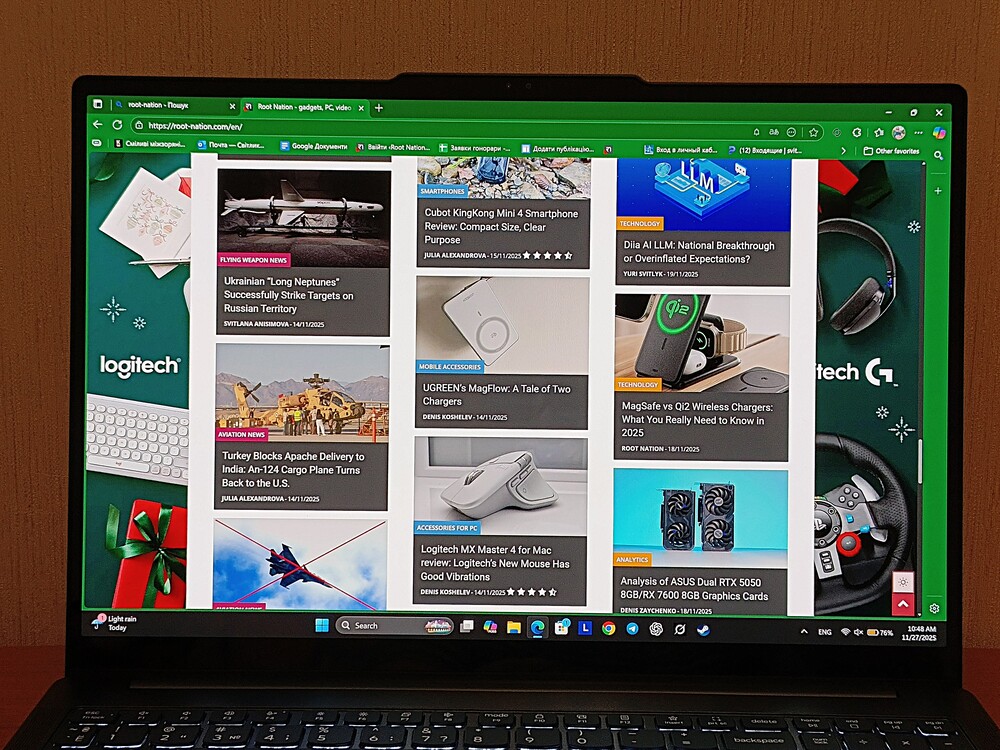
The only notable drawback is the glossy coating. While it’s high quality, reflections can be noticeable at lower brightness levels. That said, at maximum brightness the screen cuts through even challenging office lighting.
Now for some numbers, which help illustrate the display’s capabilities. Sharpness is excellent for a 16-inch panel, and the variable refresh rate not only delivers smooth visuals at 120 Hz but also helps save battery when it drops to 30 Hz. The display covers 100% of DCI-P3, and color accuracy averages a dE of 0.95 – impressive right out of the box. The maximum deviation reaches 2.4, meaning a light calibration would make it a truly professional-grade tool.
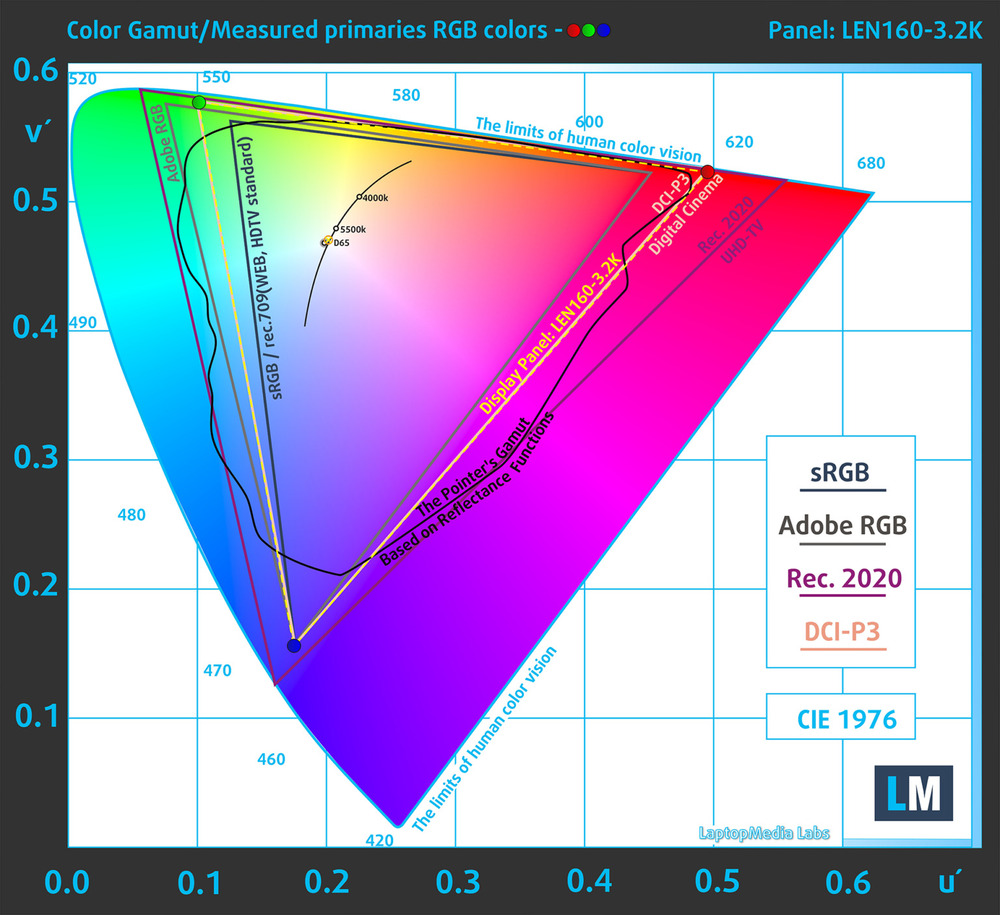
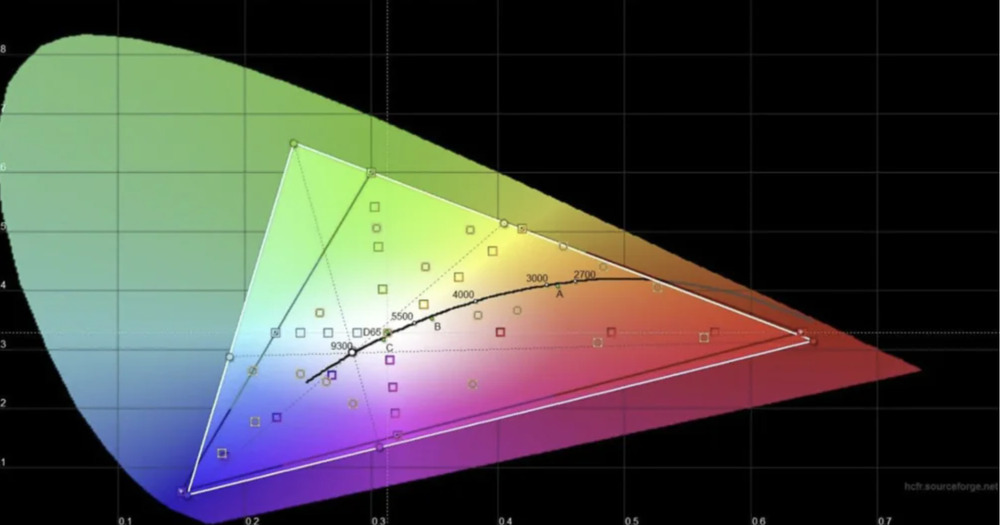
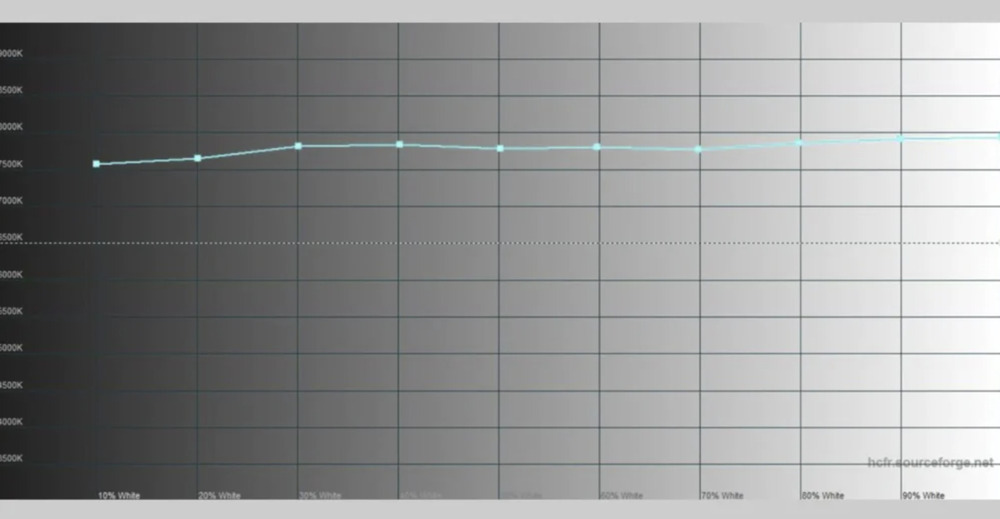
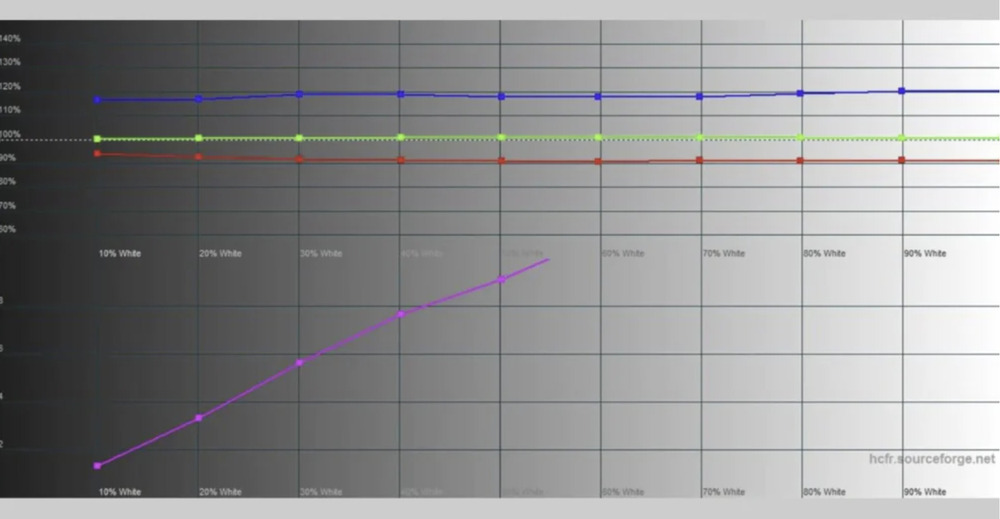
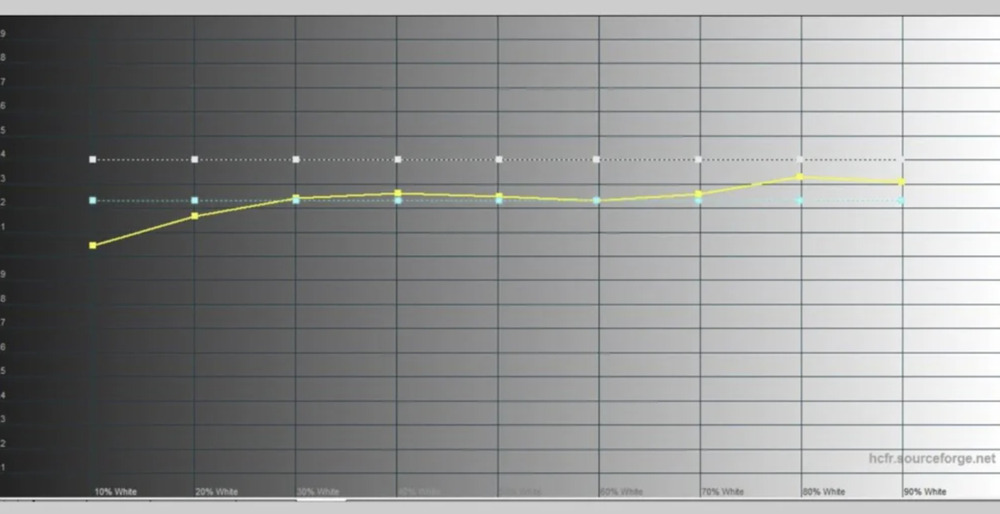

In SDR mode, the peak brightness of a full white field reaches 486 nits – an excellent figure for an OLED panel. Blacks, as expected, are absolute, resulting in effectively infinite contrast. HDR performance is where it gets really interesting: I measured 606 nits on a full white field and 1040 nits on a 10% white window. These values are comparable to high-end monitors, not just laptops.
Additionally, the touchscreen is highly responsive and smooth, with no noticeable lag or phantom touches.
Read also:
- Acer Nitro V 16 AI Gaming Laptop Review: Balanced, Stable, and Engaging
- ASUS ROG Strix G16 (2025) G615 Review: Almost a Flagship on Blackwell
Truly quality audio
It’s well known that laptop manufacturers sometimes treat speakers as an afterthought rather than a core part of the user experience. Marketing materials often promise “decent sound,” but in practice, the result can be barely more than a whisper within the chassis.
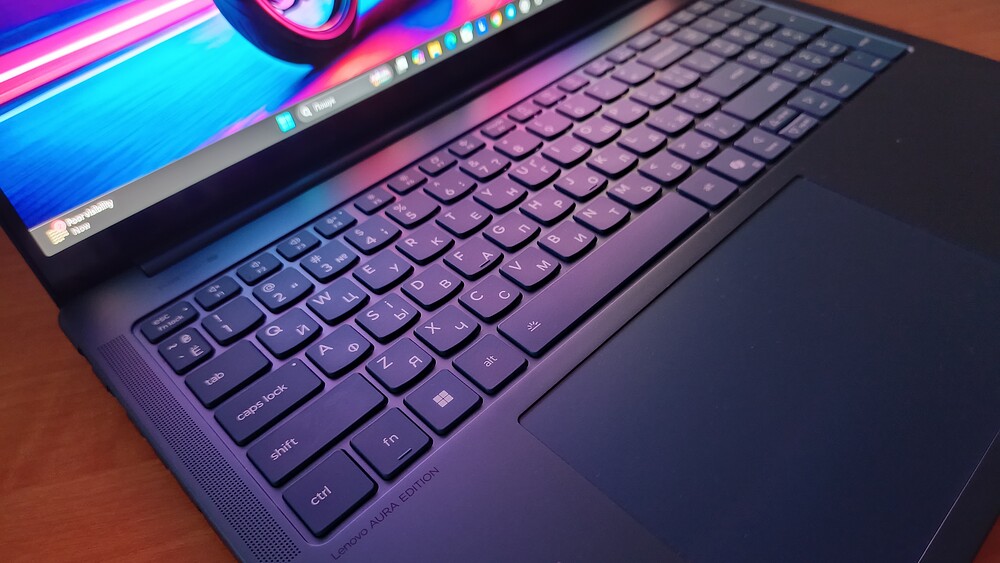
Lenovo Yoga Pro 9i Aura Edition is a welcome exception to that trend. Here, audio is treated as an integral part of the design rather than an afterthought. With four low-frequency and two high-frequency speakers, the laptop delivers impressively rich and immersive sound for its class. The bass is notably deep and clean, providing real weight and texture to tracks rather than just presence. High frequencies are clear and precise, though occasionally one might wish for slightly more brightness. The stereo imaging is also surprisingly well-defined, enhancing the overall listening experience.
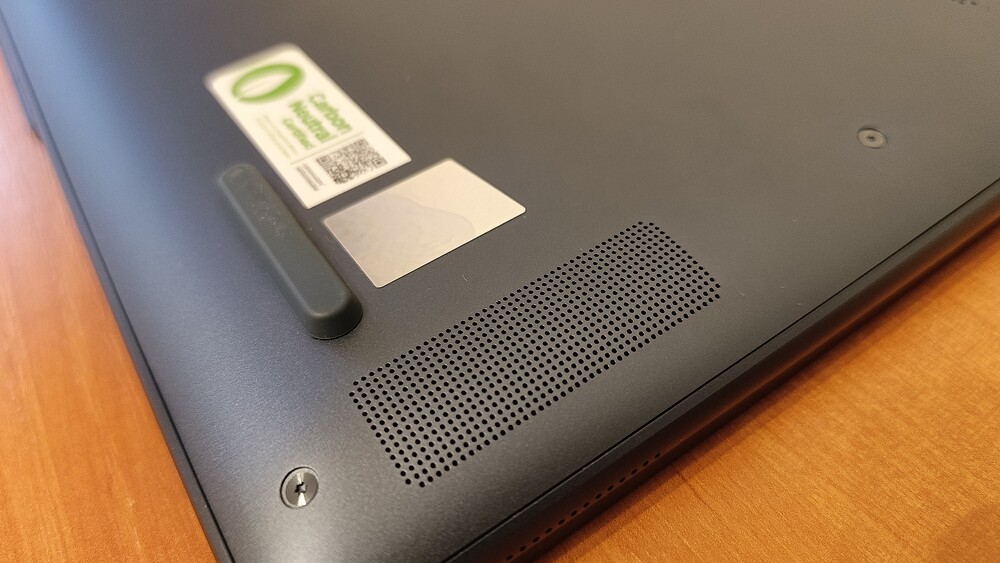
At first, I honestly didn’t believe my ears: while typing, the sound seemed to come not directly from the laptop itself but from the surrounding space. At high volumes, the speakers can exhibit minor distortion, but there’s really no need to push them to maximum. Even at around 50% volume, the sound is already loud and comfortable.
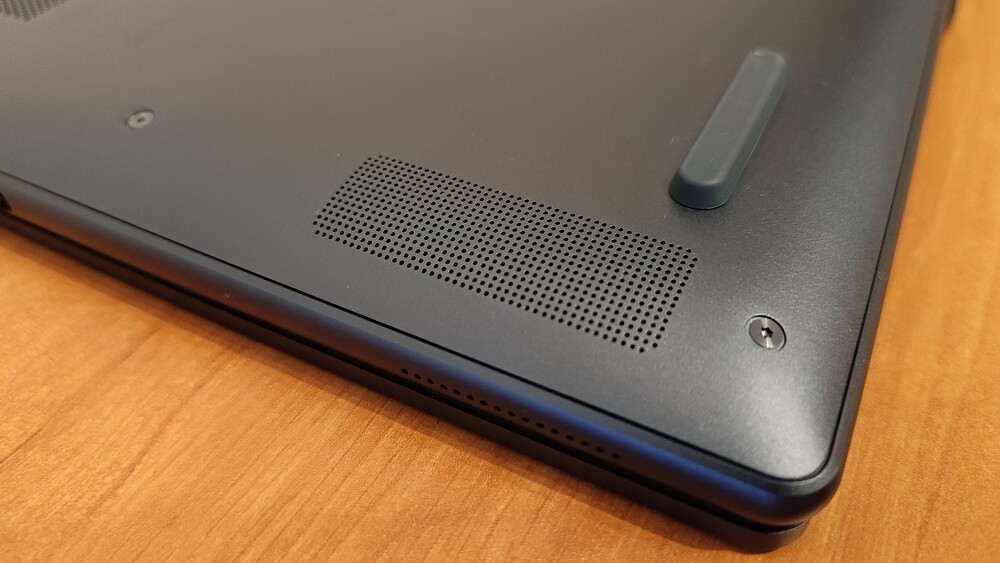
In everyday use, the stereo system proved remarkably powerful. Games, movies, series, even ordinary system sounds – everything comes through loud, clear, and with a pleasant sense of space. For headphones, there’s the classic 3.5 mm combo jack if needed.
Overall, I genuinely liked the sound on the Lenovo Yoga Pro 9i Aura Edition. It’s one of those rare cases where the laptop’s built-in speakers are sufficient even for listening to Spotify without external audio. Sure, sometimes you might wish for deeper bass or more detail in complex tracks, but for a laptop, this is a very strong performance.
Read also: Acer Predator Helios Neo 18 AI PH18-72 Review: Desktop-Level Performance in a Laptop Form
Webcam, Microphone, and Biometrics
The webcam deserves special attention – a rare case for Windows laptops where it’s not just “okay,” but genuinely good. Lenovo equipped the Yoga Pro 9i Aura Edition with a 5-megapixel sensor, and it performs impressively well. Windows Hello works almost instantly – you open the lid, look at the screen, and the laptop is already unlocked. No password juggling needed. Sure, there’s no fingerprint scanner, but with a solid webcam, you barely miss it.
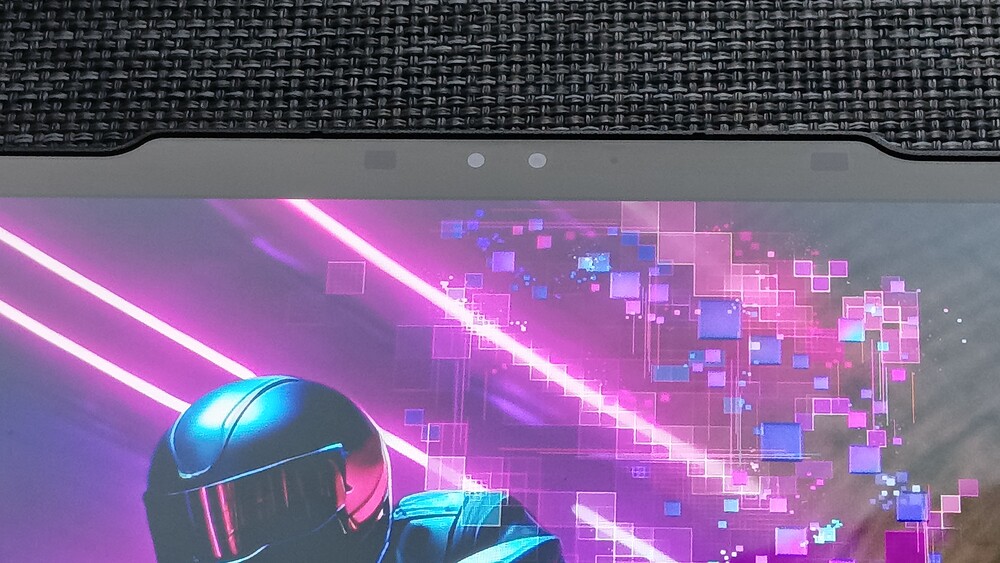
For video conferencing, the webcam performs more than adequately. It offers a wide field of view, sharp image quality, and a natural white balance even in evening lighting. For a laptop, this might sound impressive – and it is: the Yoga Pro 9i Aura Edition really delivers. Occasionally, you might notice a slight amount of noise, but overall, the quality is far above what you typically see in Windows laptops.
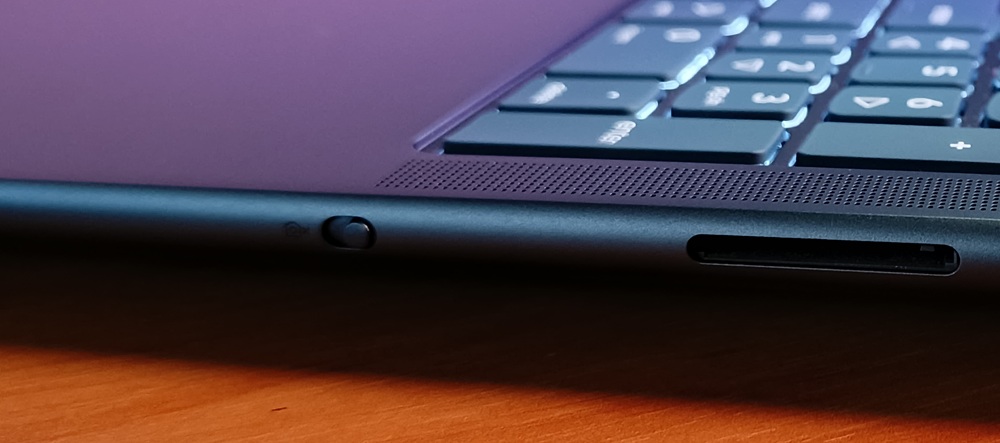
There’s no physical shutter, which is probably the only drawback in this design. Lenovo partially compensates with a hardware switch on the side: flip it, and the camera is completely disabled. Simple and effective.
As for the microphones, unfortunately, there are no surprises. They capture voice clearly and naturally – no compression artifacts or metallic echoes. However, noise cancellation is weaker: they pick up everything around, including fan noise, claps, and random clicks – things that other laptops already manage to filter quite well. It won’t interfere with your conversation, but it’s far from perfect.
High performance: Intel Core Ultra 9 285H and GeForce RTX 5070
At the heart of the Lenovo Yoga Pro 9i Aura Edition is the 16-core, 16-thread Intel Core Ultra 9 285H from the Arrow Lake family. This processor finally allows Intel to take a confident step toward “performance without compromise.”

Graphics are handled by two solutions: the integrated Intel ARC 140T and the discrete NVIDIA GeForce RTX 5070. With Optimus enabled, the laptop automatically switches to the RTX 5070 for demanding tasks – from 3D rendering to intensive gaming. The entire setup is built on TSMC’s N3B process, allowing the laptop to run faster, cooler, and more efficiently in terms of battery usage.
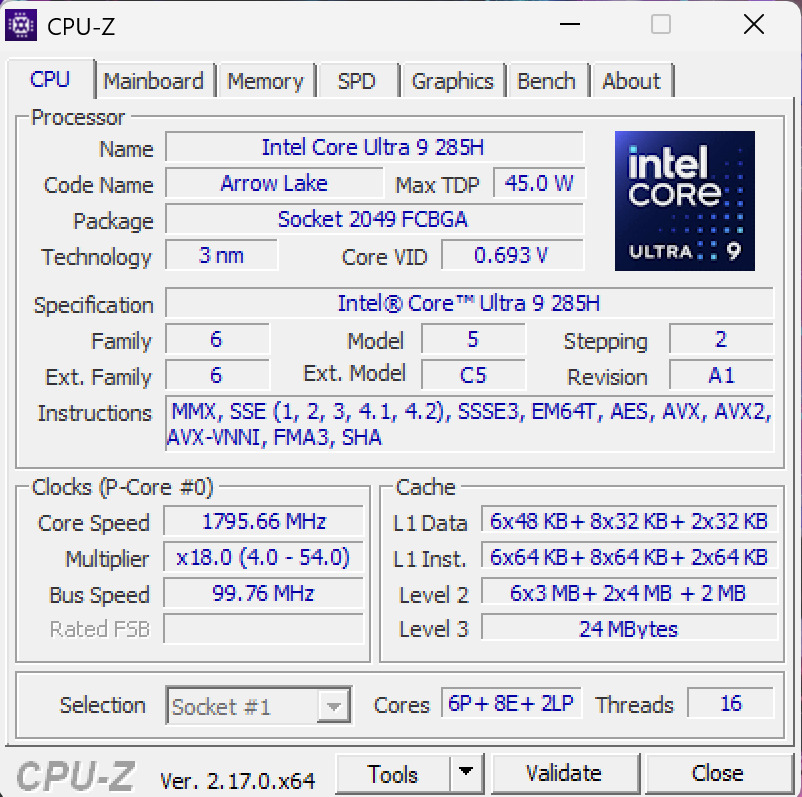
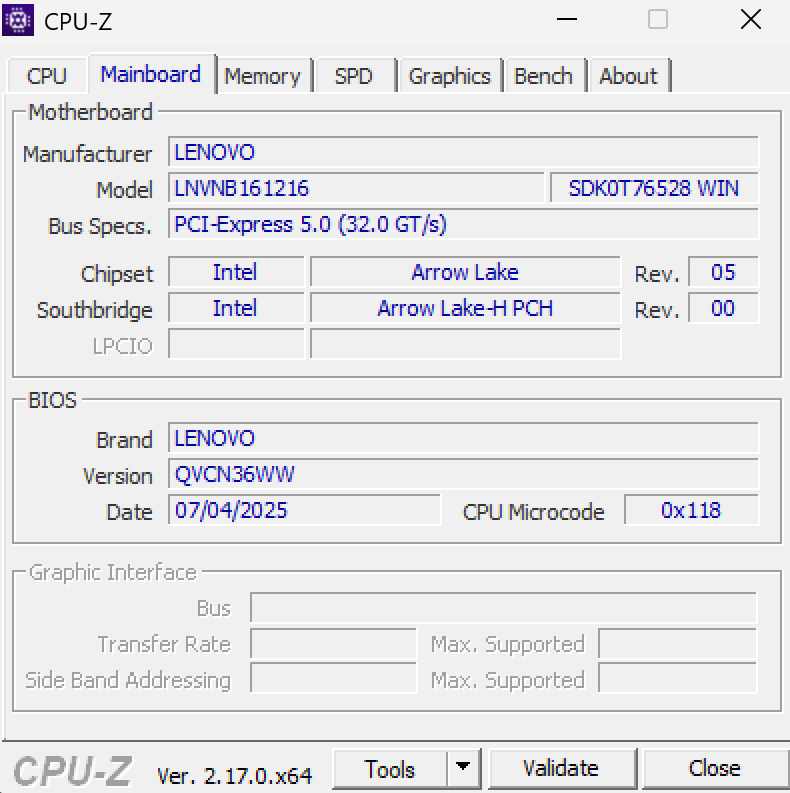
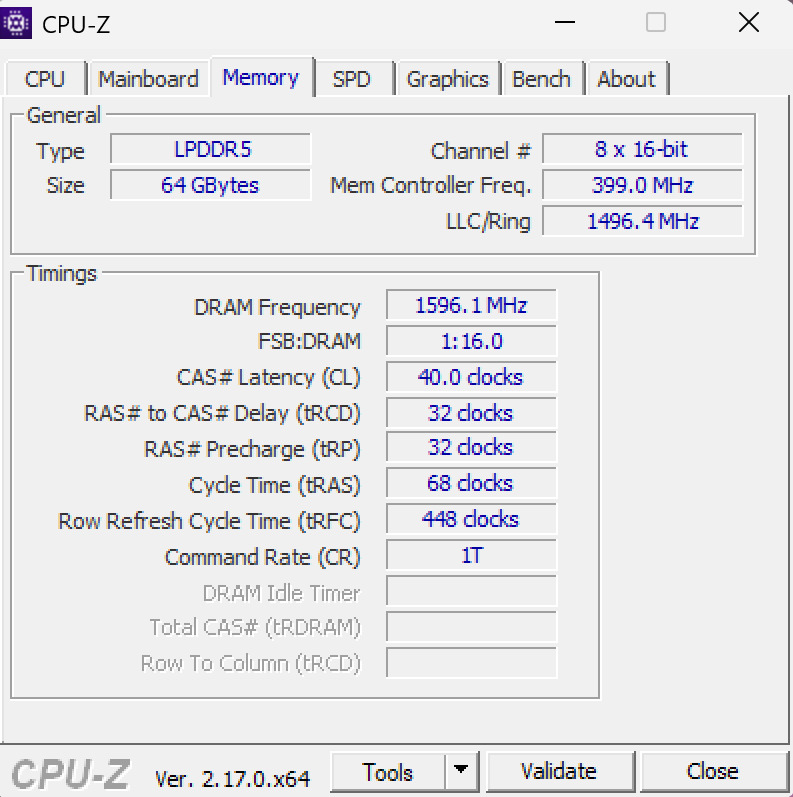
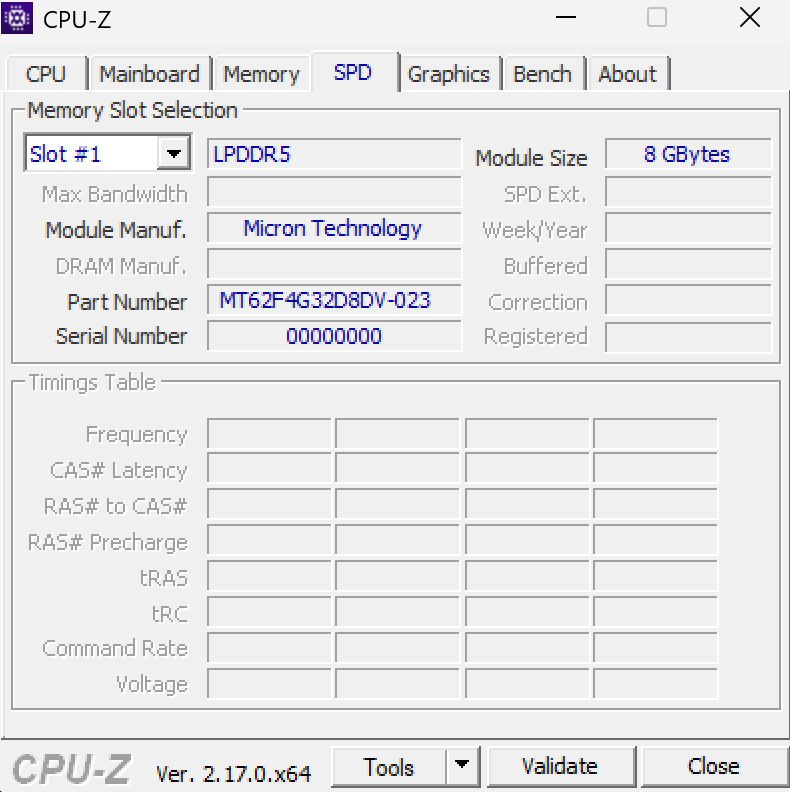
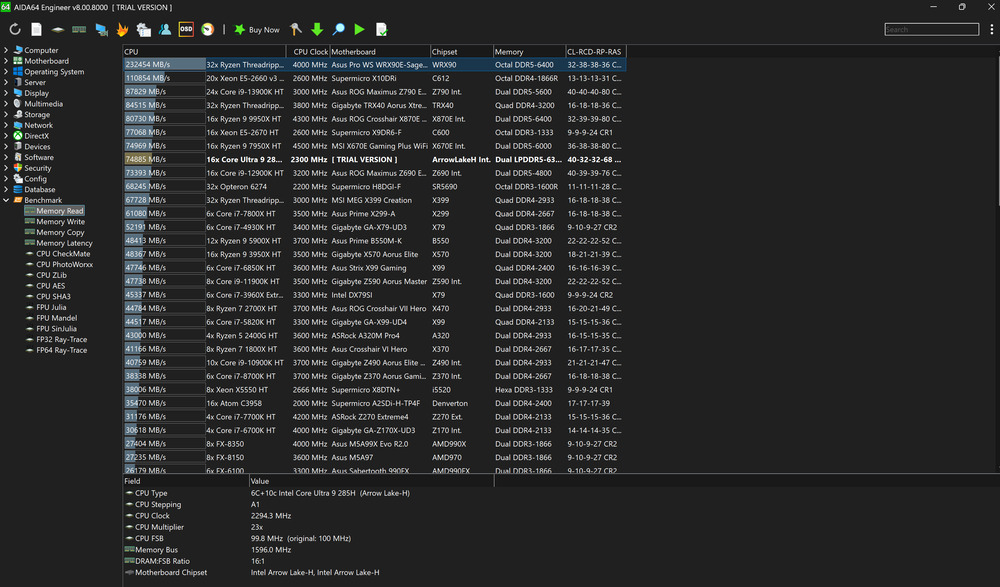
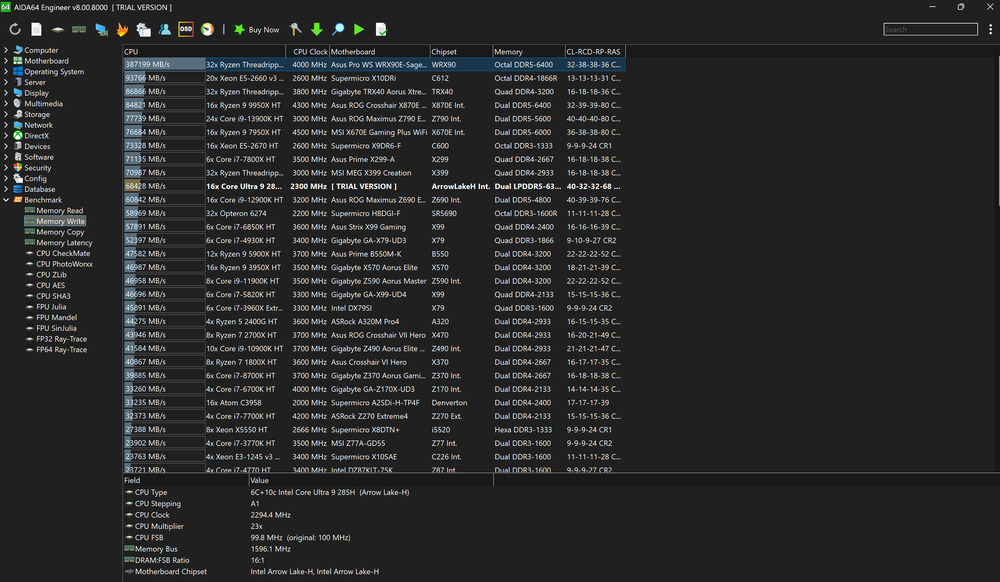
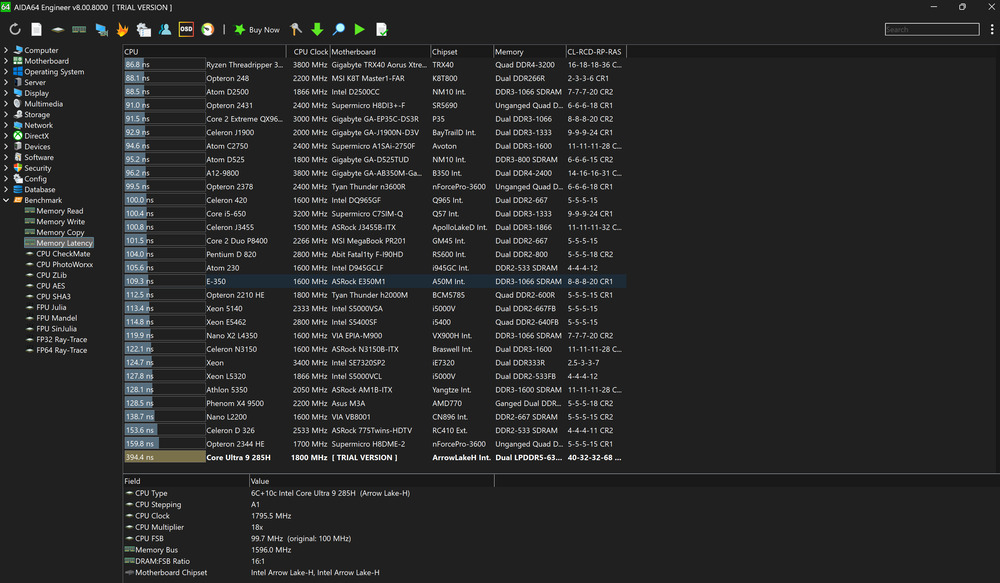
Lenovo equipped the Yoga Pro 9i Aura Edition with 64 GB of LPDDR5X‑8400 RAM. Unfortunately, it’s soldered onto the motherboard, so upgrades aren’t possible, but the capacity is more than sufficient even for the most demanding workloads.

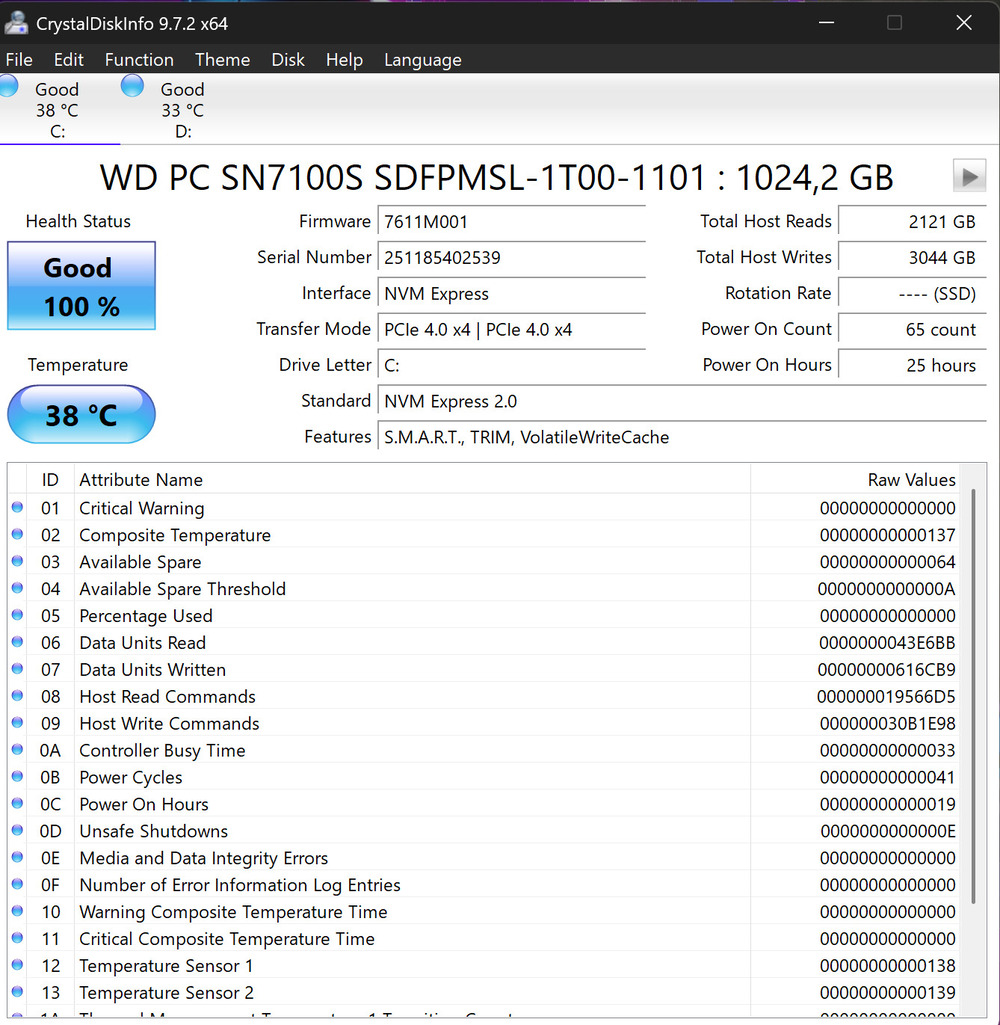
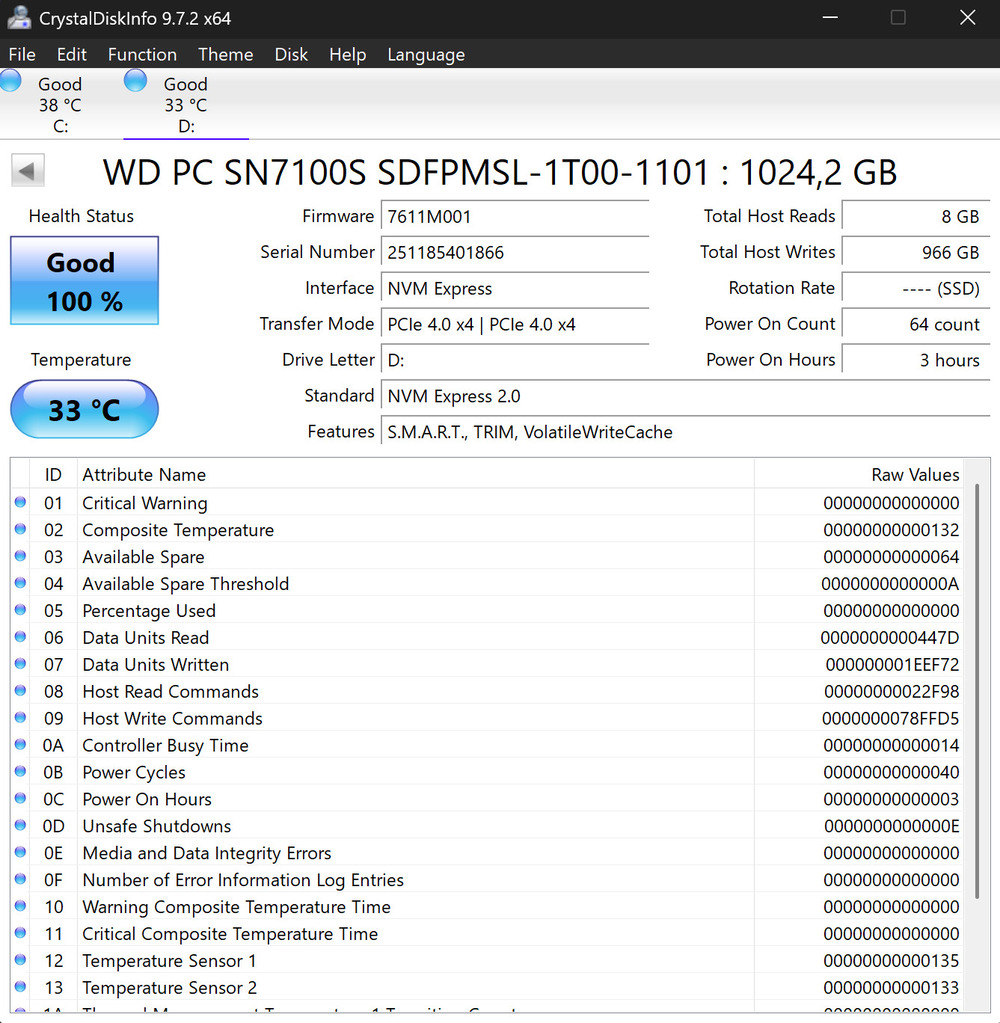
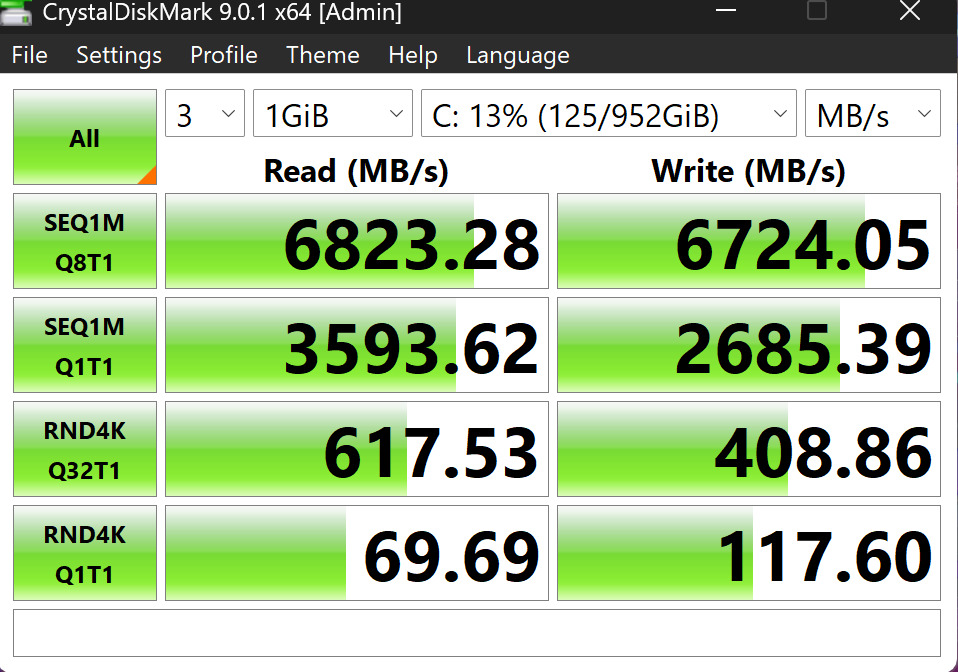
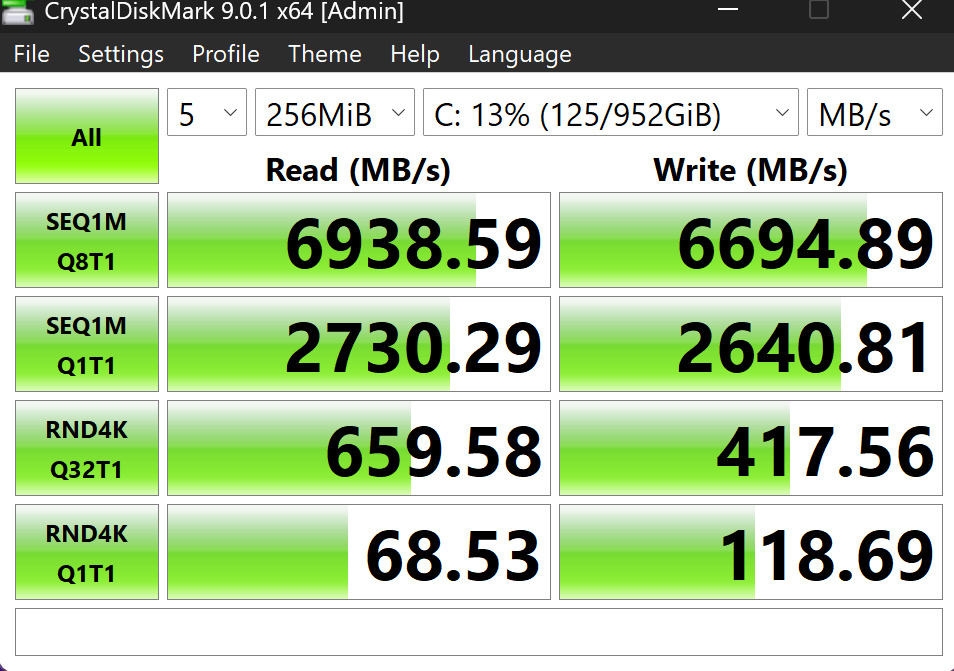
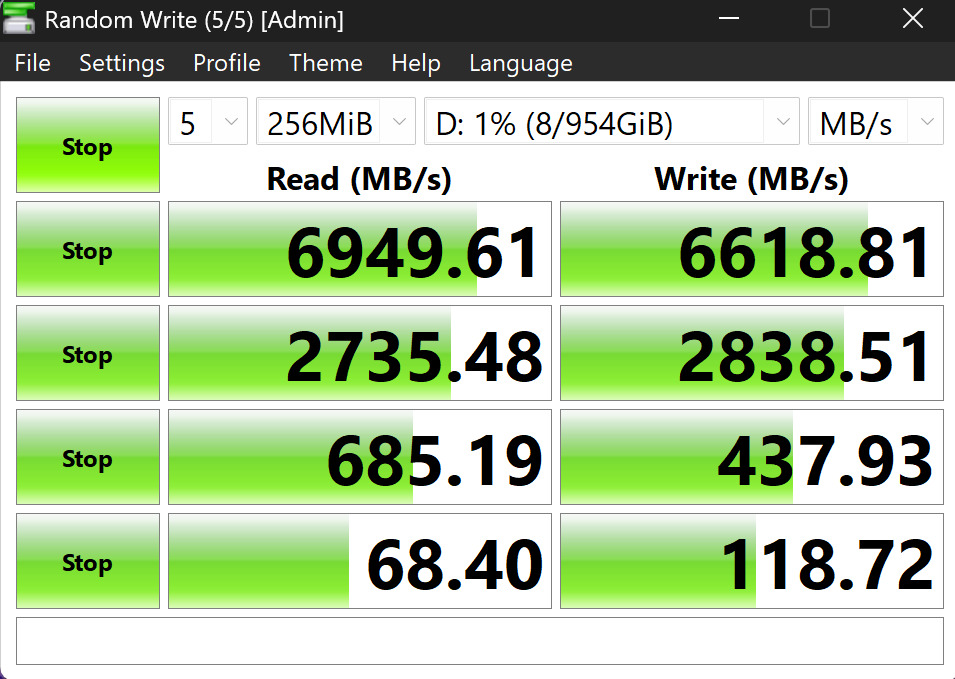
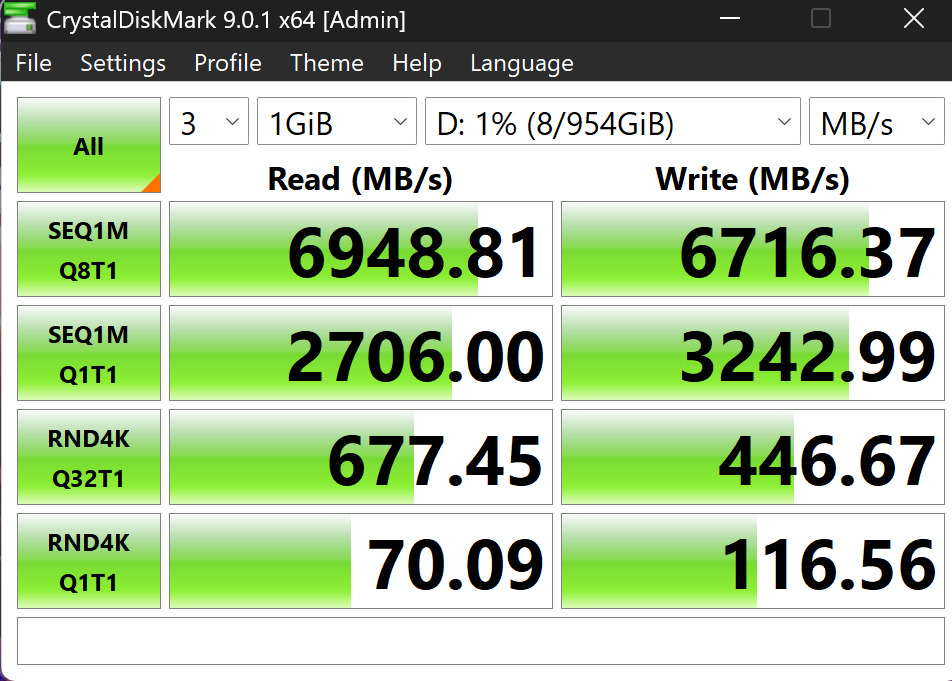
The laptop also houses two PCIe Gen4 SSDs (1 TB each in our test configuration), providing excellent read/write speeds and ample storage capacity.
Processor: what’s inside Arrow Lake
The Intel Core Ultra 9 285H is no longer just “another mobile processor.” It features a hybrid architecture with high-performance Lion Cove cores and efficient Skymont cores, both of which have undergone the most significant updates in recent years.
The Lion Cove cores have been seriously overhauled. The branch prediction units have been expanded, decoding width increased, the number of micro-operations raised, and the Out-of-Order execution engine now has 18 execution ports compared to 12 in the previous generation. All of this allows the CPU to handle heavy multithreaded workloads and complex single-threaded tasks much more efficiently.
Skymont cores are equally impressive. With a larger μOP queue, wider instruction fetch, more execution ports, and faster FP instruction handling, the E-cores now reach a level previously hard to imagine. Arrow Lake handles both intensive rendering and browsing with 50 tabs open effortlessly, without pauses or strain.
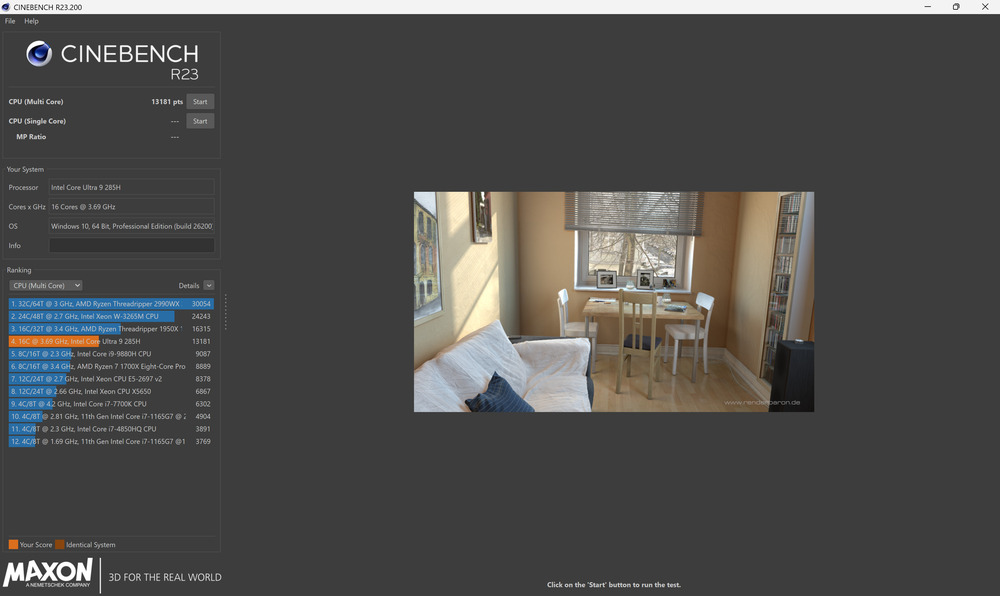
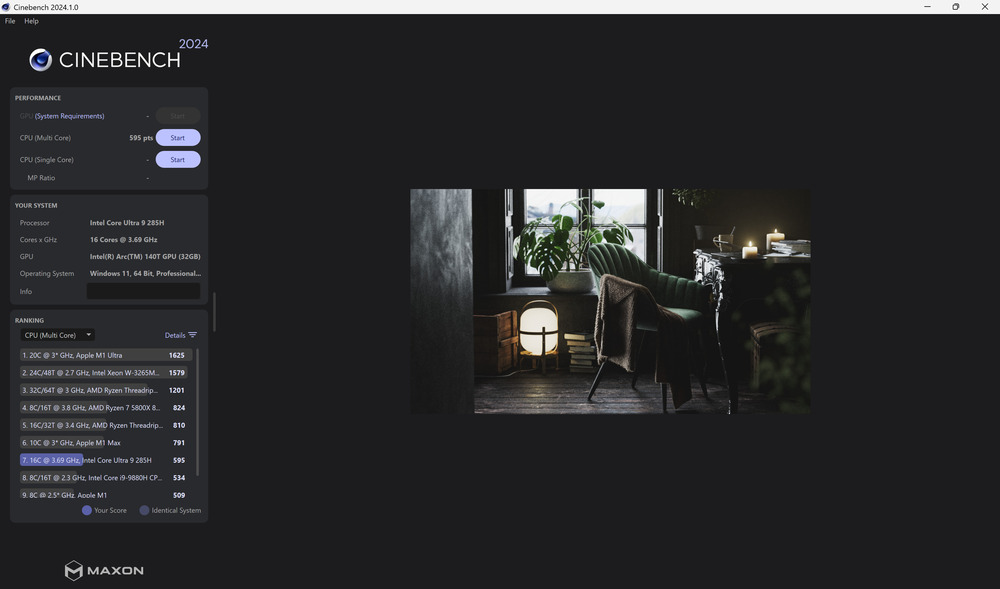
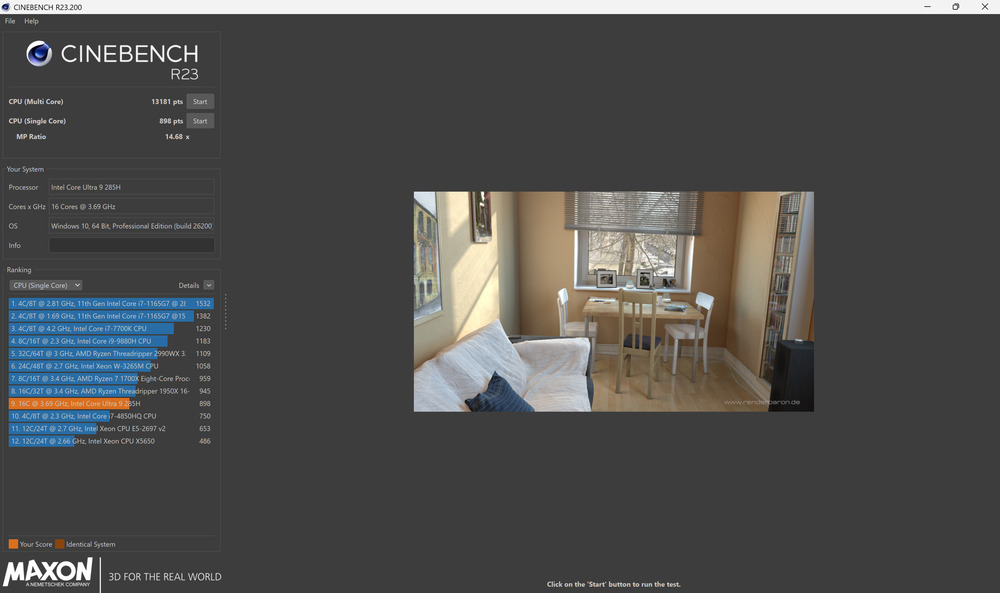
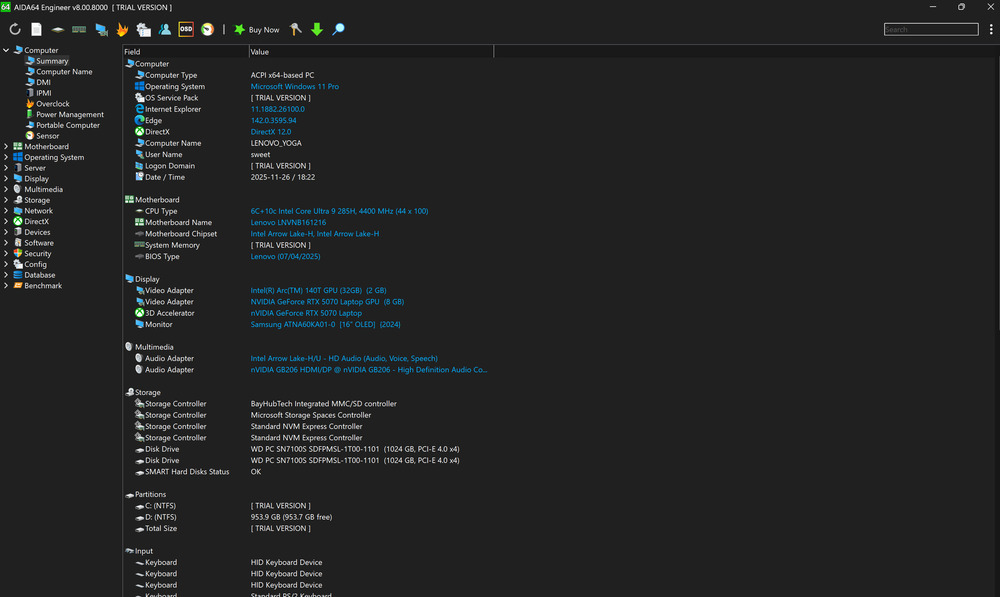
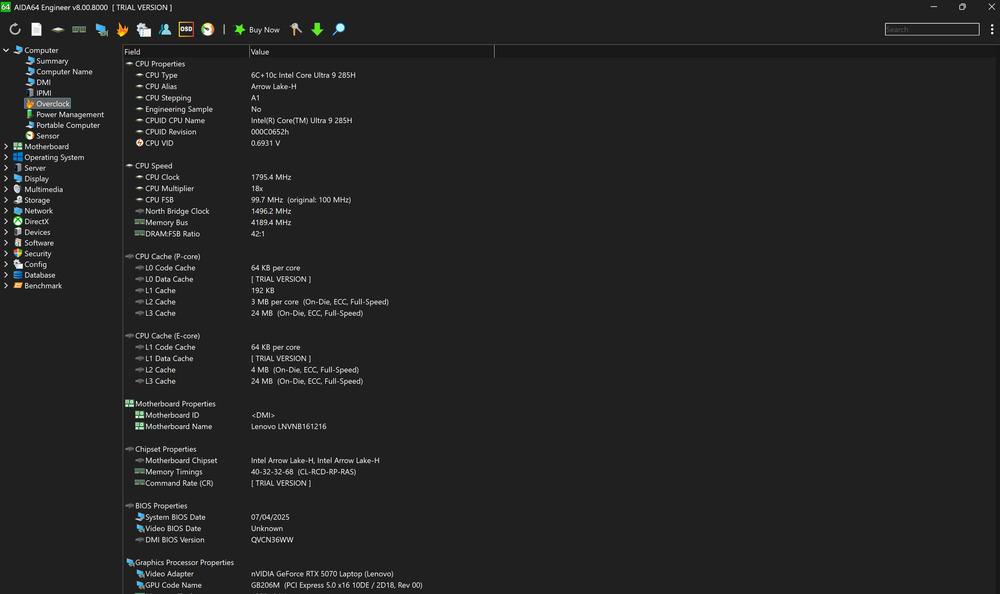

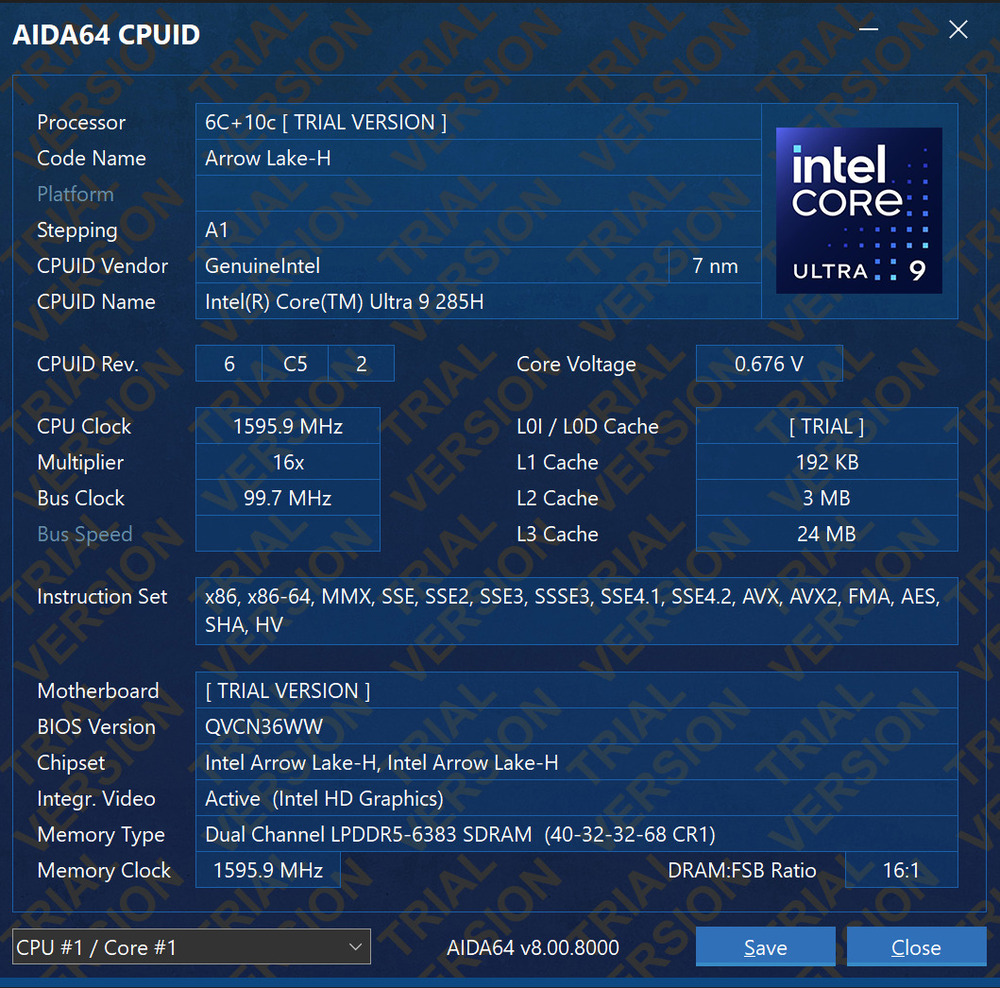
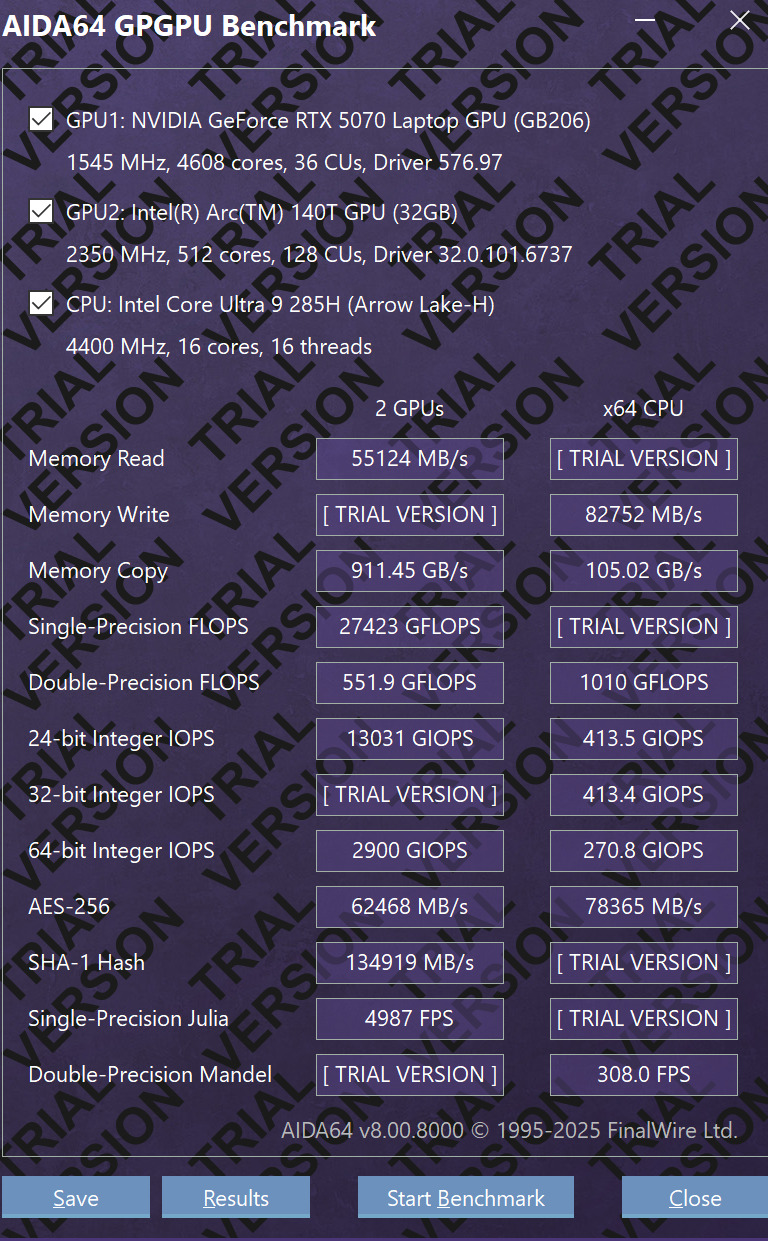
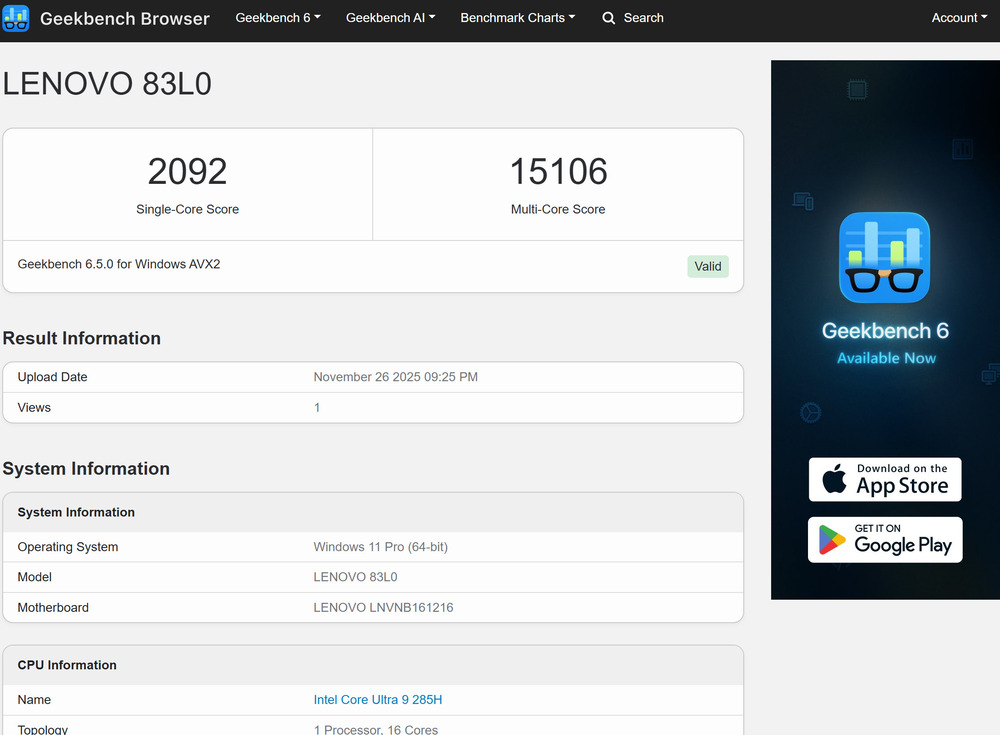
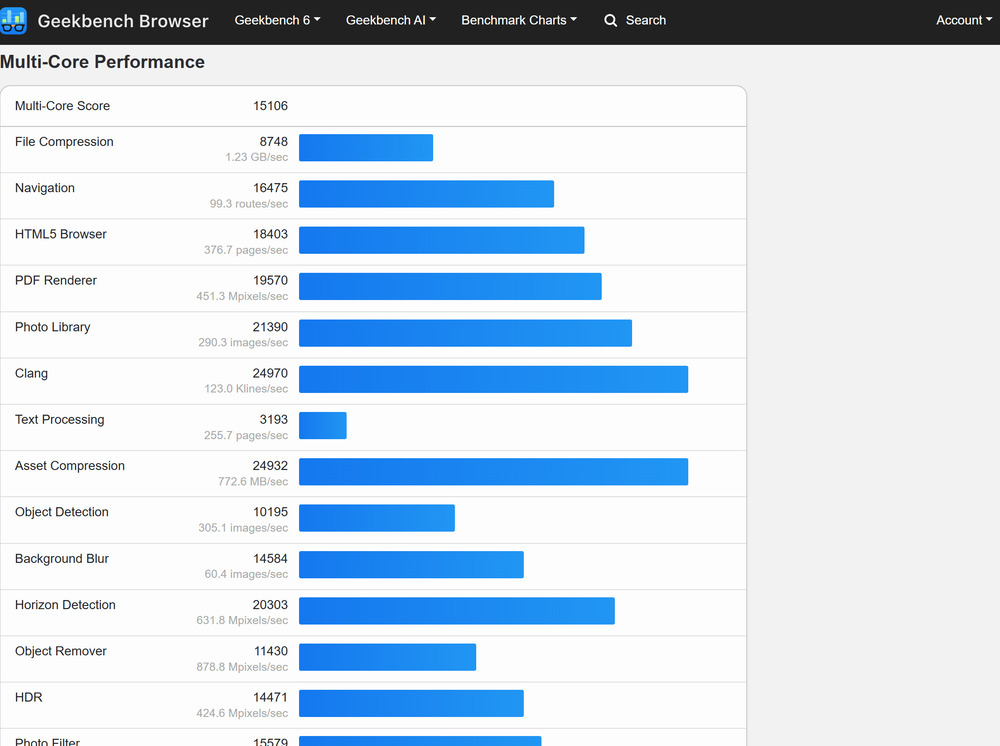
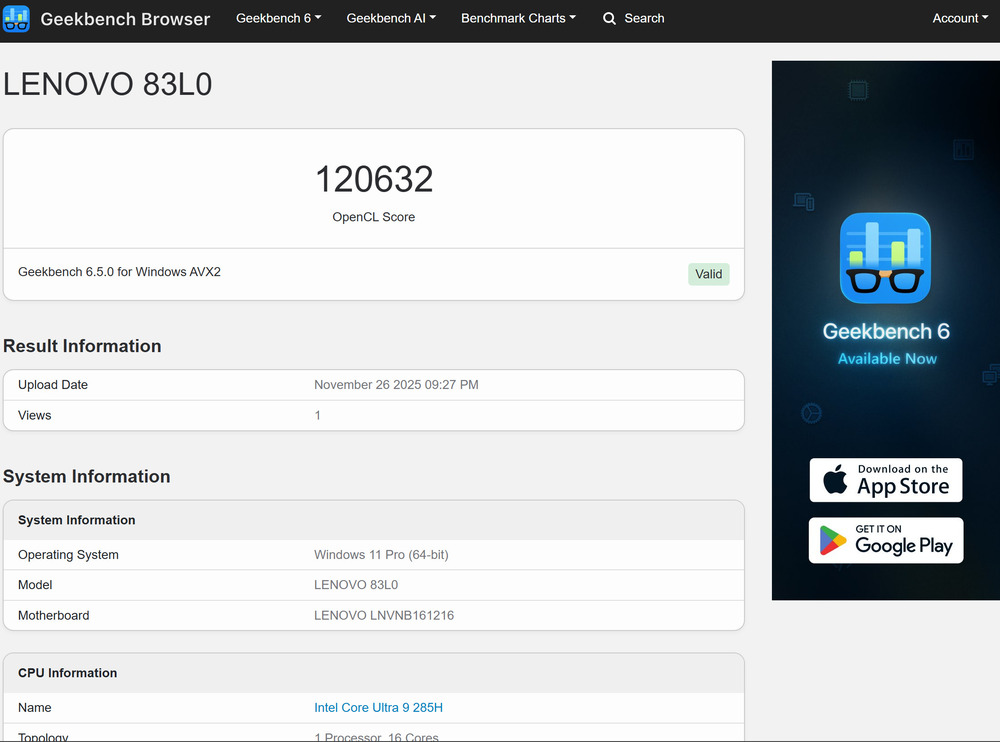
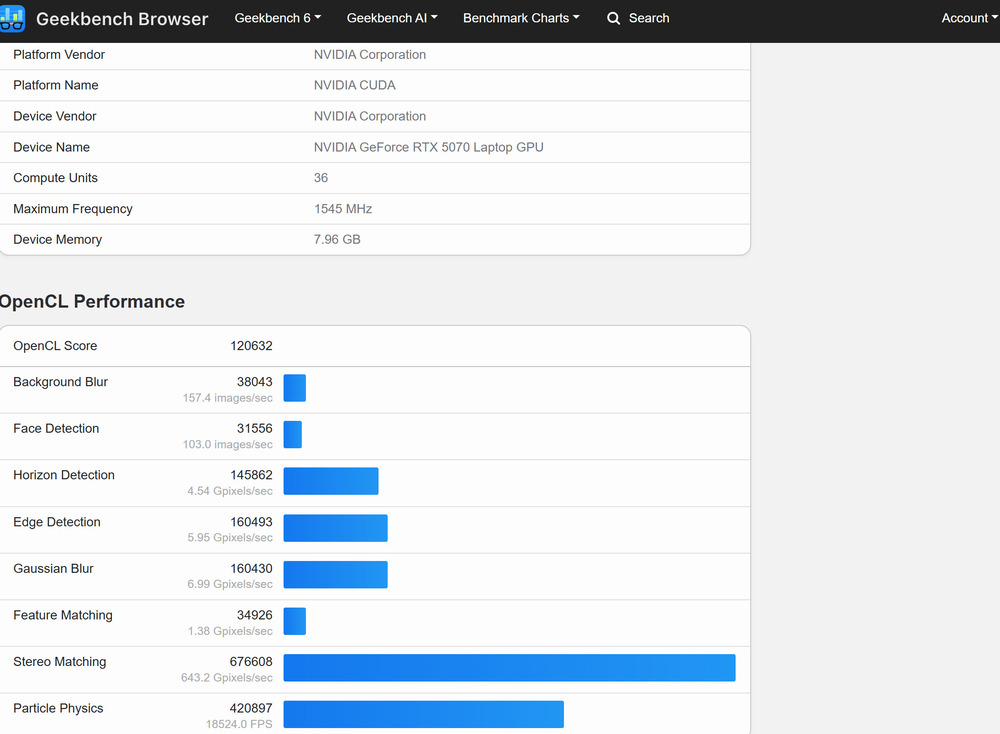
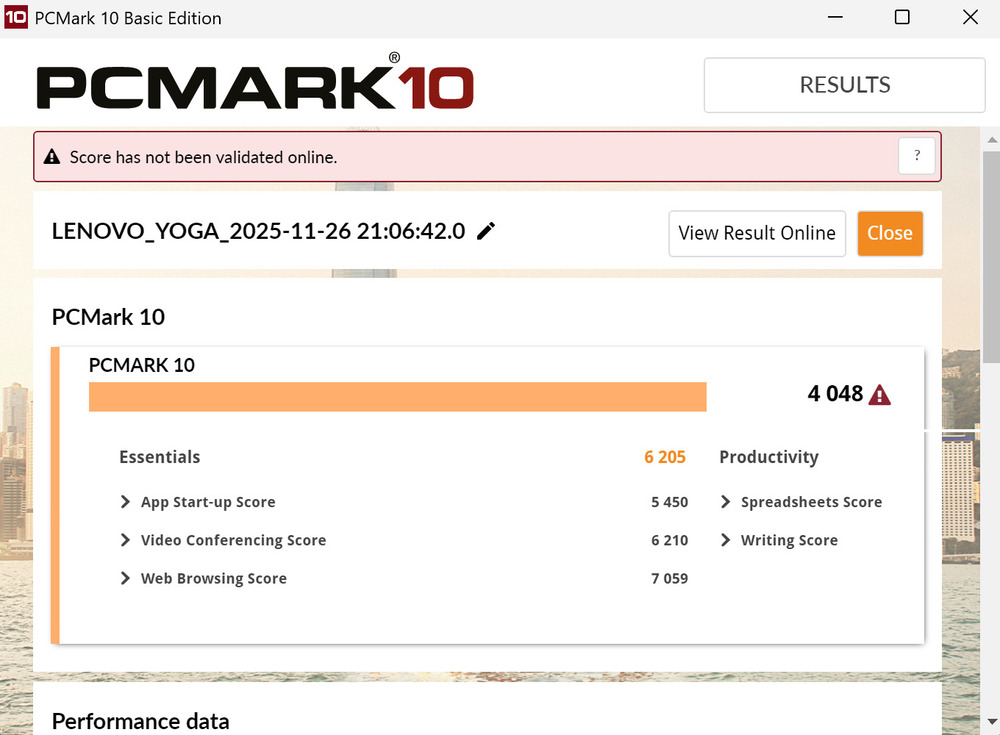
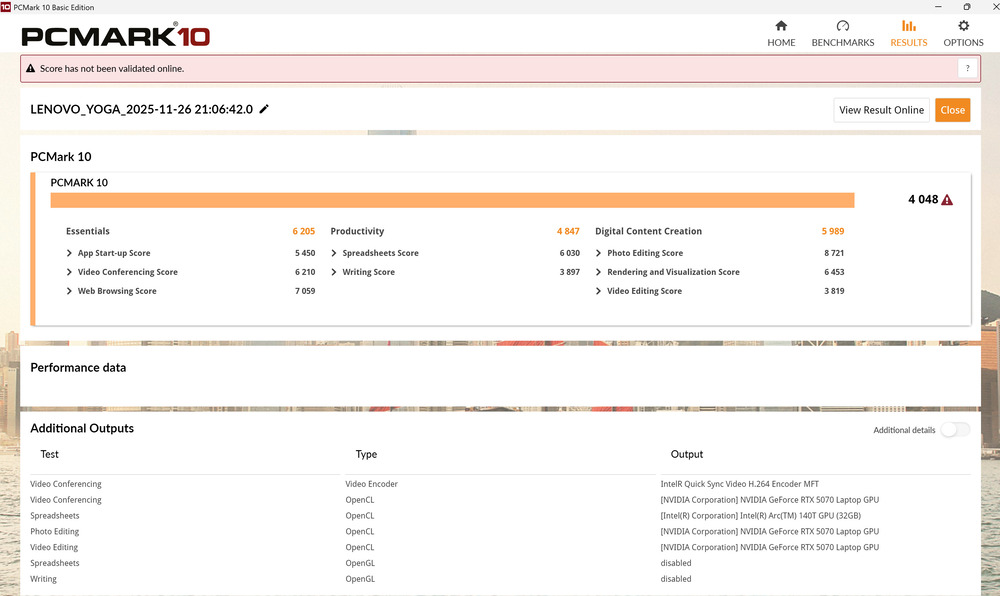
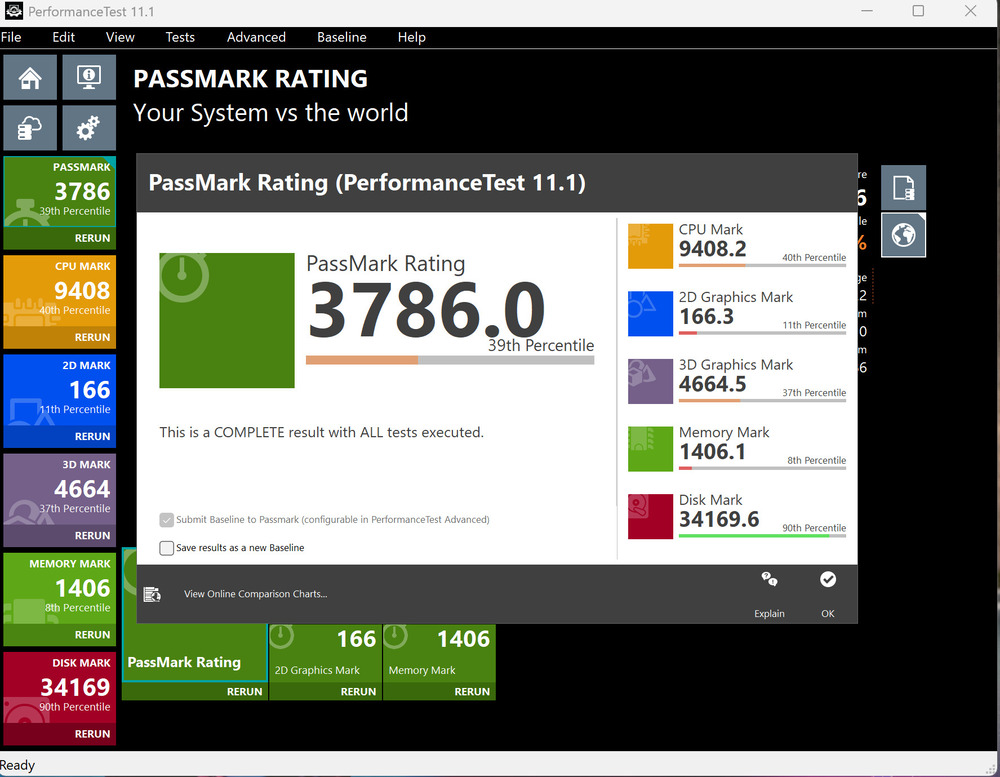
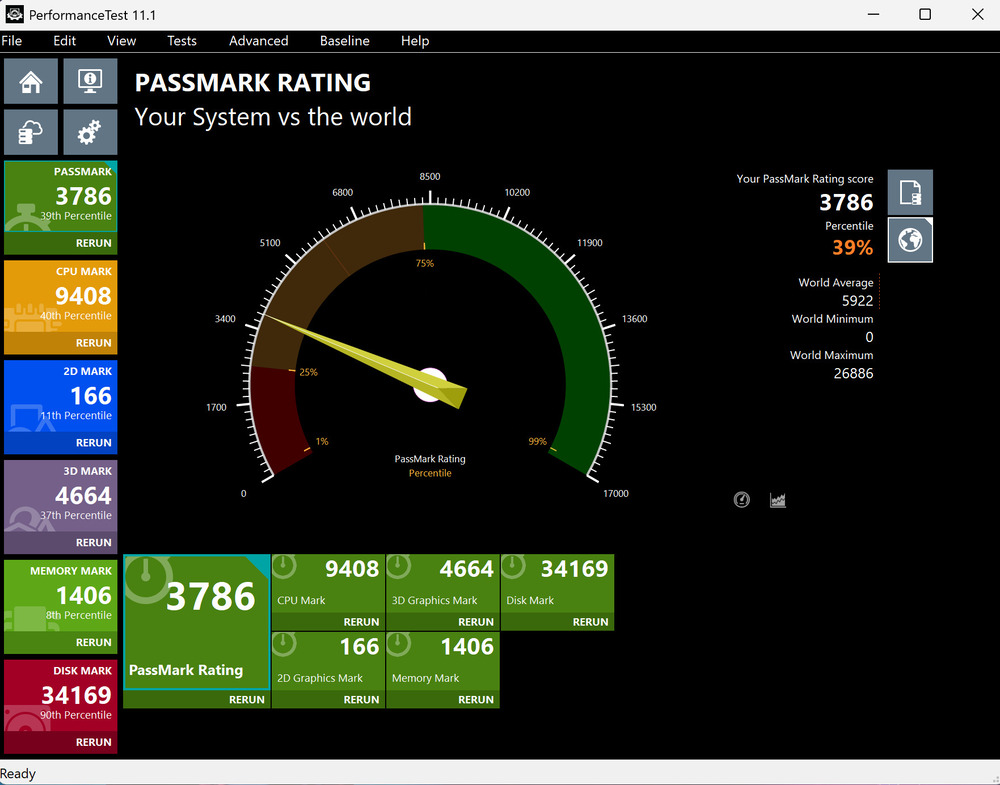
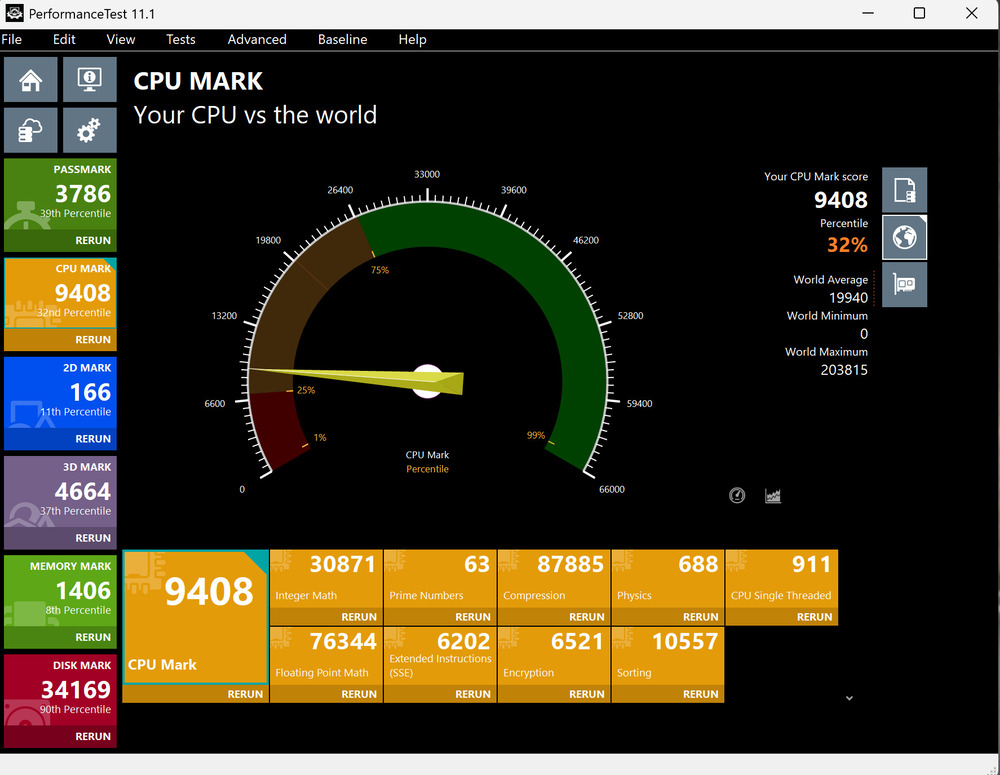
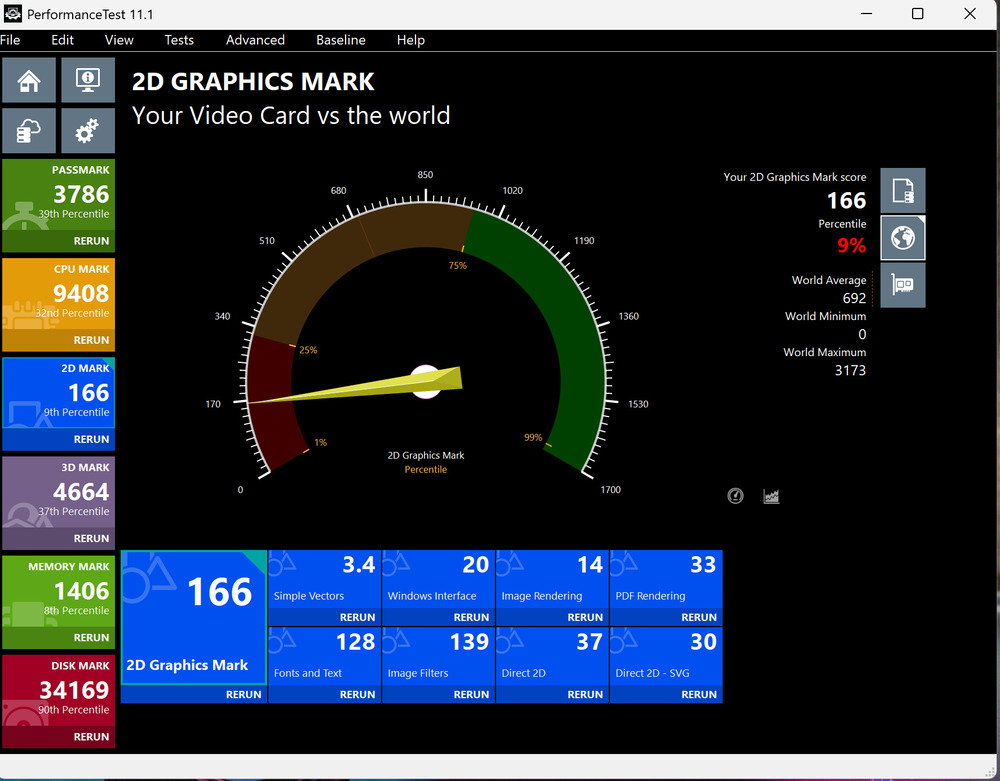
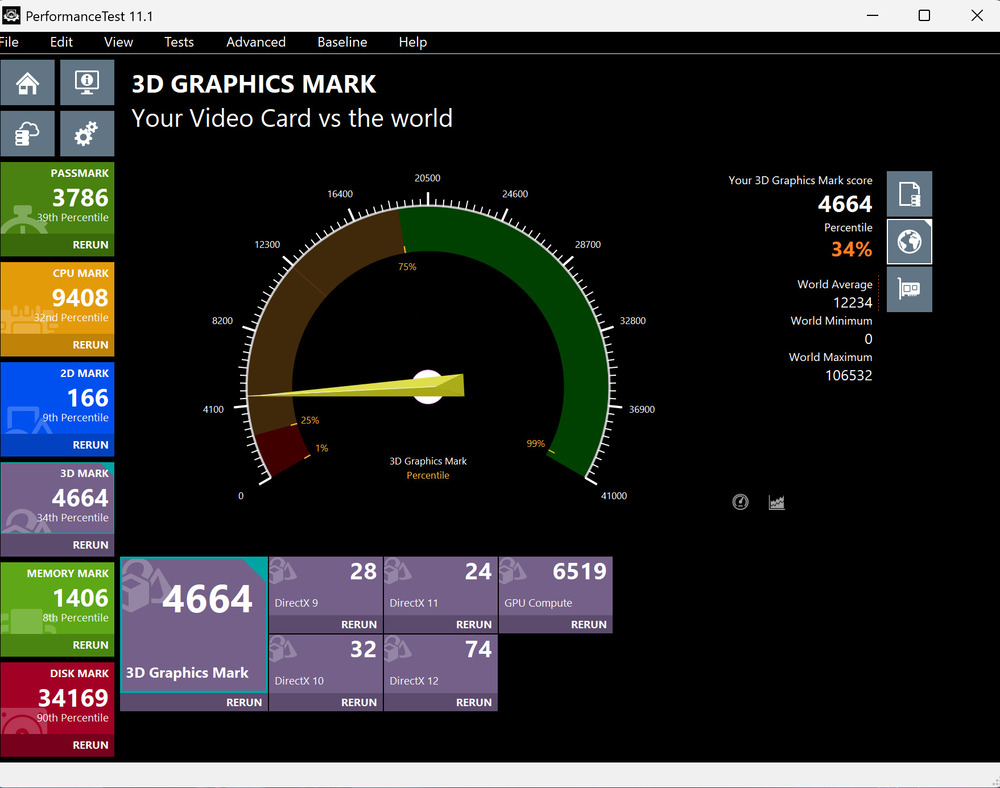
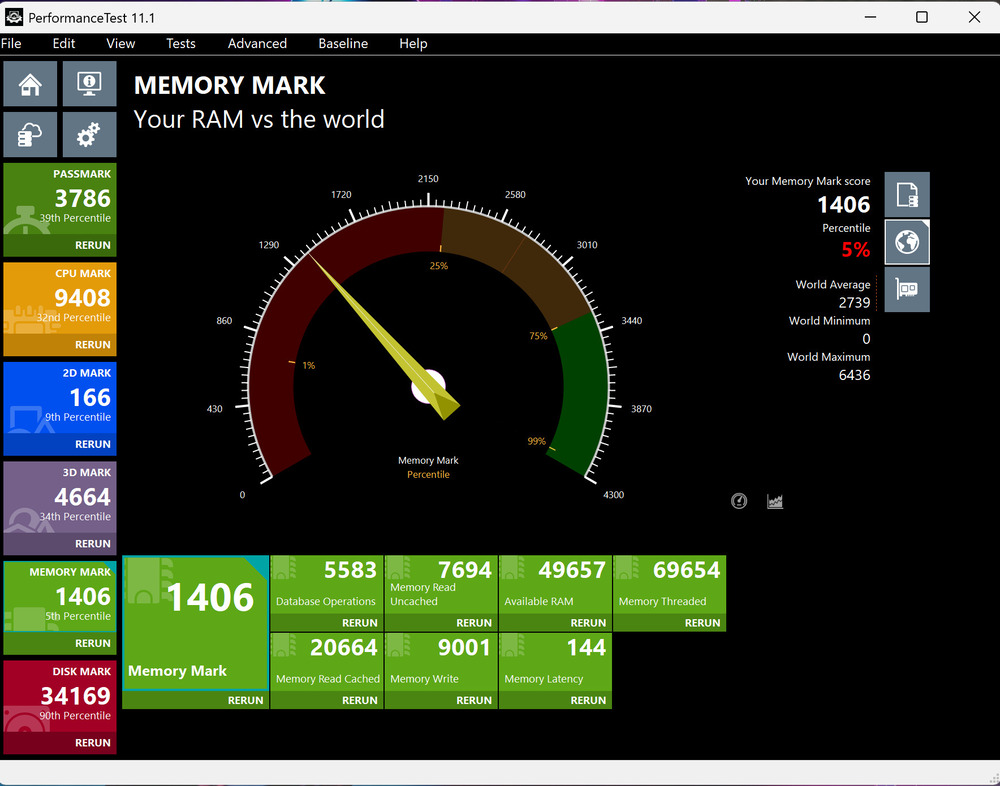
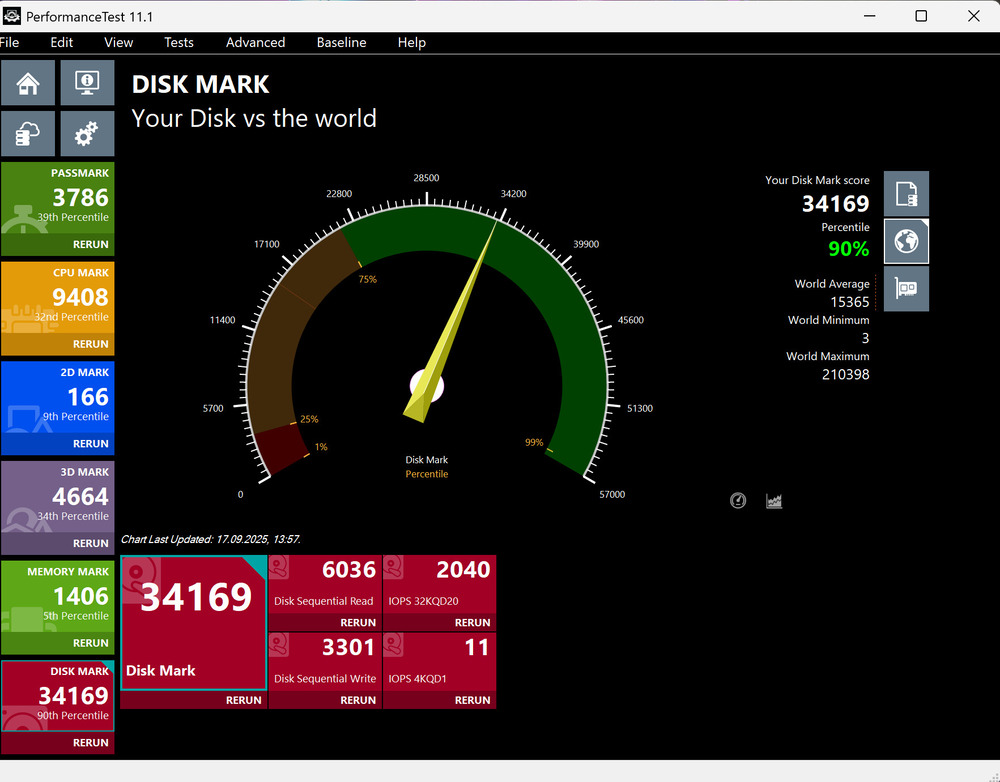
In synthetic benchmarks, the Ultra 9 285H performs as a modern, fast, and well-balanced processor. It does not deliver any groundbreaking results but maintains consistently strong performance.
Intel ARC 140T graphics
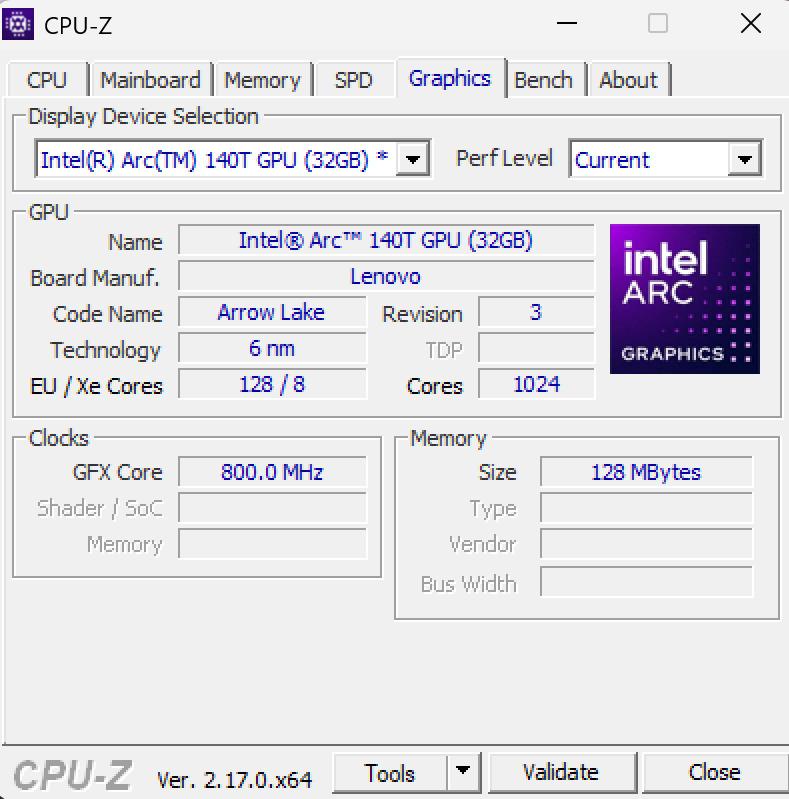
The integrated graphics in this model is the Intel ARC 140T. Notably, this is not the ARC 140V from Lunar Lake but an updated Xe-LPG+ architecture. In addition to general optimizations, Intel has included XMX cores, which enable accelerated AI computations and support hardware-based XeSS in games.
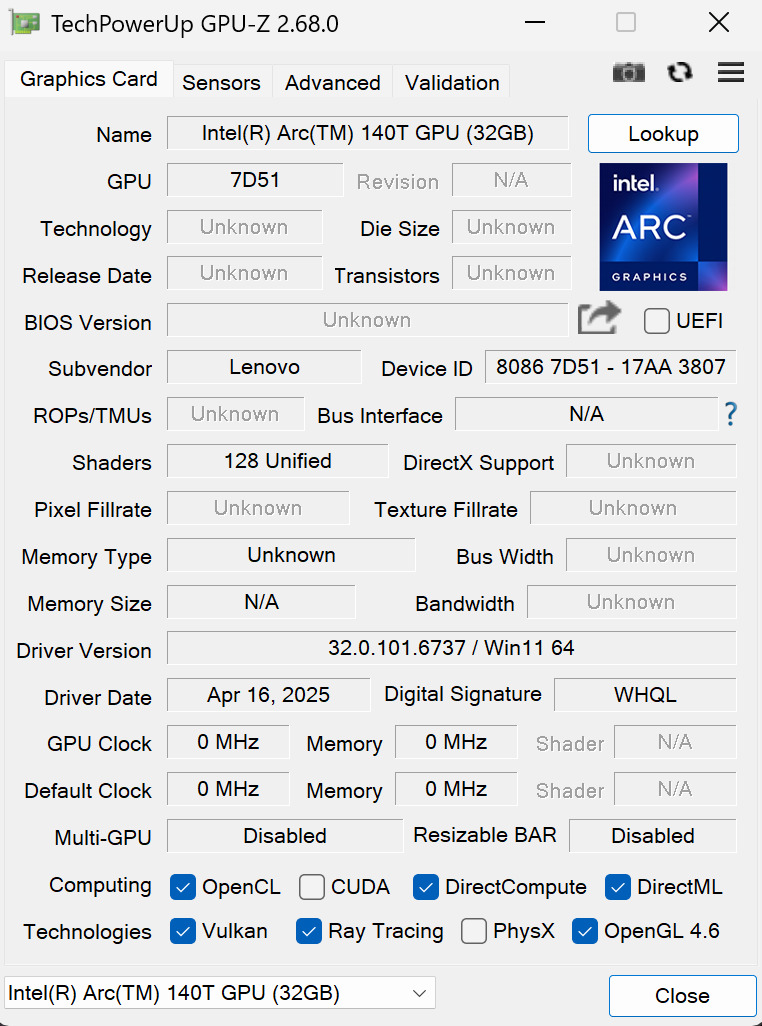
With 8 Xe cores, 8 RT cores, 1,024 FP32 processors, and a clock speed of 2,350 MHz, the integrated graphics is capable of handling a range of tasks. It performs particularly well in video processing, Adobe applications, and basic gaming scenarios.
GeForce RTX 5070: the star of graphics
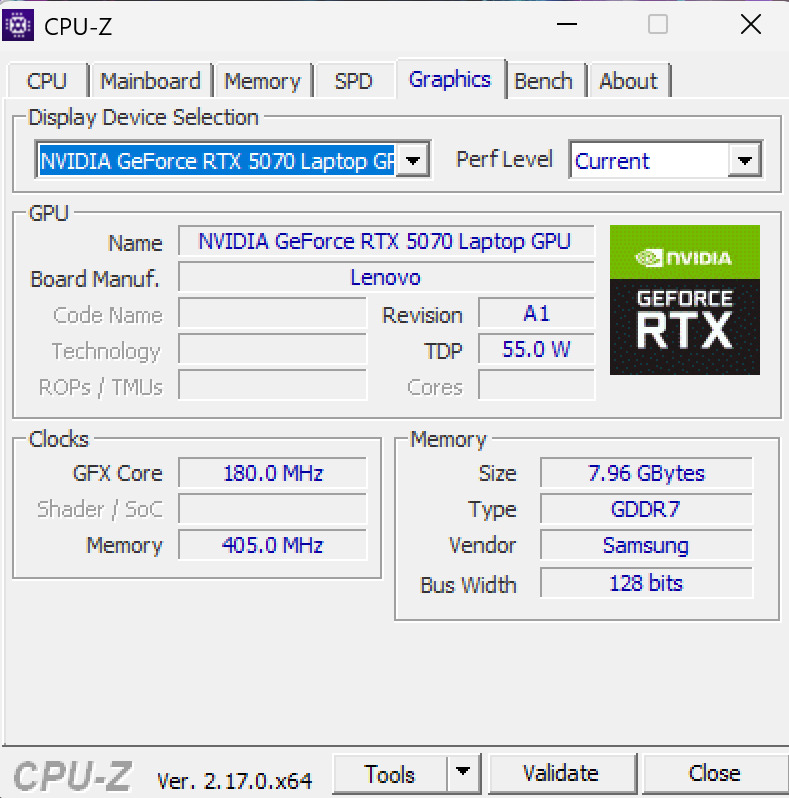
The discrete NVIDIA RTX 5070 represents a higher performance tier. The mobile variant, based on the Blackwell architecture with 4,608 CUDA cores and 8 GB of GDDR7 memory, delivers strong performance. Support for DLSS 4, including Multi-Frame Generation, helps maintain high efficiency even in demanding workloads.
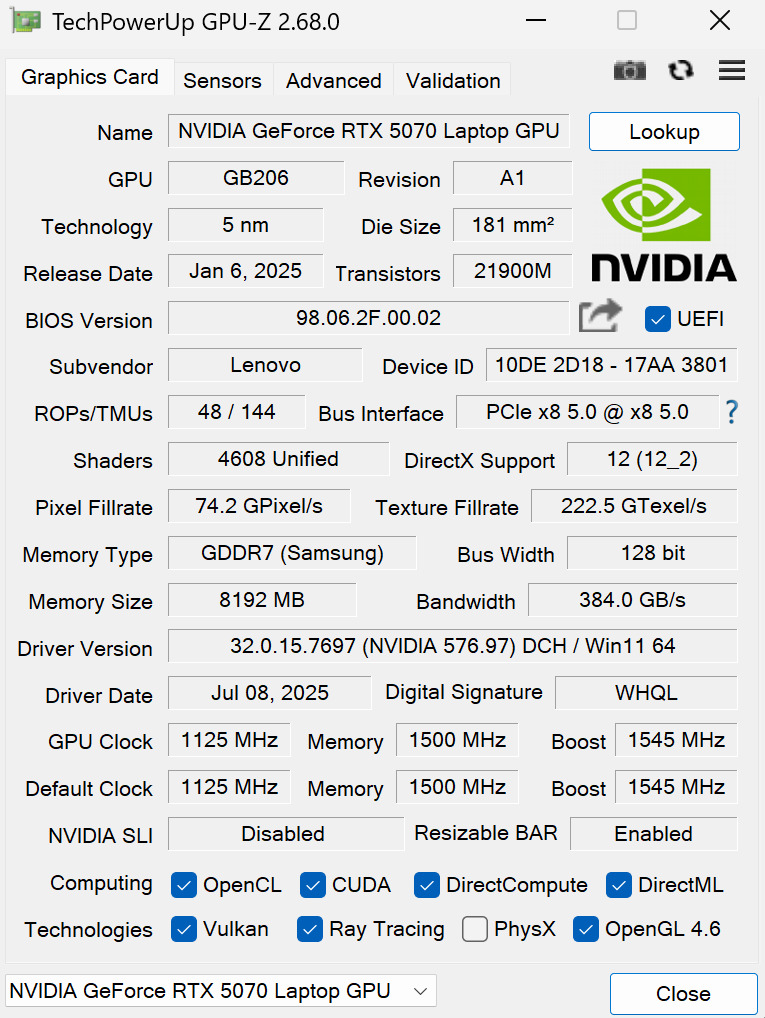
With a TGP of up to 115 W, the GPU delivers performance sufficient for smooth operation in Full HD and most workloads in Quad HD, particularly when the game or application utilizes modern upscaling technologies.
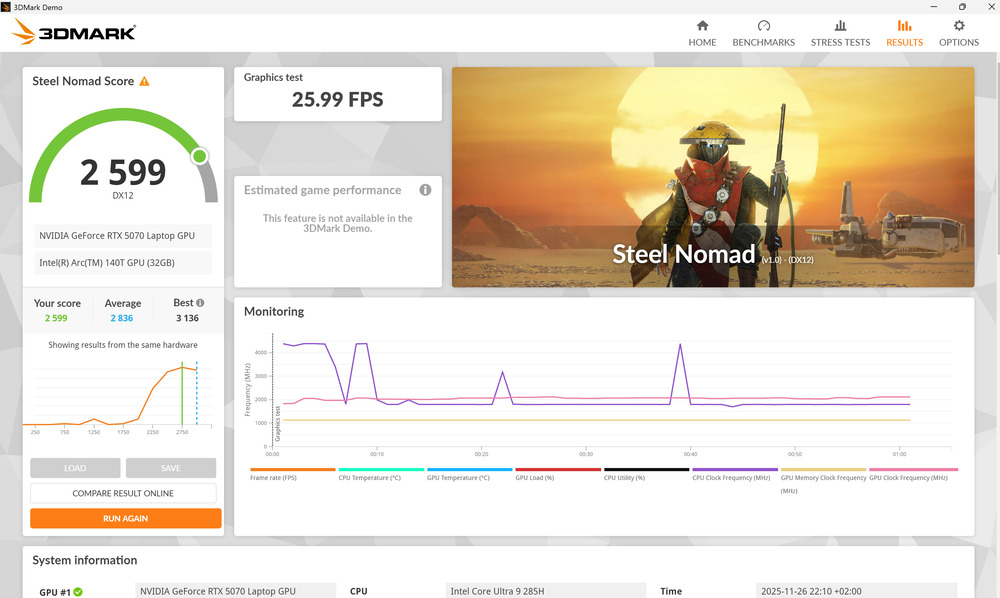
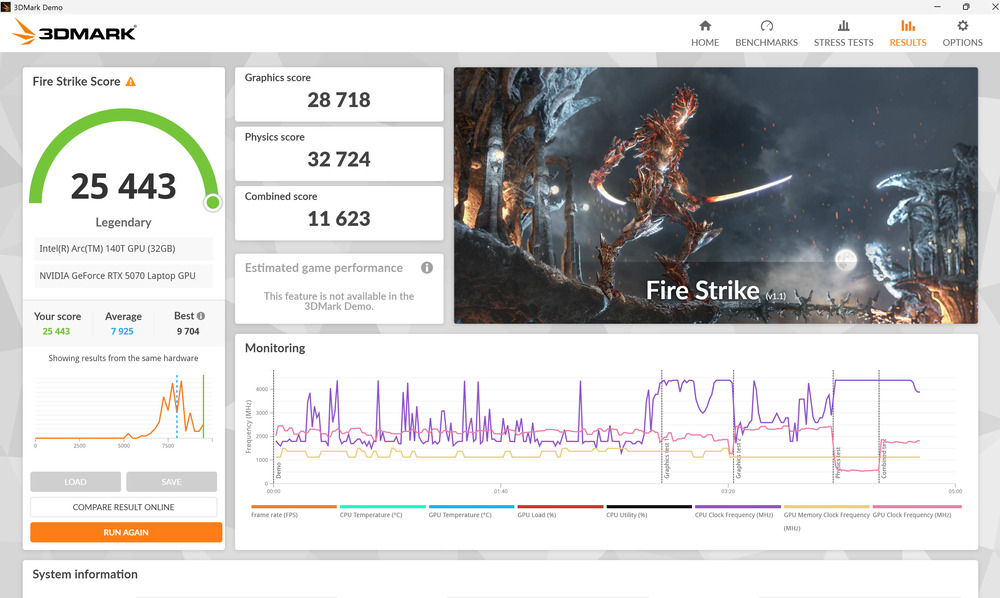
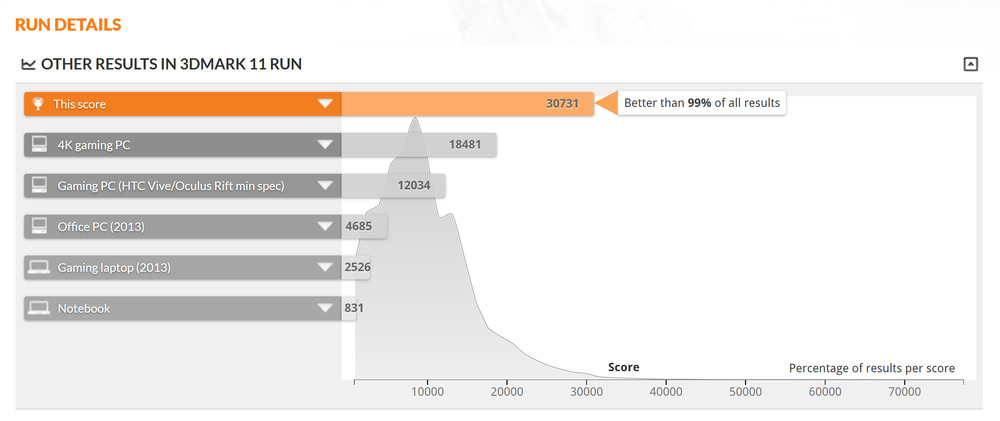
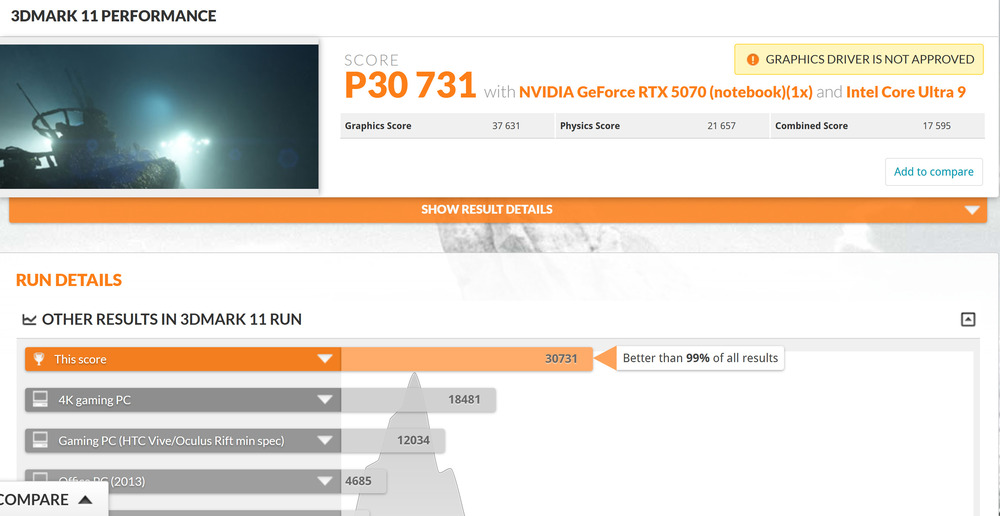
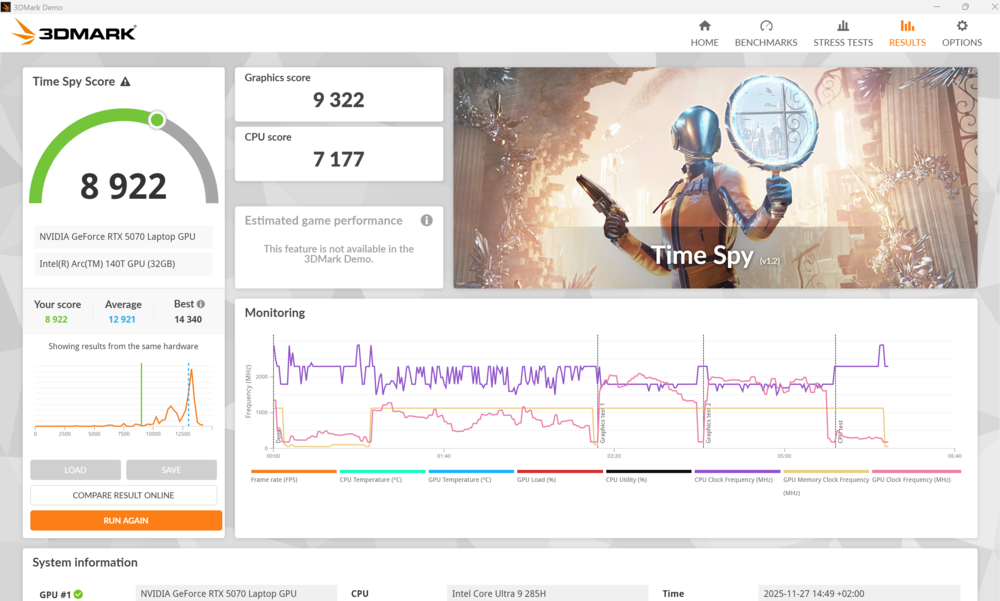
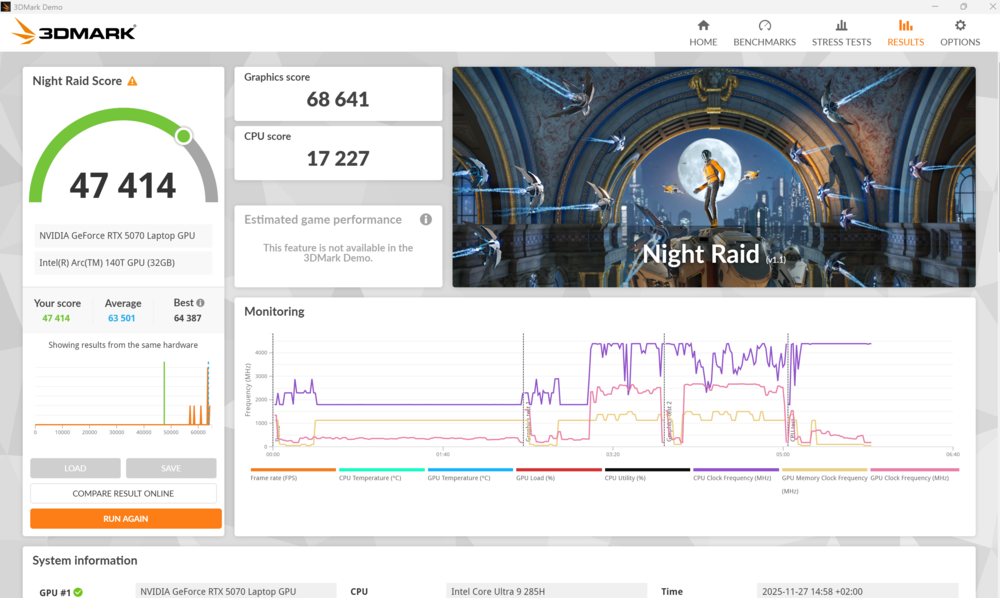
Combined – Arrow Lake CPU, ARC 140T integrated graphics, RTX 5070 discrete GPU, and 64 GB of LPDDR5X memory – the Lenovo Yoga Pro 9i Aura Edition offers a capable platform for professional workloads. Tasks such as video editing, 3D modeling, rendering, animation, complex graphics, and machine learning are handled efficiently, without noticeable strain. In this configuration, the laptop functions more like a compact workstation than a typical ultrabook.
Read also: Review of ASUS Zenbook Duo (2025) UX8406CA: Two Screens Are Definitely Not Overkill
Software
The Lenovo Yoga Pro 9i Aura Edition runs Windows 11 Pro, a clean and responsive operating system that functions independently. Lenovo includes its Vantage software suite, but, following an older and somewhat unpopular practice, also preinstalls McAfee. The latter can be safely removed, as Windows Defender provides adequate protection for most users, and additional antivirus software only consumes system resources and time.
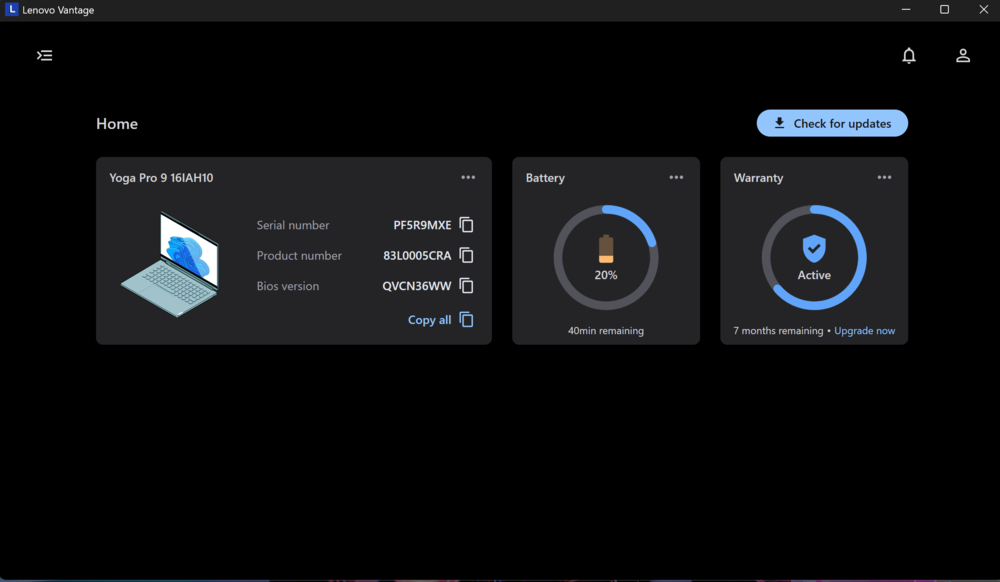
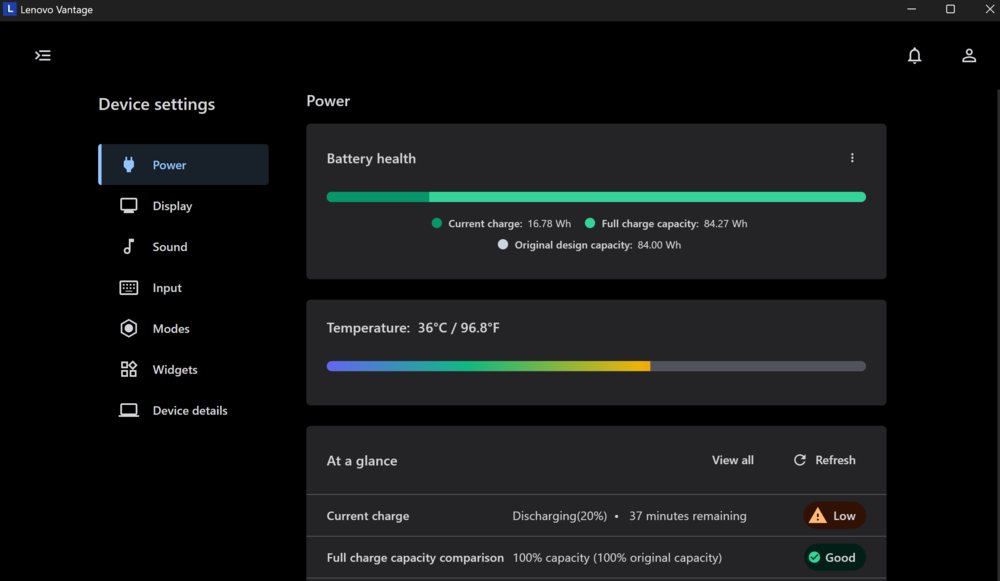
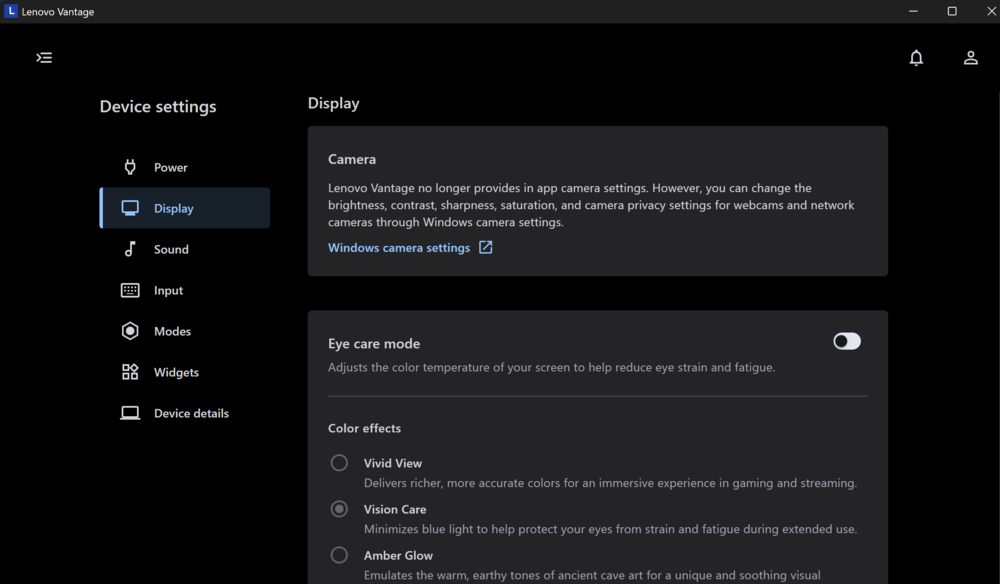
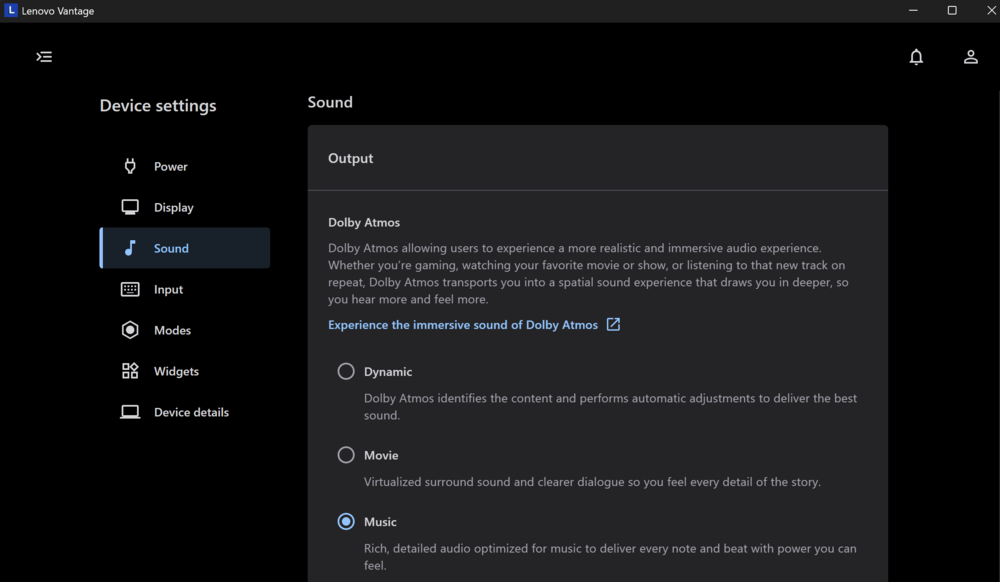
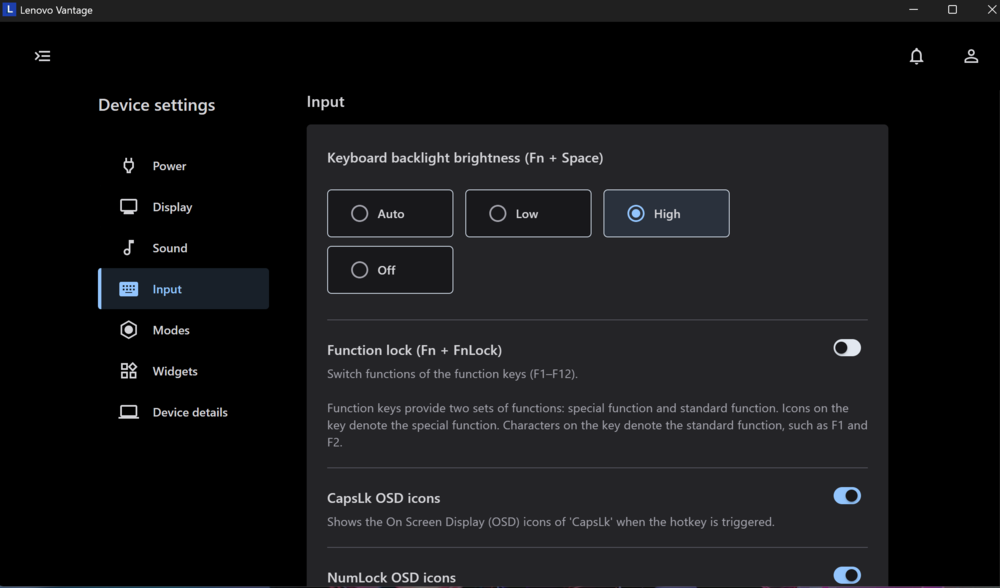
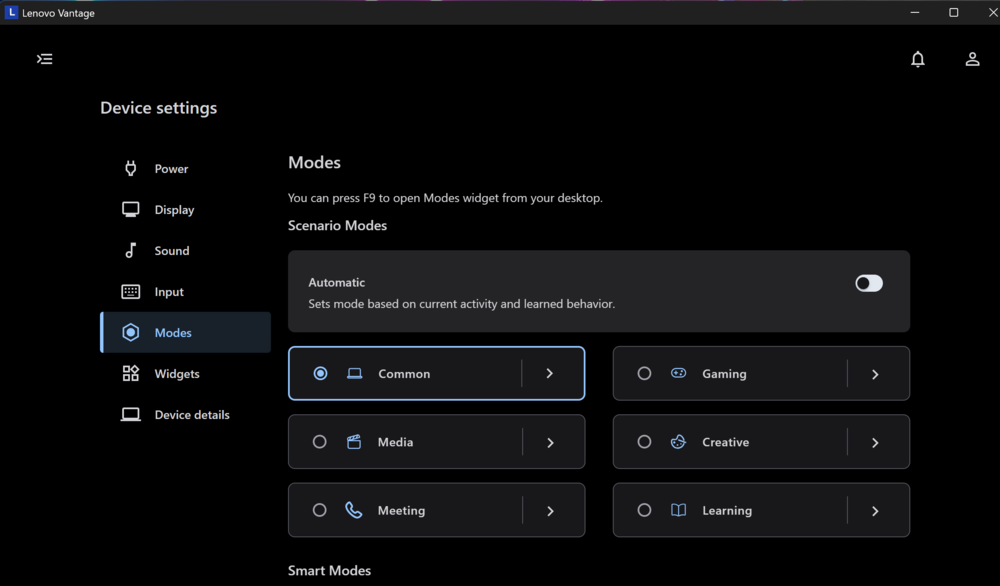
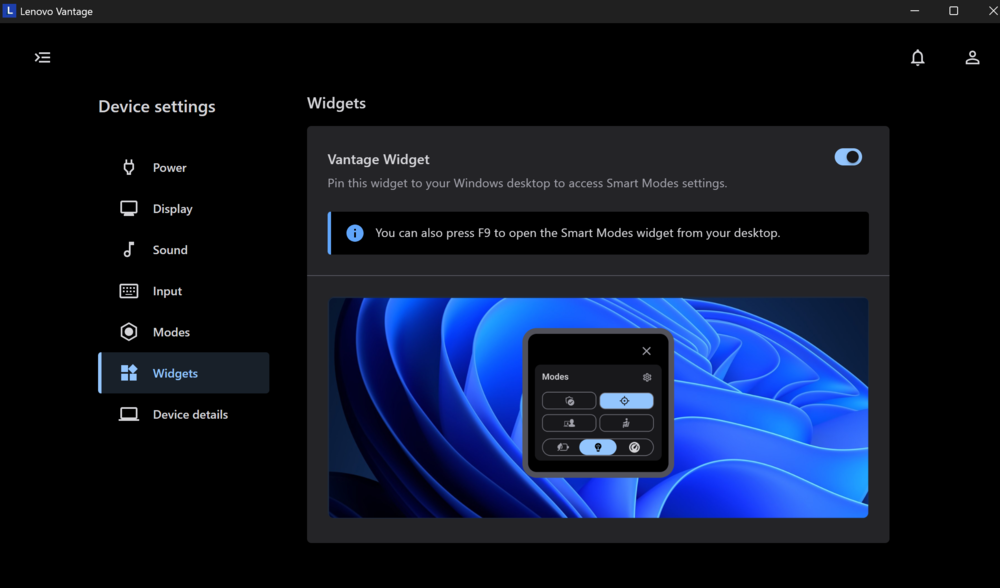
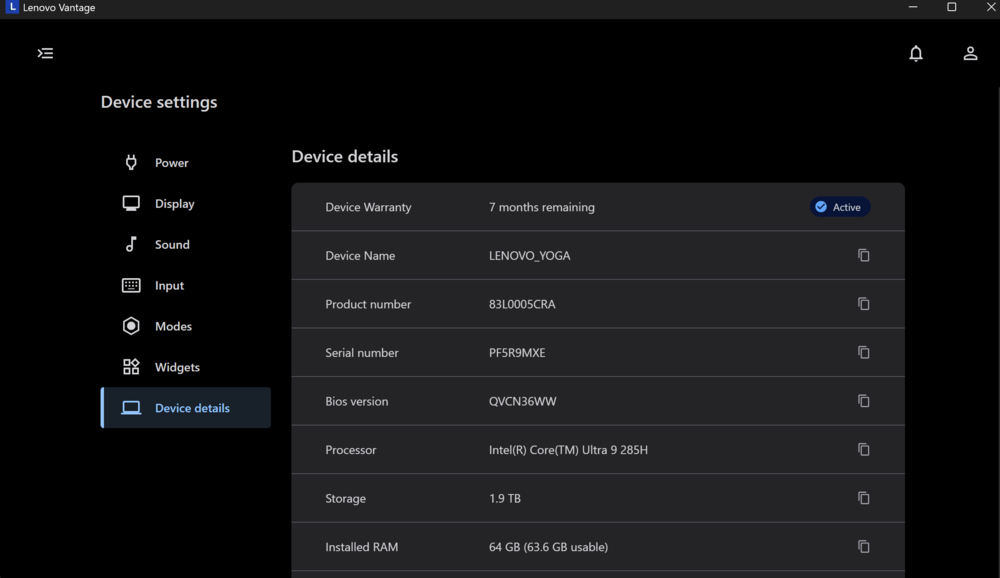
Lenovo Vantage serves as a central management hub for the laptop. It provides update control, system monitoring, and access to key settings, including power, audio, display, and camera configurations. Predefined performance profiles – from maximum performance to intelligent cooling and battery-saving modes – offer convenient options for different use cases. For users seeking to extract maximum performance, the X-Power mode increases the GPU clock, delivering noticeable gains in demanding workloads.
Read also: Acer Nitro V15 (ANV15-41-R99Y) Gaming Laptop Review







 is a superb, powerful laptop that will satisfy the needs of both content creators and gamers.)