





© ROOT-NATION.com - Use of content is permitted with a backlink.
Today I’m taking a look at the IQUNIX EV63 – a new keyboard from the brand that entered the market in the second half of last year. The model represents the latest generation of ultra-compact magnetic keyboards and can rightfully be considered the current flagship of its lineup. It features an anodized CNC-machined aluminum корпус with a decorative forged carbon fiber insert, 3rd-generation Hall-effect sensors, an 8000 Hz polling rate, and proprietary Magnetic X Pro / Magnetic X Ultra switches with impressive specifications and functionality.
And those are far from the only interesting aspects of the keyboard. In this review, we’ll take a detailed look at the EV63, explore what makes it stand out, and examine some of the genuinely оригинальних engineering and software solutions IQUNIX has implemented in this model.
TABLE OF CONTENTS:
Models and Specifications
To begin with, a few words about the lineup itself. As the name suggests, the IQUNIX EV63 HE is a series of ultra-compact 60% magnetic keyboards built in CNC-machined aluminum cases. At the moment, the model is available in three variants: Violet, Dark Knight, and Silver Knight.
Read also: Gaming keyboard reviews
The differences between them are primarily visual, including the exterior design, case materials, and keycaps, which can be clearly seen in the image below. From a technical standpoint, however, all three versions are completely identical.

I received the Violet version for review, so throughout this article I’ll be focusing specifically on that model and using it for all photos and impressions. Below, I’ll also provide the key specifications for the Violet edition. Although, as you’ve probably already guessed, most of them are equally relevant to the Knight variants as well.
- Model: IQUNIX EV63 Violet
- Size: 60%
- Layout: ANSI (QWERTY / 64 keys)
- Connection: wired (USB-C to USB-A)
- Keyboard type: magnetic (Gen-3 Hall Sensor)
- Switches: Magnetic X Pro, Magnetic X Ultra
- Actuation point adjustment range: 0.1–3.1 mm
- Adjustment step precision: 0.01 mm
- Rapid Trigger sensitivity: 0.01 mm
- Polling rate: 8000 Hz
- Scan rate: 16000 Hz
- Input lag: 0.125 ms
- Anti-ghosting: full (N-Key Rollover)
- Architecture: eSport Tray Mount (chassis mounting + 6 layers of noise and vibration insulation)
- Chassis material: anodised aluminium alloy, forged carbon fibre
- Keycaps: Double-Shot PBT Cherry Profile
- Stabilisers: Plate Mount (plate-mounted)
- Hot-swap: supported
- Backlighting: RGB keycaps (south-facing LEDs)
- Software: EV Software V3 web application
- Compatible platforms: Windows, macOS
- Dimensions: 300.9 × 126.0 × 18.6 mm
- Tilt angle: fixed at 6°
- Weight: 1206 g
- Cable: detachable USB-C to USB-A with paracord braiding (1.5 m)
- Additional features and advanced capabilities: Dynamic Keystroke, Enhanced SOCD, Toggle Keys, Rappy Snappy, Mod Tap, M.A.T. Custom Algorithm 2.0
- Contents: keyboard, USB-C to USB-A cable, switch and keycap puller, cleaning brush, dust cover, user manual, promotional materials

Positioning and price
Whenever I get a device from a brand I’m not yet familiar with, I usually become curious to learn a bit more about the company behind it. So, for both myself and you, here’s a quick introduction: IQUNIX is a Chinese manufacturer focused on premium custom keyboards. Their lineup includes both traditional mechanical customs and magnetic keyboard models. High-end modern specifications, thoughtfully engineered metal constructions, and distinctive – sometimes even bold – design choices are probably the best way to describe the brand’s products. IQUNIX keyboards also occasionally feature rather unusual and оригинальних solutions that are rarely seen in competing products. During this review, we’ll take a closer look at a couple of those ideas specifically through the example of the EV63.

The price of the keyboard directly depends on the chosen version and switch type. The base IQUNIX EV63 Violet equipped with Magnetic X Pro switches is priced at around $169 / €146 on the official IQUNIX website. The same version with the higher-end Magnetic X Ultra switches costs an additional $20, bringing the price to approximately $189 / €163. The Dark Knight and Silver Knight variants start at $189 / €163 with the standard Magnetic X Pro switches, while the top configurations with Magnetic X Ultra switches reach around $209 / €180.
Package Contents
The keyboard comes in a relatively compact cardboard box, whose design immediately makes it clear what kind of device is inside.


The contents of the EV63 package are fairly standard overall, but made more interesting by several branded accessories. Inside the box you’ll find:
- keyboard
- detachable cable
- double puller
- cleaning brush
- dust cover
- user manual
- various promotional materials

The included cable is a USB-A to USB-C unit, 1.5 meters in length, featuring a high-quality paracord-style braided sleeve and a ferrite core for improved signal stability. A notable detail is that the connector accents inside match the Violet color theme of the keyboard. As for the cable itself, it is moderately thick but flexible – it bends easily and straightens out without issue. Any excess length can be neatly coiled and secured using the included rubber cable tie.


The included 2-in-1 puller (for both keycaps and switches) is not a standard generic tool, but a branded one. It is made of metal, has a noticeably solid weight, and overall feels quite well-designed and premium. The only drawback is the very short and tight keycap grips. Removing longer keys with this tool can be somewhat inconvenient and requires extra care, making the process less comfortable than it could be.


A cleaning brush for dust is something I honestly can’t recall seeing included with a keyboard before. That said, its presence is definitely a small but welcome bonus, and it earns the package an extra point in the overall evaluation.


The dust cover is fairly standard – similar ones are commonly included with other keyboards as well. That said, it’s a practical and convenient accessory that helps protect the keyboard from dust when it’s not in use.

The user manual comes in the form of a standard cardboard fold-out, which is commonly included with many keyboards. It outlines all the main hotkeys and function key combinations. However, there is one nuance – it is written in Chinese. That said, this is hardly a problem today. You can simply take a photo of the entire manual, upload it to any AI tool, and ask it to translate and convert it into a clear, easy-to-understand instruction guide.


The promotional materials include two small IQUNIX stickers, a plastic card with a promo code for 99 hours of free Leigod game booster access (relevant only for Chinese gamers), and a red card with the official website address for downloading drivers, along with an invitation for Chinese users to participate in a local social media campaign. This set of printed materials also includes a small warranty booklet.


Overall, the keyboard offers a decent package. However, it does lack a couple of spare switches, which are typically included with most hot-swap keyboards. It also doesn’t come with any extra novelty keycaps, which are often found even in more budget-oriented models. So the conclusion is as follows: the branded puller and cleaning brush are a plus, while the absence of spare switches and the very short, tight grips on the keycap puller are a downside. The lack of additional keycaps is more of a neutral or debatable point. Still, given the price of the keyboard, including at least a few extra keycaps would have been a reasonable and welcome bonus.
Read also:
- ASUS ROG Falchion Ace 75 HE Keyboard Review: Expanded Layout, Hotswap, 8000 Hz, and Gear Link
- Logitech G512 X 75 Hybrid Keyboard Review: A Strong Evolution of Magnetic Switch Technology
Design, Ergonomics, Build Quality
Visually, the IQUNIX EV63 Violet looks like a premium gaming custom keyboard: a solid unibody aluminum case made of anodized aluminum, a decorative forged carbon fiber insert, and an unconventional overall case shape. But let’s go through everything step by step.


In terms of form factor, the EV63 is an ultra-compact 60% keyboard measuring 300.9 × 126 × 18.6 mm, featuring a standard US ANSI layout with 64 keys.


As mentioned earlier, the keyboard’s case is made from CNC-machined aluminum with distinctive decorative inserts integrated along the sides. The front slanted accent panel is crafted from forged carbon fiber. According to the manufacturer, the pattern of this carbon insert is unique for each individual unit, meaning no two keyboards share the same design. With this level of construction, the keyboard is naturally quite heavy, weighing in at 1206 g.


The keycaps depend on the selected model. The Violet version uses standard double-shot PBT keycaps in a Cherry profile. The Knight variants, on the other hand, come with semi-transparent matte polycarbonate keycaps featuring a “frosted glass” effect. These enhance the keyboard’s RGB lighting, making it more vibrant, but in theory they are also more prone to showing fingerprints.

As mentioned earlier, I received the Violet version for review, so I can only comment on its keycaps specifically. Overall, they are quite good: thick plastic, clean legends of an optimal size, and decent visibility even without backlighting. The surface texture is pleasant – not too smooth, but also not overly rough. In general, these are solid, well-made PBT keycaps, with nothing particularly unusual beyond that.


The bottom of the keyboard, like the rest of the case, is made of aluminum. In the center there is a decorative plate with the IQUNIX logo and the keyboard model engraved on it. It is also made of metal.


As you can see, the keyboard does not feature standard adjustable feet for tilt adjustment. The EV63 comes with a fixed 6° typing angle. Is it comfortable to use? Absolutely. Personally, I find the EV63’s height and tilt to be optimal – not too high and not too low. Just right, as they say. Additionally, the front edge of the case is slightly chamfered, which allows you to comfortably rest part of your palm on it while typing.


The keyboard connects via a standard USB Type-C port located on the top-left edge. The port is slightly recessed into the case, ensuring that the cable fits securely and does not wobble during use.


The EV63 is built using a tray-mount architecture, where the PCB and plate are rigidly screwed directly into metal standoffs at the bottom of the case. This type of mounting is typically associated with a more rigid and louder typing feel. However, IQUNIX has implemented a modified eSports Tray Mount design, adding six layers of sound and vibration dampening materials. As a result, the keyboard retains a crisp and stable typing response – important for competitive magnetic keyboards – while significantly reducing noise and eliminating unwanted internal resonance.

Like all modern gaming keyboards, the EV63 features full per-key RGB backlighting, implemented using south-facing LEDs (positioned below the switch). In addition, the switches themselves include special light diffusers, which help create a brighter and more even distribution of illumination across the keycaps.

In short, the lighting quality is solid and standard: moderately bright, smooth, with a wide range of effects and full customization options. You can switch lighting modes and adjust settings either through the proprietary software or directly from the keyboard using FN key combinations. All shortcuts are clearly documented in the included manual.


The keyboard is, without exaggeration, excellently built: there are absolutely no creaks or case flex. Even if you deliberately try to twist it with force, it simply won’t budge.
From an ergonomics standpoint, I personally have no complaints. As mentioned earlier, the height and fixed typing angle are more than comfortable for me. The slanted front edge of the case also allows you to comfortably rest part of your palm while typing or gaming. On top of that, the compact size frees up a significant amount of desk space for a mouse and other peripherals.
However, due to its specific 60% layout, this model won’t suit everyone. This is especially true for users who rely heavily on function keys. That said, I also use F-keys constantly, and the EV63 still feels convenient. The reason is that the number row (1 through =) can act as F1–F12 when holding FN. Unlike some other 60% keyboards where I had to remap layers manually in VIA, this functionality works out of the box here. Of course, full key remapping is still supported if needed.

Read also:
- Redragon WYVERN K761 Pro Keyboard Review: Affordable and Functional
- YUNZII C98 Cake Meow Keyboard Review: “Сat-and-Cake” Design in a 96% Layout
Switches, Hot-Swap, Typing Experience – IQUNIX EV63
The EV63 keyboards come with two types of switches: Magnetic X Pro and Magnetic X Ultra. These are premium proprietary custom switches developed specifically for IQUNIX magnetic keyboards as part of a dedicated OEM design. Interestingly, the higher-end Ultra switches can also be found in other models such as the EZ80 / EZ75 series.

A key feature of the Magnetic X Pro switches is their focus on signal stability, ensuring that Rapid Trigger operates smoothly and without glitches. IQUNIX has strengthened the magnetic core inside the stem, increasing the magnetic flux at the bottom point by about 30%. Combined with 3rd-generation Hall-effect sensors, this results in a clean and strong signal with minimal interference. In simple terms, the keyboard instantly and accurately detects even the smallest key movements. Detailed specifications of these switches can be seen in the screenshot below.

As for the Magnetic X Ultra version, in terms of feel and actuation weight, they are essentially identical to the Magnetic X Pro switches. However, the main difference lies inside the switch: the Ultra version features a physically larger magnet and an updated induction system, which results in a stronger and cleaner magnetic field. In practice, this design delivers maximum signal stability with virtually no interference, providing ultimate precision for Rapid Trigger performance in gaming scenarios.

I received the keyboard with Magnetic X Ultra switches, and I can say they are excellent both in terms of actuation and overall typing feel. They are linear, moderately soft, with a solid tactile response and consistent key presses. Key wobble is minimal. However, in terms of acoustics, when combined with the keyboard’s overall construction, they are of course not silent. At the end of this section, there will be a typing sound video so you can hear it for yourself.

Like any modern magnetic keyboard that takes itself seriously, the EV63 supports hot-swap functionality, allowing switches to be replaced on the fly without any soldering.

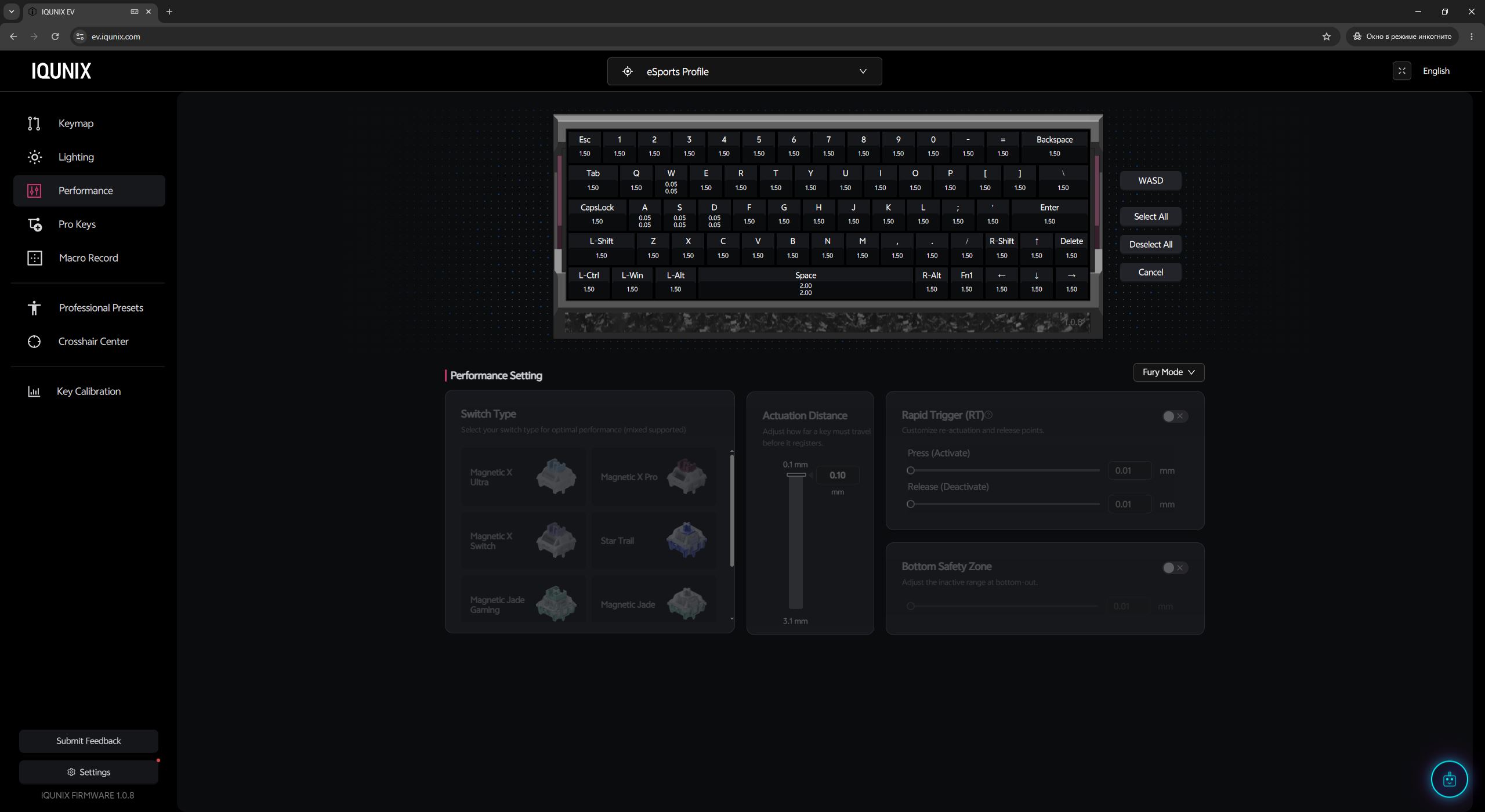
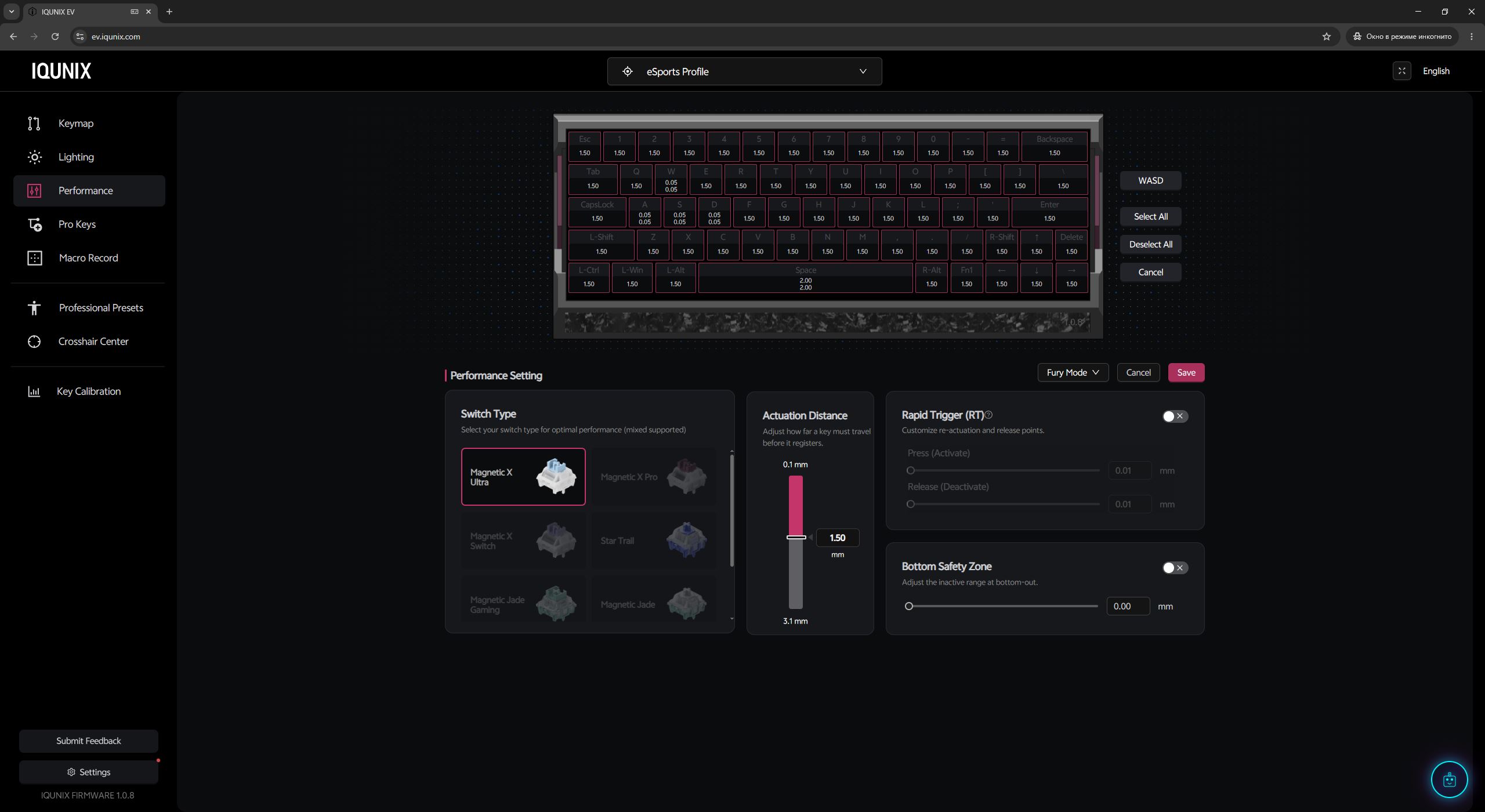
The keyboard is not limited to the included switches only. The full list of supported switch types can be viewed in the official companion software – I’ll include a screenshot from the app below.

For the larger keys, the keyboard uses plate-mount stabilizers. These are stabilizers that clip directly into the metal mounting plate rather than being screwed into the PCB. Their main advantage is ease of maintenance: they can be quickly removed and lubricated without fully disassembling the keyboard. In terms of feel, the stabilizers in the IQUNIX EV63 appear to be factory-lubed and deliver a smooth, consistent keypress similar to the single-key switches. There are no noticeable rattles or unwanted noise, so overall they perform very well on their own.


Now to the main part – the typing experience. Overall, it’s quite good: moderately soft, smooth, and very stable key presses with a solid tactile response under the fingers. In fact, this is exactly the kind of feel you want from a magnetic keyboard. However, I wouldn’t call it anything particularly unique. In my experience, I’ve tested many magnetic keyboards that feel and sound quite similar. So the conclusion is simple: it’s a good, solid typing experience, but it doesn’t deliver a real “wow” factor. Below is the promised video – you can listen for yourself.
Read also:
- be quiet! Light Mount Review: Reliable Mechanical Keyboard with Deliberate Design and Superb Software
- Epomaker RT85 and CloudGel Wrist Rest Review: A Premium Typing Experience on a Budget
Features and Capabilities of the Magnetic Model
As you’ve probably already gathered from the review, the IQUNIX EV63 is a magnetic keyboard equipped with highly sensitive 3rd-generation Hall-effect sensors, magnetic switches, and an 8000 Hz polling rate, reducing input latency to just 0.125 ms. The keyboard’s internal scan rate reaches 16,000 Hz.

The main reason people buy magnetic keyboards is the ability to customize switch actuation points along with extremely low input latency. The Magnetic X Pro and Magnetic X Ultra switches allow the actuation point to be adjusted within a range from 0.1 mm to 3.1 mm. Meanwhile, the 8000 Hz polling rate enables the keyboard to send input data to the PC every 0.125 ms – eight times more frequently than conventional mechanical keyboards limited to a 1000 Hz polling rate.

The second major advantage is a set of advanced features available exclusively on magnetic keyboards. These include Dynamic Keystrokes (DKS), Rapid Trigger (RT), Toggle Keys, Mod Tap (MT), as well as advanced gaming functions such as Rappy Snappy (RS) and SOCD.

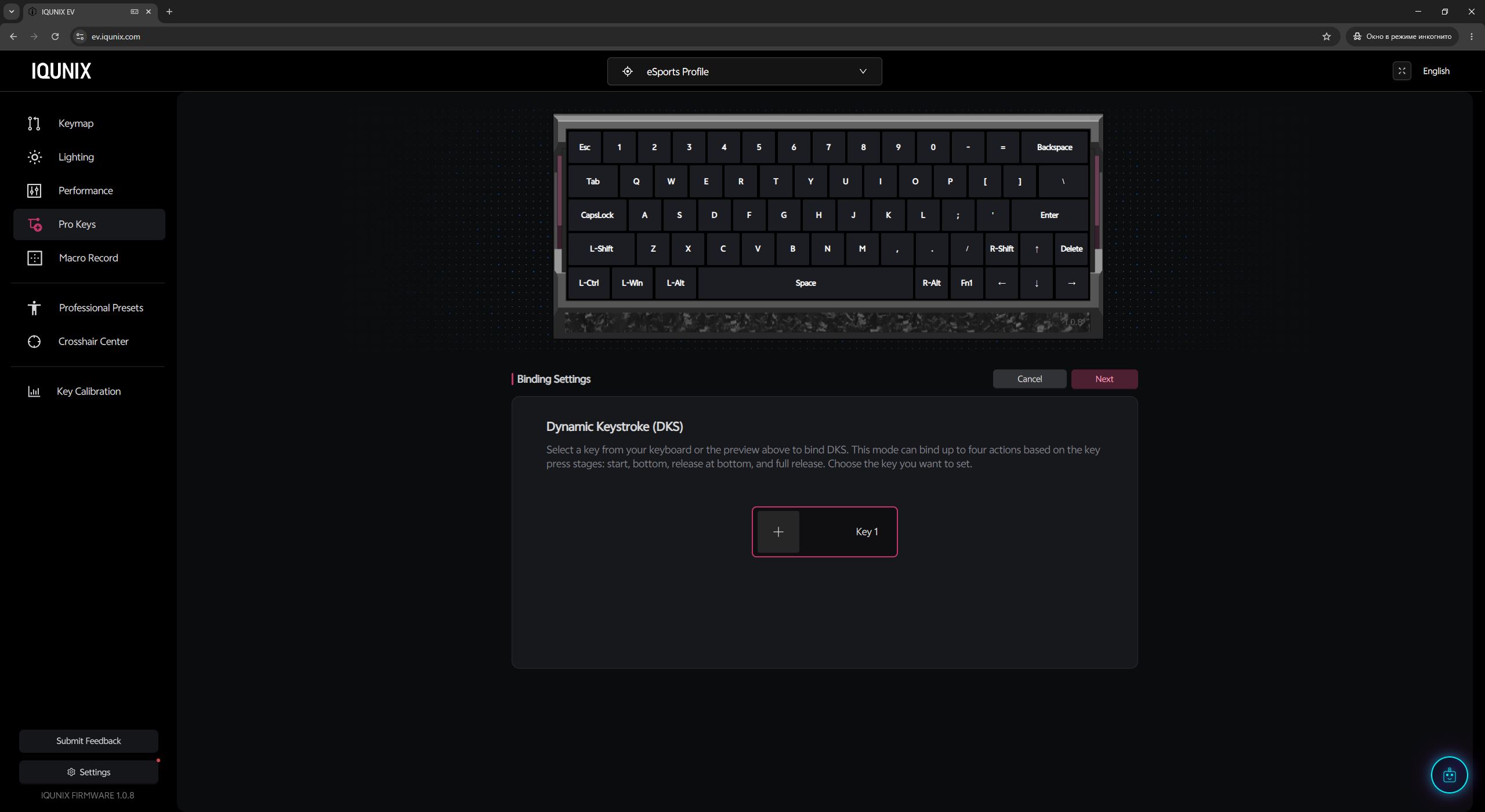
Dynamic Keystrokes (DKS) allow you to assign up to four different actions to a single key depending on how deeply it is pressed or released. For example, a light press can make a character walk, a full press can trigger running, and releasing the key can perform another action such as throwing a grenade.

Rapid Trigger (RT) resets and reactivates a key at any point in its travel the moment your finger starts moving upward or downward, with adjustment precision down to an extreme 0.01 mm. In games like Counter-Strike 2 or Valorant, this allows players to instantly stop character movement for accurate counter-strafing shots – simply by slightly lifting the finger, without waiting for the switch to fully return to its default position.

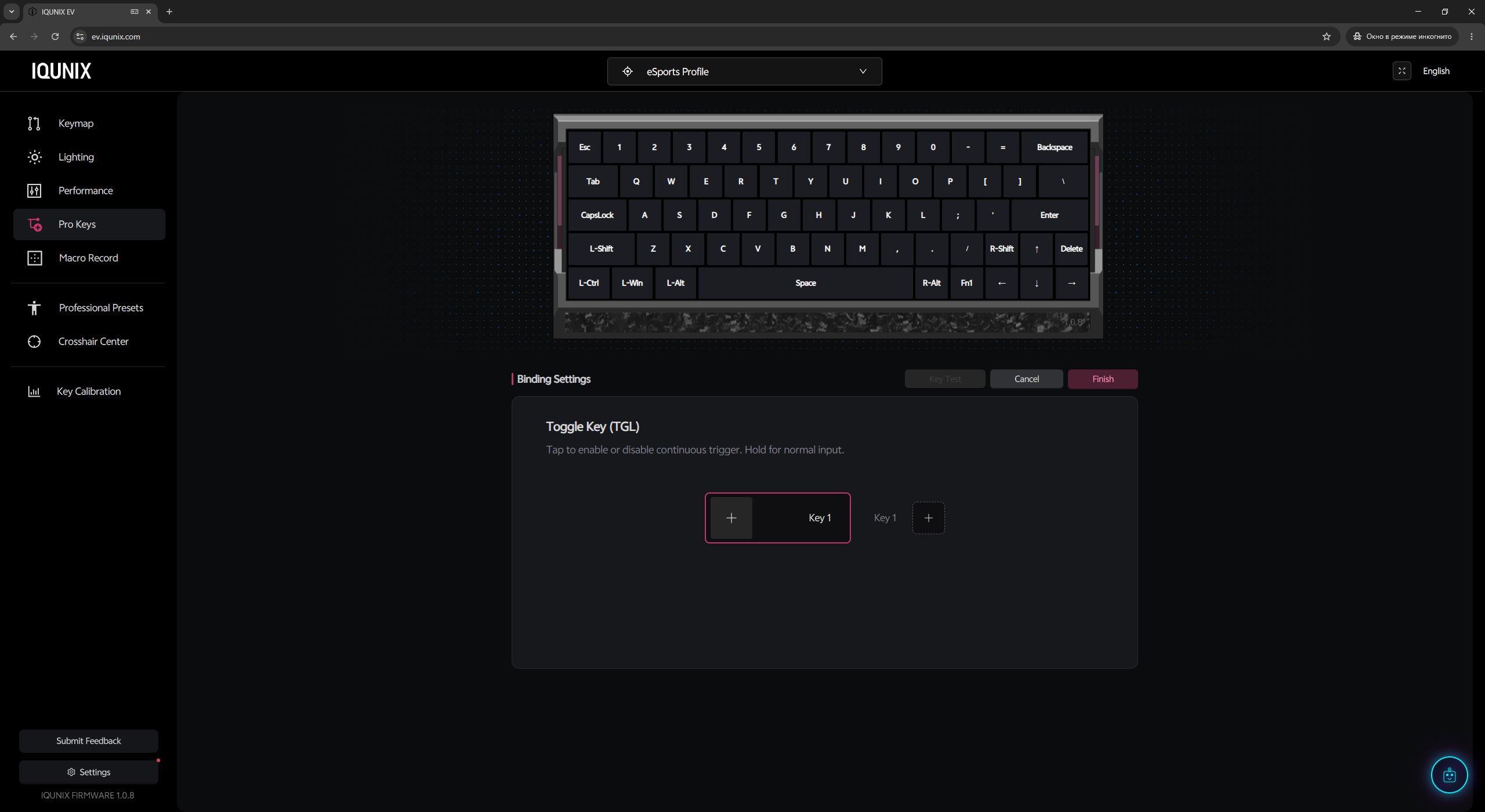
Toggle Keys (TGL) allow a regular key to function as a toggle switch. One press activates and holds the action, while a second press disables it. For example, this removes the need to constantly hold down keys like “Shift” for sprinting or “Ctrl” for crouching in games that do not offer native toggle options by default.

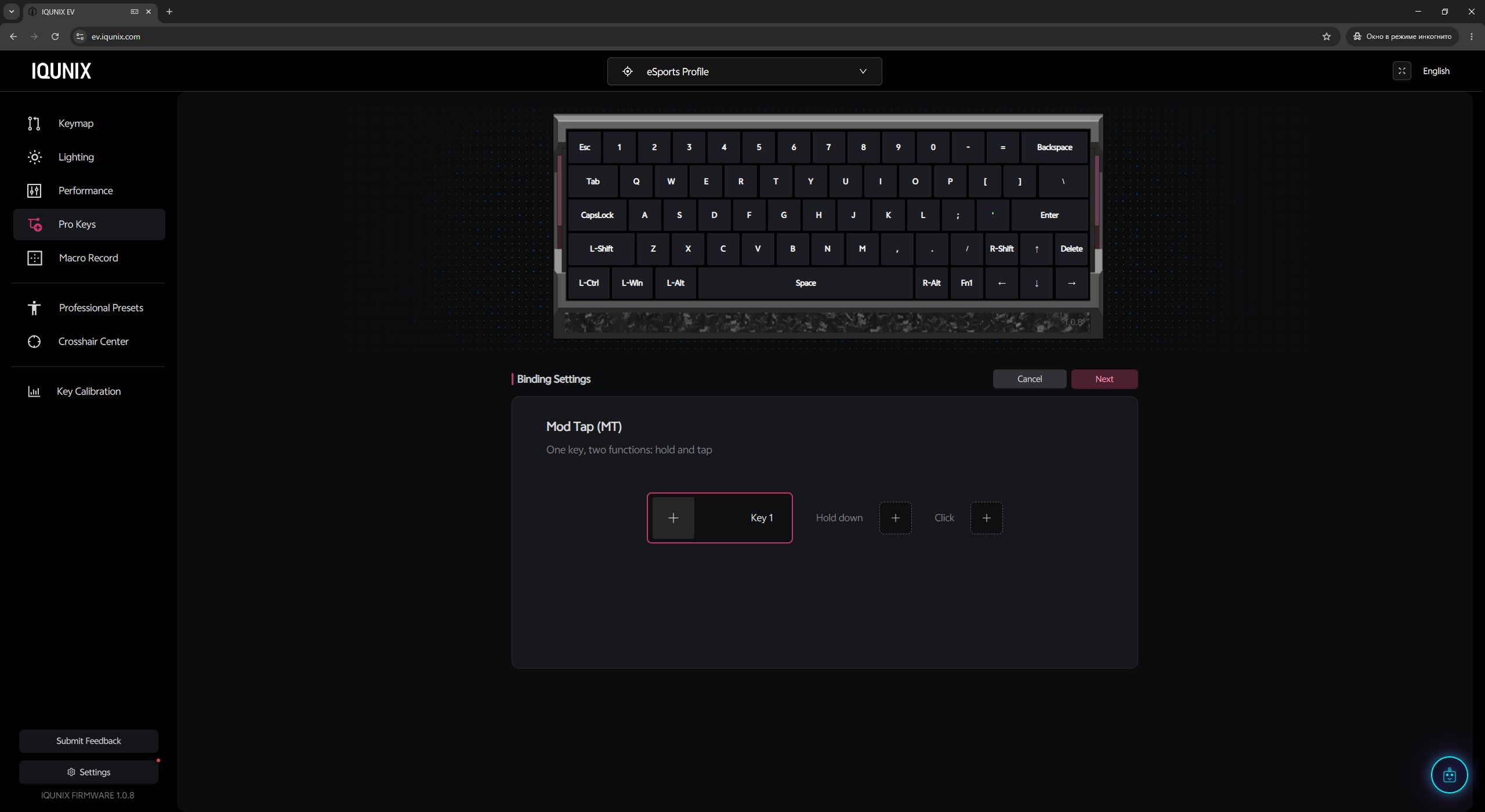
Mod Tap (MT) splits a key into two separate actions based on how it is used: a quick tap and a long hold. For example, you can configure a number-row key so that a normal press types a digit, while holding the same key activates the corresponding F-row function key.

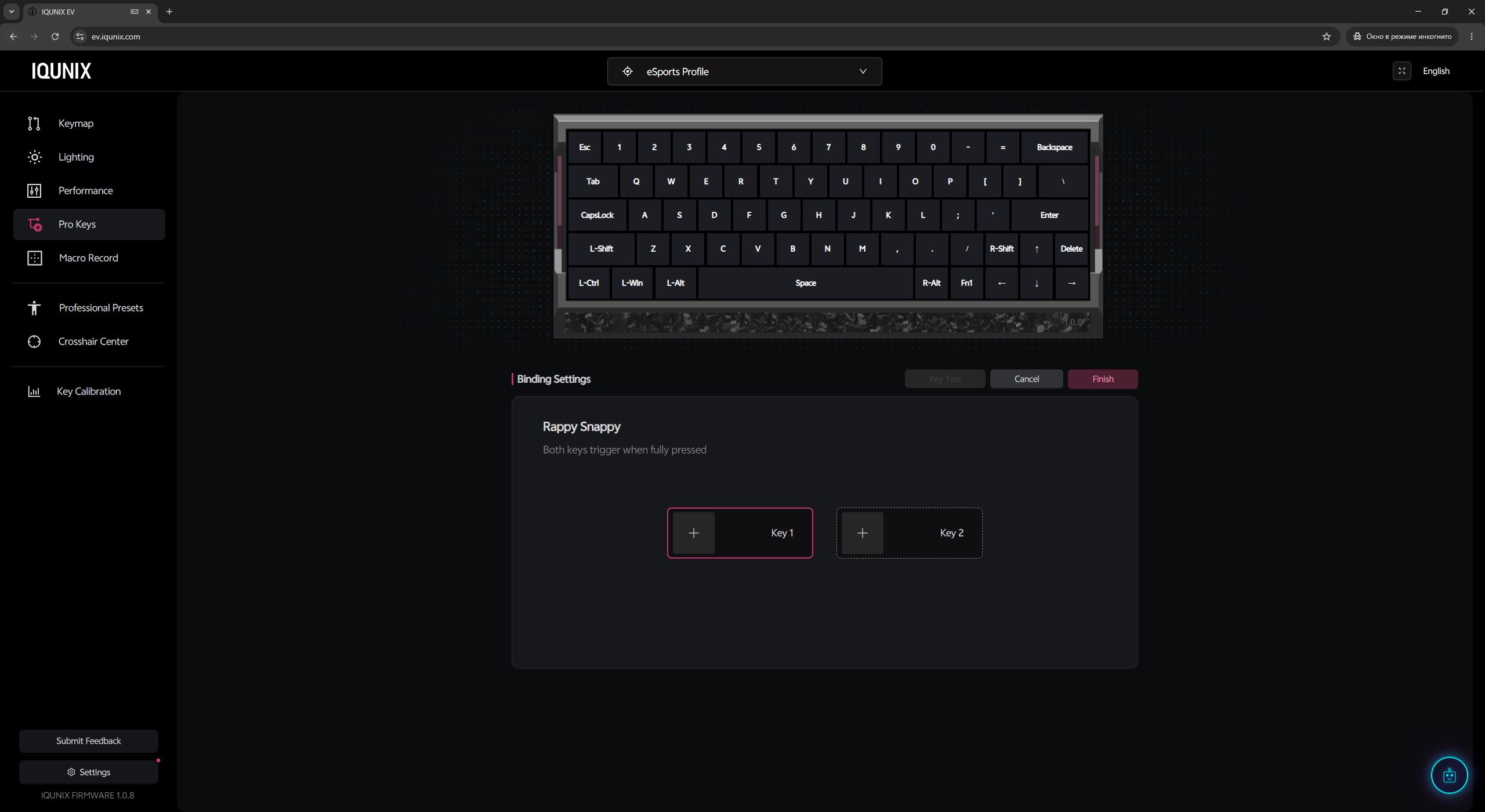
Rappy Snappy (RS) monitors simultaneous presses of two keys and prioritizes the one currently pressed deeper. For example, when holding both “A” and “D,” the character will move in the direction of the key being pressed more deeply, making rapid directional changes smoother and more responsive.

The SOCD function solves the issue of pressing opposite directional keys such as “A” and “D” simultaneously. When enabled, the algorithm prioritizes the most recently pressed key, allowing instant direction changes without needing to release the previous input first. The feature can be quickly enabled or disabled using the FN + Q shortcut.

As mentioned at the beginning of this section, the IQUNIX EV63 uses highly sensitive 3rd-generation Hall-effect sensors. These are updated Rail-to-Rail type sensors with an expanded operating voltage range. In practice, this solution provides higher signal-reading accuracy and more stable key travel detection. The sensors are resistant to minor interference and false triggers, allowing the keyboard controller to reliably process ultra-fine adjustments down to an extreme precision of 0.01 mm.

However, it’s worth noting that these are not the more advanced TMR sensors that can already be found in some magnetic keyboards on the market. Given the price of the keyboard (especially in its top configuration), many users would likely prefer to see those instead.
The final point worth highlighting is the proprietary Magnetic Auto-Tune 2.0 (M.A.T.) algorithm. In simple terms, this is a real-time automatic calibration system for the magnetic switches. Since the physical properties of magnets can slightly change due to heating or prolonged use, the algorithm dynamically adjusts sensor sensitivity on the fly. In practice, this ensures the keyboard remains consistently stable and precise both in the first minutes of gameplay and after hours of continuous use.

Read also:
- Redragon Terraflare K762 Pro Review: Іnteresting Gaming Keyboard
- GamePro Asgard Valhalla Review: A Fully Competitive Keyboard Series
Proprietary application: EV Software V3
The keyboard can be configured directly in a browser via the proprietary EV Software V3 web interface. To access it, you simply need to go to the ev.iqunix.com website, click the “Start Now” button, and allow the browser to connect to the device.

After a successful connection, you are immediately taken to the Keymap settings. Here you can remap keys, assign various quick functions and macros, as well as configure the keyboard’s FN layer. The setup process is straightforward: you select the desired key or FN combination on the layout, then choose the action you want to assign from the panel below. All changes are applied instantly by the keyboard in real time.
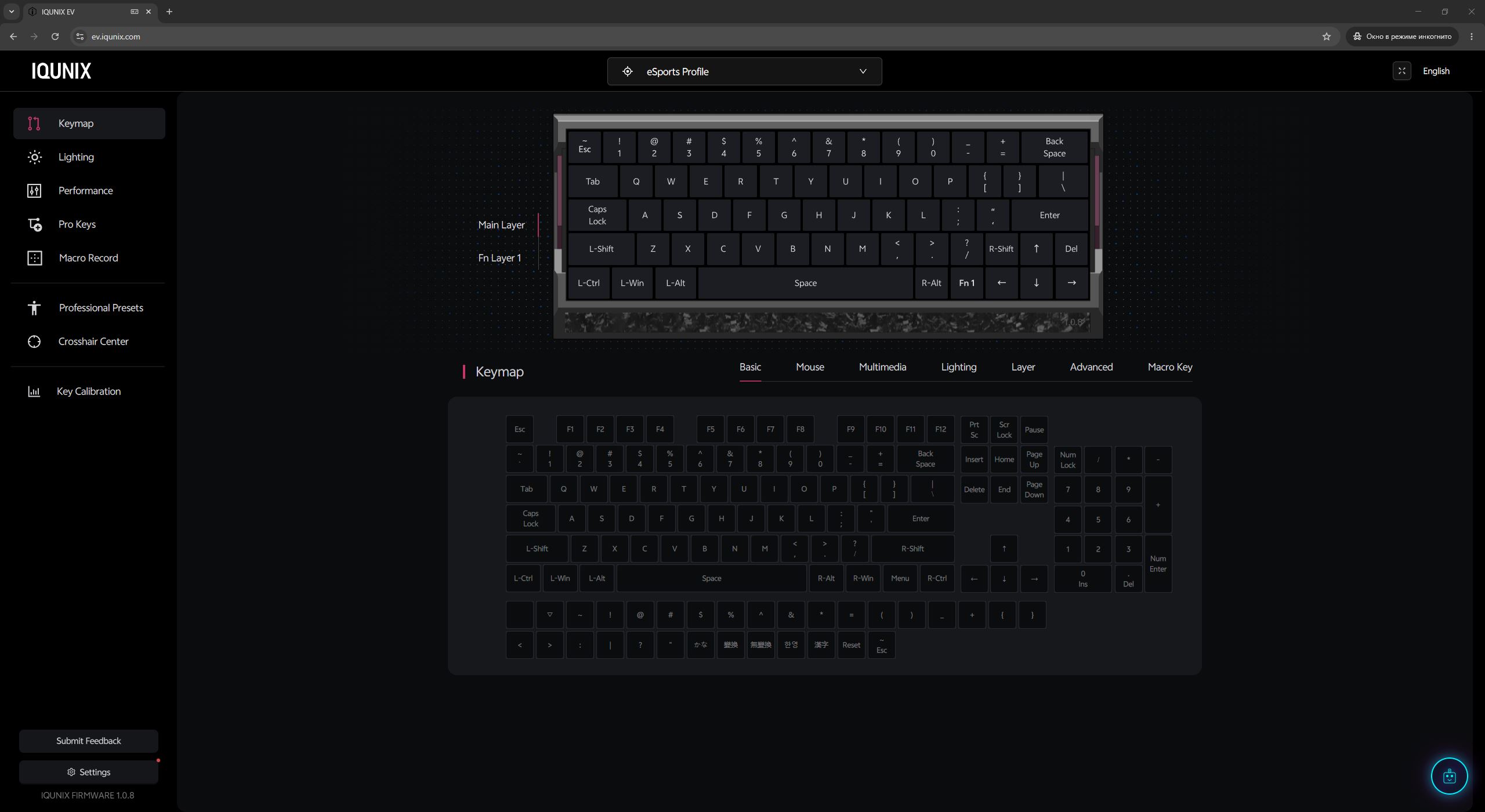
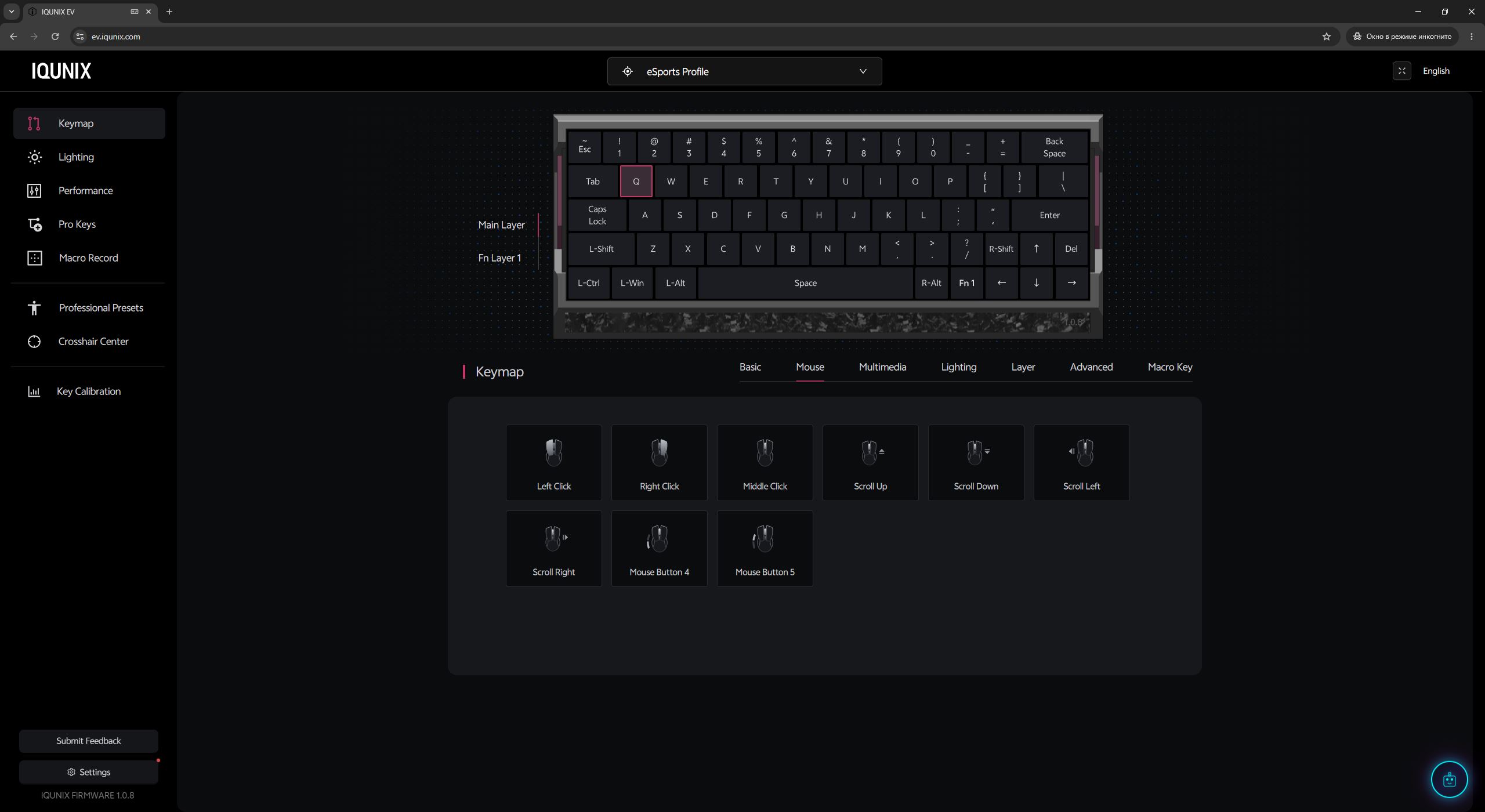
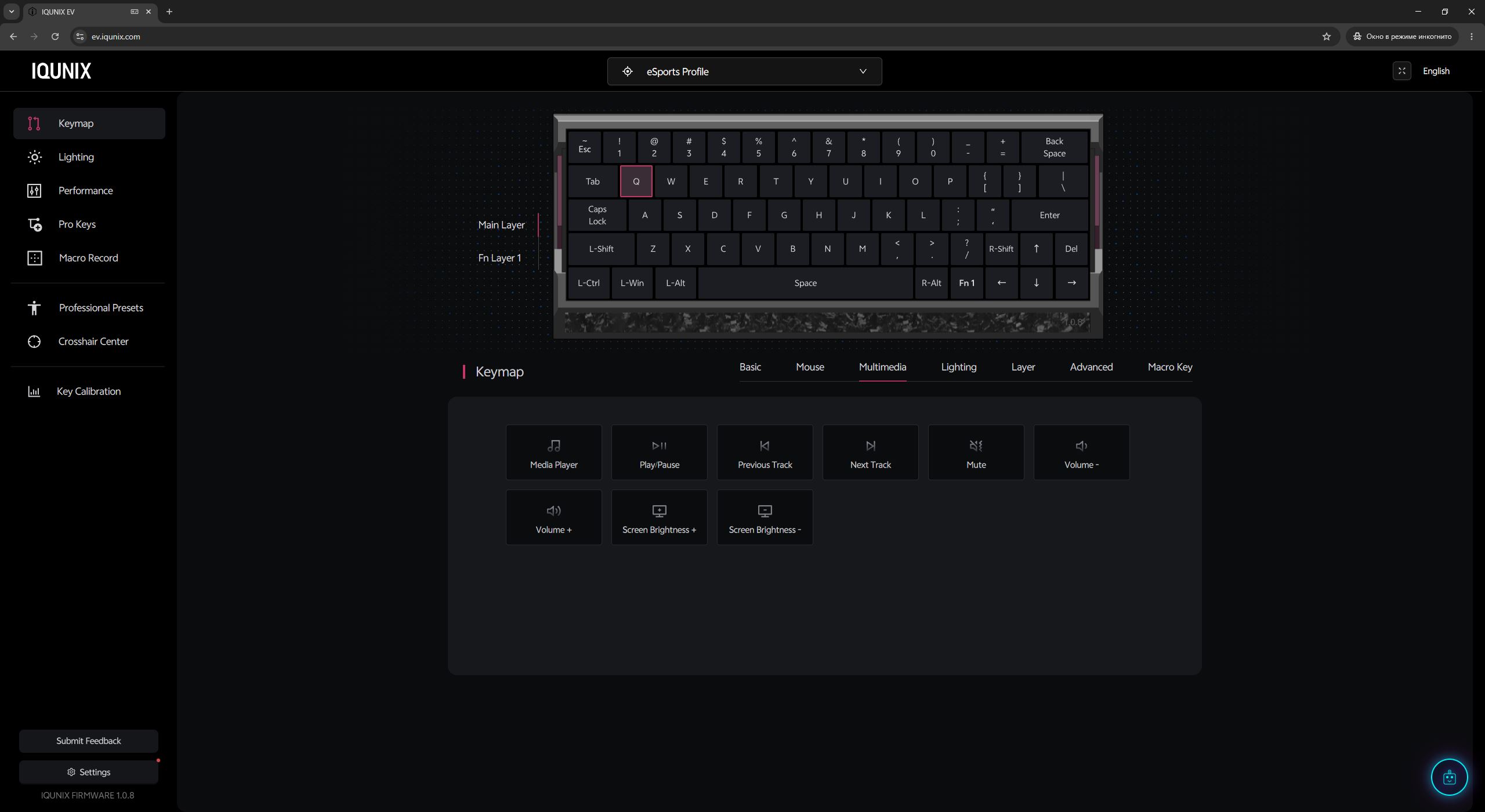
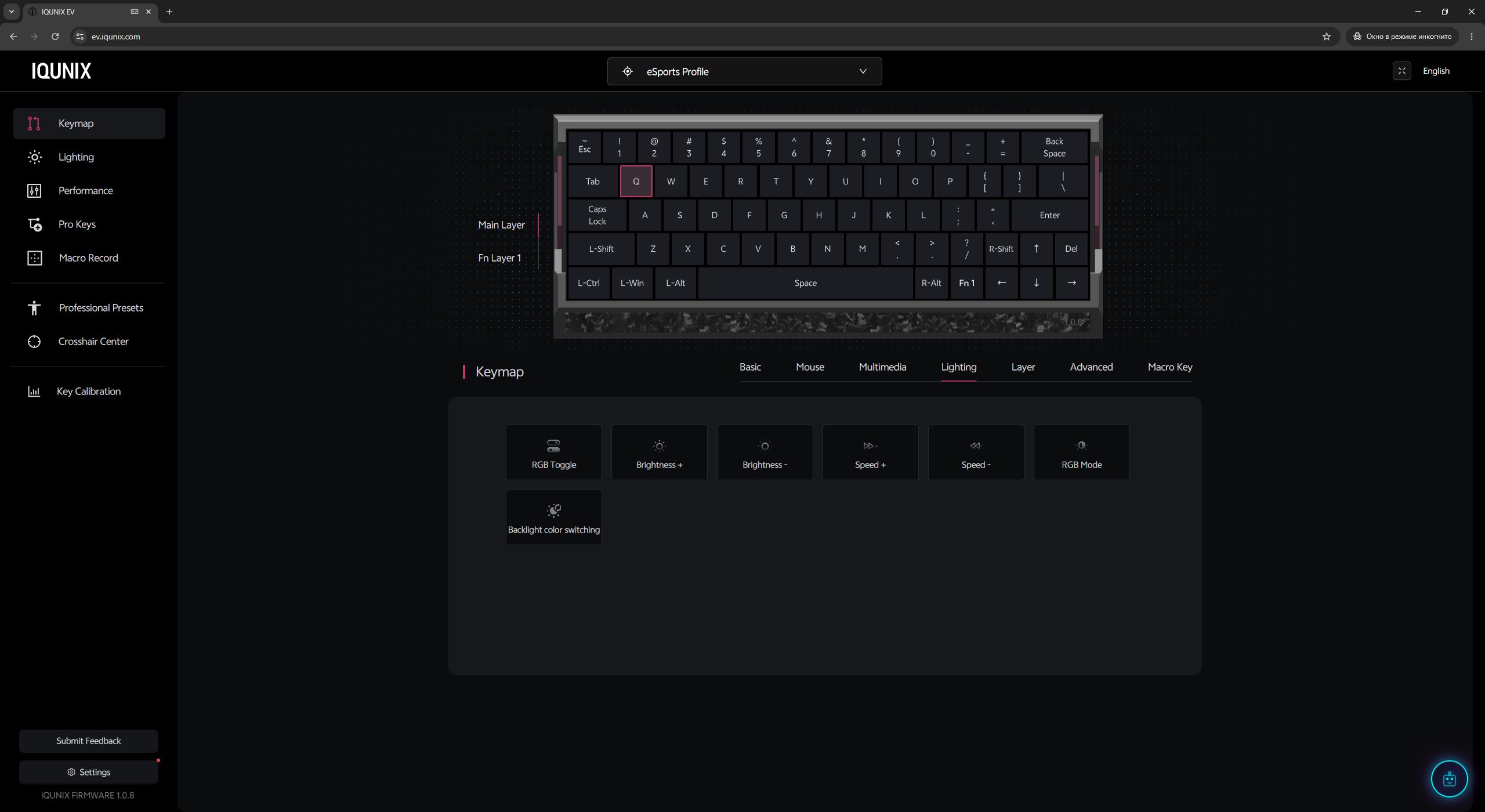
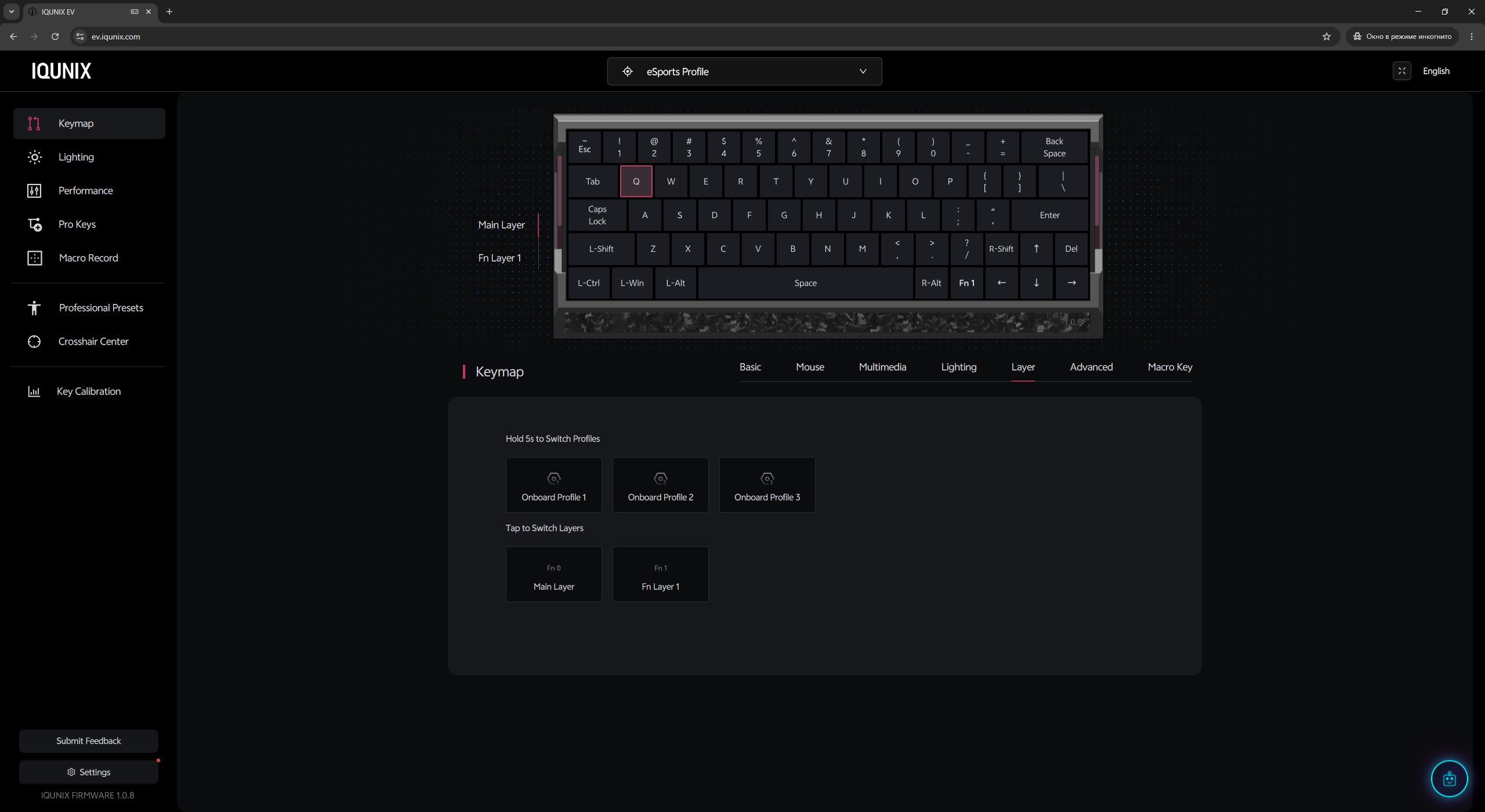
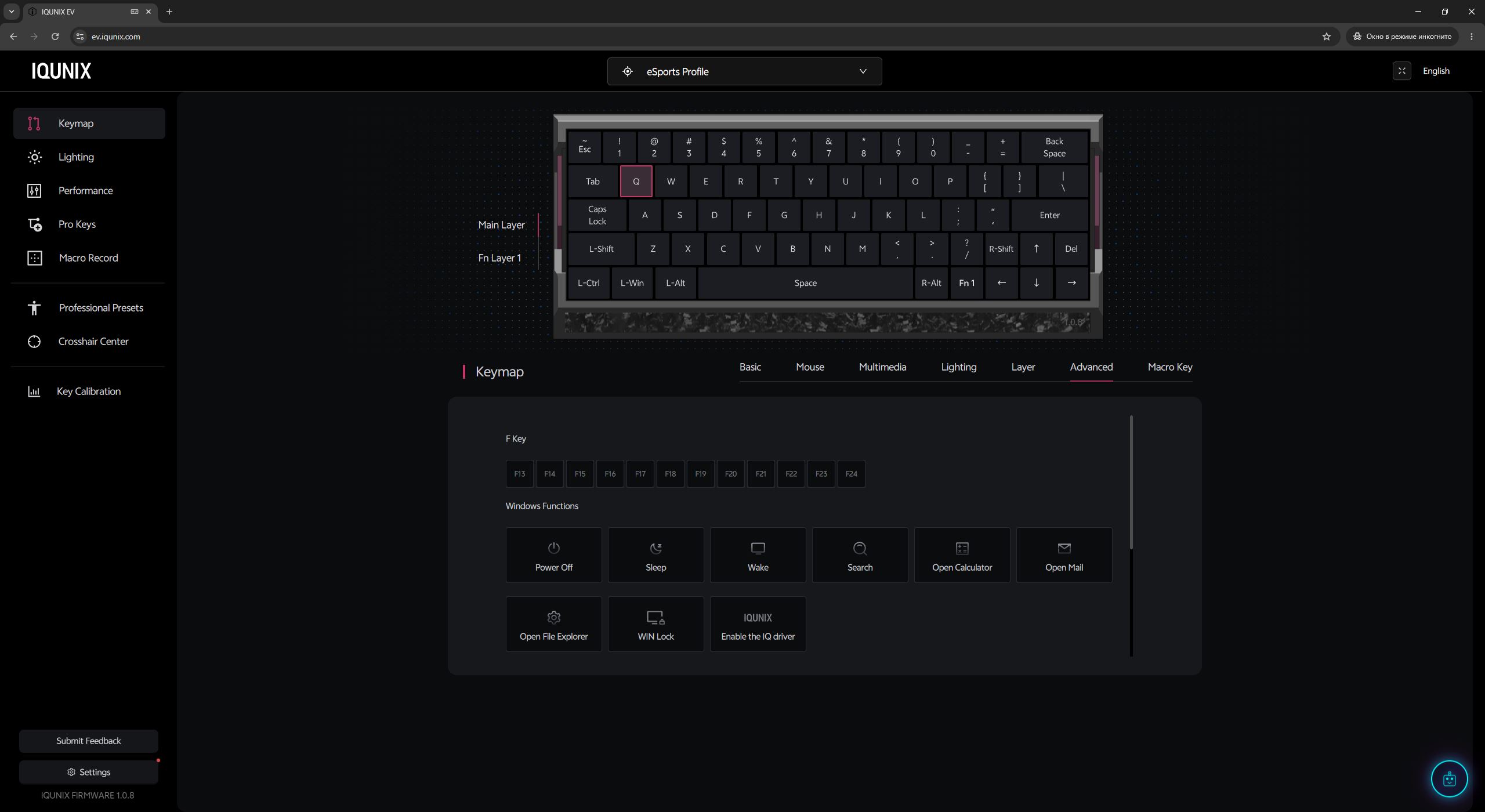
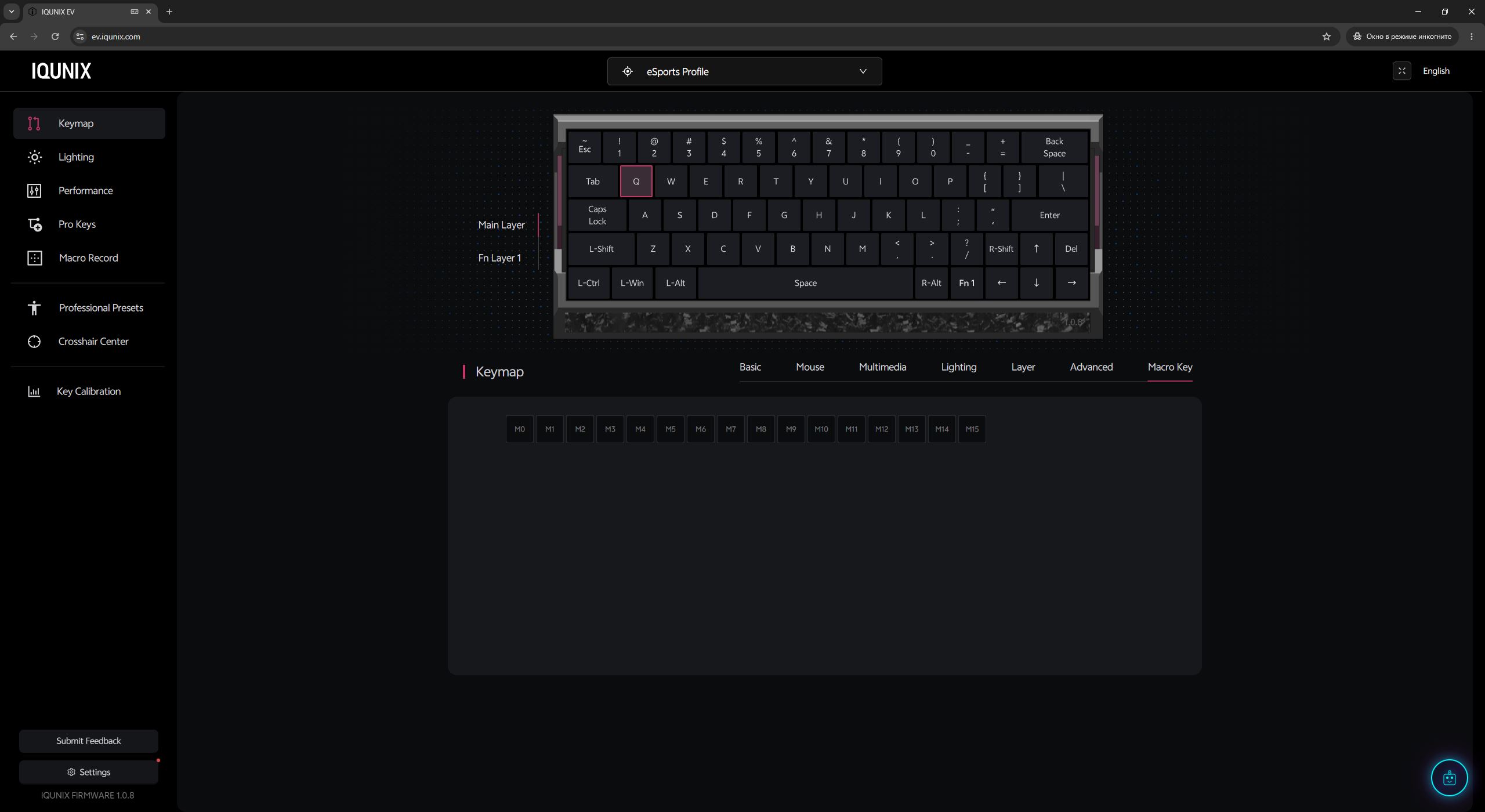
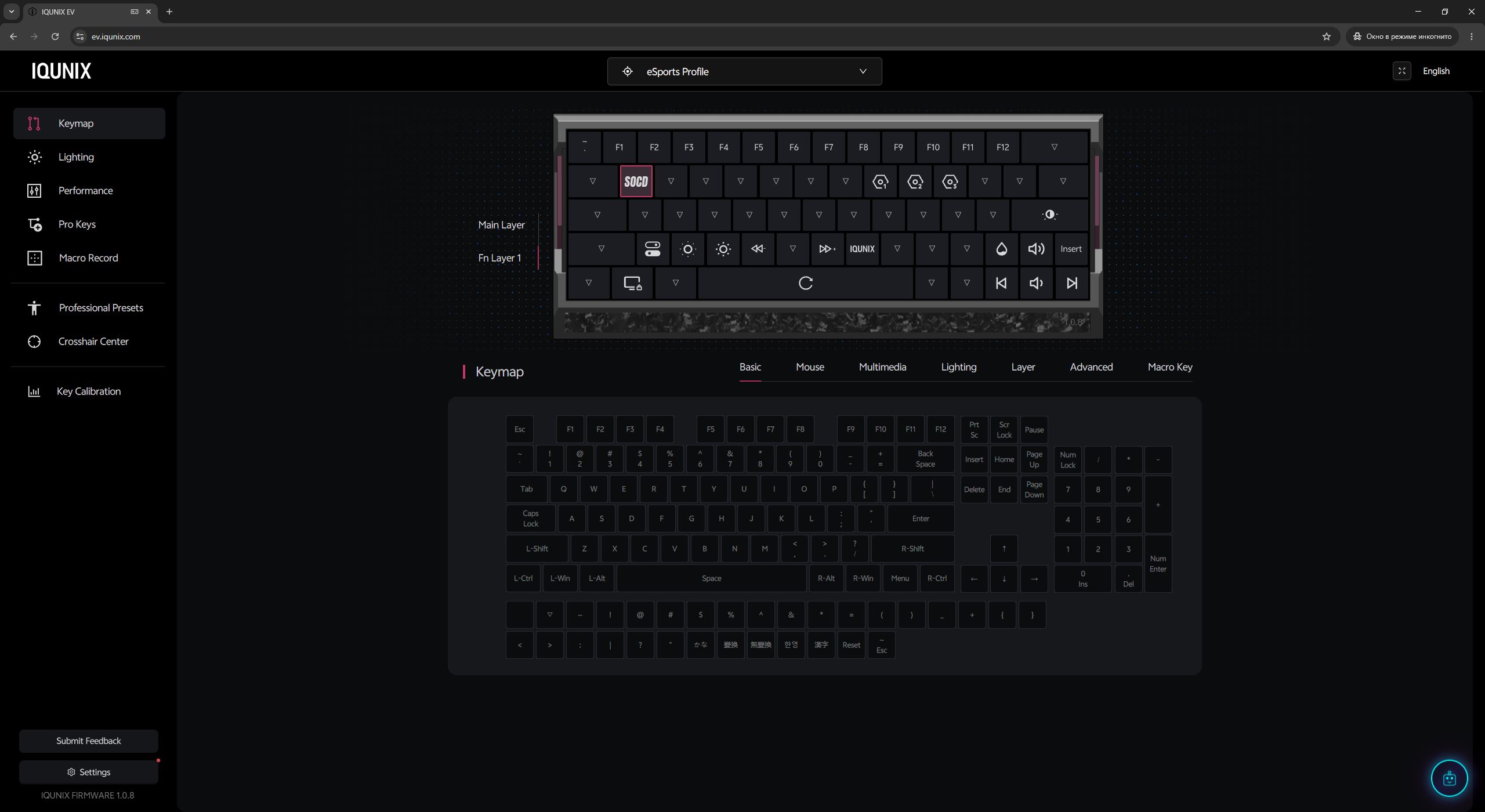
Before configuring the keyboard itself, you can select a profile at the top of the interface: Office, eSports, and Custom. The first two are preset configurations designed for specific use cases – office work and gaming, respectively. As their names suggest, they are optimized for those scenarios out of the box. The Custom profile is intended for fully personalized settings. In practice, however, there is no strict limitation on how these profiles are used, since all of them can be fully reconfigured. You can even create multiple gaming profiles tailored to different games if needed.

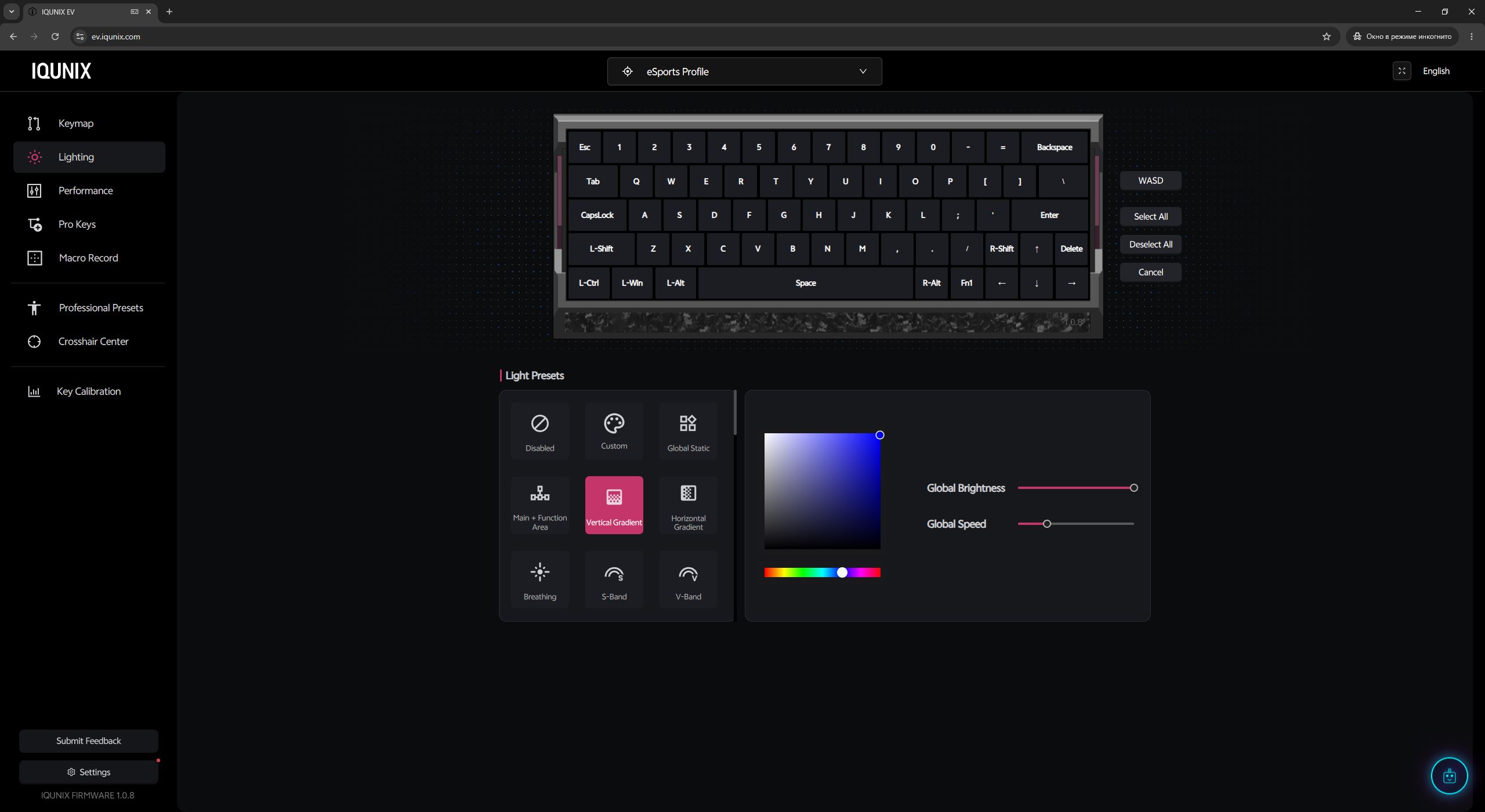
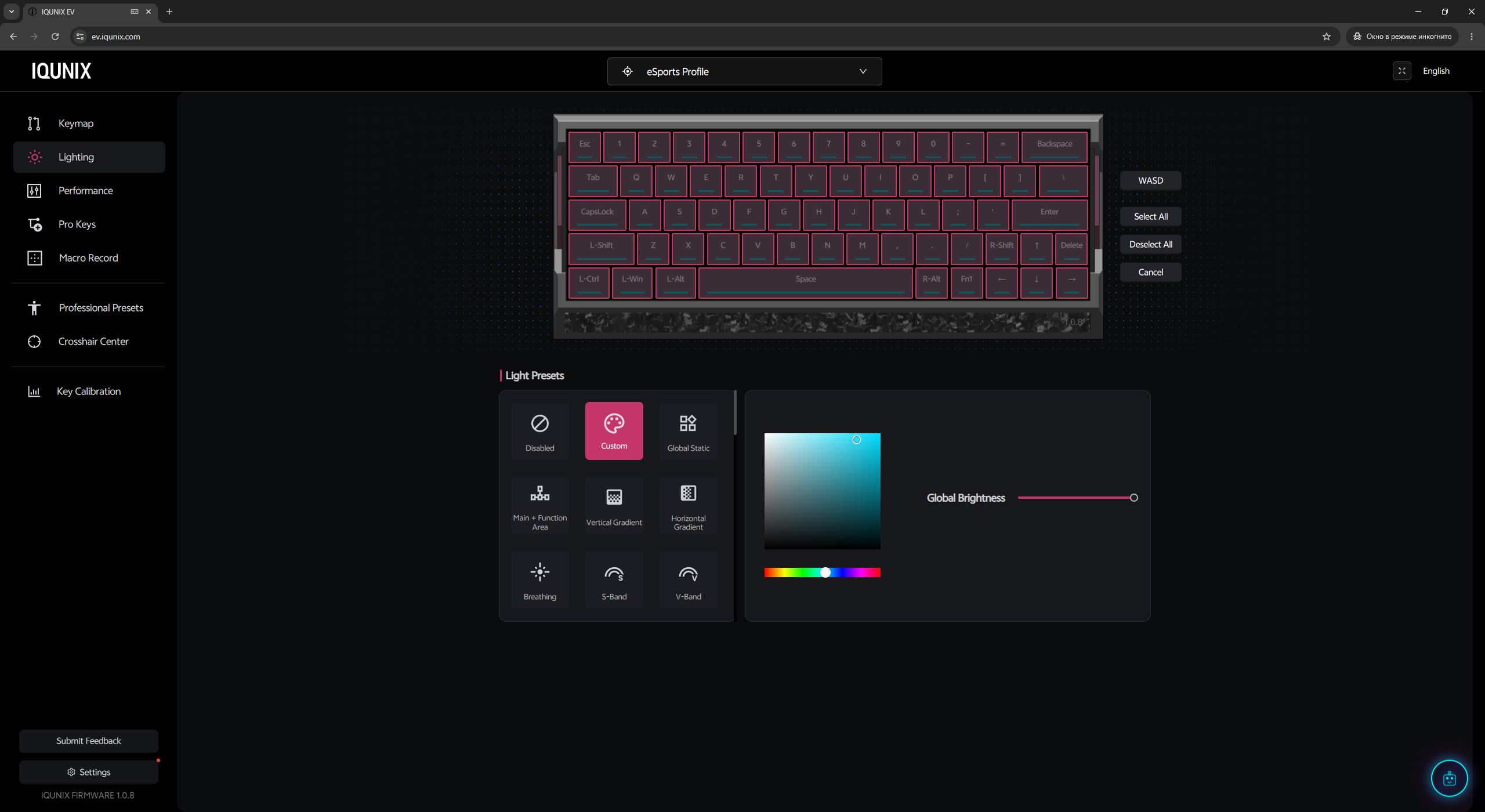
In the Lighting menu, you can configure the keyboard’s backlighting. It includes both preset lighting effects and the option to assign a custom color to each individual key.
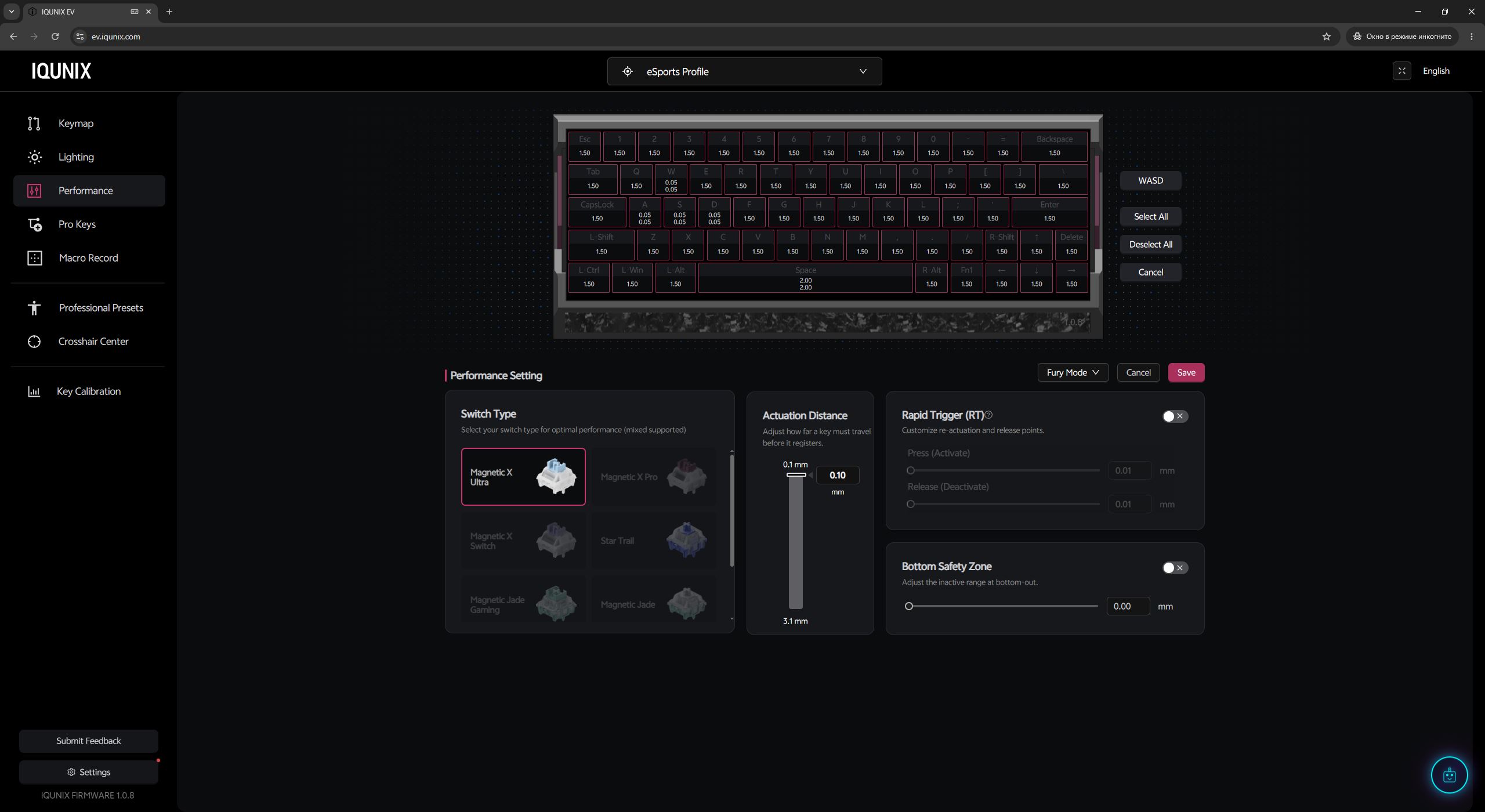
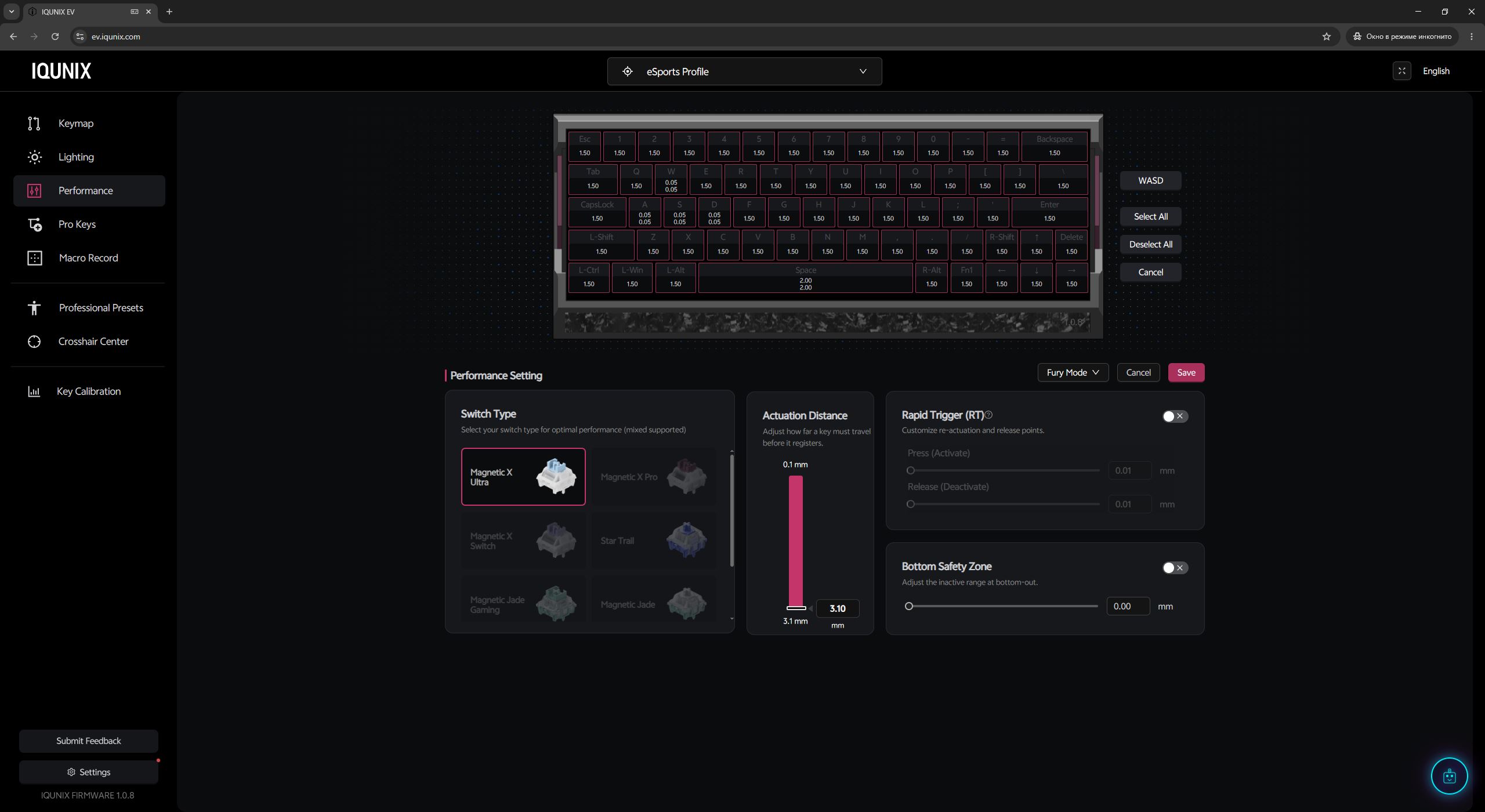
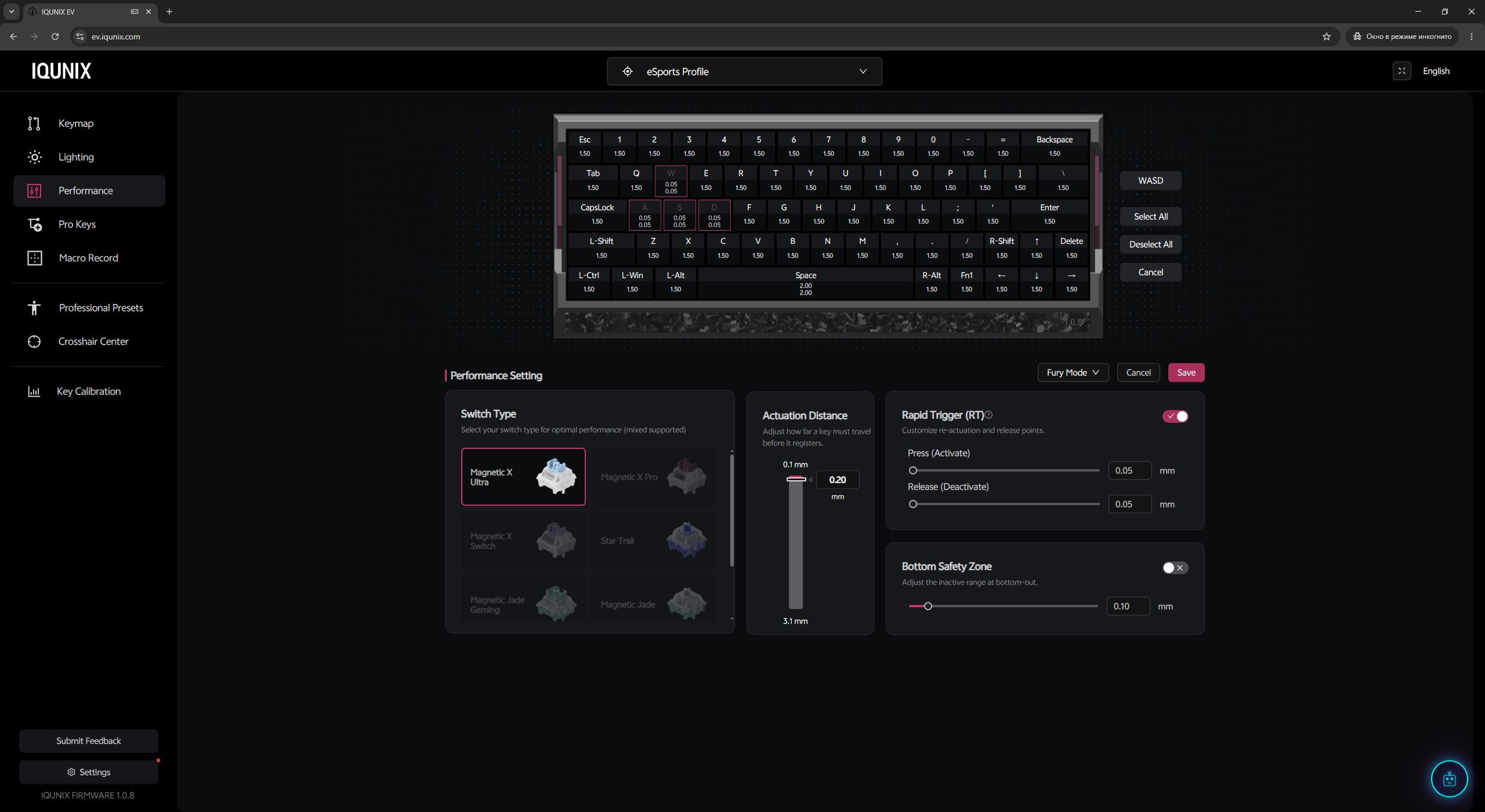
In the Performance menu, you can calibrate the keyboard for different switch types, adjust actuation points, configure Rapid Trigger settings, and set dead zones. The actuation point can be adjusted either globally for all keys or individually for each key. Rapid Trigger also includes preset modes with predefined settings, while still allowing full manual customization if you prefer.
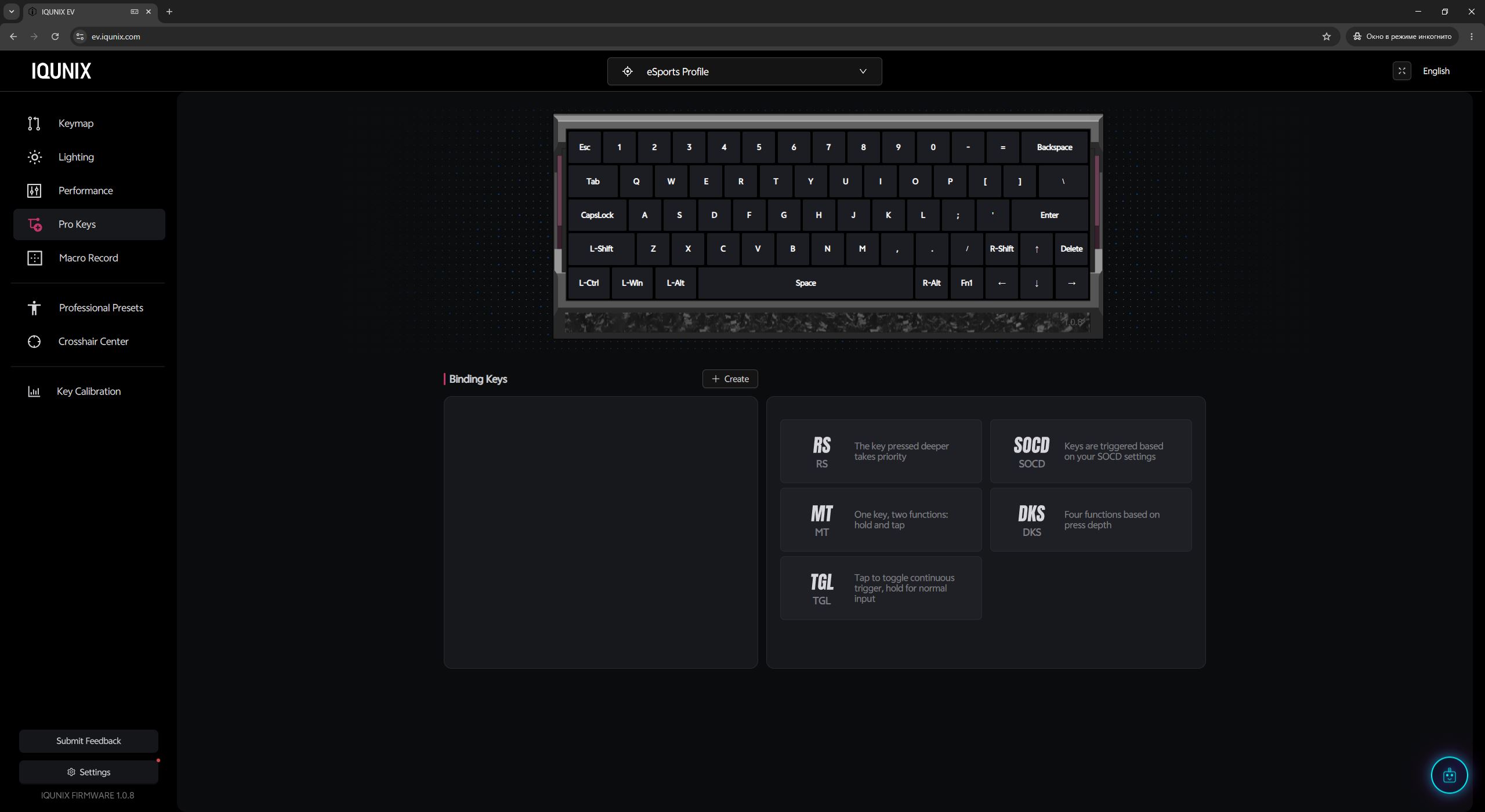
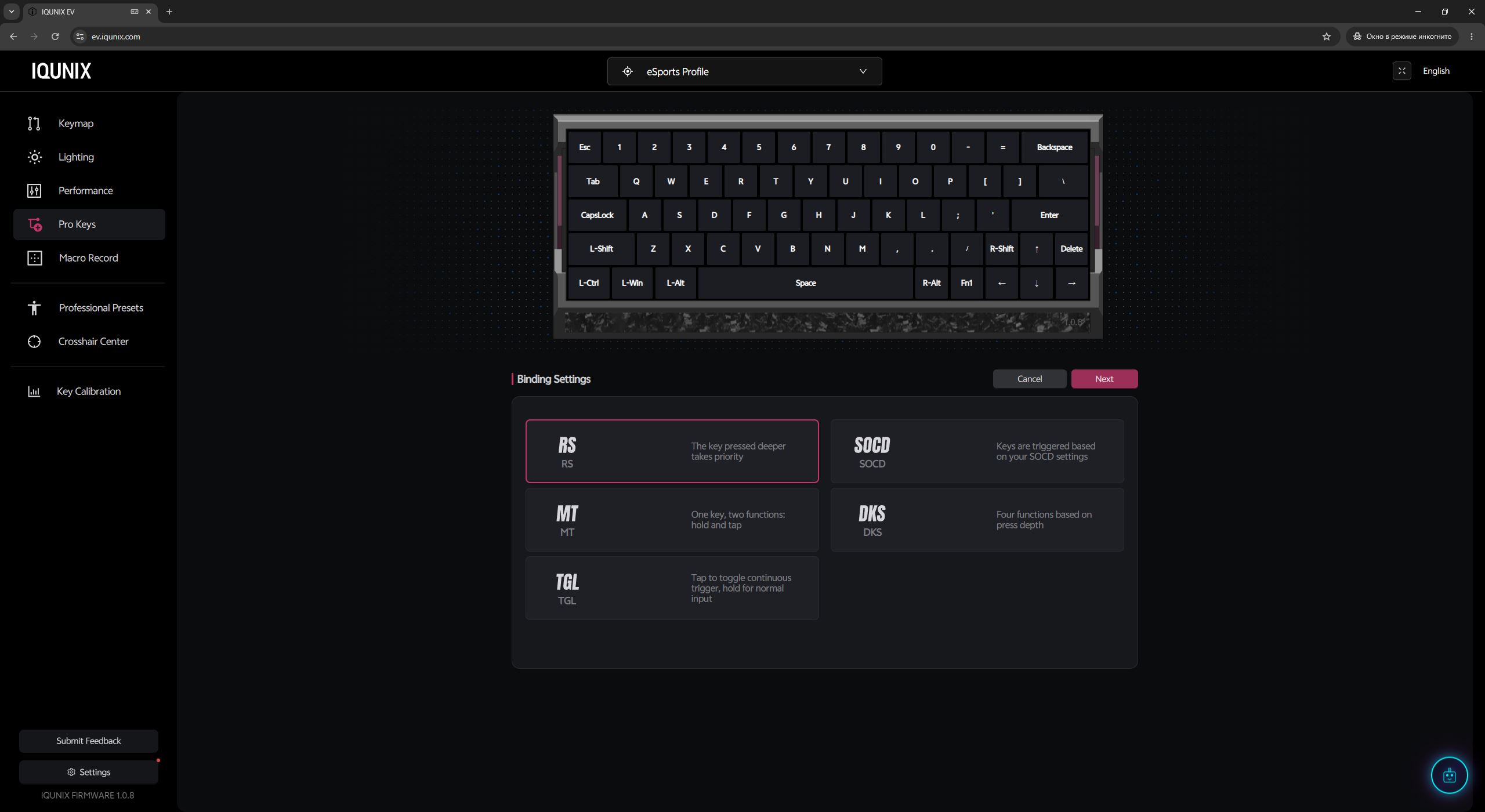
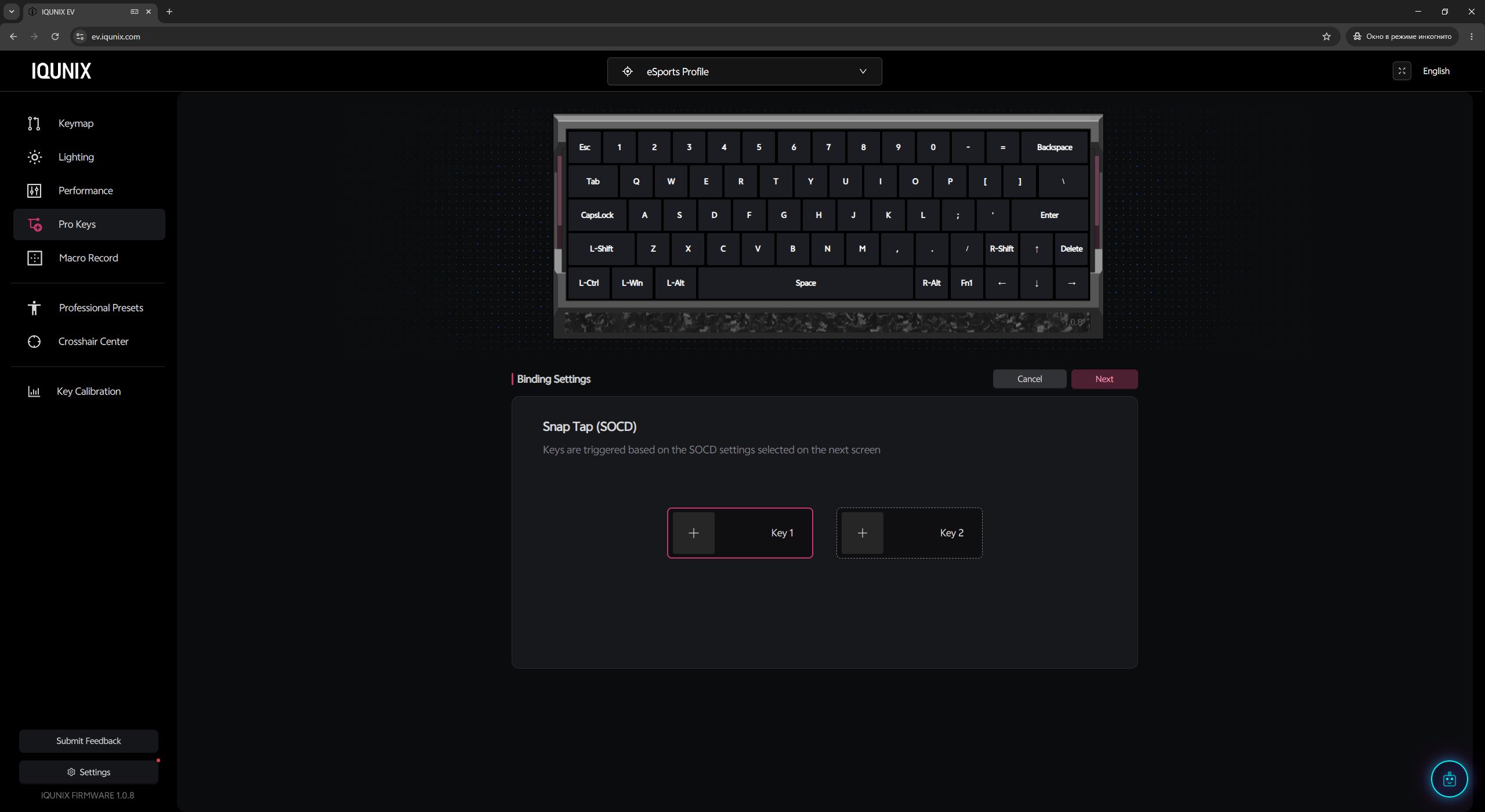
In the Pro Keys menu, you can configure advanced modes and features such as Rappy Snappy (RS), Mod Tap (MT), Toggle Keys (TGL), Dynamic Keystroke (DKS), and SOCD. What these features are used for and how they work was already explained in the previous section.
In the Macro Record menu, you can create and edit macros. The keyboard supports up to 16 macros (M0–M15), which can then be assigned to keys or FN-layer functions.

In the Professional Presets menu, you’ll find something quite interesting – pre-made configurations from well-known VALORANT players. From experience, this is not a feature commonly seen in keyboard software, so this section definitely earns the IQUNIX EV63 an extra point.

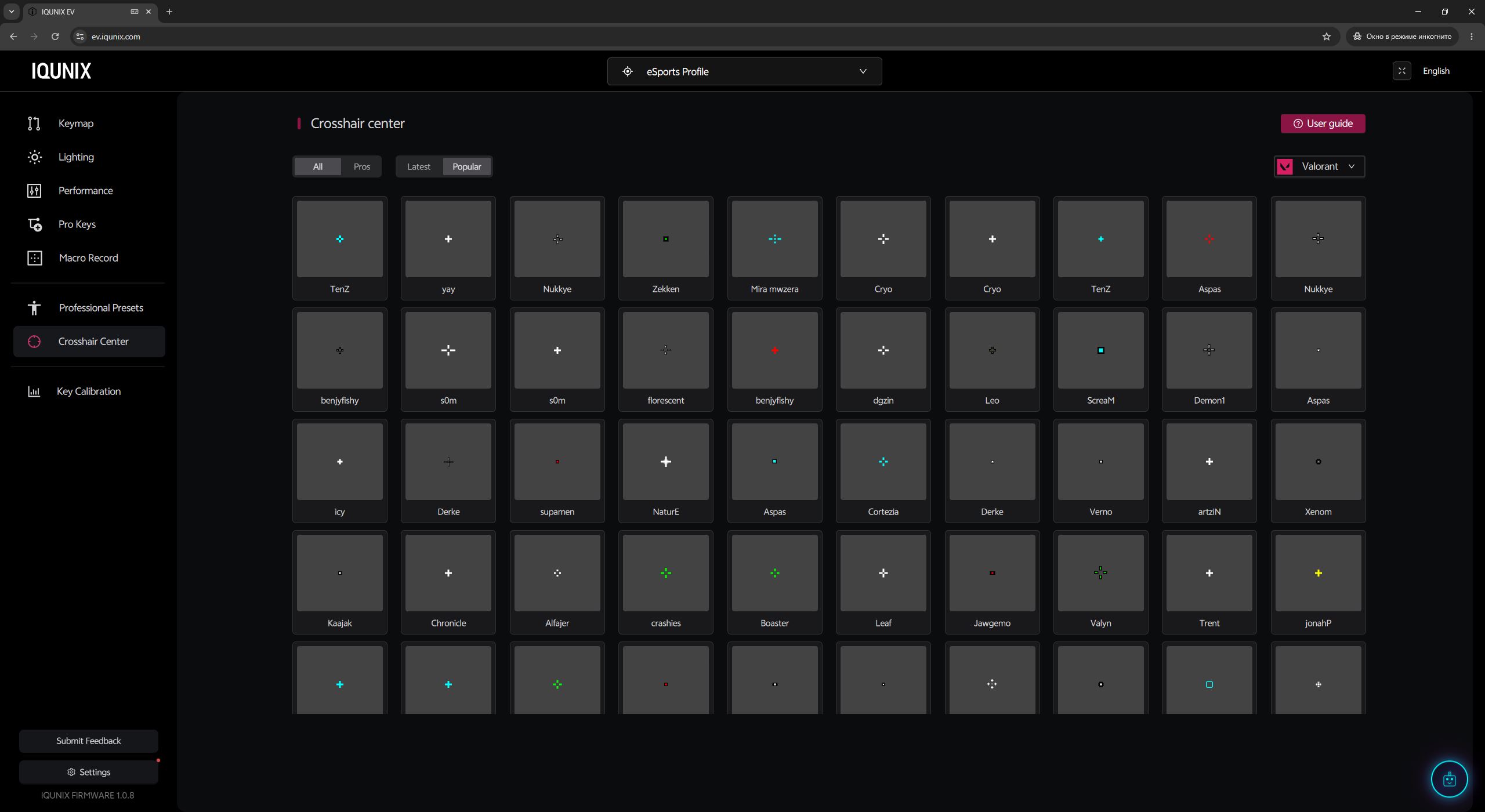
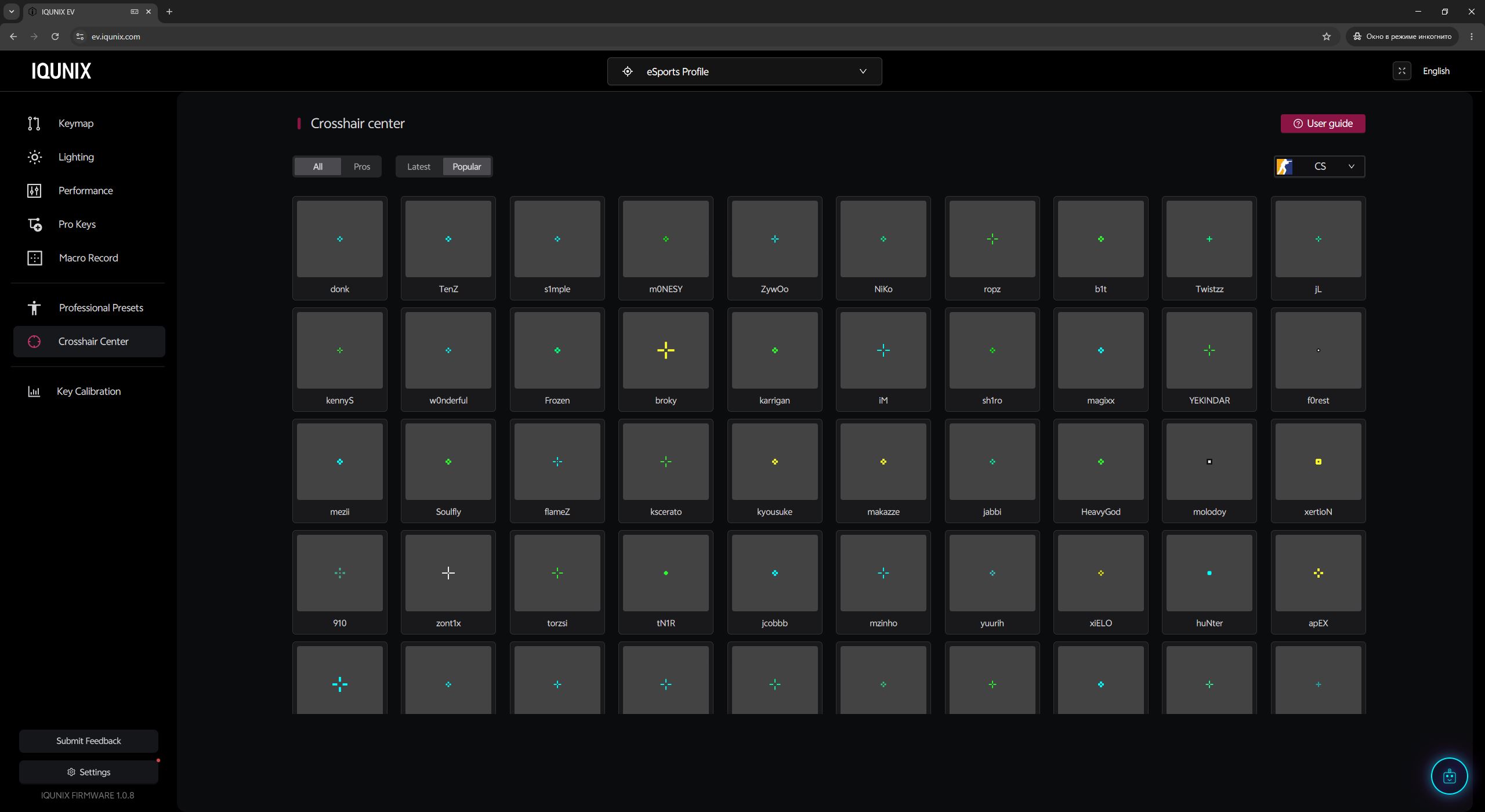
The next menu, Crosshair Center, is also something I’m seeing for the first time – it contains a collection of ready-made crosshairs for VALORANT and CS. It works very simply: you click on a crosshair you like, the software copies its code to the clipboard, and then you just paste it into the game’s settings.
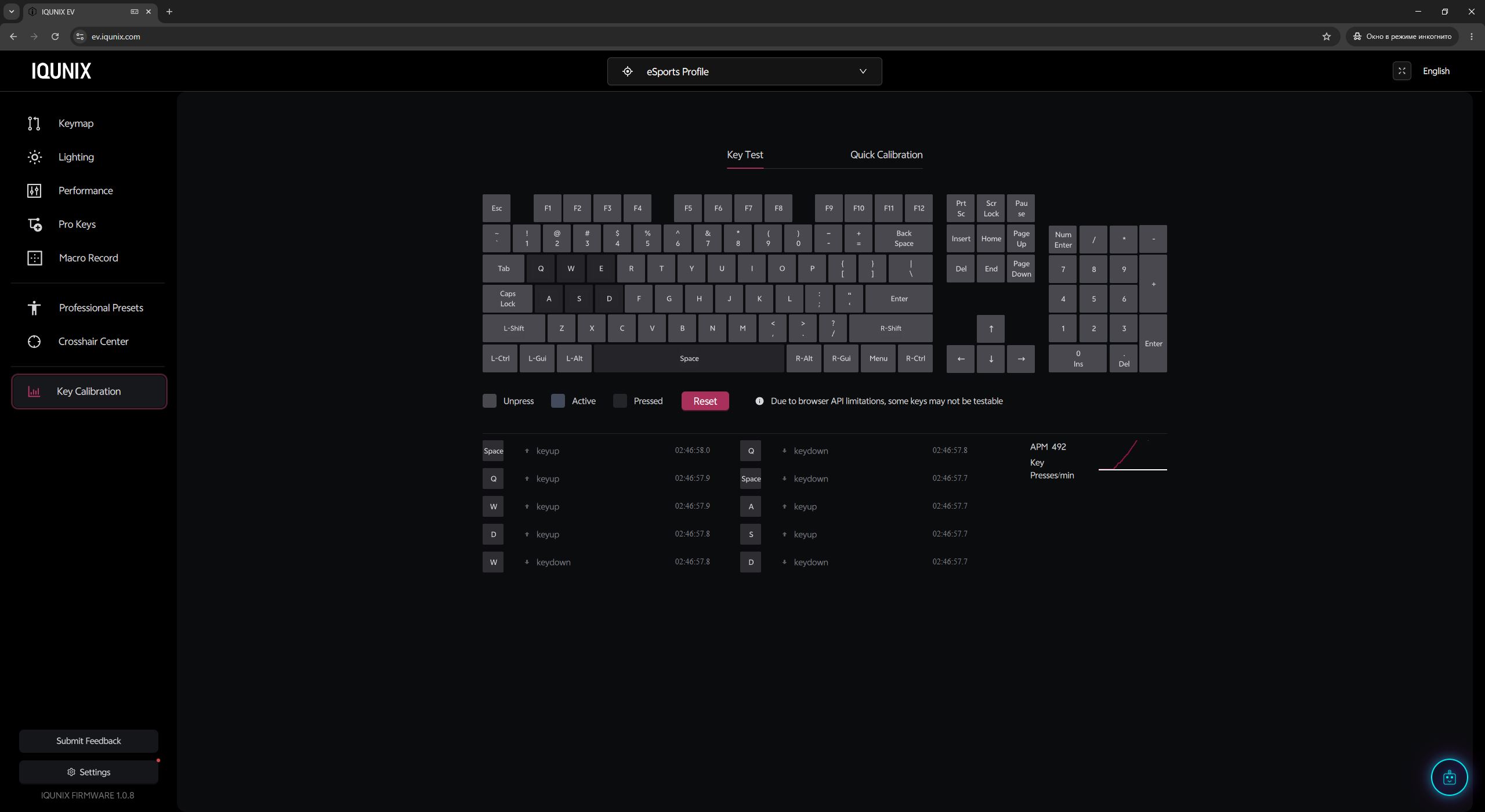
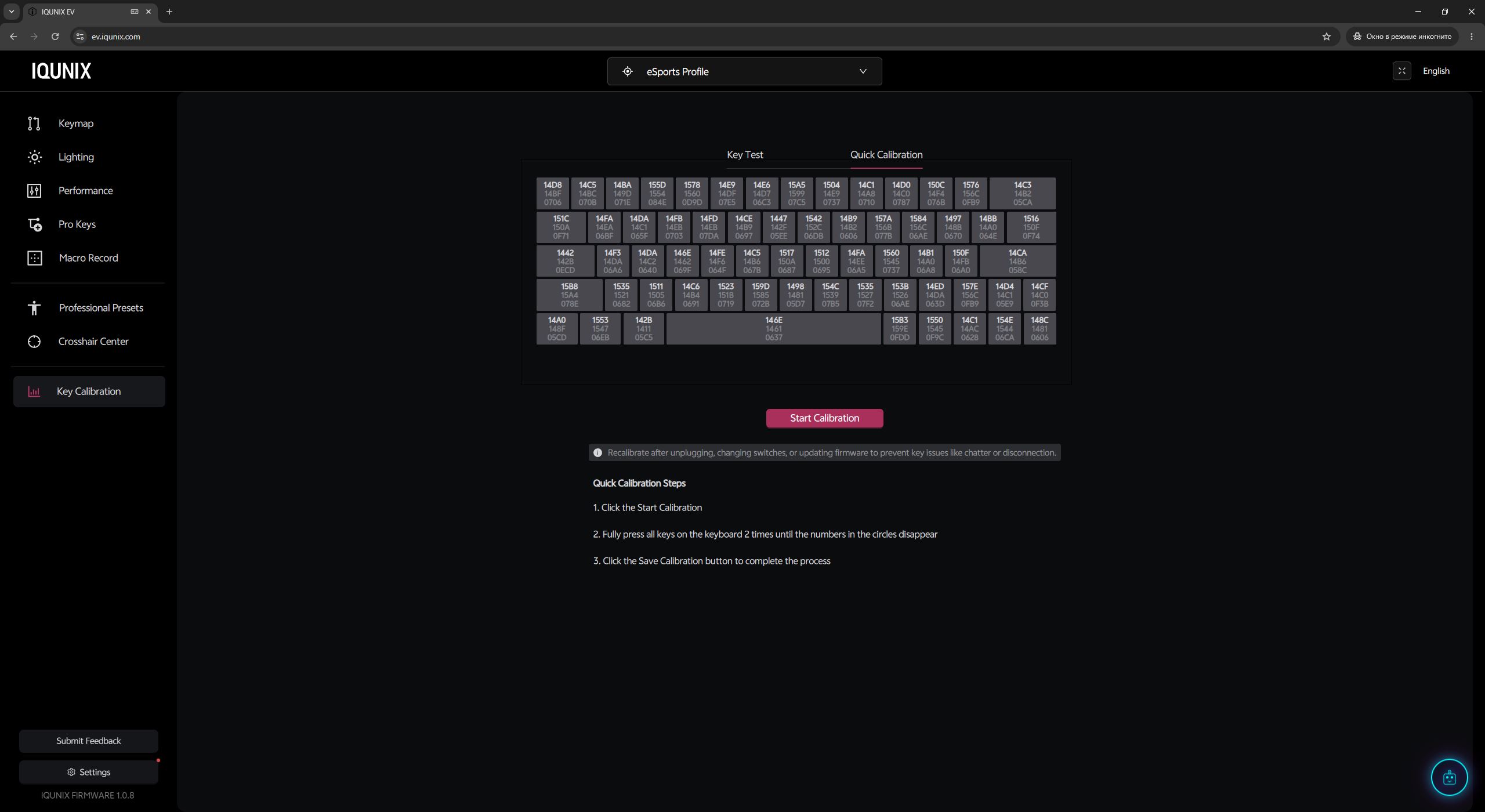
In the Key Calibration menu, you can test key functionality, view real-time input values, and perform recalibration if any issues occur with the sensor response.
In the final global Settings menu, you can update the keyboard firmware, adjust the polling rate (up to 8000 Hz), and configure the backlight auto-off timer. This section also includes options such as Switch Wobble Compensation, Windows key lock, and disabling NKRO for compatibility with older systems. If needed, you can also reset all settings to factory defaults from here.

After spending some time with EV Software V3, I can say the software is more than impressive. It’s easily one of the best applications for magnetic keyboards I’ve used: there’s nothing to install, the interface runs very fast, doesn’t freeze, and all settings are laid out in a clean, intuitive way. On top of that, it includes features that are simply not found in most competing solutions. In short – this is excellent software.
Read also:
- YUNZII RT75 PRO Review: Compact Magnetic Keyboard with Gamer-Oriented Design
- HATOR Skyfall 80 Mag Ultima 8K Review: Magnetic-Switch Keyboard from Ukrainian Brand
Conclusion
To sum up, in my opinion, the IQUNIX EV63 Violet is quite an interesting model. It features a premium custom aluminum chassis, excellent build quality, and solid ergonomics – even despite the physical absence of some keys. It also comes with high-quality proprietary switches and one of the best configuration and customization software solutions available. On top of that, it includes exclusive features such as M.A.T. 2.0 and other tools we’ve seen in the software section. The typing experience is overall good, but – as mentioned earlier – there’s no real magic to it. It’s exactly what you’d expect from a magnetic keyboard: precise, responsive, and stable.

However, there are also a few controversial points worth mentioning: the package contents, the sensors, and the price.
The package overall is decent, but considering the keyboard’s price, it feels slightly underwhelming. There are no spare switches or additional keycaps, which are often included even with cheaper models. The branded keycap puller is a nice touch, but it’s not very practical for long keys – it should have been made longer for better usability.
As for the sensors, the 3rd-generation Hall-effect switches are excellent on their own. However, given the price point, many users would likely expect more advanced TMR sensors instead. The price naturally ties into the points above. Objectively speaking, it feels a bit on the high side. If the device were slightly more affordable, it would be close to perfect. Otherwise, it’s a great keyboard and a strong alternative to Wooting and other more expensive competitors.

Read also:
- Privacy as a Business Model: Proton Services and Efforts Toward a Surveillance-Free Internet
- Rome vs. Silicon Valley: Why Leo XIV’s “Magnifica Humanitas” Encyclical on Artificial Intelligence Matters
- New Zhenwu M890 AI chip: How U.S. sanctions contributed to China’s technological independence
Where to buy the IQUNIX EV63


