





© ROOT-NATION.com - Use of content is permitted with a backlink.
You’ve probably already heard about Comet, the new AI-powered browser from Perplexity. I’ve had the chance to test it for a few days and would like to share my first impressions.
A few days ago, I received an email invitation to try Comet, a new web browser developed by the Perplexity team. The concept immediately caught my attention. I wanted to see whether this product could realistically compete with established players like Google Chrome or Microsoft Edge, and how deeply the integration of Perplexity AI might actually change the everyday web browsing experience.
I decided to use Comet as my primary browser for several days to evaluate not only its speed and stability but also how artificial intelligence affects navigation, search, and interaction with online content. Below are my initial impressions.
Read also: The Third World War of Browsers: Has It Already Begun?
TABLE OF CONTENTS:
What is Comet?
Comet by Perplexity represents an attempt to rethink the very concept of a web browser – turning it from a simple tool for viewing pages into an active assistant that can reason and act alongside the user. Instead of the traditional “open–type–search” routine, users can delegate many tasks to the integrated AI – from finding specific information to performing actions that would normally require several clicks and manual input.
The new Comet aims to position itself as a viable alternative to browsers like Google Chrome, Microsoft Edge, Brave, or Arc/Dia, but with a fundamentally different philosophy. Here, AI isn’t just an integrated feature – it forms the core of the entire system. This approach could mark the beginning of a new stage in how users interact with the internet, where search, analysis, and navigation merge into a single, intelligent process.
Comet Browser is the first truly agent-based browser that goes beyond having a built-in assistant, turning it into an active participant in the user’s workflow. The integrated Perplexity AI doesn’t just respond to queries – it can interact with open tabs, email, and calendars, and even manage page navigation, as if the AI had taken direct control of the screen. This is not merely a “browser with AI,” but an attempt to create a tool capable of performing part of the user’s digital routine on its own.

At the same time, despite its potential and ambition, Comet still feels like an unfinished experiment. It introduces some interesting ideas, but also leaves several areas underdeveloped, raising questions about privacy, stability, and day-to-day practicality. One thing, however, is already clear: if the developers manage to deliver on their vision, this browser could become a genuine catalyst for change in the market, intensifying the competition between Perplexity’s AI and the upcoming browser from the ChatGPT team.
Read also: Cryptography: What It Is and How It Works
Who is the Comet browser intended for?
If you’re among those who subscribed to Perplexity back when the service still had its “wow” factor, then you’re exactly the audience Comet is built for. This browser isn’t aimed at the general user base – it’s designed for those who like to experiment, test new tools, and see how artificial intelligence can genuinely take over part of their workload rather than just provide answers.

Comet will likely appeal to:
Experienced users who frequently switch between Perplexity, ChatGPT, and their browser, trying to create a seamless workflow.
- Those who have been waiting for AI to start acting on their behalf, not just as a tool but as a virtual colleague.
And, of course, anyone tired of Chrome or frustrated with Safari – users looking for something new, even if it’s not yet fully polished.
Essentially, this is a browser for early adopters who aren’t deterred by its shortcomings in exchange for a new level of control, speed, and AI integration that other browsers are only beginning to explore.
Read also: How to Spot Fake Photos: New Challenges of the Digital Age
How to download and install the Comet browser?
Perplexity initially launched Comet in July 2025 for Perplexity Max subscribers at $200 per month, which limited access for most enthusiasts. However, on October 2, the developers announced that Comet would be available worldwide and free for all users.
Offering Comet for free could help Perplexity attract a larger user base as it seeks to compete with companies like Google, OpenAI, and Anthropic, all of which have their own AI-powered browser offerings.
So, you can download and install the new Comet browser right now. Simply visit the developer’s website and click on “Download Comet.” The installation file will be downloaded to your laptop or PC almost immediately.
The installation process initially caught me off guard. It includes various sound effects, bright animations, and quirky interface tricks that don’t serve a functional purpose, but seem intended to make the setup experience more engaging.



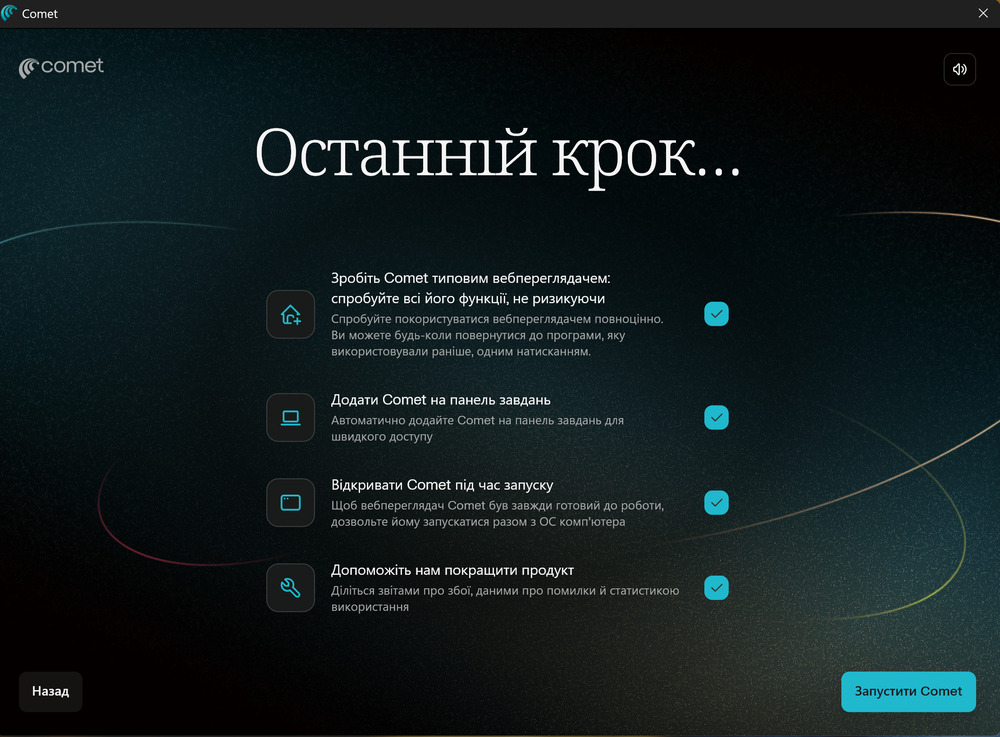
In practice, however, the process is quite standard: import data from another browser, adjust a few settings, grant some permissions, and optionally set it as your default. It’s a routine installation with nothing unusual.
Read also: Windows 11 Open Source: Myth or Reality?
Where is the revolution we were promised?
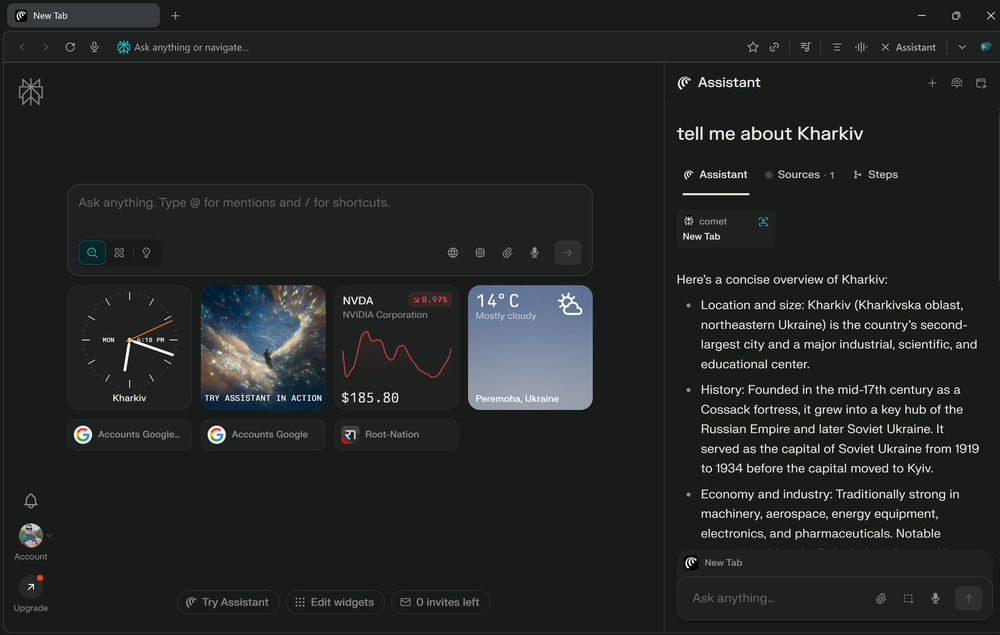
Comet makes a strong first impression. Its design is minimalist and clean, free of excessive graphics or decorative elements that often distract users. The interface feels intentionally restrained, with everything in its place and no unnecessary clutter.

After the initial setup – installing extensions, importing bookmarks, and syncing with a Google account – it becomes clear that Comet isn’t a radically new product, but rather an evolutionary development of a familiar concept. It retains almost all of Chrome’s functionality while presenting it in a cleaner, more modern design.


On one hand, this is a clear advantage, as users get a comfortable, familiar environment without a lengthy adjustment period. On the other hand, for those expecting a true breakthrough from Comet, it might be somewhat disappointing. The browser’s core remains unchanged – it is built on the same Chromium engine, so similarities with Chrome are both logical and inevitable.
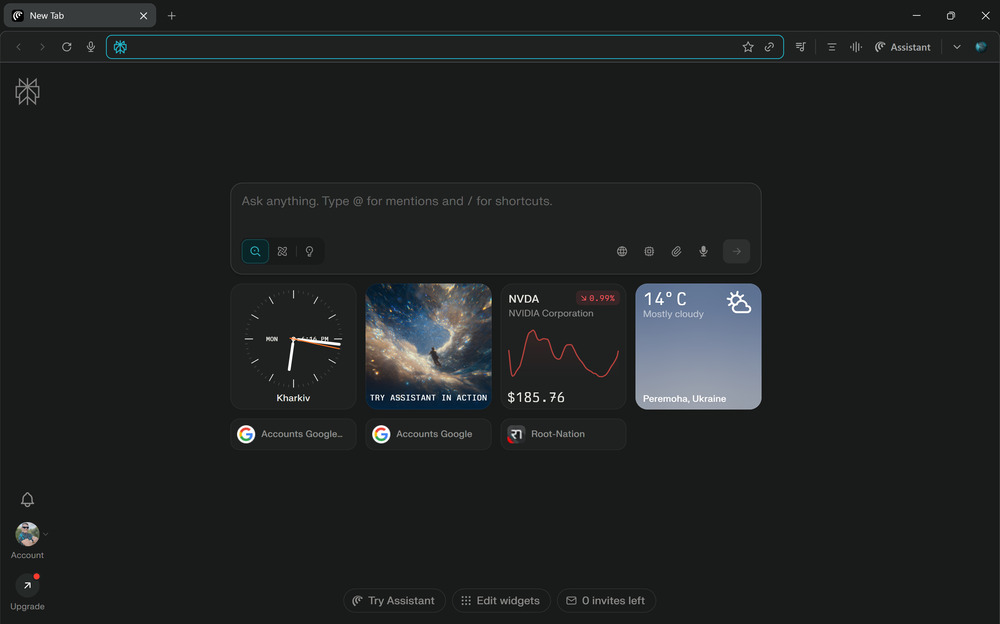
Comet, however, has its own philosophy. It focuses not only on visual simplicity but also on AI integration. Instead of the standard Gemini integration, it uses the Perplexity AI assistant, which does more than respond to queries – it acts as a genuine analytical partner for the user. This is no longer just a browser with a “sidebar”; it is a platform where navigation, search, and data analysis merge into a unified ecosystem.
In this sense, Comet isn’t an attempt to reinvent the browser but a step toward a more “intelligent” internet experience. It illustrates how artificial intelligence can gradually become part of familiar tools, enhancing flexibility and usability without radically changing the way we use them.
Read also: ChatGPT-5 from OpenAI: What the New AI Model Can Do
Comet is not just a search engine, but a completely different approach to interacting with the internet
What is Comet? It’s definitely not a traditional search engine like Google. If you enter a website address, the browser will open the corresponding page. But that’s where the similarity to conventional web search ends. Comet doesn’t support standard bookmarks, hyperlinks, or logical operators in its built-in search field – and that’s where things start to get interesting.

Users accustomed to standard search patterns may initially feel confused. However, those already familiar with Perplexity Pro are likely to appreciate this approach immediately. Comet doesn’t just search – it engages in a conversation. You enter a query, and the built-in AI assistant generates a structured, clear response, supported by links to the sources it drew information from.
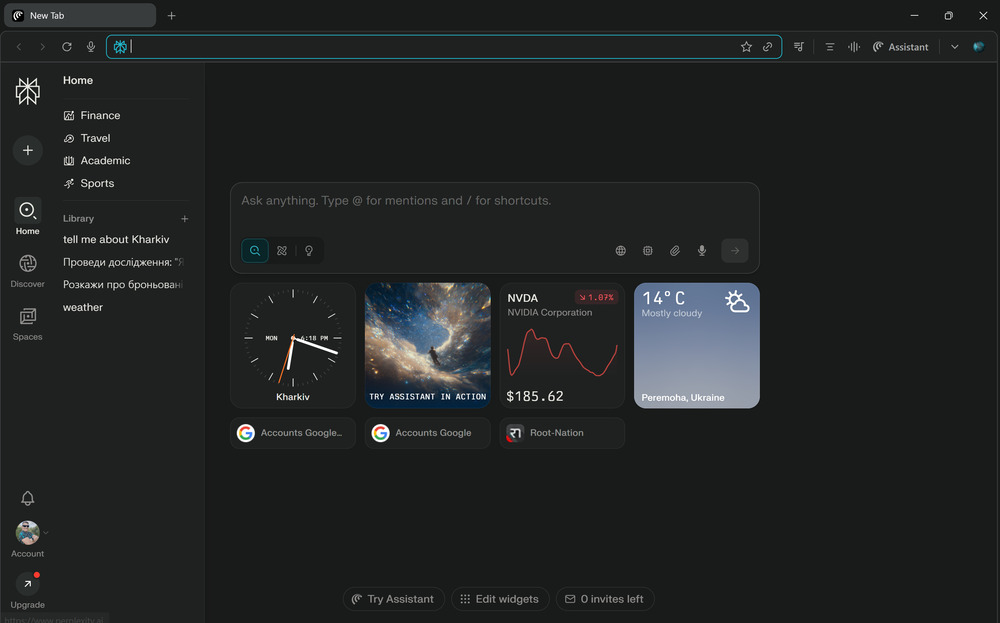
One of the most convenient features is instant on-page navigation. Pressing Alt+S provides a quick summary or overview of the current page’s content without having to scroll manually. The assistant reads, analyzes, and can even translate text – for example, into Ukrainian – automatically, without any additional extensions or services.
And that’s not all. Comet can also work with YouTube videos, interpreting their content even when no transcript is available. This adds a new level of convenience: summaries, translations, and brief insights are all accessible in just a few clicks. If needed, the same AI can assist with writing emails, creating shopping lists, or planning a travel itinerary.
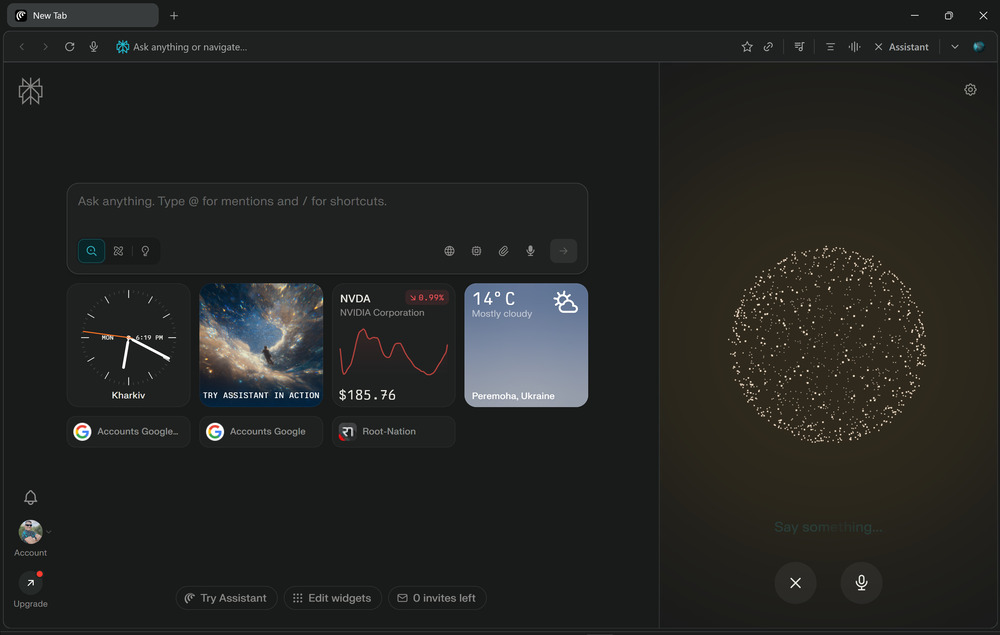
The interaction with the browser is thoughtfully designed: voice commands, quick access to the assistant via the sidebar, and intelligent tab management. Combined with integration with Gmail, calendar, password manager, and even a system for checking the security of files and links, this creates a full-featured workspace that can stand alongside any modern browser.
Comet seems less focused on competing directly with Chrome or Edge and more on offering a different working philosophy – one that is contextual, personalized, and conversational.
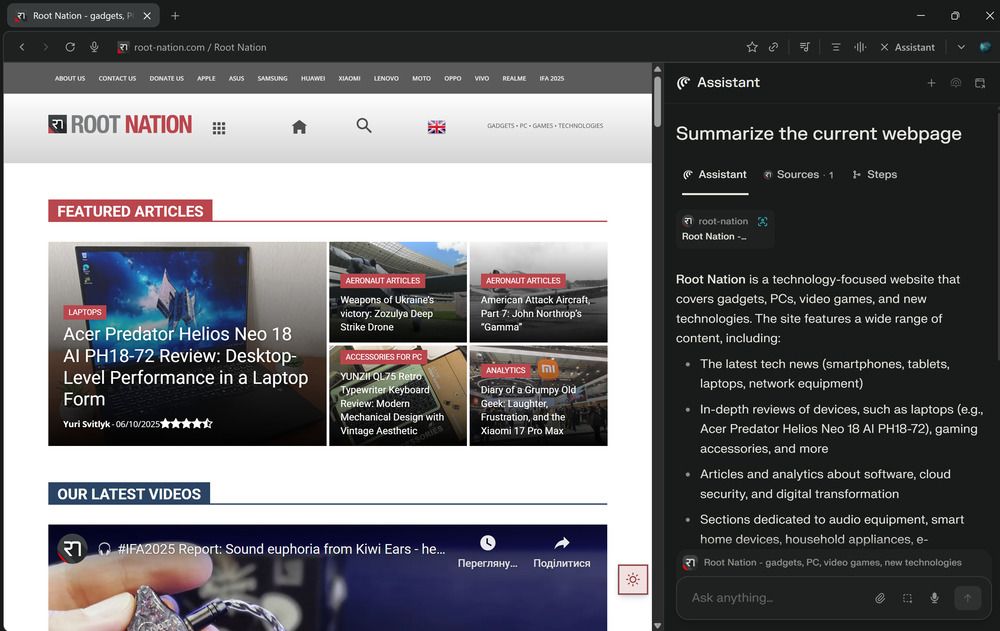
I quickly adapted to this workflow myself: open a page, press Alt+S, and get a brief summary or translation. Interacting with the assistant feels so natural that returning to a standard search now seems like a step backward.
Yes, Microsoft Edge with Copilot or Image Creator offers similar features in a sidebar, but Comet implements them more organically. Here, artificial intelligence isn’t just an add-on – it’s a core part of the experience, fundamentally changing how users interact with the web.
Read also: How Chinese Companies Circumvent the US Ban on AI Chips
Comet is not just a browser, but a real AI assistant in action.
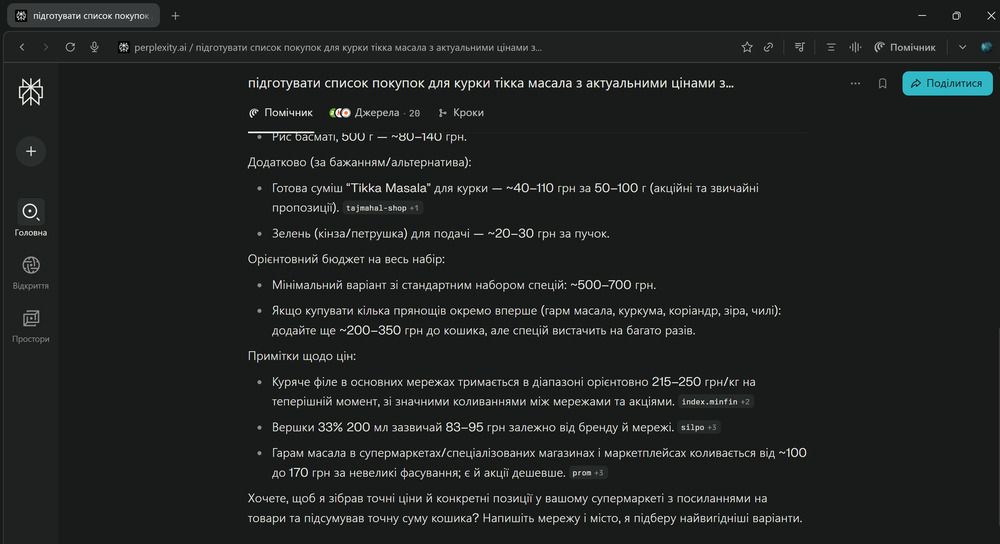
Comet is more than just a tool for browsing the web. It functions as a personal assistant capable not only of finding information but also of performing specific tasks. For example, you can ask it to create a shopping list for a particular recipe, estimate the cost of ingredients, or even find the best deals across different stores.
When I asked Comet to prepare a shopping list for chicken tikka masala with current supermarket prices, the results appeared almost instantly. The information was well-structured, including a list of ingredients, quantities, estimated costs, and even suggestions for alternative items. The only prerequisite is granting the browser the necessary permissions to access the relevant data.

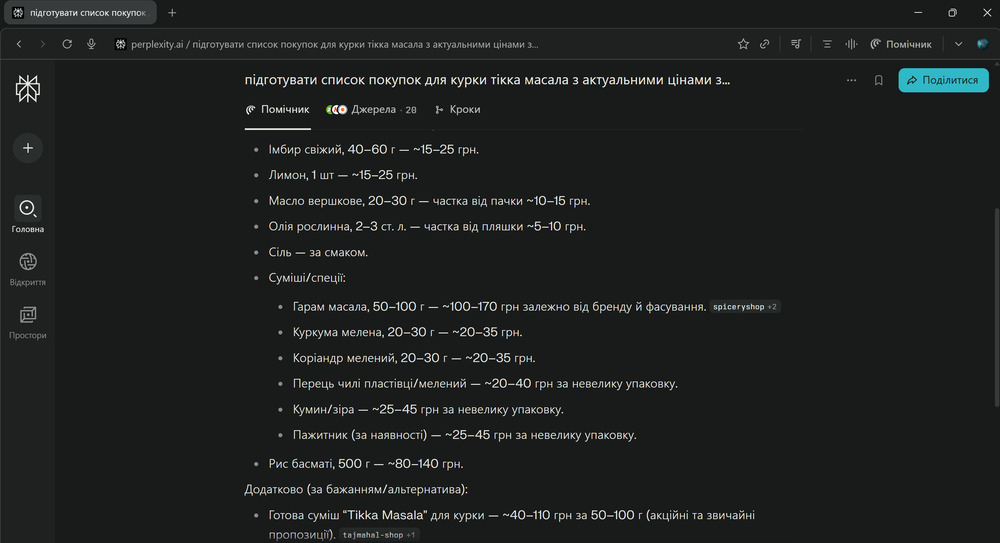
The real capability becomes apparent when tasks get more complex. I tested how well Comet could handle a more “professional” scenario, such as creating a price list for new iPhones. I asked it to find current prices, identify where specific models were available at the lowest cost, and compile all the data into a spreadsheet.
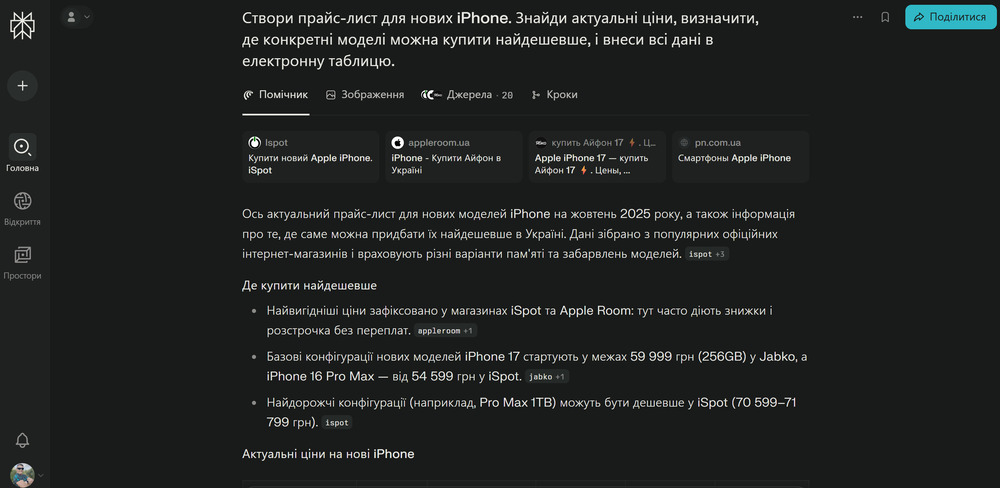
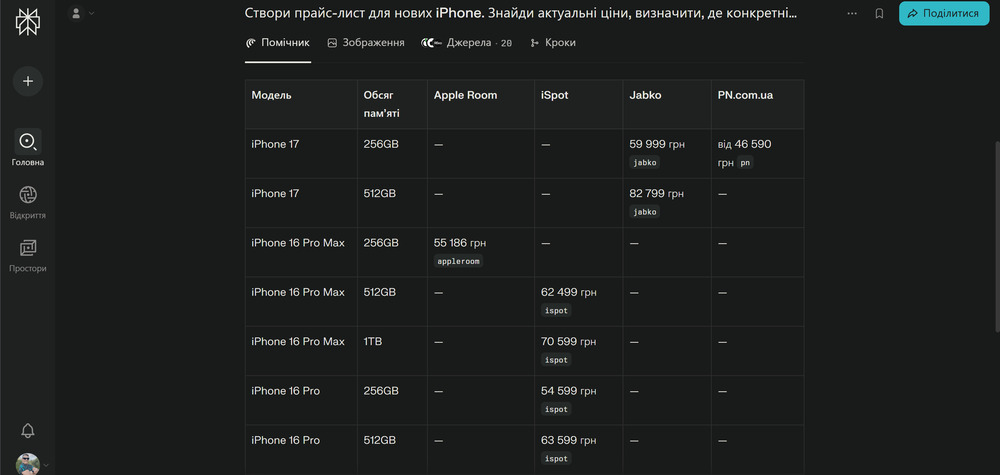
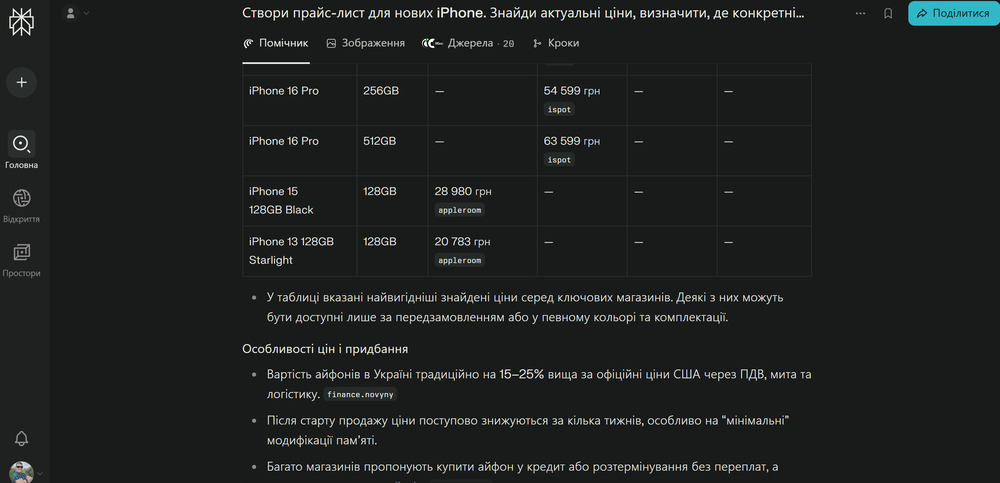
This time, the browser took a bit longer – a few minutes – but the result exceeded expectations: I received a CSV file with structured information, including model names, prices, links to stores, and even brief notes clarifying purchase conditions.
These features illustrate Comet’s main concept. It doesn’t just respond to queries; it performs tasks. It’s not a passive search tool but an active partner that analyzes, processes, and organizes data on your behalf. This is what sets it apart from any browser you’ve used before.
Read also: AI in Medicine: Is the Future Already Here?
Not perfect yet, but moving in the right direction
Not all tasks in Comet are executed flawlessly. Some requests, such as booking tickets, were not completed – either due to limitations on the websites themselves or security policies that block automated interactions. In certain cases, the process took so long that completing it manually would have been faster.
Occasionally, minor technical issues also appeared, such as pages rendering incorrectly, freezing when handling pop-ups, or problems during authentication. While Chrome or Edge handle these scenarios without issues, Comet can struggle. The same applies to its AI agents: they are useful but currently remain unreliable, prone to inaccuracies, or may freeze during complex tasks.
This raises a logical question – what does Comet still lack? To start, it doesn’t yet offer full compatibility with plugins that could extend the browser’s functionality. This limitation is particularly noticeable for users accustomed to the extensive ecosystem of Chrome Web Store extensions. Additionally, there is no built-in VPN, which has become almost a standard feature in next-generation browsers.
Another limitation is the lack of a mobile version with capabilities comparable to the desktop version. This means synchronizing work between a laptop and a smartphone isn’t currently possible. However, this is likely to change soon – the developers are already working on Comet for iOS and Android, and early indications suggest the mobile version will fully support the Perplexity AI assistant.
At present, Comet feels like a promising concept that is still taking shape. While it is far from perfect, the direction is right. If the developers can address technical limitations and stabilize the AI agents, this browser has the potential to become a serious alternative to established players.
Naturally, some imperfections, bugs, and omissions are related to the browser’s relatively recent development, where integrating an agent-based AI is a priority. Its progress is likely to accelerate in the near future. Perplexity has decided to make the browser available worldwide and free of charge, and assures that using Comet will not require any subscription moving forward.
Read also: OpenAI’s New Superpower: What Is a ChatGPT Agent?
Should you be concerned about privacy?
No modern review of Comet can overlook privacy and security concerns, as this is where the main tension arises between AI convenience and user privacy.
Discussions have already appeared on various forums, with users pointing to aspects of Comet’s privacy policy that, to put it mildly, raise questions. The document allows for relatively broad data sharing between the company and its partners, which naturally undermines trust in a system that positions itself as an “intelligent assistant.”

The situation was further fueled by statements from Perplexity’s CEO, Aravind Srinivas, who openly acknowledged that the Perplexity browser – on which Comet is partially based – will track users’ online activity. The collected data will be used to create detailed profiles and to serve so-called hyper-personalized advertising. In other words, every action, search query, and even time spent on a particular site could become part of a user’s digital dossier.
The official explanation frames this more gently, claiming it’s necessary to better understand the context of queries, user behavior, preferences, purchases, and even geolocation. In practice, however, this opens the door to excessive data collection and creates a potentially risky ecosystem where user privacy is largely nominal.
Cybersecurity experts also warn of a new type of threat increasingly associated with AI-powered browsers – prompt injection. Essentially, malicious actors can embed hidden instructions within web page content, which the AI might unknowingly follow. This could result in unwanted actions, such as disclosing personal data, generating access to confidential information, or even initiating financial transactions.
So, despite the futuristic concept of a “smart browser,” the old rule still applies: the smarter the tool, the more carefully you need to monitor whom you allow to think on your behalf.
Read also: Secret Behind Microsoft’s Profits: What the Company Hid for 15 Years
Comet – a browser ahead of its time
Comet is more than just another AI experiment. It offers an interesting alternative for users looking to optimize their daily workflow, automate routine tasks, and save time without sacrificing productivity. It will likely appeal to those who are not afraid to experiment, value new ways of interacting with AI, and are already familiar with the Perplexity ecosystem.
The browser gives the impression of a tool that understands the pace of modern users: it responds quickly, provides structured answers, summarizes information, and assists in decision-making. It is not just a “window to the web” but an intelligent workspace that learns and adapts alongside you.
It’s telling that interest in Comet emerged even before Perplexity made it free and accessible to everyone. People were willing to pay for access to the experimental version, and that says a lot. The demand for a “smart browser” was already established well before the official release.

Comet illustrates what the browser of the future could look like: personalized, context-aware, and designed to collaborate with the user rather than just display web pages. While it still has several limitations, the direction of its development is clear.
I have little doubt that Comet will quickly become a genuine competitor to Chrome, especially as AI solutions from OpenAI or Anthropic enter the market. Even in that scenario, Comet has the potential to remain an independent player – with its own philosophy, style, and vision of how people will interact with the internet in the coming years.
Read also:
- Strangest Deal of Year: TikTok to Lease Out Its Algorithm
- Diary of Grumpy Old Geek: Do We Really Need AI-Generated Content?
- Sex Robot Industry: New Rules in the Age of Technology
- All About Windows ML: A Shift in Local AI Processing

