© ROOT-NATION.com - Use of content is permitted with a backlink.
If you regularly follow our reviews and take an interest in mechanical keyboards, you’ve likely come across YUNZII. I’ve previously covered their popular custom models, magnetic devices, and a dedicated line of keyboards in full aluminum cases. More recently, I also reviewed their unusual transparent keyboard with CSA keycaps, the YUNZII X98.
Today, we’ll take a closer look at another interesting branch of the YUNZII lineup: the C series, a line of custom keyboards with bright, playful designs. As usual, we’ll start with the latest model, the unusually named YUNZII C75 Cake Meow, which has just hit the market. What defines this series, what makes this keyboard unique, and who might it appeal to? All of that – and more – will be covered in this review.
Read also:
TABLE OF CONTENTS:
Concept of the series and YUNZII C models
To start, a few words about the C series itself, its concept, and the models it includes. As mentioned, YUNZII C is a line of high-quality custom keyboards with an original and cute design. The main appeal of the series lies in its visual style. Another notable feature is that all devices in the lineup come with unique, stylized MOA-profile keycaps.
Although the series isn’t entirely new, it includes only a few models – essentially three: the С68 Panda, C68 Hi-Fi, and the new C75 Cake Meow, which was released this year.

Strong specs, an affordable price, a cute design, a distinctive case, stylish keycaps, and adorable animal themes – that sums up the series in a nutshell. The new C75 takes all of this to the next level: it offers three connection modes, a Gasket Mount design, hot-swappable switches, a rich accessory package, and an ultra-cute “cake-cat” design with vibrant RGB lighting. What’s particularly noteworthy is that this new model is priced slightly lower than the other keyboards in the series, making it an even more attractive option.

More detailed information about the C68 models is available on the official YUNZII website through the links provided above. Below, a brief overview of the technical specifications of the new C75 is presented to provide a clearer understanding of the device.
YUNZII С75 Specifications
- Format: 75%
- Layout: ANSI
- Number of keys: 84 keys
- Connection: wireless (RF 2.4 GHz / Bluetooth), wired (USB-A to USB-C)
- Polling rate: 1000 Hz
- Switches: YUNZII Milk V2 Linear Switch / YUNZII Candy Linear Switch
- Hot swap: 5-pin (compatible with 3-pin and 5-pin switches)
- Anti-Ghosting: full (N-Key Rollover / N-KRO)
- Construction: Gasket Mount (gasket architecture)
- Body material: plastic
- Keycaps: Dye-Sublimation PBT MOA Profile Keycaps
- Backlighting: RGB keys (south-facing LEDs), side RGB backlighting of the body (solid), emoji indicator
- Configuration software: Windows application, YUNZII web driver (Windows, Mac)
- Supported platforms: Windows, Mac, Android, iOS
- Battery: 5500 mAh
- Cable: detachable USB-A to USB-C (2 m)
- Dimensions: 335.9×162.1×44.0 mm
- Weight: 1008 g
- Colours: Pink, Beige, Blue, Purple
- Included: keyboard, 2.4 GHz RF adapter, USB-A to USB-C cable, double puller, set of additional keycaps, 2 spare switches, user manual, branded card, set of branded stickers, dust cover, branded mouse pad

Positioning and Price
The positioning of the new keyboard can largely be inferred from the previous discussion. In short, the YUNZII C75 is a new addition to the brand’s C-series this year. It is a modern custom mechanical keyboard with a distinctive design and is priced lower than other keyboards in the series.

You can buy it on the official YUNZII website, AliExpress, and Amazon for an average of $90 / €76. By the way, the device is even cheaper on the latter. For your convenience, I will leave the relevant links and current prices at the time of writing below:
- YUNZII official website – $92 / €78
- AliExpress – $92 / €78
- Amazon US – $70 / €60
Package contents
The keyboard comes in a stylish branded box consisting of two parts: a stylised cover and a box containing the main contents.


As I mentioned, the C75 comes with a really generous set of accessories. In addition to the keyboard itself, it includes:
- 2.4 GHz RF wireless adapter
- detachable USB-A to USB-C cable
- double puller (for keycaps and switches)
- set of additional keycaps
- two spare switches
- user manuals
- branded postcard and a set of stickers
- blister dust cover
- stylish mouse pad


The kit is comprehensive, and the packaging is notable – it is neatly organized and has a relatively premium presentation. Unpacking the YUNZII C75 gives an impression more akin to a “beauty box” than a typical keyboard. The contents can be described in more detail.
The 2.4 GHz RF wireless adapter is shaped like a small fish and is stored under the left “paw” on the bottom of the keyboard. This design is somewhat unconventional and adds a distinctive element to the overall product.


The detachable USB-A to USB-C cable, approximately 2 meters in length, features a braided exterior and gold-plated connectors. It includes a ferrite filter to reduce interference and a branded Velcro strap for managing excess cable length.

The puller included is a standard dual-purpose tool. One side has clips for removing keycaps, while the other features a switch remover. As is often the case, the keycap clips are somewhat short, making it slightly awkward to remove longer keys, although it is manageable with some adjustment.

The additional keycaps match the stock set in shape and feel but feature different decorative designs. They can be used to replace the spacebar, arrow keys, or any other keys as desired. Keys for Mac layouts, such as Command and Option, are also included.

The spare switches are identical to those installed in the keyboard. In this case, they are the new YUNZII Candy Linear Switches.

The package includes several user guides: a small cardboard fold-out with basic information and hotkeys, and a standard multi-language booklet. English is available in both manuals.


The branded card is blank and shaped like a small cake, matching the keyboard’s overall design. It can be used for a personal note. This feature adds a distinctive touch, particularly if the set is intended as a gift.


The included stickers follow the same design theme, featuring cakes, cupcakes, and cats.

The blister-style dust cover is a simple but highly practical accessory. It helps protect the keyboard from dust and keeps it clean when not in use.

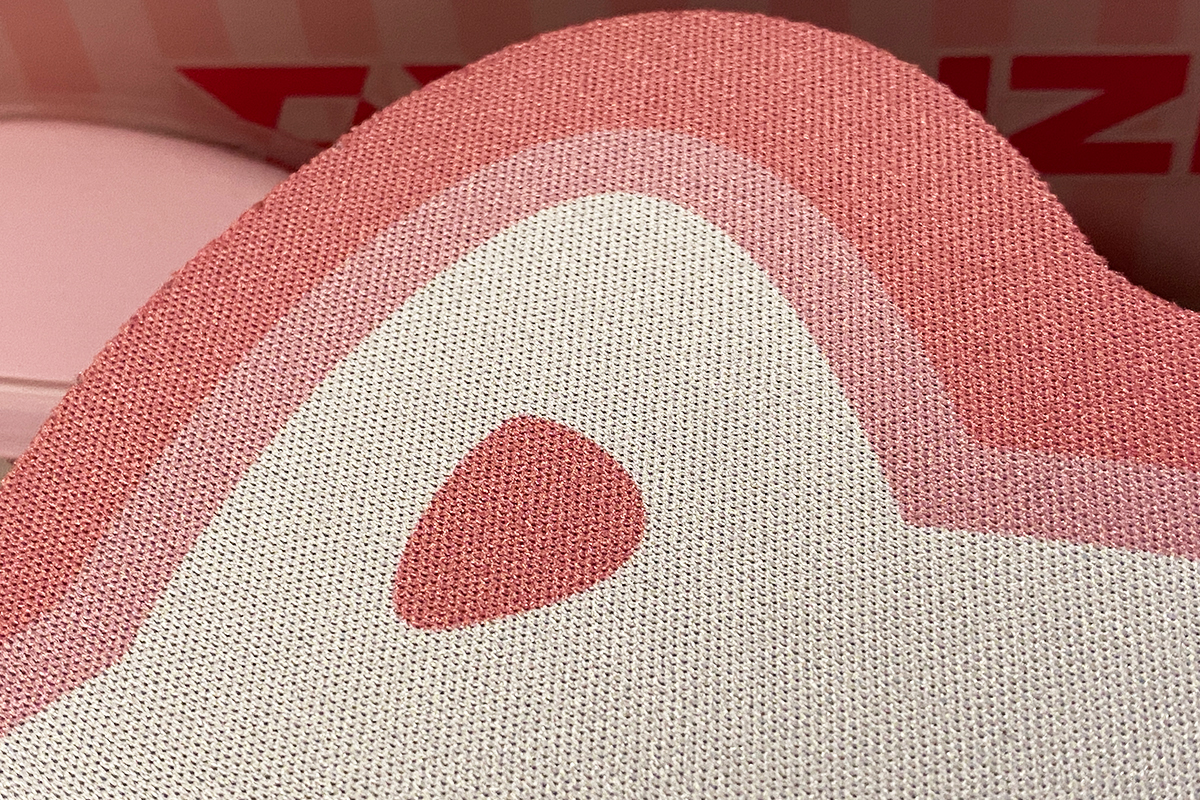
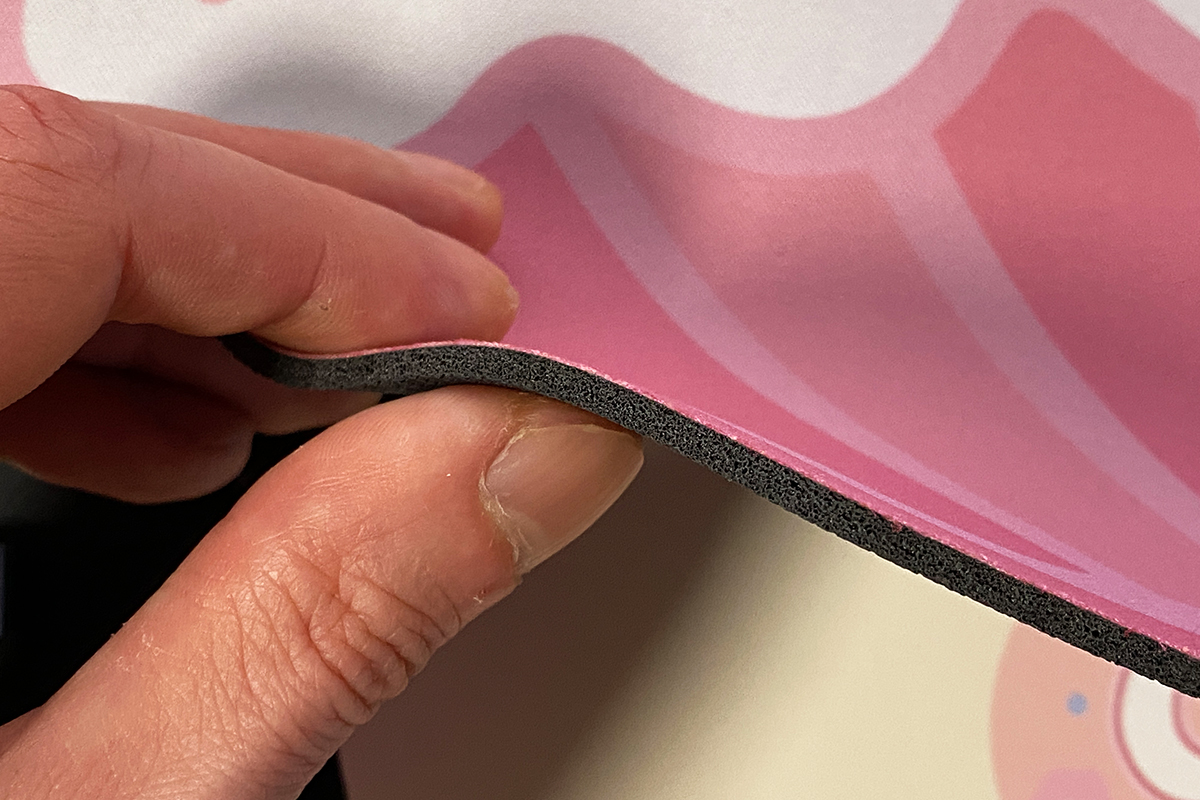
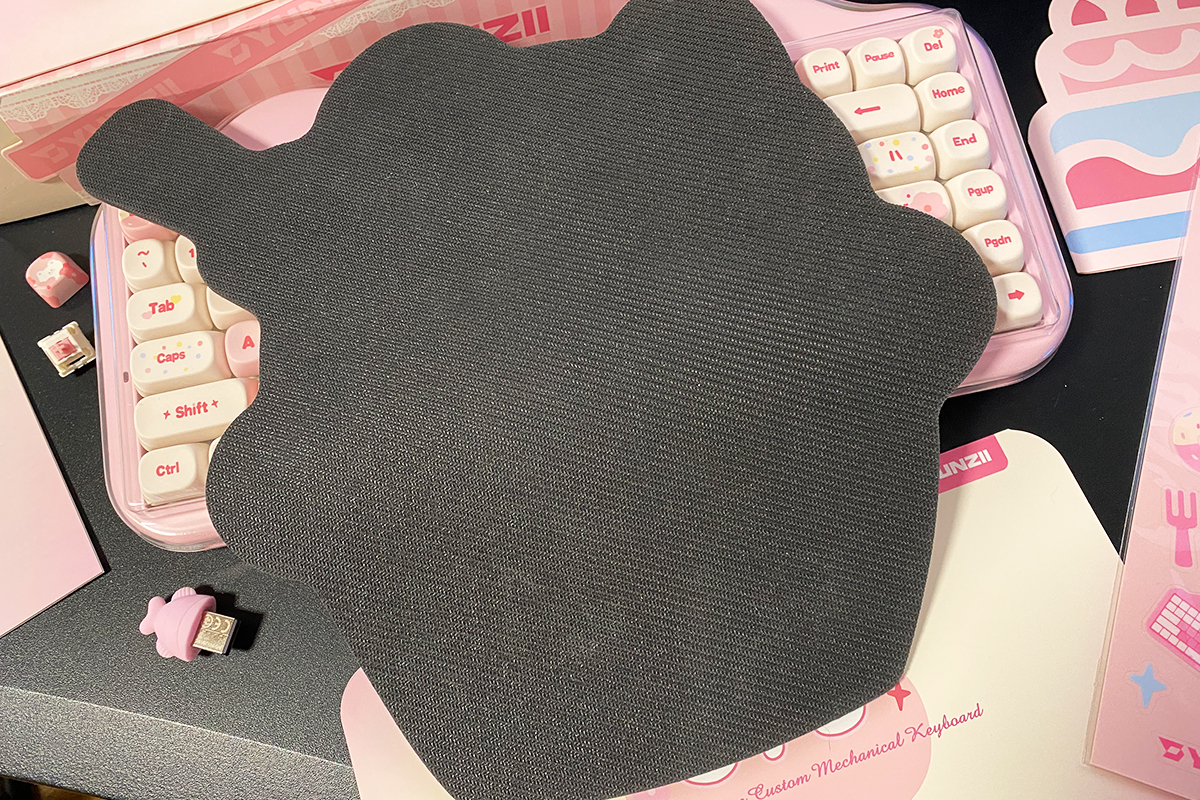
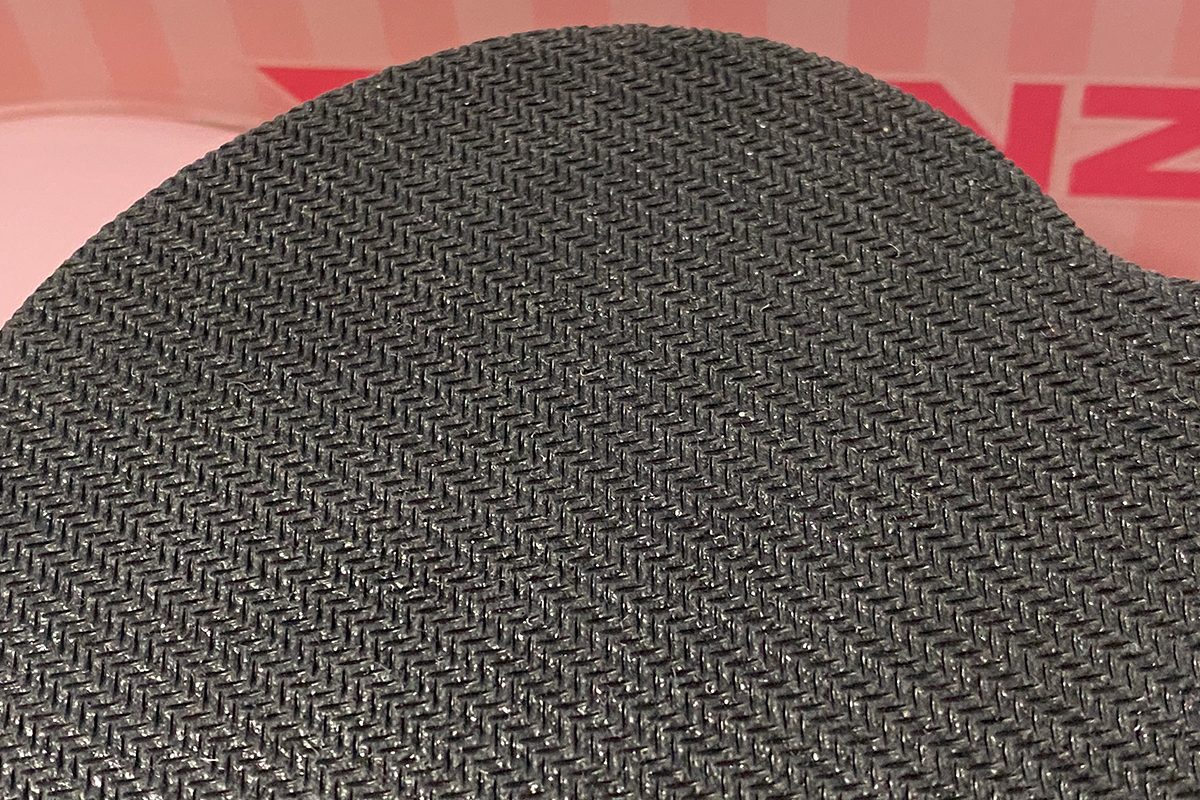
The mouse pad is designed in the shape of a stylized cat cupcake. The pad itself is of good quality, with an approximate thickness of 3 mm, a textured fabric surface, and a well-gripped rubber base. The edges are not stitched, which may lead to fraying over time, but otherwise it represents a solid and practical addition to the keyboard package.
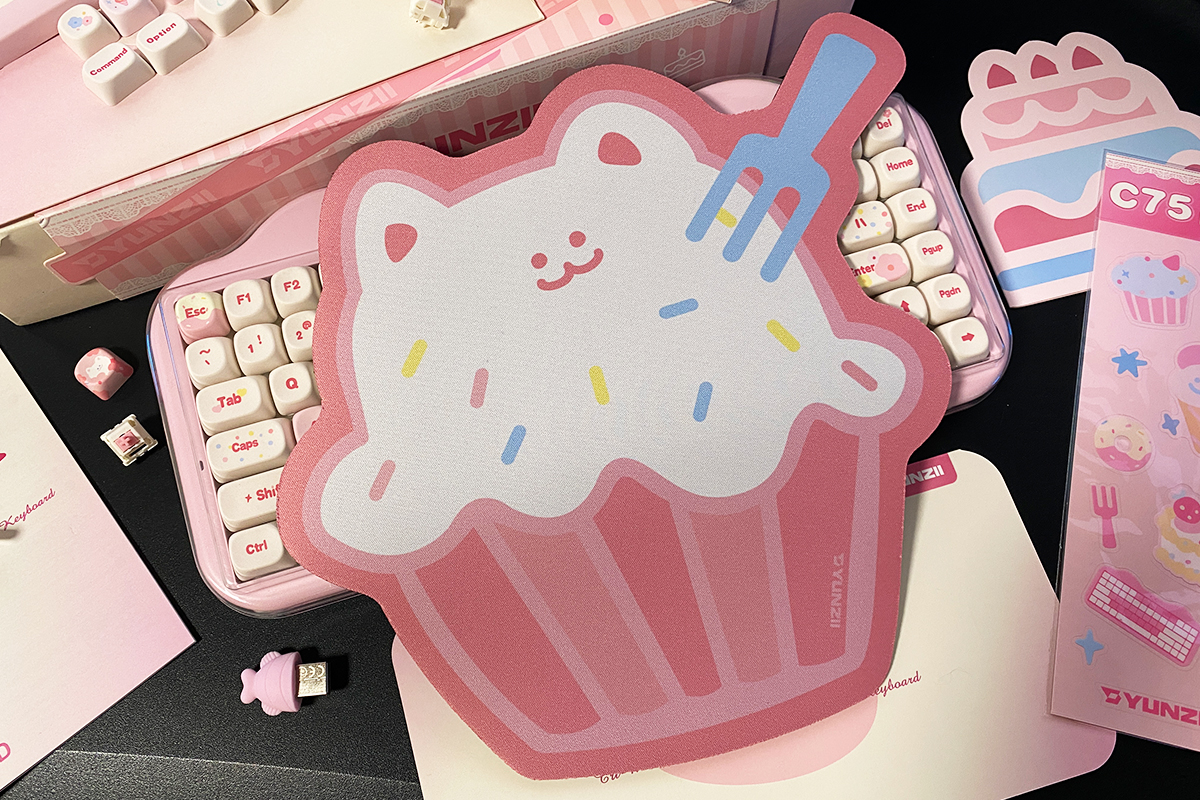
In summary, the package is well-equipped. Additionally, YUNZII offers a mouse on their website that complements this set. Before focusing on the keyboard itself, it is worth taking a brief look at the mouse, as it is also an unconventional device and has notable features to discuss.

Read also:
- YUNZII QL75 Retro Typewriter Keyboard Review: Modern Mechanical Design with Vintage Aesthetic
- YUNZII X98 Keyboard Review: Transparent Design, 8000 mAh Battery, and Affordable Price
YUNZII C1 Mouse
The YUNZII C1 is a three-mode wireless custom silicone mouse, released by the brand earlier this year.
The main feature of the model is its soft silicone body, which provides a comfortable grip and can also function as a stress-relief device.


Key features of the mouse:
- Connectivity: RF 2.4 GHz, Bluetooth, USB-C
- Sensor: PixArt PAW3212
- Maximum resolution: up to 4800 DPI
- Maximum polling rate: 1000 Hz
- Battery: 500 mAh
- Dimensions: 98.0×62.5×40.0 mm
- Weight: 80 (±5) g


The mouse is available in three colors: pink, black, and gray. The review unit received is the pink version, which matches the keyboard’s color.

You can purchase it, as well as the keyboard, on the YUNZII official website, AliExpress, and Amazon. Current links and prices at the time of writing:
- YUNZII official website – $40 / €34
- AliExpress – $31 / €26
- Amazon US – $40 / €34
Regarding the mouse itself and the user experience: in brief, it is unusual and has a distinctive ergonomic profile. The soft silicone body is enjoyable to touch and provides a stress-relief effect. However, due to its compact size, it may feel less comfortable for extended use.


There is a category of devices often referred to as “laptop mice”: small, portable, and minimalistic, designed primarily for basic tasks. In my view, the YUNZII C1 fits into this category. It pairs well with the keyboard and is suitable for office work, multimedia, or light gaming. However, its compact dimensions, particularly the short length, may not be comfortable for all users.

Despite its apparent simplicity, the mouse has dedicated software. It allows key reassignment, custom DPI settings, and other adjustments. The software will be examined in more detail later, alongside the keyboard’s software.
Read also:
- YUNZII RT80 Review: Magnetic Switches, 8000 Hz Polling, Solid Typing Experience at an Accessible Price
- YUNZII AL66 (V1) Keyboard Review: Metal Build, Creamy Typing Feel, and Affordable Price
Design, Ergonomics, Build Quality
As noted earlier, the main feature of the C-series, and the YUNZII C75 in particular, is its design. The keyboard combines two visually appealing themes: cats and cupcakes. The result is cohesive, with features like small ears, hearts, silicone “paws,” a tail at the back, and a “cream” layer in the body that lights up with bright RGB. The set is completed by the MOA keycaps, which carry playful decorative patterns.
Personally, I tend to prefer classic, minimalist keyboards with metal bodies, without extra lighting, displays, or other embellishments. Even so, the YUNZII C75’s design is appealing and stands out as a distinctive, thoughtfully executed concept.


The keyboard is available in four colors: Pink, Beige, Blue, and Purple. The review unit received is the pink version, which I find the most striking, though the other colors also have a visually appealing design.


The model uses the popular 75% layout, featuring 84 keys and a standard ANSI (QWERTY) layout familiar to many users. One notable detail is the placement of the F1–F12 keys. Unlike most 75% keyboards, there is no gap between these keys, which gives the function row a more integrated appearance.


The keyboard measures 335.9 × 162.1 × 44.0 mm, slightly larger than the typical 75% standard. The increased size is due to its decorative “cat-cupcake” body. Despite this, the YUNZII C75 remains relatively compact and does not take up excessive space on a desk.
Regarding height and tilt, the keyboard’s angle is standard for most 75% models. Its overall height may initially feel a bit tall, again due to the layered case design. However, this is something users generally adapt to quickly, and it does not significantly affect typing comfort.


The keyboard case is made of high-quality plastic, while all decorative elements – paws, tail, hearts, and the “cream layer” – are made of silicone. These components are soft and pleasant to the touch. Overall, the material quality of the C75 is strong. The combination of materials gives the keyboard a weight of 1 kg, which is sufficient to prevent it from feeling like a lightweight, budget plastic device.


The C75 uses a Gasket Mount design. Inside the case, it includes multiple layers of gaskets, sound-dampening materials, and other cushioning elements intended to enhance both tactile and acoustic performance. Typing experience, however, is quite specific and largely depends on the chosen switches, which will be discussed in detail in the dedicated section. A detailed view of the internal structure is shown in the image below.

In its stock configuration, the keyboard comes with keycaps made from high-quality PBT plastic using the Dye-Sub sublimation method. This process involves embedding the dye into the plastic under high heat, ensuring that legends and designs do not wear off over time and remain smooth to the touch. Unlike Double-Shot keycaps, where the legend is a separate plastic layer, Dye-Sub allows for complex multi-color designs and detailed prints, which is important for preserving the C75’s vibrant aesthetic.
The keycaps feature an unusual MOA profile, with uniform height and rounded edges, giving the rows a look reminiscent of neatly arranged candies or marshmallows. The overall quality is high: the surface is pleasant to the touch, the plastic is thick and well-made, and there are no rough edges or defects on the underside. In short, the keycaps are a standout feature of the YUNZII C75 and one of its main strengths.


Another notable feature of the keyboard is its lighting system. The C75 has three independent zones: the keys, the “cream layer” in the case, and the smiley indicator at the top. Each zone can be configured separately, including turning it on or off, adjusting effects, brightness, and colors. These settings can be controlled both through the official software and directly on the keyboard using FN key combinations. The software will be reviewed later, and the main RGB control shortcuts are illustrated in the screenshots below.

Regarding the lighting quality, there are no issues to note. It is bright, vivid, smooth, and – most importantly – evenly distributed. Users who appreciate extensive RGB effects will likely find the YUNZII C75 satisfying in this regard.


The keyboard’s bottom, like the top case, is made of plastic. The underside features several distinctive design elements that complement the overall concept: silicone paws and a tail. The left paw is removable, revealing the 2.4 GHz RF dongle underneath, while the right paw and tail are fixed.

As seen, the keyboard does not have standard adjustable feet. However, as mentioned earlier, the factory-set tilt angle of the C75 is typical for this layout, so the lack of adjustment is not a significant issue.

The Type-C port for the cable and the mode switch are located on the front of the case. The keyboard supports three modes: wireless (RF 2.4 GHz or Bluetooth) and wired USB connection.

Like most modern wireless keyboards, the C75 supports multi-device connectivity. It can connect to up to five devices simultaneously: three via Bluetooth, one via the 2.4 GHz RF channel, and one via USB. Switching between devices can be done on the fly using the physical switch and FN key combinations. Mac users are also supported, as the keyboard can be switched to Mac mode with a simple key combination. All necessary shortcuts are detailed in the included manual.


Overall build quality leaves a positive impression: the materials feel solid, and the tactile experience of the plastic and silicone is pleasant. While the plastic case can produce slight creaks if pressed deliberately, this does not occur during normal use. For a design with this type of construction and numerous decorative elements, this is normal and does not detract from the overall perception of the device.

Read also:
- YUNZII AL68 Review: Solid, Affordable Keyboard with Aluminum Сase
- YUNZII AL80 Review: Wireless Aluminum Keyboard with Display
Switches, hot swaps, typing
The keyboard is available with two types of switches: YUNZII Milk V2 and YUNZII Candy Linear Switches. I have previously encountered the Milk V2 switches in the AL68 and AL65 models – they are soft, smooth switches that I found very enjoyable. The Candy Linear Switches, on the other hand, are a new option from the brand and had not appeared in any previous models before the C75. This is what made testing the keyboard with them particularly interesting.

Overall, the Candy switches are decent, but they did not fully meet my expectations. They are soft, linear, and have a very smooth travel, but they are also quite loud. During active typing, it feels as if you are pressing small, resonant plastic blocks. The sound is entirely due to the switches themselves: replacing them with silent variants immediately changes the acoustic profile. A video is attached at the end of the section to demonstrate their sound.

Regarding the technical specifications of the switches, these are shown in the screenshot below. It’s worth noting that the switches come pre-lubricated, which is noticeable during typing.


As mentioned, the YUNZII C75 supports Hot-Swap technology, allowing switches to be replaced without soldering. The PCB uses standard 5-pin sockets, which are compatible with both 3-pin and 5-pin switches.

The keyboard’s stabilizers are of high quality. Like the switches, they come pre-lubricated, which is noticeable during typing. The larger keys feel and sound consistent with the rest of the keyboard, without any rattling, spring noise, or other extraneous sounds often found in lower-quality mechanical keyboards.


Now, a closer look at the typing experience. As mentioned, the keyboard offers soft, smooth, and generally pleasant linear keypresses. The larger keys feel and sound consistent with the rest, without any rattling or extraneous noise. The MOA keycaps deserve a special mention – their scooped shape provides a very comfortable resting place for the fingers.
However, the sound is quite loud. As noted earlier, it can feel as if you are pressing small plastic blocks or construction pieces. This comes from the Candy switches themselves, which are inherently noisy, combined with the tall keycap profile that adds extra resonance. That said, this is not necessarily a negative: some users actually enjoy this type of typing sound.
For those who prefer a quieter experience, it’s recommended to choose the Milk V2 switches or prepare your own set of switches in advance. Thanks to the Hot-Swap feature, switches can be changed easily – even daily if desired. In my experience, replacing the stock Candy switches with silent or dampened variants significantly changes both the feel and sound. Personally, I find that quiet, soft, and airy switches (like those in the Hator Skyfall 80 Pro) fit the overall concept of the keyboard best – soft and gentle, much like the “cupcake” theme of the C75 itself.
Read also:
- YUNZII AL65 Review: Aluminum Wireless RGB Keyboard
- Review of YUNZII RT75 – Mechanical Keyboard with Magnetic Switches
Official Software for Customization
Most of the recent YUNZII keyboards I’ve reviewed support the popular QMK/VIA framework. The C75 does not offer this, but it provides a solid alternative through a Windows PC application and a custom web driver. The web driver is particularly convenient, as it requires no software installation and also allows configuration for macOS users. We’ll start with this option.
To access the keyboard settings via the web driver, simply visit yunzii.hubx.pro and connect the device. There’s no need to upload JSON configuration files, and switching the keyboard to wired mode is not required – it can be fully configured wirelessly via the 2.4 GHz RF connection.

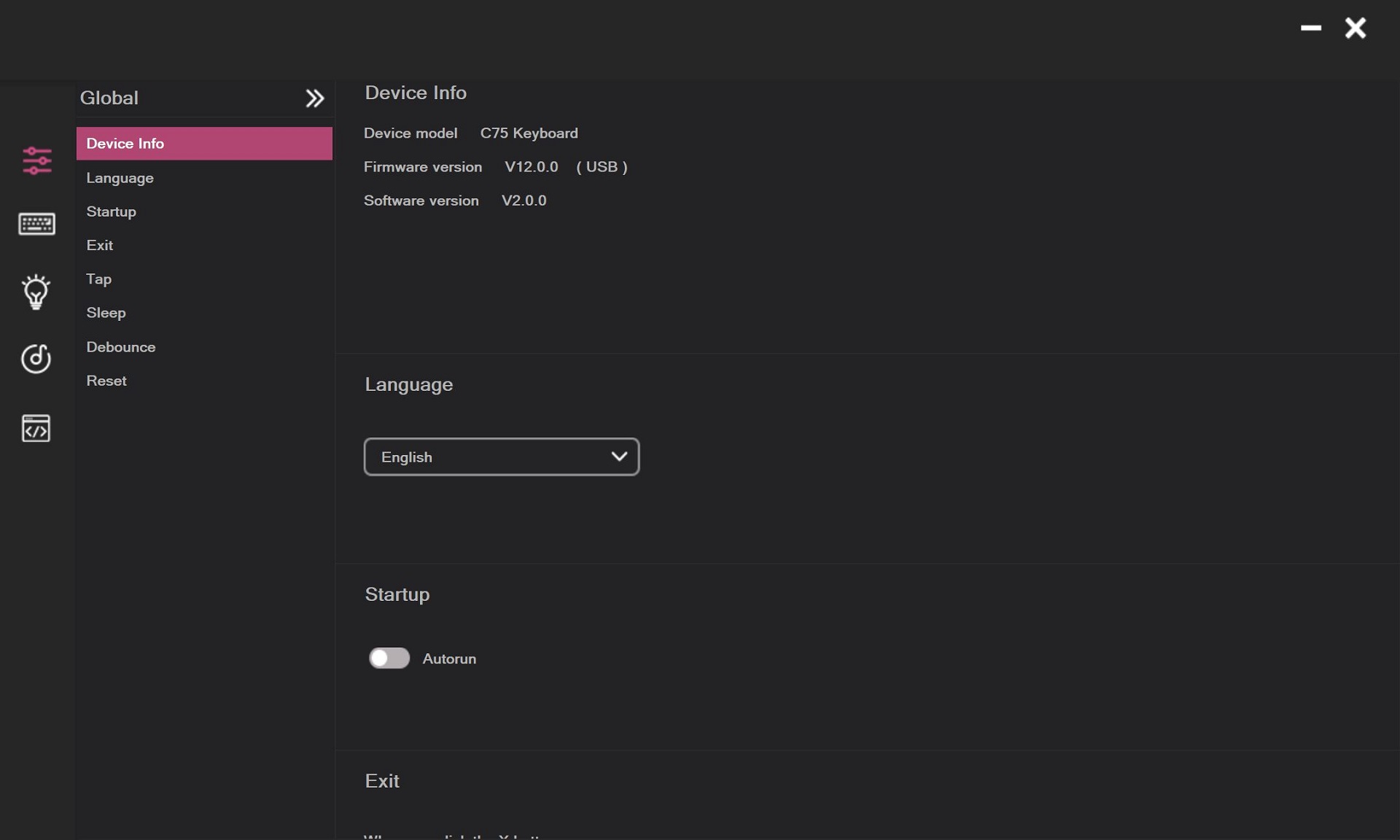
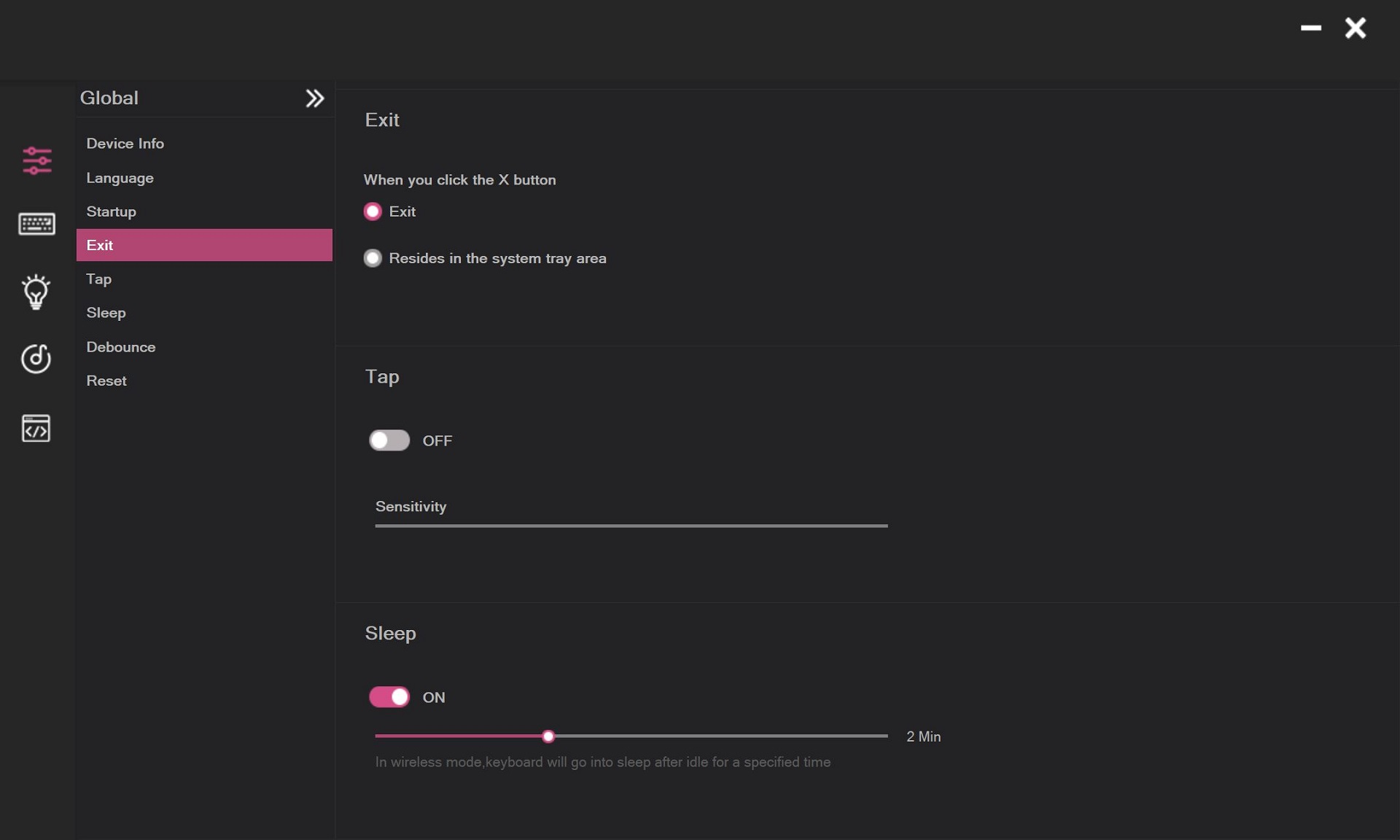
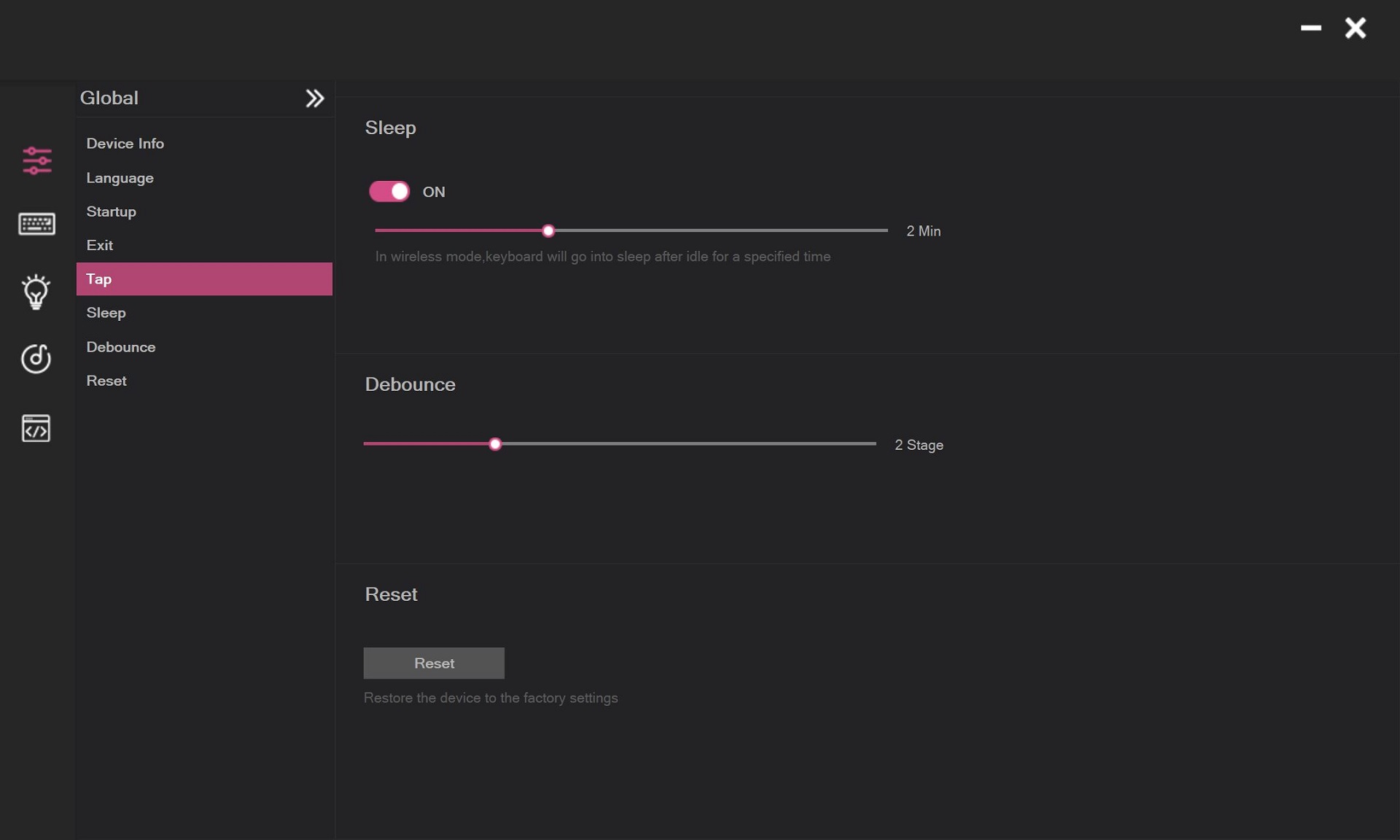
Once connected, the web interface opens to the main settings menu. Here, users can view device information, select the interface language (English or Chinese), set the idle time before entering sleep mode, and reset the keyboard to factory defaults.

Next is the Button Assignment menu, where keys, function combinations, and layer layouts (Fn / Fn1) can be configured. The process is straightforward: select the desired key or function from the bottom panel and drag it onto the layout above. “Default” represents the standard keyboard layout, “Fn” is for assignments using the Fn key, and “Fn1” serves as an additional layer for custom commands.

The next menu is Lighting Effects, which controls the key backlighting. Here, you can only configure the keys themselves – select or edit preset effects, or create a custom layout by assigning individual colors to each key. Settings for the “cream layer” in the case and the smiley indicator are not available in this menu; these zones can only be adjusted using the key combinations shown in the Design section.

Next is the Macros menu, where you can record and edit macros. Assigning macros to keys or Fn combinations is done through the Button Assignment menu.

The final menu is Equipment Center, which allows you to add other devices to the web driver besides the keyboard. This suggests that YUNZII may continue expanding web interface support for their future products.

Overall, the YUNZII web driver performs well. The keyboard connects without issues, and the interface is relatively responsive and stable. Some menus feel slightly rough or unfinished, giving the impression that the software is still in a beta stage and may be refined over time. Nevertheless, the main customization options are already available, and the web driver can serve as a functional alternative to the standard application.
The Windows application, available from YUNZII’s official site, offers essentially the same settings as the web driver, with the exception of the music-synced lighting effects for the keys. When these effects are activated, the key backlighting pulses in time with the music playing on the PC. Other settings are identical, and, as with the web driver, there are no controls for the case “cream layer” or smiley indicator.
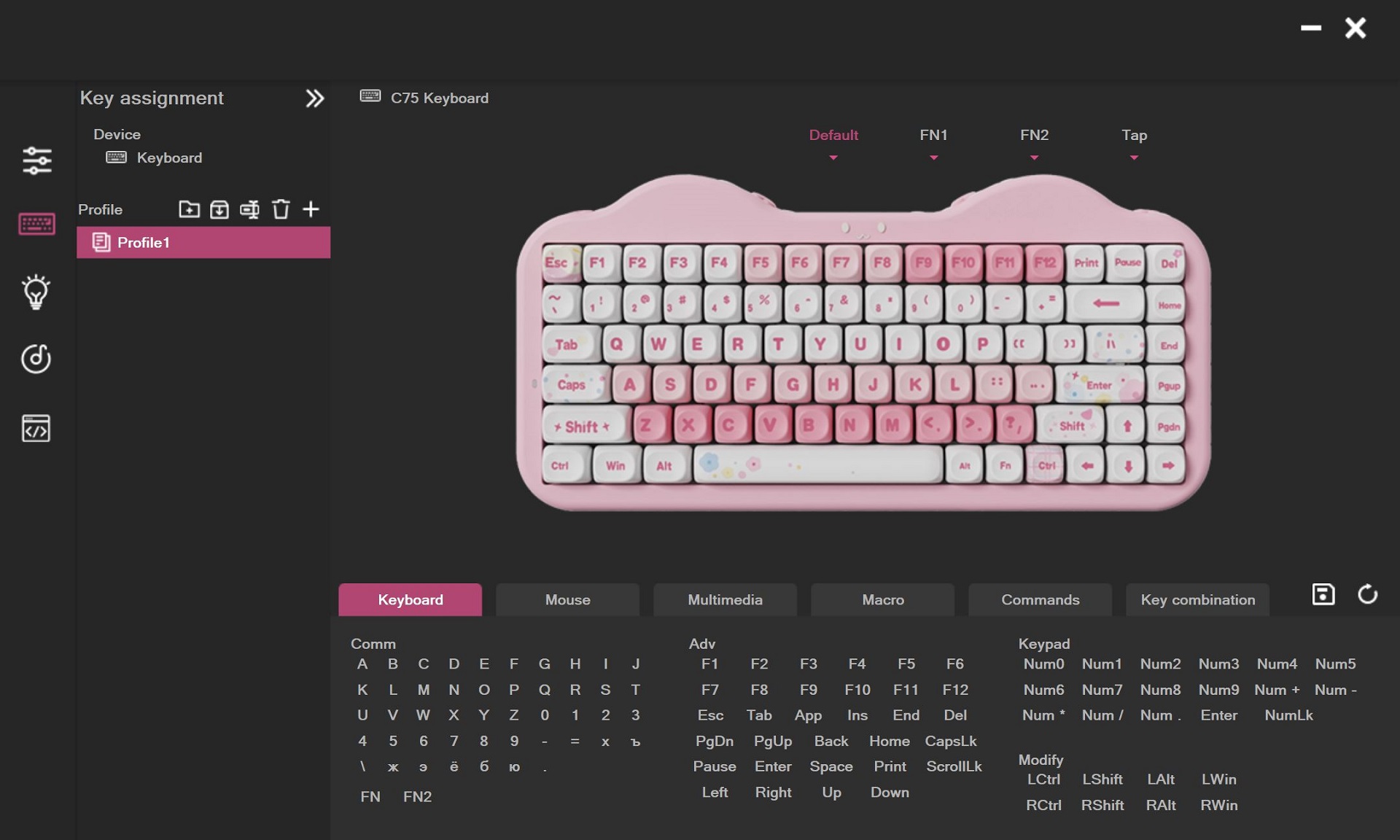
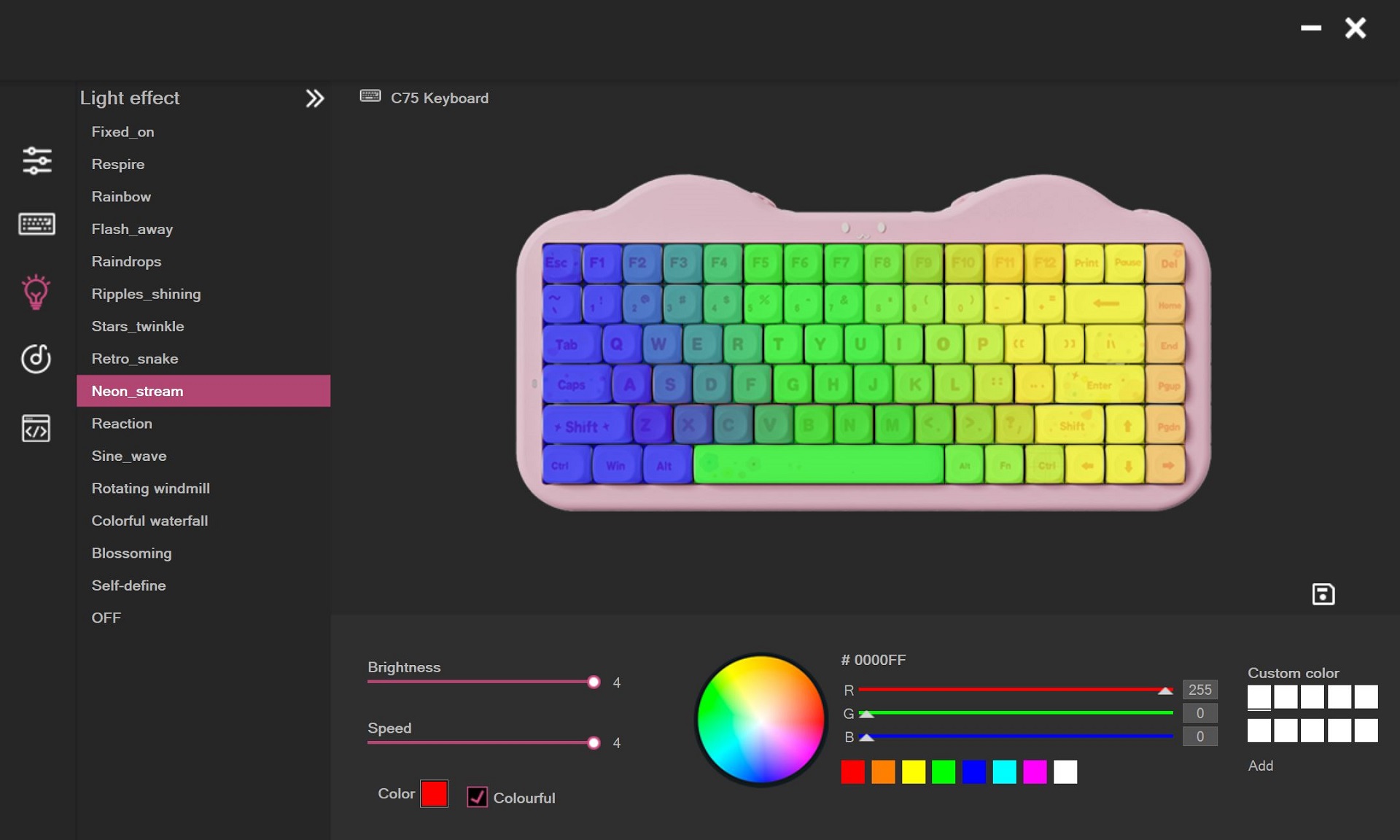
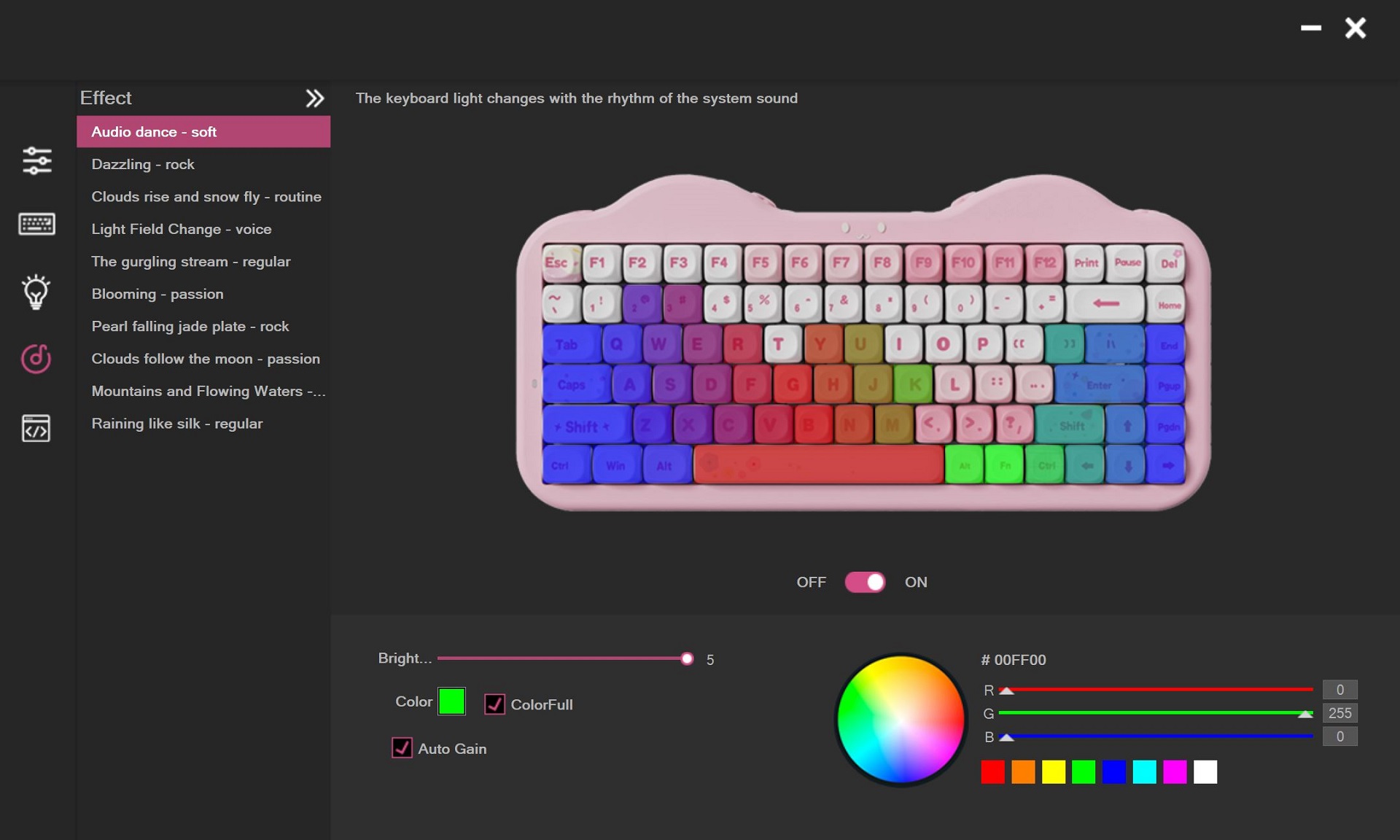
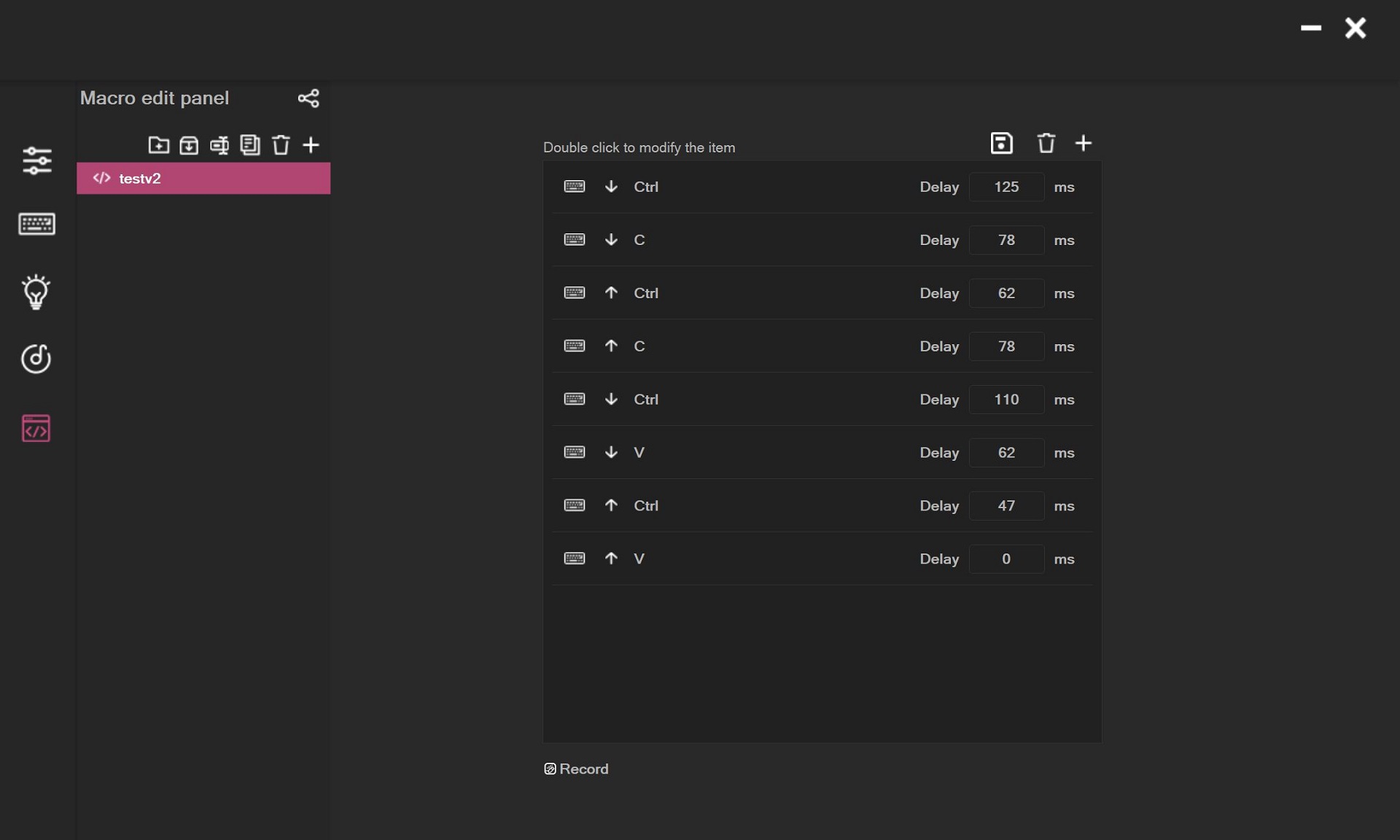
In my view, the Windows application can largely be ignored, as the web driver is more convenient and offers the same functionality. The keyboard also has onboard memory, so all settings made via the web driver or application are saved directly on the device. This allows it to be used on other systems without the need to reconfigure.
As promised, I’ll now cover the software for the YUNZII C1 mouse. Like the keyboard, it offers two options: a custom web driver and a standard Windows application.
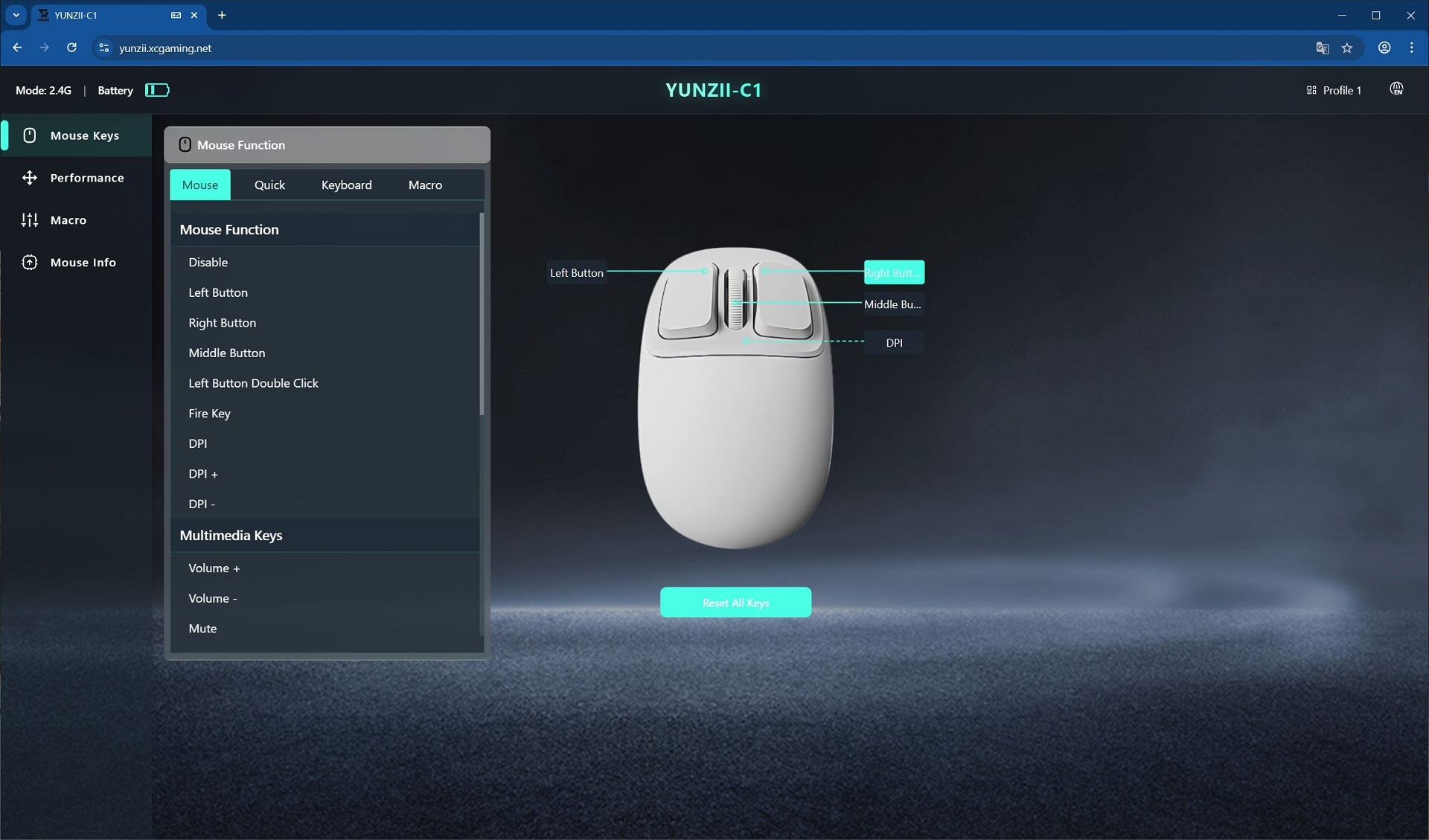
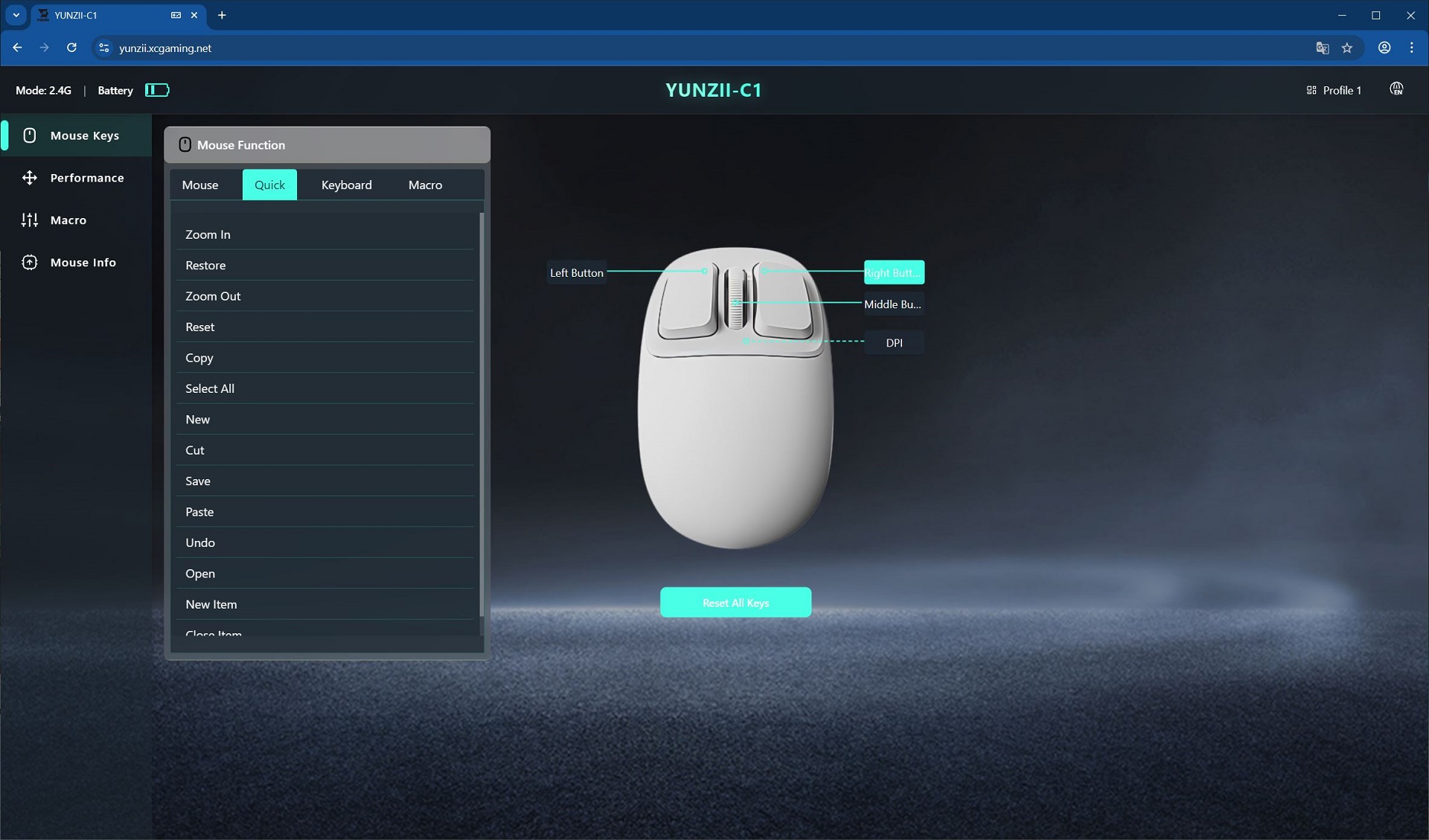
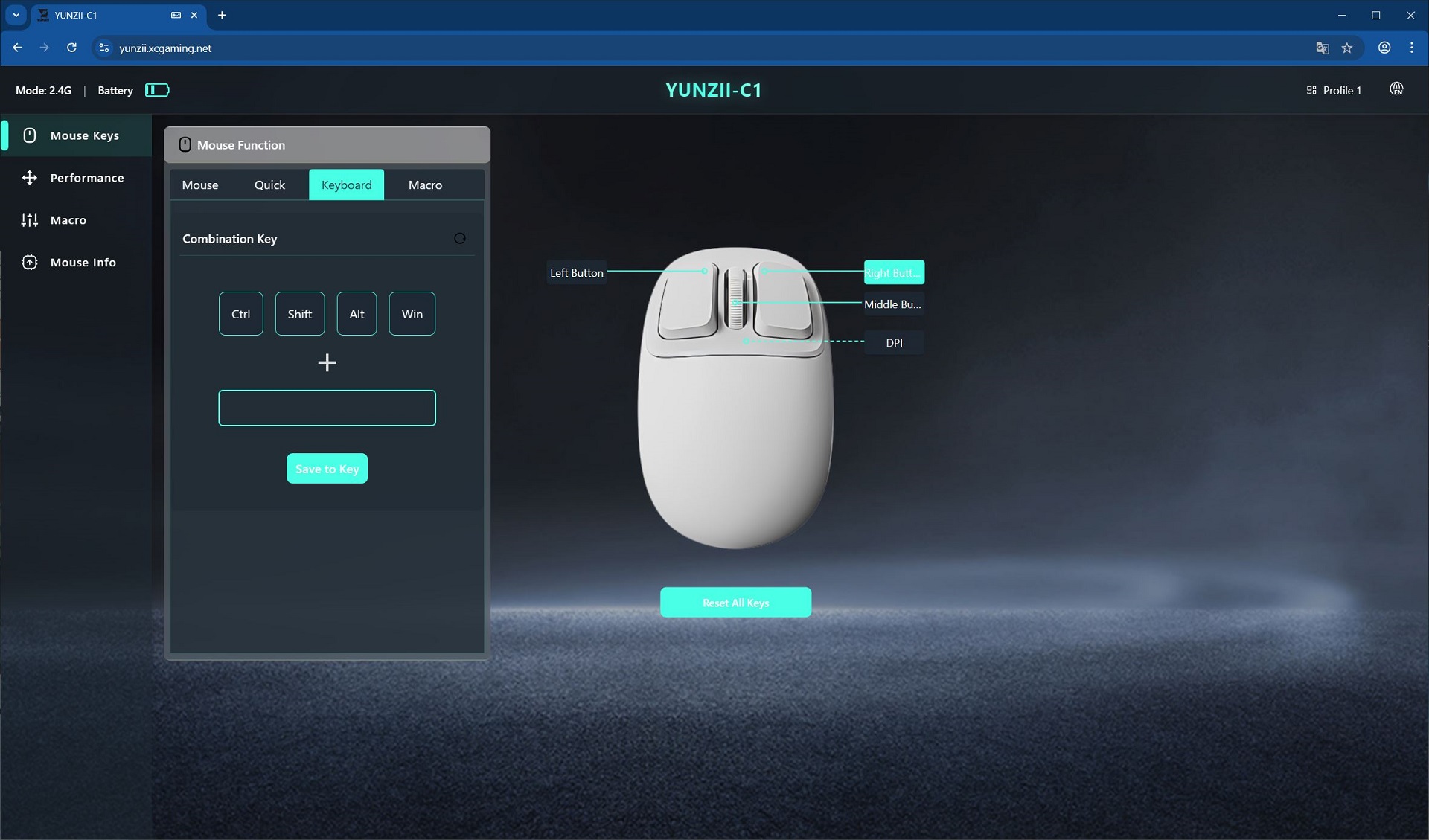
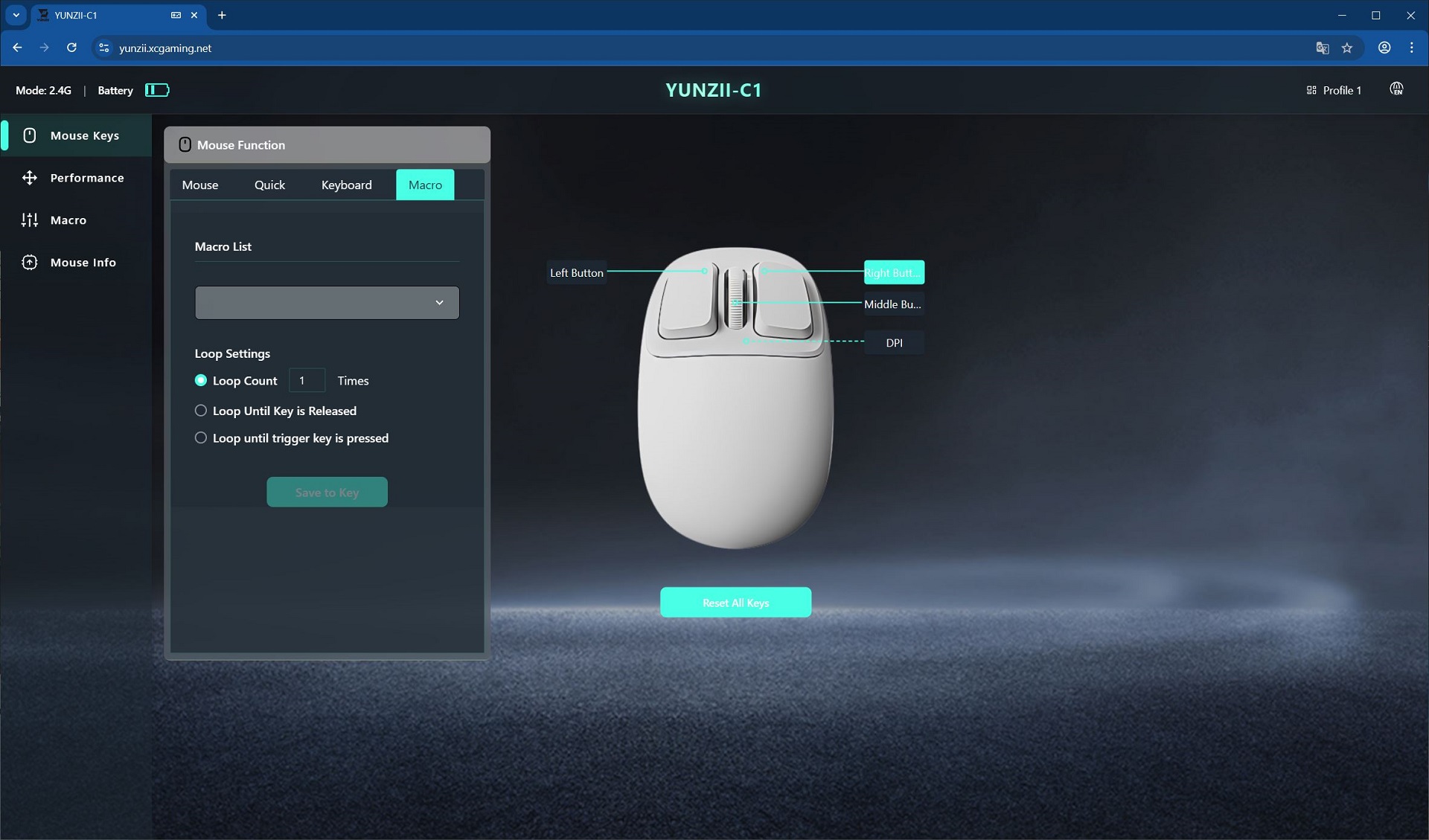
To access the settings via the web driver, visit yunzii.xcgaming.net and allow the device to connect. Like the keyboard, the mouse can be configured while operating in wireless mode.

Once connected, the first menu is Mouse Keys, where the mouse buttons can be configured. The process is straightforward: select the desired button on the layout on the right, then choose the function or macro to assign from the list on the left. If needed, the button configuration can be reset to factory defaults directly from this menu.
The next menu, Performance, allows you to adjust DPI levels, polling rate, and the idle time before the mouse enters sleep mode.

Following that is the Macros menu, where you can create and edit macros. Assigning them to buttons is done through the familiar Mouse Keys menu.

The final menu is Mouse Info, which allows you to update the firmware for the mouse and its dongle, as well as perform a full factory reset of the device.

The standard Windows application functions the same way as the keyboard’s app, offering identical settings and features. Therefore, if the web driver is available, installing the software is entirely unnecessary.
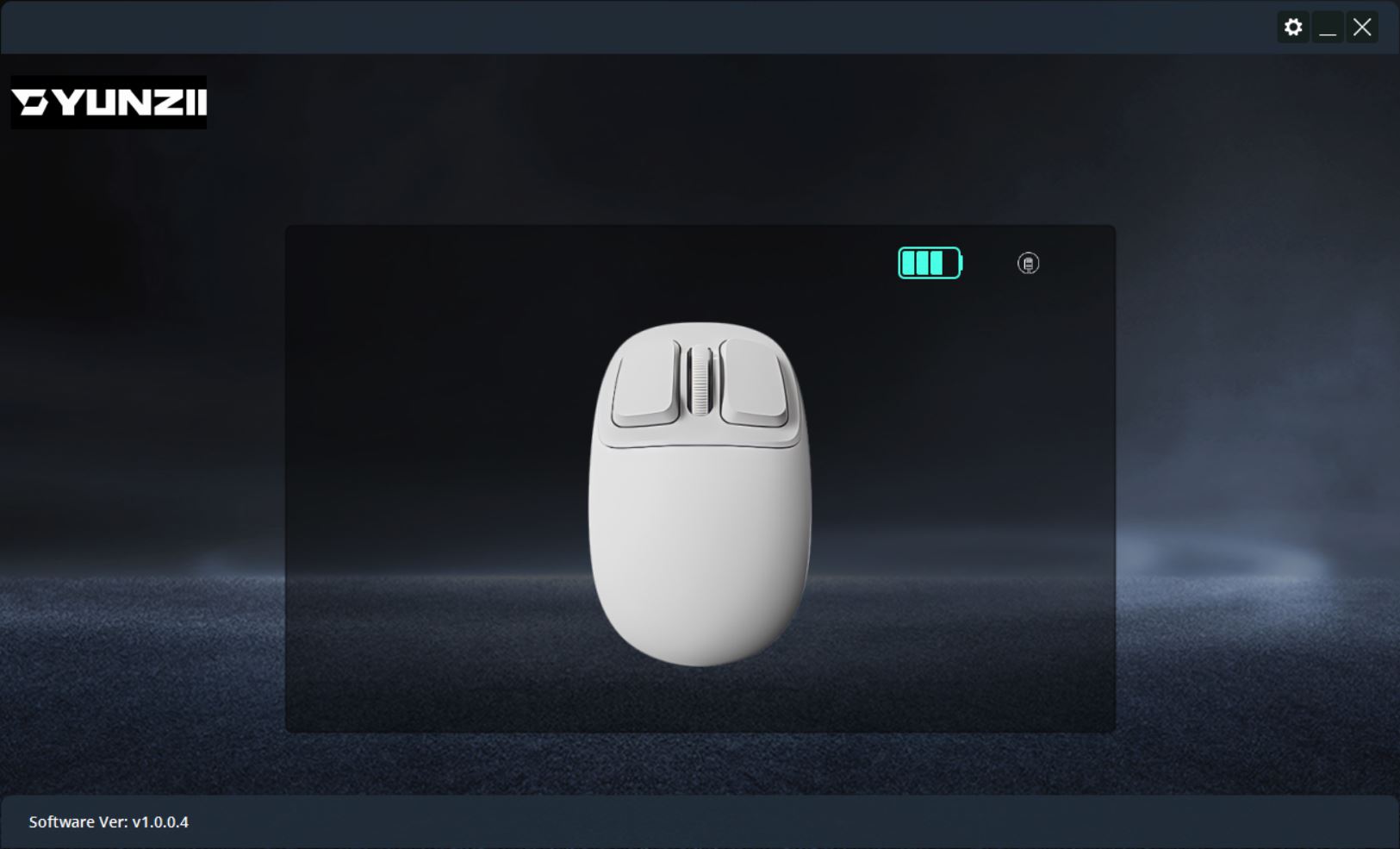
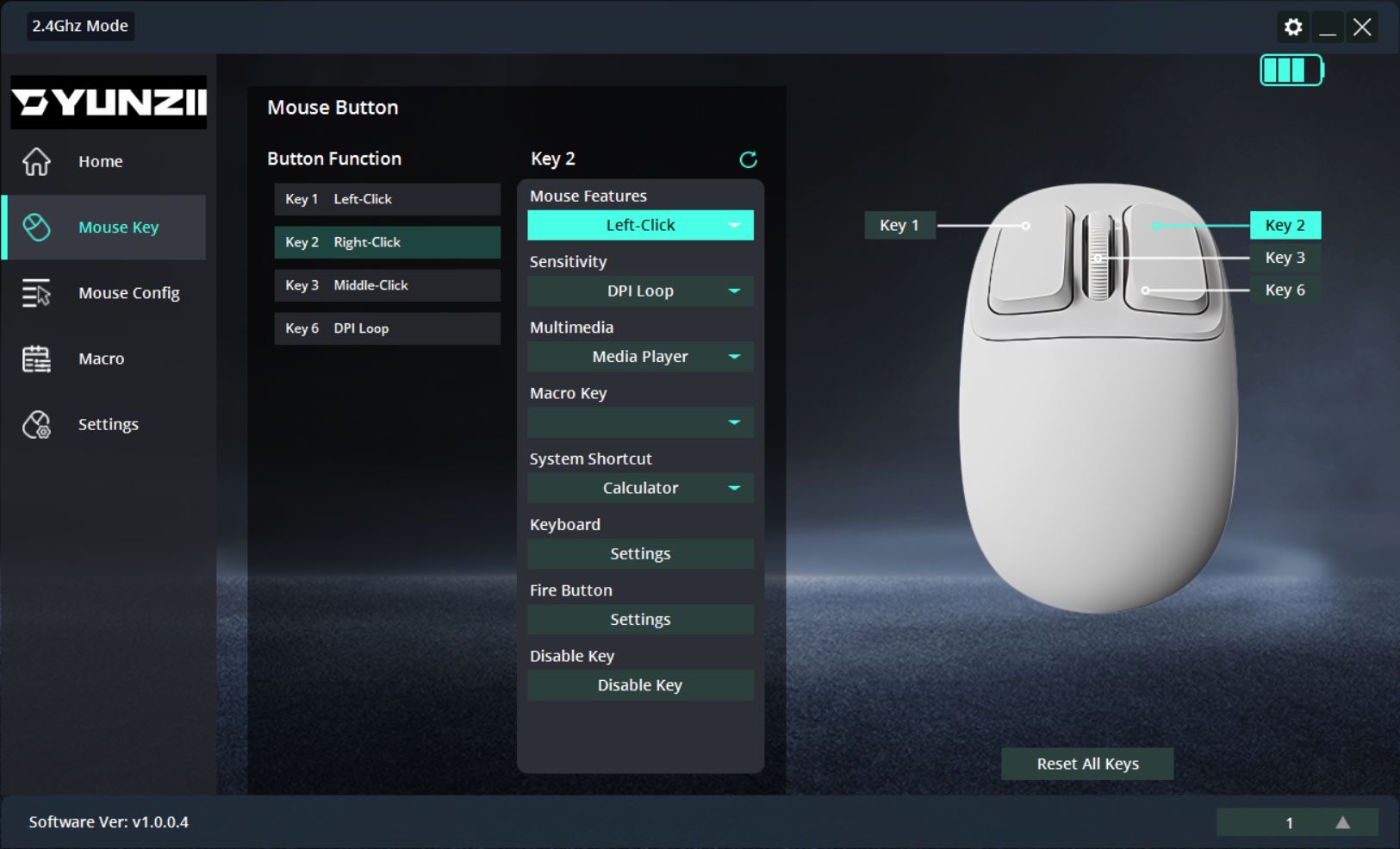
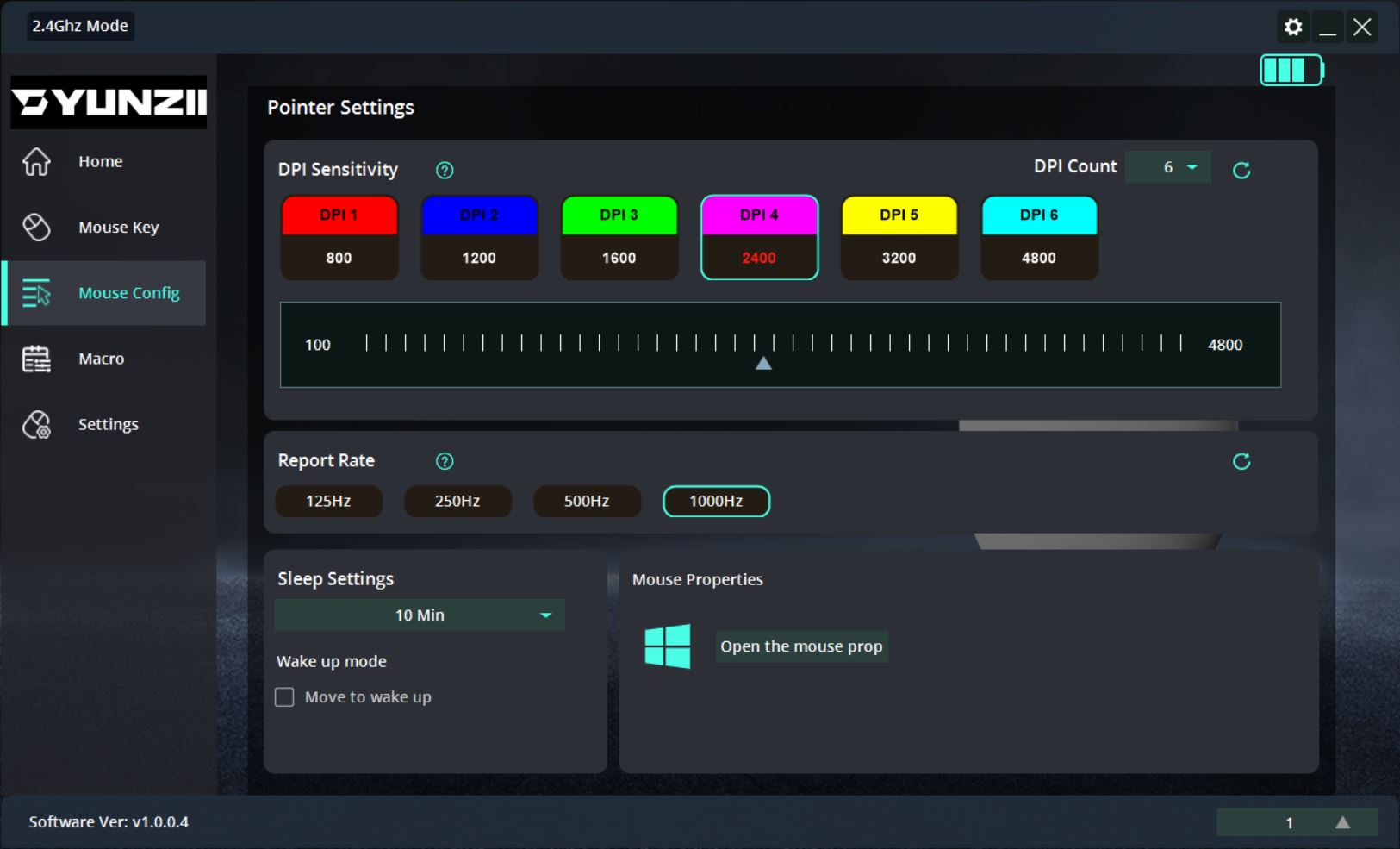
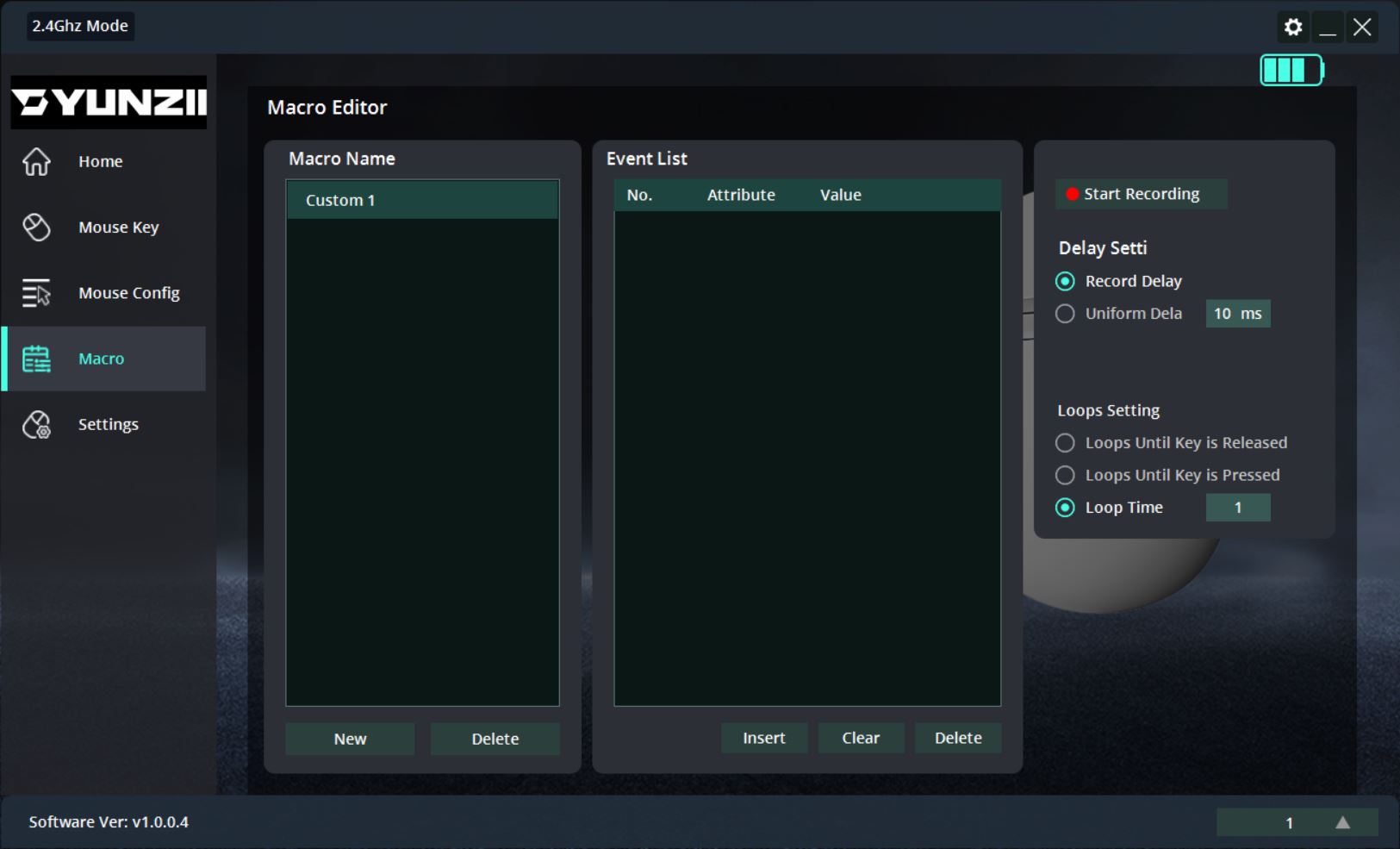
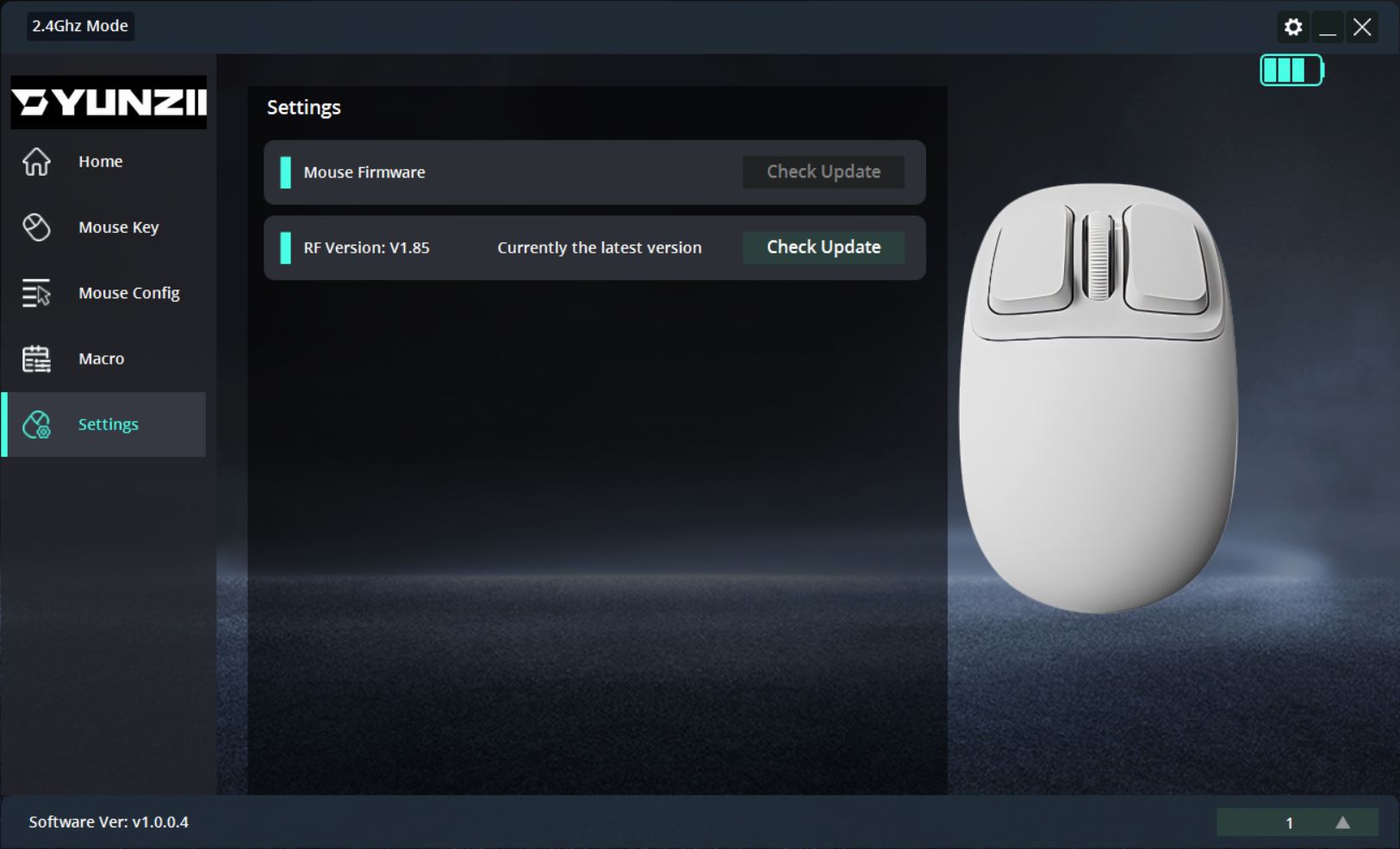
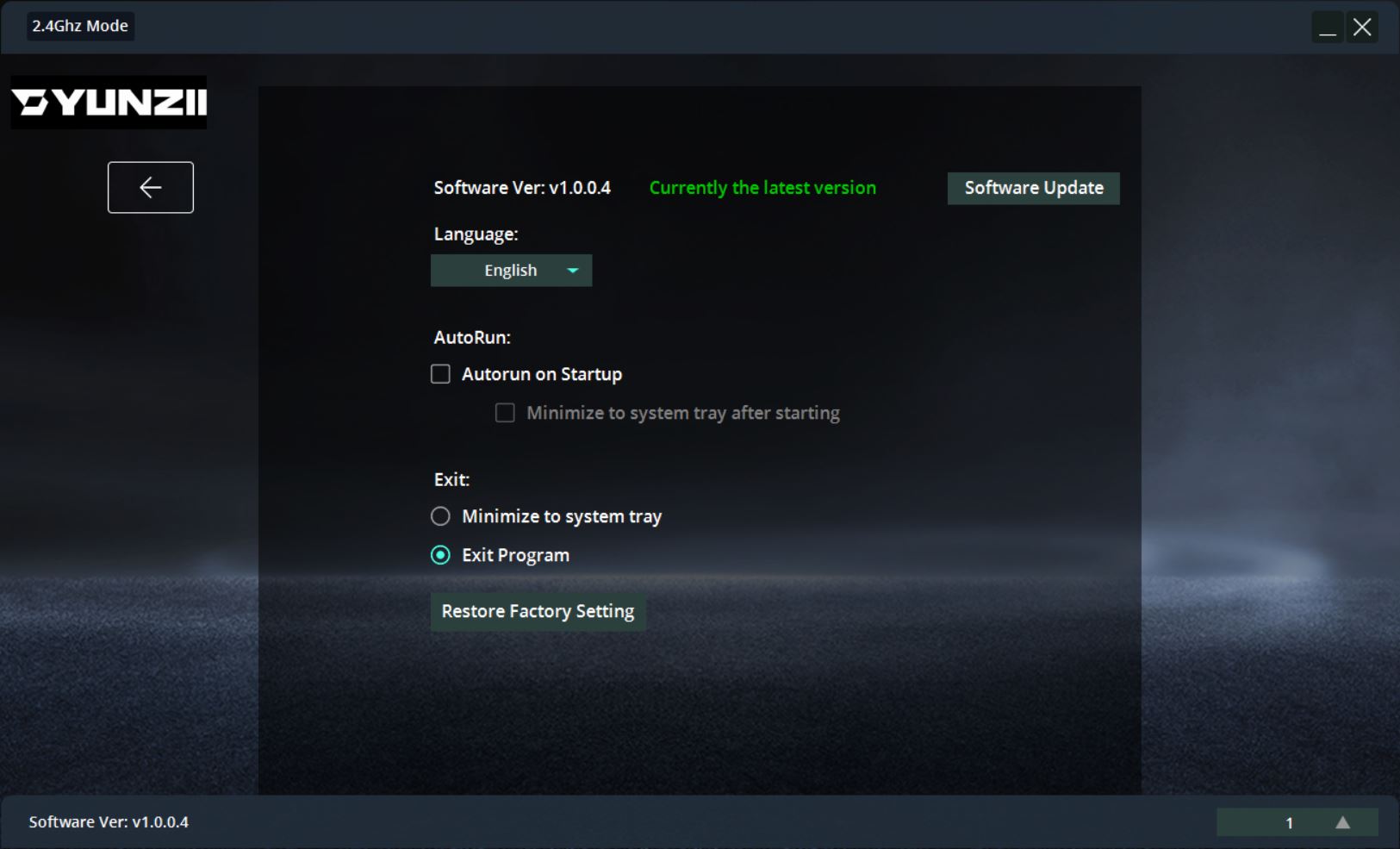
Like the keyboard, the mouse has onboard memory. Once configured via the web driver or application, it can be used on any device with all settings retained, without needing the software again.
Read also:
- YUNZII YZ75 PRO Wireless Mechanical Keyboard Review
- YUNZII B75 PRO Review: Wireless Mechanical Keyboard
Battery life of the YUNZII C75 and C1
The keyboard is equipped with a 5500 mAh battery. According to YUNZII, one full battery charge should be sufficient for:
- 7 days of operation with the backlight on
- 25 days of operation with the backlight off
- 60 days in standby mode (sleep mode)

Based on my observations, the advertised battery life is fairly accurate. For example, in 2.4 GHz RF mode with maximum backlight brightness and a 5-minute sleep timer, the keyboard lasted about a week on a single charge, which is a strong result.
As mentioned, to conserve power in wireless mode, the keyboard enters sleep mode after a period of inactivity (5 minutes by default). It wakes instantly from sleep, regardless of how long it has been inactive, which is a notable advantage.
Battery status can be checked in several ways: via the application, the web driver, or using the FN + right Ctrl key combination. I find the last method the fastest and most convenient. Pressing this combination causes the number row to light up, indicating the remaining battery percentage. For instance, in the photo, keys 1 through 8 are lit, representing approximately 80% charge remaining.

The battery status can also be indicated via the smiley indicator located above the keys. When the charge drops below 20%, the smiley flashes red. While charging, it remains steadily red, and when fully charged, it glows green. When the keyboard is neither low on charge nor charging, the indicator cycles through customizable colors, as mentioned earlier in the Design and Lighting section.
As for the YUNZII C1 mouse, the manufacturer states that its 500 mAh battery can last up to 120 hours of continuous use in wireless mode, which is more than sufficient for office or multimedia tasks. To conserve power, the mouse enters sleep mode after roughly 5 minutes of inactivity and wakes instantly as soon as it is moved. Unlike some models that require a button press to wake, the C1 responds to movement, which is very convenient.

Conclusions
In conclusion, the new YUNZII C75 is a distinctive and interesting keyboard. It offers solid build quality, strong battery life, vibrant RGB lighting, hot-swap switch support, a functional web driver, a comprehensive accessory set, and a reasonably attractive price. Its standout feature, of course, is the design, particularly the stylish MOA-profile keycaps. In my view, these advantages alone make it an easy recommendation for anyone who appreciates quality and unique mechanical keyboards – or even as a gift, for example, for a partner.
As for typing, the experience is generally pleasant. However, with the new Candy switches, the keyboard is a bit loud. This isn’t a flaw, but rather a characteristic of the model. Some users may enjoy this type of tactile and acoustic feedback and can confidently choose the Candy switch version. For those who prefer a quieter experience, the C75 with Milk V2 switches or a personal switch set is recommended. Thanks to the hot-swap functionality, switches can be easily replaced – even daily – without any difficulty.

Personally, I really liked the new YUNZII C75 and plan to add it to my home collection. It’s very distinctive – exactly the type I enjoy. In the future, I might swap the switches for quiet “silent” variants, which I think would perfectly complement the overall “cupcake” theme. I’ll use it as my main keyboard for a while, then pass it on to my wife, who also appreciates unusual mechanical keyboards and immediately recognized the C75’s appeal.
As for the YUNZII C1 mouse, it is interesting, unconventional, very comfortable, and highly specific in terms of ergonomics. Its compact size and modest specifications mean it won’t suit everyone. However, it can be confidently recommended as a compact, affordable laptop mouse or as a complement to a unique or themed setup.

Read also:
- Xiaomi TV S Pro Mini LED 55 (2026) Review: Capabilities of a Modern 4K QLED Television
- GamePro Asgard Drakkar/Ragnar/Yord Wireless Keyboards Review: Notable Collaboration with Keychron
- Bigme B6 Color Review: When an E-Reader Tries to Be a Tablet – and Didn’t Quite Succeed
Where to buy
- YUNZII C75 on the official website
- YUNZII C75 on AliExpress
- YUNZII C75 on Amazon US
- YUNZII C1 on the official website
- YUNZII C1 on AliExpress
- YUNZII C1 on Amazon US