





© ROOT-NATION.com - Use of content is permitted with a backlink.
When it comes to ASUS gaming headphones and headsets, the first things that spring to mind are their flagship full-size ROG Delta II (especially in the new, stylish KJP version) and the ROG Cetra True Wireless SpeedNova in-ear earbuds, which hit the market two years ago. But the world and its trends don’t stand still, and, as you may have noticed, the open-ear (Open-Ear) ergonomic headphone format with an over-ear design has been rapidly gaining popularity over the last couple of years.
So ASUS has decided to jump on the bandwagon by releasing the ROG Cetra Open Wireless – the brand’s first open-ear gaming headset. This new product is a wireless model featuring an ergonomic design, hybrid Multipoint connectivity, impressive battery life and the proprietary low-latency ROG SpeedNova technology. But, as you can imagine, these are by no means all its advantages. The headphones went on sale just a few days ago, and I had the opportunity to get to know them in advance and put them through their paces. In fact, I’ll be sharing all the details about the new ROG Cetra Open Wireless, along with my impressions and experience of using them, in this review.
Read also: Reviews of gaming headphones and headsets
TABLE OF CONTENTS:
Specifications
- Type: open-ear
- Connectivity: wireless (ROG SpeedNova RF 2.4 GHz, Bluetooth 6.0)
- Drivers: 14.2 mm diamond-like carbon (DLC) speakers
- Impedance: 16 Ω
- Headphone frequency response: 20 Hz – 20 kHz
- Microphone: omnidirectional (4 built-in microphones with AI-powered noise cancellation)
- Microphone sensitivity: -38 dB
- Microphone frequency response: 100 Hz – 8 kHz
- Controls: function buttons on both ear cups, Gear Link app (iOS, Android, web app)
- Lighting: ASUS Aura RGB
- Number of simultaneously connected devices: Hybrid Multipoint (1×2.4 GHz RF, 1×Bluetooth) or Bluetooth Multipoint (2×Bluetooth)
- Supported platforms: PC, Mac, PlayStation 4, PlayStation 5, Nintendo Switch, iOS, Android, Bluetooth devices
- Technologies and built-in modes: ROG SpeedNova low-latency technology; custom audio profiles, Phantom Bass and Immersion modes
- Proprietary app: ASUS Gear Link (iOS, Android, web app)
- Battery life: 16 hours on a single charge without recharging + 48 hours with the charging case
- Fast charging: 15 minutes of charging in the case = 3 hours of listening
- Design and materials: ergonomic over-ear hooks made of soft silicone, plastic
- Protection rating: IPX5 (protection against water, splashes and dust; earbuds only)
- Weight: 11 g per earbud, 116 g charging case
- Package contents: earphones, charging case, 2.4 GHz RF wireless adapter (USB-C), detachable reflective neck strap, USB-C to USB-A charging cable, user manual, warranty booklet

Positioning and price
As noted earlier, the ROG Cetra Open Wireless represents the first open-ear (OWS) headset in the lineup from ASUS, and at the same time one of the first attempts to position this format as a dedicated gaming solution. The approach combines a currently popular lifestyle-oriented open-ear design with gaming-specific features. These include low-latency 2.4 GHz RF connectivity via ROG SpeedNova, support for passthrough charging (relevant for mobile or portable gaming scenarios), integrated lighting, and software control through the Gear Link ecosystem. At the time of writing, this combination of features within the open-ear category remains relatively uncommon, with few direct equivalents on the market.
In terms of pricing, the positioning reflects the combination of features, design approach, and brand-specific implementation. On the official ASUS website, the ROG Cetra Open Wireless is listed at $254 / €217. At launch, a promotional discount reduces the price to approximately $205 / €178, which is typical for newly released devices.
- ASUS Official Store
- Amazon
Package contents of ROG Cetra Open Wireless
The headset is delivered in a compact, dense cardboard box designed in the signature style of the Republic of Gamers (ROG) lineup. The packaging follows the typical visual identity of ASUS gaming products, with a focus on bold graphics and clear product presentation. On the back of the box, the key features and selected technical specifications are outlined, providing a quick overview of the device’s capabilities before unboxing.


The contents of the pack are as follows:
- earbuds
- charging case
- 2.4 GHz USB-C wireless RF adapter
- removable reflective neck strap
- USB-C to USB-A charging cable
- user manual
- warranty booklet

The earbuds and wireless adapter are usually kept in the charging case.

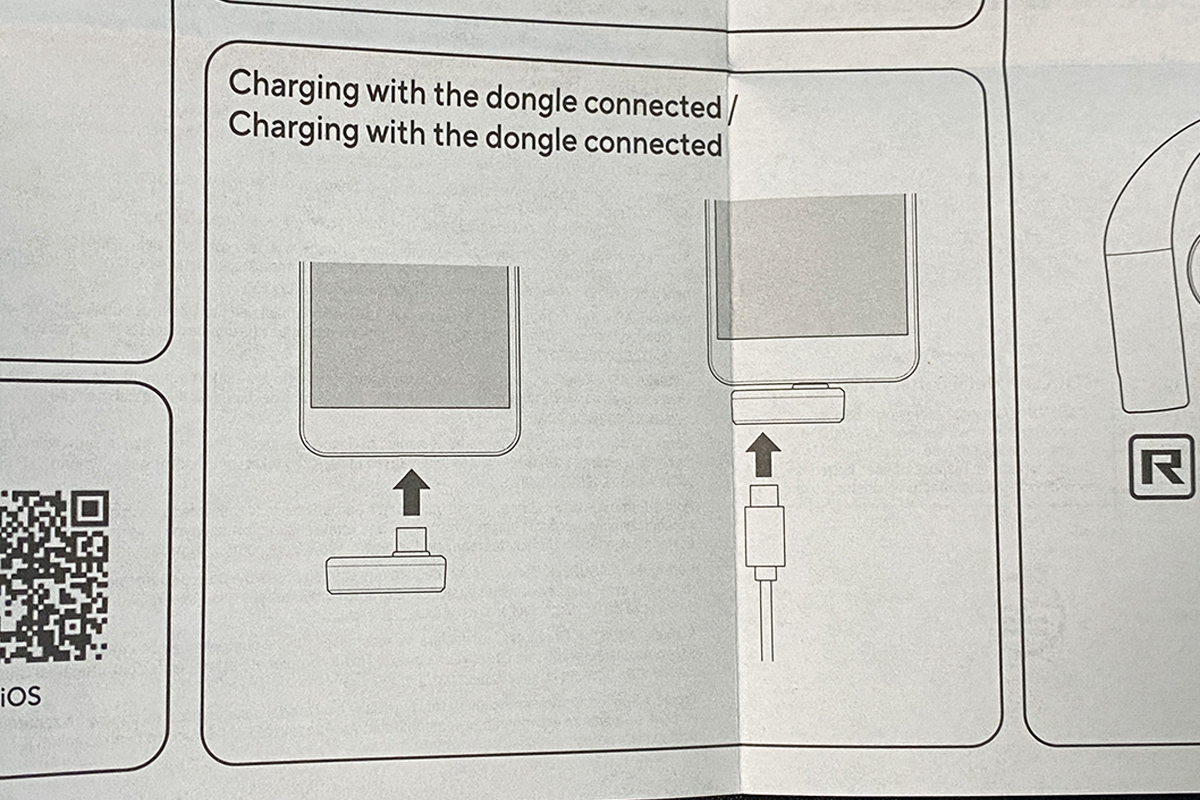
It is worth noting a key feature of the wireless dongle: it supports passthrough charging. As mentioned earlier, this is particularly useful for mobile gaming. For example, the dongle allows a smartphone to be used with RF-connected headphones while being charged simultaneously through the same port.


The charging cable is a 0.6 m USB-C to USB-A type. It is a standard rubber-coated cable, with the addition of ROG-branded connectors.

The detachable strap is intended to secure the earphones more reliably around the neck, which can be useful during workouts, including outdoor activities.


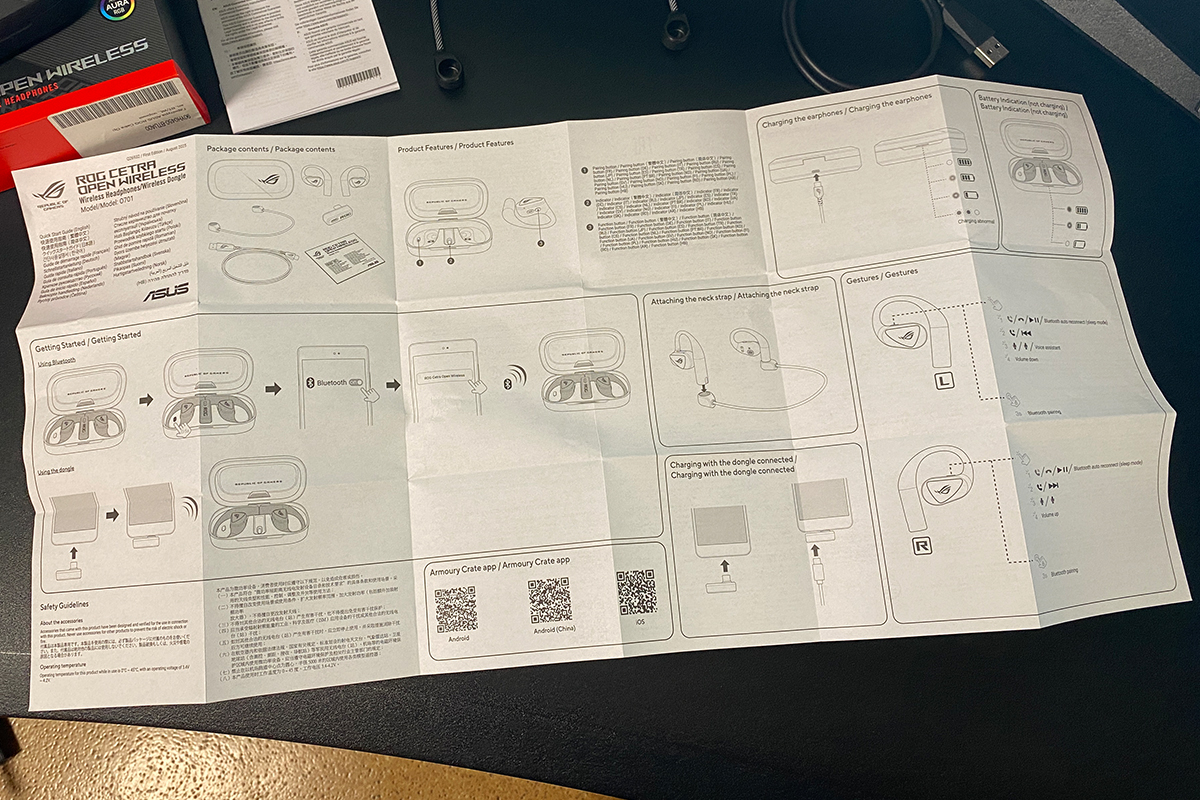
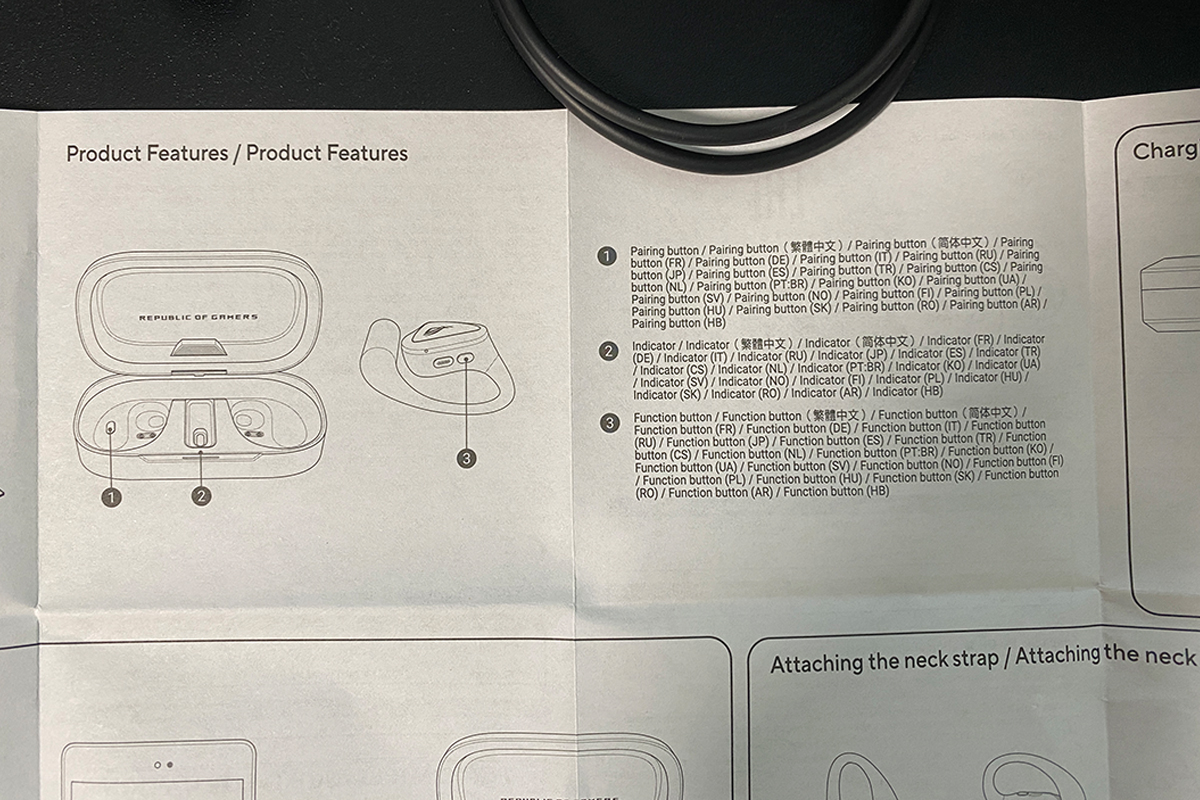
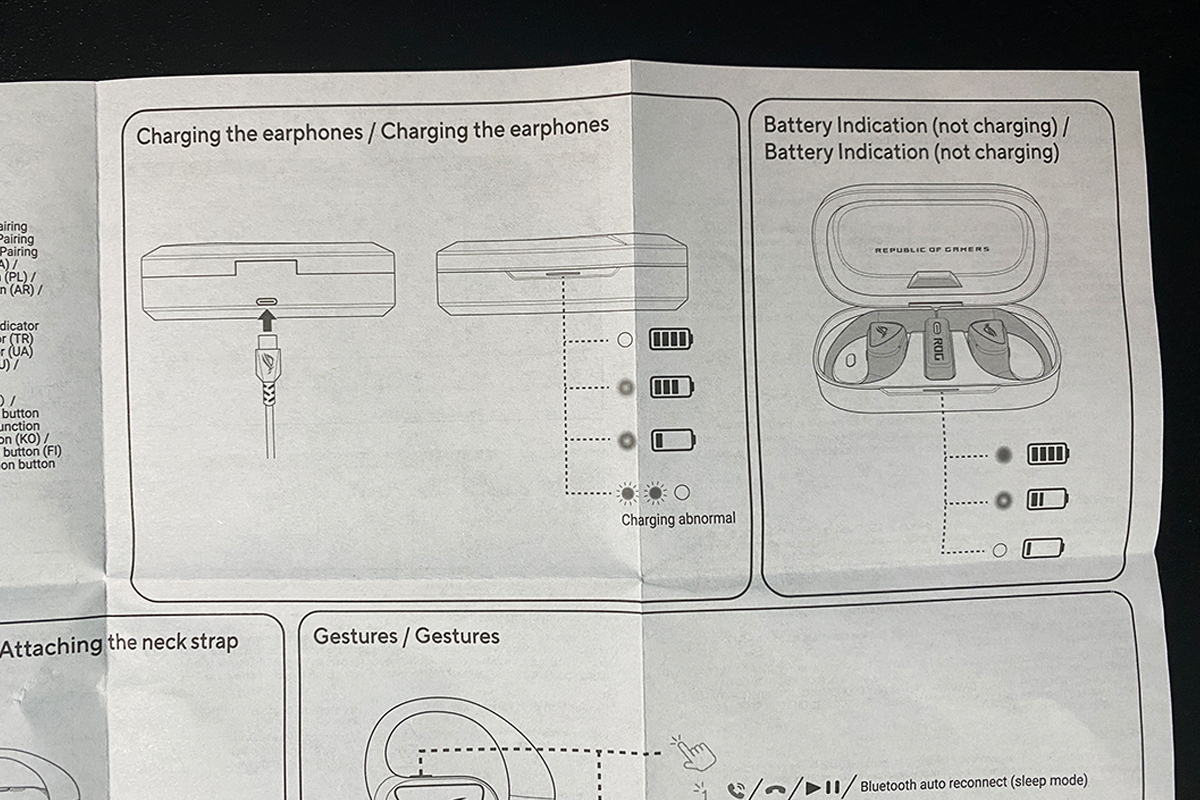
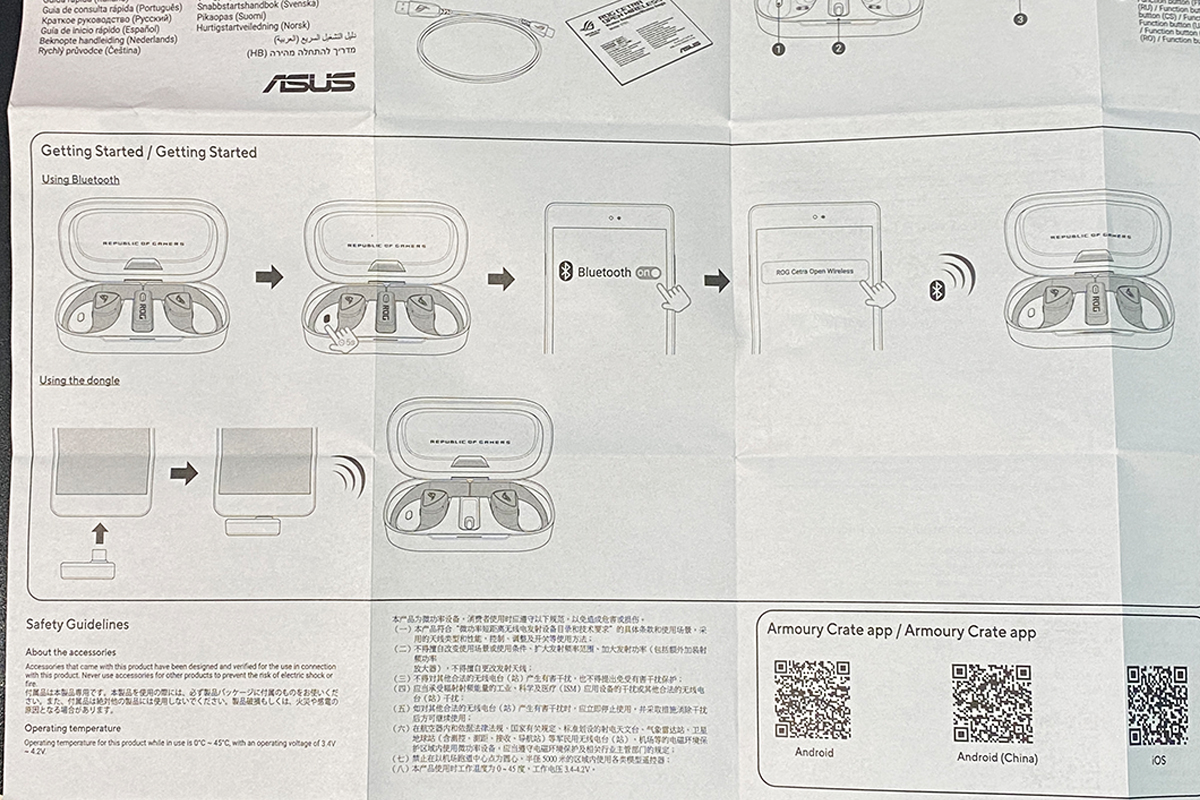
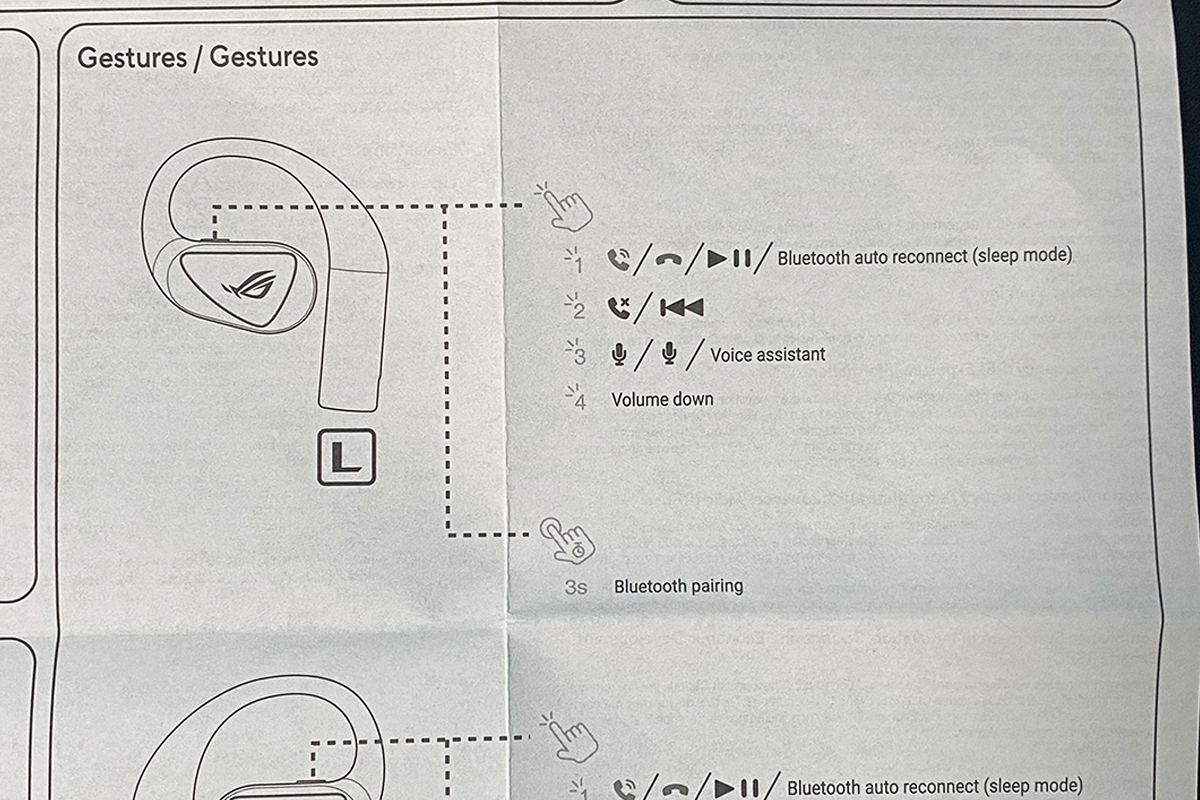
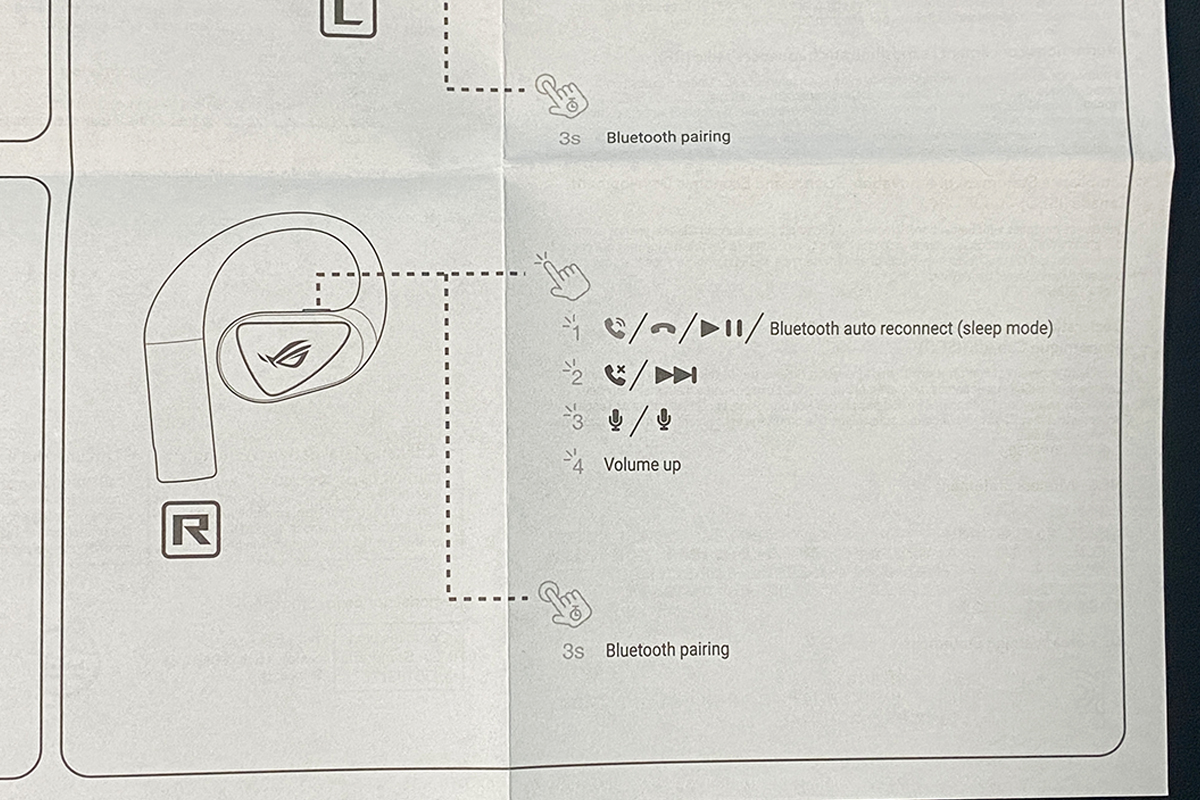
The user manual is presented as a large fold-out sheet. It provides a detailed description of the process for connecting the headphones to various devices, as well as an overview of the button control functions.
Overall, the new ROG Cetra Open Wireless offers a fairly standard base package. The only additional item that could be useful is a USB-C to USB-A adapter, for example for older laptops that do not have a USB-C port. Such an adapter was included with the previous ROG Cetra True Wireless SpeedNova model, where it proved practical in use. Otherwise, the package content is adequate, and the review can proceed further.

Read also:
- ASUS ROG KJP Accessories Review: Original Collaboration with Kojima Productions
- ASUS ROG Herculx Review: ARGB GPU Support Bracket
Design, ergonomics, build quality
Regarding the design, the case is the first element to consider. As shown, it is relatively large. Carrying it in the pocket of slim-fit jeans would be inconvenient, although it fits without issues in a jacket pocket, a bag, or a backpack. The total weight of the case with the earphones is 116 g, which is generally not excessive.

The case design is minimalistic yet refined. The ROG logo is placed on the top surface as a simple, non-illuminated graphic. The overall shape is clean and well-finished, and the case sits comfortably in the hand. Despite its size, it can be opened with one hand without difficulty. However, removing and placing the earphones back into the case with one hand is less convenient. The housing is made of matte plastic with a solid surface finish. On the front panel, there is an LED indicator that activates during case opening, Bluetooth pairing, and charging.


Inside the case, there are not only the earphones but also a 2.4 GHz RF wireless dongle. On the left side, there is a small Pairing button used to activate Bluetooth pairing mode. A single press is enough for the earphones to start flashing blue, indicating that they are ready to connect. It is also worth noting that the surface beneath the earphones inside the case has a glossy finish, which tends to attract dust and fingerprints.


The case is charged via a standard USB-C port.

From the charging case, we move directly to the earphones themselves. As shown, they follow a typical open-ear form factor, but with ROG’s recognizable design language: slightly elongated, triangular-shaped housings and logo elements with RGB lighting.


The earphones feature ergonomic over-ear hooks made of soft silicone, providing secure positioning and a comfortable tactile feel. They remain stable during movement and do not create noticeable pressure on the ears. In practical use, they can also be worn while lying down, with the ear positioned against a pillow without significant discomfort or displacement.


As for fatigue, I did not experience any significant discomfort during use. The only point worth noting is that after about 5–6 hours of continuous wearing, there is a natural tendency to take them off briefly, mainly to relieve minor irritation around the outer ear area. Otherwise, the experience remains consistent. There is no in-ear canal pressure, which is typically unavoidable with standard TWS earphones during long-term use.


It is also worth noting the lightweight design – each earbud weighs only 11 grams. In practical terms, you can clearly feel that something is worn on the ears (particularly the over-ear hooks), but they primarily serve to stabilize the headset without adding significant load. Overall, the earbuds feel very light during use.

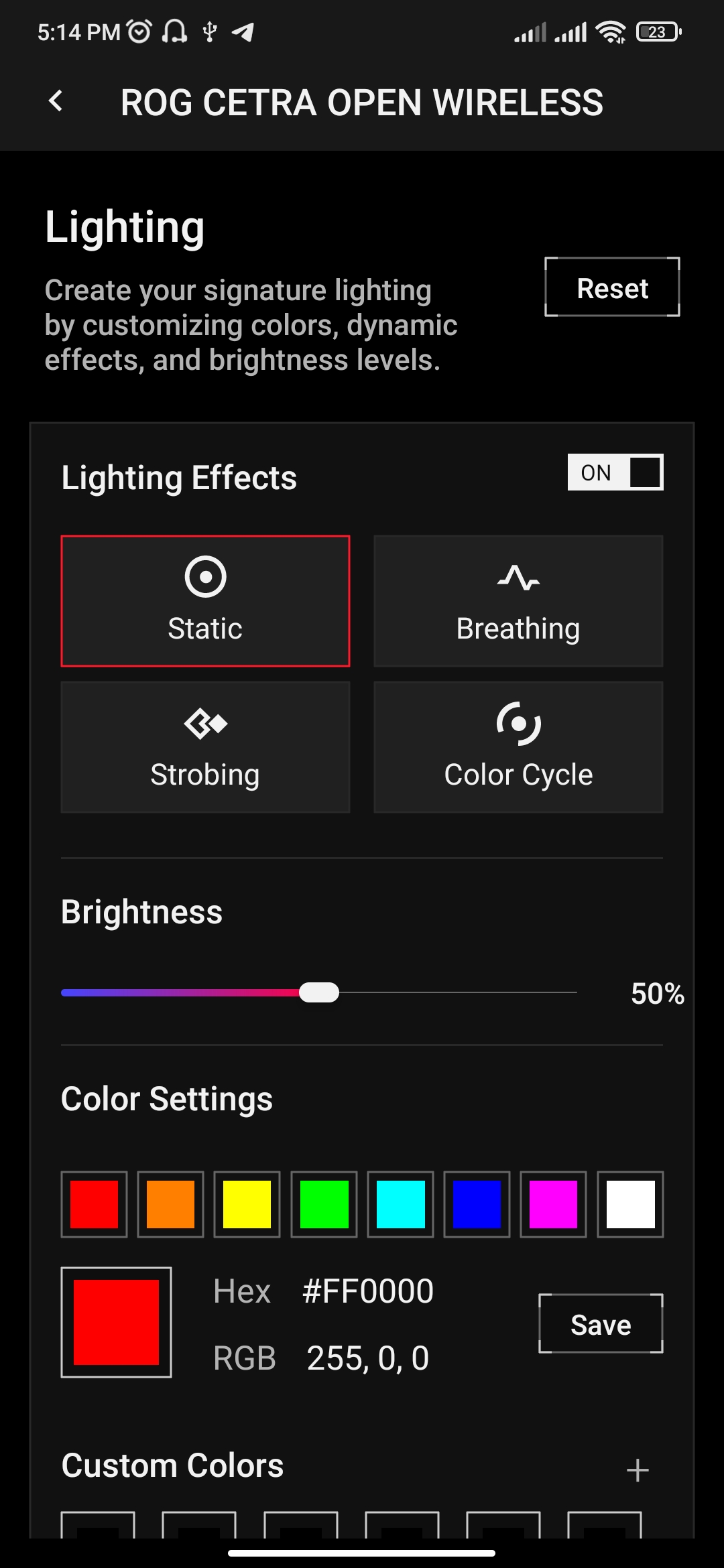
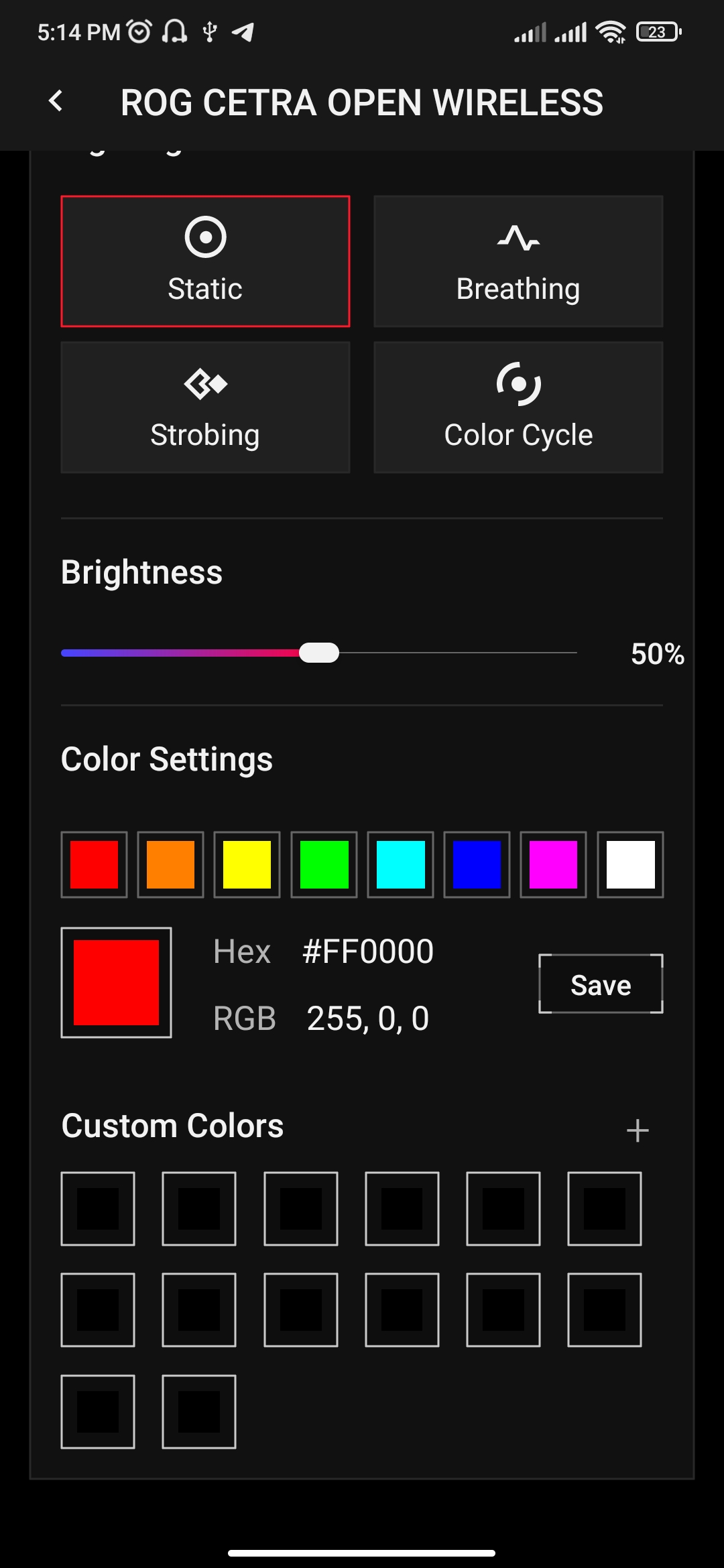
As previously mentioned, each earbud features the ROG logo with integrated lighting. It does not support synchronization with other ASUS devices via Aura Sync. However, the lighting can be customized in the Gear Link application, where users can either set a custom color or select from four predefined effects.

Each earbud is marked with standard L and R indicators (left and right), although it is not practically possible to wear them incorrectly due to their shape and fit.
Each unit also includes a single multifunction button. These buttons allow control of playback, track switching, call handling (answering and rejecting calls), volume adjustment, voice assistant activation, and Bluetooth pairing.
The functions are mirrored across both earbuds, meaning each side provides the same control set. The detailed button mapping will be covered separately. In terms of usability, the buttons are easy to locate by touch despite their small size, and overall interaction is straightforward.


The earphone construction is also rated IPX5 for resistance to dust and moisture. This indicates protection against light water exposure, meaning accidental splashes should not cause damage. However, full submersion is not recommended by ASUS. It should also be noted that this protection applies only to the earphones themselves. The charging case is not rated for water resistance, so it requires more careful handling in environments with moisture.

To summarize this section, the design of the new ROG Cetra Open Wireless is, in this view, well-executed. The earbuds have a visually coherent appearance, and the ROG design language is immediately recognizable. The ergonomics are solid: the headset remains stable, does not create pressure, and does not fall out even during active movement. It can also be worn comfortably while lying down or even during sleep. As noted earlier, there is no noticeable discomfort during extended use. Control via the physical buttons is generally convenient. However, there is a minor limitation that relates more to the software implementation than to the hardware design. This will be discussed in detail in the next section.

The build quality of both the earbuds and the case is high. The overall construction feels solid, with no noticeable creaking or looseness. A particularly well-executed element is the hinged lid of the case: when open, it remains stable and does not exhibit lateral wobble, unlike some designs where this is more pronounced.
The larger size of the case may be seen as a drawback for some users. However, in practical terms, it can still be carried comfortably in a bag, backpack, or deeper pocket. Given that it accommodates two pairs of earbuds of this form factor, a wireless dongle, and a battery, the size is largely a consequence of internal components. The battery capacity also appears adequate, based on observed battery life.

Read also:
- ASUS ROG Gladius III Core Mouse Review: Asymmetric Design, Hot-Swap Switches, New Switch Technology, and Gear Link
- ASUS ROG STRIX GS-BE18000 Review: Wi-Fi 7 for Gamers
ASUS ROG Cetra Open Wireless connectivity and supported devices
The earbuds connect quickly and in a straightforward manner. For RF connection, it is sufficient to plug the included wireless dongle into the target device. For Bluetooth pairing, the process is initiated via a button on the case. Alternatively, Bluetooth pairing can also be performed without the case by pressing and holding the multifunction button on either earbud for approximately 3 seconds.
The earbuds are compatible with a wide range of current platforms. According to ASUS specifications, supported devices include: PC, Mac, PlayStation 4, PlayStation 5, Nintendo Switch, iOS, Android, and other Bluetooth-enabled devices.

One of the key features of the new ROG Cetra Open Wireless is support for hybrid multipoint connectivity. This allows the earbuds to be connected simultaneously to one device via RF and to another device via Bluetooth. In practical terms, this means the earbuds can be connected to a PC via the RF channel for low-latency audio during gaming, while also maintaining a Bluetooth connection to a smartphone for calls, music playback, or video content such as YouTube. Switching between audio sources is handled automatically by the earbuds.

For testing, the earbuds were used with an iPhone 11 Pro Max, an older Redmi Note 8 Pro, and a primary desktop PC in both RF and Bluetooth modes. Over Bluetooth, device detection is fast and pairing occurs without issues. Signal coverage for both RF and Bluetooth is stable and relatively wide. In a 55 m² apartment, the connection remained stable even at longer distances and through two walls with doors closed, with no noticeable interference or dropouts.
One anomaly was observed on the Redmi Note 8 Pro (Android): when connected via RF, the maximum output volume was noticeably lower compared to other devices. This issue was not present on the PC, where the earbuds reached full volume as expected. When the same smartphone was used via Bluetooth, the volume limitation was also no longer present.
This behavior is likely related to compatibility differences in older Android devices or specific firmware implementations affecting USB audio handling. In this case, the issue was clearly reproducible on the Redmi Note 8 Pro, while newer devices and the PC did not show any similar limitations. Users planning to use the dongle with older smartphones should be aware of this potential constraint.

Read also:
- Review of ASUS ROG Harpe II Ace and ROG Sheath II XXL: An Esports Mouse and Gaming Mat with Cooling Surface
- ASUS ROG Strix Scope II X Keyboard Review: Hot-Swap Support, Clean Design, and an Accessible Price
Controls
As previously mentioned, the earbuds can be controlled using the physical multifunction buttons and the proprietary Gear Link application. The application will be covered in detail in a separate section, while this part focuses only on the on-device controls and their primary functions.

To avoid listing all functions individually, they are shown in a screenshot from the official ASUS website. From my side, I will only note that the controls on both earbuds are largely mirrored, which is clearly illustrated in the provided image.

Starting with volume control: it requires four presses on the left earbud to decrease volume and four presses on the right earbud to increase it, with a step size of 2 units. In practice, this makes adjustment relatively slow and inconvenient. For example, increasing volume from around 20% to 50% requires a large number of repeated inputs.
On the positive side, the ROG Cetra Open Wireless allows customization of default button functions. These controls can be disabled or remapped. This effectively addresses the usability issue related to volume adjustment, which was also present in the previous ROG Cetra True Wireless SpeedNova model. However, in that earlier version, audio control relied on touch gestures rather than physical buttons, which were somewhat more convenient, but did not offer remapping options.
As a result, the new Cetra Open Wireless provides a more flexible and configurable control system overall.

Read also:
- ASUS ROG Azoth X Keyboard Review: Futuristic Design, Hot-Swap Support, and OLED Display
- ASUS ROG Keris II Origin Wireless Gaming Mouse Review: Sleek and Affordable
Audio quality of ASUS ROG Cetra Open Wireless
The Cetra Open Wireless uses 14.2 mm drivers made from diamond-like carbon (DLC). The drivers have an impedance of 16 ohms, and the stated frequency range is the standard 20 Hz – 20 kHz.
According to ASUS, the DLC diaphragm is intended to provide accurate sound reproduction across the full frequency range, while the rigid construction reduces distortion and improves response to changes in the audio scene. In turn, this has a positive effect on positional audio performance. Based on practical use, the positioning is indeed strong not only in games but also when watching videos or listening to music. Overall, the sound quality is quite solid for an open-ear form factor.

The earbuds provide a relatively high volume ceiling, which in practice can even feel excessive. At levels close to maximum, the sound becomes very intense. However, at higher volumes (typically above 70%), noticeable distortion appears, with the drivers struggling under load and audible signs of overload becoming present.
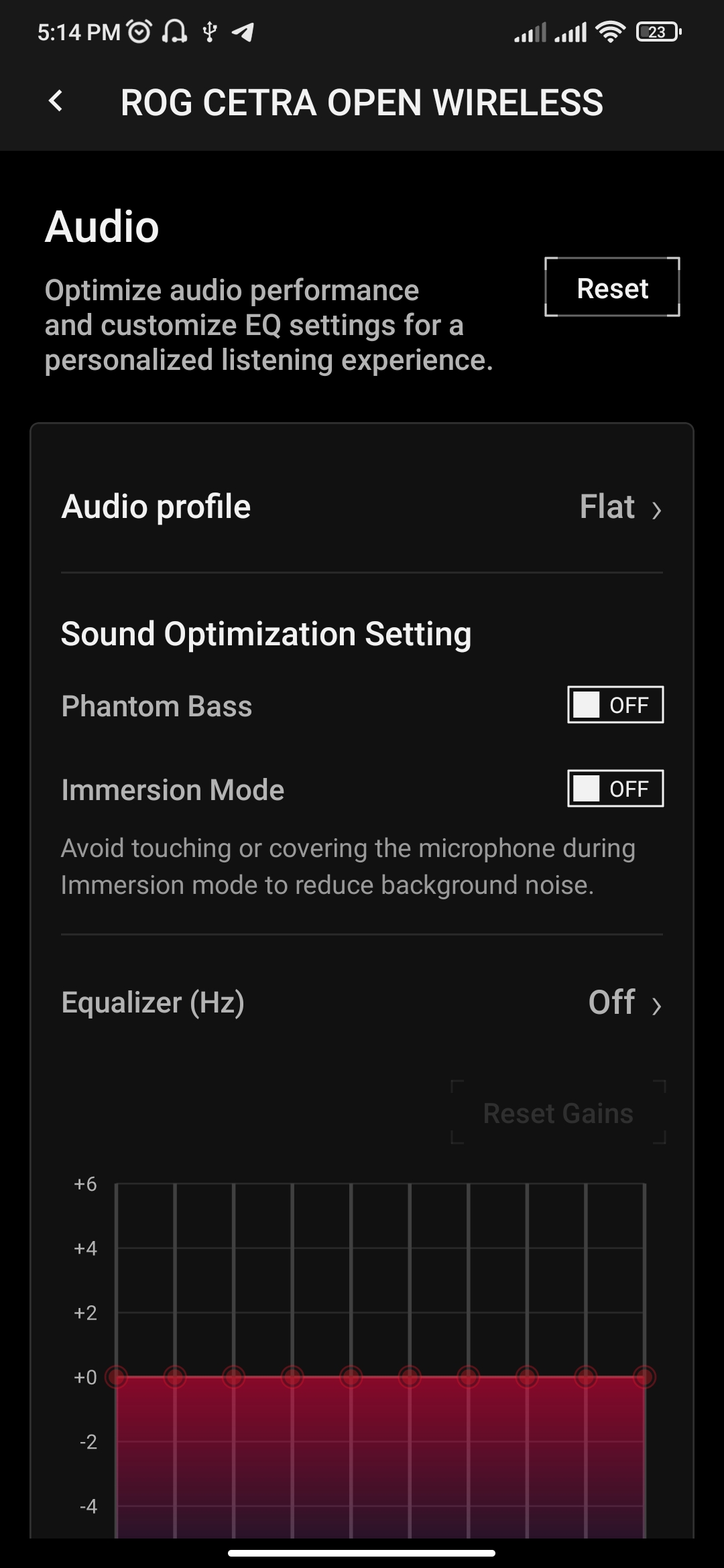
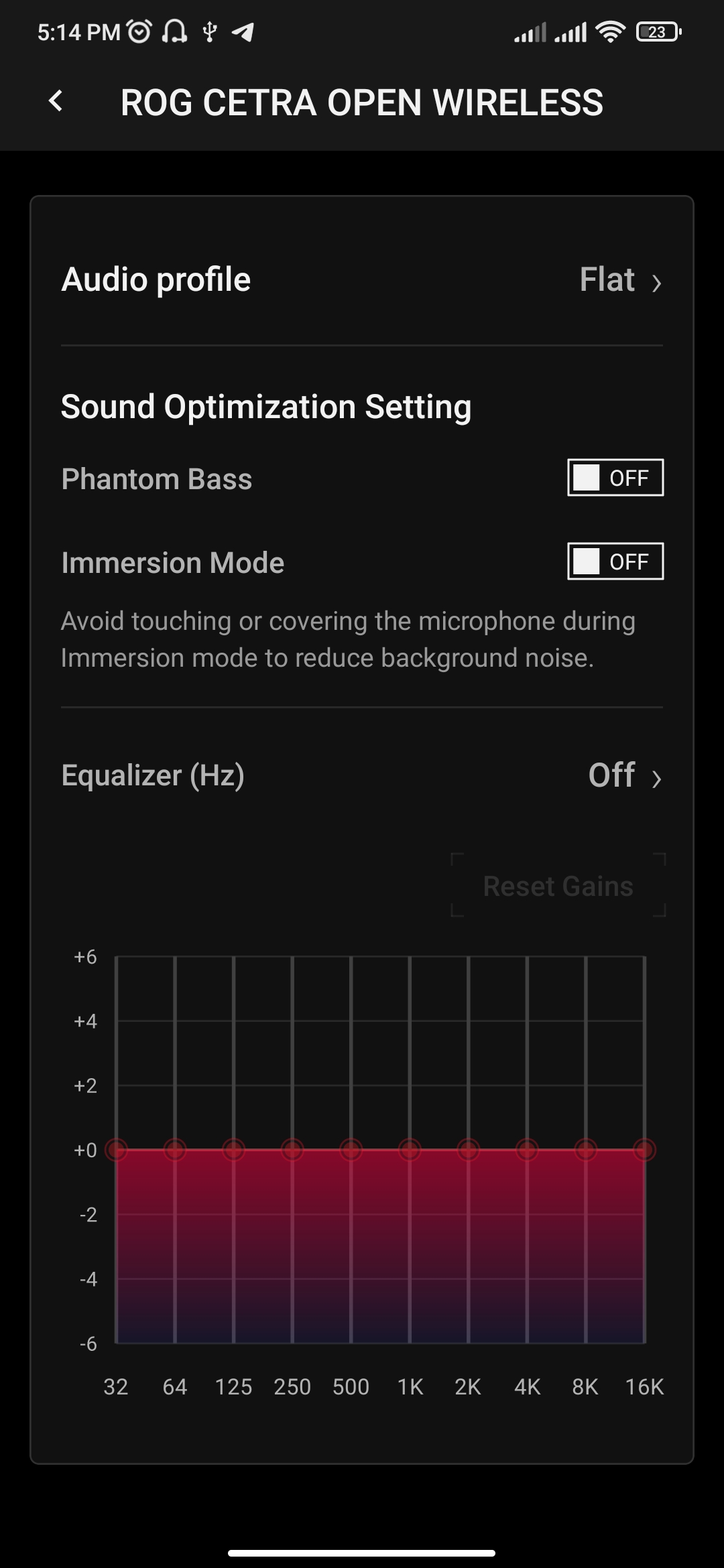
When the built-in Phantom Bass feature is disabled, the overall sound becomes cleaner, but also noticeably flatter and less engaging. In direct comparison, the difference is significant enough that most users are unlikely to keep this option turned off in regular use.
According to ASUS, Phantom Bass is a technology that uses psychoacoustic signal processing to enhance the perception of low frequencies. By reinforcing sub-bass harmonics, it is intended to restore depth and impact to the sound while maintaining a sense of natural bass reproduction.

Given the open-ear design, the ROG Cetra Open Wireless does not include traditional active noise cancellation. Instead, ASUS implements an “Immersion” mode that applies dynamic frequency filtering to reduce low-frequency background noise. The goal is to improve focus on audio content and minimize distracting environmental sounds.
In practical use, this feature appears to be effective to a noticeable degree. While it does not provide the same level of isolation as conventional ANC systems, it does reduce ambient low-frequency noise. When combined with moderate playback volume, external sounds become significantly less intrusive.

To summarize the audio performance, the earbuds sound quite good for an open-ear format. The Phantom Bass feature transforms the otherwise relatively flat character typical of most open wearable stereo (OWS) designs into a more spacious presentation and adds a noticeable, well-defined low end. However, as noted earlier, this mode is best used at moderate volume levels. Around 60–70% volume appears to be the optimal range, providing sufficient loudness while avoiding driver strain and related distortion.
The Immersion mode is also reasonably effective. It reduces a portion of background noise and allows for a more focused listening experience. At the same time, it does not replace traditional active noise cancellation, which is expected given the open-ear design. In this context, its performance can be considered a practical compromise rather than a full ANC solution.

The sound positioning was notably impressive and, overall, a positive aspect of the experience. The headset reproduces spatial audio effectively not only in games but also during everyday use such as video playback and music listening. That said, it is not intended for critical audiophile listening, and it does not outperform well-tuned in-ear TWS models in terms of absolute audio fidelity.
As a mid-range solution, however, it performs well. It can be used for low-latency gaming via RF, physical activity, and general everyday listening while moving around the city. In this sense, the Cetra Open Wireless is also a suitable option for users who cannot tolerate in-ear designs, offering a balance between comfort, portability, and generally good sound performance.

Read also:
- ASUS TUF Gaming LC III 360 ARGB LCD Review: Affordable Liquid Cooling Solution
- ASUS ExpertBook Ultra Laptop Review: Distinctive Blend of Hardware and Design
Microphone
Since the ROG Cetra Open Wireless is not just a pair of earbuds but a full headset, it is equipped with a system of four built-in omnidirectional microphones with AI-based noise reduction. The sensitivity is rated at -38 dB, and the frequency response range is 100 Hz – 8 kHz.

Overall, this is a typical headset microphone intended for voice communication rather than high-quality voice recording. It performs adequately in its primary use cases, including phone calls, Discord, and in-game communication with teammates. The AI-based noise reduction works reasonably well, filtering out background noise so that the speaker’s voice remains clear and intelligible on the receiving end. Strong wind or very noisy street environments are not fully eliminated by the system, but their impact is noticeably reduced during conversations.

Read also:
- ASUS ROG Falchion Ace HFX review: Gaming Keyboard with Magnetic Switches
- ASUS ROG Ryuo IV SLC 360 ARGB Liquid Cooling Review: Functional Elegance
ROG Gear Link software
ASUS is currently moving away from the heavier Armoury Crate software on newer devices and shifting toward the web-based Gear Link application. This approach allows device configuration directly in a browser without requiring local software installation on a PC. The ROG Cetra Open Wireless follows this direction and does not support Armoury Crate. Instead, it uses Gear Link, which is available as a dedicated web interface as well as mobile applications for Android and iOS.
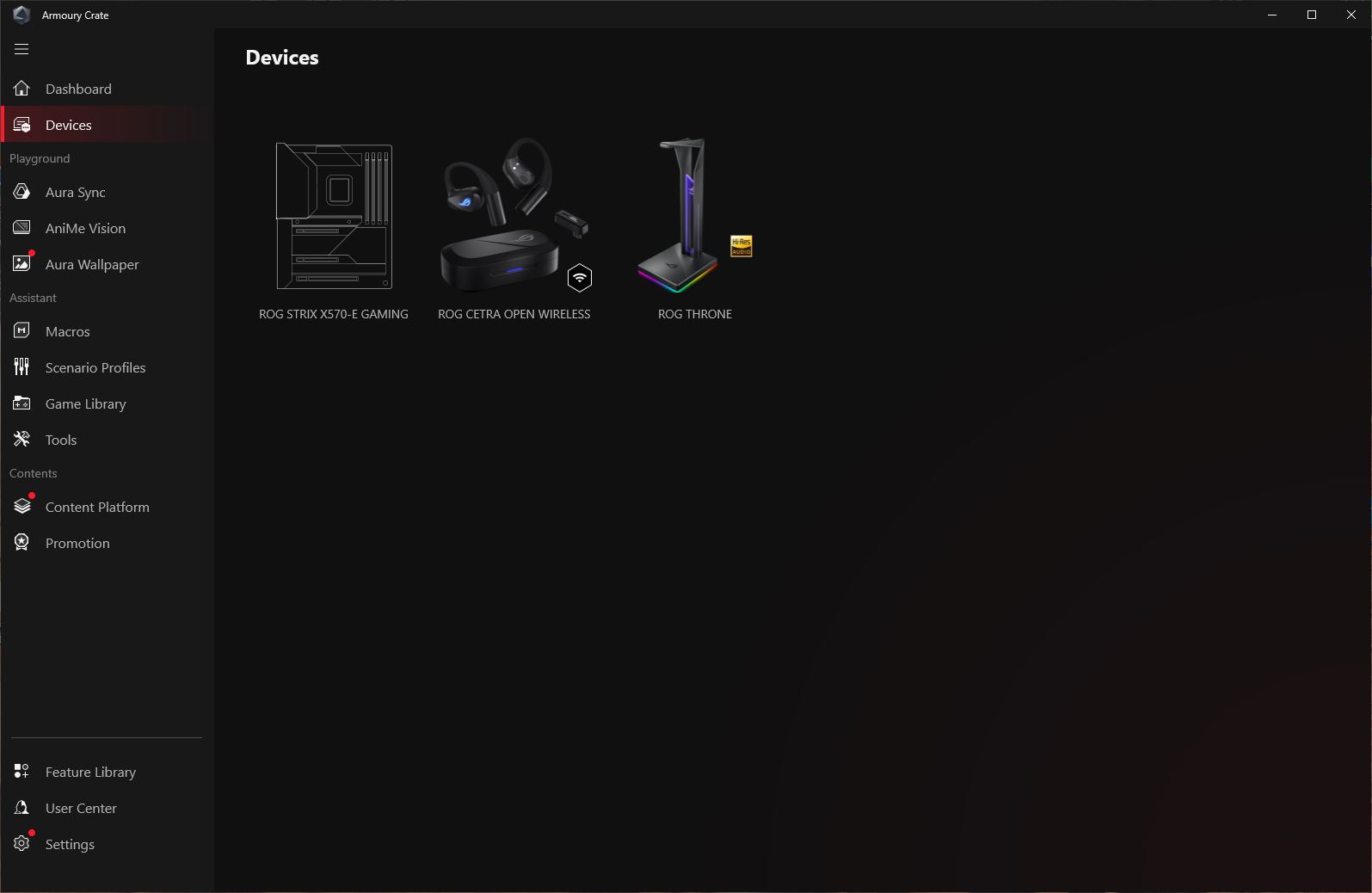

To access Gear Link settings from a PC, it is sufficient to connect the earbuds via the wireless adapter and then open the site gearlink.asus.com. After that, the browser will prompt the user to grant access to the headset in order to enable configuration.
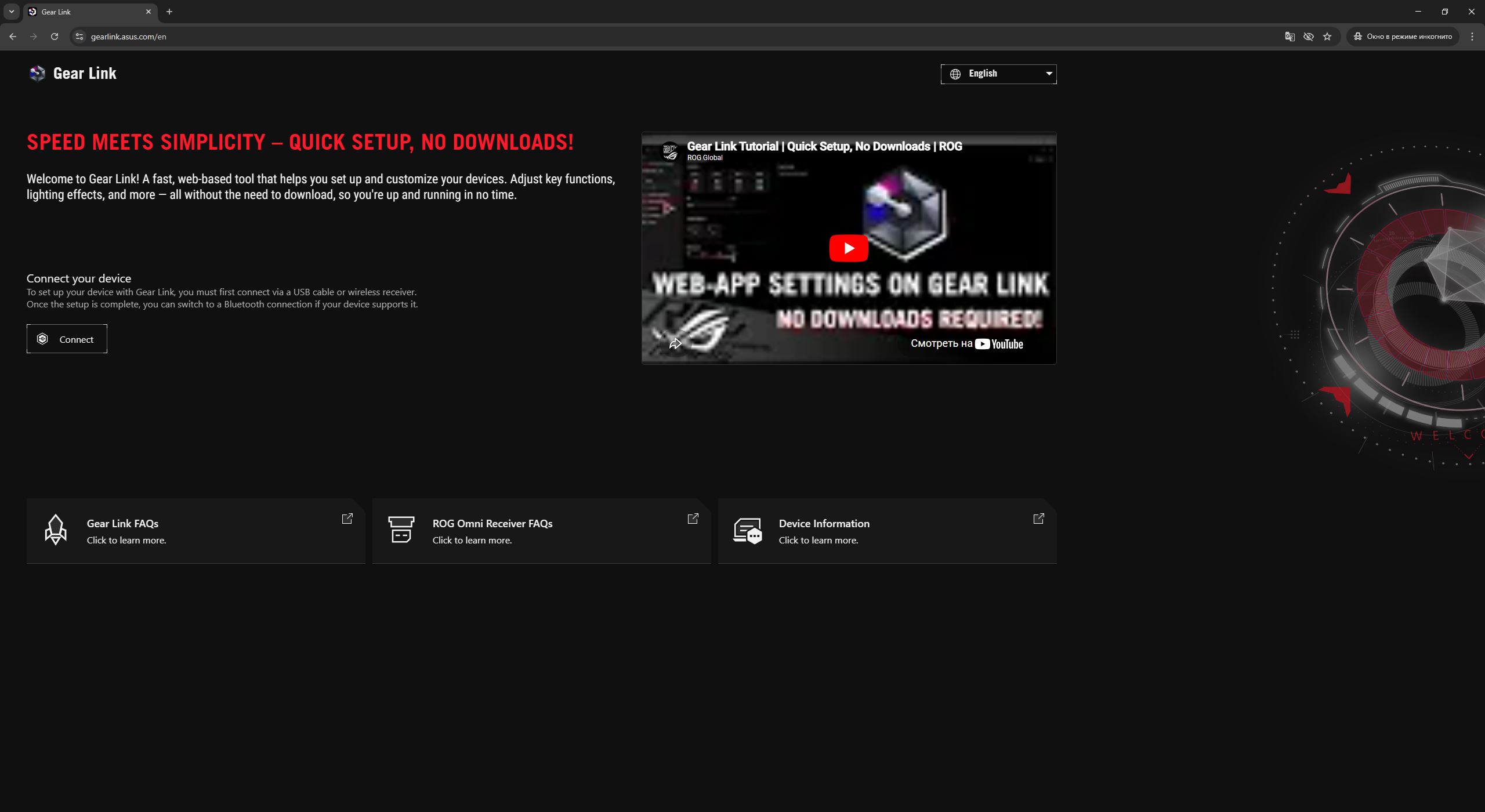
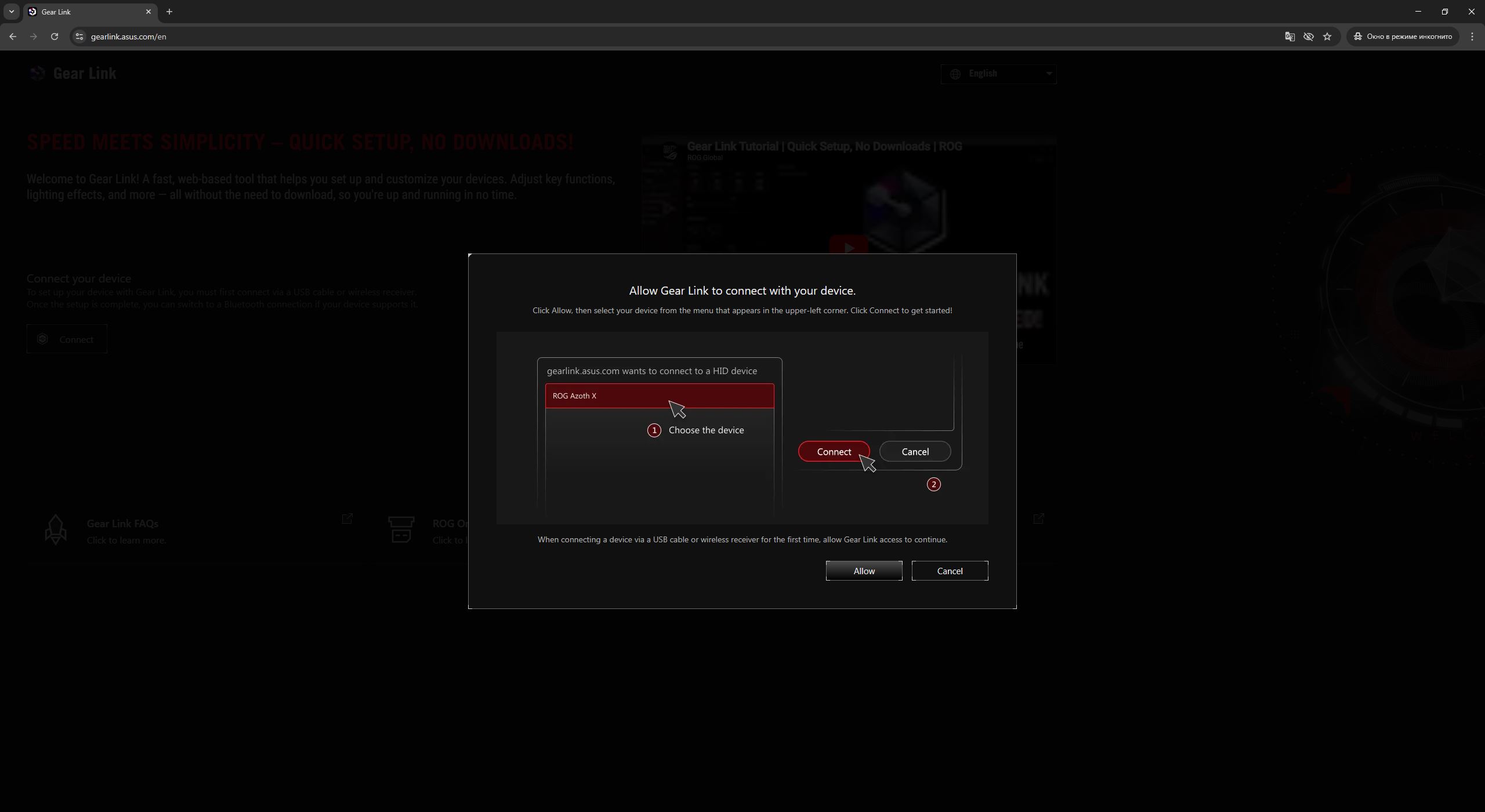
On smartphones, however, it’s business as usual: you’ll need to download the relevant app from Google Play or the App Store:




An important point is that Gear Link recognizes the earbuds only when they are connected via the RF wireless dongle. When using Bluetooth, the earbuds will still function normally, but the application will not detect them, meaning configuration within Gear Link is not available in that mode. This applies to both PC and smartphones. As a result, if settings need to be adjusted on the go, the dongle must effectively be kept accessible at all times. It is worth noting that the charging case includes a dedicated slot for it, which appears to be designed specifically for this purpose.
Regarding the settings themselves, the browser-based version of Gear Link will be considered first, followed by the mobile applications.
After connecting the headset, the user is taken directly to the “Sound” section. Here it is possible to select a preset audio profile, adjust the equalizer to personal preference, enable reverb with virtual surround sound, and toggle features such as Phantom Bass and Immersion mode. The interface also provides controls for compression levels and voice clarity enhancement in playback content.

Note that, by default, the reverb, virtual surround sound, compression, and voice clarity features are disabled. To enable them, an additional extension package must be installed from the Companion menu.

Next is the “Microphone” menu, which contains only two parameters: noise reduction and “perfect voice.” As in the previous section, both features are disabled by default. To activate them, an additional extension package must be installed via the Companion menu. A practical note: it is generally more efficient to install all available extension packages at once, since they are lightweight and install quickly. This avoids having inactive settings across different menus later on.

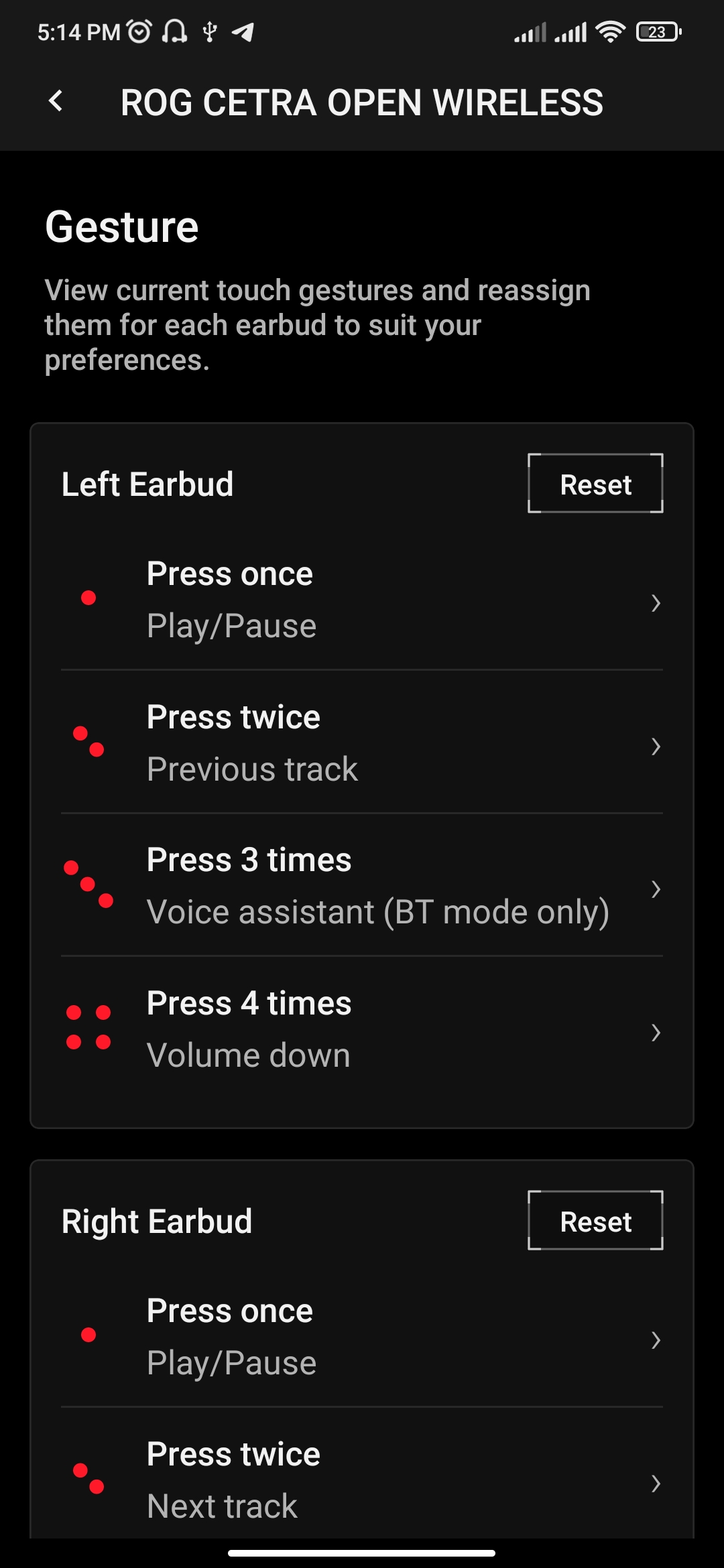
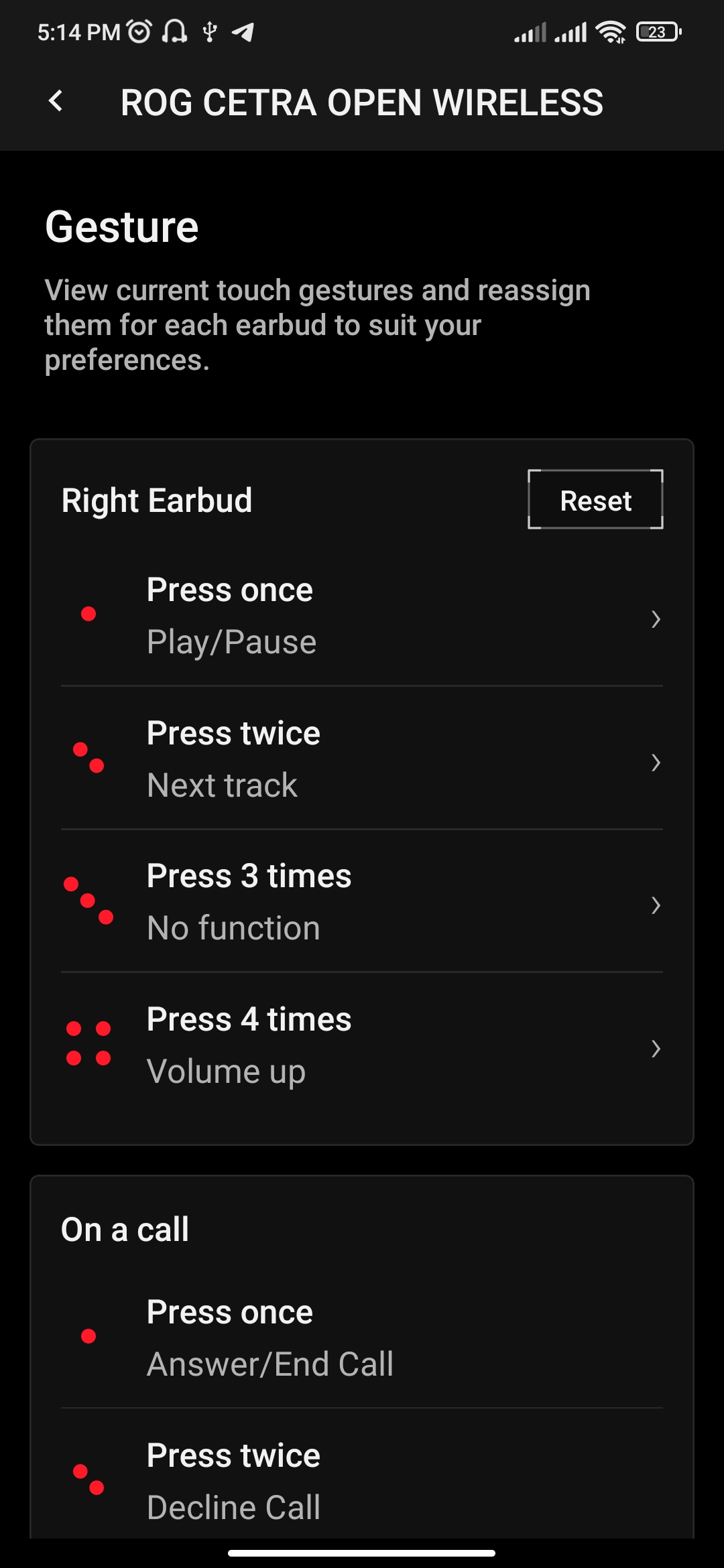
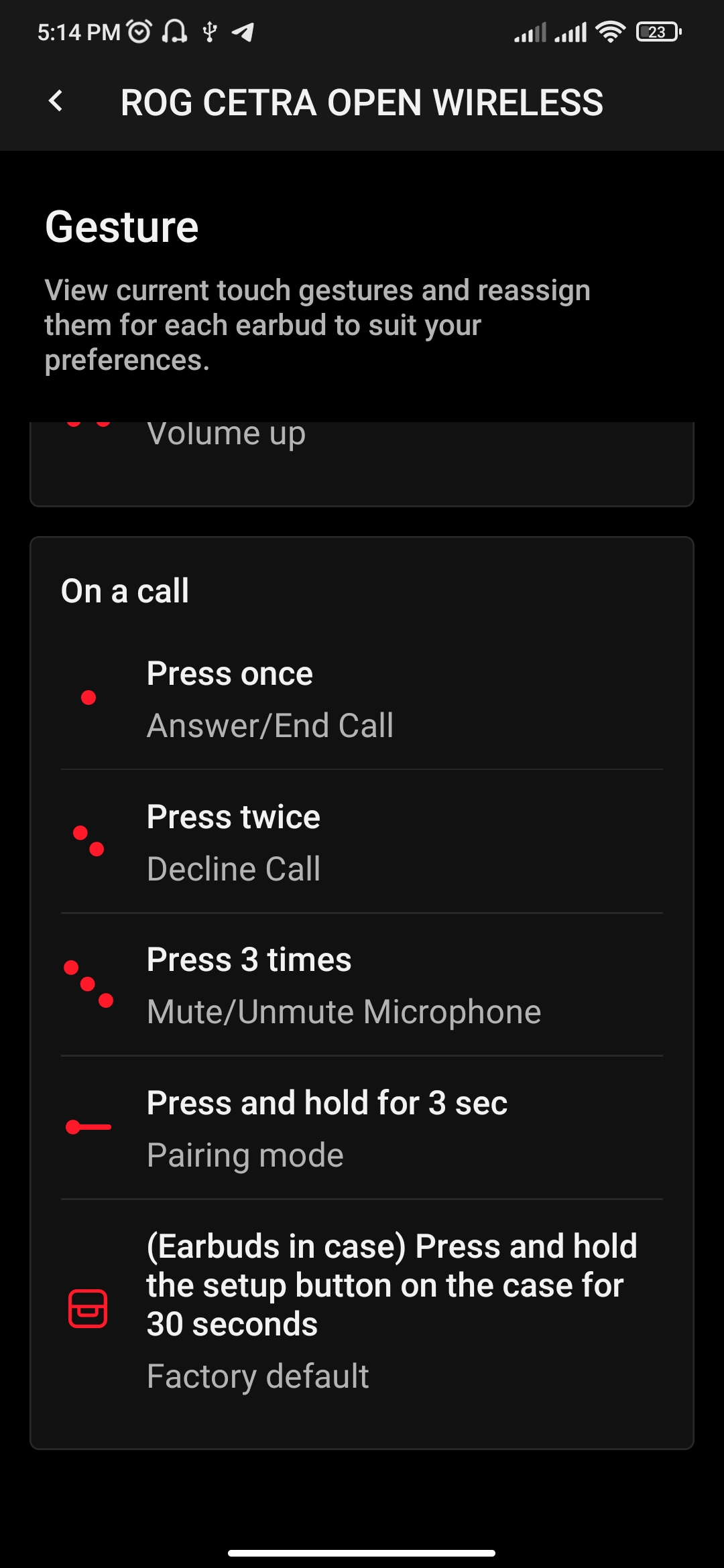
The third section in the list is titled simply “Settings”. It allows separate adjustment of individual earbud volume, selection of audio bit depth and sampling rate, customization of button gestures, and choosing the language for voice prompts. As in previous sections, some options – specifically volume balancing, bit depth, and sampling rate – are disabled by default. These can be enabled by installing additional extension packages from the Companion menu.

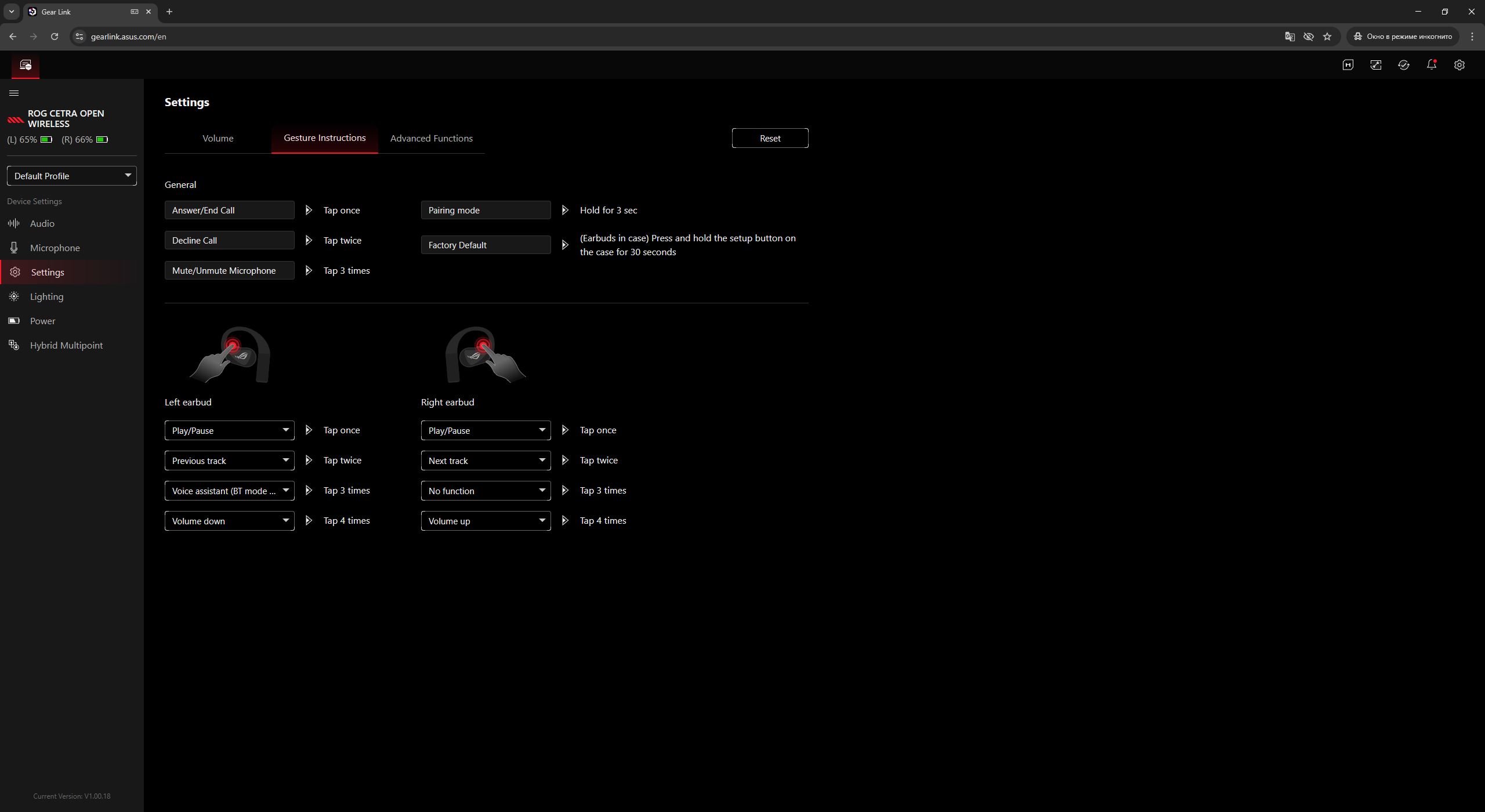
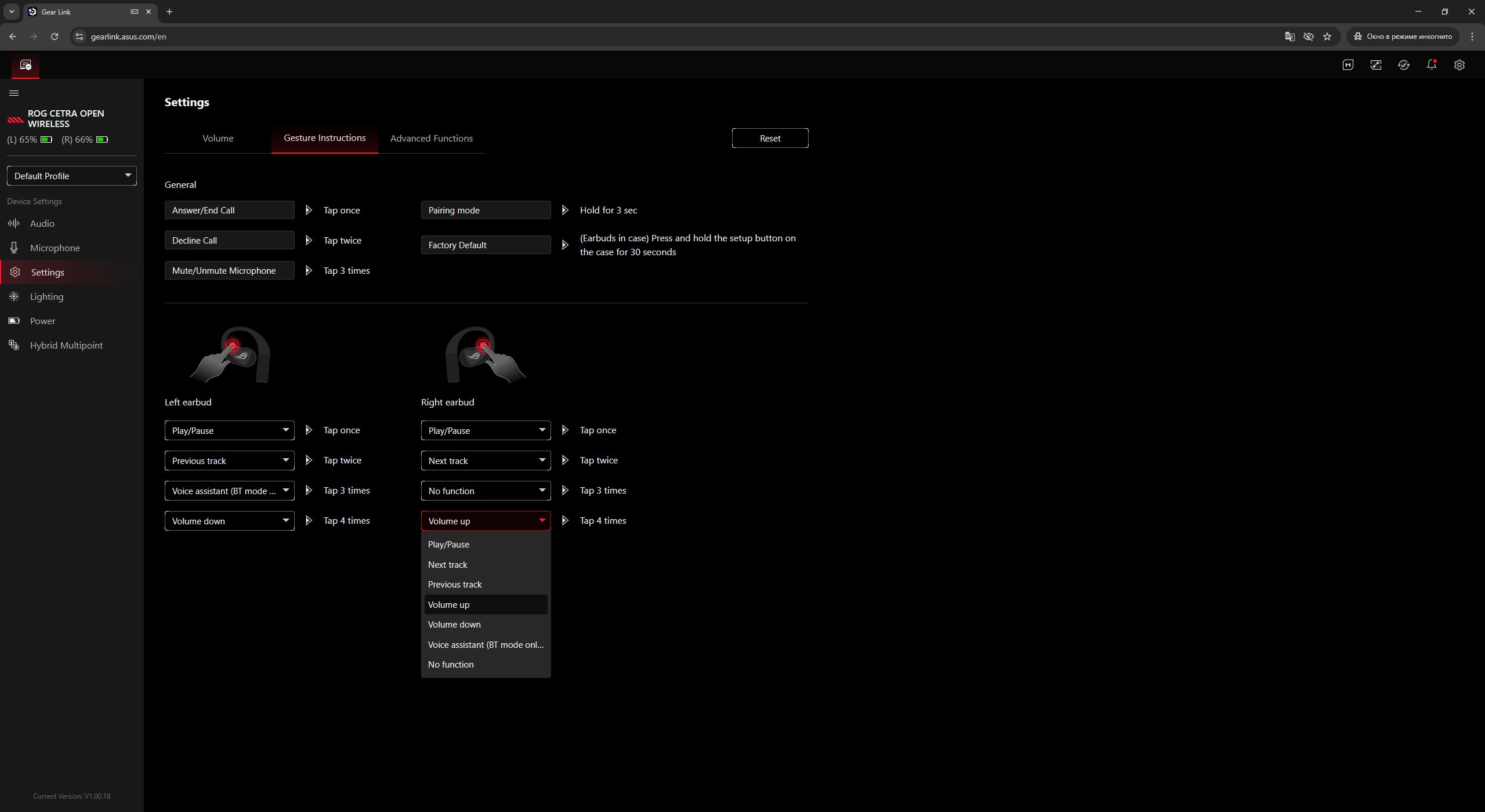

The lighting menu allows users to set a custom color for the ROG logos or select one of several preset effects. It also provides an option to adjust brightness levels.
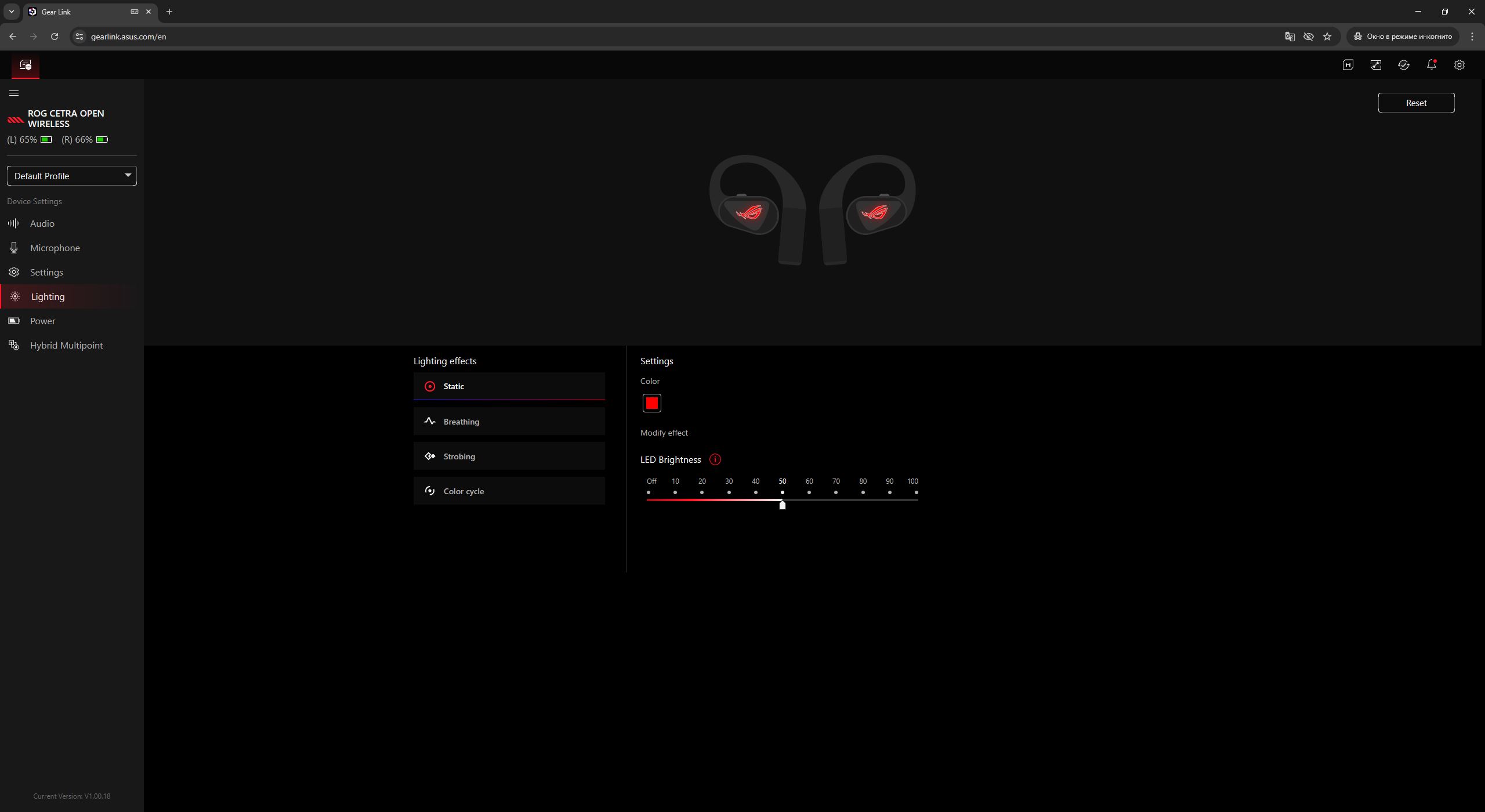
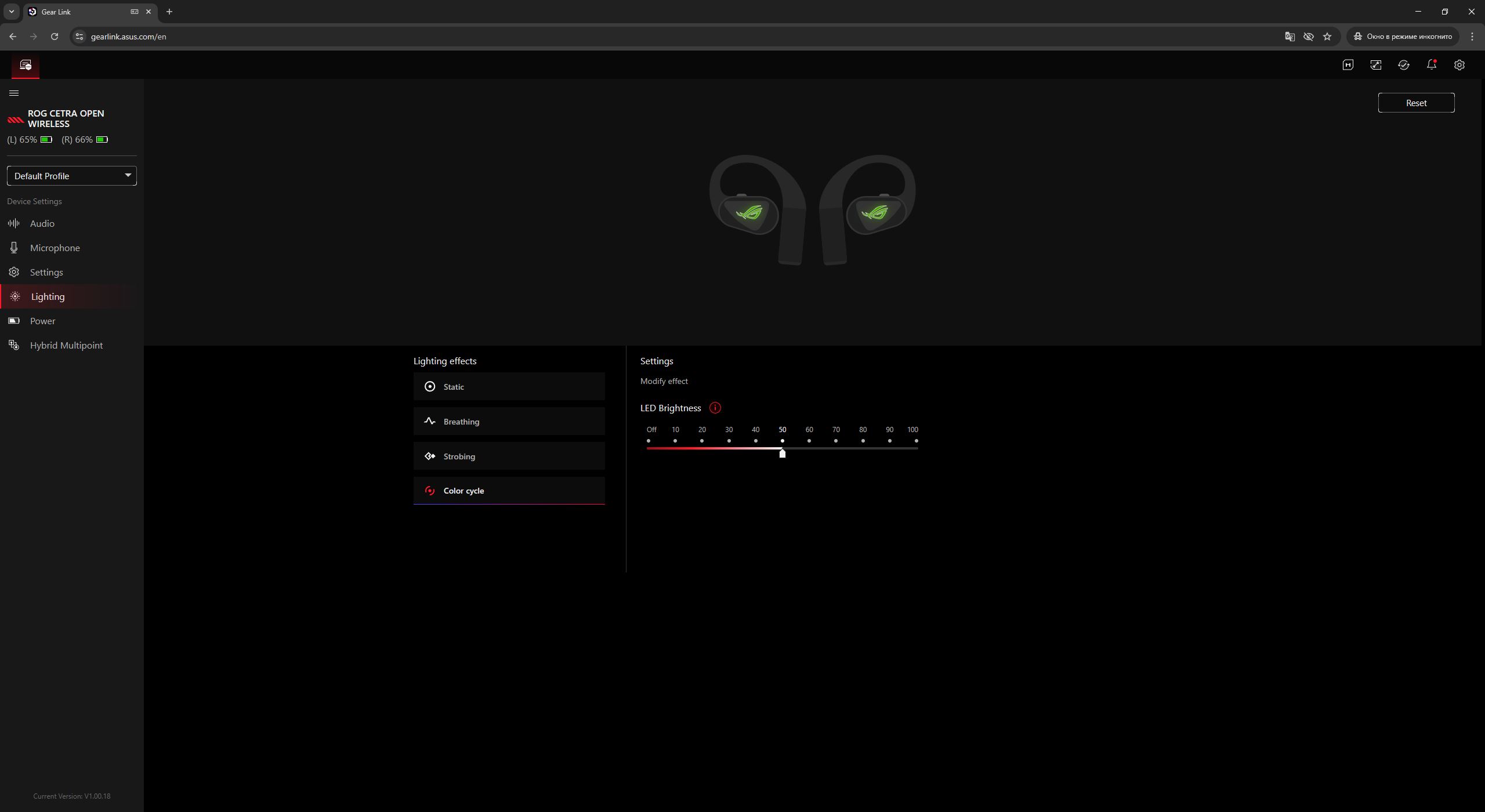
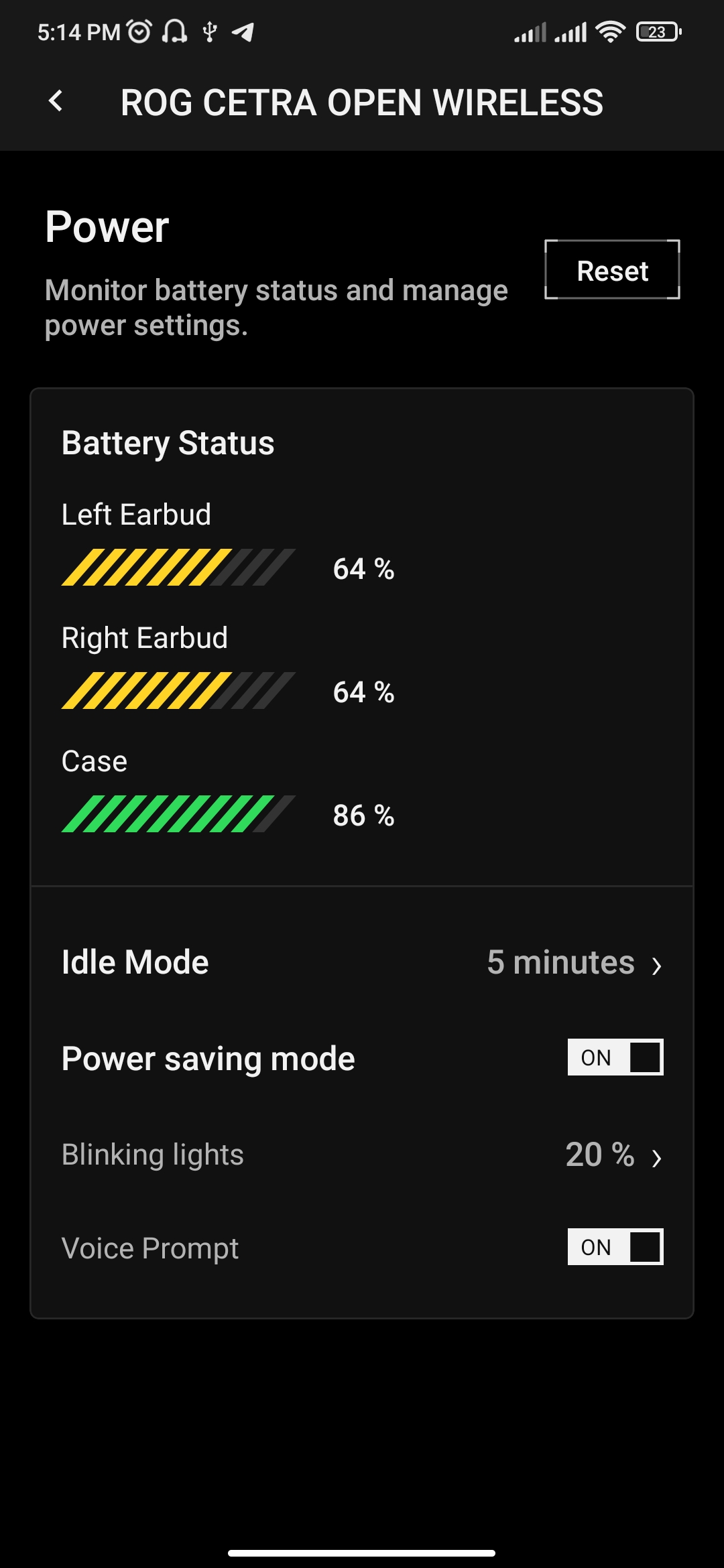
The “Power” menu allows users to view the battery level of each earbud as well as the charging case. It also provides an option to set the idle timeout, after which the earbuds automatically enter sleep mode when inactive.

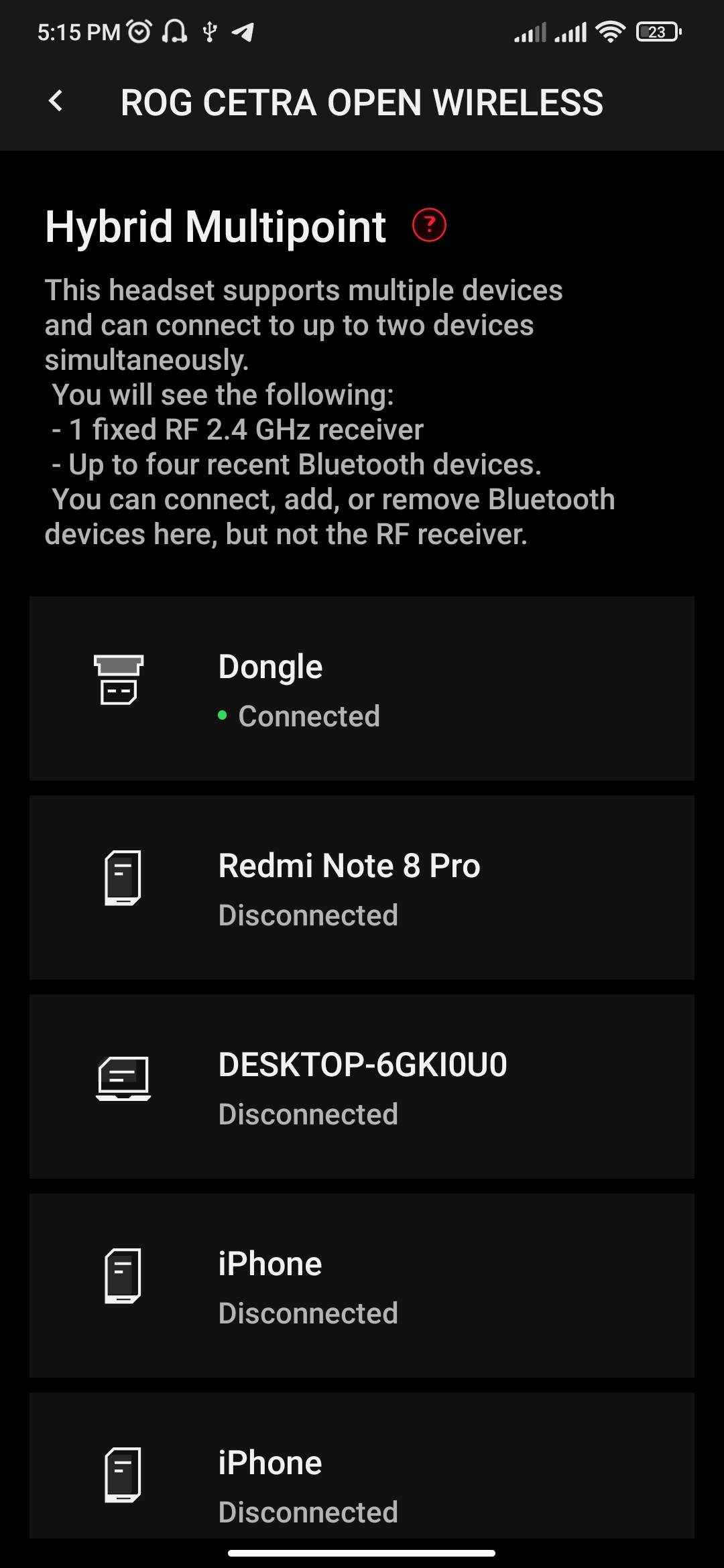
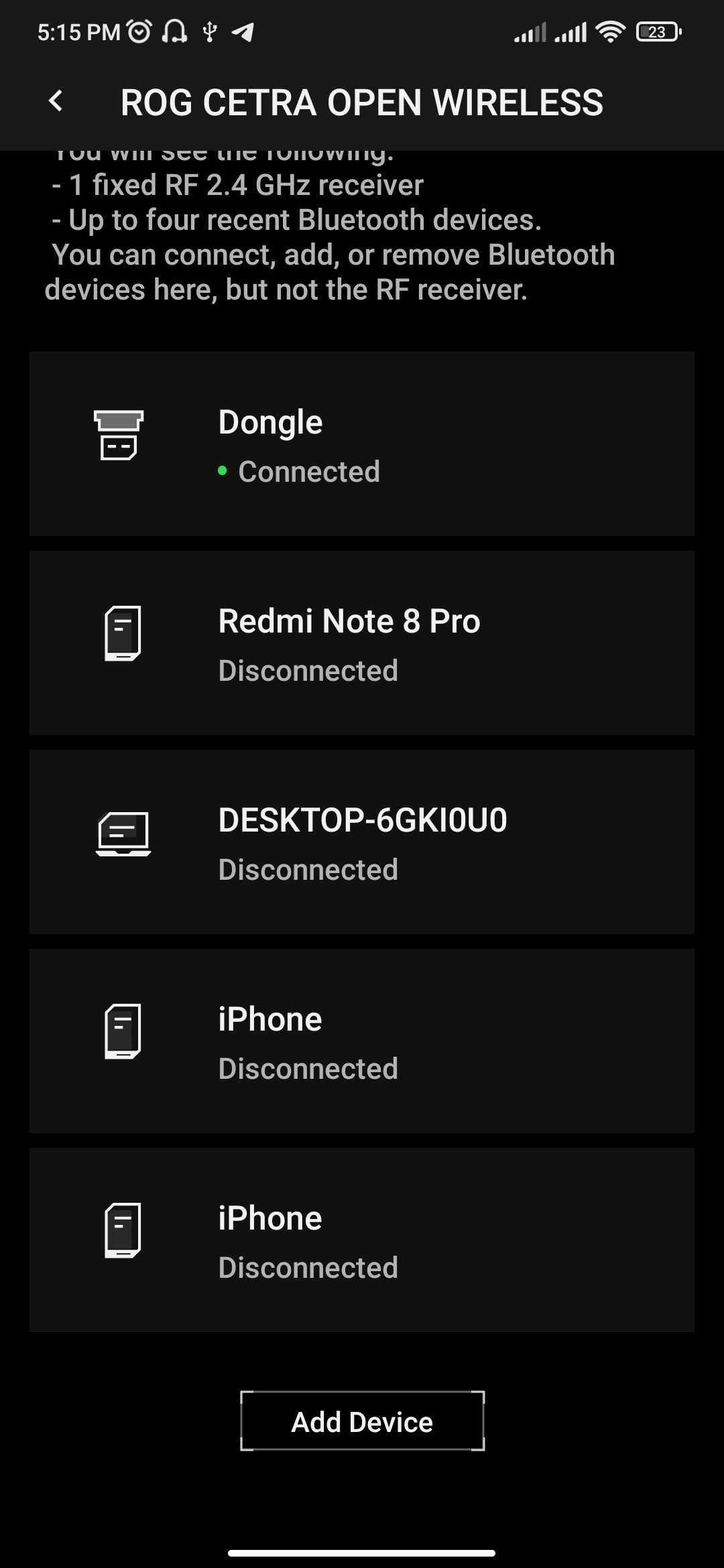
The final menu is “Multi-device connection.” It displays a list of currently paired devices and allows users to remove unnecessary entries if needed. This section is also where the Bluetooth pairing process can be initiated.

An interesting detail is that the interface indicates support for two types of simultaneous connections on the ROG Cetra Open Wireless: either two devices via Bluetooth (Bluetooth Multipoint) or one device via Bluetooth plus one via the RF dongle (Hybrid Multipoint).
The latter configuration is explicitly highlighted by ASUS on the product page and presented as one of the key features. However, the former option – dual Bluetooth Multipoint – is not clearly mentioned in the official specifications, despite being shown in the software interface. This omission is somewhat notable, as it represents a relevant usability aspect for everyday use scenarios.

I verified whether the earbuds can operate with two Bluetooth devices simultaneously. They do work in this configuration without issues: the earbuds automatically switch between active sources, and no manual reconnection or disabling is required.
This indicates that the ROG Cetra Open Wireless supports not only Hybrid Multipoint, but also Bluetooth Multipoint, which further expands their usage scenarios. At the same time, it is not possible to use RF and two Bluetooth connections simultaneously – only one RF connection plus one Bluetooth connection is supported.
Overall, this is a useful addition in terms of flexibility.
With the main Gear Link menus covered, the remaining sections can be reviewed briefly. The “Macros” menu allows recording and editing macros for ASUS keyboards and mice. For earbuds specifically, this functionality is not applicable and has no practical value in this context.

The “Companion” extensions menu allows users to download and install additional packages that enable extra features and settings. This section has already been discussed earlier in the overview.

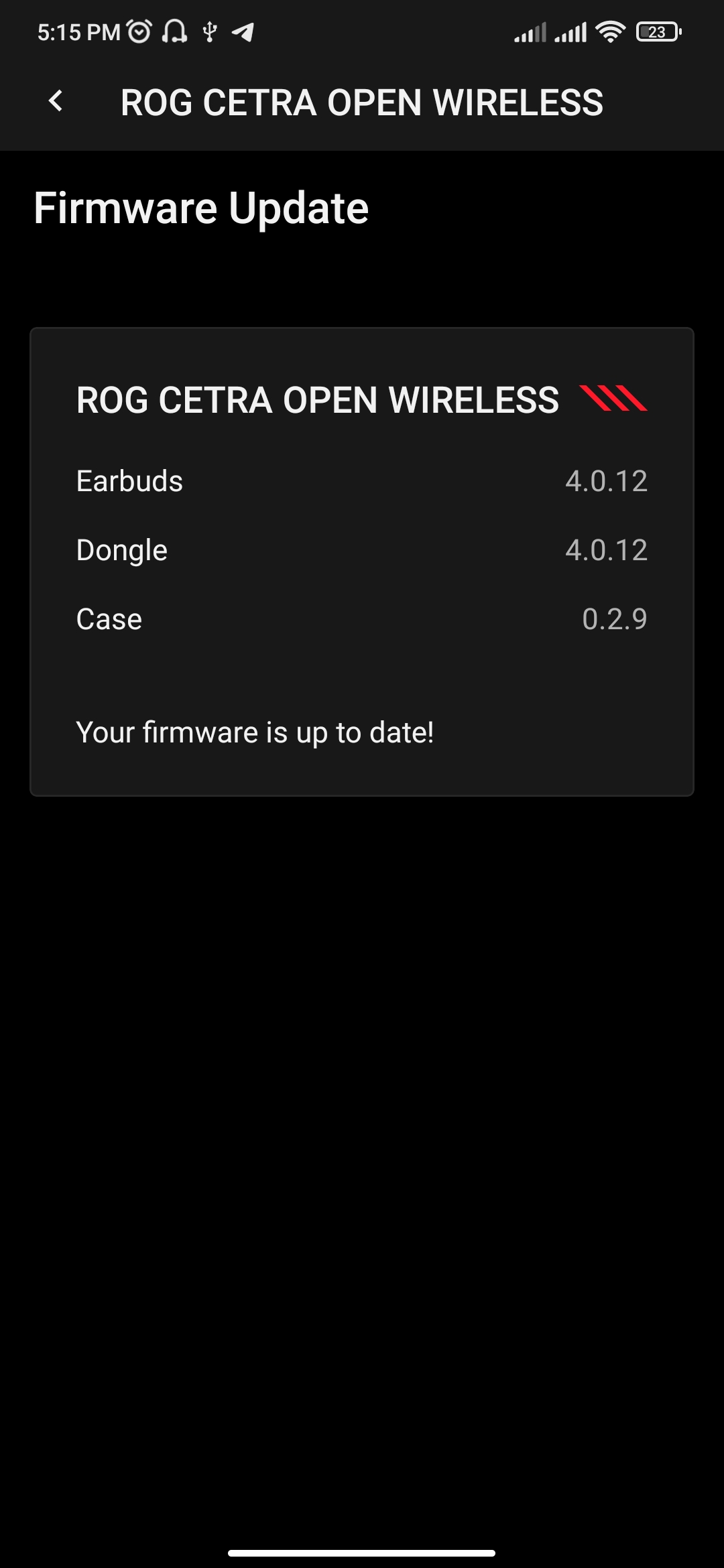
The “Firmware Update” menu allows users to download the required software package and firmware for updating the headset. The process is straightforward: the archive is downloaded and extracted on a PC, after which the ROG Firmware Update Tool is launched to complete the update.
During the update, the headset must be connected to the PC via the RF dongle (access to this menu is only possible in this configuration). The battery level should be at least 30%. No cable connection is required for the update procedure.

On the ASUS website it is stated that 2.4 GHz adapter mode is currently not supported on iOS, while Android support is expected in a future update. For now, users are instructed to enable Bluetooth in order to use the mobile version of the Gear Link application and access its available features.

What you describe is actually a fairly typical case of partial platform support rather than a user-side configuration issue.
On Android, the application only detects the earbuds when they are connected via the RF dongle. Bluetooth connection is not recognized by the app even after firmware updates, which suggests that Bluetooth mode is not integrated into the mobile control layer of Gear Link on this platform.
At the same time, even with the dongle connection active, the application behaves inconsistently. Core sound-related functions such as audio profile switching, Phantom Bass control, and EQ adjustment fail to apply and return errors. However, secondary functions like Immersion mode, lighting control, and button remapping operate normally.
In practical terms, this indicates a split implementation: the device is partially visible to the software, but only a subset of features is currently functional, likely due to incomplete or platform-specific firmware/software integration.

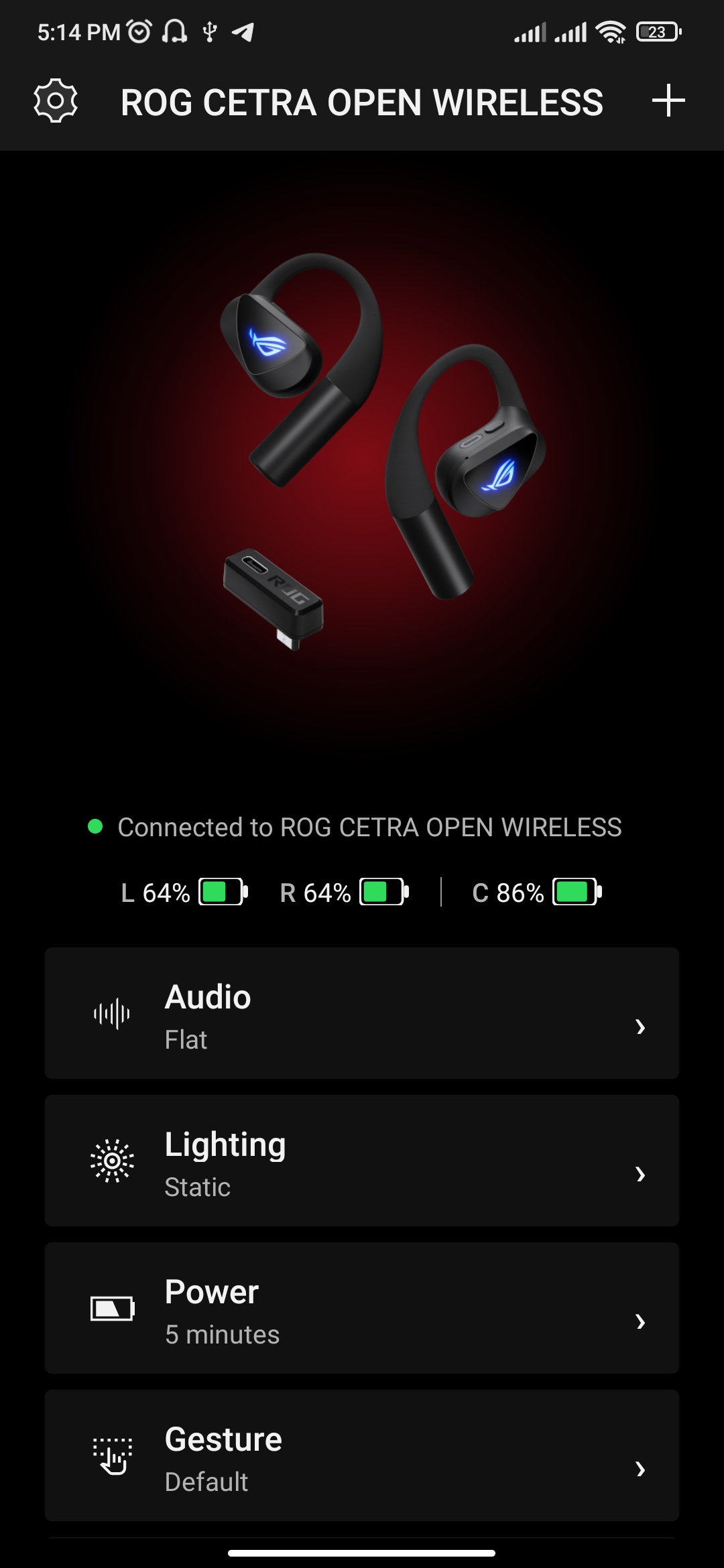
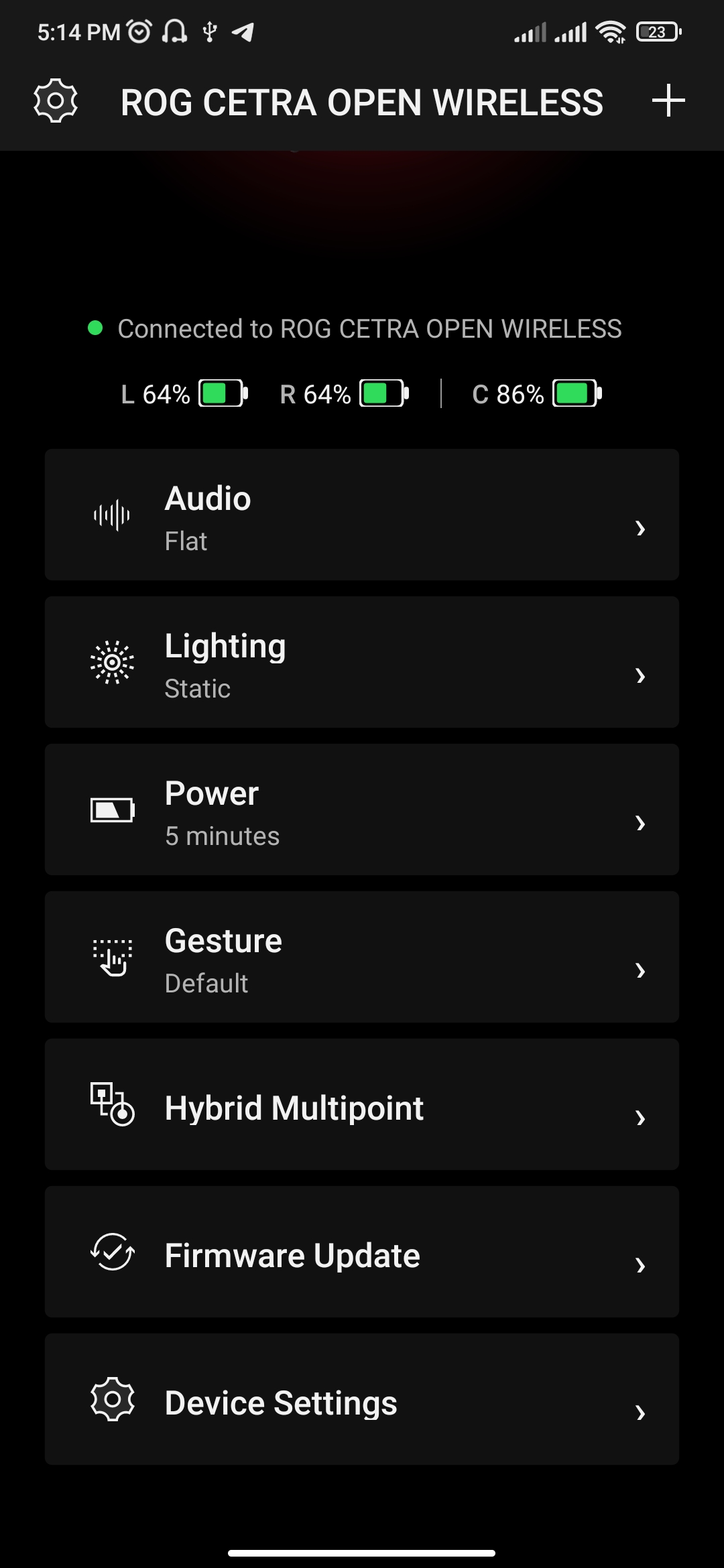
As noted earlier in the review, the Android testing was performed on an older Redmi Note 8 Pro, so it is possible that the issue is device-specific. On an iPhone 11 Pro Max, Gear Link successfully detects the earbuds when connected via Bluetooth. However, an “Update Failed” error still appears on iOS when attempting to change audio profiles or enable Phantom Bass. This suggests that the mobile version of Gear Link currently has only partial functionality across platforms.
Regarding the settings themselves, they largely mirror those available in the full browser-based version of the application. There is no need to repeat the full list here; the available options are better illustrated in the accompanying screenshots.

Read also:
- ASUS ROG Strix OLED XG27AQDPG Monitor Review: 2K QD-OLED, 500 Hz, and 0.03 ms Response Time
- ASUS ROG Strix G16 Laptop: Key Features and Use Cases
Battery life of ASUS ROG Cetra Open Wireless
ASUS does not explicitly specify the exact battery capacity of either the charging case or the earbuds themselves. However, the manufacturer provides approximate battery life figures that can be used as a reference: up to 16 hours on a single charge of the earbuds, plus an additional 48 hours provided by the charging case.
These values are likely measured under ideal conditions, such as Bluetooth playback with lighting, microphone usage, and audio enhancement features (Phantom Bass, Immersion) disabled. In real-world usage – particularly when using the RF connection and enabling additional audio processing and effects – the actual battery life is expected to be somewhat lower. Nevertheless, a combined runtime of around 64 hours remains a strong result for this type of form factor.
The earbuds also support fast charging: 15 minutes in the case provides up to 3 hours of continuous playback.

Conclusions
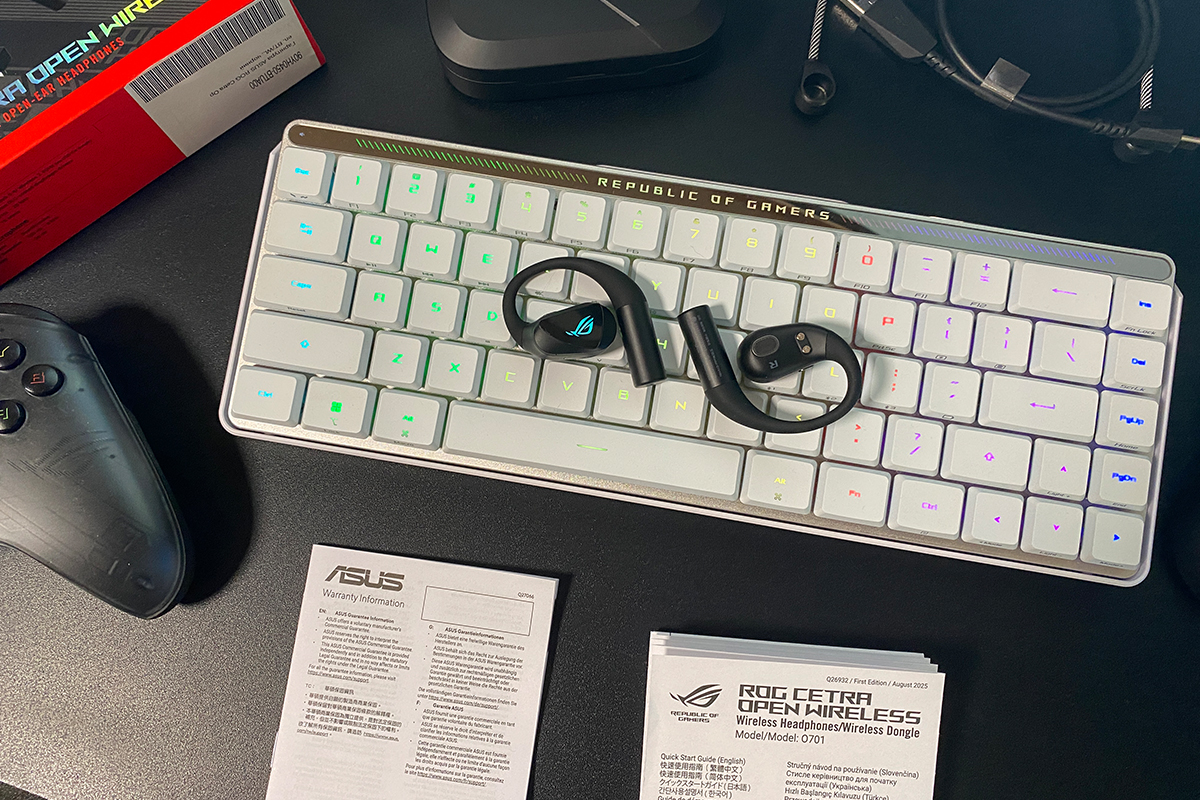
In summary, the new ROG Cetra Open Wireless can be considered an interesting release. The fact that ASUS is among the first to combine this type of open-ear design with gaming-focused features is, at minimum, a noteworthy implementation and distinguishes the product within its category.
Key strengths include the increasingly popular open-ear form factor, solid ergonomics, recognizable ROG design language, and strong overall battery life. SpeedNova technology provides low latency, while hybrid connectivity enables simultaneous use of RF and Bluetooth. Bluetooth Multipoint support adds further flexibility. Sound performance is generally good for the form factor, and Phantom Bass contributes to a more engaging low-end presentation. Sound positioning is also a particularly strong aspect of the device.
At the same time, it should be noted that these earbuds will not outperform high-quality in-ear TWS models, such as the ROG Cetra True Wireless SpeedNova, in terms of absolute audio fidelity. As a result, this model should be viewed as a more specialized solution. Nevertheless, for users who cannot comfortably use in-ear designs, it may serve as a practical primary option that combines mobility, comfort, and acceptable sound quality.

There are also some clear drawbacks and debatable aspects. The more obvious issues include driver overload at high volume levels when Phantom Bass is enabled, where audible distortion becomes noticeable. Another limitation is the Gear Link mobile application, which currently functions only partially across platforms. From a more subjective standpoint, the use of physical buttons for all controls may be seen as a compromise. While the implementation is generally practical and usable, at this price level some users may expect a more modern touch-based control system in the ROG Cetra Open Wireless.
Read also:
- XChat by Elon Musk: End-to-End Encrypted Messaging Service Challenging WhatsApp and Telegram
- Samsung Galaxy S26 Ultra Review: Reference Flagship Without Major Changes
- Quantum Networks as Alternative to Classical Internet: What to Expect
Where to buy the ASUS ROG Cetra Open Wireless



최초는 아닌데 지링크 라고 하나 있어요. 음질은 쓰레기 이지만
개방형 헤드폰의 음질은 일반적인 수준입니다. 이런 헤드폰으로는 고품질 음질을 기대할 수 없습니다. 고품질 음질을 원한다면 밀폐형 헤드폰을 사용해야 합니다.