





© ROOT-NATION.com - Use of content is permitted with a backlink.
Today, I’m taking a look at the ROG Strix Aiolos, a new SSD enclosure that ASUS only recently released. The device is positioned as a flagship-class SSD enclosure, combining modern high-end specifications with transfer speeds of up to 20 Gbps via USB 3.2 Gen 2×2, a well-executed dual-layer cooling system, and a premium design in the recognizable ROG style with integrated ARGB lighting. It is also priced accordingly. In this review, we will take a detailed look at the new enclosure, run a series of performance tests, and evaluate whether the ROG Strix Aiolos truly deserves flagship status within its segment. As usual, we will begin with a brief overview of the technical specifications.
TABLE OF CONTENTS:
ROG Strix Aiolos Specifications
- Model: ESD-S1W
- Controller: Realtek RTL9220VC
- Connection interface: USB 3.2 Gen 2×2 (Type-C) (fully backward compatible with USB 3.2 Gen 2/1 and USB 2.0)
- Data transfer rate: up to 20 Gbps
- Compatible SSDs: M.2 NVMe PCIe (M-Key) and M.2 SATA (B+M Key)
- Supported SSD form factors: 2242, 2260, 2280
- Cooling: aluminum alloy housing, thermal pad (6.0 W/mK), and liquid silicone rubber (LSR) protective coating
- Lighting: ARGB with ASUS Aura Sync support
- Compatible platforms: Windows 10/11, Mac OS X 14.4 or later
- Proprietary software: ROG SSD Dashboard
- Temperature range: operating 0–40°C; storage -40–60°C
- Humidity: operating 15%–90%; storage 10%–90%
- Operating voltage: 5V
- SSD installation: tool-free Push-To-Open mechanism
- Dimensions: 115.50 × 46.0 × 15.12 mm
- Weight: 139 g
- Included: ROG Strix Aiolos case, reinforced braided USB-C to USB-C cable, metal carabiner, ROG fabric strap, documentation

Positioning and pricing
The ROG Strix Aiolos is positioned as the company’s new flagship SSD enclosure. Before its release, that role was effectively held by the ROG Strix Arion. Aiolos can be viewed as a direct evolution of the Arion concept, but with improvements across nearly every area: transfer speeds have doubled from 10 to 20 Gbps, SATA SSD support has been added, and the cooling system has been significantly upgraded through the use of an LSR-coated thermal design.
In broader market terms, the device clearly targets the premium segment. Above it are only Thunderbolt 4 and USB4 enclosures with 40 Gbps bandwidth, which belong to a different product category altogether. As a result, for mainstream gaming and creative workloads, the ROG Strix Aiolos positions itself as a high-end all-around solution within its price range.
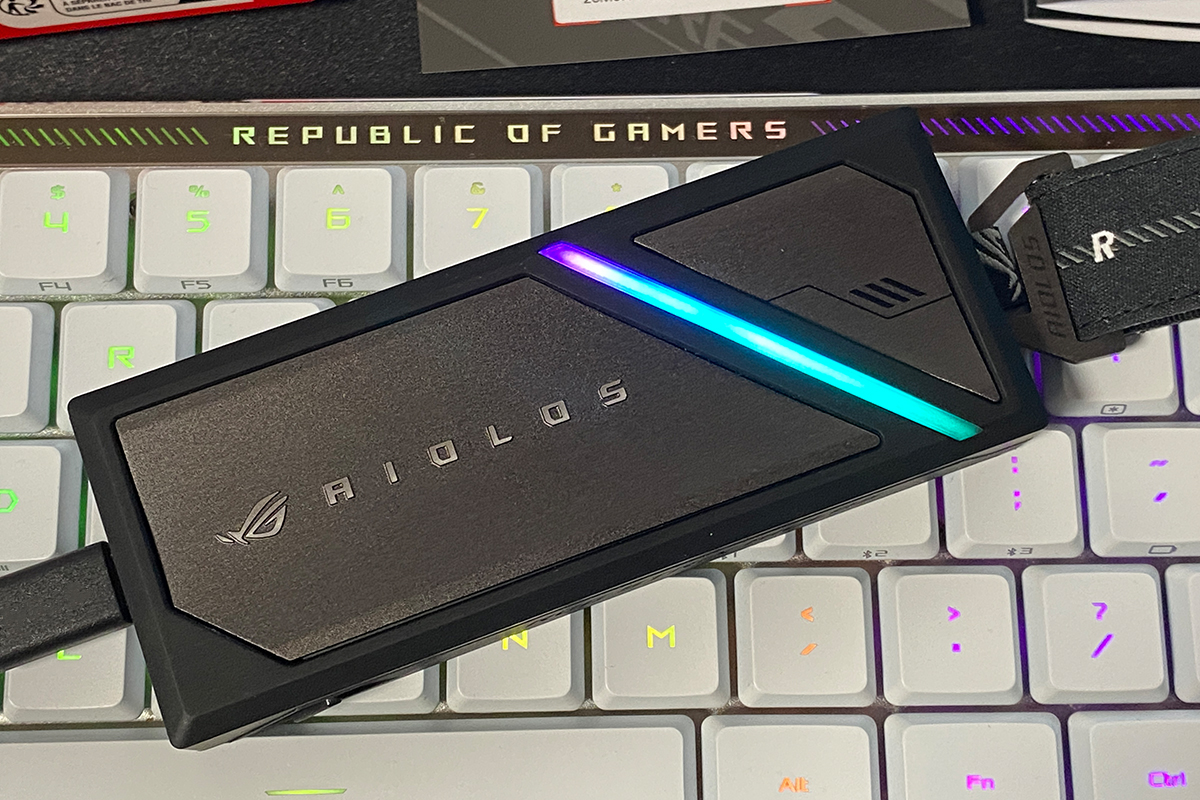

As mentioned earlier, the new enclosure is priced accordingly: $91 / €78 at standard retail price, or $82 / €70 during the launch promotion. As is often the case with recent ASUS products, the company is offering an introductory discount for early buyers. Interestingly, this creates the opposite dynamic from the usual consumer pattern. Rather than waiting for future discounts, early adopters may actually get the better deal by purchasing the device at launch.
Package Contents
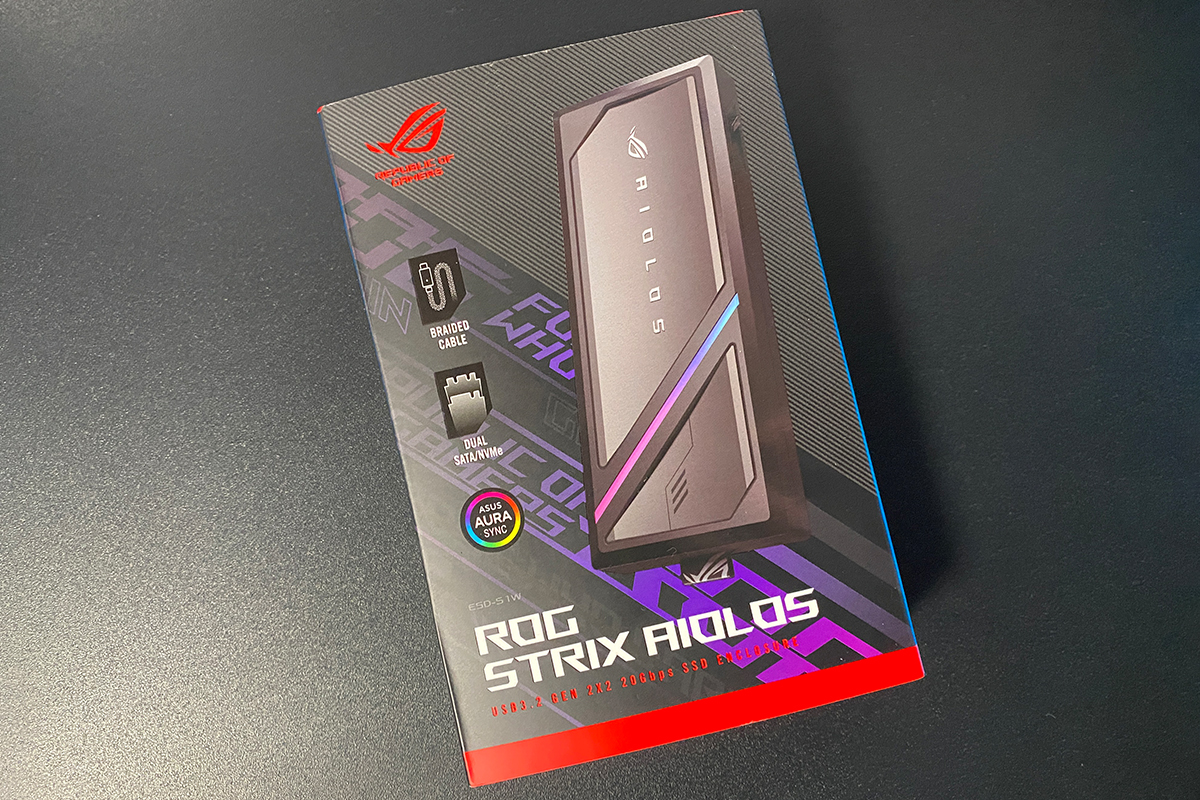
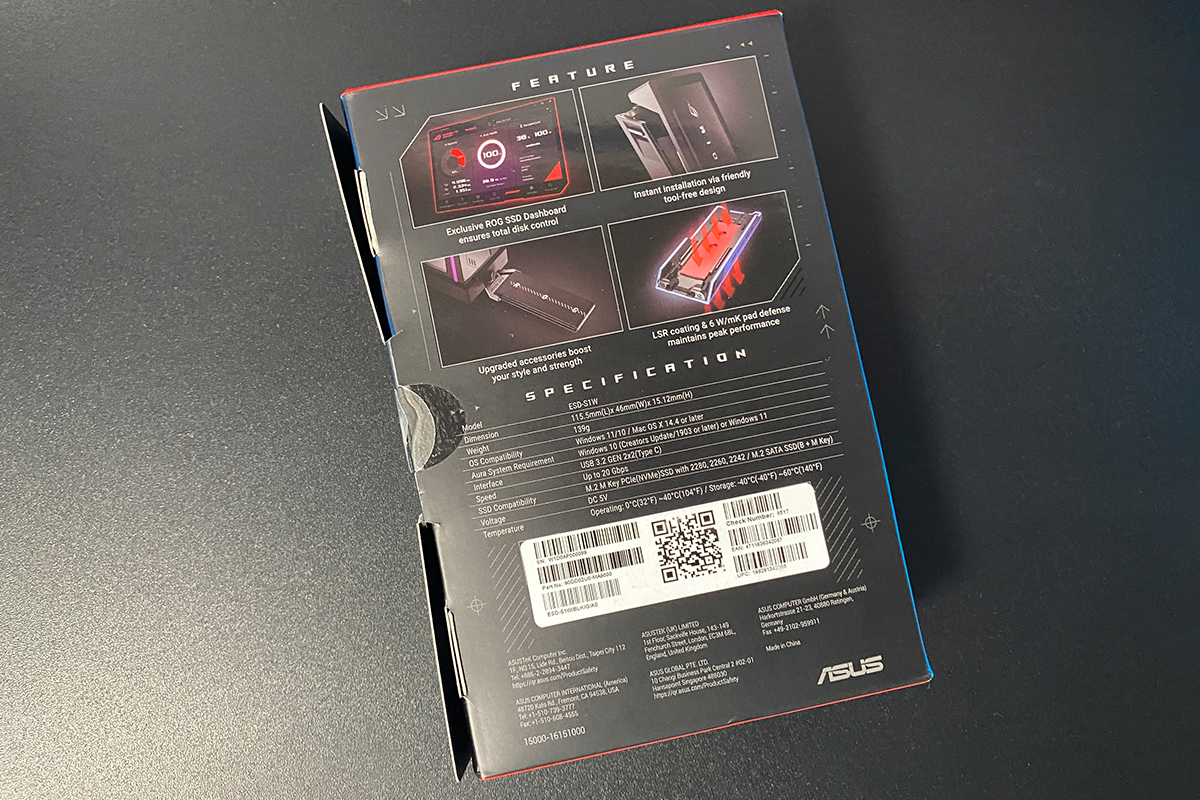
The enclosure ships in a compact box designed in the familiar ROG visual style. The front immediately makes it clear what type of device is inside, while the rear panel lists the key specifications and features of the model.
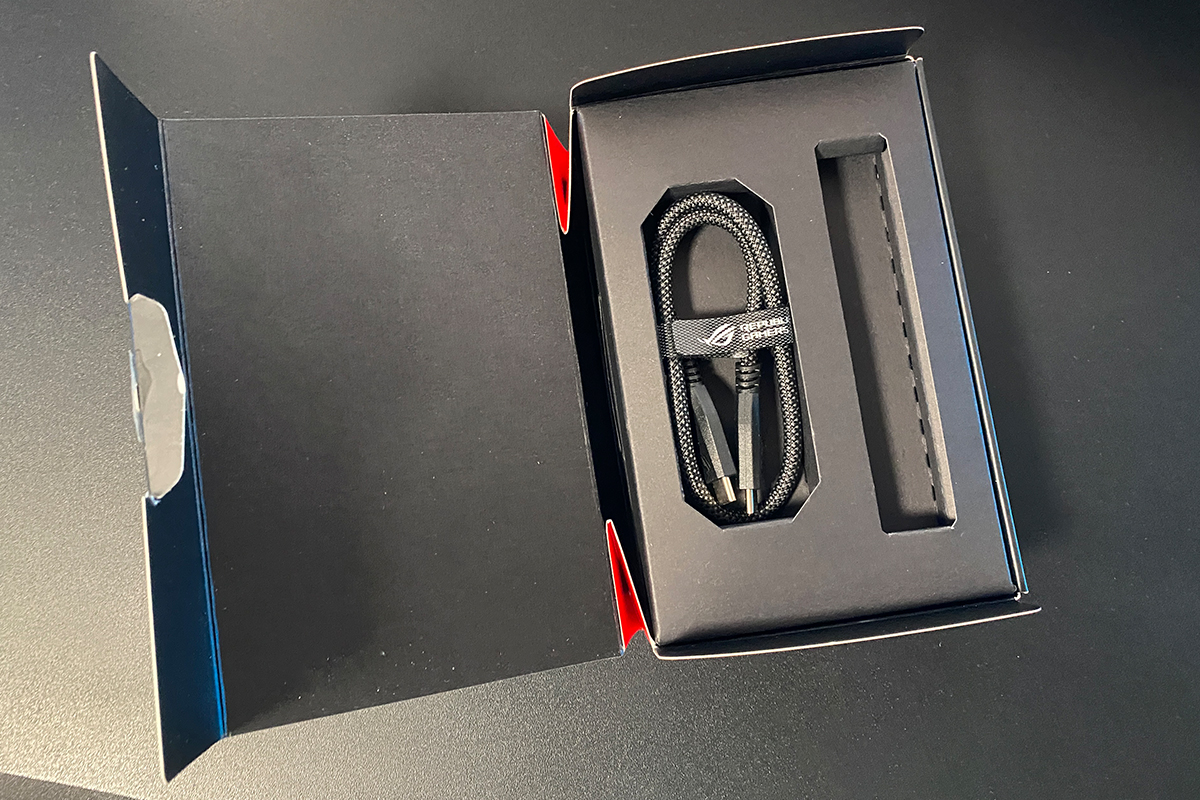
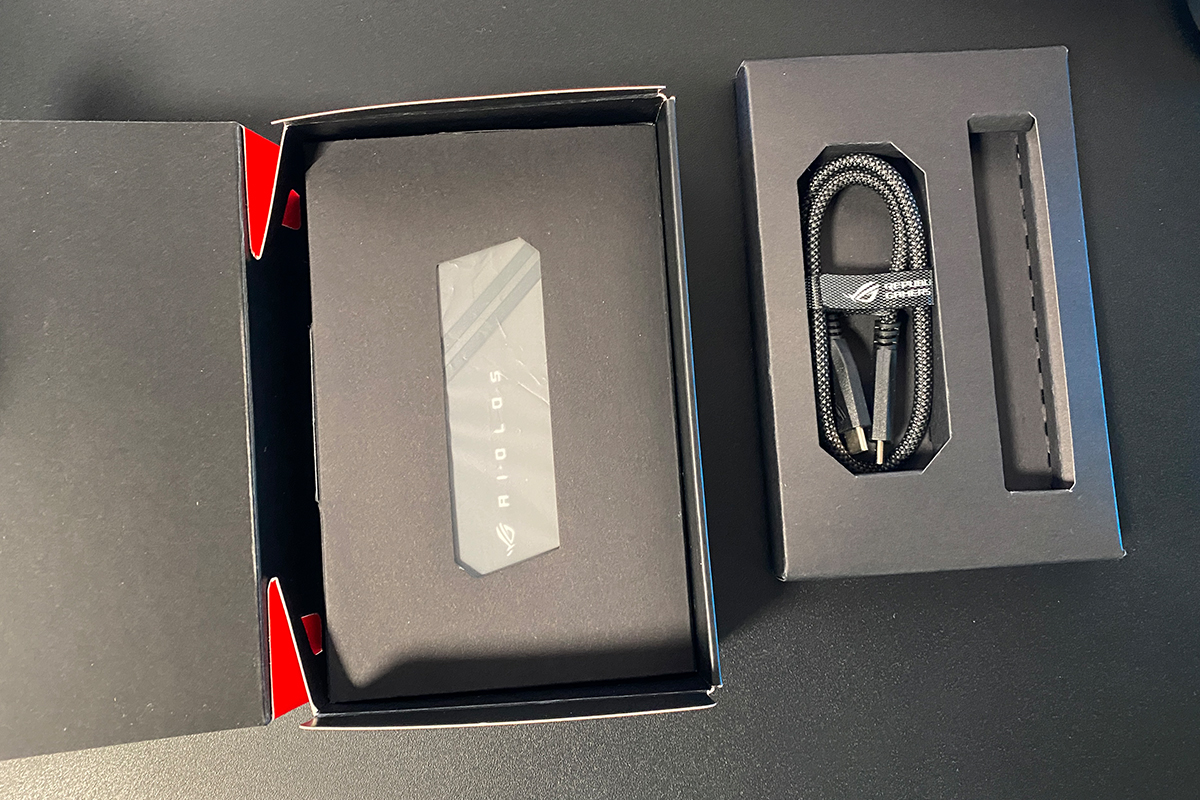
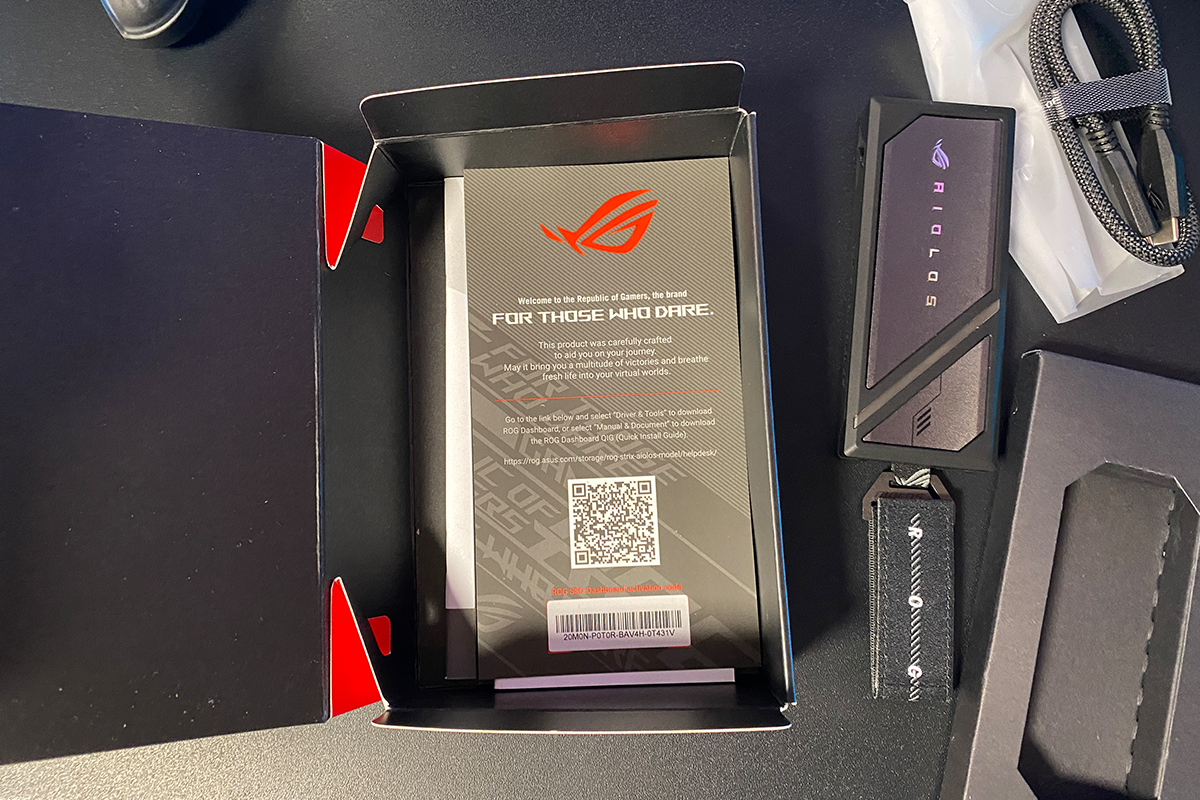
The package contents include:
- ROG Strix Aiolos enclosure
- USB-C cable
- metal carabiner
- ROG fabric strap
- documentation

We will take a closer look at the enclosure itself in the next section, but first it is worth briefly covering the rest of the package contents. Starting with the cable: the included cable is a 42 cm USB-C to USB-C cable. It feels reinforced, relatively thick, and uses a high-quality braided sleeve. At the same time, despite its thickness, it remains fairly flexible and easy to straighten during use. Overall, it is a well-made cable. One detail worth noting, however, is the absence of a USB-C to USB-A cable – or at least an adapter for older devices without USB-C ports. Interestingly, the previous ROG Strix Arion included both cable types in the box.


The included metal carabiner is made from a zinc alloy, which ASUS claims provides roughly five times greater tensile strength compared to accessories used in previous generations, including the ROG Strix Arion. It comes pre-attached to the enclosure out of the box. The only remaining step is to attach the included fabric strap with Velcro fastening, which can be used either for carrying the enclosure or attaching it to a backpack.


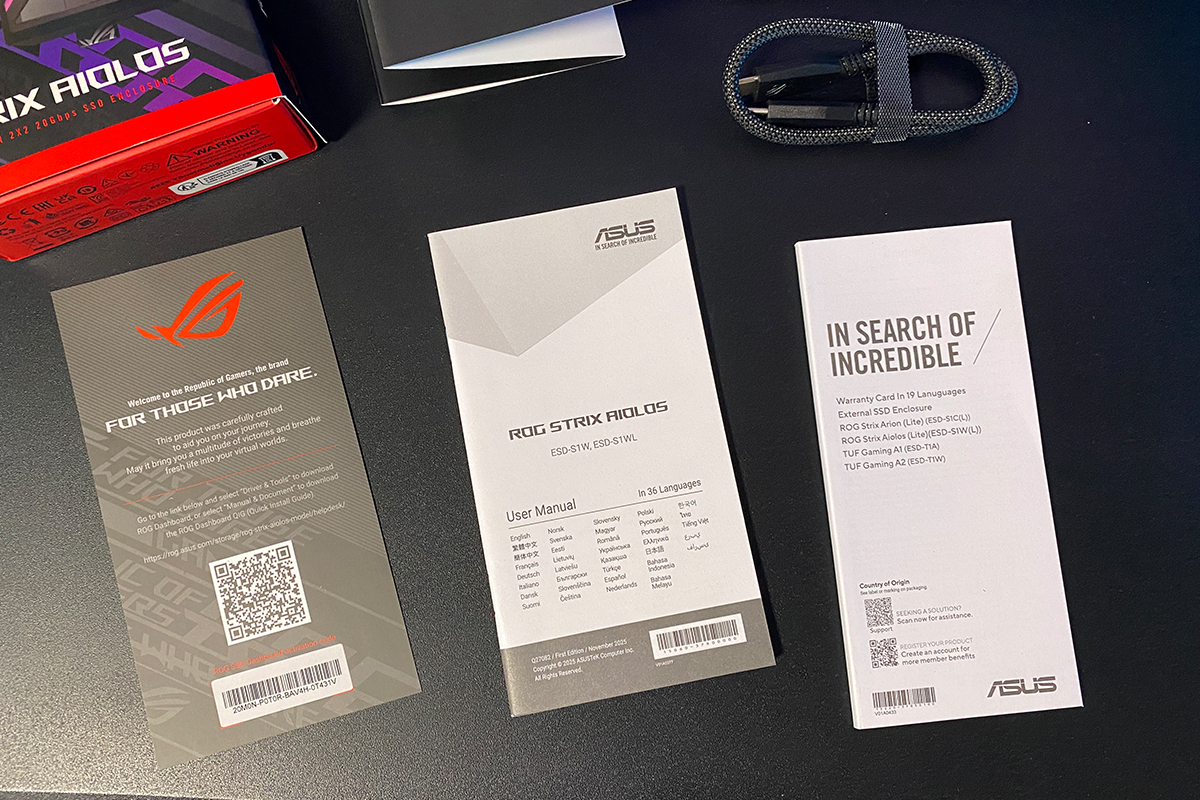
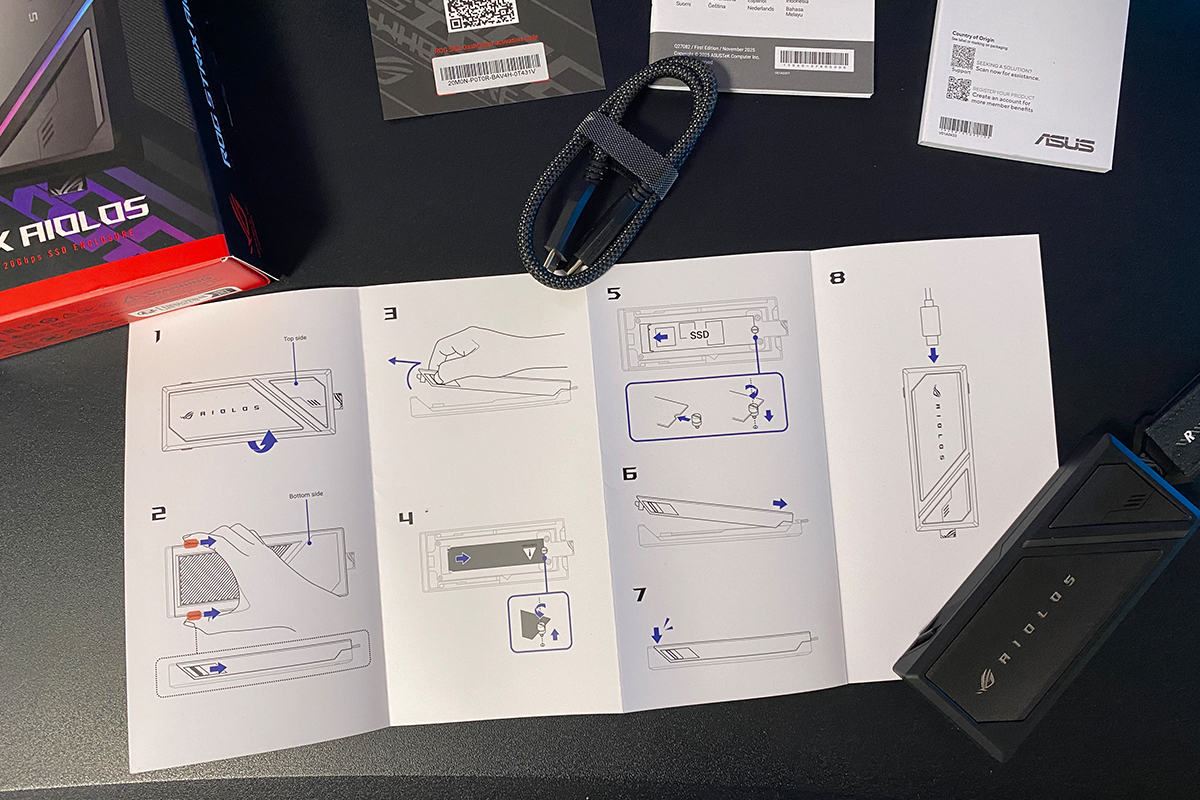
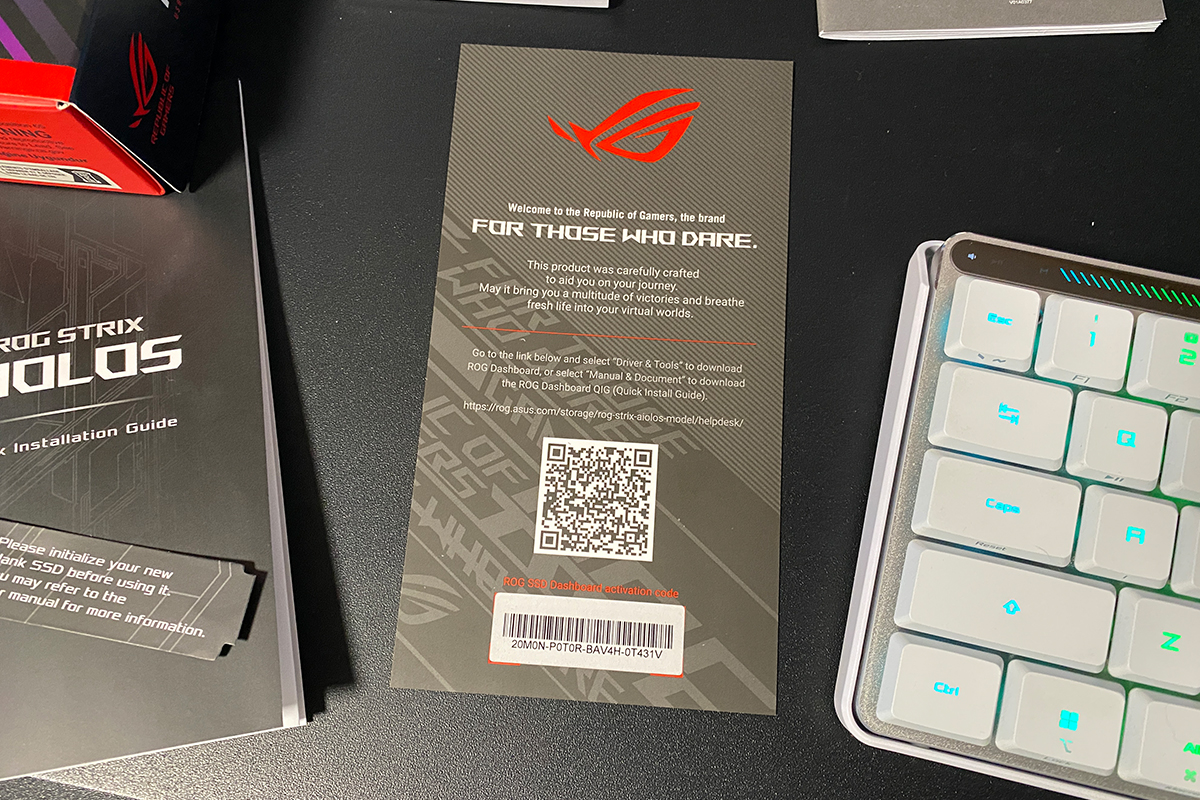
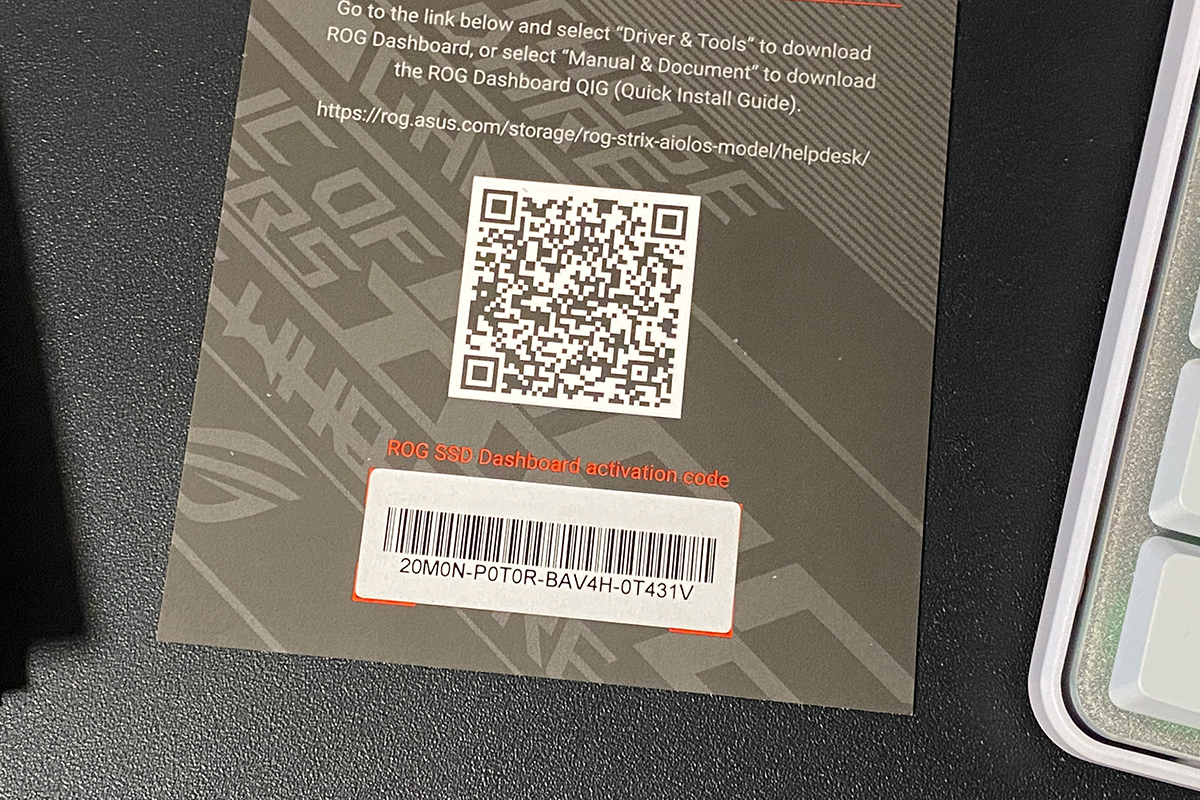
The documentation package includes a multilingual manual covering 36 languages, a fairly substantial warranty booklet, a card with a QR code linking to the proprietary software along with an activation code, and a separate step-by-step guide for installing an SSD into the enclosure. The last two inserts are particularly important, so it is worth keeping them rather than discarding them immediately. I will explain why in more detail later in the review.
Read also:
- ASUS ROG Zephyrus Duo GX651 (2026) Review: Two 16-inch OLED displays are no joke anymore
- ASUS ROG Falchion Ace 75 HE Keyboard Review: Expanded Layout, Hotswap, 8000 Hz, and Gear Link
Design, ergonomics, build quality, and SSD installation
The design of the previous ROG Strix Arion enclosure leaned heavily into a futuristic gaming aesthetic. The new ROG Strix Aiolos, by contrast, adopts a more restrained and understated appearance.


The new model has an elongated rectangular “brick-like” form factor with slightly rounded corners. Its overall dimensions are 115.50 × 46.0 × 15.12 mm, and the enclosure weighs approximately 139 g without an installed drive.


While the previous ROG Strix Arion used a fully aluminum chassis, the defining feature of the new Aiolos is its combination of metal and LSR coating (liquid silicone rubber). This is not merely a decorative or protective outer layer, but an integrated part of the thermal management system.


Naturally, ASUS branding and lighting effects are still present. On the previous enclosure, the illumination was integrated into both the logo and a decorative strip on the top panel. In the new model, ASUS opted for a more restrained approach, leaving only a slim ARGB light strip along the top edge. When connected, it displays a dynamic rainbow lighting effect.


The enclosure’s lighting can also be synchronized with other ASUS devices through Aura Sync in Armoury Crate.

The enclosure connects via a single USB Type-C port (USB 3.2 Gen 2×2) located on the front panel, with a maximum theoretical transfer speed of up to 20 Gbps. It is worth noting that the enclosure is fully backward compatible with USB 3.2 Gen 2, USB 3.2 Gen 1, and USB 2.0 interfaces, although transfer speeds will naturally be lower in those modes. The connector itself is neatly recessed into the chassis, and the included cable fits very securely, with no noticeable looseness or wobble.

The enclosure uses a tool-free Push-to-Open mechanism with two plastic latches located on the sides. To open it, simply pull the latches outward slightly, lift the top cover, and slide it forward toward the USB Type-C connector.
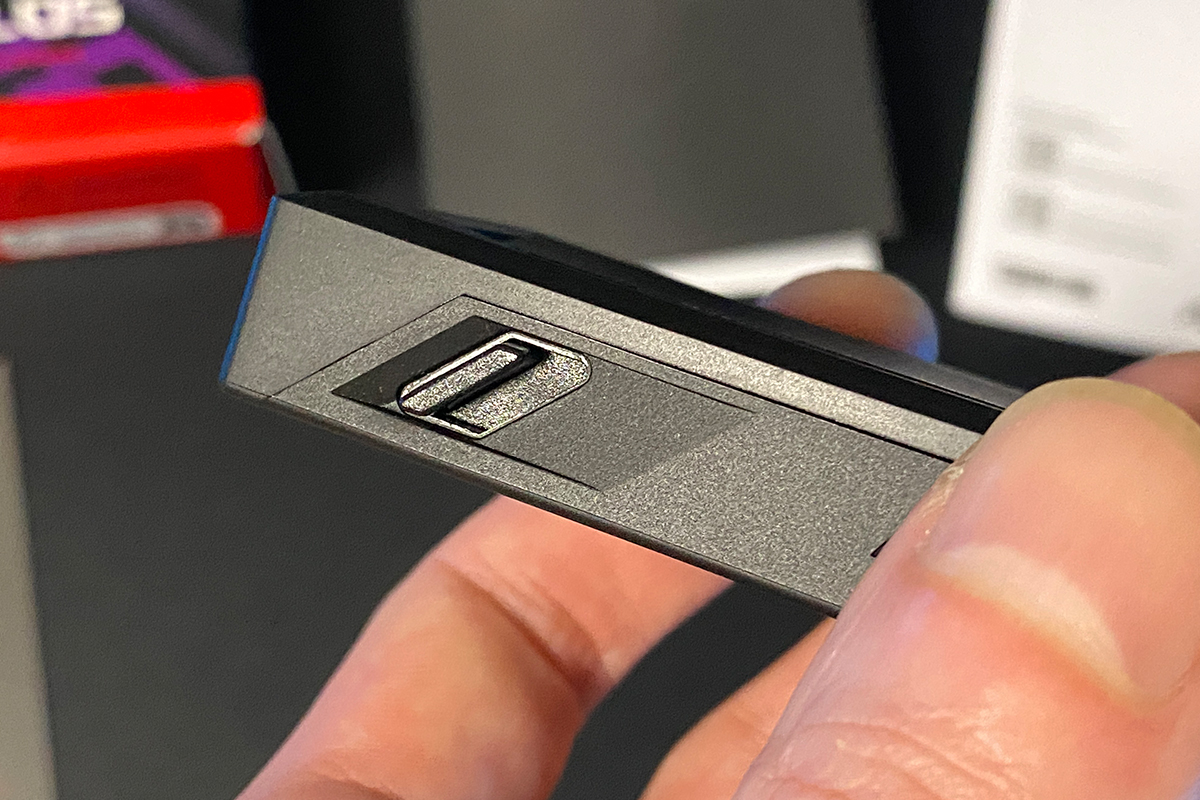
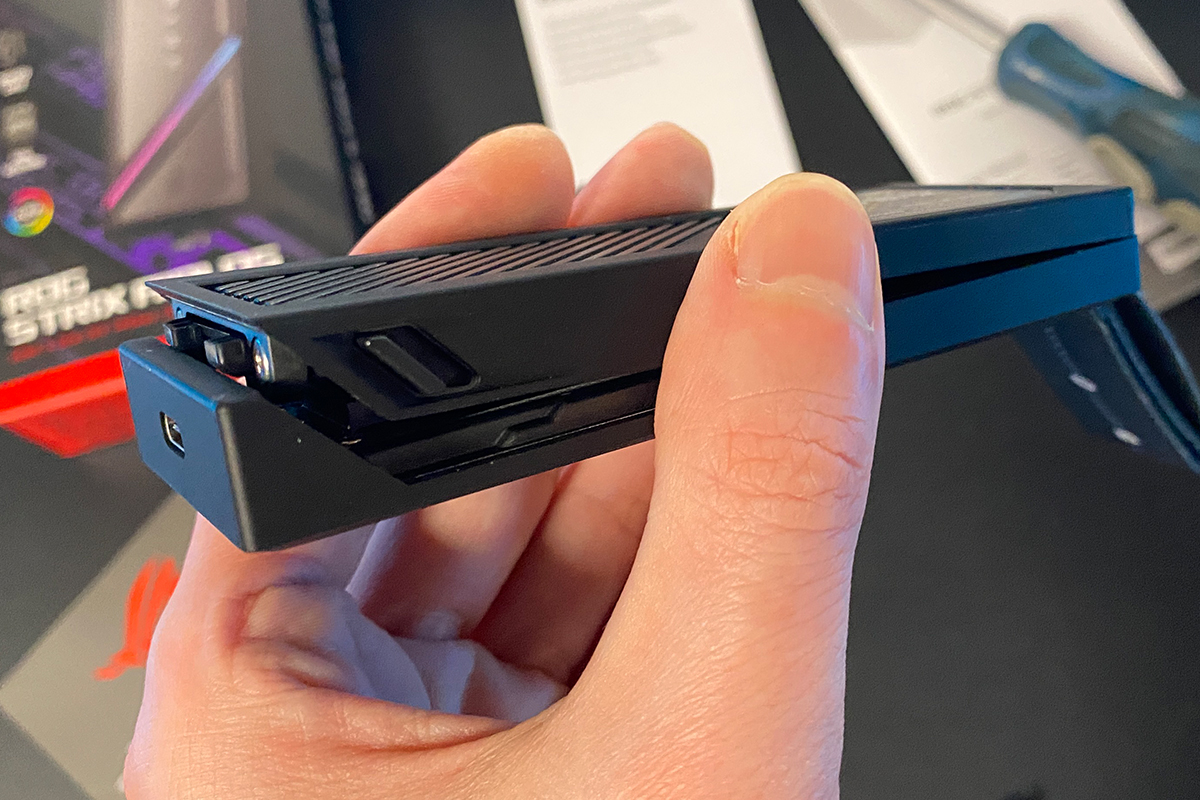
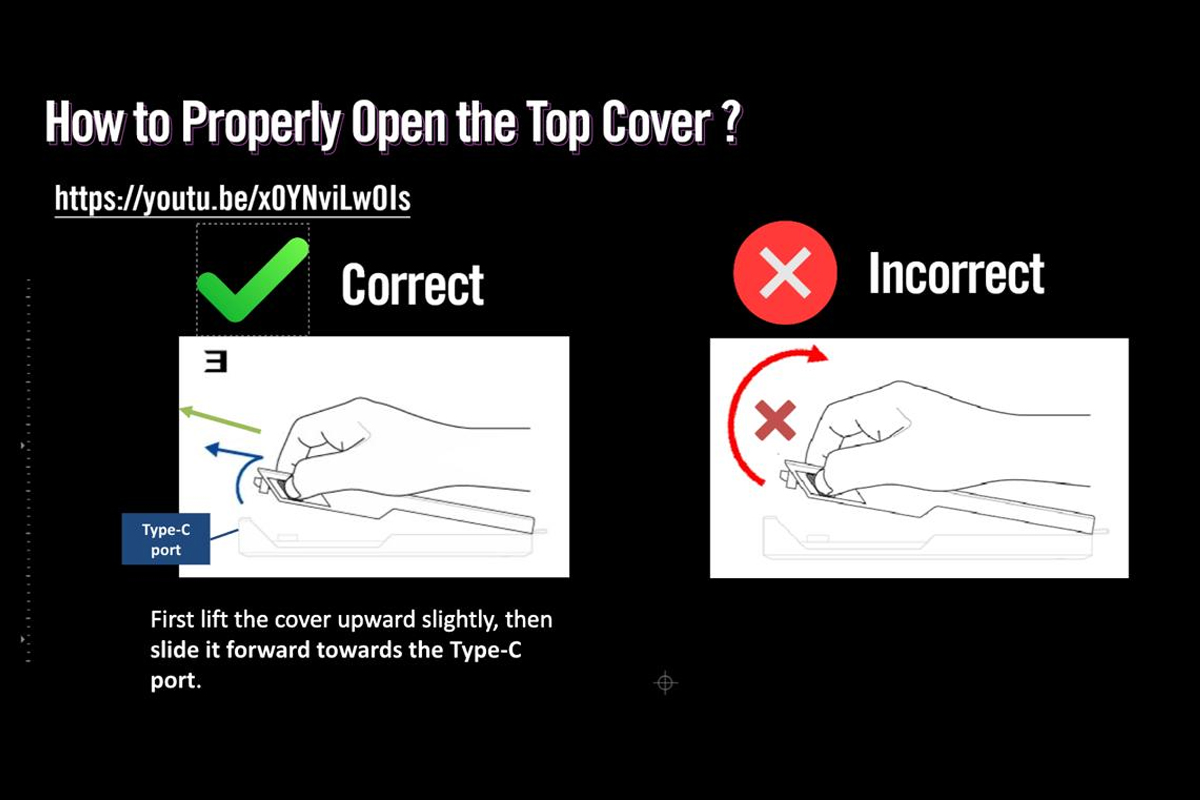
The included manual provides a fairly detailed explanation of the SSD installation process. As mentioned earlier, this is one of the inserts worth keeping rather than throwing away immediately. ASUS also provides a short installation video on its official website, which I will reference below.
It is genuinely worth reviewing these materials before installation to avoid damaging anything. That may sound slightly exaggerated, but some reviewers who received early samples reportedly still managed to break parts of the enclosure during installation. No need to ask how I know that. So, just in case: it is best to handle the mechanism carefully while installing the drive.
After opening the enclosure, the first thing you will see is a sticker reminding users that a new SSD must be initialized before use. However, as will be discussed later, this can be done directly through the ROG Strix Aiolos itself, so you can safely skip that step for now and proceed straight to the installation process.

Before moving on to the installation itself, it is worth briefly discussing the cooling system. As visible in the photos, a large thermal pad with a thermal conductivity rating of 6.0 W/mK is attached to the inner side of the top cover. Its purpose is to transfer heat from the SSD to the metal chassis. When the enclosure is closed, the pad presses firmly against the drive, serving not only as a heat transfer layer but also as an additional stabilizing element that helps keep the SSD securely in place.

Installing the SSD is generally straightforward. Even so, it is still worth consulting the included manual, where the entire process is explained step by step. In short, the procedure looks like this: open the enclosure, remove the retaining screw, insert the SSD into the slot, secure it with the screw as shown in the photos, press the drive gently into place, and tighten it.
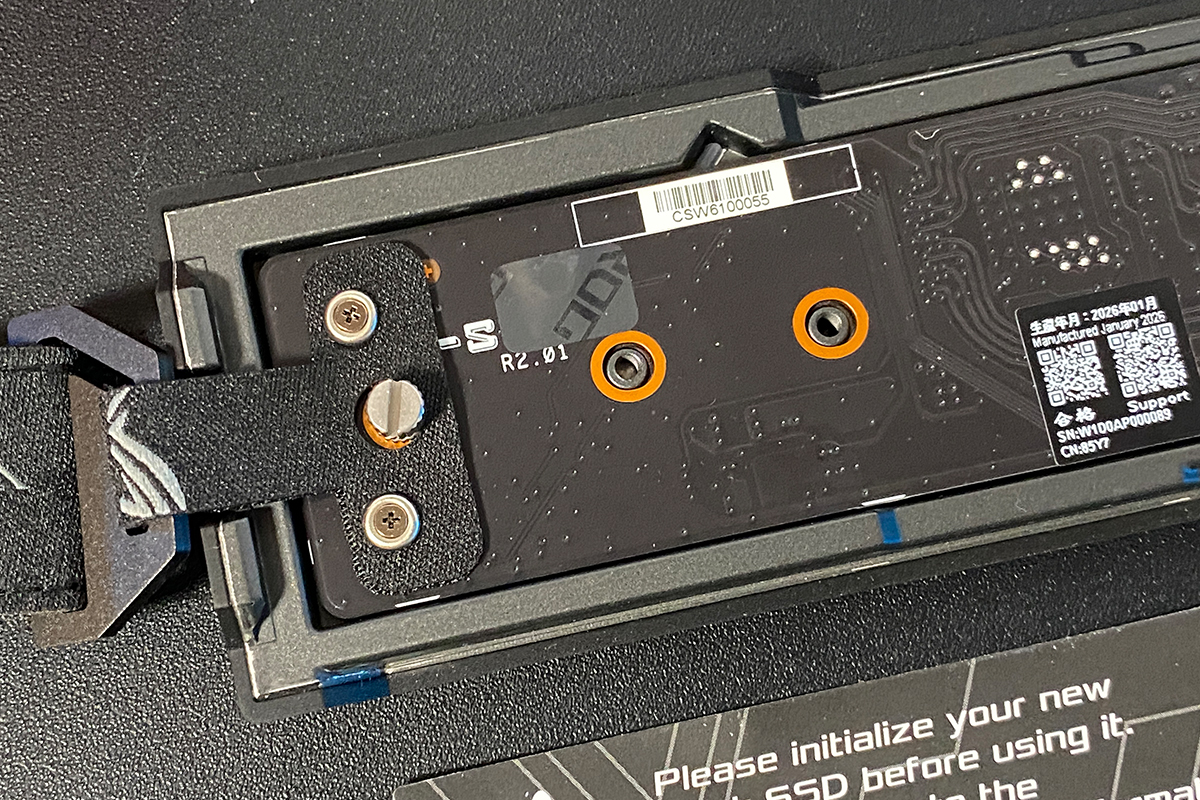
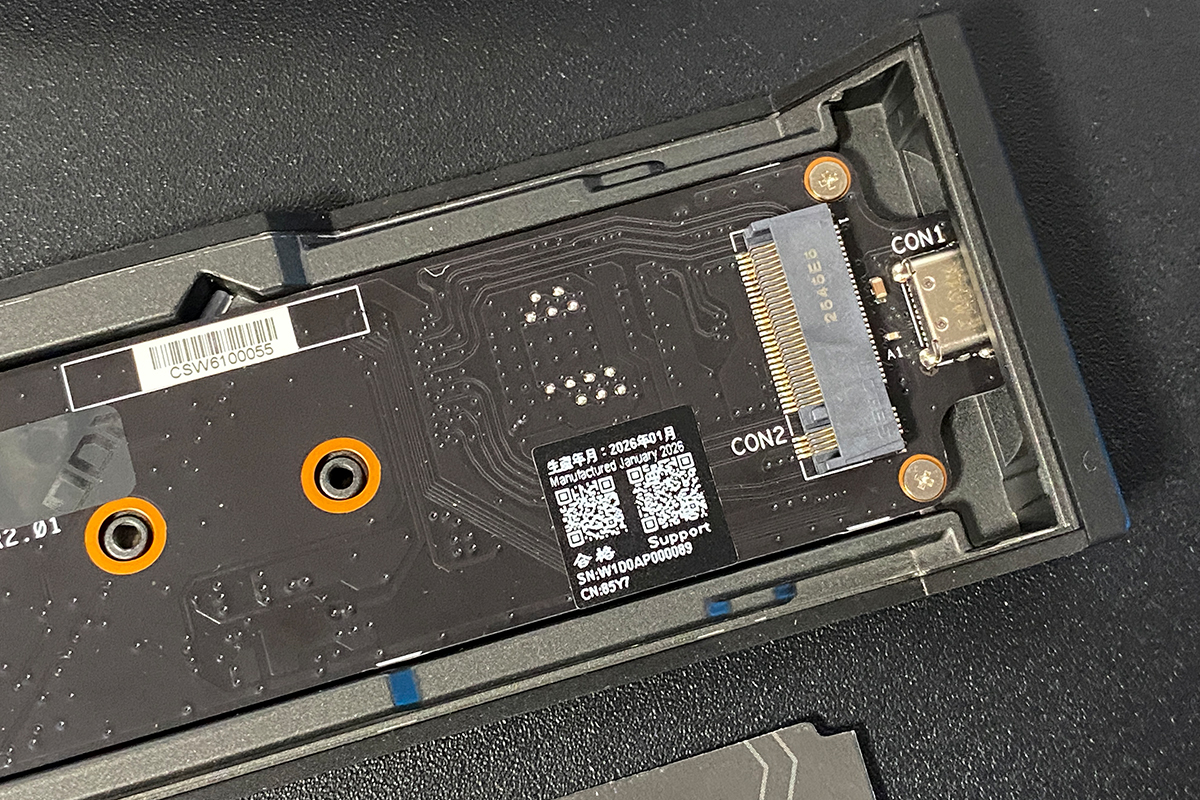
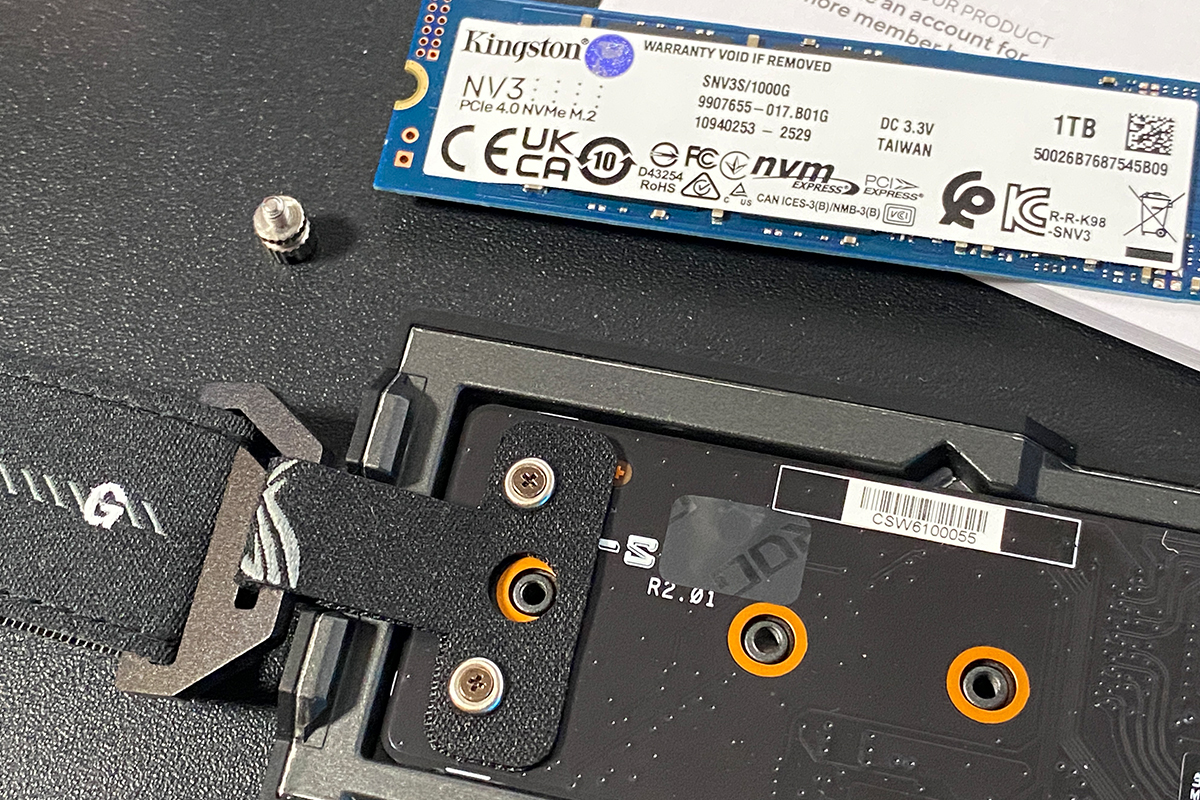
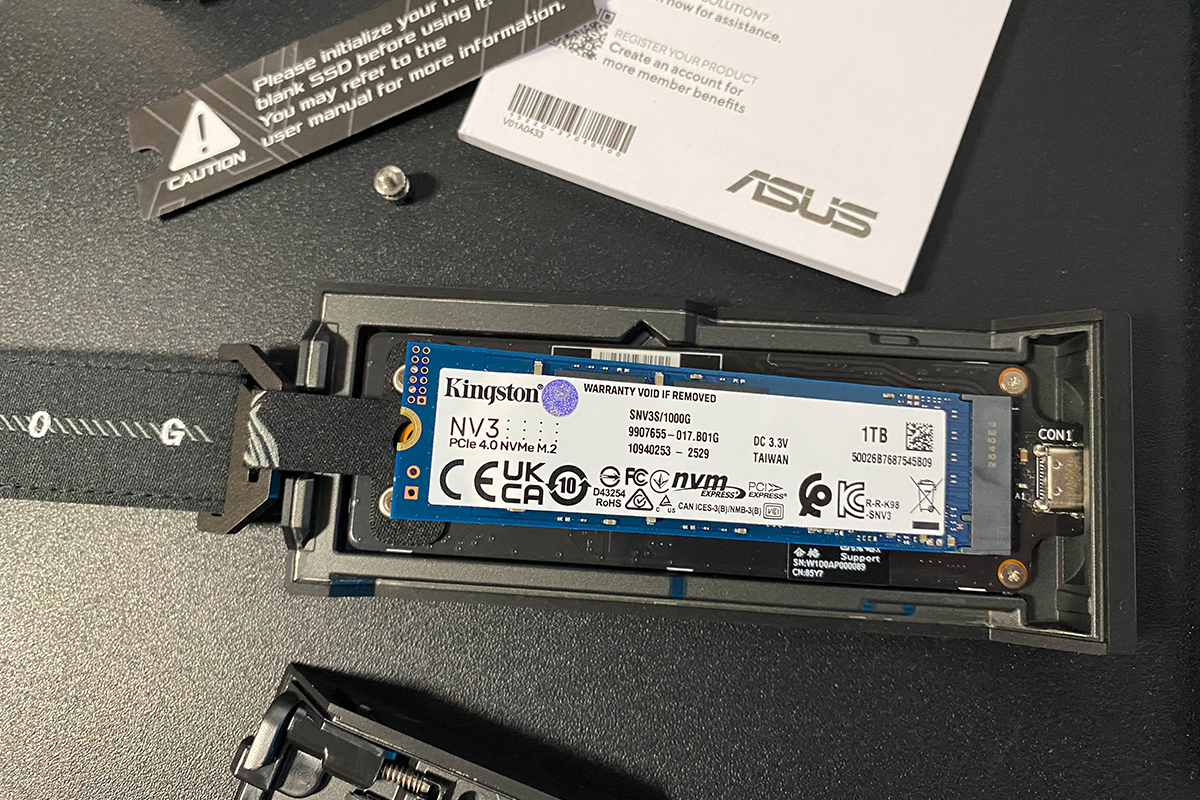
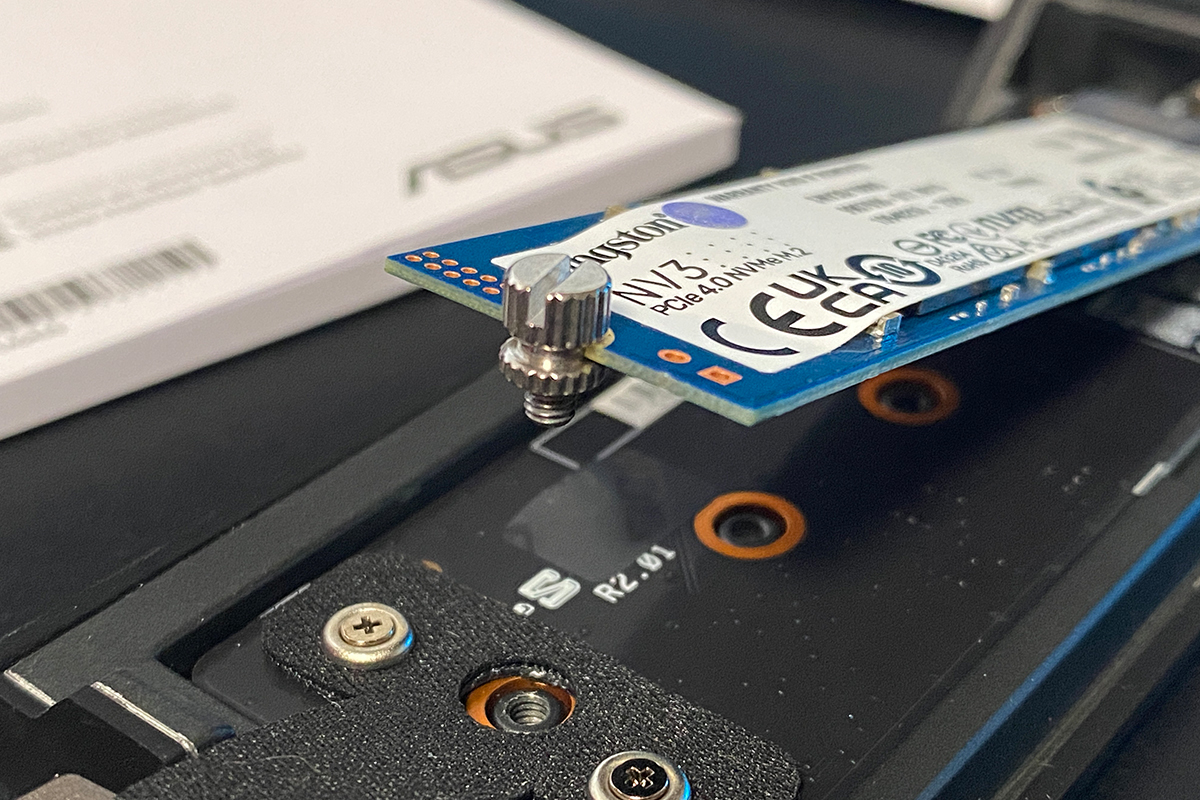
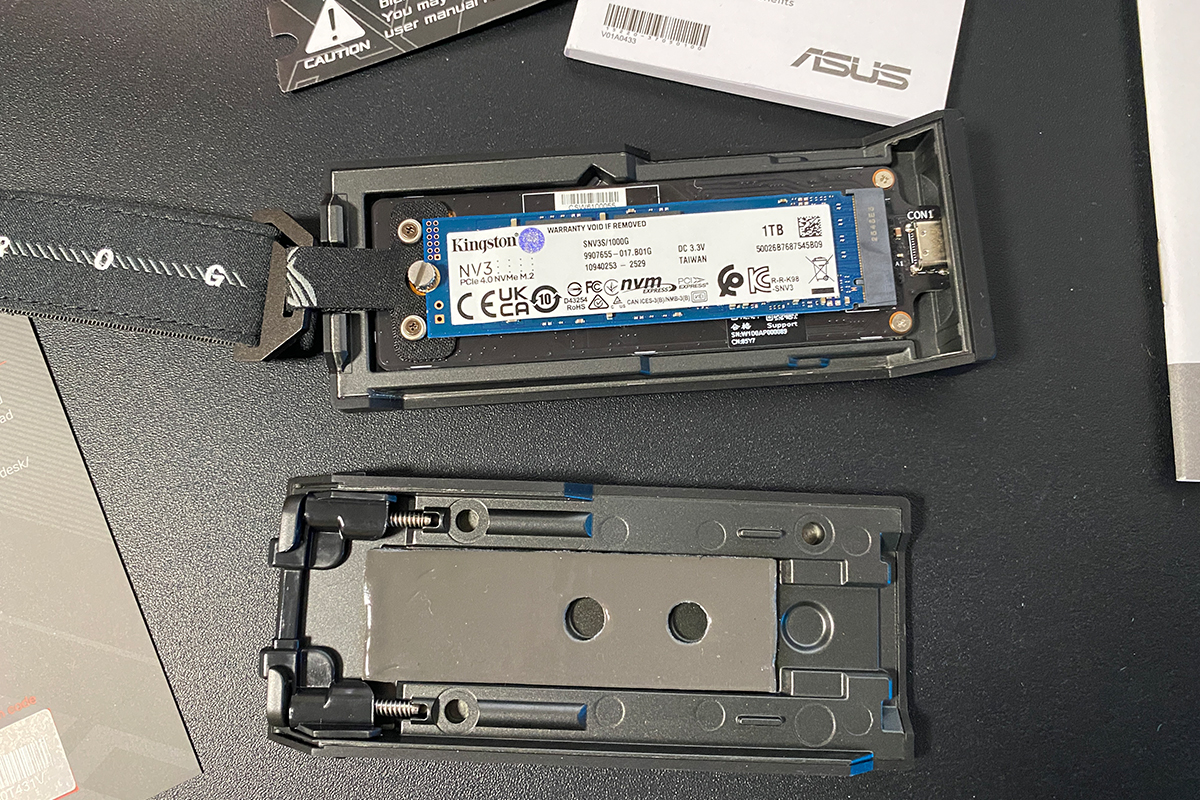
An important note: after tightening the SSD, it may still show slight up-and-down movement. Do not attempt to overtighten the screw, as this will not improve stability and may cause damage. Instead, simply close the enclosure. The thermal pad will apply even pressure to the SSD and hold it firmly in place once the cover is secured.

Right away, it is worth noting the supported SSD formats, as the new ROG Strix Aiolos is relatively versatile in this regard. The enclosure supports M.2 NVMe PCIe (M-Key) and M.2 SATA (B+M Key) drives in 2242, 2260, and 2280 form factors.

The build quality of the enclosure is excellent. It features a solid, monolithic construction that not only helps with cooling the internal SSD but also provides a premium feel and sits comfortably in the hand. With an SSD installed, the top cover does not exhibit any noticeable looseness or play. The metal carabiner with the strap also adds practical convenience, allowing the enclosure to be carried or attached to a bag.
At first glance, the plastic latches may not inspire full confidence. However, if handled carefully, they do not present any issues. In terms of ergonomics, there are no significant drawbacks: the enclosure opens quickly, and SSD installation takes roughly two minutes. Overall, it is a convenient device in everyday use.

Read also:
- ASUS ROG Raikiri II Xbox Wireless Gamepad Review: TMR Sensors, Microswitches, and 1000 Hz Polling on PC
- ASUS ROG Cetra Open Wireless Review: Open-Ear Design, Hybrid Multipoint, and Strong Battery Life
Preparing the drive for use: software setup
In the previous section, I described and demonstrated how to properly install an SSD into the ROG Strix Aiolos. Here, we will look at the process of preparing it for use, which, as mentioned earlier, can be done directly through the connected enclosure. This is essentially the software side of the setup.
When connecting the enclosure with a new (uninitialized) drive inside, the system will not immediately recognize it as usable storage. To start working with the external drive, it must first be initialized and formatted. The most convenient way to do this is through the official ROG SSD Dashboard application, which can be downloaded from ASUS’s official website.

On first launch, the application will prompt you to activate it. Remember the card with the QR code mentioned earlier? The required activation code is printed on that card.
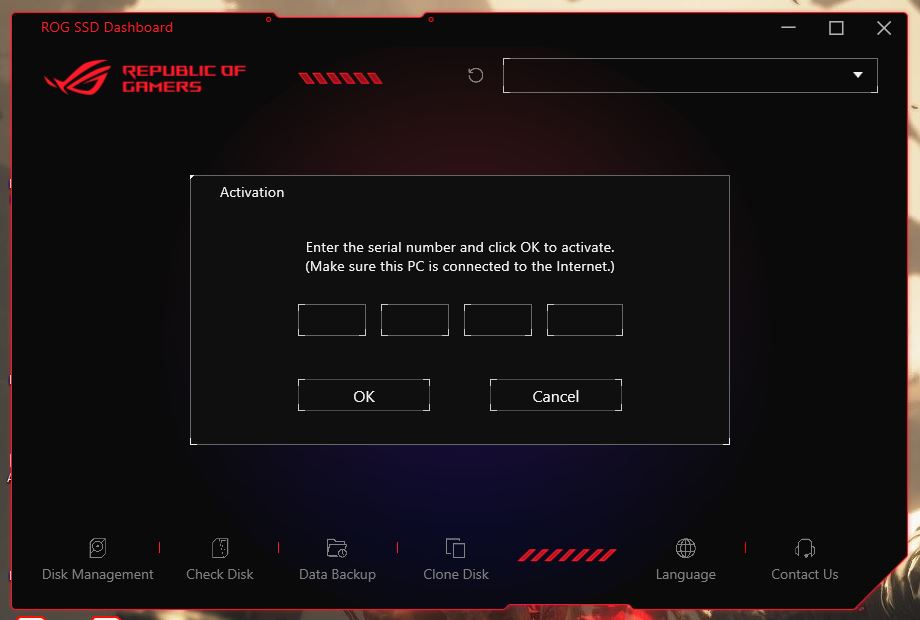
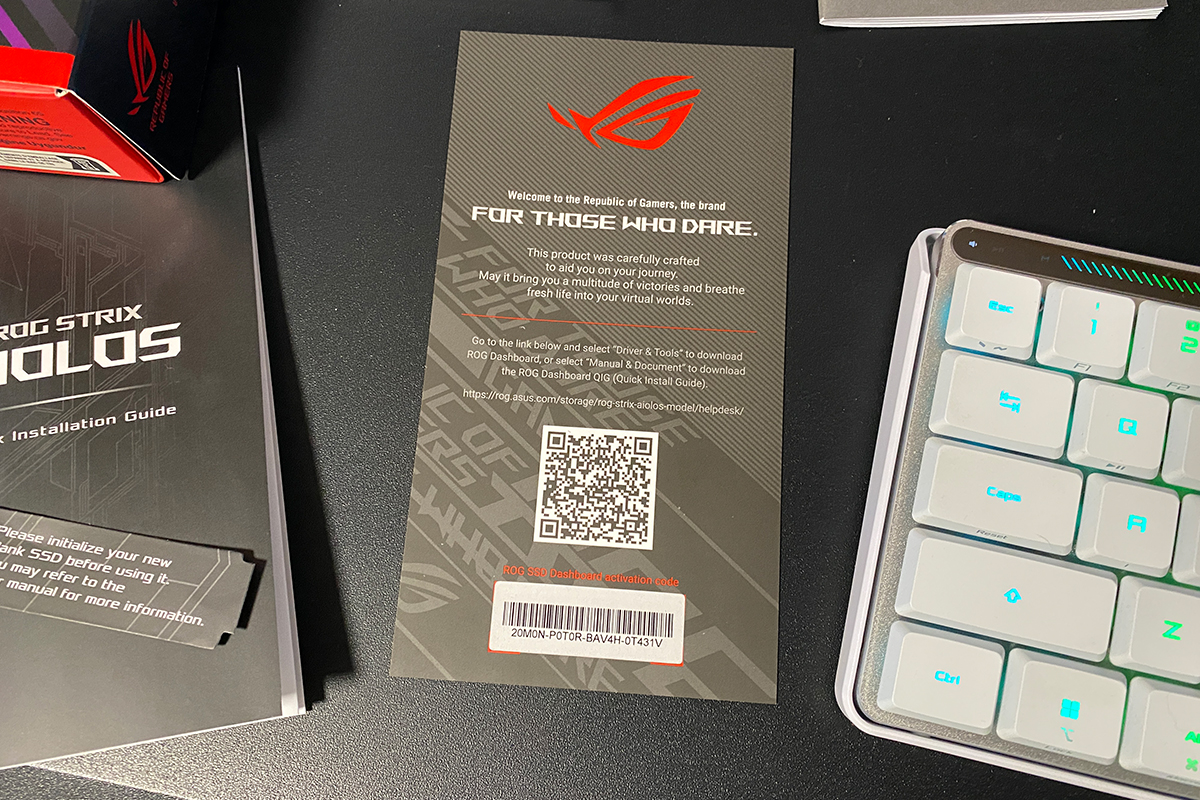
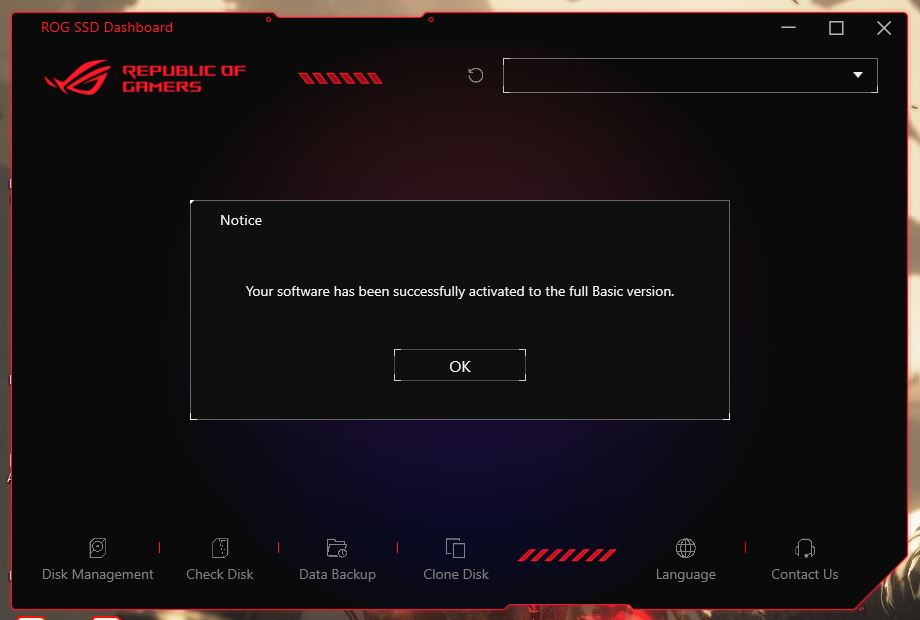
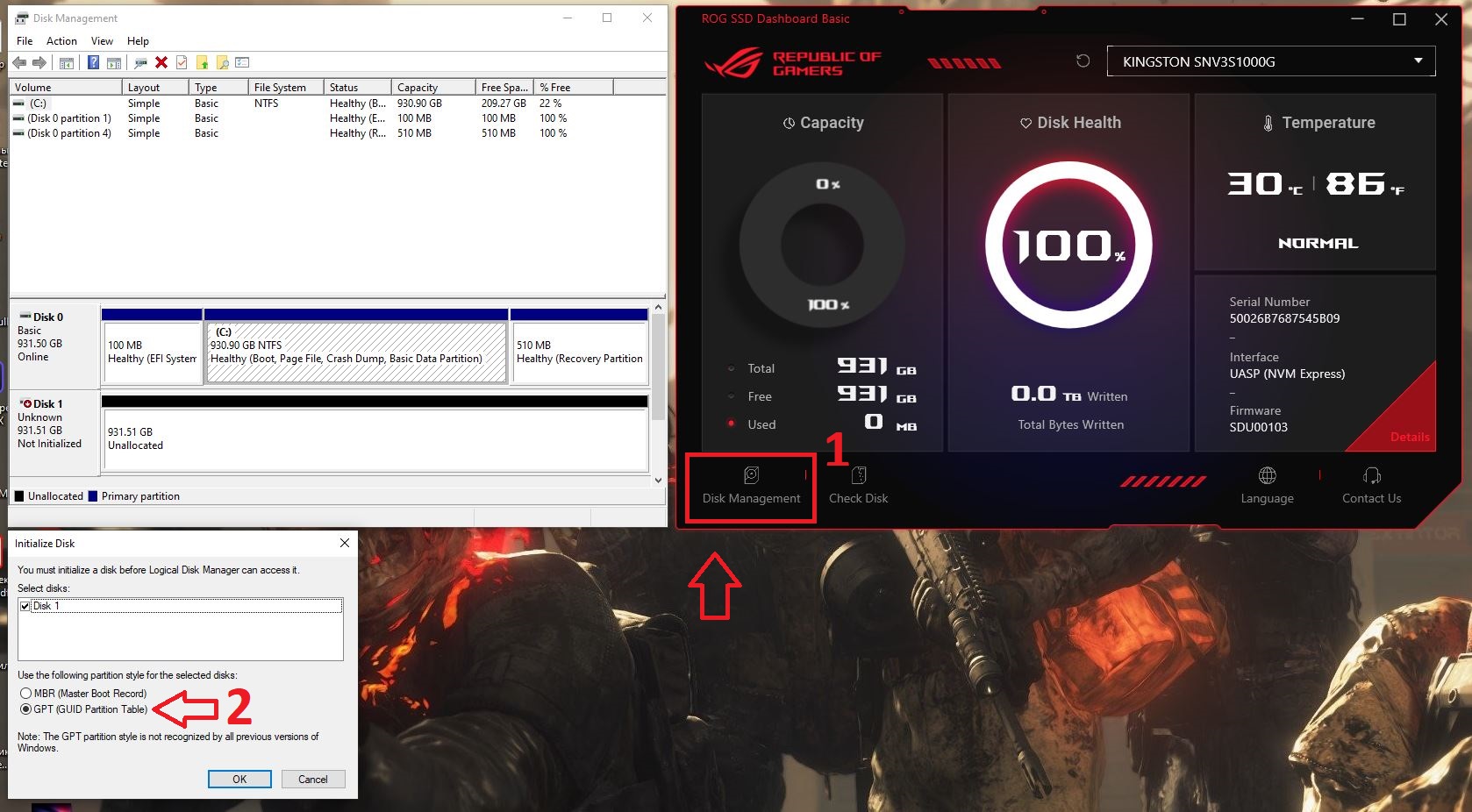
After activation, the application immediately displays information about the enclosure and the installed SSD. The only remaining step is to format the drive.

To format the drive, click the Disk Manager icon in the application. This will open the Windows Disk Management utility. There, right-click the unallocated space and select “New Simple Volume”. If the drive has not yet been initialized, Windows will first prompt you to choose a partition style – select GPT.
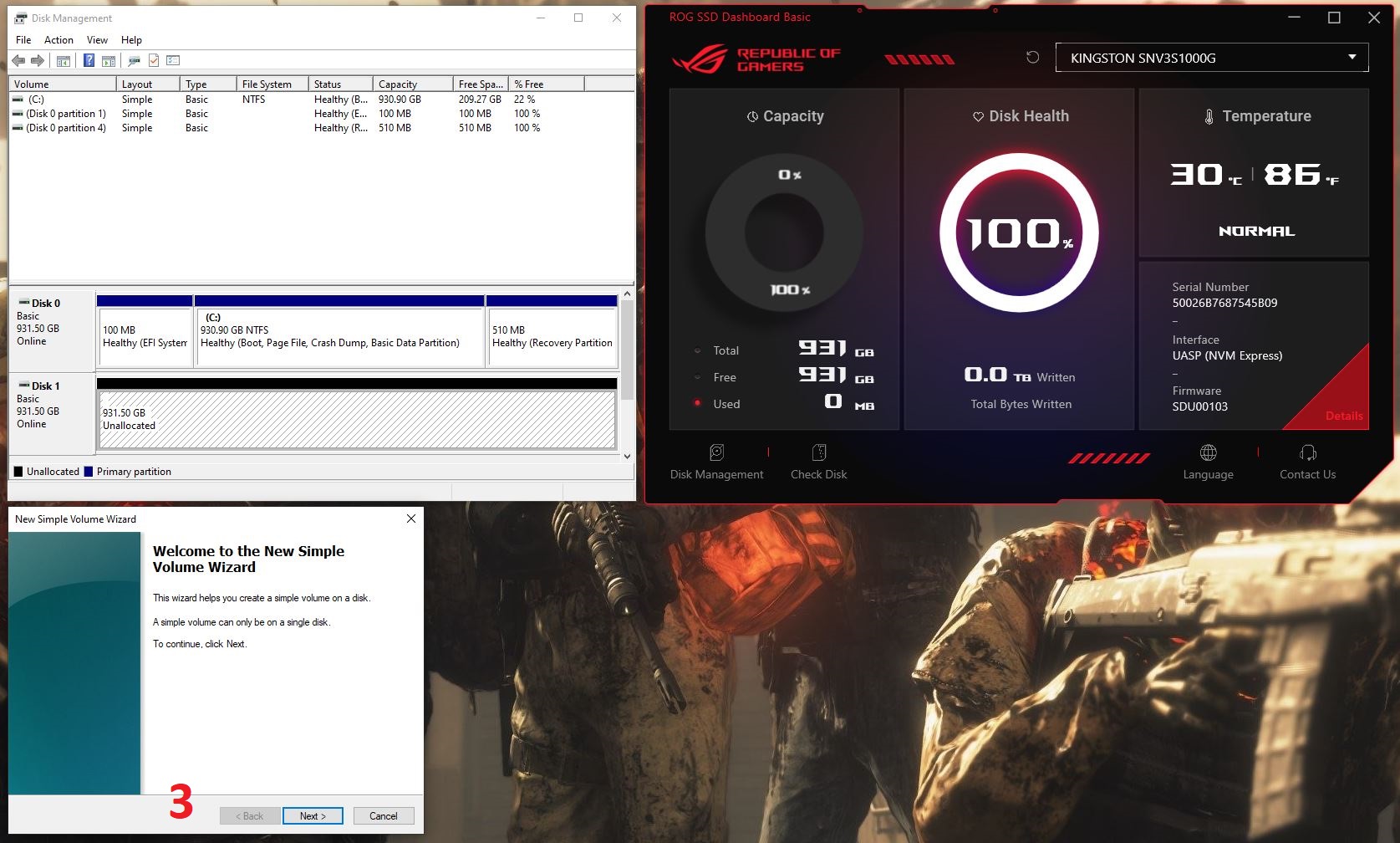
Next, in the wizard that opens: specify the volume size (you can leave it at the default value), choose a drive letter, select the file system (NTFS is recommended), and assign a volume label. After reviewing all settings, click Finish.
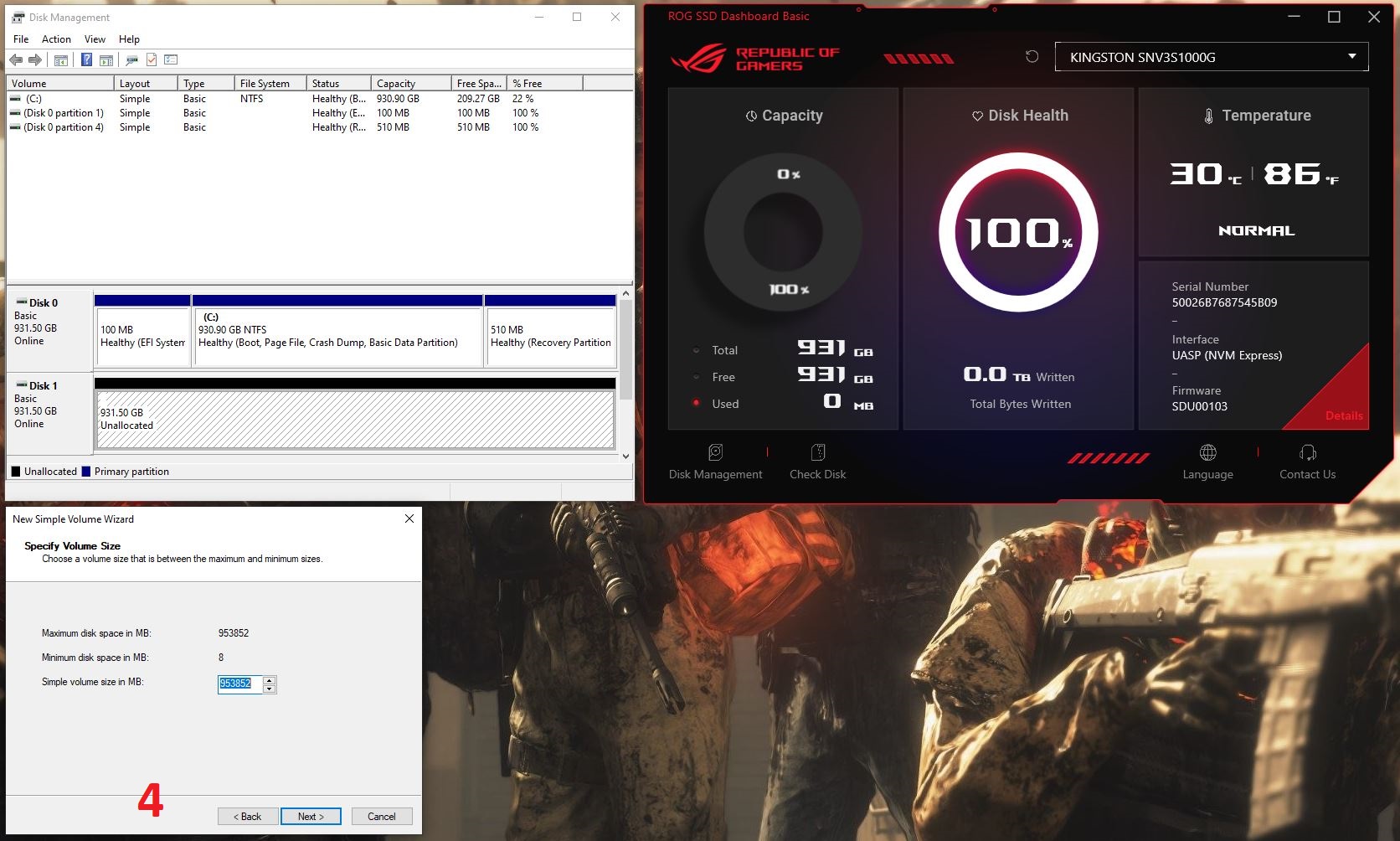
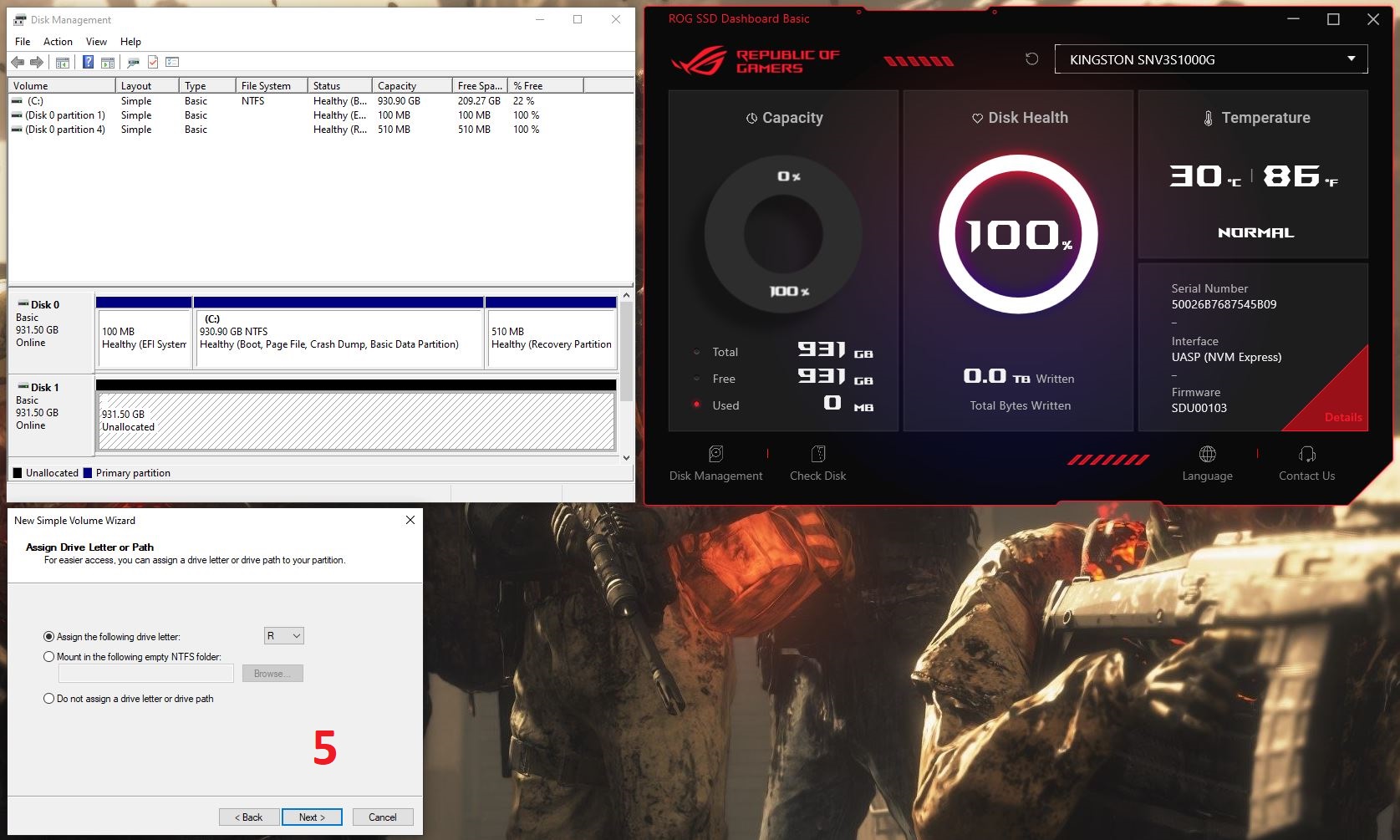
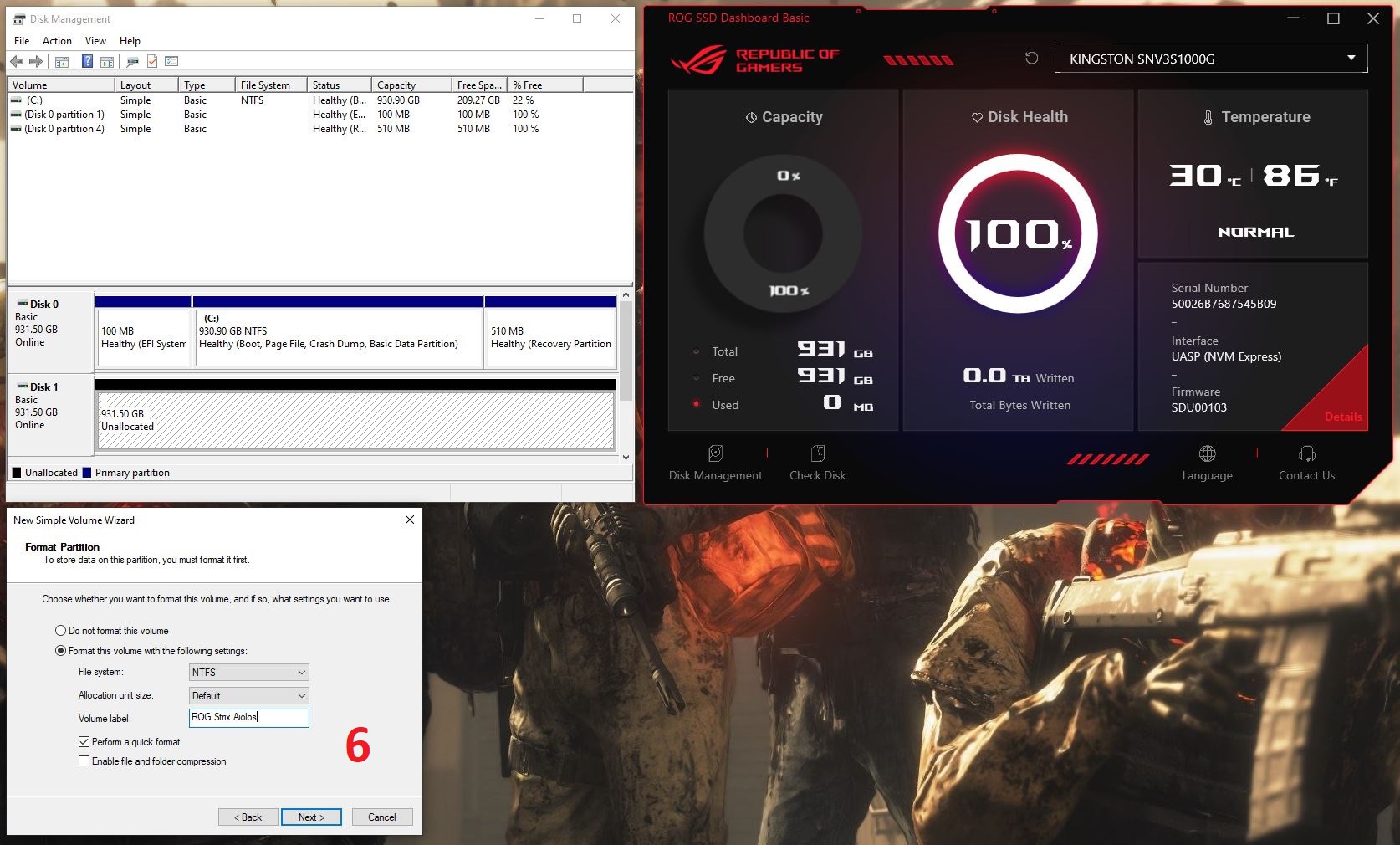
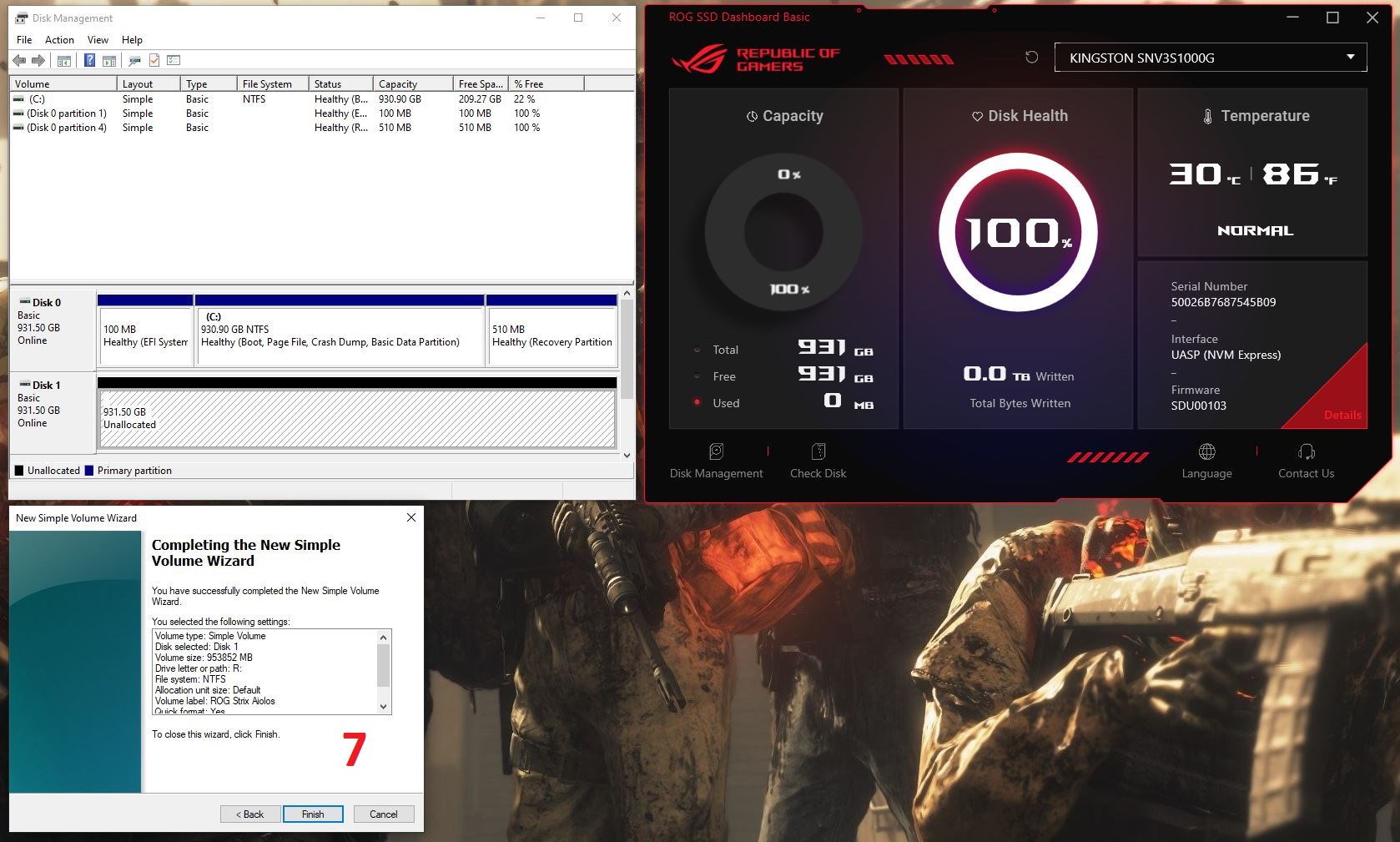
The drive formats in approximately one second, after which it is ready for full use.

Read also:
- ASUS ROG KJP Accessories Review: Original Collaboration with Kojima Productions
- ASUS ROG Ryuo IV SLC 360 ARGB Liquid Cooling Review: Functional Elegance
Proprietary software: ROG SSD Dashboard
Now let’s take a closer look at the application itself. The main screen provides a brief overview of the drive, including available and used storage, drive health status, total data written, temperature, serial number, interface type, and firmware version.

At the bottom of the interface are several additional tools: Disk Manager (which was used in the previous section), the Windows disk checking utility (CHKDSK), interface language selection, and a link to ASUS technical support.
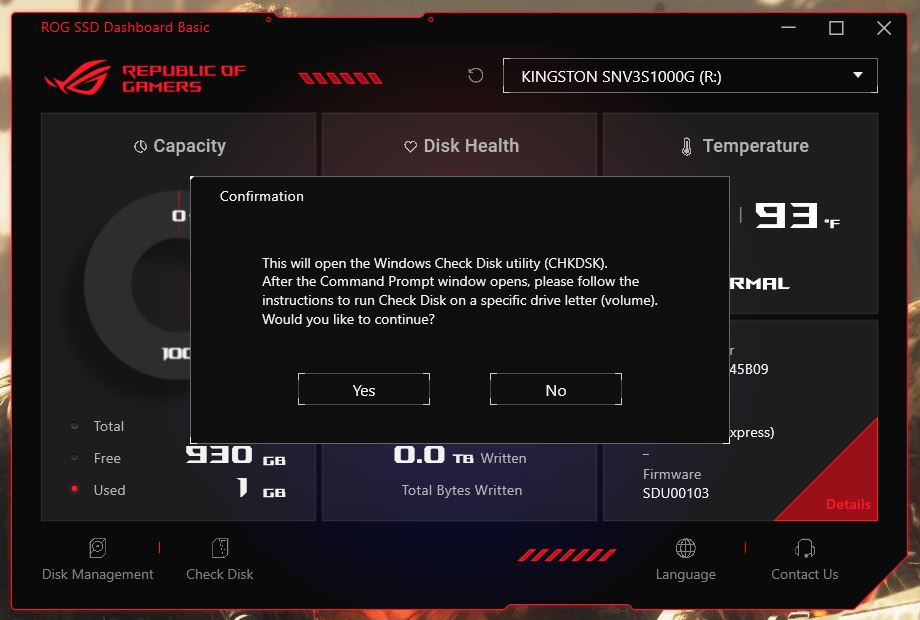
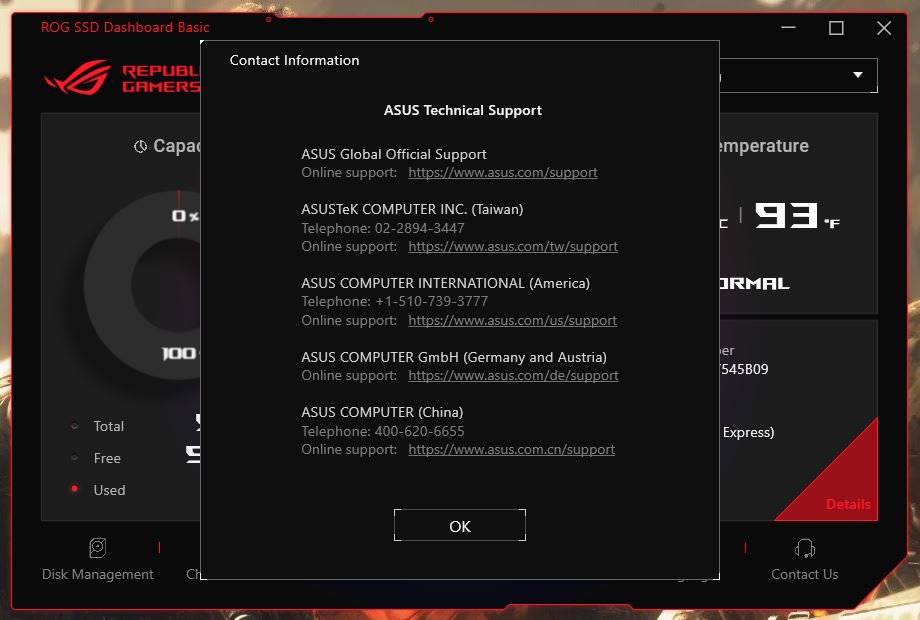
Clicking the red Details tab opens the drive’s SMART data, along with more detailed device information (identifiers).

For clarity: the software only works with drives installed inside the ROG Strix Aiolos enclosure. It will not detect or manage other SSDs installed directly in your PC.
Read also:
- ASUS ROG Herculx Review: ARGB GPU Support Bracket
- ASUS ROG Gladius III Core Mouse Review: Asymmetric Design, Hot-Swap Switches, New Switch Technology, and Gear Link
ROG Strix Aiolos testing
The new ROG Strix Aiolos is based on the Realtek RTL9220VC controller. This chip enables the enclosure’s versatility, allowing it to support not only NVMe drives but also SATA SSDs, while also increasing bandwidth to 20 Gbps via USB 3.2 Gen 2×2. As noted earlier, this is twice the throughput of the previous ROG Strix Arion model.
In this section, we will verify these claims in practice. For testing, we will use a Kingston NV3 PCIe 4.0 NVMe M.2 SSD (1TB, SNV3S/1000G). This is a modern high-speed drive, more than capable of saturating the bandwidth of the ROG Strix Aiolos enclosure.


Testing of the enclosure was carried out on an ASUS ROG Strix G16 (2025) G615 laptop equipped with a Thunderbolt 4 port. Since this interface is fully backward compatible with USB 3.2 Gen 2×2, it was possible to achieve the full target bandwidth of 20 Gbps without issues.
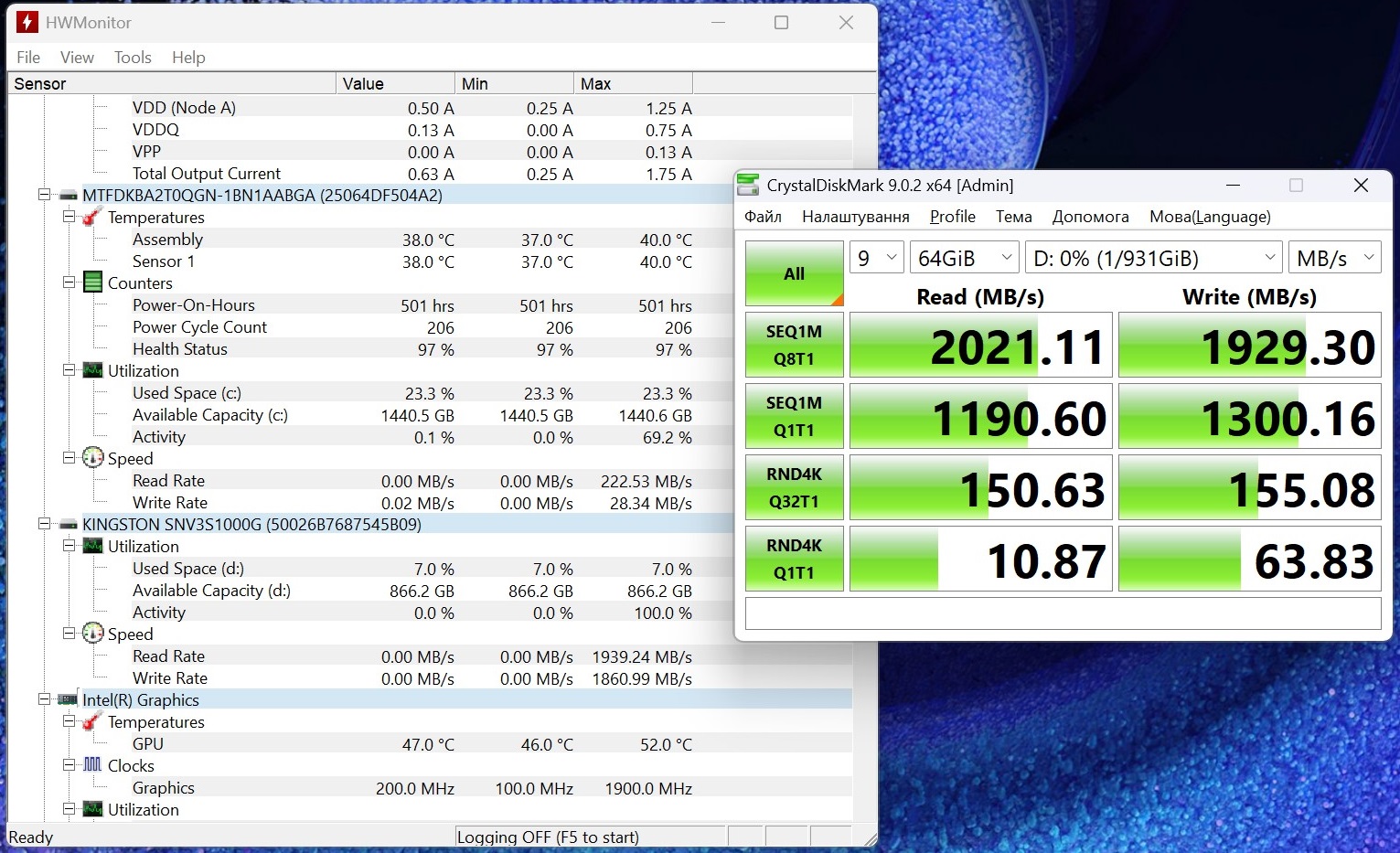
The primary benchmarking tool used was CrystalDiskMark. Testing was performed in multiple scenarios, including the standard 1 GB test file and a more demanding 64 GB workload, in order to evaluate the stability of the Realtek RTL9220VC controller under sustained load.
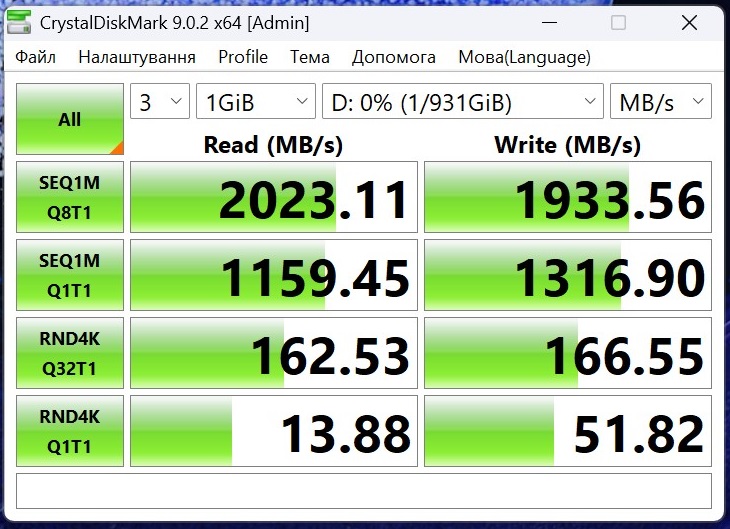
The results were excellent. In sequential read mode, the enclosure achieved a peak speed of 2023 MB/s, while sequential write performance reached 1933 MB/s. This is effectively the upper limit of what can be expected from the USB 3.2 Gen 2×2 interface, accounting for protocol overhead.
More importantly, when switching to the large 64 GB dataset, performance remained essentially unchanged, holding at 2021 MB/s for reads and 1929 MB/s for writes. This indicates that the bridge controller inside the enclosure does not experience thermal throttling under sustained heavy workloads and is capable of maintaining consistent throughput.
Random 4K read performance (RND4K Q1T1) measured approximately 10–13 MB/s, which is a typical and expected range for external USB storage devices.
To further validate the results and assess read stability, the AIDA64 Disk Benchmark (Read Test Suite) was also used.

The test results were very linear and stable throughout the entire session. Sequential read performance measured 1610 MB/s at the beginning of the drive, 1671 MB/s in the middle, and 1660 MB/s at the end. Random read performance was recorded at approximately 1665 MB/s, with a minimum access time of just 0.17 ms.
Regarding thermal behavior, there is an important technical limitation to note: popular third-party utilities such as HWiNFO or HWMonitor are unable to read NVMe temperature sensors through the USB bridge used in this enclosure. However, the proprietary ROG SSD Dashboard software detects the device without issues. During testing, it reported a peak SSD temperature of 39°C inside the enclosure.

To verify the real external heat output, we also used a FLIR thermal camera. The thermal images show that under sustained load, the metal body of the enclosure reaches a peak temperature of 53.4°C at its hottest points.

These results indicate that the included thermal pad with a thermal conductivity rating of 6.0 W/mK performs as intended, effectively transferring heat from the SSD to the aluminum body, which acts as a passive heatsink. At the same time, the external LSR silicone coating serves as an insulating layer. The enclosure itself becomes warm under load, but the protective outer shell still allows it to be handled immediately after benchmarking. No thermal throttling or performance drops due to overheating were observed during testing.
Read also:
- ASUS ROG STRIX GS-BE18000 Review: Wi-Fi 7 for Gamers
- ASUS ROG Strix Scope II X Keyboard Review: Hot-Swap Support, Clean Design, and an Accessible Price
Conclusion
In summary, the new ROG Strix Aiolos can be considered a successful product. It represents a logical evolution of the Arion concept, with improvements across all key aspects.
The device delivers high and, most importantly, stable performance under sustained load thanks to the Realtek RTL9220VC controller. It also offers broad compatibility with both NVMe and SATA drives, a well-designed passive cooling system with a silicone protective shell, a streamlined companion software package, and the recognizable ROG design language.
Of course, the price of this enclosure can hardly be described as modest. However, given its technical specifications and the premium positioning of the brand, the cost appears to be justified.

Among the minor drawbacks, the only notable omission is the lack of a second cable or at least a USB-A adapter, which would allow the enclosure to be used with older devices. While it is understandable that such a product is primarily intended for modern high-speed ports, broader compatibility would not be unnecessary for users who plan to upgrade their systems gradually over time. Otherwise, this is a well-executed premium SSD enclosure that fully delivers on its stated capabilities.
Read also:
- Privacy as a Business Model: Proton Services and Efforts Toward a Surveillance-Free Internet
- Rome vs. Silicon Valley: Why Leo XIV’s “Magnifica Humanitas” Encyclical on Artificial Intelligence Matters
- New Zhenwu M890 AI chip: How U.S. sanctions contributed to China’s technological independence
Where to buy the ROG Strix Aiolos


